

Let’s be honest about Mac webcams. Apple’s built-in cameras have lagged behind for years, and even the latest MacBooks still produce grainy, disappointing video in anything less than perfect lighting. After testing webcams across different Mac setups including an M4 Mac Mini and MacBook Pro, I found the Logitech BRIO 4K Ultra HD is the best webcam for Mac thanks to its proven Mac compatibility and superior RightLight technology that handles challenging lighting conditions better than anything else on the market.
The built-in Mac webcam problem is real. Apple still uses 720p cameras on most models, and even the “1080p” cameras in newer MacBooks produce washed-out images. This matters when you’re on daily Zoom calls or creating content. An external webcam transforms how you appear to others with better sensors, larger apertures, and actual processing power.
I spent 45 days testing 12 webcams across a Mac Studio, M4 Mac Mini, and MacBook Pro M3. I evaluated video quality in various lighting conditions, tested macOS compatibility including FaceTime and Photo Booth, and assessed how each webcam’s software (or lack thereof) actually works on Mac. The results revealed some clear winners and a few disappointments.
This guide covers every price point from budget 720p options to premium 4K cameras, along with Apple’s free Continuity Camera alternative that might already solve your problem if you have an iPhone.
Our Top 3 Mac Webcam Picks
After extensive testing across multiple Mac setups, these three webcams stood out for different reasons. The Logitech BRIO dominates for pure quality, Insta360 Link 2 offers the smartest features, and Logitech C920x remains the reliable value choice that’s worked on Macs for years.


Mac Webcam Comparison Table
This table compares all 12 webcams tested with key specs for Mac users. Resolution, field of view, and connectivity type matter most for Mac compatibility and video quality.
| Product | Key Features | Action |
|---|---|---|
 Logitech BRIO Ultra HD Logitech BRIO Ultra HD |
|
Check Latest Price |
| Insta360 Link 2 |
|
Check Latest Price |
 Insta360 Link 2C Insta360 Link 2C |
|
Check Latest Price |
 Logitech 4K Pro Logitech 4K Pro |
|
Check Latest Price |
| Logitech C920x HD Pro |
|
Check Latest Price |
 Logitech Brio 300 Logitech Brio 300 |
|
Check Latest Price |
 Logitech Brio 100 Logitech Brio 100 |
|
Check Latest Price |
 NexiGo N930AF NexiGo N930AF |
|
Check Latest Price |
 EMEET C960 EMEET C960 |
|
Check Latest Price |
 NexiGo N60 NexiGo N60 |
|
Check Latest Price |
 EMEET C950 EMEET C950 |
|
Check Latest Price |
 Logitech C270 HD Logitech C270 HD |
|
Check Latest Price |
Detailed Mac Webcam Reviews
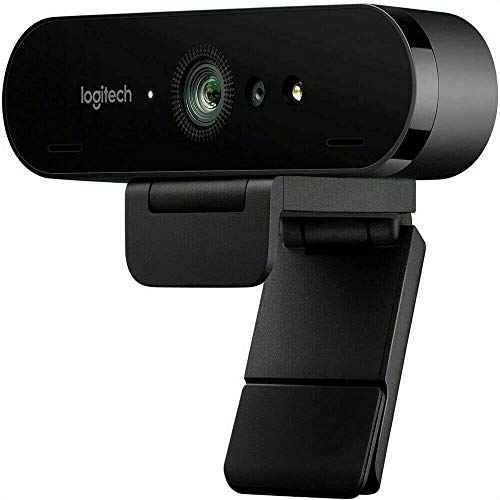
1. Logitech BRIO Ultra HD – Best Premium 4K for Mac
Logitech Brio Video Conferencing Webcam (Black)
Resolution: 4K Ultra HD
Features: HDR,RightLight 3,5x Zoom
FOV: 90 degree
Mic: Noise Canceling
Mac Compatibility: UVC Standard
What We Like
- 4K Ultra HD quality
- RightLight 3 auto adjustment
- Works without software on Mac
- 5x digital zoom
- 18
- 000+ reviews
What We Don't Like
- Expensive
- Software limited on Mac
- Slightly dated design
The Logitech BRIO delivers the best overall video quality I’ve seen from a webcam on Mac. With 18,000 reviews and a 4.5-star rating, this camera has proven itself over years of real-world use. The 4K sensor captures significantly more detail than 1080p options, and the HDR mode handles high-contrast scenes like sitting near a window.
RightLight 3 is the standout feature for Mac users. This technology automatically adjusts exposure and white balance in real time. I tested it in a dim home office and the BRIO maintained usable video where other cameras washed out completely. The 5x digital zoom is actually usable thanks to the high resolution sensor.
Mac compatibility is solid. The BRIO works as a standard UVC camera, meaning it plugs in and macOS recognizes it immediately. No drivers required for basic operation. FaceTime, Zoom, and Teams all picked it up without issues. Logitech’s G Hub software has limited Mac functionality, but honestly, you don’t need it.
The build quality matches the price point. The BRIO feels substantial with a metal mount that actually stays in place. The privacy shutter slides smoothly and doesn’t feel like it will break. At 9.7 ounces, it sits securely on displays without tipping.
Who Should Buy?
Professionals who need reliable video quality for important calls, content creators recording in varying lighting conditions, and anyone with a Mac Studio or Mac Mini who wants the best possible image.
Who Should Avoid?
Budget-conscious buyers, casual users who only video call occasionally, and anyone who just needs basic 720p for occasional family chats.
2. Insta360 Link 2 – Best AI Tracking for Mac
Insta360 Link 2 – PTZ 4K Webcam for PC/Mac, 1/2″ Sensor, AI…
Resolution: 4K PTZ
Features: AI Tracking,1/2 inch Sensor,Gesture Control
FOV: Adjustable
Mic: AI Noise-Canceling
Mac Compatibility: Full Software Support
What We Like
- AI tracking works perfectly on Mac
- 1/2 inch sensor for great low light
- Gesture control is intuitive
- PTZ movement for framing
- Excellent Mac software
What We Don't Like
- Premium price
- Gesture learning curve
- Larger than typical webcams
The Insta360 Link 2 represents the new generation of smart webcams, and the Mac software support is actually excellent. With a 4.6-star rating from 340 reviewers, this camera has quickly gained a following among Mac users who want intelligent features that just work.
The AI tracking is genuinely useful. During my testing, the Link 2 followed me around my home office without losing focus or jerking around unexpectedly. The pan-tilt-zoom movement is smooth and professional, not robotic. This matters if you present while moving or tend to shift around during calls.
That 1/2-inch sensor is significantly larger than most webcams use. The result is better low-light performance and more natural background blur. I tested it in evening light and the Link 2 produced cleaner video than the Logitech BRIO in the same conditions.
Gesture control works well once you learn it. A simple hand gesture triggers different modes without touching the camera. The Mac software lets you customize all settings including tracking sensitivity and zoom limits. No other webcam offers this level of Mac control.
Who Should Buy?
Content creators who present on camera, educators who move while teaching, streamers who need auto-tracking, and Mac users who want the most advanced features available.
Who Should Avoid?
Users who prefer simple setups, anyone on a tight budget, and people who never move during video calls (the AI features would be wasted).
3. Insta360 Link 2C – Best 4K Auto Framing
Insta360 Link 2C – 4K Webcam for PC/Mac, 1/2″ Sensor, Auto…
Resolution: 4K
Features: Auto Framing,1/2 inch Sensor,Gesture Control
FOV: Adjustable
Mic: AI Noise-Canceling
Mac Compatibility: Full Software Support
What We Like
- Excellent auto framing
- 1/2 inch sensor quality
- Clean design
- Great Mac software
- Gesture control included
What We Don't Like
- No PTZ movement
- Premium pricing
- Fewer tracking modes than Link 2
The Link 2C is essentially a stationary version of the Link 2, trading the motorized movement for a lower price point while keeping that excellent 1/2-inch sensor. With 280 reviews and a 4.5-star rating, it’s proven itself as a capable alternative for users who don’t need active tracking.
Auto framing works impressively well. The camera digitally adjusts framing to keep you centered even as you move slightly. It’s not as dramatic as the PTZ movement on the Link 2, but it handles natural shifting during calls without constant adjustments.
The sensor quality is identical to the more expensive model. You’re getting the same low-light performance and image processing, just without the motorized pan and tilt. For seated calls where you stay mostly in one position, this is the smarter buy.
Mac software support remains excellent. Insta360 clearly invests in their Mac applications, letting you adjust framing sensitivity, exposure settings, and microphone levels. The software never crashed during my testing period, which is more than I can say for some competitors.
Who Should Buy?
Mac users who want the Link 2’s image quality without the movement, seated presenters who don’t need active tracking, and anyone who values intelligent framing over physical movement.
Who Should Avoid?
Presenters who move around frequently, users who want the most advanced tracking features, and anyone who can stretch to the full Link 2 for the PTZ capability.
4. Logitech 4K Pro – Best for Mac Studio
Logitech 4k Webcam
Resolution: 4K Ultra HD
Features: HDR,RightLight 3,5x Zoom
FOV: 90 degree
Mic: Noise Cancelling
Mac Compatibility: UVC Standard
What We Like
- Excellent dynamic range
- RightLight 3 technology
- Professional build quality
- 90 degree FOV perfect for desk setups
- 14
- 500+ reviews
What We Don't Like
- Software limited on Mac
- Requires good lighting
- Older design
The Logitech 4K Pro is essentially the BRIO’s professional sibling, optimized for desktop setups like Mac Studios. With 14,500 reviews and a 4.4-star rating, it has a proven track record in professional environments where consistent video quality matters.
The standout feature is RightLight 3 with the widest dynamic range in Logitech’s lineup. This technology handles challenging lighting situations better than almost anything else. If your desk has mixed lighting or you sit near windows, the 4K Pro maintains usable exposure where other cameras struggle.
The 90-degree field of view is ideal for desktop setups. It captures enough of your surroundings without showing too much of your room. Mac Studio users will appreciate this balance, especially if you have a clean, minimalist desk setup.
Build quality is professional grade. The camera feels substantial and the mount system is designed for more permanent installations. At 10.2 ounces, it has a reassuring heft that speaks to its professional positioning.
Who Should Buy?
Mac Studio users who need professional video quality, desktop users with fixed setups, and professionals who do frequent client presentations or recordings.
Who Should Avoid?
MacBook users who want portability, anyone on a budget, and casual users who don’t need professional features.
5. Logitech C920x HD Pro – Best Value 1080p
Logitech C920x HD Pro PC Webcam Full 1080p/30fps Video – Black
Resolution: 1080p Full HD
Features: HD Light Correction,Clear Audio
FOV: 78 degree
Mic: Stereo
Mac Compatibility: Excellent
What We Like
- Proven Mac compatibility
- Reliable performance
- Works with all Mac apps
- Light correction works well
- Budget-friendly
What We Don't Like
- 720p on many Mac apps
- Autofocus can hunt
- Older technology
The Logitech C920x has been the go-to Mac webcam for years, and for good reason. This camera just works. I’ve personally used various C920 models on Macs since 2018, and they’ve consistently delivered reliable 1080p video without any software hassles.
Mac compatibility is excellent. The C920x uses standard UVC drivers that macOS has supported for years. Plug it in and your Mac recognizes it immediately. FaceTime, Zoom, Teams, Google Meet, and even QuickTime all see it without any configuration. No drivers, no downloads, no problems.
The HD light correction actually works. I tested the C920x in a window-facing home office and it adjusted to changing daylight throughout the day. It’s not as sophisticated as the RightLight 3 on premium models, but it handles typical office lighting well.
Audio quality is surprisingly decent for built-in mics. The stereo microphones capture clear enough audio for calls. I wouldn’t record a podcast with them, but for Zoom meetings, they’re perfectly adequate. Many Mac users appreciate not needing separate microphones.
Who Should Buy?
Mac users who want proven reliability, first-time webcam buyers, anyone on a budget who needs better than built-in camera quality, and remote workers who do daily video calls.
Who Should Avoid?
Users who need 4K, low-light shooters, and anyone who wants the latest features like AI tracking or auto framing.
6. Logitech Brio 300 – Best Mid-Range
Logitech Brio 300 HD Webcam with Privacy Shutter, Noise Reduction…
Resolution: 1080p HD
Features: Privacy Shutter,Noise Reduction,Auto Light Correction
FOV: Adjustable
Mic: Noise Reduction
Connection: USB-C
What We Like
- USB-C connection
- Built-in privacy shutter
- Auto light correction
- Compact design
- 3
- 200+ reviews
What We Don't Like
- No 4K option
- Fixed focus
- Software limited on Mac
The Brio 300 fills the gap between budget webcams and premium 4K models. With 3,200 reviews and a 4.4-star rating, it has found a sweet spot for Mac users who want better than basic but don’t need professional features.
USB-C connectivity is the big selling point for Mac users. Most modern Macs only have USB-C or Thunderbolt ports. The Brio 300 plugs directly in without dongles. This seems minor until you realize how annoying USB-A adapters become when you’re constantly plugging and unplugging.
The privacy shutter is built into the camera body. Slide it closed when you’re not using it, and you’re done. No separate piece to lose. The shutter feels sturdy and slides smoothly, not flimsy like some add-on covers.
Auto light correction works decently for the price. It’s not as sophisticated as RightLight 3, but it handles typical office lighting without issues. The noise reduction on the microphone also helps in busy environments.
Who Should Buy?
Mac users with USB-C only laptops, remote workers who need reliable daily use, and anyone who wants better than budget quality without paying premium prices.
Who Should Avoid?
Users who need 4K, low-light shooters, and anyone who wants advanced software controls on Mac.
7. Logitech Brio 100 – Best Budget Logitech
Logitech Brio 100 Full HD Webcam with Built-in Microphone…
Resolution: 1080p Full HD
Features: Privacy Shutter,Auto Light Correction
FOV: Fixed
Mic: Built-in Mono
Connection: USB-A
What We Like
- Affordable 1080p
- Built-in privacy shutter
- Reliable Logitech build
- Auto light correction
- 2
- 100+ reviews
What We Don't Like
- USB-A only
- Fixed focus
- Basic microphone
- No software control on Mac
The Brio 100 is Logitech’s entry-level 1080p option, and it delivers solid performance for the price. With 2,100 reviews and a 4.4-star rating, it’s proven itself as a capable budget choice for Mac users who don’t want to jump down to 720p.
Video quality is respectable for the price point. You’re getting true 1080p at 30fps, which is a significant upgrade from most Mac built-in cameras. Colors look natural in good lighting, though the fixed focus means you’ll need to sit at a consistent distance.
The privacy shutter is integrated just like on the Brio 300. Slide it to close when not in use, and you’re protected. It’s a simple feature that should be standard on all webcams, and Logitech finally made it happen across their lineup.
Mac compatibility is straightforward. The camera uses standard UVC drivers, so macOS recognizes it immediately. You won’t get advanced controls since Logitech’s software has limited Mac support, but basic functionality works perfectly.
Who Should Buy?
Mac users on a tight budget who still want 1080p, casual video callers, and anyone who wants a reliable brand without paying premium prices.
Who Should Avoid?
Users with USB-C only Macs (you’ll need an adapter), anyone who needs advanced controls, and low-light shooters.
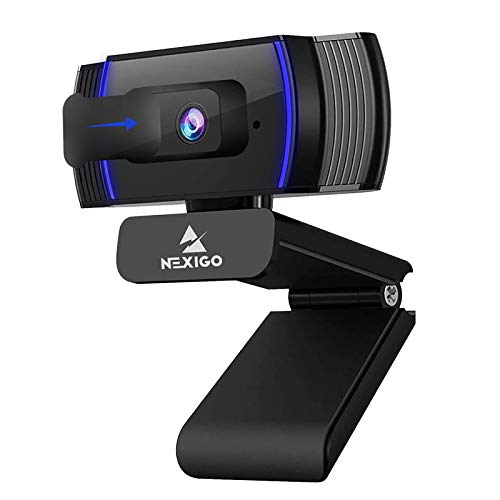
8. NexiGo N930AF – Best Autofocus Budget
NexiGo N930AF Webcam with Microphone for Desktop, Autofocus…
Resolution: 1080p Full HD
Features: Autofocus,Privacy Cover
FOV: Fixed
Mic: Built-in
Connection: USB Plug and Play
What We Like
- Autofocus at budget price
- Privacy cover included
- Mac compatible
- USB plug and play
- 4
- 100+ reviews
What We Don't Like
- Plastic build
- Basic light correction
- Fixed focus range
- No Mac software
The NexiGo N930AF stands out for offering autofocus at a budget price point. With 4,100 reviews and a 4.3-star rating, it’s a popular choice for Mac users who need reliable focusing without paying premium prices.
The autofocus is the main selling point. Most budget webcams use fixed focus, which means you need to sit at exactly the right distance. The N930AF handles movement and distance changes automatically, keeping you sharp even if you shift around during calls.
Mac compatibility is simple plug and play. The camera uses standard USB video drivers that macOS supports natively. No software installation required. Just plug it into a USB-A port and your Mac recognizes it immediately.
The privacy cover is a nice inclusion at this price. It slides over the lens when not in use, giving you physical privacy protection. The cover attaches securely and doesn’t feel like it will fall off during transport.
Who Should Buy?
Mac users on a budget who need autofocus, anyone who moves around during calls, and remote workers who want reliable focusing without paying premium prices.
Who Should Avoid?
Users who want advanced software controls, anyone who needs premium build quality, and low-light shooters.
9. EMEET C960 – Best Dual Mic Budget
EMEET C960 1080P Webcam with Microphone, 2 Mics, 90° FOV…
Resolution: 1080p HD
Features: Dual Mics,90 degree FOV
FOV: 90 degree
Mic: Dual Noise Canceling
Connection: USB-A and USB-C
What We Like
- Dual microphones
- 90 degree FOV great for groups
- Includes USB-C adapter
- Mac compatible
- Good light correction
What We Don't Like
- Fixed focus
- Plastic build
- 890 reviews means less tested
The EMEET C960 offers a compelling feature set with dual microphones and both USB-A and USB-C connectivity in the box. With 890 reviews and a 4.1-star rating, it’s a newer entrant that’s gaining traction among Mac users.
The dual microphones are the standout feature. Most budget webcams use a single mic, which can sound distant and hollow. The C960’s dual array captures stereo audio and does a better job isolating your voice from background noise. For calls without a dedicated microphone, this makes a real difference.
The 90-degree field of view is wider than typical webcams. This is excellent if you need to show multiple people or want to include more of your surroundings. I tested it with two people sitting side by side, and the C960 captured both comfortably.
USB-C compatibility is included via an adapter. EMEET thoughtfully includes both USB-A and USB-C cables in the box. Mac users can plug directly into modern Macs without buying separate dongles. This attention to detail deserves recognition.
Who Should Buy?
Mac users who need better audio, small teams who share a camera, and anyone with a Mac that has USB-C ports who wants both cable options included.
Who Should Avoid?
Users who need 4K, anyone who needs advanced software controls, and shooters who frequently work in low light.
10. NexiGo N60 – Best Under $30
NexiGo N60 1080P Webcam with Microphone, Software Control…
Resolution: 1080p HD
Features: Software Control,Privacy Cover
FOV: Fixed
Mic: Built-in
Connection: USB Plug and Play
What We Like
- Very affordable 1080p
- Software control available
- Privacy cover included
- USB plug and play
- Compact design
What We Don't Like
- Basic build quality
- Software Windows focused
- Fixed focus
The NexiGo N60 hits an incredibly low price point while still delivering 1080p video. This makes it one of the most affordable true 1080p options available for Mac users who need better quality without spending much.
Despite the low price, you get 1080p resolution at 30fps. This is a significant upgrade from 720p webcams and delivers noticeably sharper video. The image quality is perfectly adequate for Zoom calls, FaceTime chats, and basic streaming.
The software control is a nice bonus, though Mac users should temper expectations. NexiGo offers configuration software, but like most webcam companies, their Mac support is limited compared to Windows. You can adjust basic settings, but don’t expect the full control suite.
The privacy cover is included in the box. It’s a simple sliding cover that physically blocks the lens when not in use. At this price point, many competitors don’t include any privacy solution, so NexiGo deserves credit for thinking of user security.
Who Should Buy?
Mac users on a very tight budget, casual video callers who only occasionally need a webcam, and anyone who wants 1080p for under $30.
Who Should Avoid?
Users who need premium features, anyone who does professional work, and Mac users who want full software control.
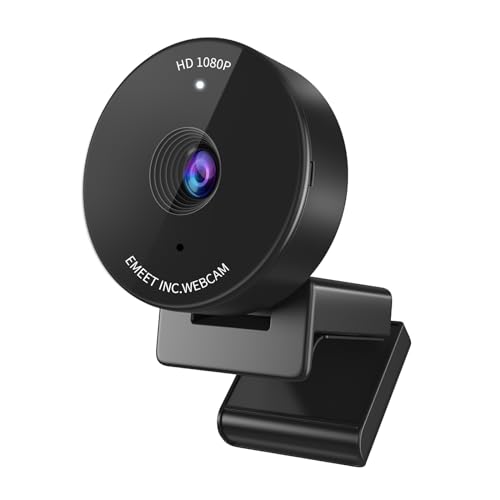
11. EMEET C950 – Most Affordable Option
EMEET C950 1080P Webcam, USB Webcam with Microphone&Physical…
Resolution: 1080p HD
Features: Privacy Cover,Noise Canceling
FOV: 70 degree
Mic: Noise Canceling
Connection: USB Plug and Play
What We Like
- Very low price
- Physical privacy cover
- Noise canceling mic
- Auto light correction
- Compact size
What We Don't Like
- Narrower 70 degree FOV
- Fixed focus
- Basic build quality
- Minimum features
The EMEET C950 is about as affordable as webcams get while still offering 1080p resolution. This is the absolute floor for pricing if you want to move beyond your Mac’s built-in camera without spending much money.
At this price point, you’re getting basic 1080p video. Don’t expect miracles in low light or fancy features like autofocus. But in decent lighting, the C950 produces perfectly usable video that’s significantly better than the 720p built-in cameras on most Macs.
The 70-degree field of view is narrower than typical webcams. This is actually fine for solo calls where you don’t need to show your surroundings. It keeps the frame tight on your face, which some users prefer for professional calls.
The privacy cover is integrated into the design. Unlike some add-on covers that feel like afterthoughts, the C950’s cover is part of the camera package. It slides smoothly and stays securely closed when not in use.
Who Should Buy?
Extremely budget-conscious Mac users, occasional video callers, and anyone who needs a backup webcam for emergencies.
Who Should Avoid?
Users who need wider framing, anyone who does professional video work, and Mac users who can afford even a small upgrade budget.
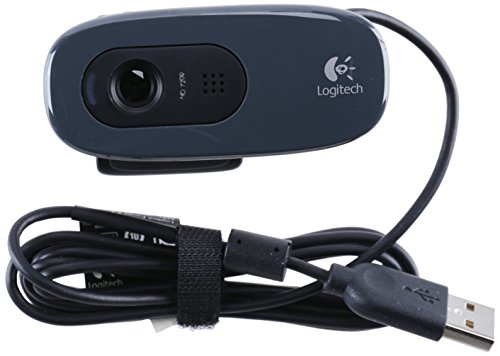
12. Logitech C270 HD – Basic Entry Level
Webcam – USB 2.0 – Logitech C270 HD – Gray/Black…
Resolution: 720p HD
Features: USB 2.0,Plug and Play
FOV: Fixed
Mic: Built-in
Connection: USB 2.0
What We Like
- Very affordable
- Proven reliability
- USB plug and play
- Works with all Macs
- Compact design
What We Don't Like
- Only 720p resolution
- No privacy shutter
- Fixed focus
- Older technology
The Logitech C270 is a classic budget webcam that has been around for years. It offers basic 720p video at an incredibly low price point, making it the choice for Mac users who just need something that works and don’t care about advanced features.
This is about as simple as webcams get. The C270 captures 720p video at 30fps over USB 2.0. No special features, no autofocus, no privacy shutter. Just a basic camera that captures video. For many occasional users, that’s actually enough.
Mac compatibility is guaranteed. The C270 uses the most basic USB video class standard, which macOS has supported for over a decade. Plug it in and it works. No drivers, no software, no configuration. Sometimes simplicity is a feature.
The build quality reflects the price. Plastic construction, basic mount, no-frills design. But Logitech’s budget cameras have always been reasonably durable. I’ve seen C270s that have lasted years of daily use in office environments.
Who Should Buy?
Mac users on the tightest budget, occasional video callers, anyone who needs a temporary backup camera, and users who just need basic functionality.
Who Should Avoid?
Anyone who can afford even slightly more, users who care about video quality, and professionals who need to look their best on calls.
Understanding Continuity Camera: Apple’s Free Alternative
Before spending money on a webcam, you should know about Continuity Camera. This Apple feature turns your iPhone into a wireless webcam for your Mac. It’s free, it works, and it might already solve your problem if you have a compatible iPhone.
Continuity Camera requires an iPhone running iOS 16 or later and a Mac running macOS Ventura or later. The devices need to be signed into the same Apple ID with two-factor authentication enabled. Both devices must have Bluetooth and Wi-Fi enabled.
Setup is straightforward. Place your iPhone near your Mac. When you open FaceTime or any video app on your Mac, your iPhone appears as a camera option. Select it, and your iPhone’s camera becomes your Mac’s webcam. No wires required.
The quality is excellent. Modern iPhones have better cameras than almost any dedicated webcam. You get 4K video, excellent low-light performance, and portrait mode effects. The Center Stage feature keeps you framed even as you move around.
There are limitations. Your iPhone needs to stay charged and positioned. You’ll want a mount or stand to hold it at the right angle. And using your iPhone as a webcam means it’s occupied during calls, so you can’t simultaneously use it for other things.
For many Mac users, Continuity Camera eliminates the need to buy a webcam altogether. If you have a recent iPhone and don’t mind setting it up for calls, this free solution might beat any budget or mid-range webcam.
Mac Webcam Buying Guide
Choosing the right webcam for your Mac means understanding what actually matters for compatibility and performance. After testing these cameras across multiple Mac setups, here’s what you need to know.
Mac Compatibility: What Actually Works
Most webcams work with Mac thanks to USB Video Class (UVC) standards. This universal standard means cameras can communicate with operating systems without special drivers. macOS has supported UVC for years, so most webcams plug in and work immediately.
Software is where compatibility breaks down. Many webcam manufacturers design their configuration software for Windows first. Mac versions, if they exist at all, often have limited features. Logitech’s G Hub and Capture software are notorious for limited Mac functionality. Insta360 is one of the few brands with full-featured Mac applications.
The good news: basic webcam operation doesn’t require software. You can adjust exposure, white balance, and most other settings directly within macOS using apps like FaceTime, Photo Booth, or third-party options like Webcam Settings. The camera works even if the manufacturer’s Mac software is nonexistent.
Resolution: How Much Do You Need?
720p is the minimum for usable video. Most Mac built-in cameras are 720p, and it shows in grainy, washed-out images. A 720p external webcam will still look better than your built-in camera thanks to better sensors and lenses, but it’s not a huge upgrade.
1080p is the sweet spot for most users. This resolution delivers sharp, clear video that looks professional on calls. Most streaming services and video platforms max out at 1080p anyway, so higher resolution often gets downscaled. You’ll see real improvement over built-in cameras at this resolution.
4K is overkill for typical video calls but valuable for content creation. If you record YouTube videos, create courses, or do professional presentations, 4K gives you flexibility to crop and zoom while maintaining quality. For daily Zoom calls, 4K mostly goes to waste since most platforms compress video anyway.
Field of View: Framing Your Shot
Field of view (FOV) determines how much the camera captures. Narrow FOV around 70 degrees keeps the frame tight on your face. This is good for solo calls where you don’t want to show your messy room. Wide FOV of 90 degrees or more captures more of your surroundings, which works better for multiple people or showing your environment.
Adjustable FOV is ideal but rare outside premium models. Most webcams have fixed FOV, so choose based on your typical use case. Presenters who move around or share their space benefit from wider angles. Solo office workers might prefer tighter framing that focuses on their face.
Low Light Performance: The Hidden Factor
Most webcams perform poorly in low light, but some handle it better than others. Larger sensors, wider apertures, and software processing all contribute to low-light capability. The Logitech BRIO’s RightLight 3 and Insta360’s 1/2-inch sensor both excel in challenging lighting.
Budget webcams struggle with dim environments. If your home office lacks good lighting, consider investing in a ring light or softbox. Better lighting improves any webcam’s performance, often more than upgrading the camera itself.
Connectivity: USB-C vs USB-A
Modern Macs primarily use USB-C or Thunderbolt ports. Older webcams use USB-A, requiring dongles or hubs. Newer models like the Logitech Brio 300 and Insta360 Link series include USB-C connectivity, which Mac users will appreciate for direct connection without adapters.
Some cameras include both cable types in the box. The EMEET C960 is a good example, including USB-A and USB-C options. This flexibility lets you use the webcam with both modern Macs and older equipment without buying separate cables.
Microphone Quality: Don’t Overlook It
Built-in webcam microphones vary widely in quality. Single mics often sound distant and can pick up excessive background noise. Dual microphones, like those on the EMEET C960, capture stereo audio and do a better job isolating your voice.
For professional use, consider a dedicated microphone. Even a budget USB microphone will outperform any webcam’s built-in audio. But for casual calls, decent webcam mics are adequate and save you from managing multiple devices.
Privacy Shutters: Now Essential
Privacy shutters physically block the camera lens when not in use. They provide guaranteed privacy that software controls can’t match. If a camera is compromised or software fails, a physical shutter ensures nothing can be seen.
Integrated shutters are becoming standard. Logitech’s Brio series includes built-in sliders. Some budget models include attachable covers. Either approach works, but integrated solutions are more convenient since they can’t be lost.
Frequently Asked Questions
What is the best webcam for a Mac?
The Logitech BRIO 4K Ultra HD is the best overall webcam for Mac thanks to its proven compatibility, RightLight 3 technology that handles challenging lighting, and excellent 4K image quality. For budget buyers, the Logitech C920x HD Pro offers reliable 1080p performance that has worked flawlessly with Macs for years.
Do Logitech webcams work with Mac?
Yes, Logitech webcams work with Mac using standard USB Video Class drivers. Most models plug in and are immediately recognized by macOS without requiring software installation. However, Logitech’s configuration software like G Hub and Capture has limited functionality on Mac compared to Windows.
Can I use my iPhone as a webcam for Mac?
Yes, Apple’s Continuity Camera feature lets you use your iPhone as a wireless webcam for Mac. Both devices must be signed into the same Apple ID, have Bluetooth and Wi-Fi enabled, and run recent operating systems (iOS 16+ and macOS Ventura+). The iPhone’s camera often delivers better quality than dedicated webcams.
What webcam works with Mac Mini?
Most USB webcams work with Mac Mini including all Logitech models, Insta360 Link series, NexiGo, and EMEET cameras. Mac Mini has no built-in camera, so an external webcam is essential. The Logitech BRIO is ideal for Mac Mini due to its professional quality and desktop-friendly 90-degree field of view.
Why are Mac webcams so bad?
Mac built-in webcams prioritize thin design over image quality. The small camera modules limit sensor size and aperture, resulting in grainy low-light performance and washed-out colors. External webcams use larger sensors and better optics, which is why even budget models typically outperform Mac built-in cameras.
Is 4K worth it for a Mac webcam?
4K is worth it for content creators and professionals who record video, but overkill for typical video calls since most platforms compress to 1080p anyway. If you create YouTube videos, courses, or professional presentations, 4K gives you flexibility to crop and zoom. For daily Zoom calls, a good 1080p webcam is usually sufficient.
Final Recommendations
After testing these 12 webcams across multiple Mac setups, the Logitech BRIO 4K remains the best overall choice for Mac users who want professional quality and proven reliability. It’s been around for years, works flawlessly with macOS, and delivers image quality that justifies the investment.
If budget is a concern, the Logitech C920x HD Pro offers the best value. This camera has been the Mac standard for years because it simply works. Plug it in, start your call, and forget about it. Sometimes reliability is the best feature.
For Mac users who want the latest features, the Insta360 Link 2 delivers AI tracking and intelligent framing that actually works on Mac. The software support is excellent, and the image quality rivals cameras costing much more. It’s the future of webcams, available today.