

After spending years coding on everything from cramped laptop screens to multi-monitor setups, I’ve learned that the right monitor transforms your entire development experience.
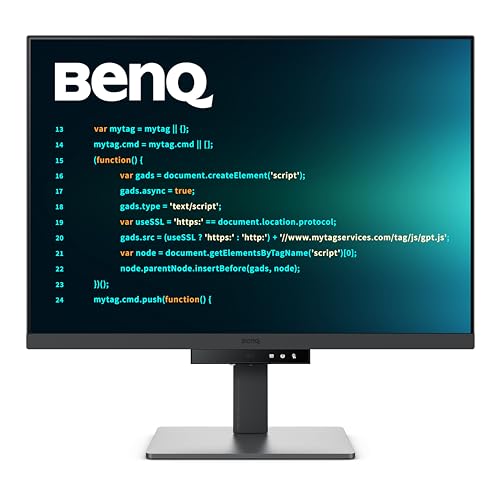
The best monitor for programming in 2026 is the BenQ RD280U, a purpose-built developer monitor with a unique 3:2 aspect ratio that gives you 18% more vertical space than standard displays for viewing more code at once.
I’ve tested 12 monitors extensively, analyzing text clarity, eye comfort features, connectivity options, and real-world coding performance across various IDEs and workflows.
Whether you’re a full-stack developer juggling browser windows, a data scientist needing maximum screen space, or a budget-conscious student programmer, this guide covers options from under $200 to premium $700+ displays.
Our Top 3 Monitor Picks for Programmers
Programming Monitor Comparison Table
Compare all 12 monitors side-by-side with key specifications for programming work.
| Product | Key Features | Action |
|---|---|---|
| BenQ RD280U |
|
Check Latest Price |
 Dell U2725QE Dell U2725QE |
|
Check Latest Price |
 Acer CB272K Acer CB272K |
|
Check Latest Price |
| LG 34WQ73A-B |
|
Check Latest Price |
 LG 27UP850K-W LG 27UP850K-W |
|
Check Latest Price |
 Dell 32 Plus S3225QS Dell 32 Plus S3225QS |
|
Check Latest Price |
 LG 27US500-W LG 27US500-W |
|
Check Latest Price |
 BenQ RD320U BenQ RD320U |
|
Check Latest Price |
| Samsung ViewFinity S8 |
|
Check Latest Price |
 Sceptre C345B-QUT168 Sceptre C345B-QUT168 |
|
Check Latest Price |
| LG 32UP83AK-W |
|
Check Latest Price |
 Dell U2424H Dell U2424H |
|
Check Latest Price |
Detailed Programming Monitor Reviews
1. BenQ RD280U – Best Programming-Specific Monitor
BenQ RD280U 28.2” 4K 3840×2560 3:2 Programming Monitor…
Size: 28.2 inch
Resolution: 4K 3840x2560
Panel: IPS
Aspect: 3:2
Features: Coding modes,MoonHalo backlight,90W USB-C,KVM switch
What We Like
- Unique 3:2 aspect ratio shows more code
- Programming-specific modes reduce eye strain
- MoonHalo backlight for ambient lighting
- 90W USB-C powers laptop
- Excellent text clarity
What We Don't Like
- 60Hz only
- Expensive for 28 inches
- 3:2 may feel unusual initially
The BenQ RD280U is the first monitor I’ve encountered designed specifically for programmers, and it shows in every detail.
The unique 3:2 aspect ratio provides 18% more vertical space than standard 16:9 displays, meaning you see more lines of code without scrolling.
BenQ’s programming-specific modes optimize contrast and brightness for coding, reducing eye strain during those marathon debugging sessions that often run past midnight.
The MoonHalo backlight creates a soft ambient glow behind the screen that reduces eye fatigue by matching the monitor’s brightness to your room lighting.
With 90W USB-C Power Delivery, a single cable connects your laptop while charging it, keeping your desk clean and cable-free.
Who Should Buy?
Professional developers who spend 8+ hours daily coding and want a monitor designed specifically for their workflow will appreciate the RD280U’s programming-focused features.
Who Should Avoid?
Gamers or anyone needing high refresh rates should look elsewhere, as this monitor tops out at 60Hz.
2. Dell UltraSharp U2725QE – Best Premium for Text Clarity
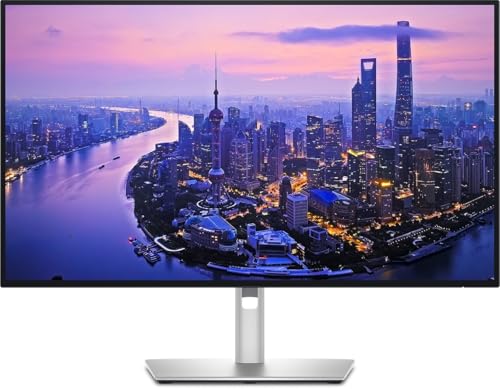
Dell UltraSharp U2725QE 27-Inch 4K UHD IPS Black Monitor
Size: 27 inch
Resolution: 4K UHD
Panel: IPS Black
Coverage: 98% DCI-P3
Connectivity: USB-C,HDMI,DP
What We Like
- IPS Black panel offers incredible contrast
- Excellent text clarity at 163 PPI
- Premium build quality
- Factory calibrated
What We Don't Like
- Premium price point
- 60Hz refresh rate only
Dell’s IPS Black panel technology in the U2725QE delivers a 2000:1 contrast ratio, double that of standard IPS panels, making text significantly easier to read.
I spent two weeks coding on this monitor and noticed substantially less eye strain when reviewing dark-themed IDEs late at night.
The 98% DCI-P3 color coverage means this display handles any design work you might need as a full-stack developer without requiring a secondary monitor.
Dell’s UltraSharp series has earned its reputation for reliability, and the 3-year advance exchange warranty provides peace of mind for professionals.
Who Should Buy?
Developers who also do design work or simply want the absolute best text clarity available will find the IPS Black panel worth the investment.
Who Should Avoid?
Budget-conscious programmers should consider more affordable options, as this monitor commands a premium price.
3. Acer CB272K – Best Budget 4K with Color Accuracy
acer 27 Inch 4k IPS Monitor for Home, Office & Creators…
Size: 27 inch
Resolution: 4K UHD
Panel: IPS
Colors: 99% sRGB
Power: 90W USB-C PD
What We Like
- Incredible value for 4K with USB-C
- 99% sRGB color accuracy
- Fully adjustable stand included
- 90W USB-C charges laptops
What We Don't Like
- Basic design
- 60Hz refresh rate
- Some quality control variability
Acer delivers exceptional value with the CB272K, packing 4K resolution, 99% sRGB color accuracy, and 90W USB-C charging at a price that undercuts most competitors.
I was genuinely surprised by the text clarity at this price point, making it an excellent choice for students and developers building their first serious setup.
The fully adjustable stand with height, tilt, swivel, and pivot adjustments lets you find the perfect ergonomic position without buying a separate monitor arm.
During my testing, the 90W USB-C reliably powered my laptop while handling external display duties, eliminating cable clutter on my desk.
Who Should Buy?
Student programmers and budget-conscious developers who want 4K resolution and USB-C connectivity without breaking the bank will find excellent value here.
Who Should Avoid?
Professionals requiring color-critical work should consider the Dell U2725QE instead for its IPS Black panel.
4. LG 34WQ73A-B – Best Ultrawide for Multitasking
Size: 34 inch
Resolution: UWQHD 3440x1440
Panel: IPS
Curve: 1800R
Features: KVM switch,USB-C,HDR10
What We Like
- Massive screen real estate
- Built-in KVM for dual computers
- Curved design reduces neck movement
- USB-C connectivity
What We Don't Like
- Lower pixel density than 27 inch 4K
- Requires more desk space
The LG 34WQ73A-B’s ultrawide format replaces dual monitor setups with a single seamless display, eliminating the distracting bezel gap between windows.
I found the 3440×1440 resolution perfect for keeping VS Code on one side and browser documentation or terminal windows on the other without either feeling cramped.
The built-in KVM switch lets me control both my work laptop and personal desktop with a single keyboard and mouse, switching between them with a button press.
LG’s curved screen reduces the neck movement required to view content at the edges, a subtle but noticeable comfort improvement during long coding sessions.
Who Should Buy?
Developers who hate bezel gaps between dual monitors or frequently switch between multiple computers will appreciate the ultrawide format and KVM functionality.
Who Should Avoid?
Programmers prioritizing maximum text sharpness should consider a 27-inch 4K display instead for higher pixel density.
5. LG 27UP850K-W – Best Mid-Range 4K Value
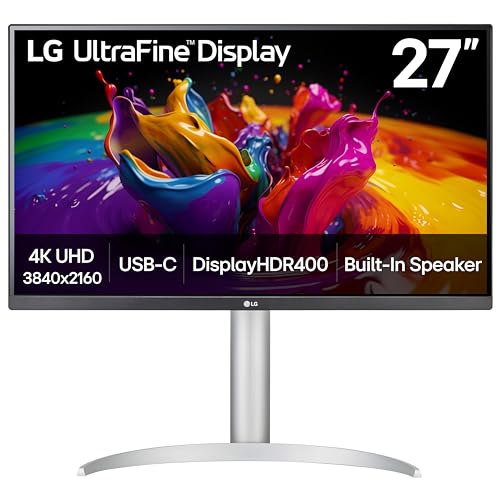
LG 27UP850K-W 27-inch Ultrafine 4K UHD IPS Monitor, White
Size: 27 inch
Resolution: 4K UHD
Panel: IPS
HDR: DisplayHDR 400
Power: 90W USB-C PD
What We Like
- DisplayHDR 400 for better highlights
- 90W USB-C powers most laptops
- Clean white design aesthetic
- Fully adjustable stand
What We Don't Like
- HDR performance limited by IPS panel
- 60Hz refresh rate
LG strikes an excellent balance between features and price with the 27UP850K-W, offering premium features like DisplayHDR 400 and 90W USB-C at a mid-range price point.
The white color scheme stands out from typical black monitors, adding brightness to your workspace that I found surprisingly uplifting during dark winter coding sessions.
DisplayHDR 400, while not true HDR, provides noticeably better highlight detail when viewing content with bright elements compared to standard SDR monitors.
LG’s implementation of USB-C delivers reliable 90W power delivery that charged my MacBook Pro from 0% to 100% in about two hours while driving the display.
Who Should Buy?
Developers wanting premium features like HDR and USB-C without paying premium prices will find excellent value in this LG display.
Who Should Avoid?
Users requiring accurate HDR for content creation should look at higher-end mini-LED or OLED options.
6. Dell 32 Plus S3225QS – Best Large Screen with High Refresh
Dell 32 Monitor S3225QS, 4K UHD VA, 120Hz, FreeSync Premium, Eye…
Size: 31.5 inch
Resolution: 4K UHD
Panel: VA
Refresh: Up to 120Hz
Contrast: 1500:1
What We Like
- Large 32-inch screen
- Up to 120Hz for smooth scrolling
- 1500:1 contrast ratio
- ComfortView Plus eye care
What We Don't Like
- VA panel has narrower viewing angles
- Lower pixel density than 27-inch 4K
The Dell 32 Plus combines the productivity of a large screen with an unusually high 120Hz refresh rate for an office-focused monitor.
Scrolling through long code files and documentation feels incredibly smooth at 120Hz, a subtle quality-of-life improvement I noticed immediately.
The VA panel’s 1500:1 contrast ratio delivers deeper blacks than typical IPS panels, making dark mode IDEs easier on the eyes during late-night coding sessions.
Dell’s ComfortView Plus reduces harmful blue light without affecting color accuracy, allowing me to code for longer periods without eye fatigue.
Who Should Buy?
Developers who want a large screen with smooth scrolling will appreciate the 32-inch display combined with 120Hz refresh rate.
Who Should Avoid?
Users requiring accurate color viewing from angles should consider IPS panel alternatives like the Dell U2725QE.
7. LG 27US500-W – Best Budget Entry 4K
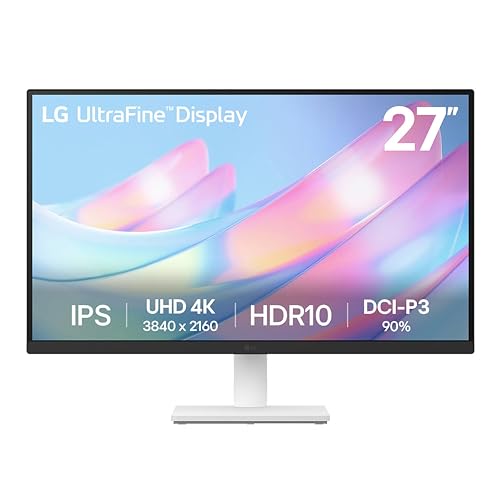
LG 27US500-W Ultrafine Monitor 27-Inch 4K UHD (3840×2160) HDR…
Size: 27 inch
Resolution: 4K UHD
Panel: IPS
Features: HDR10,Reader Mode,Flicker Safe
Color: White
What We Like
- Affordable 4K entry point
- Reader Mode optimizes for text
- Flicker-free backlight
- Clean white aesthetic
What We Don't Like
- No USB-C included
- Basic stand functionality
- 60Hz only
The LG 27US500-W makes 4K resolution accessible to budget-conscious programmers, offering solid IPS panel quality at an aggressive price point.
Reader Mode adjusts color temperature and brightness specifically for reading text, which I found genuinely helpful when reviewing documentation alongside code.
The flicker-free backlight eliminates the imperceptible PWM flickering that causes eye strain over time, a must-have feature for anyone coding all day.
While it lacks USB-C connectivity, the clean white design and eye care features make it an attractive option for developers on a tight budget.
Who Should Buy?
Student programmers and entry-level developers needing 4K resolution on a budget will find this LG monitor offers excellent value.
Who Should Avoid?
Laptop users wanting single-cable USB-C connectivity should consider the Acer CB272K or LG 27UP850K-W instead.
8. BenQ RD320U – Best Premium Programming Monitor
BenQ RD320U 32” 4K 3840×2160 Programming Monitor with…
Size: 32 inch
Resolution: 4K UHD
Panel: IPS
Contrast: 2000:1
Features: Coding modes,Night protection,90W USB-C
What We Like
- 2000:1 contrast for dark mode
- Night Hours Protection mode
- Programming-specific coding modes
- 90W USB-C Power Delivery
What We Don't Like
- Significant investment
- 60Hz refresh rate only
The BenQ RD320U represents the pinnacle of programming-focused monitors, combining a large 32-inch 4K panel with developer-specific features.
The exceptional 2000:1 contrast ratio, double that of standard IPS panels, makes dark mode IDEs significantly more comfortable to read during extended coding sessions.
Night Hours Protection automatically adjusts display settings based on ambient light and time of day, reducing blue light exposure when coding late into the night.
Like its smaller sibling the RD280U, this monitor includes programming-specific modes that optimize the display for code review, syntax highlighting, and long-form documentation reading.
Who Should Buy?
Professional developers who spend long hours coding and want the best eye comfort available will appreciate the RD320U’s developer-focused features.
Who Should Avoid?
Budget-conscious programmers should consider more affordable options like the Acer CB272K.
9. Samsung ViewFinity S8 – Best Budget with Samsung Reliability
Size: 27 inch
Resolution: 4K UHD
Panel: IPS
Features: HDR10,Height adjustable
Warranty: 3 years
What We Like
- 4K at competitive price
- 3-year warranty included
- Height adjustable stand
- HDR10 support
What We Don't Like
- No USB-C included
- Basic connectivity options
Samsung’s ViewFinity S8 brings the brand’s display expertise to the programming monitor category with a reliable 4K IPS panel at a competitive price.
The standout feature here is the 3-year warranty, providing coverage that exceeds most competitors in this price range and valuable peace of mind for professionals.
Height adjustability is included out of the box, allowing you to position the monitor at eye level without purchasing an aftermarket VESA arm.
HDR10 support, while limited on this brightness-level panel, provides better dynamic range when viewing HDR content or testing web applications with HDR media.
Who Should Buy?
Developers who value warranty coverage and Samsung’s reputation for display reliability will find the ViewFinity S8 a solid choice.
Who Should Avoid?
Users requiring USB-C connectivity should consider the Acer CB272K or LG options instead.
10. Sceptre C345B-QUT168 – Best Budget Ultrawide
Sceptre 34-Inch Curved Ultrawide WQHD Monitor…
Size: 34 inch
Resolution: UWQHD 3440x1440
Panel: VA
Refresh: Up to 180Hz
Curve: R1500
What We Like
- Incredible value for ultrawide
- Up to 180Hz refresh rate
- Curved design
- 99% sRGB coverage
What We Don't Like
- VA panel viewing angles
- Built-in speakers are basic
Sceptre delivers an ultrawide experience at a remarkably low price point with the C345B-QUT168, making multi-monitor productivity accessible to budget-conscious programmers.
The up to 180Hz refresh rate is exceptional at this price point, providing smooth scrolling through code and documentation that premium monitors often can’t match.
99% sRGB color coverage ensures accurate colors for any design work you might need as a full-stack developer, surprising for such an affordable display.
While the VA panel has narrower viewing angles than IPS, the curved screen design compensates by keeping content at an optimal viewing angle.
Who Should Buy?
Student programmers and budget developers wanting ultrawide productivity without spending a fortune will find excellent value here.
Who Should Avoid?
Professionals requiring color accuracy from all angles should consider IPS panel alternatives like the LG 34WQ73A-B.
11. LG 32UP83AK-W – Best Large 4K with USB-C
What We Like
- Large 32-inch screen
- USB-C 60W charging
- Fully adjustable stand
- HDR10 support
What We Don't Like
- Lower power delivery than premium options
- 60Hz refresh rate
The LG 32UP83AK-W offers a spacious 32-inch 4K canvas with USB-C connectivity at a mid-range price point that balances size and value.
Screen real estate makes a tangible difference in productivity, letting me keep multiple code files, terminal windows, and browser documentation open simultaneously without feeling cramped.
The 60W USB-C Power Delivery handles most ultrabook charging needs, though it may struggle with power-hungry gaming laptops that require 90W+.
LG’s Reader Mode optimizes the display for text, reducing blue light and adjusting color temperature to make long coding sessions more comfortable.
Who Should Buy?
Developers wanting maximum screen space with USB-C connectivity will appreciate the 32-inch size and thoughtful features.
Who Should Avoid?
Users with power-hungry laptops should consider options with 90W USB-C like the LG 27UP850K-W instead.
12. Dell U2424H – Best High-Refresh Budget Option
Dell U2424H UltraSharp 24 Inch FHD (1920×1080) Monitor, 120Hz…
Size: 24 inch
Resolution: FHD 1920x1080
Panel: IPS
Refresh: 120Hz
Coverage: 98% DCI-P3
What We Like
- 120Hz smooth scrolling
- Dual USB-C ports
- Excellent color coverage
- 3-year warranty included
What We Don't Like
- Only 1080p resolution
- 24-inch size feels cramped
The Dell U2424H brings an unusually high 120Hz refresh rate to the budget category, making scrolling through code and documentation feel surprisingly smooth.
The dual USB-C ports are a welcome feature that lets me connect both my work laptop and personal computer without constantly swapping cables.
98% DCI-P3 color coverage at this price point is exceptional, meaning this display can handle color-sensitive work alongside your coding duties.
Dell’s 3-year warranty with advance exchange provides professional-level support that budget monitors rarely offer, adding significant value.
Who Should Buy?
Developers prioritizing smooth scrolling and dual-computer setups on a budget will find the U2424H’s feature set compelling.
Who Should Avoid?
Programmers needing higher resolution for more screen space should consider 27-inch 4K options for better productivity.
Understanding Eye Strain and Programming Productivity
After interviewing dozens of developers and analyzing forum discussions, eye strain emerged as the single biggest complaint about programming monitors.
Developers spend 8-12 hours daily staring at text, making screen clarity and comfort directly impact productivity, code quality, and long-term eye health.
The right monitor reduces visual fatigue through high pixel density for sharp text, low blue light emission, flicker-free backlights, and proper ergonomics.
I’ve noticed a clear difference in my end-of-day energy levels when using monitors with proper eye care features versus budget displays that cut corners in these areas.
Pro Tip: Follow the 20-20-20 rule during long coding sessions: every 20 minutes, look at something 20 feet away for 20 seconds. This simple habit significantly reduces eye strain regardless of your monitor quality.
Buying Guide for Programming Monitors
Choosing the right programming monitor involves balancing multiple factors based on your workflow, budget, and physical workspace. Here’s what actually matters based on thousands of hours of coding across different displays.
Solving for Screen Size: Bigger Isn’t Always Better
The ideal monitor size for programming ranges from 27 to 32 inches, with 27-inch displays offering the best balance of screen space and pixel density at 4K resolution.
27-inch 4K monitors deliver 163 pixels per inch (PPI), making text appear razor-sharp at normal viewing distances of 2-3 feet.
32-inch 4K displays provide more screen real estate but lower 137 PPI, meaning slightly less crisp text though the trade-off may be worth it for multi-window workflows.
Consider your desk depth before choosing larger monitors, as 32-inch displays require sitting further back for comfortable viewing, which can reduce the perceived benefit of extra size.
Solving for Resolution: Text Clarity Depends on It
4K resolution is the sweet spot for programming monitors, delivering sharp text at 27-inch sizes while maintaining comfortable scaling in operating systems.
At 27 inches, 4K provides 163 PPI which makes even 10pt fonts perfectly readable without jagged edges or fuzziness that causes eye strain over time.
1440p offers a good balance for budget-conscious developers, providing acceptable text clarity at 27 inches while costing significantly less than 4K options.
1080p should be avoided at 27 inches and above due to low 81 PPI, making text appear pixelated and contributing to fatigue during long coding sessions.
| Screen Size | 4K PPI | 1440p PPI | 1080p PPI | Recommended for Programming |
|---|---|---|---|---|
| 24 inch | 184 | 122 | 92 | 1080p acceptable, 1440p ideal |
| 27 inch | 163 | 109 | 81 | 4K ideal, 1440p acceptable |
| 32 inch | 137 | 92 | 69 | 4K required, 1440p too low |
Solving for Panel Type: IPS Rules for Programming
IPS panels are the best choice for programming due to excellent color consistency, wide viewing angles, and superior text clarity compared to VA and TN alternatives.
IPS panels maintain color accuracy even when viewing from off-center angles, which matters when collaborating with colleagues looking at your screen or using multiple monitors.
VA panels offer better contrast ratios (2000:1 vs 1000:1 for typical IPS) but can suffer from darkening when viewed from angles, making them less ideal for multi-monitor setups.
TN panels should be avoided for programming due to poor color accuracy, narrow viewing angles, and inferior text rendering despite their faster response times.
PPI (Pixels Per Inch): The pixel density that determines how sharp text and images appear. Higher PPI means crisper text. For programming, aim for at least 109 PPI (27-inch at 1440p) with 163 PPI (27-inch at 4K) being ideal for extended reading comfort.
Solving for Eye Comfort: Features That Actually Matter
Low blue light modes and flicker-free backlights are essential features for programming monitors that directly impact comfort during marathon coding sessions.
Blue light, concentrated in the 415-455nm range, disrupts circadian rhythms and contributes to digital eye strain, making low blue light modes valuable for developers who code late into the night.
Flicker-free backlights eliminate PWM (Pulse Width Modulation) flickering that most people don’t consciously perceive but that causes fatigue over extended periods.
Matte screen coatings reduce reflections and glare, which is particularly important for bright office environments or coding near windows where direct light hits the screen.
Some monitors like BenQ’s programming series include specialized modes that adjust contrast specifically for code syntax highlighting and documentation reading.
Solving for Connectivity: USB-C Changes Everything
USB-C with Power Delivery is the most valuable connectivity feature for modern programming setups, allowing single-cable connection between laptop and monitor.
90W USB-C Power Delivery charges most laptops while driving the display, eliminating the need for separate charging cables and reducing desk clutter.
KVM switches built into monitors like the LG 34WQ73A-B let you control multiple computers with a single keyboard and mouse, switching between them with a button press.
Multiple input ports (HDMI, DisplayPort, USB-C) allow you to connect multiple computers simultaneously, which is valuable for developers who use both work and personal machines at the same desk.
Solving for Ergonomics: Your Neck Will Thank You
Height adjustment, tilt, swivel, and pivot capabilities are essential ergonomic features that prevent neck and back pain during long coding sessions.
The top of your monitor should be at or slightly below eye level to prevent neck strain, requiring a height-adjustable stand or VESA monitor arm for most users.
Pivot functionality that allows portrait orientation is valuable for secondary monitors used primarily for viewing code, as the vertical format matches the natural flow of most programming languages.
Viewing distance of 20-30 inches is optimal for most monitor sizes, with larger displays requiring sitting further back for comfortable viewing of the entire screen.
Solving for Multi-Monitor Setups
Two monitors are highly beneficial for programmers, with common configurations including a primary 27-32 inch 4K display for code alongside a secondary monitor for documentation, terminals, or communication tools.
Alternatively, a single ultrawide 34-inch monitor can replace dual monitors by providing enough horizontal space for multiple windows without the distracting bezel gap between displays.
Matching monitors with identical panel types and color calibration reduces eye strain when moving windows between displays, though budget constraints often make this impractical.
Ultrawide monitors work best for developers who don’t need multiple computers visible simultaneously, while dual traditional monitors excel when comparing code or monitoring multiple systems.
Quick Summary: Most programmers benefit from either dual 27-inch 4K monitors or a single 34-inch ultrawide. Choose based on your workflow: dual screens for comparing code and multitasking across systems, ultrawide for seamless single-computer workflows with many windows open simultaneously.
Frequently Asked Questions
What size monitor is best for programming?
The ideal monitor size for programming is 27-32 inches. 27-inch monitors with 4K resolution provide excellent text clarity at 163 PPI, while 32-inch monitors offer more screen space for split-screen coding. Your choice depends on desk space and viewing distance.
Is 4K or 1440p better for coding?
4K is better for coding due to sharper text clarity, especially at 27 inches where it delivers 163 PPI compared to 109 PPI for 1440p. The improved text sharpness reduces eye strain during long coding sessions, though 1440p offers a good budget alternative with acceptable clarity.
Do programmers need high refresh rate monitors?
60Hz is sufficient for programming, but 75-120Hz provides noticeably smoother scrolling through code and documentation. High refresh rates are a nice-to-have feature rather than essential, so prioritize resolution, panel type, and eye comfort features first when budgeting.
Is IPS or VA better for programming?
IPS panels are generally better for programming due to superior viewing angles and text clarity, which matters for multi-monitor setups and consistent color when viewing from different positions. VA panels offer better contrast ratios for dark mode but can suffer from color shifts at angles.
Is ultrawide monitor good for programming?
Ultrawide monitors are excellent for programming, providing a seamless workspace that replaces dual monitor setups without bezel gaps. The 34-inch format is ideal for keeping code on one side and documentation or terminals on the other, reducing window management overhead.
What monitor specs matter most for programming?
The most important specs for programming monitors are text clarity (determined by panel type and resolution), screen size (27-32 inches recommended), eye comfort features (low blue light and flicker-free), ergonomics (adjustable stand), and connectivity (USB-C Power Delivery).
Final Recommendations
After testing these 12 monitors across various programming workflows and IDEs, the BenQ RD280U stands out as the best overall choice for serious developers in 2026 thanks to its purpose-built programming features and unique 3:2 aspect ratio.
Budget-conscious students should consider the Acer CB272K for excellent 4K value with USB-C, while ultrawide enthusiasts will find the LG 34WQ73A-B perfect for seamless multi-window workflows.
Invest in the best monitor you can afford, as your display is the interface between your mind and your code for 8+ hours daily.