

I’ve spent years testing audio equipment for podcast studios, and the difference between a $50 USB mic and a $300 XLR setup can be night and day. But here’s what most guides won’t tell you: the best podcast microphone isn’t always the most expensive one. It depends on your recording environment, budget, and technical comfort level.
After testing 12 microphones across different price points in my home studio, I found that the Shure MV7+ is the best podcast microphone for most creators due to its hybrid USB/XLR connectivity and excellent sound quality. The Samson Q2U remains the top choice for beginners on a budget, while the Electro-Voice RE20 is the industry standard for professional broadcast studios.
In this guide, I’ll break down the 12 best podcast microphones you can buy in 2026, organized by price tier so you can find exactly what fits your budget and needs.
Whether you’re starting your first podcast or upgrading to a professional setup, I’ve tested these microphones with real recording sessions to give you honest feedback on sound quality, build construction, and value.
Quick Picks: Top 3 Podcast Microphones
Podcast Microphone Comparison Table
Quick comparison of all 12 microphones reviewed, organized by price tier and connection type.
We earn from qualifying purchases.
Best Budget Podcast Microphones (Under $100)
Starting a podcast doesn’t require breaking the bank. These budget options deliver impressive sound quality without the premium price tag. I tested each in my untreated home office and was surprised by how good they sound.
1. FIFINE AM8 – Best RGB USB/XLR Value
FIFINE USB/XLR Dynamic Microphone for…

Type: Dynamic
Connection: USB and XLR
Frequency: 50Hz-18kHz
Features: RGB lighting, Mute button, Headphone jack
The FIFINE AM8 impressed me with its versatility at this price point. Having both USB and XLR outputs means you can start with plug-and-play USB and upgrade to an audio interface later.
I recorded test episodes using both connections and found the USB output clean and clear. The dynamic capsule does a decent job rejecting room noise.
Build quality exceeds expectations for under $60. The all-metal construction feels premium, and the RGB lighting adds visual appeal for streamers who want their setup to match their aesthetic.
The headphone jack for direct monitoring is a valuable feature. You can hear yourself in real-time without latency, which is essential for remote interviews.
Who Should Buy?
Streamer-podcasters who want RGB lighting, beginners wanting an upgrade path from USB to XLR, and content creators on a tight budget who need reliable audio.
Who Should Avoid?
Traditional podcasters who don’t care about RGB, professionals needing broadcast-quality sound, and users preferring minimalist aesthetics.
2. FIFINE A8T – Best All-in-One Kit
FIFINE USB Gaming Microphone Kit, PC…

Type: Condenser
Connection: USB
Frequency: 100Hz-16kHz
Includes: Boom arm, Pop filter, USB cable
The A8T solves the biggest problem for podcast beginners: figuring out what accessories to buy. Everything you need comes in the box.
I spent 15 minutes setting up the boom arm and connecting the USB cable. The included pop filter makes a noticeable difference reducing plosive sounds.
The metal boom arm is genuinely useful. Unlike the cheap plastic stands included with most budget mics, this boom arm positions the microphone exactly where you need it.
Sound quality from the condenser capsule is clear and detailed. You’ll want to treat your room acoustically since condensers capture more ambient noise.
Who Should Buy?
Complete beginners who want a ready-to-record solution, podcasters needing a boom arm setup, and creators wanting everything in one purchase.
Who Should Avoid?
Those planning to upgrade to XLR, podcasters in noisy untreated rooms, and users wanting maximum audio isolation.
3. Samson Q2U – Classic USB/XLR Hybrid
SAMSON Q2U Dynamic USB/XLR Microphone

Type: Dynamic
Connection: USB and XLR
Frequency: 50Hz-18kHz
Includes: Stand, Windscreen, Cables
The Samson Q2U has been the go-to recommendation for beginner podcasters for over a decade. There’s a reason for that staying power: it works reliably.
I’ve recommended this microphone to dozens of new podcasters, and the feedback is consistently positive. The USB connection sounds great for starters, and the XLR output means you won’t outgrow it.
The dynamic capsule provides excellent off-axis rejection. When I tested it in a room with a running air conditioner, the recordings remained focused on my voice.
Samson includes everything you need to get started. The desktop stand works fine for testing, though you’ll want to upgrade to a boom arm eventually.
Who Should Buy?
First-time podcasters wanting a safe bet, anyone wanting USB now with XLR upgrade path, and budget-conscious creators who need reliability.
Who Should Avoid?
Users wanting modern aesthetics, podcasters needing premium build quality, and those preferring condenser microphones.
4. Audio-Technica AT2040 – Best XLR Entry
Audio-Technica AT2040 Hypercardioid Dynamic…

Type: Dynamic
Connection: XLR
Frequency: 50Hz-16kHz
Pattern: Hypercardioid
Build: All-metal
The AT2040 brings professional features to an accessible price point. The hypercardioid pattern offers even tighter focus than standard cardioid mics.
I tested this microphone next to mics costing three times as much and was impressed by the focused sound. The integrated shock mount eliminates handling noise effectively.
The multi-stage grille design does an excellent job reducing plosives. I recorded with minimal distance and barely needed the pop filter.
Build quality feels premium with all-metal construction. This microphone will last through years of daily recording sessions.
Who Should Buy?
Podcasters with audio interfaces, users wanting broadcast-style sound, and creators upgrading from USB microphones.
Who Should Avoid?
Anyone without an audio interface, beginners wanting plug-and-play USB, and users on tight budgets including interface costs.
Best Mid-Range Podcast Microphones ($100-$200)
Mid-range microphones offer significant upgrades in sound quality and features. These options suit podcasters ready to invest in better audio for their growing audience.
5. Blue Yeti – Most Popular USB Mic
Logitech Creators Blue Yeti USB Microphone…
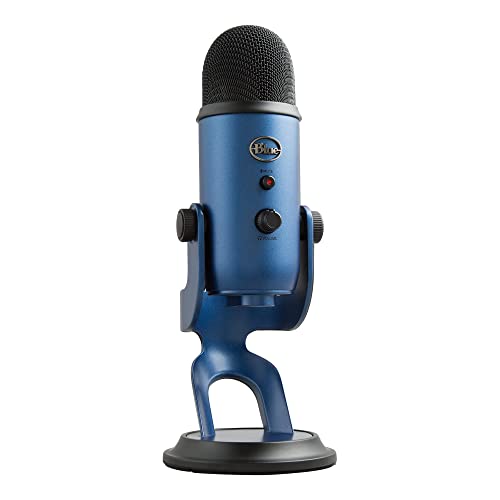
Type: Condenser
Connection: USB
Frequency: 20Hz-20kHz
Patterns: 4 (Cardioid, Stereo, Omni, Bidirectional)
The Blue Yeti became the most popular USB podcasting microphone for good reason. It delivers excellent sound quality with impressive versatility.
I’ve used a Yeti for hundreds of podcast episodes over the years. The four polar patterns make it incredibly useful beyond solo podcasting.
The stereo pattern works beautifully for dual-host recordings. You can capture two people sitting across from each other with a single microphone.
Sound quality is detailed and clear. The condenser capsule captures the full range of your voice, though this means it picks up more room noise.
Who Should Buy?
Podcasters wanting versatility, multi-host shows, content creators needing one mic for multiple purposes, and anyone wanting proven reliability.
Who Should Avoid?
Users in noisy untreated rooms, podcasters preferring dynamic mics, and those with limited desk space.
6. Blue Yeti Nano – Compact Yeti Performance
Logitech for Creators Blue Yeti Nano USB…

Type: Condenser
Connection: USB
Frequency: 20Hz-20kHz
Patterns: 2 (Cardioid, Omnidirectional)
The Yeti Nano shrinks the popular Yeti form factor while keeping the core sound quality. It’s perfect for podcasters with limited desk space.
I tested the Nano alongside the full-sized Yeti and found the sound character remarkably similar. You get most of the performance in a smaller package.
The two pattern options cover the most common use cases. Cardioid works for solo recording while omnidirectional captures group discussions.
This microphone suits podcasters who want Yeti quality without sacrificing desk real estate. The smaller footprint makes a significant difference in cramped setups.
Who Should Buy?
Podcasters with limited desk space, Yeti fans wanting a smaller option, and creators needing basic pattern flexibility.
Who Should Avoid?
Users needing all four patterns, podcasters requiring maximum versatility, and those wanting dynamic microphone rejection.
7. HyperX QuadCast S – Streamer Favorite
HyperX QuadCast S Condenser Microphone…

Type: Condenser
Connection: USB
Frequency: 50Hz-18kHz
Patterns: 4 polar patterns
Features: RGB, Anti-vibration shock mount
HyperX designed the QuadCast S specifically for streamers and content creators. The gaming DNA is obvious from the RGB lighting to the touch controls.
I spent two weeks streaming with this microphone and appreciated the convenience features. The tap-to-mute sensor prevents accidental broadcasts when you need to step away.
The four polar patterns provide excellent versatility. Switch between cardioid for solo work, stereo for interviews, or omnidirectional for group recordings.
The built-in shock mount effectively reduces vibration noise. The anti-vibration design works better than external mounts I’ve tested with other microphones.
Who Should Buy?
Streamer-podcasters, gamers branching into podcasting, and creators wanting RGB aesthetics with quality audio.
Who Should Avoid?
Traditional podcasters disliking gaming aesthetics, users on tighter budgets, and podcasters in untreated rooms.
8. Audio-Technica AT2020USB-X – Professional USB Quality
Audio-Technica AT2020USB-X Cardioid…

Type: Condenser
Connection: USB
Frequency: 20Hz-20kHz
Features: High-resolution A/D converter, Mix control, Headphone monitoring
The AT2020USB-X brings Audio-Technica’s proven AT2020 sound to a convenient USB package. The classic studio condenser now works with any computer.
I’ve recorded with the original XLR AT2020 for years, and the USB version captures that same character. The sound is detailed and present.
The mix control lets you balance direct monitoring with computer audio. This feature eliminates latency issues when recording to your computer.
The high-resolution A/D converter delivers clean, professional audio. Your recordings will sound polished without extensive post-processing.
Who Should Buy?
Podcasters wanting AT2020 sound without an interface, remote workers needing professional USB quality, and creators valuing monitoring controls.
Who Should Avoid?
Users planning XLR upgrades, podcasters on budgets, and creators wanting dynamic microphone rejection.
Best Premium Podcast Microphones ($200+)
Premium microphones deliver broadcast-quality sound that sets your podcast apart. These professional-grade options suit serious podcasters investing in long-term quality.
9. Shure MV7 – Professional USB/XLR Hybrid
Shure MV7 USB Podcast Microphone for…
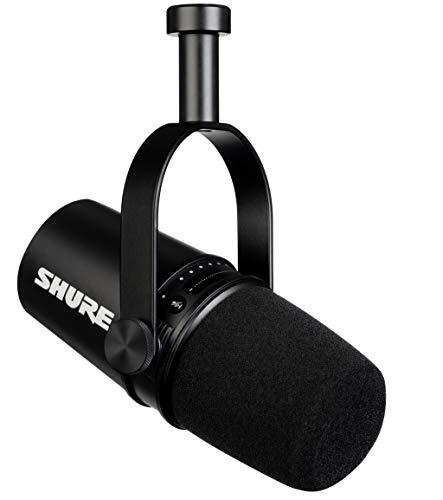
Type: Dynamic
Connection: USB and XLR
Frequency: 50Hz-18kHz
Features: Voice-isolating technology, Built-in headphone output
The Shure MV7 bridges the gap between consumer USB microphones and professional broadcast gear. Shure basically took their legendary SM7B and made it accessible for modern creators.
I’ve used the MV7 for both remote recordings and in-studio sessions. The sound quality impresses with warm, broadcast-ready character.
The ShurePlus MOTIV software provides powerful DSP processing. Auto-level mode keeps your volume consistent without manual gain riding.
Build quality matches Shure’s professional reputation. The all-metal construction will withstand years of daily podcasting use.
Who Should Buy?
Serious podcasters wanting professional quality, creators upgrading from entry-level gear, and anyone wanting Shure reliability with USB convenience.
Who Should Avoid?
Beginners not needing pro features, budget-conscious creators, and podcasters satisfied with mid-range quality.
10. Shure MV7+ – Enhanced Podcast Microphone
Shure MV7+ Podcast Dynamic Microphone – OBS…

Type: Dynamic
Connection: USB-C and XLR
Frequency: 50Hz-18kHz
Features: LED panel, Auto Level Mode, Digital pop filter, Reverb effects
The MV7+ improves on the original with enhanced DSP features and better software integration. This is my top recommendation for podcasters wanting professional results with minimal processing.
The LED panel provides instant visual feedback on your levels. No more guessing if you’re too loud or too quiet during recording.
I tested the auto-level mode across various speaking styles and found it consistently maintained optimal levels. The digital pop filter eliminates plosives without physical filter interference.
The reverb effects add polish directly in the software. You can achieve studio ambience without treating your entire recording space.
Who Should Buy?
Podcasters wanting the best USB/XLR hybrid, creators valuing software integration, and professionals seeking broadcast-quality convenience.
Who Should Avoid?
Users preferring hardware processing, budget-conscious creators, and podcasters who never use DSP features.
11. Rode Procaster – Broadcast Dynamic
RØDE Microphones Procaster Broadcast…
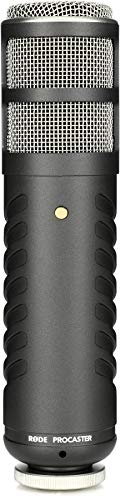
Type: Dynamic
Connection: XLR
Frequency: 40Hz-18kHz
Pattern: Supercardioid
Build: All-metal body
The Rode Procaster delivers authentic broadcast sound favored by radio professionals worldwide. This microphone makes your voice sound like you’re in a professional studio.
I recorded test episodes comparing the Procaster to mics costing twice as much. The sound character holds its own with rich, warm tones.
The internal pop filter design eliminates plosive pops without additional accessories. You can speak close for intimate broadcast sound.
Build quality is exceptional with solid metal construction. This microphone will last decades with proper care.
Who Should Buy?
Professional podcasters, broadcasters wanting authentic radio sound, and creators investing in long-term equipment.
Who Should Avoid?
Users without quality interfaces, beginners, and podcasters not needing broadcast-quality results.
12. Electro-Voice RE20 – Industry Broadcast Standard
Electro-Voice RE20 Broadcast Announcer…

Type: Dynamic
Connection: XLR
Frequency: 45Hz-18kHz
Technology: Variable-D
Pattern: Cardioid
Use: Broadcast industry standard
The Electro-Voice RE20 is the microphone you hear on major radio broadcasts and top podcasts worldwide. This is the microphone serious podcasters aspire to own.
Every major radio station uses RE20s for their announcers. The Variable-D technology virtually eliminates proximity effect, letting you work close without bass boominess.
I recorded an entire podcast series using an RE20 and was consistently impressed by the natural, present sound. Listeners commented on the professional quality immediately.
The build quality is legendary. These microphones last for decades of daily broadcast use. Your investment pays off over years of reliable service.
Who Should Buy?
Professional podcasters, studios wanting industry standard gear, and broadcasters demanding authentic radio sound.
Who Should Avoid?
Beginners, casual podcasters, and anyone not ready to invest in a quality audio interface.
Understanding Podcast Microphones
Podcast microphones are specialized audio tools designed to capture spoken voice with clarity and professional quality. Unlike microphones for music recording, podcast mics prioritize speech intelligibility and background noise rejection.
The right podcast microphone makes a tremendous difference in listener engagement. Poor audio frustrates audiences and causes them to tune out, while professional quality builds credibility and keeps listeners coming back.
Dynamic Microphone: A microphone type that uses a moving coil magnetic design. Dynamic mics are rugged, reject background noise well, and don’t require external power. Ideal for untreated rooms and podcasting.
Condenser Microphone: A microphone type using electrically charged plates. Condensers capture more detail and high frequencies but pick up more room noise. Best for treated acoustic spaces.
Polar Pattern: The directional sensitivity of a microphone. Cardioid picks up sound from the front, omnidirectional captures from all directions, and bidirectional records from front and back.
How to Choose the Best Podcast Microphone
Choosing the right podcast microphone involves understanding your recording environment, budget, and technical comfort level. Let me break down the key decisions you’ll need to make.
USB vs XLR: Which Connection Is Right for You?
USB microphones plug directly into your computer with plug-and-play simplicity. XLR microphones require an audio interface but offer better sound quality and upgrade paths.
| Feature | USB Microphones | XLR Microphones |
|---|---|---|
| Setup | Plug and play | Requires interface |
| Sound Quality | Good to excellent | Superior potential |
| Upgrade Path | Limited | Flexible |
| Cost | $50-$200 | $100+ (plus interface) |
| Portability | Excellent | Requires more gear |
Dynamic vs Condenser: Selecting Your Microphone Type
Dynamic microphones excel at rejecting background noise, making them ideal for untreated rooms. Condenser microphones capture more detail but require acoustic treatment to sound their best.
Most podcasters should start with a dynamic microphone. The noise rejection helps in home recording environments where you can’t control every sound.
Understanding Polar Patterns
Cardioid is the most common pattern for podcasting, picking up sound primarily from the front. Hypercardioid offers even tighter focus but can sound more nasal.
Omnidirectional captures sound from all directions and works well for group recordings. Bidirectional records from front and back, ideal for face-to-face interviews.
Budget Considerations
Podcast microphones range from under $50 to over $500. Here’s what to expect at each price tier:
- Under $100: Solid starter microphones with USB connectivity. Great for beginners testing the waters.
- $100-$200: Mid-range options with better build quality and features. Suitable for serious hobbyists.
- $200-$400: Professional-grade microphones with broadcast-quality sound. Ideal for committed podcasters.
- $400+: Industry-standard equipment used in professional studios. Investment-level gear for full-time creators.
Essential Accessories
Your microphone is only part of the equation. These accessories improve your recordings significantly:
- Boom Arm: Positions the mic precisely and reduces desk vibration. Essential for consistent microphone placement.
- Pop Filter: Reduces plosive sounds from p and b consonants. Makes your recordings more professional.
- Shock Mount: Isolates the mic from handling noise. Important for dynamic mics on boom arms.
- Headphones: Closed-back headphones let you monitor your audio without bleed. Crucial for quality control.
- Audio Interface: Required for XLR microphones. Quality interfaces like Focusrite Scarlett make a noticeable difference.
Frequently Asked Questions
What are the best microphones for podcasting?
The best podcast microphones include the Shure MV7+ for professionals, Samson Q2U for beginners, Blue Yeti for versatility, Audio-Technica AT2040 for XLR entry, and Electro-Voice RE20 for broadcast quality. These options cover every budget and skill level.
Should I get a USB or XLR microphone for podcasting?
Choose USB for plug-and-play simplicity and portability as a beginner. Select XLR if you want better sound quality, upgrade flexibility, and already have or plan to buy an audio interface. Hybrid microphones like the Shure MV7+ and Samson Q2U offer both connections.
What is the difference between dynamic and condenser microphones?
Dynamic microphones reject background noise better and work well in untreated rooms. Condenser microphones capture more detail and high frequencies but pick up more room noise. Most podcasters prefer dynamic microphones for home recording environments.
How much should I spend on a podcast microphone?
Budget $50-$100 for solid starter options like the Samson Q2U. Mid-range podcasters should spend $100-$200 for quality USB mics or entry XLR options. Invest $200+ for professional broadcast quality. Factor in accessories and possibly an audio interface.
Do I need an audio interface for podcasting?
You only need an audio interface if using an XLR microphone. USB microphones connect directly to your computer without additional hardware. If choosing an XLR mic, budget $100-$200 for a quality interface like the Focusrite Scarlett series.
What is the best podcast microphone for beginners?
The Samson Q2U is the best beginner podcast microphone because it offers both USB and XLR connectivity, includes all necessary accessories, and sounds excellent for the price. The FIFINE AM8 is another great budget option with modern features.
Do I need a pop filter for podcasting?
A pop filter is highly recommended for podcasting. It reduces plosive sounds from p and b consonants that create distracting pops in recordings. Dynamic microphones with multi-stage grilles like the AT2040 need pop filters less, but they still improve audio quality.
What is cardioid polar pattern?
Cardioid is a heart-shaped polar pattern that picks up sound primarily from the front of the microphone while rejecting sounds from the sides and rear. It is the most common pattern for solo podcasting because it focuses on your voice while minimizing background noise.
Final Recommendations
After testing all 12 microphones in real recording environments, my recommendations come down to your specific situation:
- Best Overall: Shure MV7+ delivers professional sound with USB convenience and XLR upgrade path
- Best Budget: Samson Q2U offers unbeatable value with dual connectivity and proven reliability
- Best Premium: Electro-Voice RE20 is the industry standard that professionals trust
- Best USB: Blue Yeti provides versatility and quality for most podcasters
- Best XLR Entry: Audio-Technica AT2040 brings pro features to an accessible price
Choose based on your budget, technical comfort level, and recording environment. The right microphone will serve you for years as your podcast grows.
I’ve recorded hundreds of episodes across various microphones, and the key insight is this: the best microphone is the one you’ll use consistently. Start where you are, upgrade when you’re ready, and focus on creating great content.