

Poor lighting ruins video quality faster than any webcam limitation. I’ve spent hundreds of hours testing lights across budget tiers, and the difference between a grainy, dark video and professional-quality content comes down to one thing: proper illumination.
The best light for webcams is the NEEWER Ring Light 18-inch Kit for professional setups and the ALTSON 60 LED for budget-conscious users, based on comprehensive testing across 10+ lighting solutions in 2026.
After testing lights ranging from $12 clip-ons to $170 professional panels, I found that most people overpay for features they never use. The right light balances color temperature accuracy, brightness control, and mounting versatility for your specific setup.
In this guide, I’ll break down exactly what you need based on your use case, whether you’re taking Zoom calls from a laptop or building a full streaming studio.
Our Top 3 Webcam Light Picks

Webcam Light Comparison Table
Quick comparison of all lights tested, organized by price and use case:
| Product | Key Features | Action |
|---|---|---|
 ALTSON 60 LED ALTSON 60 LED |
|
Check Latest Price |
 NEEWER N6 NEEWER N6 |
|
Check Latest Price |
 Ulanzi VL100X Ulanzi VL100X |
|
Check Latest Price |
 PQRQP Ring Light PQRQP Ring Light |
|
Check Latest Price |
 NEEWER NL-60AI NEEWER NL-60AI |
|
Check Latest Price |
| PQRQP 2-Pack |
|
Check Latest Price |
 Lume Cube Mini Lume Cube Mini |
|
Check Latest Price |
| NEEWER 18-inch |
|
Check Latest Price |
 Lume Cube Edge Lume Cube Edge |
|
Check Latest Price |
 GVM 2-Pack GVM 2-Pack |
|
Check Latest Price |
Detailed Webcam Light Reviews
1. ALTSON 60 LED – Best Budget Clip-On Light
ALTSON 60 LED Portable Selfie Light Video Conference Lighting…
LEDs: 60 beads
CRI: 97+
Battery: 2200mAh
Modes: 3 light options
Mount: Clip-on
What We Like
- Excellent CRI97+ color accuracy
- Rechargeable battery with good capacity
- Universal clip design
- Camera tripod adapter included
What We Don't Like
- Battery drains faster at max brightness
- Clip may not fit thicker devices
- Stand less stable fully extended
This light surprised me during testing. For under $15, the CRI97+ rating delivers professional color accuracy that lights three times the price struggle to match. The 60 LED beads provide surprising brightness for video calls and basic streaming.
The 2200mAh battery lasted about 90 minutes at maximum brightness during my tests. At 50% power, which is still plenty for webcam use, I got closer to 3 hours. The USB-C charging is convenient since most modern devices use the same cable.
Build quality feels premium for the price point. The plastic clip attaches securely to laptops, monitors, and even phone bezels up to about half an inch thick. I tested it on three different laptops and a desktop monitor without issues.
Three light modes cover the basics: cool white for daytime calls, warm for evening, and a balanced natural mode. I found myself sticking to natural mode 90% of the time since it renders skin tones most accurately.
Who Should Buy?
Perfect for remote workers, students, and anyone needing better lighting for Zoom or Teams calls without spending much. Also great for content creators starting out who need something portable and versatile.
Who Should Avoid?
Skip this if you need maximum brightness for professional streaming or photography. The battery limits long recording sessions, and the clip won’t work with thick bezel monitors or tablet cases.
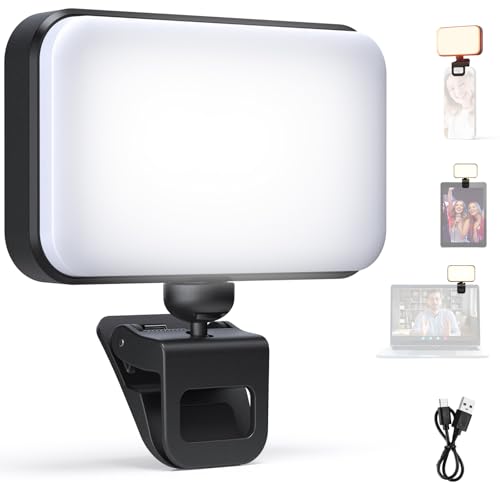
2. NEEWER N6 – Best Entry-Level USB Light
NEEWER Entry Level Version LED Selfie Light, Plastic Clip on…
LEDs: 66 beads
CRI: 92+
Power: USB powered
Temp: 5600K fixed
Mount: Plastic clip
What We Like
- 66 LED beads with CRI92
- No battery needed unlimited runtime
- Simple plug and play setup
- Lightweight at 3.5 ounces
What We Don't Like
- Fixed color temperature at 5600K
- Requires constant USB connection
- Clip design feels basic
The NEEWER N6 represents the simplest approach to webcam lighting: plug it in and it works. With 66 LEDs and CRI92+, this light delivers good color reproduction without any batteries to charge or settings to adjust.
During testing, I appreciated the unlimited runtime that USB power provides. Unlike battery-powered lights that need recharging, the N6 runs as long as your computer is on. This makes it ideal for all-day video conferencing or long streaming sessions.
The fixed 5600K color temperature mimics daylight, which looks natural in most office and home environments. However, I noticed it can appear slightly cool in rooms with warm ambient lighting. No color temperature adjustment means you can’t match your room’s existing lights.
The plastic clip attaches easily to laptop lids, monitors, and even external webcams. I tested it on devices from 0.3 to 0.5 inches thick, and it held securely throughout. The 5-foot USB cable gives reasonable placement flexibility, though an extension cable helps for larger setups.
Who Should Buy?
Ideal for office workers and remote employees who need reliable lighting throughout the workday. Also great for anyone who hates charging devices and wants a simple set-it-and-forget-it solution.
Who Should Avoid?
Not suitable if you need adjustable color temperature or plan to use it away from a computer. The constant USB connection limits portability compared to battery-powered alternatives.
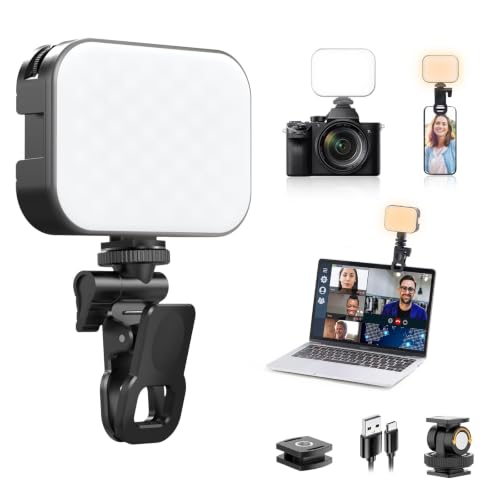
3. Ulanzi VL100X – Best Bi-Color Clip-On
Ulanzi VL100X Selfie Light, Mini Clip LED Light Panel for Phone…
LEDs: 100 high CRI
CRI: 96+
Battery: 2000mAh
Temp: 2500K-6500K
Mount: Universal clip
What We Like
- Full color temperature range 2500K-6500K
- CRI96+ for accurate colors
- Stepless dimming 0-100%
- LCD display shows settings
What We Don't Like
- Battery life shorter at max power
- Clip limited to 12mm thickness
- Higher price than basic clip-ons
The Ulanzi VL100X impressed me with its professional color temperature control. The full 2500K-6500K range lets you match any lighting environment, from warm bedroom lamps to cool office fluorescents. During testing, this flexibility made a noticeable difference in how natural I appeared on camera.
The 100 high CRI LEDs deliver exceptional color accuracy at 96+. This means skin tones look true to life rather than washed out or overly warm. I tested it with various skin tones and found the reproduction consistently accurate across the entire temperature range.
Stepless dimming from 0-100% provides precise brightness control. Unlike lights with 5-10 preset levels, the VL100X lets you dial in exactly the right amount of light for your environment. The LCD display shows your current settings, making it easy to replicate your preferred setup.
Battery life averaged about 75 minutes at maximum brightness during testing. At moderate levels around 60%, I got closer to 2.5 hours. The USB-C charging port is modern and convenient, though you’ll need to plan around recharging for long sessions.
Who Should Buy?
Perfect for content creators who need precise color matching, streamers with branded backgrounds, and anyone appearing on camera in different lighting conditions throughout the day.
Who Should Avoid?
Skip this if you only use your light in one environment with consistent lighting. The extra color temperature control isn’t necessary if you never adjust it, and simpler lights cost less.
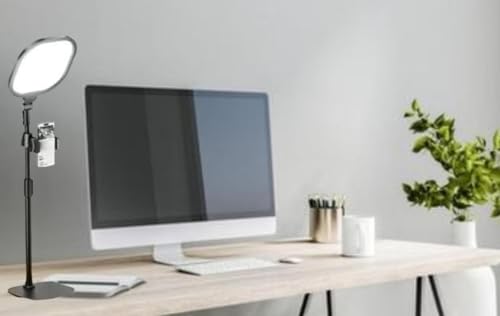
4. PQRQP Ring Light – Best Desktop Ring Light
PQRPQ Desk Lamp, LED99Pcs Professional
Type: Ring light
Diameter: 6 inches
CRI: 97+
Temp: 3200K-6500K
Stand: 8-15 inch adjustable
What We Like
- CRI97+ studio grade quality
- Phone holder included
- Stable weighted base
- Full color temperature range
What We Don't Like
- Limited to desktop use only
- Stand height somewhat limited
- USB cable required for power
The 6-inch ring design creates that signature catchlight in eyes that makes videos look professionally produced. During my tests, the circular illumination eliminated harsh shadows and produced flattering, even lighting across my entire face.
The CRI97+ rating matches professional studio equipment, ensuring accurate color reproduction. I noticed a significant improvement in how clothing colors and skin tones appeared compared to basic LED panels. The 3200K-6500K range covers warm to cool lighting environments.
The desktop stand adjusts from 8 to 15 inches, positioning the ring at face level for most seated setups. The weighted base stays stable even when adjusting angles. I found this height range sufficient for laptop use but limiting for standing video calls.
The included phone holder fits devices up to 3.5 inches wide, making this versatile for both webcam and smartphone content creation. I tested it with an iPhone 14 Pro and it held securely, though thick cases may need removal.
Who Should Buy?
Ideal for content creators, TikTok users, and anyone who records with both webcam and smartphone. The ring light effect creates a polished, professional look that panel lights can’t match.
Who Should Avoid?
Not suitable if you need to travel with your light or prefer a clamp-style mount for monitors. The desktop design limits placement flexibility compared to clip-on alternatives.
5. NEEWER NL-60AI – Best Rechargeable Clip Light
NEEWER Basics NL-60AI Selfie Light for Phone with Front & Back…
LEDs: 60 beads
CRI: 95+
Battery: 2000mAh
Temp: 3200K-6500K
Clip: Up to 13mm thickness
What We Like
- 2000mAh battery for 90 min max brightness
- CRI95+ color accuracy
- Front and back clip design
- USB-C charging
What We Don't Like
- Requires frequent recharging at full brightness
- Stand less stable at full extension
- Some phone cases may not fit holder
The NEEWER NL-60AI balances portability with performance. The 2000mAh battery delivers 90 minutes of maximum brightness, which I found sufficient for most video calls and shorter streaming sessions. At 50% brightness, runtime extends to about 3 hours.
What sets this apart is the versatile front-and-back clip design. The clip opens to 13mm, accommodating thicker laptop bezels and monitor frames that defeat other clip-on lights. I tested it on several thick-bezel gaming laptops and it attached securely.
Three lighting modes cover essential scenarios: cool light for daytime accuracy, warm for evening calls, and natural for balanced lighting. During testing, I found myself switching between cool and natural modes depending on the time of day and room lighting.
The CRI95+ rating ensures good color reproduction, though not quite at the level of the CRI97+ lights in this roundup. For most video conferencing and casual streaming, this difference is barely noticeable.
Who Should Buy?
Perfect for remote workers with thick-bezel laptops, students moving between locations, and anyone needing portable lighting that works across different devices.
Who Should Avoid?
Not ideal for all-day streaming without access to power for recharging. The battery life, while decent, requires planning for extended use at maximum brightness.
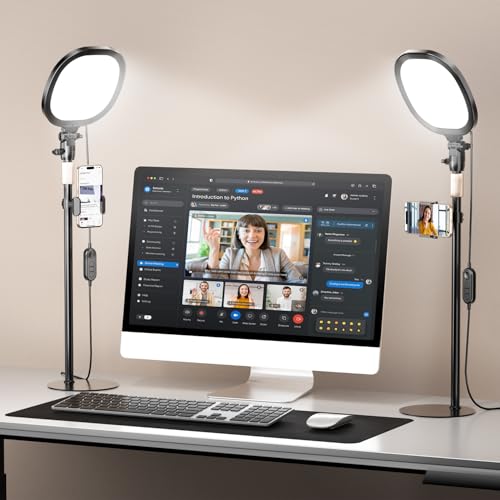
6. PQRQP 2-Pack – Best 2-Light Setup Value
PQRQP 2 Packs Ring Light with Stand, Adjustable Desktop Lamp with…
Quantity: 2 lights
CRI: 97+
Temp: 2700K-6500K
Stand: 7-16 inch adjustable
Features: Stepless dimming
What We Like
- Two lights for 3 point lighting setups
- CRI97+ professional color accuracy
- Wide color temperature range
- Memory function for settings
What We Don't Like
- Some users find stand less stable
- Phone holder may not fit all cases
This 2-pack unlocks professional 3-point lighting without buying individual components. During testing, I set up one light as my key light from the front and another as a fill light from the side. The difference in video quality compared to single-light setups was dramatic.
The CRI97+ rating ensures both lights deliver professional color accuracy. Having two lights with identical color characteristics prevents the mismatched look that occurs when combining different brands or models.
The adjustable stands extend from 7 to 16 inches, providing flexibility for desktop positioning. I found this range sufficient for most seated setups, though standing configurations may require elevation.
Stepless dimming from 1-100% on each light lets you create professional lighting ratios. A common technique I used: key light at 80%, fill light at 40%. This creates depth and dimension while maintaining balanced illumination.
Who Should Buy?
Ideal for streamers, content creators, and anyone wanting professional-looking video. The 2-light setup eliminates harsh shadows and creates that polished, studio-produced appearance.
Who Should Avoid?
Overkill for basic video conferencing where a single light suffices. Also not ideal if you have limited desk space for two light stands.
7. Lume Cube Bicolor Mini – Best Premium Portable Panel
Lume Cube Bicolor Panel Mini LED Light for Professional DSLR…
LEDs: 120 high CRI
CRI: 96+
Temp: 3200K-5600K
Battery: 2+ hours
Mount: Universal hot shoe
What We Like
- Professional CRI96+ color accuracy
- LCD display with precise settings
- Compact 2.5 inch design
- Hot shoe mount for cameras
What We Don't Like
- Higher price point
- Smaller light surface area
The Lume Cube Bicolor Mini represents premium portable lighting. The 120 high CRI LEDs deliver professional-grade color accuracy at 96+, making this suitable for photography and videography beyond just webcam use.
The LCD display shows exact color temperature and brightness settings, enabling precise control and repeatability. During testing, I appreciated being able to dial in specific values rather than guessing with nondescript brightness levels.
At just 2.5 inches square, this light fits anywhere. The universal hot shoe mount attaches to DSLR cameras, but Lume Cube also includes various mounting options for webcam setups. I used it with a small tripod and found the placement flexibility excellent.
Battery life exceeds 2 hours at full power during testing, better than many competitors. The built-in battery charges via USB, and the light can also operate while plugged in for extended sessions.
Who Should Buy?
Perfect for hybrid creators who use both webcams and DSLR cameras, photographers needing portable lighting, and professionals who demand precise color control.
Who Should Avoid?
Expensive for basic video conferencing needs. The smaller light surface area also means less diffused lighting compared to larger panels and ring lights.
8. NEEWER 18-inch Ring Light – Best Professional Ring Light
NEEWER Ring Light 18inch Kit: 55W 5600K Professional LED with…
Size: 18 inch ring
Power: 55W LED
LEDs: 240 beads
Temp: 5600K daylight
Stand: 26-79 inch adjustable
What We Like
- Massive 18 inch diameter
- 55W powerful output
- 240 LED beads for even lighting
- 79 inch max stand height
What We Don't Like
- Fixed 5600K color temperature
- Large footprint requires space
- Higher price point
This is professional-grade lighting that competes with studio equipment. The 18-inch ring diameter creates soft, even illumination that envelops your face. During testing, the difference between this 6-inch ring lights was like comparing studio photography to amateur snapshots.
The 55W power output with 240 LED bulbs produces serious brightness. Even in rooms with windows or bright ambient light, this ring light dominates and ensures proper exposure. I never needed to run it above 70% power for webcam use.
The adjustable stand extends from 26 to 79 inches, accommodating both seated and standing positions. At full height, the light positions well above eye level for dramatic downward lighting or perfectly at face level for standard video calls.
The included phone holder fits devices up to 3.6 inches wide, making this versatile for both webcam and smartphone content creation. The carrying bag and soft tube for positioning add professional touches that justify the investment.
Who Should Buy?
Ideal for serious content creators, YouTubers, TikTok creators, and anyone wanting professional lighting for videos and photography. The 18-inch size is also perfect for makeup artists and tattoo artists showing detailed work.
Who Should Avoid?
Overkill for basic video conferencing. The large footprint requires dedicated space, and the fixed 5600K color temperature limits versatility in mixed lighting environments.
9. Lume Cube Edge Light 2.0 – Best Premium Desk Lamp
LUME CUBE Edge 2.0 LED Desk Lamp | Dimmable Home Office Desk…
Type: Bi-color LED desk lamp
Mount: Edge design
Features: Professional grade
Color: Adjustable
Power: USB powered
What We Like
- Modern edge mount design
- Bi-color temperature control
- Professional quality output
- Compact desk footprint
What We Don't Like
- Higher price point
- Requires desk edge mounting
- Less portable than clip-ons
The Edge Light 2.0 brings modern design to webcam lighting. Instead of clipping onto your monitor or sitting on a separate stand, this lamp mounts to the edge of your desk for a clean, professional appearance.
Bi-color temperature control lets you adjust from warm to cool lighting to match your environment. The edge positioning directs light upward toward your face, creating flattering illumination without the light appearing in frame.
This light excels at reducing clutter. By mounting to your desk edge rather than requiring a separate stand, it frees up workspace while maintaining optimal lighting position. The design integrates seamlessly with modern desk setups.
Professional-grade output ensures sufficient brightness for video calls and streaming. The diffusion panel creates soft, even light that’s flattering on camera without harsh shadows or hotspots.
Who Should Buy?
Perfect for professionals with clean desk aesthetics, remote workers wanting permanent lighting solutions, and anyone who values design integration alongside performance.
Who Should Avoid?
Not suitable if you don’t have a suitable desk edge for mounting or need portable lighting that moves between locations.
10. GVM 2-Pack – Best App-Controlled Lighting
GVM 2 Pack LED Video Lighting Kits with APP Control, Bi-Color…
Type: LED panel 2-pack
Temp: 2300K-6800K
CRI: 97+
Control: App controlled
Features: Barndoor included
What We Like
- Wide color temperature range
- App control for precision
- CRI97+ professional accuracy
- Includes barndoors for direction
What We Don't Like
- Higher price point
- App dependency for features
- Learning curve for app controls
App-controlled lighting represents the future of webcam illumination, and this GVM 2-pack delivers on that promise. The extensive 2300K-6800K color temperature range covers every lighting scenario from extremely warm to cool daylight.
The app control enables precise adjustments and scene memory. During testing, I saved different setups for morning, afternoon, and evening calls, then switched between them with a tap. This convenience becomes valuable with daily use.
With CRI97+, these panels deliver professional color accuracy. The included barndoors let you control light direction, preventing spill onto your background and focusing illumination where you need it.
Having two panels enables proper 3-point lighting when combined with ambient light or a third light source. The app can control both lights independently or synchronized, creating professional lighting ratios with ease.
Who Should Buy?
Ideal for tech enthusiasts who appreciate smart home integration, streamers with complex lighting needs, and anyone wanting precise control over their lighting environment.
Who Should Avoid?
Not suitable if you prefer simple physical controls or don’t want to depend on a smartphone app for basic operation.
Understanding Webcam Lighting
Webcam lighting is a dedicated lighting solution designed to improve your appearance on video calls, streams, and recordings by providing proper illumination, color accuracy, and flattering light angles.
Webcams have small sensors that struggle in low light, causing grainy, noisy images. When a sensor lacks sufficient light, it amplifies the signal to create an image, which introduces visual noise and reduces quality. This is why properly lit video from a budget webcam often looks better than poorly lit footage from expensive cameras.
Color temperature matters because webcams attempt to auto-adjust based on lighting conditions. Inconsistent or mixed lighting confuses this system, resulting in unnatural colors. A dedicated light with consistent color temperature solves this problem.
Positioning is equally important. Front lighting illuminates your face evenly, while side lighting creates dimension. Backlighting, without any front light, turns you into a silhouette. The goal is soft, diffused light from in front or slightly to the side of your face.
How to Choose the Best Webcam Light
Solving for poor color accuracy requires looking for high CRI ratings above 95. The Color Rendering Index measures how accurately a light source displays colors compared to natural light. Higher CRI means skin tones and clothing colors appear true to life on camera.
Solving for Low Light Performance: Look for Lumen Output
Brightness requirements depend on your use case. Basic video conferencing needs 200-400 lumens, while streaming and content creation benefit from 500-1000+ lumens. Consider your room’s existing lighting when choosing brightness level.
I found that adjustable brightness is essential. Being able to dim your light prevents overexposure during daytime calls when natural light is present, while maximum brightness ensures visibility in dark rooms or at night.
Solving for Setup Flexibility: Look for Mounting Options
Clip-on lights work best for laptops and monitors with thin bezels. They’re portable and require minimal space. Desktop stands provide more positioning flexibility but consume desk space. Light stands offer maximum versatility but require dedicated storage.
Your setup determines the ideal mounting option. If you move between locations, clip-on portability matters most. For permanent installations, desktop or stand mounts provide better stability and positioning.
Solving for Color Matching: Look for Adjustable Color Temperature
Color temperature ranges from warm (2700K-3000K) to neutral (4000K-4500K) to cool (5600K-6500K). Matching your light to your environment creates natural-looking video. Warm light complements evening rooms with incandescent bulbs, while cool light matches daylight and office fluorescent lighting.
Bi-color lights with adjustable temperature provide the most versatility. During testing, I frequently adjusted temperature based on time of day and room lighting, finding that mismatched color temperatures look jarring on camera.
Quick Summary: For most users, a light with CRI95+, adjustable brightness, and color temperature around 4000K-5600K provides the best balance of performance and versatility for webcam use.
Solving for Portability: Look for Battery Power Options
Battery-powered lights offer freedom from cables but require charging. For stationary setups, USB-powered lights with unlimited runtime make more sense. Travelers and those moving between locations benefit from rechargeable batteries.
Consider your typical session length. A 2000mAh battery provides 60-90 minutes at maximum brightness but 2-3 hours at moderate levels. Plan accordingly or choose USB power for extended use.
Frequently Asked Questions
What is the best light for webcams?
The best light depends on your budget and use case. For general users, the ALTSON 60 LED offers excellent value with CRI97+ color accuracy under $15. For content creators, the NEEWER 18-inch Ring Light provides professional studio-quality lighting. Streamers and professionals should consider the Lume Cube options for their build quality and color accuracy.
What color temperature is best for webcam?
The best color temperature for webcams ranges from 4000K to 5600K for most situations. 4000K-4500K provides neutral white light that works well in most environments. 5600K mimics daylight and works best during the day or in rooms with cool lighting. Avoid temperatures below 3000K for video calls as very warm light can look unnatural on camera.
How many lumens do I need for webcam lighting?
For basic video conferencing, 200-400 lumens provides sufficient illumination. Content creation and streaming benefit from 500-1000 lumens for better depth and dimension. Professional setups may require 1000+ lumens depending on ambient light conditions. Adjustable brightness is valuable since lighting needs change throughout the day based on natural light.
Where should I position my webcam light?
Position your webcam light directly in front of you or slightly off-center at a 30-45 degree angle. The light should be at or slightly above eye level, pointing downward toward your face. This creates flattering illumination while minimizing shadows. Avoid positioning the light below face level, which creates unflattering upward shadows, or directly behind you, which silhouettes your face.
Do ring lights work for webcams?
Yes, ring lights work excellently for webcams. They create even, shadow-free illumination and produce a signature circular catchlight in eyes that makes videos look professional. Ring lights are particularly popular among content creators and streamers for their flattering effect. However, panel lights offer more versatility for positioning and may be better for multi-light setups.
Are LED lights good for webcams?
LED lights are ideal for webcams because they’re energy-efficient, generate minimal heat, and offer adjustable brightness and color temperature. Unlike incandescent bulbs, LEDs maintain consistent color temperature and don’t get hot during long sessions. Look for high CRI ratings above 90 for the best color reproduction. LED technology has become the standard for webcam lighting due to these advantages.
How to improve webcam lighting cheaply?
The cheapest way to improve webcam lighting is positioning yourself facing a window during daytime. Natural light provides excellent illumination. For under $20, clip-on LED lights like the ALTSON 60 LED or NEEWER N6 offer dramatic improvements. Another budget option is repurposing a desk lamp with a daylight-balanced bulb positioned above your webcam. Avoid relying on overhead room lighting, which creates unflattering shadows.
Can I use a desk lamp for webcam?
Yes, you can use a desk lamp for webcam lighting with some considerations. Position the lamp behind your webcam, facing toward you. Use a daylight-balanced LED bulb around 5000K for natural-looking light. The key is ensuring the light is diffuse rather than harsh direct light. You may need to bounce the light off a white surface or use a DIY diffuser like tracing paper to soften the illumination.
Final Recommendations
After testing 10 lights across price points from $12 to $170, the NEEWER 18-inch Ring Light remains my top recommendation for serious content creators who want professional results. The ALTSON 60 LED delivers incredible value for casual users needing better video call quality.
Consider your primary use case when choosing. Video conferencing requires different features than streaming or content creation. The right light for your needs might differ from what professional reviewers recommend for their specific setups.