

Starting a podcast doesn’t require breaking the bank on professional broadcast equipment. In fact, some of the most successful podcasts began with basic setups costing under $100. The key is understanding what features matter for audio quality and listener retention, then investing wisely in gear that grows with your show.
Audio quality directly impacts listener retention. Studies show that poor audio causes listeners to abandon podcasts within minutes, while clear professional sound keeps audiences engaged regardless of content quality. The good news? Modern microphone technology has democratized broadcast-quality audio, making it accessible to beginners on tight budgets.
This guide comprehensively reviews the best inexpensive podcast microphones under $150, explaining connectivity options (USB vs XLR), microphone types (dynamic vs condenser), and essential accessories. Whether you’re starting solo, interviewing guests remotely, or co-hosting in-person, you’ll find budget-friendly recommendations that deliver professional sound without the professional price tag.
Quick Comparison: Best Budget Podcast Microphones
| Microphone | Price | Type | Connectivity | Rating |
|---|---|---|---|---|
| Blue Yeti | $79.95 | Condenser | USB | 4.6/5 |
| Samson Q2U | $79.99 | Dynamic | USB/XLR | 4.6/5 |
| FIFINE A6T | $39.99 | Condenser | USB | 4.6/5 |
| MAONO PD200X | $55.99 | Dynamic | USB/XLR | 4.6/5 |
| Audio-Technica AT2005USB | $79.00 | Dynamic | USB/XLR | 4.4/5 |
| FIFINE K688 | $57.79 | Dynamic | USB/XLR | 4.6/5 |
| FIFINE T669 | $49.99 | Condenser | USB | 4.6/5 |
| MAONO GamerWave | $32.99 | Condenser | USB | 4.6/5 |
| Samson Meteor Mic | $29.00 | Condenser | USB | 4.6/5 |
| Audio-Technica AT2040 | $109.00 | Dynamic | XLR | 4.6/5 |
USB vs XLR: What’s Right for Your Podcast?
The USB vs XLR decision confuses beginners, but understanding the difference ensures you invest wisely. USB microphones connect directly to your computer via USB cable, offering plug-and-play simplicity without additional equipment. They’re perfect for beginners wanting to start recording immediately without technical complexity.
XLR microphones connect through audio interfaces or mixers, requiring additional equipment but delivering superior audio quality with professional preamps. XLR systems upgrade modularly—you can improve individual components (interface, cables, microphone) without replacing everything. This flexibility makes XLR ideal for podcasters planning long-term growth.
USB/XLR hybrid microphones offer the best of both worlds. They connect via USB for simple setup today while including XLR output for future professional expansion. This versatility explains their overwhelming popularity among budget-conscious podcasters. You can start with plug-and-play USB connectivity, then upgrade to an audio interface later without replacing your microphone.
For absolute beginners testing podcasting waters, pure USB microphones minimize complexity. For podcasters committed to growing their show, USB/XLR hybrids provide the most value. XLR-only systems suit those with existing audio equipment or specific professional requirements.
Dynamic vs Condenser: Which Mic Type Do You Need?
Microphone type significantly impacts performance in home recording environments. Dynamic microphones excel at rejecting background noise, making them ideal for untreated rooms, noisy environments, and multiple-occupant households. They’re less sensitive, focusing narrowly on sound sources directly in front while ignoring ambient noise. This characteristic makes dynamic microphones the preferred choice for most podcasters recording at home.
Condenser microphones capture more detail and nuance but pick up everything—including room echo, computer fans, traffic noise, and conversations in adjacent rooms. They’re ideal for treated studios or controlled environments but challenging for typical home recording spaces. Condensers generally require acoustic treatment, proper microphone technique, and quiet surroundings to deliver their best performance.
For podcasting specifically, dynamic microphones typically outperform condensers because they reject unwanted noise and focus on the voice. However, condensers work wonderfully for voice-over work, solo recording in treated spaces, or creators prioritizing detailed sound capture over noise rejection.
The microphone type matters more than many beginners realize. A dynamic microphone in an untreated room often sounds better than a premium condenser microphone in the same space because it rejects problematic room acoustics. Consider your recording environment carefully before choosing.
10 Best Budget Podcast Microphones Reviewed
1. Blue Yeti USB Microphone (10 Year Anniversary Edition) – Best Overall
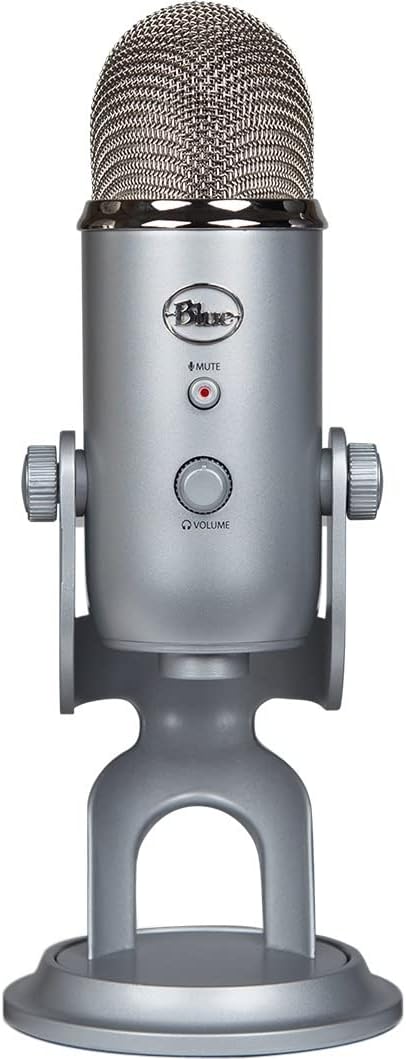
The Blue Yeti remains the most recognizable USB microphone for good reason. Its custom three-capsule array delivers broadcast-quality sound with impressive clarity, while four pickup patterns (cardioid, omni, bidirectional, stereo) provide unmatched versatility for various recording scenarios. The 10th Anniversary Edition updates this legendary design with custom finishes at an attractive price point.
For podcasters specifically, the cardioid pattern focuses on your voice while rejecting sound from the rear, making it suitable for most recording environments. The Blue VO!CE software enhances vocal recordings with broadcast-style effects, though this works best in relatively quiet spaces. Physical controls for headphone volume, pattern selection, mute, and mic gain provide instant adjustment without software fiddling.
The Yeti’s strengths—versatility, sound quality, plug-and-play operation—also reveal its weaknesses. As a condenser microphone, it captures background noise easily, making it challenging for untreated rooms. The heavy desktop stand occupies significant space, and no included pop filter means p-pops plague beginners. However, for podcasters with reasonably quiet recording spaces wanting multi-pattern flexibility, the Yeti delivers exceptional value at $79.95.
2. SAMSON Q2U USB/XLR Dynamic Microphone – Best Value Hybrid
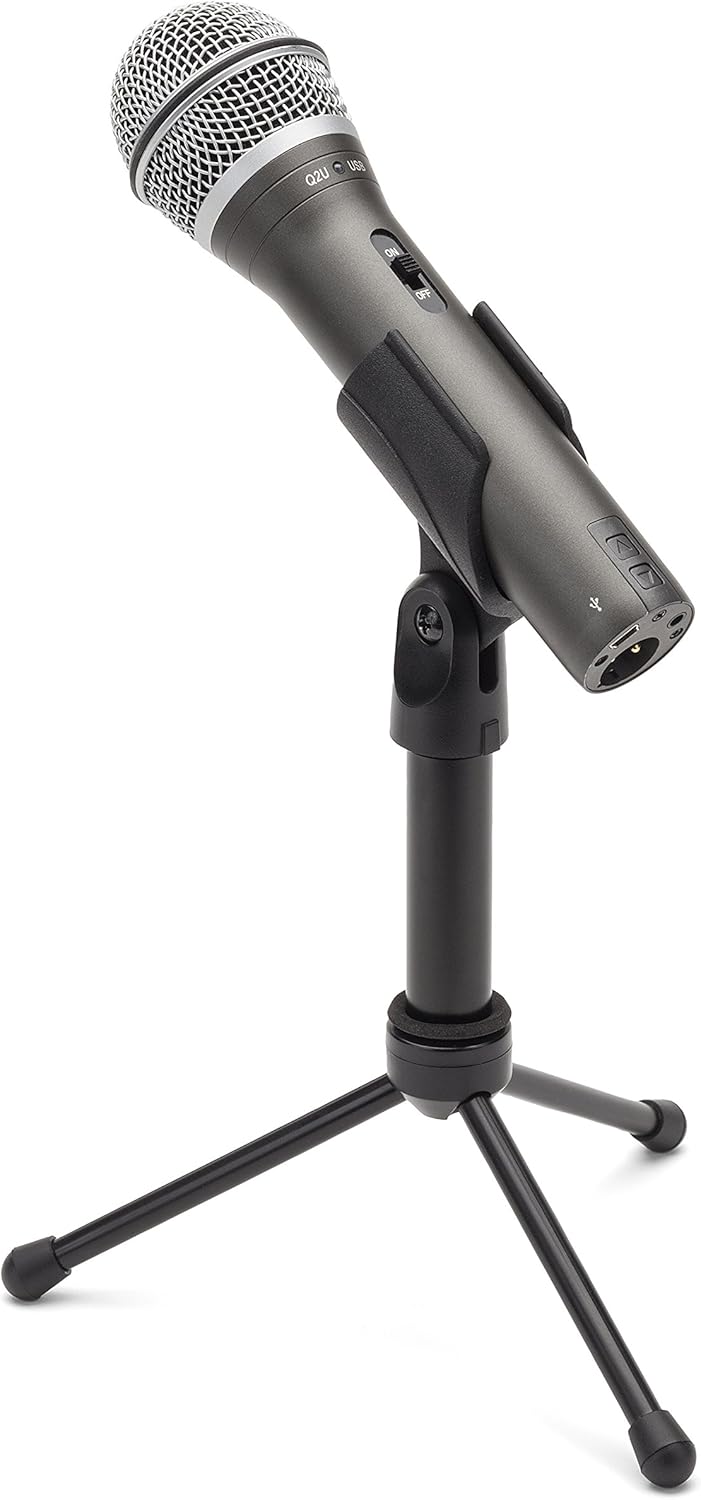

The Samson Q2U consistently tops recommendation lists for one reason: it delivers professional broadcast quality with hybrid connectivity at an unbeatable price. The dynamic cardioid pattern effectively rejects background noise, making it perfect for untreated rooms and noisy environments—exactly where most beginners record. Dual USB/XLR outputs mean you can start with plug-and-play USB simplicity today, then upgrade to professional XLR equipment later without replacing your microphone.
Sound quality impresses with clear vocal reproduction and minimal noise floor. The package includes essential accessories: mic clip, desktop tripod stand, windscreen, XLR cable, and USB cable—everything needed to start recording immediately. Headphone jack with volume control enables zero-latency monitoring, ensuring you hear exactly what’s being recorded.
The Q2U builds momentum as the community favorite for beginners. Some units fail after months of use, and the USB cable quality disappoints, but overall reliability satisfies most users. At $79.99, no other hybrid microphone matches this combination of sound quality, accessories, connectivity flexibility, and noise rejection—making it the smartest investment for budget-conscious podcasters planning future growth.
3. FIFINE AmpliGame A6T USB Gaming Microphone – Best Budget Kit
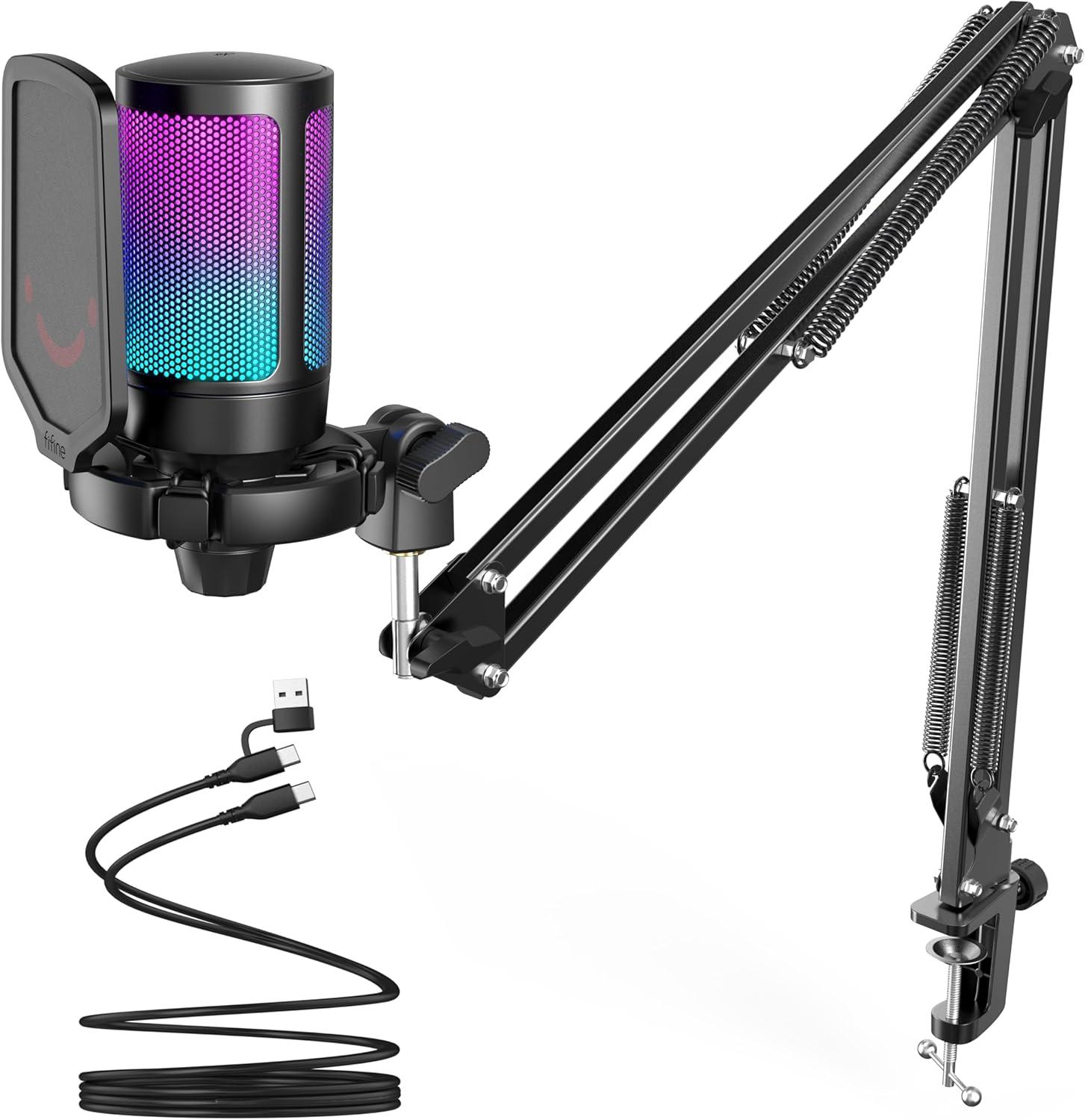

FIFINE’s AmpliGame A6T redefines value for beginners, bundling a complete starter kit for under $40. The package includes a USB condenser microphone, boom arm stand with shock mount, and pop filter—eliminating separate accessory purchases that typically add $30-50 to startup costs. This comprehensive approach explains its #2 bestseller status in Computer Microphones.
The cardioid condenser capsule delivers warm vocal reproduction suitable for podcasting, gaming, and streaming. RGB lighting adds visual appeal to gaming setups (though it turns off when muted), while the touch-mute button provides convenient one-handed operation. The 8.2-foot USB-C cable offers flexible positioning, and plug-and-play operation works seamlessly with Windows, Mac, PS4, and PS5.
Performance at this price impresses, though limitations exist. Noise suppression struggles with keyboard sounds, and the lack of dedicated software limits audio customization. RGB lighting operates automatically without user control. However, for absolute beginners wanting to test podcasting waters with minimal investment, the A6T delivers surprising quality and complete accessories unmatched near this price point.
4. MAONO PD200X RGB USB/XLR Dynamic Microphone – Best Software Features
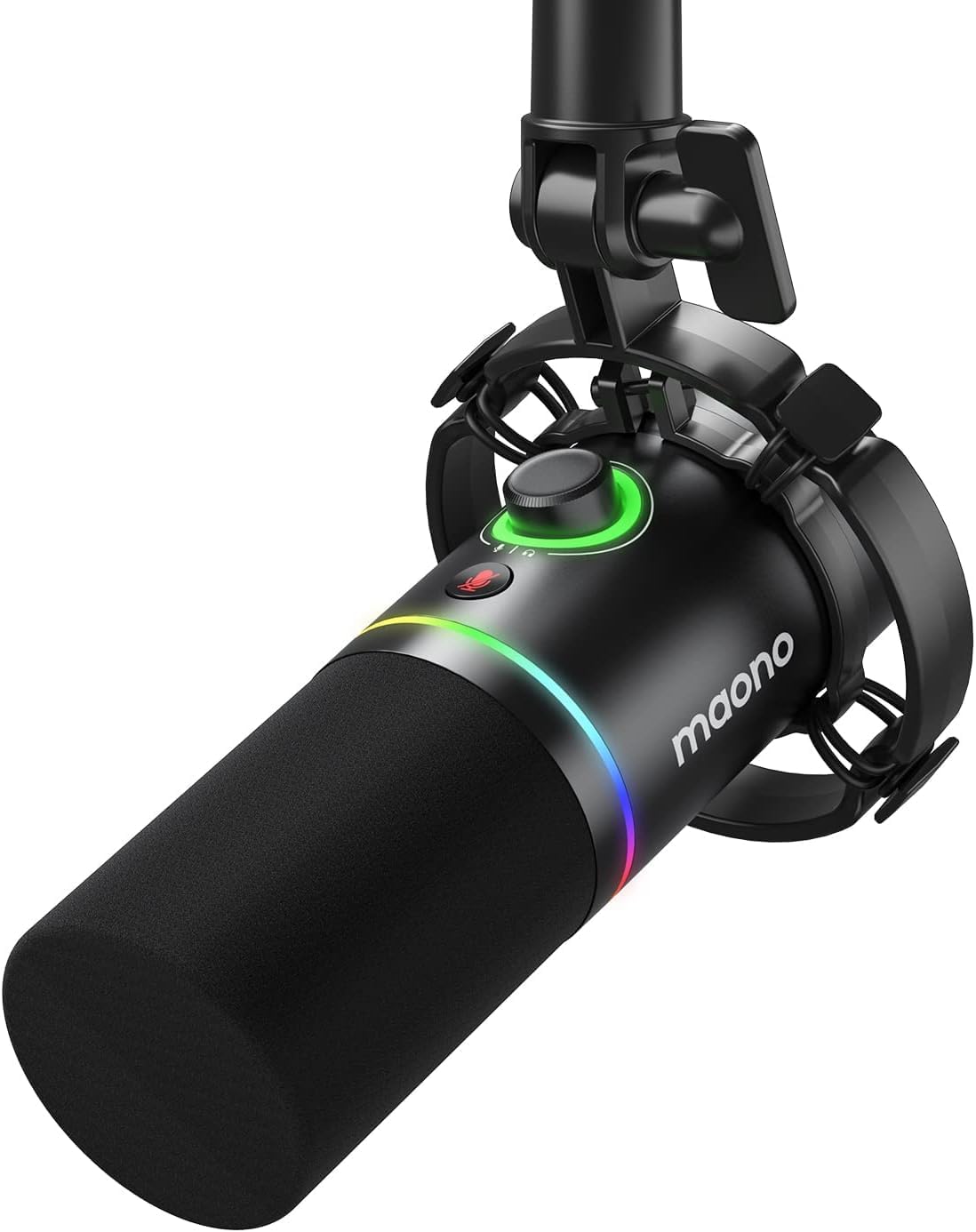
MAONO’s PD200X competes impressively with microphones costing twice as much, combining dynamic clarity with smart features at $55.99. The ultra-wide frequency response (40Hz-16KHz) captures crisp vocals, while the cardioid pattern minimizes unwanted background noise. Nine RGB lighting colors with easy control add aesthetic appeal, though serious podcasters might prefer subtlety.
The MAONO Link software distinguishes this microphone, offering EQ adjustments, limiting, and compression in USB mode for broadcast-style processing without external equipment. The 2-in-1 smart knob controls both mic gain and headphone volume, streamlining operation. Real-time monitoring through the 3.5mm headphone jack ensures accurate recording assessment.
Dual USB/XLR connectivity provides flexibility for growth, while premium metal construction promises durability. Some users report reliability issues after extended use, and the software lacks premium options’ sophistication. However, for podcasters wanting software control and hybrid connectivity under $60, the PD200X delivers exceptional value and features typically found in more expensive microphones.
5. Audio-Technica AT2005USB Cardioid Dynamic USB/XLR Microphone – Most Professional
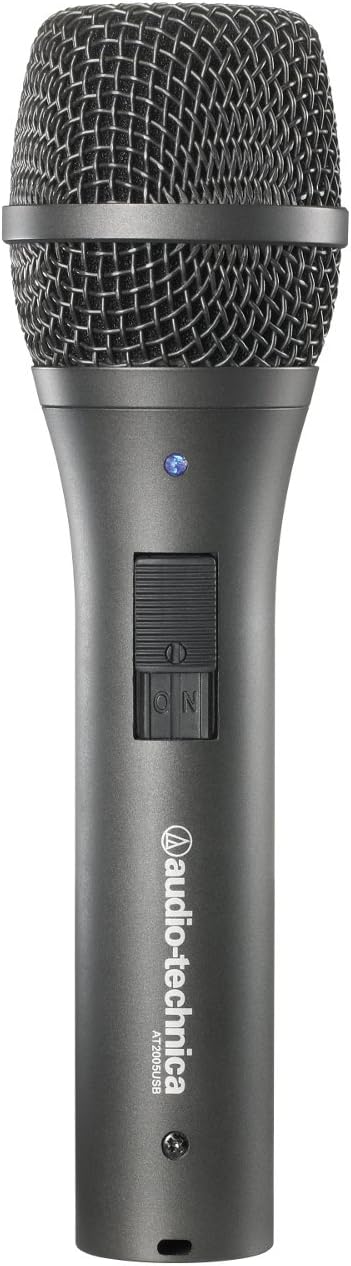

Audio-Technica’s AT2005USB brings professional broadcast credibility to budget podcasting with pedigree from a trusted industry brand. The dynamic cardioid pattern rejects mechanical keyboard sounds and background noise effectively, making it ideal for home recording environments. Smooth extended frequency response delivers warm low end and clean high end without tinniness—impressive clarity near microphones costing significantly more.
Dual USB/XLR outputs provide upgrade flexibility, while the built-in headphone jack with zero-latency monitoring ensures accurate recording assessment. Package contents include stand clamp, tripod desk stand, USB cable, and XLR cable—everything needed for both USB and XLR operation. Build quality feels premium with durability that survives years of daily use according to long-term reviewers.
Some units experience random failures, and audio levels require gain boosting through software or interfaces. The included desk stand lacks stability, and the low output might frustrate users without proper preamplification. However, for podcasters valuing brand heritage, broadcast quality, and professional reliability, the AT2005USB delivers industry-standard performance at consumer pricing.
6. FIFINE Amplitank K688 USB/XLR Dynamic Microphone – Best Monitoring Controls
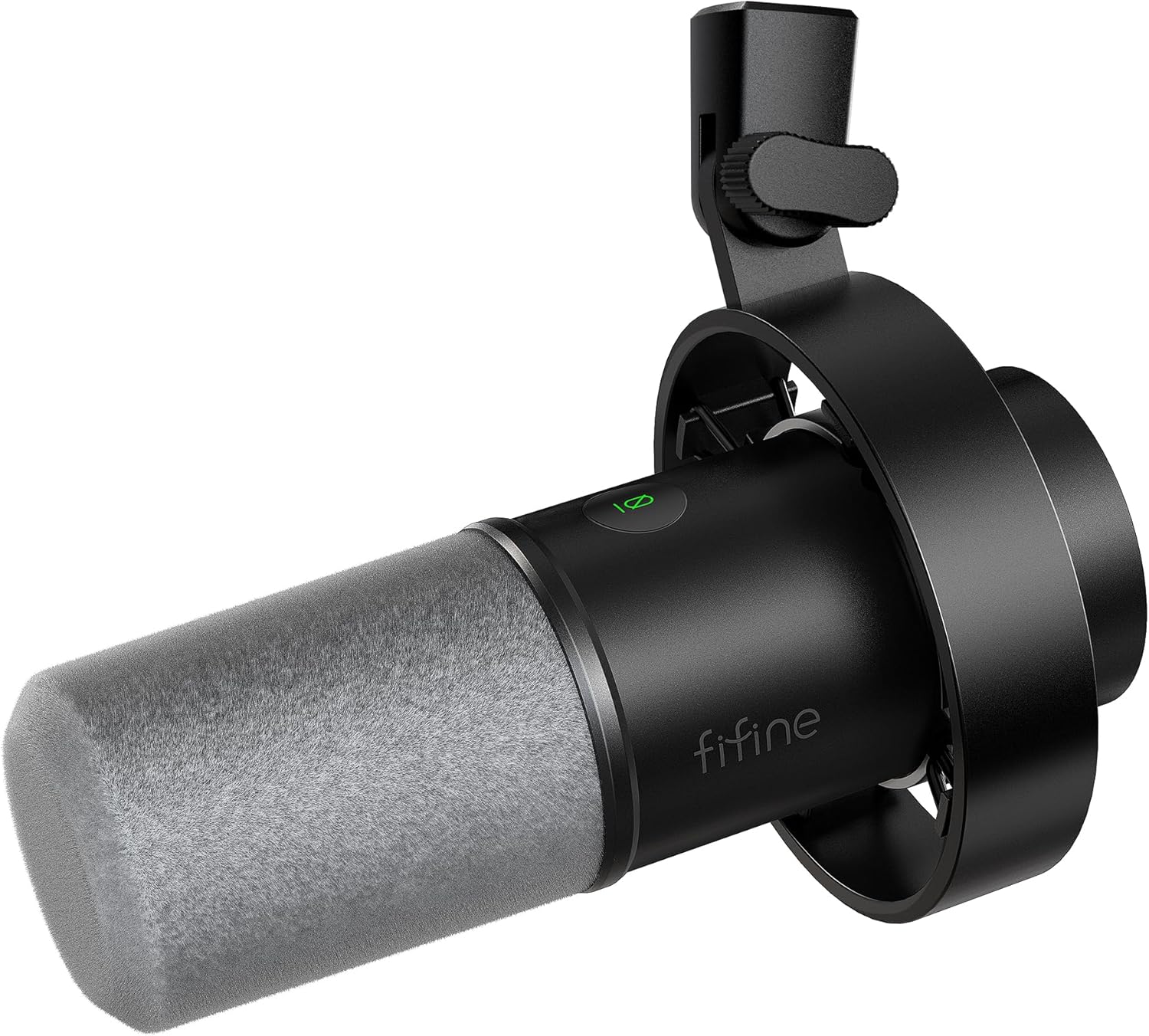
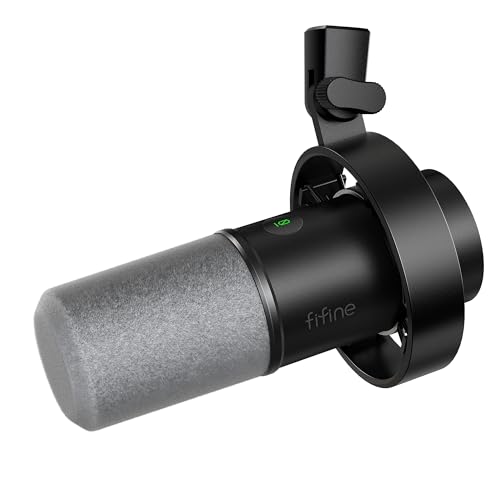
FIFINE’s K688 delivers performance rivaling microphones 2-3 times its price, offering exceptional vocal clarity and background noise rejection through its dynamic cardioid pattern. The all-metal construction with integrated shock mount reduces vibration noise effectively, while the 130dB SPL handling captures loud vocals without distortion—impressive headroom for dynamic podcasters.
Dual USB/XLR connectivity provides versatile recording options, while the headphone output with volume control enables real-time monitoring. The tap-to-mute button operates quietly during recording, and the gain knob adjusts input volume easily. These controls work seamlessly with USB connection, though XLR mode bypasses them for pure audio path performance.
Sound quality emphasizes mids and highs with less low bass—suitable for vocal intelligibility though less rich than premium options. XLR operation requires significant gain, potentially necessitating audio interfaces or cloudlifters for optimal levels. Some units report buzzing after extended use. However, at $57.79 with professional metal construction and flexible connectivity, the K688 represents outstanding value for podcasters wanting upgrade flexibility without replacing equipment.
7. FIFINE T669 Studio Condenser USB Microphone Kit – Best Complete Starter Package
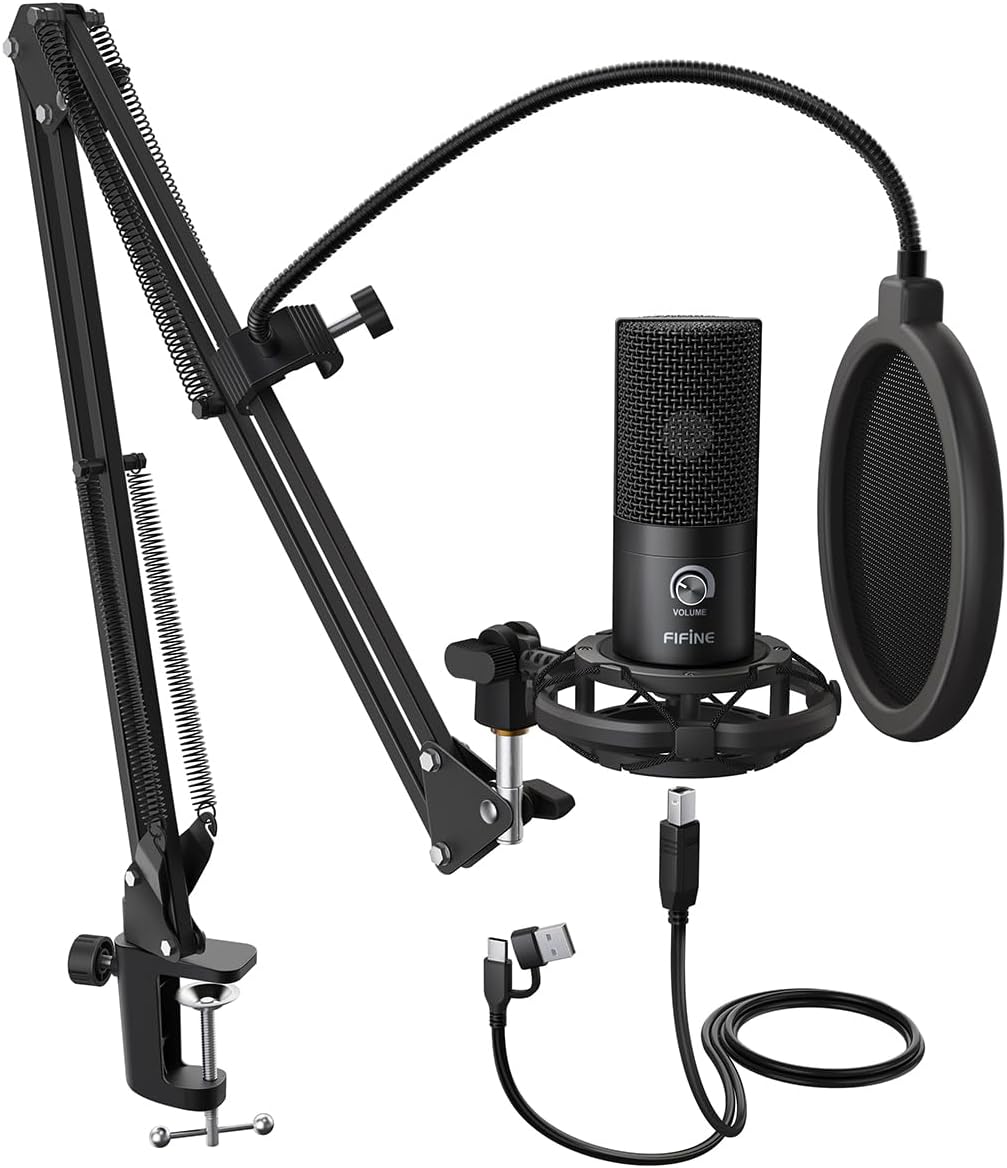

The FIFINE T669’s popularity (24,000+ reviews) stems from delivering a complete studio starter kit at an unbeatable $49.99 price point. The large diaphragm condenser capsule captures detailed vocals suitable for podcasting, voice-over, and instrument recording. The cardioid pattern focuses on front audio while rejecting ambient noise, though condenser sensitivity means proper positioning proves critical.
This kit’s value proposition overwhelms competition. The scissor arm stand provides 180° up/down and 135° forward/backward adjustment with 30-inch reach, positioning the microphone precisely. The double pop filter effectively reduces plosives, while the heavy-duty C-clamp mount secures to desks up to 2.1 inches thick. USB plug-and-play connection requires no drivers, working with PC, Mac, PS4, and PS5.
Quality control issues affect some accessories (glue failures), and the C-clamp struggles with rounded desk corners. USB cable connectivity problems appear occasionally, and no headphone jack prevents real-time monitoring. The condenser picks up more background noise than dynamic alternatives, requiring quiet recording spaces. However, for beginners wanting everything needed to start podcasting in one affordable package, the T669 delivers unbeatable convenience and value.
8. MAONO GamerWave USB Gaming Microphone – Best Ultra-Budget Option
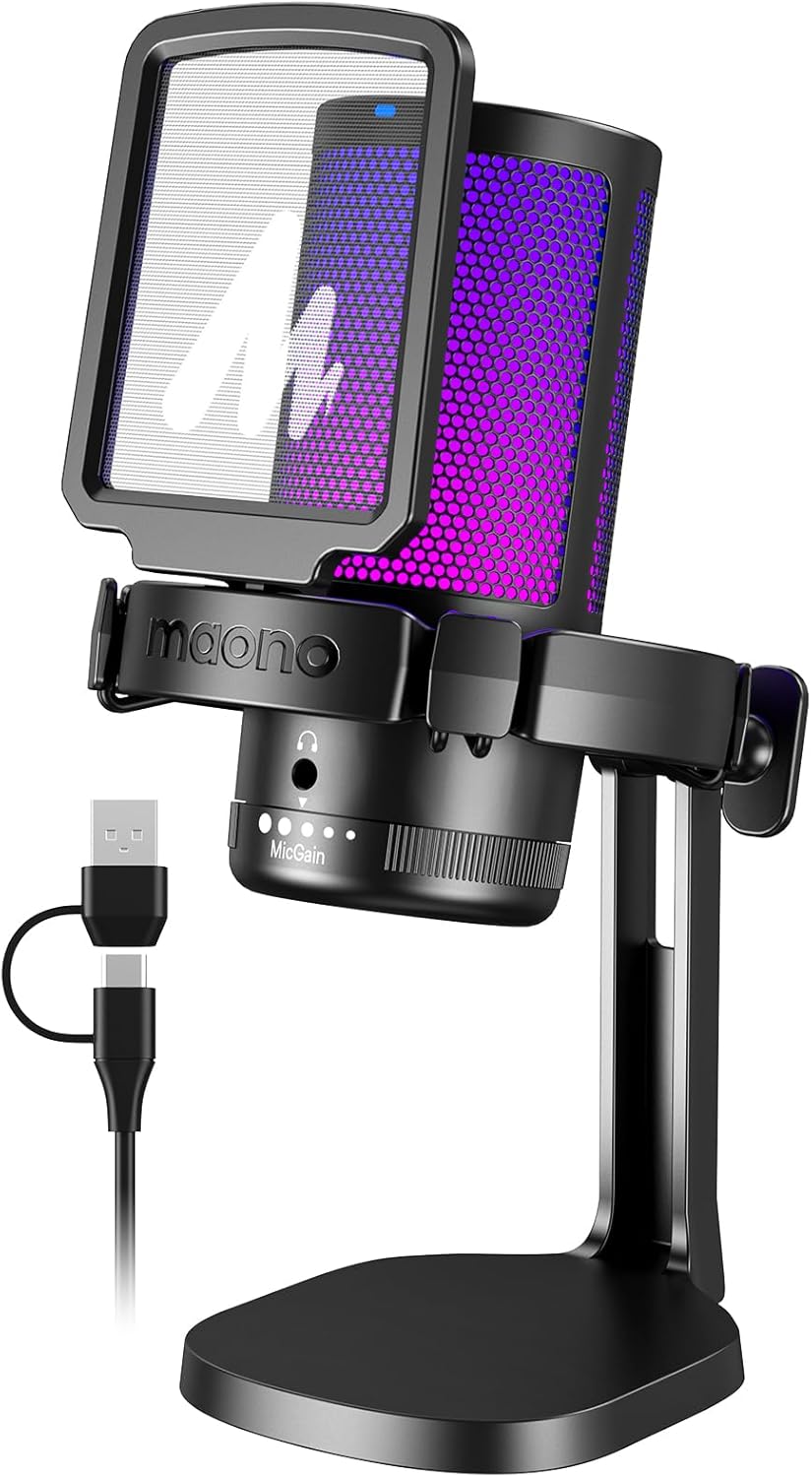

At $32.99, the MAONO GamerWave establishes the floor for functional podcast microphones, providing an accessible entry point for absolute beginners. The standout feature—long-press noise cancellation—suppresses background sounds effectively, though enabling it muffles voice quality somewhat. RGB lighting adds aesthetic appeal with multiple modes (dynamic, breathing, static) for gaming setups.
Voice clarity impresses at this price point, and the one-click mute with LED indicator (red=muted, green=active) proves convenient during recording. Gain control allows sensitivity customization for different environments, while the 3.5mm headphone jack enables zero-latency monitoring. Plug-and-play USB-C to USB-A/USB-C connectivity works easily with phones and computers, expanding versatility.
Software incompatibility with Mac/Apple limits functionality for some users, and initial static requires software updates to fix properly. Construction feels plastic and less premium than costlier options, and the gain knob risks accidental adjustment. Primarily designed for gaming rather than serious podcasting, the GamerWave suits casual users testing podcasting waters with minimal financial commitment.
9. Samson Meteor Mic USB Studio Microphone – Best Compact Design
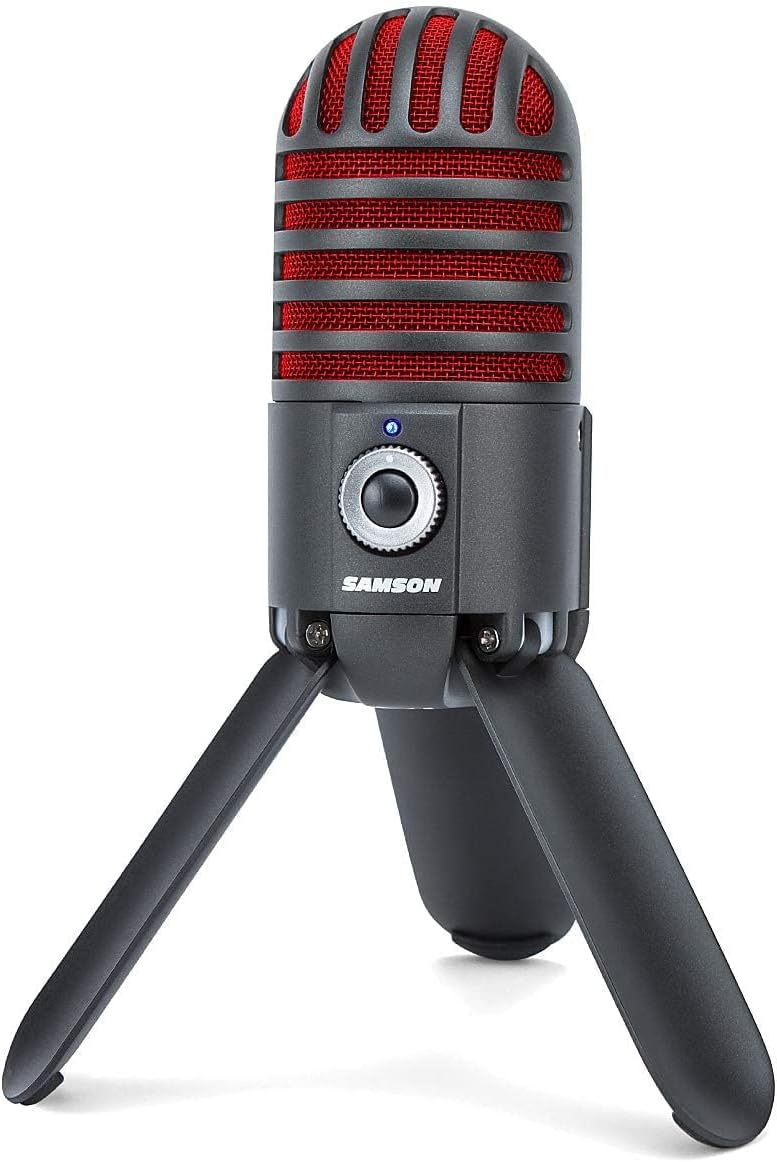
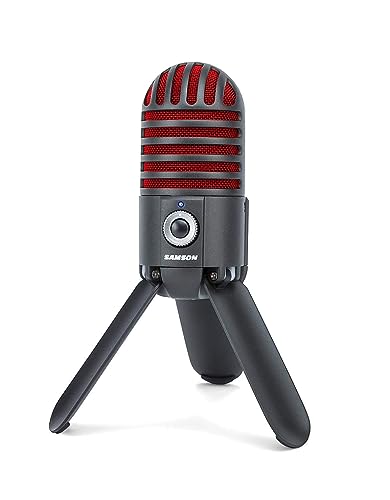
The Samson Meteor Mic’s unique retro meteor design stands out on any desk while offering ultra-compact footprint that fits under monitors—perfect for space-constrained setups. The large 25mm diaphragm condenser capsule delivers smooth flat frequency response (20Hz-20kHz) with impressive clarity for meetings, gaming, and basic podcasting.
Plug-and-play USB connection requires no drivers, working instantly with computers and iPads for mobile podcasting setups. All-metal construction with stylish titanium black/red finish feels premium and durable. Fold-back leg design provides stable positioning while enabling easy storage and transport. Built-in mute switch and headphone volume controls offer convenient operation.
The headphone jack can break with rough handling—a notable weakness. Loud sounds cause distortion, and frequency response proves less detailed than larger condensers. As an older model with limited availability and fewer reviews than mainstream options, the Meteor suits podcasters prioritizing compact design, portability, and unique aesthetics over ultimate sound quality.
10. Audio-Technica AT2040 Hypercardioid Dynamic Podcast Microphone – Best Premium Step-Up
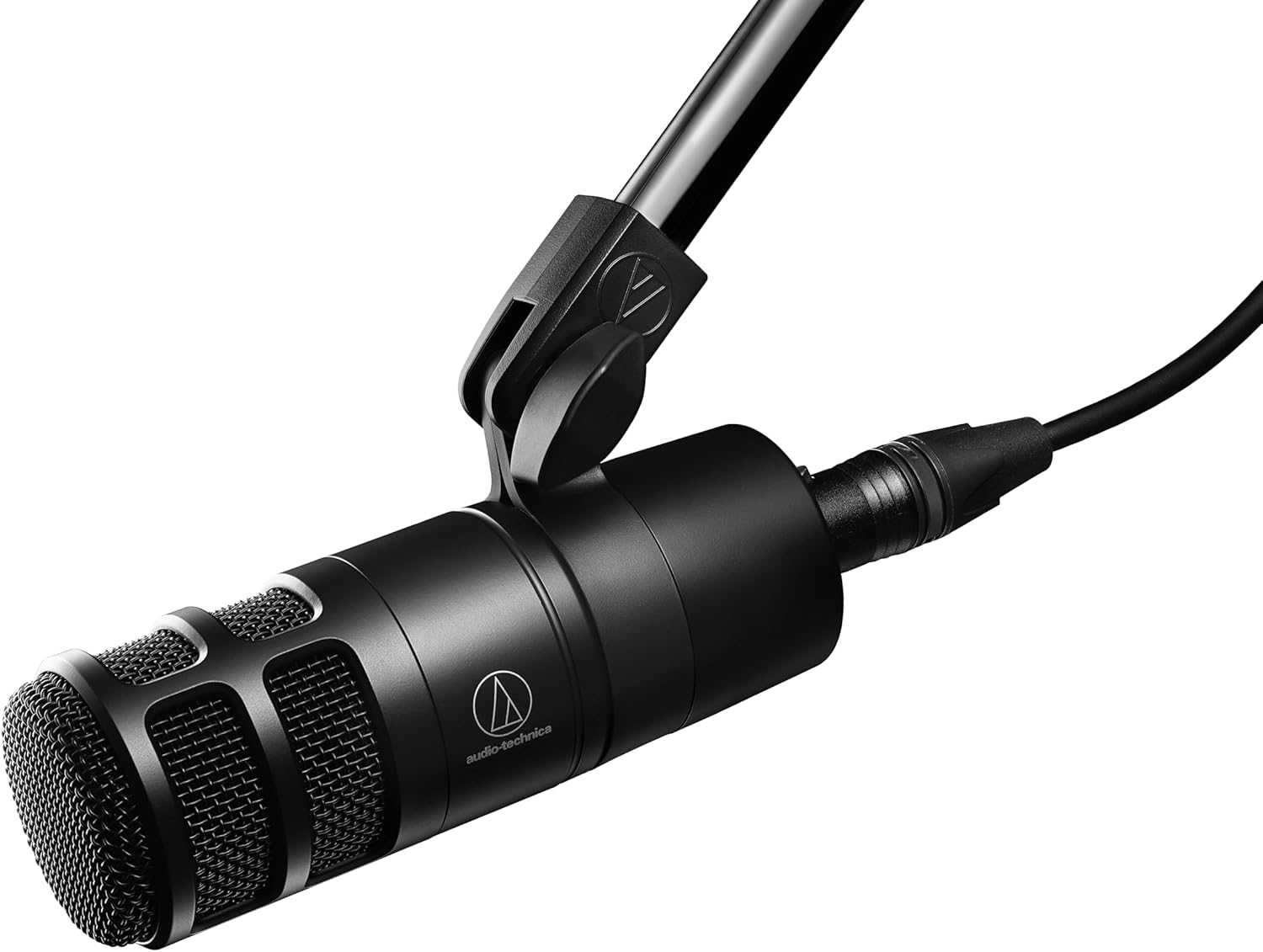

The Audio-Technica AT2040 targets serious podcasters wanting professional broadcast quality without paying premium prices. The hypercardioid polar pattern provides superior isolation and off-axis rejection compared to standard cardioid microphones, making it ideal for two-person podcasts in the same room or untreated recording spaces. Large diaphragm dynamic element delivers smooth natural vocal sound requiring minimal EQ adjustment.
All-metal construction built like a tank ensures durability, while integrated shock mount attenuates vibration noise effectively. Multistage foam mesh windscreen with internal pop filter handles plosives without additional accessories. The high-pass filter at 80Hz reduces low-frequency noise like HVAC rumble and desk vibrations. Designed specifically for podcasting and content creation, every feature serves spoken word applications.
XLR-only connectivity requires audio interface investment—this isn’t plug-and-play. Quiet output necessitates quality preamplification or cloudlifters for adequate gain levels. Heavier than entry-level options, the AT2040 suits intermediate users with existing XLR equipment or those committed to building professional studios. At $109, it represents the premium tier of budget microphones, delivering sound quality competing with options costing 2-3 times more.
Podcast Microphone Buying Guide
Budget Considerations and Hidden Costs
Your microphone purchase represents only one component of startup costs. Budget planning must account for essential accessories: boom arm stands ($20-60), pop filters ($10-25), XLR cables ($15-30), audio interfaces ($50-150 for XLR setups), and headphones ($30-100). Complete starter bundles from FIFINE minimize accessory expenses, while XLR microphones require additional equipment investments.
The sweet spot for budget podcasters falls between $50-100, where USB/XLR hybrid microphones deliver professional quality with growth flexibility. Ultra-budget options under $50 work for testing podcasting waters but typically lack upgrade paths. Premium options over $150 deliver diminishing returns for beginners—better investing that difference in acoustic treatment or accessories.
Room Acoustics Impact
Your recording environment affects sound quality more than microphone choice. Untreated rooms with hard surfaces (tile, hardwood, bare walls) cause reflections and echo that degrade audio regardless of equipment quality. Dynamic microphones with tight pickup patterns (cardioid, hypercardioid) minimize room noise capture, making them superior for typical home recording spaces.
Simple acoustic treatment dramatically improves results: heavy curtains, rugs, bookshelves, and acoustic panels absorb reflections. Recording in closets filled with clothes creates surprisingly good vocal booths due to natural absorption. Positioning microphones away from noise sources (computer fans, HVAC vents, windows) reduces background interference.
Essential Accessories
Boom arm stands mount microphones to desks, freeing workspace and enabling precise positioning. Shock mounts isolate microphones from vibration noise transmitted through stands. Pop filters reduce plosive sounds (P and B consonants) that cause distracting pops in recordings. Quality stands prevent microphone handling noise and ensure consistent positioning for consistent sound.
XLR cables transmit analog audio from microphones to interfaces—quality cables with proper shielding prevent interference and noise. Audio interfaces convert analog XLR signals to digital for computer recording, with better preamps delivering cleaner audio than basic USB connections. Headphones enable real-time monitoring, ensuring accurate recording assessment.
Software Recommendations
Recording software (DAWs) captures and edits your audio. Free options like Audacity provide basic multitrack recording and editing suitable for beginners. Descript offers innovative text-based audio editing with transcription tools. Adobe Audition delivers professional editing capabilities for subscription cost. GarageBand (Mac) and Reaper (free trial) provide intermediate options with more features than Audacity.
Recording technique matters as much as software choice. Maintain consistent microphone distance (fist’s width from mouth) for uniform sound. Speak clearly and project your voice rather than whispering. Record test takes and adjust settings before committing to full episodes. Backup recordings prevent data loss disasters.
Podcast Setup Examples
Solo Podcast Setup
For solo recording, a USB microphone with boom arm stand provides everything needed. Position the microphone 4-6 inches from your mouth at a 45-degree angle to reduce plosives. Use headphones for monitoring, ensuring you hear exactly what listeners will hear. Free software like Audition or Audacity captures single-track recordings easily. Total investment: $50-150 depending on microphone choice and accessories.
Interview Podcast Setup (Remote)
Remote interviews require different approaches. Each guest needs their own microphone setup—USB microphones work perfectly for guests with minimal technical expertise. Record locally whenever possible using software like Riverside.fm or SquadCast that captures separate high-quality tracks. Avoid relying on Zoom/ Skype recordings which compress audio quality. Backup recordings prevent connection failures from ruining episodes. Budget per guest setup: $50-150 plus software subscription costs.
Co-Hosted Podcast Setup (In-Person)
Recording multiple people in one room requires careful microphone positioning. Dynamic microphones with tight patterns (cardioid/hypercardioid) minimize crossover between hosts. Position each microphone 6-12 inches from each speaker, angled away from other microphones. Audio interfaces with multiple inputs (2-4 channels) accommodate each microphone separately. Maintain physical distance between hosts to reduce interference. Alternatively, use omnidirectional microphone positioned centrally between hosts, though this increases room noise pickup. Budget: $200-500 for multi-channel interfaces plus microphones.
Frequently Asked Questions
Do I need an expensive microphone to start podcasting?
Absolutely not. Many successful podcasts began with microphones under $100, and some started with gear under $50. The Samson Q2U ($79) and FIFINE T669 ($49) deliver broadcast-quality audio suitable for professional distribution. Focus on clear speaking, good microphone technique, and quiet recording environment rather than expensive equipment. Content quality matters infinitely more than gear cost.
What’s the difference between USB and XLR microphones?
USB microphones connect directly to computers via USB cable, offering plug-and-play simplicity without additional equipment. XLR microphones connect through audio interfaces or mixers, requiring extra hardware but delivering superior audio quality with professional preamps. USB/XLR hybrid microphones provide both connection types, letting you start with simple USB operation today while upgrading to professional XLR equipment tomorrow without replacing your microphone.
Should I choose a dynamic or condenser microphone for podcasting?
For most home podcasters, dynamic microphones prove superior because they reject background noise effectively and focus narrowly on your voice. This characteristic makes them ideal for untreated rooms, noisy environments, and spaces with poor acoustics. Condenser microphones capture more detail but pick up everything—including room echo, computer fans, and traffic noise—making them challenging for typical home recording. Choose dynamic for podcasting unless you have a treated studio space or specifically need detailed sound capture.
Do I need a pop filter with my podcast microphone?
Pop filters significantly reduce plosive sounds (hard P and B consonants) that cause distracting pops in recordings. While some microphones include built-in pop filters (like the Audio-Technica AT2040), most benefit from separate pop filters or windscreens. At $10-25, pop filters represent inexpensive insurance against recording-ruining plosives. They’re essential for close-proximity recording (within 6 inches) which delivers the most intimate podcast vocal sound.
Can I use a gaming microphone for podcasting?
Yes, gaming microphones like the FIFINE A6T, MAONO GamerWave, and HyperX SoloCast work perfectly for podcasting. These microphones prioritize voice clarity with cardioid patterns suitable for spoken word recording. Gaming microphones often include convenient features like mute buttons, headphone monitoring, and RGB lighting. However, they typically prioritize gaming aesthetics and streaming features over pure audio quality—dedicated podcast microphones like the Samson Q2U often deliver better sound at similar prices.
What accessories do I need to start podcasting?
Essential accessories include: boom arm stand ($20-60) for precise positioning and workspace clearance, pop filter ($10-25) for reducing plosives, headphones ($30-100) for monitoring, and recording software (free options like Audacity work well). XLR microphones require audio interfaces ($50-150) and XLR cables ($15-30). Complete starter kits like the FIFINE T669 bundle microphone, boom arm, and pop filter together, minimizing accessory costs. Budget-conscious beginners can start with just a microphone and free software, adding accessories as needs evolve.
How do I reduce background noise in my recordings?
Start with dynamic microphones featuring tight cardioid patterns that reject off-axis sound. Position microphones away from noise sources (computer fans, HVAC vents, windows). Use simple acoustic treatment: heavy curtains, rugs, bookshelves, and acoustic panels absorb reflections. Record in closets filled with clothes for natural sound absorption. Use noise gates in post-production to automatically mute low-level background noise between words. Maintain consistent microphone distance (fist’s width from mouth) to minimize room sound pickup. These techniques dramatically improve recordings without expensive equipment upgrades.
Conclusion: Which Budget Podcast Mic Should You Buy?
The right microphone depends on your recording environment, growth plans, and budget. For absolute beginners testing podcasting waters, the FIFINE T669 or MAONO GamerWave provide complete starter kits under $50 with everything needed to start recording immediately. These ultra-budget options deliver surprising quality and minimize financial risk for uncertain commitment.
For podcasters committed to growing their shows, USB/XLR hybrid microphones offer the smartest investment. The Samson Q2U ($79.99) and Audio-Technica AT2005USB ($79) deliver professional broadcast quality with dual connectivity for future expansion. These microphones serve beginners today while enabling professional studio upgrades tomorrow without replacing equipment.
For podcasters prioritizing ultimate sound quality on tight budgets, the Audio-Technica AT2040 ($109) brings professional hypercardioid performance and broadcast quality to the under-$150 price range. This XLR-only option suits podcasters with audio interfaces or those building professional studios on budgets.
For versatility and multi-pattern recording, the Blue Yeti ($79.95) remains unmatched with four pickup patterns handling various recording scenarios. However, condenser sensitivity requires relatively quiet recording spaces for optimal performance.
Regardless of choice, remember that microphone technique and recording environment affect sound quality more than equipment selection. Dynamic microphones generally outperform condensers for home podcasting due to noise rejection. USB/XLR hybrids provide the most value and flexibility for most beginners. Focus on clear audio delivery and consistent technique rather than chasing expensive gear—your content matters more than your equipment.