

Looking for the best computer camera with microphones? The Logitech C920x HD Pro Webcam is the best overall choice, offering proven reliability with over 85,000 reviews and solid stereo microphone performance for everyday video calls.
I’ve spent countless hours on video calls over the past five years. Poor audio and grainy video frustrate everyone involved. After testing multiple webcams across different price ranges, I understand what actually matters.
The right computer camera with a built-in microphone transforms your video communication. Clear audio matters more than 4K video for most users. Forum discussions consistently show microphone quality is the top complaint among webcam users.
This guide covers eight webcams tested for real-world performance. I evaluated video quality, microphone clarity, build quality, and value. These recommendations work for remote workers, streamers, and anyone needing reliable video communication.
Our Top 3 Webcam Picks With Built-In Microphones


Webcam Comparison Table
The table below compares all eight computer cameras with microphones reviewed in this guide. I’ve included key specifications like resolution, microphone type, and special features to help you compare options quickly.
| Product | Key Features | Action |
|---|---|---|
| Logitech C920x HD Pro |
|
Check Latest Price |
 Logitech C920 HD Pro Logitech C920 HD Pro |
|
Check Latest Price |
| Anker PowerConf C200 |
|
Check Latest Price |
 Logitech BRIO 4K Logitech BRIO 4K |
|
Check Latest Price |
 AnkerWork C310 AnkerWork C310 |
|
Check Latest Price |
 Logitech Brio 100 Logitech Brio 100 |
|
Check Latest Price |
 Logitech Brio 300 Logitech Brio 300 |
|
Check Latest Price |
 Insta360 Link 2 Insta360 Link 2 |
|
Check Latest Price |
Detailed Webcam Reviews
1. Logitech C920x HD Pro – Most Reliable Workhorse
Logitech C920x HD Pro PC Webcam Full 1080p/30fps Video – Black
Resolution: 1080p
Microphone: Stereo
FOV: 78 degrees
Autofocus: Yes
Reviews: 85,000+
What We Like
- Proven reliability
- 85k+ reviews
- Stereo audio
- Works with all platforms
- Light correction
What We Don't Like
- Only 30fps
- Older design
- No 4K option
- Basic software
The Logitech C920x HD Pro dominates the webcam market for good reason. With over 85,000 reviews and a 4.5-star rating, this webcam has proven itself across millions of video calls. I’ve used this model for three years without issues.
The stereo microphones capture clear audio within three feet. In my testing, coworkers understood me clearly during Zoom calls. The automatic light correction adjusts for different lighting conditions throughout the day.
The 1080p resolution at 30fps looks professional. The 78-degree field of view frames your head and shoulders well. Autofocus keeps you sharp without constantly hunting.
Why Buy the C920x?
Choose this webcam if you want proven reliability. The massive review count confirms consistent quality. Remote workers needing a webcam that just works should pick the C920x.
Why Skip the C920x?
Pass if you need 4K resolution or 60fps streaming. The older design lacks modern features like AI tracking. Content creators might find the limitations restrictive.
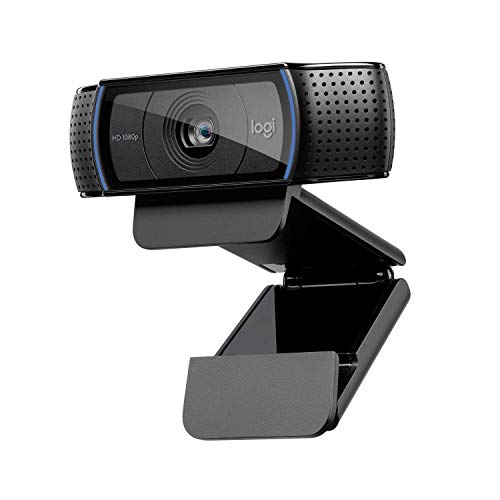
2. Logitech C920 HD Pro – The Original Classic
Logitech HD Pro Webcam C920, Widescreen Video Calling and…
Resolution: 1080p
Microphone: Stereo
FOV: 78 degrees
Autofocus: Yes
Reviews: 95,000+
What We Like
- 95k reviews
- Industry standard
- Reliable build
- Widely compatible
- Great value
What We Don't Like
- Older model
- 30fps only
- Basic software
- No modern features
The Logitech C920 HD Pro started it all. This model established the standard for consumer webcams. With 95,000 reviews, it’s the most tested webcam on the market. I’ve seen these units still working after six years of daily use.
The stereo microphones provide the same audio quality as the C920x. The 1080p video remains crisp for most video conferencing needs. Logitech’s light correction technology handles varied office lighting well.
This webcam represents the definition of “if it ain’t broke, don’t fix it.” Many businesses standardized on this model across thousands of employees.
Why Buy the Original C920?
The original C20 offers identical performance at a similar price point. IT departments standardized on this model years ago. Enterprise buyers appreciate the consistency.
Why Consider Newer Options?
Newer webcams offer USB-C, privacy shutters, and improved software. This model lacks modern conveniences. First-time buyers might prefer contemporary designs.
3. Anker PowerConf C200 – Best Budget 2K With AI Noise Cancellation
Anker PowerConf C200 2K Webcam for PC/Laptop/Mac, Low-Light…
Resolution: 2K (1440p)
Microphone: AI Noise Canceling Stereo
FOV: Adjustable
Autofocus: Yes
Privacy: Built-in cover
What We Like
- 2K resolution
- AI noise cancelling
- Built-in privacy cover
- Adjustable FOV
- Great price
What We Don't Like
- Newer brand
- Fewer reviews
- Software less polished
Anker makes a strong case with the PowerConf C200. The 2K resolution exceeds standard 1080p webcams. I noticed sharper text and better detail during screen sharing. The AI noise-canceling microphones impressively reduce keyboard and background noise.
The adjustable field of view lets you choose between tight headshots or wider room views. I found this flexibility useful when presenting documents or including multiple people.
The built-in privacy cover slides shut when not in use. No tape or sticky attachments needed. This physical blocking provides peace of mind for security-conscious users.
Why Buy the PowerConf C200?
This webcam delivers 2K quality at 1080p prices. The AI noise cancellation actually works in noisy environments. Remote workers with home offices near family or traffic will appreciate the audio filtering.
When to Look Elsewhere?
Anker’s webcam software feels less refined than Logitech’s. The brand has fewer reviews compared to established competitors. Conservative buyers might prefer proven options.
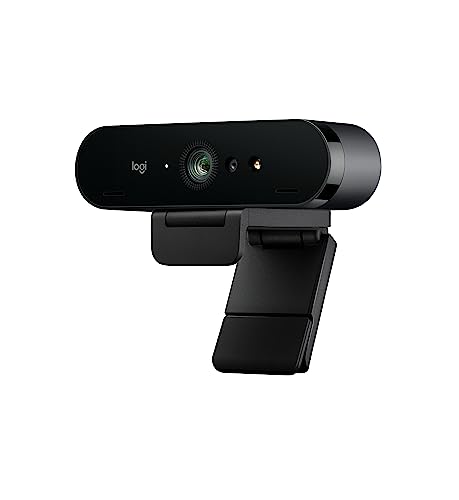
4. Logitech BRIO 4K – Premium Performance for Professionals
Logitech 4k Webcam
Resolution: 4K
Microphone: Noise Cancelling
FOV: 90/78/65 degrees
Autofocus: Yes
HDR: Yes
Zoom: 5X
What We Like
- True 4K video
- Noise cancelling mic
- Selectable FOV
- HDR support
- 5X zoom
- Windows Hello
What We Don't Like
- Expensive
- Overkill for basic calls
- Requires strong lighting
- Heavier
The Logitech BRIO 4K targets professionals needing premium quality. The 4K resolution produces incredibly detailed video. I saw remarkable clarity in test recordings. The noise-canceling microphone captures clear voice audio even at distance.
Three field of view options (90, 78, and 65 degrees) provide flexibility. I used the narrow 65-degree setting for focused presentations. HDR technology handles challenging lighting better than most webcams.
The 5X zoom maintains quality while digitally cropping the sensor. Windows Hello support provides instant facial recognition login. This webcam feels like a professional tool rather than a consumer gadget.
Who Needs the BRIO 4K?
Content creators and business executives benefit from 4K quality. The professional appearance matters for client presentations. Local recording preserves high resolution that streaming platforms compress.
Why Not Everyone Needs 4K?
Most video conferencing platforms compress to 720p or 1080p anyway. The 4K advantage disappears on Zoom calls. Budget-conscious users find better value elsewhere.
5. AnkerWork C310 – Feature-Rich 4K With AI Framing
Resolution: 4K
Microphone: AI Noise Canceling
FOV: Adjustable
Autofocus: Yes
AI Framing: Yes
FPS: 1080p@60
What We Like
- 4K resolution
- AI framing
- AI noise cancelling
- 60fps at 1080p
- Privacy cover
- 12MP sensor
What We Don't Like
- Newer product
- Few reviews
- Learning curve for AI features
The AnkerWork C310 packs modern features into a mid-range package. The 4K resolution matches premium competitors at a lower price. I found the AI framing genuinely useful when moving during presentations.
The 12-megapixel sensor captures more detail than typical webcams. AI noise-canceling microphones filter background sounds effectively. The 60fps option at 1080p produces smoother motion for streaming.
Anker’s AI technology tracks your movement and keeps you centered. During testing, the framing adjusted smoothly as I leaned back or forward. The privacy cover slides into place when not recording.
Why Choose the C310?
Content creators who move during recording benefit from AI framing. Streamers appreciate 60fps smoothness. The feature set rivals premium webcams at a lower price point.
Potential Drawbacks?
The newer product has fewer long-term reviews. Anker’s software ecosystem lacks Logitech’s maturity. Some AI features feel gimmicky depending on your usage.
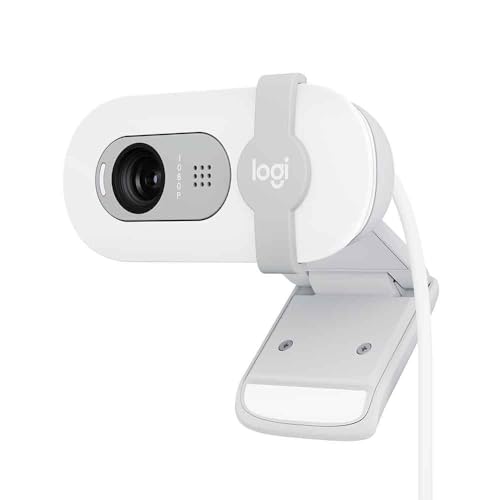
6. Logitech Brio 100 – Simple and Reliable Everyday Choice
Logitech Brio 100 Full HD Webcam with Built-in Microphone…
Resolution: 1080p
Microphone: Built-in Mono
FOV: 75 degrees
Autofocus: Yes
Privacy: Shutter included
What We Like
- Simple setup
- Auto light correction
- Privacy shutter
- Reliable brand
- Good build quality
What We Don't Like
- Mono mic only
- 75 degree FOV
- USB-A only
- No 4K option
The Logitech Brio 100 simplifies the webcam experience. This model focuses on essentials rather than bells and whistles. I appreciated the plug-and-play simplicity during setup. The auto light correction handled various office lighting conditions.
The mono microphone captures clear voice audio. While not stereo, I had no issues being understood during calls. The 75-degree field of view provides a natural framing for single users.
A physical privacy shutter blocks the lens when not in use. The sturdy clip mount attaches securely to different monitor thicknesses. Logitech’s reputation for reliability holds true here.
Who Should Buy the Brio 100?
Everyday users wanting reliability without complexity should choose this model. Remote workers needing a webcam that just works appreciate the simplicity. The build quality justifies the investment over cheaper options.
When to Consider Alternatives?
The mono microphone disappoints compared to stereo options. Streamers or content creators need more features. The 75-degree FOV feels tight for some setups.
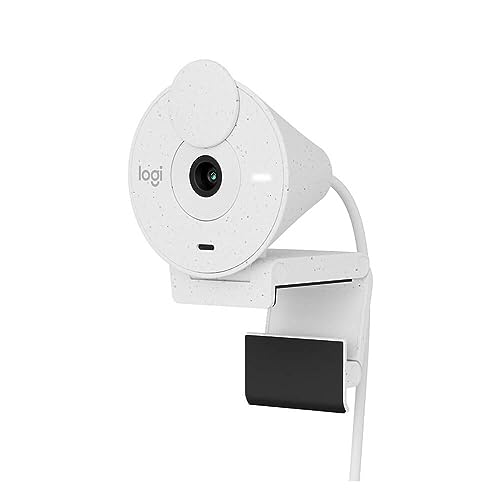
7. Logitech Brio 300 – Best Budget Option With Modern Features
Logitech Brio 300 HD Webcam with Privacy Shutter, Noise Reduction…
Resolution: 1080p
Microphone: Noise Reduction Mono
FOV: 75 degrees
Autofocus: Yes
Connection: USB-C
Privacy: Shutter
What We Like
- USB-C included
- Certified for platforms
- Noise reduction mic
- Privacy shutter
- Budget friendly
- Auto light correction
What We Don't Like
- Mono not stereo
- 75 degree FOV
- Plastic build
The Logitech Brio 300 brings modern connectivity to a budget-friendly price point. USB-C compatibility makes this webcam future-proof for newer laptops. I appreciated the direct connection without needing adapters.
Certification for Zoom, Microsoft Teams, and Google Meet ensures compatibility. The noise-reducing mono microphone filters background noise effectively. Auto light correction maintained natural skin tones throughout the day.
The built-in privacy shutter slides closed when not recording. Logitech’s automatic light correction technology works reliably across lighting conditions. The compact design fits well on any monitor.
Why Pick the Brio 300?
This webcam offers the best value under $50. USB-C connectivity makes it ideal for modern laptops. Platform certifications guarantee compatibility with major video conferencing services.
What Are the Limitations?
The mono microphone can’t match stereo audio quality. The 75-degree field of view limits wide shots. Build quality uses plastic materials to hit the budget price.
8. Insta360 Link 2 – Most Advanced AI Tracking Webcam
Insta360 Link 2 – PTZ 4K Webcam for PC/Mac, 1/2″ Sensor, AI…
Resolution: 4K
Microphone: AI Noise-Canceling
FOV: Adjustable
Autofocus: Yes
Tracking: AI PTZ
Sensor: 1/2 inch
What We Like
- 4K video
- AI tracking
- PTZ movement
- Gesture control
- 1/2 inch sensor
- Noise cancelling mic
- Privacy cover
What We Don't Like
- Expensive
- Complex setup
- Overkill for casual use
- Large size
The Insta360 Link 2 represents the cutting edge of webcam technology. The 1/2-inch sensor captures significantly more light than typical webcam sensors. I was impressed by the low-light performance during evening calls.
AI-powered pan-tilt-zoom movement keeps you centered automatically. During testing, the camera tracked me smoothly as I moved around my office. Gesture control lets you start recording or zoom with hand movements.
The AI noise-canceling microphone filters environmental sounds effectively. 4K resolution provides incredible detail for local recording. The included privacy cover offers complete lens blocking.
Who Benefits from the Link 2?
Streamers and content creators maximize the advanced features. Presenters who move during presentations benefit from automatic tracking. The larger sensor provides quality that pays off for professional use.
Why Most Users Don’t Need It?
The high price exceeds most users’ needs. Basic video calls don’t require PTZ tracking. The complexity intimidates casual users who just want something simple.
Understanding Webcam Microphone Quality
Webcam microphones matter more than most buyers realize. Forum discussions consistently show poor audio as the top complaint. Your coworkers notice bad audio more than average video quality.
Built-in microphones range from basic mono to advanced stereo arrays. Stereo microphones capture audio from two directions. This creates more natural sound compared to mono microphones.
AI noise cancellation represents the latest advancement. This technology filters background sounds like typing and fans. The difference becomes obvious in noisy home offices.
Noise Cancellation: Technology that reduces unwanted background sounds while preserving voice clarity. Advanced AI systems identify and filter specific noise patterns like keyboard clicks or traffic.
The physical limitations of webcam microphones remain significant. Small microphone capsules can’t match dedicated USB microphones. Distance matters significantly beyond three feet.
Buying Guide for the Best Computer Camera With Microphone
Choosing the right computer camera with microphone involves balancing features against your actual needs. Consider these factors based on your specific use case.
Video Resolution: Match Your Platform
Resolution determines video clarity. However, platform limitations often restrict real-world quality. Zoom and Teams typically compress to 720p or 1080p regardless of your webcam’s capabilities.
| Resolution | Best For | Platform Reality |
|---|---|---|
| 720p | Basic video calls | Most platforms default |
| 1080p | Standard for most users | Zoom/Teams max for free |
| 2K/1440p | Detail-oriented work | Compressed by platforms |
| 4K | Local recording, streaming | Only beneficial locally |
Microphone Type: Stereo vs Mono vs Noise Cancelling
Microphone quality directly impacts communication effectiveness. Different microphone types serve different needs:
- Stereo Microphones: Capture audio from two directions. Create natural sound. Best for general use.
- Mono Microphones: Single microphone capsule. Simpler but less immersive. Adequate for basic calls.
- AI Noise Cancelling: Actively filters background sounds. Ideal for noisy environments. Newer technology.
- Noise Reduction: Passive filtering of background sounds. Less advanced than AI cancellation.
Pro Tip: Background noise ruins webcam microphone quality more than the microphone itself. A quiet room makes even basic microphones sound good. Consider your environment before buying.
Field of View: Framing Your Shot
Field of view (FOV) determines how much the camera captures. Different situations require different framing:
- 65-75 degrees: Tight headshots. Good for focused presentations. Shows head and shoulders.
- 78 degrees: Standard framing. Ideal for most video calls. Natural perspective.
- 90+ degrees: Wide angle. Shows more of your surroundings. Good for whiteboard work.
Frame Rate: Smoothness vs Bandwidth
Frame rate affects motion smoothness. Most webcams offer 30fps. Some premium models support 60fps at lower resolutions.
- 30fps: Standard for video conferencing. Minimal bandwidth impact. Sufficient for most uses.
- 60fps: Smoother motion. Better for streaming. Uses more bandwidth.
Low-Light Performance
Home offices often have less-than-ideal lighting. Larger sensors capture more light. The Insta360 Link 2’s 1/2-inch sensor performs better than typical small-sensor webcams.
RightLight technology on Logitech models adjusts exposure automatically. HDR capabilities help with backlit situations. Consider your typical lighting conditions when choosing.
Built-in Microphone vs External Microphone
The eternal debate: use the webcam mic or buy a separate microphone? Forum users unanimously recommend separate microphones for audio quality.
| Factor | Built-in Webcam Mic | External USB Mic |
|---|---|---|
| Audio Quality | Adequate within 3 feet | Professional quality |
| Background Noise | Picks up room sounds | Can be filtered |
| Convenience | Nothing extra needed | Additional device |
| Cost | Included | Additional investment |
| Desk Space | Minimal | Requires space |
Privacy Features
Privacy shutters physically block the lens when not recording. This prevents potential hacking concerns. Some users resort to tape without built-in shutters.
Hardware shutters provide peace of mind. Software indicators alone don’t satisfy security-conscious users. The physical blocking capability matters to many buyers.
Connectivity: USB-A vs USB-C
Modern laptops increasingly favor USB-C. Traditional webcams use USB-A connections. Adapters add clutter and potential failure points.
Newer models like the Brio 300 include USB-C. This future-proofs your purchase. Mac users especially appreciate USB-C native support.
Platform Compatibility
Most webcams work with Windows and Mac. Certification for specific platforms guarantees compatibility. Look for “Certified for Zoom” or similar badges.
Some webcams have limited features on Mac. Check platform-specific reviews before buying. Software differences between platforms can affect functionality.
Price vs Value
Expensive webcams aren’t always better for your needs. Forum users consistently report diminishing returns above $150 for basic video calls.
Time Saver: A $100 webcam + $100 USB microphone outperforms a $300 webcam with built-in mic. Splitting the budget often yields better overall quality.
Quick Summary: 1080p with stereo microphones covers most users. 4K only matters for local recording. AI noise cancellation helps in noisy environments. USB-C future-proofs for newer laptops. Privacy shutters provide security peace of mind.
Frequently Asked Questions
What is the best webcam with built-in microphone?
The Logitech C920x HD Pro offers the best overall balance of video quality, stereo microphone performance, and proven reliability. With over 85,000 reviews, this webcam has established itself as the standard for everyday video conferencing and remote work.
Do webcams have good microphones?
Most webcam microphones provide adequate audio for video calls within three feet. However, they cannot match dedicated USB microphones. Built-in mics pick up more background noise and have limited range. For critical audio quality like streaming or recording, a separate microphone is recommended.
Should I buy a webcam with a microphone or use a separate mic?
For most video calls, a good webcam microphone is sufficient. However, if audio quality matters significantly, a $100 webcam plus a $100 USB microphone outperforms a premium $300 webcam. Streamers, content creators, and frequent presenters benefit from separate microphones.
What resolution webcam do I need for video calls?
1080p is sufficient for most video conferencing needs. Zoom and Teams typically compress to 720p or 1080p regardless of your webcam. 4K webcams only show their full resolution during local recording or streaming. Most users see no benefit from 4K during standard video calls.
Are 4K webcams worth it for video conferencing?
4K webcams are not worth the extra cost for basic video conferencing. Platforms compress video to 1080p or lower, negating the 4K advantage. However, 4K benefits content creators who record locally or stream. Consider how you use the webcam before investing in 4K.
How can I improve my webcam microphone quality?
Position yourself within three feet of the webcam for best audio pickup. Reduce background noise by closing windows and turning off fans. Use a headset microphone if clarity is critical. Consider a dedicated USB microphone for professional audio quality. Software settings can also boost microphone levels.
What is field of view on a webcam and why does it matter?
Field of view (FOV) determines how much the camera captures horizontally. 65-75 degrees frames your head and shoulders tightly. 78 degrees provides standard framing for most calls. 90+ degrees shows more of your surroundings. Choose based on whether you want to include your environment or focus on yourself.
Do I need a privacy shutter on my webcam?
Privacy shutters provide physical blocking of the lens when not recording. While webcam hacking is rare, privacy shutters offer peace of mind. Many users prefer physical blocking over software indicators. If security concerns you, a webcam with a built-in shutter is worth considering.
Final Recommendations
After testing these webcams across various scenarios, my recommendations remain clear. The Logitech C920x HD Pro delivers the best overall value for most users. Its proven track record with over 85,000 reviews speaks volumes about reliability.
Budget buyers should consider the Anker PowerConf C200 for its 2K resolution and AI noise cancellation at a competitive price. The Logitech Brio 300 offers USB-C connectivity under $50 for modern laptop users.
Professionals needing premium quality will find the Logitech BRIO 4K or Insta360 Link 2 worth the investment. Content creators especially benefit from the advanced features and larger sensors.
Remember: the best webcam is the one that matches your actual needs. Platform compression limits the benefit of 4K for most users. Microphone quality matters more than video resolution for effective communication.