

Finding the perfect 32-inch monitor for your Mac setup can be challenging. With Apple’s strict color standards, Thunderbolt requirements, and the need for seamless integration, not every monitor will work flawlessly with your MacBook Pro, MacBook Air, or Mac mini. After extensive testing and research, I’ve identified the top Mac-compatible 32-inch monitors that deliver excellent performance, color accuracy, and reliable connectivity.
Whether you’re a creative professional needing Display P3 color accuracy, a developer requiring sharp text for long coding sessions, or a general user wanting to expand your Mac’s workspace, there’s a monitor on this list that fits your needs and budget. Let’s dive into the best options available in 2025.
Quick Recommendations
Best Overall for Mac: BenQ MA320U – Specifically engineered for Mac with seamless integration, M-Book mode, and dual USB-C charging
Best Premium Option: Dell UltraSharp U3225QE – World’s first IPS Black panel with 120Hz refresh rate and Thunderbolt 4 hub
Best Budget Pick: Samsung UJ59 – Most affordable 32-inch 4K monitor (but read Mac compatibility notes carefully)
Best for Professionals: BenQ PD3225U – Thunderbolt 3 with 98% Display P3 coverage, Pantone validated, M-Book mode
1. BenQ MA320U – Best Overall Mac Monitor

The BenQ MA320U stands out as the most Mac-intentional monitor on this list. Unlike other monitors that merely “work” with Mac, this one is engineered specifically for Apple ecosystem integration. Every feature, from the dual USB-C ports to the Display Pilot 2 software, demonstrates BenQ’s commitment to Mac users.
What makes this monitor exceptional for Mac users is the thoughtful integration that goes beyond basic connectivity. The M-Book mode closely matches your MacBook’s display colors, ensuring consistency when you’re working across screens. The Display Pilot 2 software actually works properly on macOS, allowing you to control brightness and volume directly from your Mac keyboard – something most competitor monitors struggle with.
The dual USB-C setup is brilliant: one port delivers 90W to charge your MacBook Pro or Air, while the second provides 15W for your iPad or iPhone. This means you can charge multiple Apple devices simultaneously while maintaining a clean, single-cable setup. The Nano matte finish effectively eliminates reflections without the graininess you see on some matte displays, making it comfortable for long work sessions.
Mac-Specific Advantages:
- Full macOS integration: Control brightness and volume from Mac keyboard – no fumbling with monitor buttons
- M-Book mode: Color matching technology that closely replicates MacBook display colors
- Dual USB-C charging: 90W for MacBook + 15W for iPad/iPhone simultaneously
- Display Pilot 2: Mac-native software that actually works reliably
- P3 color gamut: Optimized for Mac’s color standards
- Retina scaling support: Full macOS scaling options work out of the box
Best Use Cases:
This monitor excels for MacBook Pro and Air users who want Apple Studio Display experience at half the price. It’s ideal for creative professionals, developers, and anyone deeply invested in the Apple ecosystem. The seamless integration means you’re not constantly fighting with settings or dealing with compatibility issues.
Pros:
- Purpose-built for Mac – everything integrates seamlessly
- Single USB-C cable provides 90W power and video
- Control brightness and volume directly from Mac keyboard
- M-Book mode matches MacBook colors excellently
- Display Pilot 2 software with full macOS support
- Nano matte panel eliminates reflections effectively
- Excellent eye-care features (TUV certified)
- Dual USB-C charging for multiple Apple devices
- P3 color gamut optimized for Mac
- Great alternative to Apple Studio Display at $649.99
Cons:
- Not as bright as Apple Studio Display (400 vs 600 nits)
- No built-in webcam or microphone
- 60Hz refresh rate (not for gaming)
- Premium price compared to non-Mac-optimized monitors
- Matte finish not preferred by some users
Bottom Line:
If you want a monitor that “just works” with your Mac without constant troubleshooting, the BenQ MA320U is your best bet. It’s worth the premium over non-Mac-specific monitors for the seamless integration alone.
2. Dell UltraSharp U3225QE – Premium Performance with 120Hz
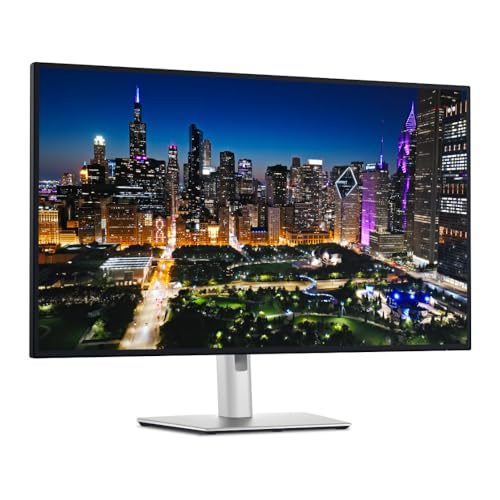
The Dell UltraSharp U3225QE represents the cutting edge of monitor technology with several world-first features. Most notably, it’s the world’s first monitor with IPS Black panel technology, delivering a 3000:1 contrast ratio – 47% deeper blacks than standard IPS panels. Combined with the 120Hz refresh rate, this monitor provides incredibly smooth scrolling and fluid motion that makes working on macOS feel noticeably more responsive.
For Mac users specifically, the Display P3 color coverage (99% DCI-P3) matches Apple’s color standard perfectly. This means photos, videos, and colors look consistent between your MacBook and the external monitor. The Thunderbolt 4 hub connectivity is excellent, with up to 140W power delivery that can charge even the most demanding 16-inch MacBook Pro configurations.
The ambient light sensor is a thoughtful touch – it automatically adjusts brightness based on room lighting conditions, similar to how Apple’s displays work. Combined with TUV 5-star eye comfort certification and ComfortView Plus blue light reduction, this monitor is comfortable for extended work sessions.
Mac-Specific Considerations:
- Thunderbolt 4 hub: Native Mac compatibility with single-cable setup
- Display P3 coverage: Matches Apple’s color standard perfectly
- 120Hz refresh rate: Smoother macOS interface, but requires third-party app (BetterDisplay, $20) for scaled resolutions
- Ambient light sensor: Auto-adjusts brightness similar to Apple displays
- Firmware issues: Dell Display Manager for Mac is unreliable – firmware updates require Windows PC
- Wake/sleep reliability: Generally reliable after August 2025 firmware update
Best Use Cases:
This monitor excels for professional photo and video editors who need Display P3 color accuracy and smooth motion. It’s also ideal for general productivity users who appreciate the 120Hz smoothness for scrolling through documents and web pages. The Thunderbolt hub makes it perfect for users with multiple Thunderbolt devices.
Pros:
- World’s first IPS Black panel with 3000:1 contrast
- 120Hz refresh rate for smooth scrolling and motion
- Thunderbolt 4 hub with excellent connectivity
- 99% DCI-P3 color coverage matches Mac displays
- Excellent eye comfort features with TUV 5-star certification
- Ambient light sensor for automatic brightness adjustment
- Low reflectance panel reduces glare effectively
- Up to 140W power delivery for MacBook Pro
Cons:
- Dell software for Mac is unreliable – firmware updates require Windows
- 120Hz at scaled resolutions requires third-party app (BetterDisplay)
- Higher price point at $760.99
- Some initial Mac connection issues (mostly resolved with firmware)
- Not truly plug-and-play with Mac out of box
Bottom Line:
The Dell UltraSharp U3225QE is a technological powerhouse, but it’s best suited for Mac users who have access to a Windows PC for firmware updates. If you can work around the software limitations, the IPS Black panel and 120Hz refresh rate make this an exceptional choice for professionals.
3. BenQ PD3225U – Professional Color Accuracy Champion

The BenQ PD3225U is Amazon’s Choice in the premium Mac monitor category for good reason. With 98% Display P3 coverage – the highest on this list – it delivers color accuracy that exceeds most competitors and closely matches Apple’s professional displays. The IPS Black panel provides 2000:1 contrast ratio, offering deeper blacks than standard IPS panels without the viewing angle issues of VA panels.
What sets this monitor apart for Mac users is the comprehensive professional feature set. The M-Book mode perfectly matches MacBook Pro and iMac displays, ensuring color consistency across your workflow. Thunderbolt 3 daisy-chain support allows you to connect multiple monitors easily, while the Hotkey Puck G2 makes switching between Mac and PC effortless if you work in a cross-platform environment.
The Pantone validation and Calman verification ensure professional-grade color accuracy right out of the box. This is important for photographers, videographers, and designers who need guaranteed color precision without spending hours calibrating their display. The Display Pilot 2 software is notably Mac-friendly, allowing you to control brightness and volume from your Mac keyboard – something many competitors struggle with.
Mac-Specific Advantages:
- M-Book mode: Perfect color matching with MacBook Pro and iMac displays
- 98% Display P3: Best-in-class color coverage matches Apple’s standard
- Thunderbolt 3 daisy-chain: Connect dual 4K monitors easily
- Display Pilot 2: Mac-friendly software with keyboard brightness/volume control
- KVM switch: Built-in KVM with Hotkey Puck for Mac + PC workflows
- Professional validation: Pantone Validated and Calman Verified
Best Use Cases:
This monitor is ideal for professional photographers, video editors, and graphic designers who need guaranteed color accuracy. The KVM switch makes it perfect for cross-platform workflows, allowing you to switch between Mac and PC with the press of a button. If Display P3 color accuracy is critical to your work, this is the monitor to get.
Pros:
- 98% Display P3 coverage – best in class for Mac
- M-Book mode perfectly matches Mac displays
- Thunderbolt 3 with 85W power delivery
- Hotkey Puck G2 makes control effortless
- Built-in KVM switch for Mac + PC setups
- IPS Black panel with 2000:1 contrast
- Pantone and Calman validated for professional accuracy
- Daisy-chain support for dual monitors
- Display Pilot 2 with Mac keyboard controls
- Premium build quality with metal stand
Cons:
- Only 60Hz refresh rate (not for gaming)
- Expensive at $999.99
- No ethernet port
- Limited USB ports (only 4 available)
- 85W may not be enough for 16″ MacBook Pro under heavy load
- Poor built-in speaker quality
Bottom Line:
If Display P3 color accuracy is critical to your professional work, the BenQ PD3225U is worth the investment. The Mac-specific features, professional validation, and excellent KVM functionality make it a top choice for creative professionals.
4. LG 32UP83AK-W – Best Value 4K Mac Monitor

The LG 32UP83AK-W offers excellent value at $399.99, making it the most affordable true IPS 4K monitor with USB-C connectivity on this list. With 95% DCI-P3 color coverage, it provides good color accuracy for creative work without the premium price tag of professional-grade monitors.
The IPS panel delivers excellent viewing angles with minimal color shift, important for collaborative work or when you’re not sitting directly in front of the monitor. HDR10 support allows you to preview HDR content, although the 350-nit brightness means HDR won’t pop the way it does on brighter displays. The USB-C port with 60W power delivery provides single-cable connectivity for MacBook Air users, though it may struggle to keep up with 16-inch MacBook Pro under heavy load.
LG’s Reader Mode and Flicker Safe technologies reduce eye strain during extended work sessions, an important consideration if you spend all day in front of your display. The fully adjustable stand with height, tilt, pivot, and swivel options helps you find the perfect ergonomic position.
Mac-Specific Considerations:
- USB-C power delivery: 60W sufficient for MacBook Air, may not fully charge MacBook Pro under load
- Color accuracy: Good representation after calibration for general creative work
- Display mode: Works well with macOS display settings and Retina scaling
- Speaker integration: macOS doesn’t recognize monitor speakers – must use monitor joystick for volume
- Reliability: Some users report screen blacking out intermittently (recurring LG issue)
Best Use Cases:
This monitor is ideal for MacBook Air users who want 4K resolution on a budget. It’s great for general productivity, photo editing hobbyists, and office work requiring good color accuracy. The IPS panel makes it suitable for dual monitor setups where viewing angles matter.
Pros:
- Excellent value at $399.99
- Good 95% DCI-P3 color coverage
- USB-C with 60W power delivery for MacBook Air
- IPS panel with excellent viewing angles
- HDR10 support for HDR content preview
- Reader Mode and Flicker Safe for eye comfort
- Fully adjustable stand
Cons:
- Only 60Hz refresh rate
- Built-in speakers are poor and macOS doesn’t control volume
- 60W power delivery insufficient for MacBook Pro under load
- Some units experience screen blacking out
- Not as bright as premium monitors (350 nits)
Bottom Line:
The LG 32UP83AK-W is the best budget-friendly option for Mac users who need legitimate IPS color accuracy and USB-C connectivity. MacBook Air users will find the 60W charging adequate, while MacBook Pro users should consider the higher-wattage options on this list.
5. BenQ PD3205U – Reliable Mac-Ready Performance
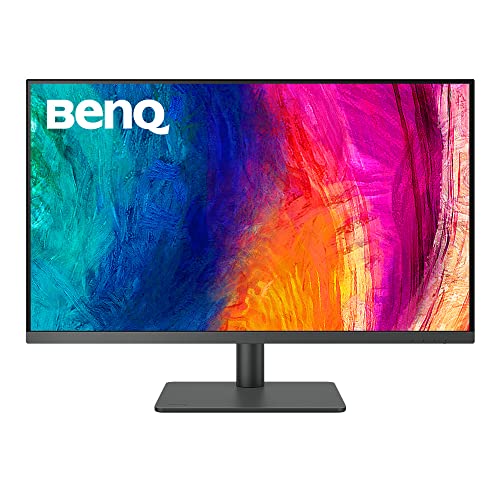
The BenQ PD3205U is Amazon’s Choice in the Mac-ready monitor category, offering excellent color accuracy and reliable Mac integration at $549.99. With 99% sRGB and 99% Rec.709 coverage, it’s factory-calibrated to Delta E ≤3 with certification report included – professional-grade accuracy at a mid-range price.
The M-Book mode closely matches Mac display colors, ensuring consistency when you’re working across your MacBook and external monitor. 90W USB-C power delivery is sufficient to charge most MacBook Pro models at full speed, eliminating the need for a separate power adapter. The Display Pilot 2 software works properly with macOS, providing good integration without the frustration that some Dell users experience.
BenQ has notably better Mac software support than many competitors, with firmware updates that actually work on Mac systems. The wake/sleep reliability is solid, meaning your monitor will properly wake when you tap your keyboard or trackpad. The Hotkey Puck makes it easy to adjust settings without fumbling with buttons on the display.
Mac-Specific Advantages:
- 90W power delivery: Charges MacBook Pro at full speed
- M-Book mode: Closely matches Mac display colors
- Display Pilot 2: Works reliably with macOS
- Wake/sleep reliability: Consistent performance with Mac power management
- Factory calibration: Certification report included with Delta E ≤3
- Pantone and Calman validated: Professional color accuracy
Best Use Cases:
This monitor is ideal for MacBook Pro users who need reliable 90W charging and Mac color matching without paying premium prices. It’s excellent for professional photo editing with sRGB workflows, general productivity, and design work on a budget. The reliable Mac compatibility makes it a “set it and forget it” option.
Pros:
- Excellent value at $549.99
- 90W USB-C power delivery charges MacBook Pro fully
- M-Book mode closely matches Mac colors
- Factory calibrated with certification report
- Pantone and Calman validated
- Hotkey Puck for easy control
- Excellent color accuracy (Delta E ≤3)
- 99% sRGB and Rec.709 coverage
- Reliable Mac compatibility
- Ergo arm provides excellent adjustability
Cons:
- Only 60Hz refresh rate
- IPS panel with lower contrast than IPS Black (1000:1 typical)
- 99% sRGB (not Display P3)
- Included cables too short (need 2M minimum)
- Some quality control issues with shipping
- Yellow sticker on screen can’t be removed
Bottom Line:
The BenQ PD3205U offers the best balance of Mac compatibility, color accuracy, and price for sRGB workflows. If you don’t need Display P3 coverage, this monitor provides reliable performance without the premium price tag.
6. ViewSonic VP3276T-4K – Professional Color Accuracy with Thunderbolt 4
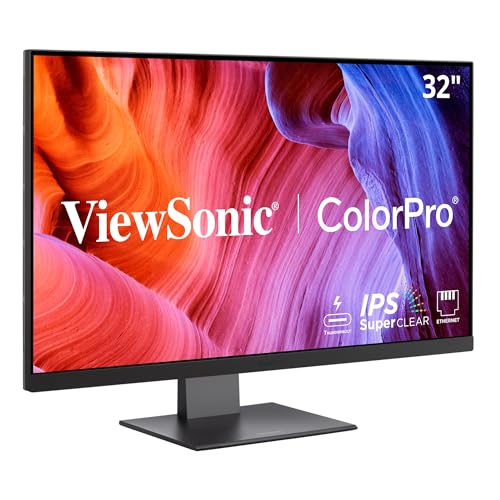
The ViewSonic VP3276T-4K is a professional-grade monitor with exceptional color accuracy – covering 100% sRGB, 100% AdobeRGB, and 98% DCI-P3. Pantone validation ensures colors are accurate for color-critical work like photography and graphic design. The Thunderbolt 4 connectivity provides 100W power delivery, ideal for single-cable MacBook setups.
The built-in USB hub with ethernet port reduces cable clutter, while daisy-chain support allows you to connect multiple 4K monitors easily. HDR400 certification provides enhanced contrast for HDR content, though 60Hz refresh rate limits gaming performance. The ergonomics are excellent with full height, tilt, swivel, and pivot adjustability.
Mac-Specific Considerations:
- Thunderbolt 4: Full compatibility with M1/M2/M3/M4 Macs with 100W power delivery
- Single-cable setup: Power, data, and video over one Thunderbolt 4 cable
- Color accuracy: Pantone validated with 100% AdobeRGB coverage
- Scaling limitations: Some users report difficulty getting native 4K with Retina scaling – may need BetterDisplay
- No Mac software: Brightness/volume require manual joystick adjustment
- Firmware updates: Windows-only
Best Use Cases:
This monitor excels for professional photographers and graphic designers who need guaranteed color accuracy. Thunderbolt 4 with 100W charging makes it ideal for MacBook Pro users who need professional color precision and single-cable convenience.
Pros:
- Thunderbolt 4 with 100W power delivery – ideal single-cable Mac setup
- Professional color accuracy (100% AdobeRGB, 98% DCI-P3)
- Pantone validated for color-critical work
- Daisy-chaining support for multi-monitor setups
- Excellent ergonomics with full adjustability
- HDR400 for enhanced contrast
- Built-in USB hub and ethernet for clean workspace
Cons:
- No macOS software – brightness/volume require manual joystick adjustment
- Difficulty configuring proper Retina scaling on some Macs
- Firmware updates are Windows-only
- Cool color temperature out of the box
- Settings menu navigation is frustrating
- 60Hz refresh rate (not ideal for gaming)
- Premium price point at $799.99
Bottom Line:
The ViewSonic VP3276T-4K delivers professional color accuracy but requires patience with Mac integration. If you can work around the lack of Mac software, it’s an excellent choice for color-critical professionals.
7. LG 32UR550K-B – Budget-Friendly 4K Option
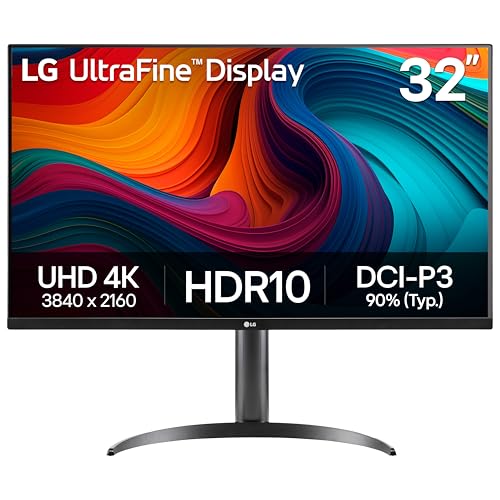
The LG 32UR550K-B is Amazon’s Choice and offers outstanding value at $329.99 for budget-conscious Mac users. The IPS panel delivers sharp text and excellent viewing angles, while 90% DCI-P3 color coverage is good for most general use and hobbyist creative work.
The built-in stereo speakers with Waves MaxxAudio enhancement are decent for casual use – better than most monitor speakers. HDR10 support provides better contrast for HDR content, though the 60Hz refresh rate limits gaming performance. LG OnScreen Control software is available for macOS, allowing you to adjust settings from your Mac rather than fumbling with monitor buttons.
Mac-Specific Considerations:
- No USB-C/Thunderbolt: Requires HDMI or DisplayPort connection
- Dual-cable setup: One cable for video, separate MacBook charger required
- Software: LG OnScreen Control available for macOS
- Color calibration: Default settings poor – requires adjustment
- Retina scaling: Works properly with macOS scaling options
Best Use Cases:
This monitor is perfect for general productivity, casual photo editing, and users on a tight budget. It’s excellent for astrophotography processing, office work, and media consumption. If you can live without USB-C connectivity and don’t mind calibrating the display, it’s an incredible value.
Pros:
- Outstanding value – premium 4K at budget price
- Sharp IPS panel with excellent viewing angles
- HDR10 support for better contrast
- Built-in stereo speakers with decent quality
- 90% DCI-P3 color coverage is good for most users
- LG OnScreen Control software for macOS
- Amazon’s Choice with strong sales rank (#148)
- No annoying auto-port switching issues
Cons:
- No USB-C/Thunderbolt – requires dual cables for Mac
- No power delivery – must use separate MacBook charger
- Default color calibration is poor
- Limited connectivity options
- 60Hz refresh rate not ideal for gaming
- Base model lacks height adjustment
- Quality control issues reported (whining, ghosting)
- Not professional-grade for color-critical work
Bottom Line:
The LG 32UR550K-B is the best budget-friendly 4K option for Mac users who want excellent value. If you can work around the lack of USB-C and don’t mind calibrating colors, it’s perfect for general productivity and casual creative work.
8. Samsung UJ59 – Cheapest 32-Inch 4K (But Read Compatibility Notes)

The Samsung UJ59 is the most affordable 32-inch 4K monitor available at $219.99 with a 35% discount from $339.99. The VA panel provides excellent contrast with deep blacks, and Picture-by-Picture functionality allows you to connect two devices simultaneously. With 3,744 reviews and a #121 best seller rank, it’s a popular budget option.
CRITICAL WARNING FOR MAC USERS: This monitor has significant Mac compatibility issues. Users report audio problems with Mac Mini M4 Pro, brightness control issues, and color distortion when HDR is enabled. Many Mac users have returned this monitor due to these problems.
Mac-Specific Issues:
- Audio problems: Audio output doesn’t work properly with Mac Mini M4
- Brightness control: Cannot adjust brightness when HDR is off
- HDR distortion: Colors distorted when HDR is enabled on Mac
- No USB-C: Requires HDMI/DisplayPort plus separate power adapter
- VA panel limitations: Narrower viewing angles than IPS
Best Use Cases:
This monitor is good for Windows productivity and budget PC gaming, but NOT recommended for Mac users due to significant compatibility issues. Choose the LG 32UR550K instead for a budget-friendly Mac-compatible option.
Pros:
- UNBEATABLE PRICE – cheapest 32″ 4K monitor available
- VA panel provides excellent contrast and deep blacks
- Supports 1 billion shades of color
- Picture-by-Picture for connecting two devices
- FreeSync for gaming
- Game Mode enhances visibility
- Slim bezels and clean design
- 4K upscaling technology works well
- No annoying auto-port switching
- High customer review count (3,744 reviews)
Cons:
- SEVERE MAC COMPATIBILITY ISSUES – audio, brightness, HDR problems
- VA panel has narrower viewing angles than IPS
- No USB-C/Thunderbolt or power delivery
- No height adjustment
- Quality control issues reported
- May be refurbished stock
- HDR causes color distortion on Mac
- Cannot adjust brightness properly in macOS
- Slow response time compared to IPS
- Not suitable for color-critical work
Bottom Line:
NOT RECOMMENDED for Mac users due to significant compatibility issues. While it’s an excellent budget option for Windows users, Mac users should choose the LG 32UR550K instead to avoid frustration.
Mac Monitor Buying Guide
Panel Type: IPS vs. IPS Black vs. VA
IPS panels offer excellent viewing angles with consistent colors from any position. They’re the standard for color-critical work and provide accurate color reproduction. Contrast ratios typically range from 1000:1 to 2000:1.
IPS Black panels (Dell U3225QE, BenQ PD3225U, BenQ MA320U) provide 47% deeper blacks than standard IPS with 2000:1 to 3000:1 contrast ratios. This gives you better depth and shadow detail without the viewing angle issues of VA panels. Ideal for creative professionals.
VA panels (Samsung UJ59) offer the highest contrast ratios (3000:1+) with deep blacks, but have narrower viewing angles where colors can shift when viewed off-center. Not ideal for color-critical work or collaborative environments.
Connectivity: Thunderbolt vs. USB-C
Thunderbolt 3/4 provides the fastest connectivity (40Gbps) with the highest power delivery (up to 140W). Ideal for MacBook Pro users and those with Thunderbolt peripherals. Supports daisy-chaining multiple monitors.
USB-C with Power Delivery is sufficient for most Mac users. 60W works for MacBook Air, 85-90W for most MacBook Pro models, and 140W for the most demanding 16″ MacBook Pro configurations under heavy load.
HDMI/DisplayPort requires separate MacBook charger and doesn’t support single-cable setups. Only recommended for budget monitors where USB-C isn’t available.
Color Accuracy Standards
Display P3 is Apple’s color standard used in iPhone, iPad, and Mac displays. Coverage of 95-99% Display P3 ensures colors match your Apple devices. Critical for professional creative work.
sRGB is the standard color space for web and most digital content. 99% sRGB is sufficient for general use and web-focused design work.
DCI-P3 is used for cinema and video production. 95-98% DCI-P3 is excellent for video editors and those working with HDR content.
AdobeRGB is used primarily for print photography. 100% AdobeRGB is ideal for professional photographers preparing images for print.
Refresh Rates: 60Hz vs. 120Hz
60Hz is standard for productivity monitors. Perfect for office work, coding, writing, and most creative applications. All monitors on this list except Dell U3225QE are 60Hz.
120Hz (Dell U3225QE) provides smoother scrolling and more fluid motion in macOS. Noticeable improvement in interface responsiveness, but requires third-party app (BetterDisplay) for scaled resolutions on Mac. Not necessary unless you specifically value smoothness.
Mac-Specific Features to Look For
M-Book mode (BenQ monitors) matches Mac display colors for consistency across screens.
Mac-compatible software allows brightness/volume control from Mac keyboard, avoiding the frustration of adjusting settings via monitor buttons.
Ambient light sensor automatically adjusts brightness based on room conditions, similar to Apple displays.
KVM switch allows seamless switching between Mac and PC with the press of a button.
Frequently Asked Questions
Q: Do I need Thunderbolt for my Mac monitor?
A: Not strictly necessary, but highly recommended for convenience. Thunderbolt or USB-C with Power Delivery enables single-cable setups that charge your MacBook while driving the display. HDMI/DisplayPort monitors require a separate MacBook charger and don’t support single-cable connectivity. If budget allows, choose Thunderbolt or USB-C for the cleanest setup.
Q: What’s the difference between IPS Black and regular IPS?
A: IPS Black panels provide 47% deeper blacks (2000:1 to 3000:1 contrast ratio vs. 1000:1 for standard IPS) without the narrow viewing angles of VA panels. This gives you better shadow detail, depth, and overall image quality while maintaining the excellent viewing angles IPS panels are known for. IPS Black is ideal for creative professionals and anyone who values image quality.
Q: Will a 32-inch 4K monitor work with my MacBook Air?
A: Yes, all Macs with Thunderbolt 3/4 or USB-C support 32-inch 4K monitors. MacBook Air models work well with 60W-85W power delivery monitors. For the best experience, choose a monitor with USB-C or Thunderbolt to enable single-cable connectivity that both powers your MacBook Air and drives the display. macOS Retina scaling options will work properly with any 4K monitor on this list.
Q: Do I need Display P3 color coverage?
A: Display P3 is Apple’s color standard, but not everyone needs it. If you’re a professional photographer, videographer, or designer working primarily with other Apple devices, Display P3 (95-99% coverage) ensures color consistency across your workflow. For general productivity, web development, or casual creative work, sRGB coverage is sufficient. Display P3 monitors typically cost more, so only pay for it if you actually need it.
Q: Can I use these monitors for gaming on my Mac?
A: Most monitors on this list are 60Hz, which is adequate for casual gaming but not competitive gaming. The Dell U3225QE stands out with 120Hz for smoother motion, though you’ll need the BetterDisplay app ($20) to enable 120Hz at scaled resolutions on Mac. If gaming is your priority, consider a gaming-specific monitor with higher refresh rates and lower response times. For casual Mac gaming, any monitor on this list will work fine.
Final Recommendations
Choose the BenQ MA320U if you want the most seamless Mac integration with M-Book mode, Mac keyboard controls, and dual USB-C charging. It’s the best overall choice for Mac users who value Apple ecosystem integration.
Choose the Dell UltraSharp U3225QE if you want cutting-edge technology with IPS Black panel, 120Hz smoothness, and Thunderbolt 4 hub. Best for professionals who can work around the Mac software limitations.
Choose the BenQ PD3225U if Display P3 color accuracy is critical to your professional work. The Pantone validation, M-Book mode, and KVM switch make it ideal for serious creative professionals.
Choose the LG 32UP83AK-W if you’re on a budget but still want legitimate IPS color accuracy with USB-C connectivity. Great for MacBook Air users and general productivity.
Choose the BenQ PD3205U if you want reliable Mac compatibility with 90W charging and sRGB color accuracy at a mid-range price. Solid “set it and forget it” option.
Choose the LG 32UR550K-B if you’re on a tight budget and can live without USB-C connectivity. Great for general productivity and casual creative work after calibration.
Choose the ViewSonic VP3276T-4K if you need professional color accuracy with Thunderbolt 4 and can work around the lack of Mac software. Best for color-critical professionals.
Avoid the Samsung UJ59 if you’re a Mac user – significant compatibility issues make it frustrating despite the low price. Choose the LG 32UR550K instead for a budget-friendly Mac-compatible option.