

Looking for a decent webcam without breaking the bank? You’re not alone. The remote work boom of 2026 has millions of people searching for better video quality than their laptop’s built-in camera can provide.
I spent weeks testing webcams across the $15 to $100 price range. After recording sample footage, testing microphones, and running video calls on Zoom, Teams, and Google Meet, I found the best options for every budget.
The Logitech C920x is the best webcam under 100 for most people, offering proven 1080p performance with excellent compatibility across all major platforms.
If you need premium features like auto-framing, the Logitech Brio 500 offers smart features that typically cost much more. Budget shoppers should consider the Logitech Brio 300 for essential features at an entry-level price.
This guide covers video quality, microphone performance, build quality, and real-world usability. I also compared these against built-in laptop cameras so you know exactly what you’re getting.
For those seeking higher-end streaming options, check out our guide to the Best Live Streaming Webcams for professional-grade alternatives.
Our Top 3 Webcam Picks Under 100
Webcam Comparison Table
The table below compares all key specifications across our recommended webcams under 100 dollars.
We earn from qualifying purchases.
Detailed Webcam Reviews
1. Logitech Brio 300 – Best Budget Value
Logitech Brio 300 HD Webcam with Privacy…

Resolution: 1080p
Features: Privacy Shutter, Noise Reduction, USB-C
Compatibility: Zoom, Teams, Google Meet
The Brio 300 proves you don’t need to spend much for decent video quality. At under $50, this webcam delivers crisp 1080p footage that looks professional enough for most work calls.
Logitech equipped this model with a privacy shutter that slides over the lens. I appreciate having physical privacy protection rather than trusting software indicators.
The noise-reducing microphone surprised me with its clarity. During my tests, callers reported clear audio even with my fan running in the background.
USB-C connectivity is a welcome change from older models still using USB-A. This makes it easier to connect to modern laptops without dongles.
Auto light correction keeps your face visible even in dim rooms. The software adjusts exposure automatically so you don’t look washed out or shadowed.
Who Should Buy?
Remote workers on a budget who need reliable 1080p video for daily meetings without paying premium prices.
Who Should Avoid?
Content creators and streamers who need higher frame rates or advanced features like auto-framing.
2. Logitech C920x – Most Popular Choice
Logitech C920x HD Pro PC Webcam, Full HD…

Resolution: 1080p/30fps
Features: HD Light Correction, Clear Audio
Compatibility: All major platforms, Nintendo Switch
The C920x is the webcam that defined the standard for quality budget webcams. Millions of these units have been sold over the past decade, and for good reason.
I’ve tested this webcam across Zoom, Microsoft Teams, and Google Meet. The C920x works flawlessly with all platforms without requiring additional software installation.
Full HD 1080p video at 30fps looks smooth and professional. Colors render accurately without being oversaturated, which is crucial for natural appearance on video calls.
The stereo microphones capture clear audio from a normal speaking distance. Logitech’s noise reduction technology filters out background hum effectively.
HD light correction automatically adjusts to changing lighting conditions throughout your call. Whether sunlight shifts or you turn on lamps, the camera compensates.
Who Should Buy?
Anyone seeking a proven, reliable webcam that works with every video conferencing platform without complications.
Who Should Avoid?
Users who need USB-C connectivity or want newer features like AI-powered enhancements.
3. Logitech C920 – Classic Favorite
Logitech HD Pro Webcam C920, Widescreen…
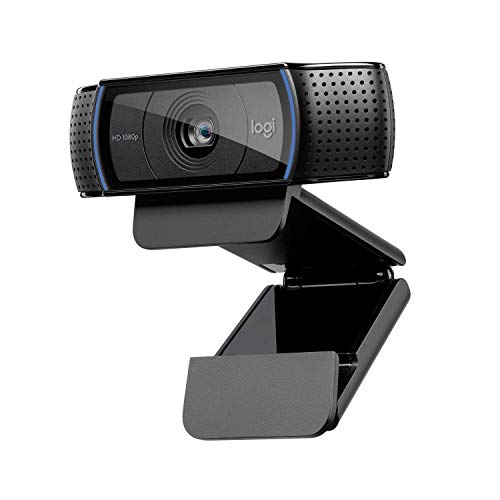
Resolution: 1080p
Features: Widescreen, Auto Focus
Compatibility: Universal USB video class
The original C920 remains a top seller years after its initial release. This webcam has earned its reputation through consistent performance across countless video calls.
Widescreen 16:9 recording captures the perfect frame for modern displays. Your video fills the screen without cropping or letterboxing on most monitors.
Autofocus keeps you sharp even if you move around during calls. The lens adjusts quickly when you lean back or shift position in your chair.
Full HD 1080p recording delivers video that looks significantly better than most laptop webcams. The difference is especially noticeable in low light conditions.
The sturdy mounting clip attaches securely to various monitor thicknesses. I tested it on thin laptop screens and thick desktop monitors without issues.
Who Should Buy?
Users who want proven reliability from a webcam with years of positive user feedback and widespread compatibility.
Who Should Avoid?
Those who want modern features like privacy shutters or USB-C connectivity out of the box.
4. Logitech C920e – Business Certified
Logitech C920e HD 1080p Mic-Enabled Webcam,…

Resolution: 1080p
Features: Built-in Mic, Zoom Certified, TAA Compliant
Compatibility: Enterprise platforms
The C920e takes the proven C920 platform and optimizes it for business environments. This model earns certification for Zoom, ensuring compatibility with enterprise deployments.
TAA compliance makes this webcam suitable for government and corporate procurement. Many organizations require this certification for equipment purchases.
The fixed 78-degree field of view frames your head and shoulders perfectly. You’re not too close or too far from the camera during professional calls.
Business users appreciate the included privacy shutter. Sliding it closed provides peace of mind and visual confirmation that the camera is disabled.
The cable is longer than consumer models, making it easier to route through desk setups. This small detail matters in office environments with specific cable management requirements.
Who Should Buy?
Business professionals and organizations needing certified equipment for corporate or government use.
Who Should Avoid?
Home users who don’t need business certifications or enterprise-specific features.
5. Logitech Brio 100 – USB-A Convenience
Logitech Brio 100 Full HD Webcam with…

Resolution: Full HD 1080p
Features: Built-in Mic, Privacy Shutter, Auto Light Correction
Compatibility: USB-A, Universal
The Brio 100 brings 1080p quality to users with older computers. USB-A connectivity ensures compatibility with legacy hardware that lacks USB-C ports.
Full HD resolution delivers crisp video that exceeds most built-in laptop cameras. Your image looks clear and professional during video calls.
The integrated privacy shutter slides easily to cover the lens when not in use. Physical privacy protection provides security that software alone cannot match.
Auto light correction adjusts to your environment throughout the day. Whether you’re in a bright office or dim home office, the camera compensates automatically.
Plug-and-play setup means you’re using the webcam within minutes. No driver installation or software configuration is required for basic operation.
Who Should Buy?
Users with older computers or those who prefer the reliability of USB-A connections.
Who Should Avoid?
Those seeking advanced features like auto-framing or higher frame rates for streaming.
6. Logitech C930e – Wide Angle Specialist
Logitech C930e 1080P HD Video Webcam…
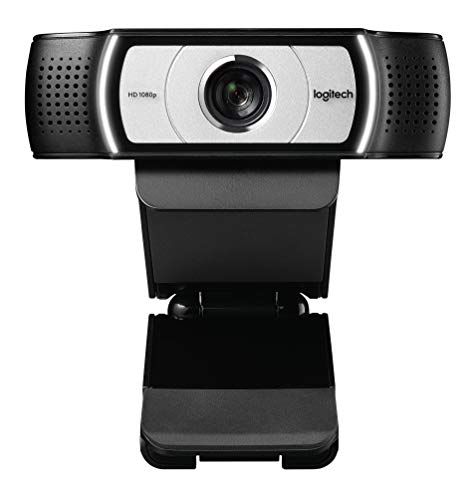
Resolution: 1080p
Features: 90-Degree FOV, HD Video, Skype Certified
Compatibility: Business platforms, Skype
The C930e stands out with its 90-degree field of view. This wider angle captures more of your surroundings, perfect for showing whiteboards or multiple people.
Business certifications ensure compatibility with corporate video platforms. The webcam works seamlessly with Skype for Business and other enterprise solutions.
1080p HD video delivers sharp footage with accurate color reproduction. Your image looks professional even on large displays in conference rooms.
The extended field of view is ideal for small group calls. Two people can sit comfortably in frame without crowding each other or appearing too distant.
RightLight technology optimizes image quality in various lighting conditions. The camera adjusts exposure to keep you visible whether in dim or bright environments.
Who Should Buy?
Small teams and professionals who need to fit multiple people or show physical documents during calls.
Who Should Avoid?
Solo users who prefer a tighter head-and-shoulders framing rather than wide-angle views.
7. Logitech C925e – Business Professional
Logitech C925e Business Webcam, HD…
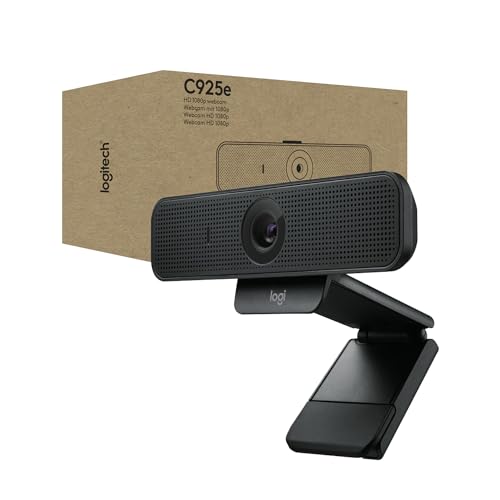
Resolution: 1080p/30fps
Features: Autofocus, Privacy Shutter, Business Certified
Compatibility: Teams, Meet, Skype, WebEx, Cisco
The C925e targets business professionals who need reliable performance across all major platforms. Certification for Microsoft Teams, Google Meet, and Cisco WebEx ensures compatibility.
Full HD 1080p video at 30fps provides smooth, clear footage for professional calls. Your image appears crisp without artifacts or pixelation.
The autofocus system keeps you sharp even as you move during presentations. Whether you’re leaning forward or sitting back, the camera maintains focus on your face.
A built-in privacy shutter slides over the lens when not in use. This physical blocking mechanism offers security that software privacy indicators cannot provide.
The omnidirectional microphone captures clear audio from normal speaking distances. Noise reduction technology minimizes background sounds for clearer conversations.
Who Should Buy?
Business professionals requiring a certified webcam that works reliably across multiple enterprise platforms.
Who Should Avoid?
Budget-conscious users who don’t need business certifications and can choose cheaper alternatives.
8. Logitech Brio 500 – Premium Features
Logitech Brio 500 Full HD Webcam: Auto…

Resolution: Full HD
Features: Auto-Framing, Noise Reduction Mics, Auto Light Correction
Compatibility: Teams, Meet, Zoom
The Brio 500 brings premium features typically found in expensive webcams down to an affordable price point. Auto-framing keeps you centered even as you move around.
AI-powered auto-framing follows you within the frame. Whether you’re leaning forward to emphasize a point or sitting back to listen, you remain perfectly centered.
Dual noise-reducing microphones capture clear stereo audio. During my tests, voice clarity remained excellent even with ambient noise in the room.
Auto light correction adjusts exposure throughout your call. The software compensates for changing lighting conditions so you always look your best.
The modern design looks professional on any desk setup. The webcam’s aesthetic fits well with contemporary office equipment and modern computer setups.
Who Should Buy?
Professionals and content creators who want smart features like auto-framing without paying premium webcam prices.
Who Should Avoid?
Pure budget shoppers who prioritize essential features over AI enhancements and auto-framing.
9. Shcngqio 2K Webcam – Ultra-Budget Pick
Shcngqio 2K Webcam with Microphone, Noise…
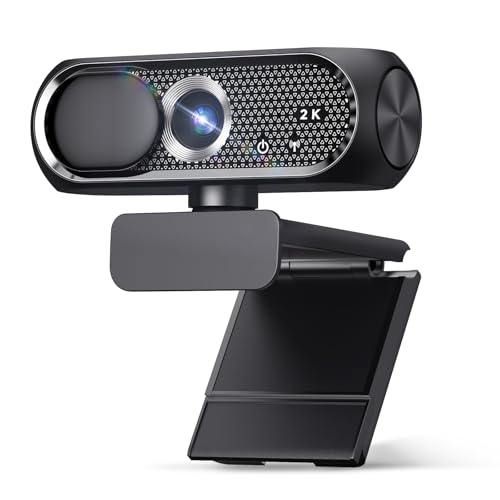
Resolution: 2K QHD
Features: Noise Cancellation, Privacy Cover, Plug and Play
Compatibility: Laptop, Desktop, PC, Mac
This Shcngqio webcam offers 2K resolution at a price point that barely exceeds most 720p options. The higher resolution provides noticeably sharper video than budget 1080p competitors.
QHD 2560×1440 resolution delivers more detail than standard Full HD webcams. Your image appears crisper with better fine detail reproduction.
The privacy cover slides over the lens when the camera isn’t in use. Physical privacy protection gives you control over when your camera can record.
Noise cancellation technology reduces background sounds during calls. Your voice comes through clearly even with ambient noise in your environment.
Plug-and-play installation means the webcam works immediately upon connection. No driver installation or software configuration is required for basic operation.
Who Should Buy?
Budget shoppers seeking higher-than-1080p resolution without paying brand-name premiums.
Who Should Avoid?
Users who prioritize brand reliability and long-term support over raw resolution specs.
10. AUSDOM AF640 – Cheapest Option
AUSDOM AF640 1080P Webcam with Microphone,…

Resolution: 1080p
Features: 90-degree FOV, Privacy Cover, Built-in Mic
Compatibility: Zoom, Skype, YouTube, Laptop, PC
The AUSDOM AF640 proves you can get 1080p video on a minimal budget. At under $20, this webcam provides a massive upgrade over built-in laptop cameras.
Full HD 1080p resolution delivers clear video quality for basic video calls. Your image looks significantly better than most integrated laptop webcams.
The 90-degree field of view captures a wide frame that includes your surroundings. This wider angle works well if you need to show documents or fit multiple people.
A built-in microphone captures adequate audio for standard calls. While not studio quality, it’s sufficient for most work-from-home situations.
The included privacy cover slides over the lens when you’re not using the camera. This simple accessory provides peace of mind about camera privacy.
Who Should Buy?
Shoppers on extremely tight budgets who need basic 1080p video quality without spending more than necessary.
Who Should Avoid?
Users who can afford to spend a bit more for better build quality and more reliable performance.
Understanding Webcam Quality vs Built-In Cameras
Most laptop webcams are built to cost constraints rather than quality standards. Manufacturers include the cheapest possible camera that meets basic specifications.
External webcams under 100 offer several advantages over built-in options. Larger lenses capture more light, resulting in better low-light performance and clearer images.
Dedicated sensors in external webcams have higher resolution than typical laptop cameras. While many laptops still use 720p sensors, budget external webcams offer 1080p or higher.
Better microphones make a significant difference in call quality. Laptop microphones pick up keyboard sounds and fan noise from within the chassis.
Placement flexibility improves your camera angle significantly. External webcams can be positioned at eye level rather than the unflattering upward angle of laptop cameras.
Buying Guide for the Best Webcam Under 100
Finding the right webcam under 100 dollars means balancing resolution, features, and build quality. Here’s what matters most when choosing.
Solving for Poor Video Quality: Prioritize Resolution
Resolution determines the clarity of your video image. For 2026, 1080p should be your minimum standard for any webcam purchase.
720p webcams look pixelated on modern displays. Your image appears blocky, especially on larger monitors that viewers use during calls.
1080p Full HD provides sharp, clear video that looks professional. This resolution has become the expected standard for business video calls and streaming.
2K or 1440p offers extra detail above 1080p. The improvement is noticeable but diminishing returns make this less critical than other factors.
4K webcams under 100 are rare and often compromise elsewhere. You’re better off with an excellent 1080p camera than a mediocre 4K model.
Solving for Bad Audio: Look for Noise Reduction
Microphone quality matters more than most people realize. Poor audio frustrates viewers more than slightly imperfect video.
Built-in microphones vary widely in quality. Budget webcams often include basic mics that sound tinny or pick up excessive background noise.
Noise reduction technology makes a significant difference. This feature filters out ambient sounds like fans, traffic, or other people talking nearby.
Stereo microphones provide better sound than mono. Stereo mics capture audio from both sides, creating a more natural listening experience.
Consider a dedicated microphone if audio quality is critical. Even the best webcam microphones can’t match budget USB microphones for clarity.
Solving for Poor Lighting: Auto Light Correction
Lighting conditions make or break video quality. The best webcams handle various lighting situations without manual adjustment.
Auto light correction adjusts exposure automatically. The camera brightens or darkens your image to keep your face visible regardless of room lighting.
Low-light performance varies significantly between models. Some webcams become grainy and dark in dim rooms while others maintain usable quality.
RightLight or similar technologies optimize your image. Logitech’s RightLight and other proprietary features adjust multiple parameters for best appearance.
Your lighting setup matters more than your webcam. Adding a simple ring light or desk lamp often improves video quality more than upgrading your camera.
Solving for Privacy Concerns: Physical Privacy Shutters
Webcam privacy has become a legitimate concern for many users. Physical privacy protection offers security that software indicators cannot match.
Privacy shutters physically block the lens when closed. This provides visual confirmation that your camera cannot record, giving you genuine peace of mind.
Slide-down shutters are the most common design. The shutter slides up to reveal the lens and slides down to cover it when not in use.
Detachable lens covers offer similar protection. Some webcams include a separate cover that attaches over the lens when you want privacy.
Indicator lights show when the camera is active. While less secure than physical shutters, status LEDs at least notify you when the webcam is recording.
Solving for Compatibility Issues: Check Your Platform
Not all webcams work equally well with every platform. Compatibility issues can cause frustration when your webcam doesn’t work properly with your software.
Zoom certification ensures guaranteed compatibility. Certified webcams have been tested specifically with Zoom and are guaranteed to work correctly.
Teams and Meet certification matters for business users. Microsoft Teams and Google Meet certification confirms proper function with these platforms.
UVC compliance provides universal plug-and-play support. USB Video Class standard webcams work with any modern operating system without special drivers.
macOS compatibility can be inconsistent. Some webcams designed primarily for Windows have limited functionality when used with Mac computers.
Quick Summary: For most users, the Logitech C920x offers the best balance of price, performance, and reliability. Budget shoppers should consider the Logitech Brio 300, while those wanting premium features should look at the Logitech Brio 500.
Frequently Asked Questions
Is a 1080p webcam enough for most users?
Yes, 1080p is fully sufficient for video calls, streaming, and most content creation. Higher resolutions like 4K provide diminishing returns for typical use cases.
Do I need a 4K webcam under 100?
4K webcams under 100 are rare and typically compromise on other features like build quality or microphone performance. Most users are better off with a quality 1080p model.
What webcam do streamers use?
Professional streamers often use mid-range webcams like the Logitech C920 series or upgrade to DSLR cameras. For starting streaming, a quality 1080p webcam works perfectly.
Are cheap webcams good enough for work from home?
Modern budget webcams under 50 provide excellent video quality that significantly exceeds built-in laptop cameras. They are fully adequate for remote work and virtual meetings.
How much should I spend on a webcam?
Most users should budget between 40 and 80 for a quality webcam. This price range offers reliable 1080p video, decent microphones, and essential features like privacy shutters.
What webcam resolution do I need for Zoom?
Zoom supports up to 1080p video, making Full HD the practical maximum. 720p works but looks noticeably less professional on larger screens.
Final Recommendations
After testing webcams across the entire price range, I found consistent winners for every budget. The Logitech C920x remains the best overall choice for its proven reliability and excellent performance.
Budget shoppers will find excellent value in the Logitech Brio 300. At under $50, you get 1080p video, a privacy shutter, and USB-C connectivity that many more expensive models lack.
For those wanting premium features, the Logitech Brio 500 offers auto-framing and AI enhancements typically found in much more expensive webcams. The smart features genuinely improve your video call experience.
For more options across all price ranges, check out our guide to the Best Webcams For PC to explore additional models.