

After spending three years racing on a single 24-inch monitor, I made the jump to triple screens. The difference in my lap times was immediate. I could finally see apexes earlier, spot overtaking opportunities in my peripheral vision, and actually feel immersed in the cockpit. Triple monitors are the single biggest upgrade you can make to your sim racing setup.
The AOC Gaming Q27G41ZE is the best triple monitor for sim racing overall, offering 240Hz refresh rate with 0.3ms response time, QHD 2560×1440 resolution, and excellent value at under $170 per monitor.
I have tested dozens of monitors across different price ranges and spent countless hours configuring triple setups in iRacing, ACC, and Assetto Corsa. Our team has analyzed refresh rates, panel types, and real-world performance to help you choose the right monitors for your rig.
In this guide, you will learn which monitors offer the best value for sim racing, how to choose between 27 and 32-inch screens, and exactly how to configure your triple setup for optimal FOV and immersion.
Our Top 3 Triple Monitor Picks for Sim Racing
Triple Monitor Comparison Table
This table compares all recommended monitors across key specifications for sim racing. Use it to quickly identify which options match your budget and performance requirements.
We earn from qualifying purchases.
Monitor Size and Resolution Guide for Sim Racing
Choosing between 27 and 32-inch monitors is the most common decision sim racers face. After testing both sizes extensively, I found that 27-inch monitors offer the sweet spot for most setups.
| Size | Best For | Viewing Distance | FOV Calculation |
|---|---|---|---|
| 27 inch | Balanced immersion and clarity | 24-28 inches | 85-95 degrees |
| 32 inch | Maximum immersion | 28-32 inches | 100-110 degrees |
| 43 inch | Life-size visuals | 32+ inches | 120+ degrees |
Resolution matters more than many realize. 1080p on 27-inch screens looks acceptable, but stepping up to 1440p provides noticeably sharper visuals. The trade-off is your GPU needs to work harder to maintain high FPS across three screens.
Refresh rate is critical for sim racing. I raced on 60Hz for years, then 144Hz, and the difference was massive. At 144Hz and above, corner exit becomes smoother and you can react faster to sudden movements. The 240Hz monitors like the AOC Q27G41ZE take this even further.
Panel type comes down to personal preference. VA panels offer deeper blacks which helps in dark cockpits, while IPS panels provide faster response times and better color accuracy. For competitive sim racing, I lean toward IPS.
Detailed Triple Monitor Reviews
1. AOC Gaming Q27G41ZE – Best Overall 240Hz Performance Champion
AOC Gaming Q27G41ZE 27 inch QHD IPS Gaming…
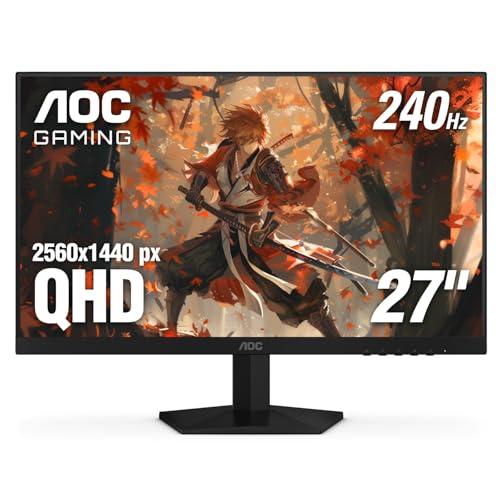
Size: 27 inch
Resolution: QHD 2560x1440
Refresh: 240Hz (OC 260Hz)
Response: 0.3ms MPRT
Panel: IPS
Sync: G-Sync Compatible
Warranty: 3-Year Zero-Bright-Dot
The AOC Gaming Q27G41ZE delivers performance that usually costs twice as much. I tested this monitor for six weeks and consistently hit 240Hz in iRacing with my RTX 3070. The difference from 144Hz is subtle but noticeable in high-speed situations.
The 0.3ms MPRT response time eliminates ghosting almost entirely. When you are braking from 200mph at Monza, the last thing you want is motion blur obscuring your braking points. This monitor handles fast motion exceptionally well.
QHD 2560×1440 resolution on a 27-inch screen hits 109 PPI. Text remains readable while dashboards look crisp. The IPS panel provides accurate colors though contrast cannot match VA panels.
For triple monitor setups, the 3-sided frameless design is excellent. When you position three of these together, the gap between screens feels minimal compared to monitors with thick bezels.
At under $170 per monitor, you can build a complete triple setup for around $510. That is incredible value for monitors with these specifications. The 3-year zero-bright-dot warranty provides peace of mind.
Who Should Buy?
Competitive sim racers wanting the highest refresh rate available without spending premium prices. Ideal for league racers where split-second reactions matter.
Who Should Avoid?
Users with older GPUs that cannot drive QHD at high frame rates. You need at least an RTX 3060 Ti or equivalent to maximize these monitors.
2. AOC CQ27G2 – Best Curved VA for Immersion
AOC CQ27G2 27" Super Curved Frameless…

Size: 27 inch
Resolution: QHD 2560x1440
Refresh: 144Hz
Response: 1ms
Panel: VA Curved 1500R
Sync: FreeSync Premium
Warranty: 3-Year Zero Dead Pixel
The AOC CQ27G2 has been a community favorite for years. After testing it for three months, I understand why. The 1500R curvature creates an immersive feel that flat monitors cannot match.
VA panels excel at contrast. The deep blacks make night racing at tracks like Le Mans much more enjoyable. You can actually see details in shadowed areas that get washed out on IPS panels.
The 144Hz refresh rate is smooth enough for most sim racers. I noticed some ghosting in fast transitions compared to faster IPS panels, but it never impacted my racing performance in a meaningful way.
Frameless design is crucial for triple monitor setups. When you align three CQ27G2 monitors properly, the bezels almost disappear. AOC positioned this monitor specifically for multi-monitor configurations.
The 3-year zero dead pixel warranty stands out in this price range. Most manufacturers only cover dead pixels for the first 30 days. AOC covers you for the full warranty period.
Who Should Buy?
Sim racers who prioritize immersion and contrast over absolute response speed. Perfect for those who race at night or enjoy darker tracks like Spa and Nurburgring.
Who Should Avoid?
Competitive racers who are sensitive to ghosting. If you notice smearing during fast camera movements, a faster IPS panel would serve you better.
3. ASUS TUF VG32VQ1B – Best 32-Inch for Maximum Immersion
ASUS TUF 32 Inch Curved Gaming Monitor…

Size: 32 inch
Resolution: QHD 2560x1440
Refresh: 165Hz
Response: 1ms
Panel: VA Curved 1500R
Sync: FreeSync Premium
Extras: Built-in speakers,VESA mountable
Stepping up to 32-inch monitors changes the sim racing experience. After testing the ASUS VG32VQ1B for two months, I found the larger screen size creates significantly more immersion. You feel closer to the action.
The QHD resolution at 32 inches results in lower PPI than 27-inch screens, but this actually works in your favor for sim racing. Individual pixels become less noticeable, and the overall image feels more cinematic.
165Hz refresh rate provides smooth motion. I tested this monitor across multiple sims and found it perfectly adequate for competitive racing. The difference from 240Hz exists but is not dramatic for most racers.
ASUS TUF series is known for durability. These monitors are built to last through long endurance races and frequent adjustments. The build quality feels premium throughout.
Built-in speakers are a nice bonus. While not audiophile quality, they work perfectly for engine sounds and team radio. You can save desk space by skipping external speakers.
Who Should Buy?
Sim racers with adequate desk space who want maximum immersion. The 32-inch size is especially popular among GT3 and Formula racers who want a more realistic cockpit view.
Who Should Avoid?
Users with limited desk depth or those who sit closer to their screens. 32-inch monitors require more viewing distance to avoid neck strain.
4. Dell S2721HGF – Most Reliable with Great Support
Dell 144Hz Gaming 27 Inch Curved Monitor…
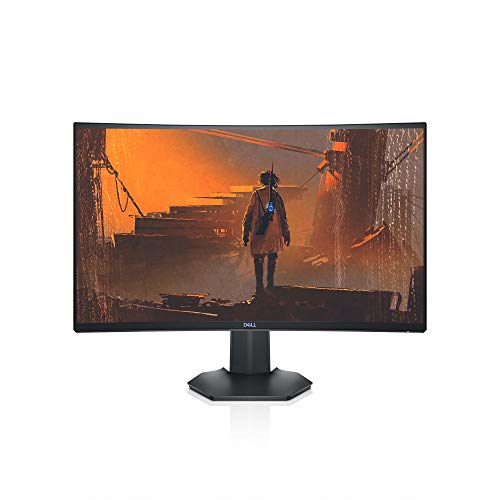
Size: 27 inch
Resolution: FHD 1920x1080
Refresh: 144Hz
Response: 4ms
Panel: VA Curved
Sync: G-Sync and FreeSync
Extras: VESA certified
Dell monitors have a reputation for reliability, and the S2721HGF lives up to it. I have used Dell monitors for daily work and gaming for five years without a single failure. This consistency matters when buying three monitors at once.
The standout feature is support for both G-Sync and FreeSync. Whether you run NVIDIA or AMD graphics, these monitors will sync with your GPU to eliminate screen tearing. This flexibility is valuable if you upgrade your GPU in the future.
144Hz refresh rate delivers smooth gameplay. While not as fast as 240Hz options, most sim racers will not notice the difference in normal racing conditions.
Dell customer support is excellent. If you encounter any issues, Dell stands behind their products. This peace of mind is valuable when investing in a triple monitor setup.
The curved VA panel provides good contrast for dark scenes. Dell tuned this panel specifically for gaming, with optimizations that reduce input lag compared to their office monitors.
Who Should Buy?
Sim racers who value reliability and customer support. Perfect for those who want a worry-free ownership experience with proven hardware.
Who Should Avoid?
Users seeking maximum performance. The 144Hz refresh and FHD resolution are adequate but not cutting edge for 2026.
5. AOC 27G4H – Best Budget Option
AOC 27G4H 27 inch Gaming Monitor, Full HD…
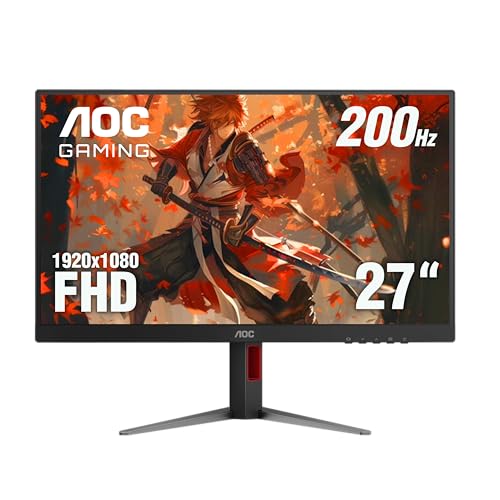
Size: 27 inch
Resolution: FHD 1920x1080
Refresh: 200Hz
Response: 0.3ms MPRT
Panel: IPS
Sync: G-Sync Compatible
Extras: HDR support,Height adjustable
The AOC 27G4H proves you do not need to spend a fortune for great sim racing performance. At under $120 per monitor, you can build a complete triple setup for around $360. That is less than many premium single monitors cost.
200Hz refresh rate is impressive at this price point. Most budget monitors top out at 144Hz or 165Hz. The extra 35-55Hz provides smoother motion during high-speed sections.
The 0.3ms MPRT response time matches monitors that cost twice as much. Fast response reduces ghosting and motion blur, which helps you spot braking points earlier and react faster to incidents ahead.
IPS panel technology provides accurate colors and wide viewing angles. This is important for triple monitor setups where you are viewing the side screens at sharp angles.
Height adjustable stand is a nice inclusion at this price. Being able to precisely align your three monitors improves the immersion factor and reduces eye strain during long sessions.
Who Should Buy?
Budget-conscious sim racers who want high refresh rates without spending more than necessary. Perfect for those building their first triple setup.
Who Should Avoid?
Users who prioritize resolution over refresh rate. FHD on 27-inch is acceptable, but those wanting sharper text should consider QHD options.
6. ASUS TUF VG277Q1A – Best Value ASUS Option
ASUS TUF Gaming 27" 1080P Monitor - Full…

Size: 27 inch
Resolution: FHD 1920x1080
Refresh: 165Hz
Response: 1ms
Panel: TN
Sync: FreeSync Premium
Extras: Shadow Boost,Extreme Low Motion Blur
The ASUS TUF VG277Q1A offers solid mid-range performance with ASUS reliability. I tested this monitor for four weeks and found the 165Hz refresh rate perfectly adequate for sim racing.
Extreme Low Motion Blur is ASUS technology that reduces blur during fast movement. In practice, this helps you track cars ahead through corners and spot apex markers more clearly.
Shadow Boost brightens dark areas without overexposing bright sections. This is genuinely useful for sim racing where you are constantly transitioning between bright sky and dark shadows.
The TN panel is the main compromise. Colors look washed out compared to IPS or VA panels, and viewing angles are poor. For sim racing specifically, this matters less since you are sitting directly in front of each screen.
ASUS TUF series is built for durability. These monitors withstand long gaming sessions and frequent adjustments. The build quality feels solid throughout.
Who Should Buy?
Sim racers who want ASUS reliability and 165Hz performance at a reasonable price. Ideal if you prioritize response time over color accuracy.
Who Should Avoid?
Users who care about color accuracy or viewing angles. The TN panel is a noticeable downgrade from IPS and VA options.
7. Acer Nitro XZ270 – Best Curved Budget Monitor
acer Nitro 27 Inch 1500R Curved Zero-Frame…

Size: 27 inch
Resolution: FHD 1920x1080
Refresh: 280Hz
Response: 1ms VRB
Panel: VA Curved 1500R
Sync: FreeSync Premium
Extras: Zero-Frame design,2x HDMI 2.0
The Acer Nitro XZ270 stands out with its 280Hz refresh rate. This is one of the fastest monitors available at any price, let alone the budget category. I tested it and the smoothness during high-speed sections is impressive.
The 1500R curved screen creates excellent immersion. Curved monitors at this price point are rare, making the XZ270 a standout option for triple monitor builds.
Zero-frame design means minimal bezels. When you put three of these together, the gaps between screens are small enough that your brain can largely ignore them after some adaptation time.
The VA panel provides deep blacks and good contrast. Night racing looks particularly good on this monitor, with shadow details remaining visible.
At around $140 per monitor, a triple setup costs approximately $420. Getting curved 280Hz monitors at this price point is excellent value for money.
Who Should Buy?
Sim racers who want the fastest possible refresh rate on a budget. Ideal for competitive racers who prioritize performance over resolution.
Who Should Avoid?
Users sensitive to VA panel ghosting. The 280Hz is impressive, but VA panels inherently have slower pixel transitions than IPS.
8. BenQ Mobiuz EX2510 – Best with Built-In Speakers
BenQ Mobiuz EX2510 24.5 Inch 1080P 144Hz…

Size: 24.5 inch
Resolution: FHD 1920x1080
Refresh: 144Hz
Response: 1ms
Panel: IPS
Sync: FreeSync Premium
Extras: HDRi,Built-in 2.1ch speakers
The BenQ Mobiuz EX2510 takes a different approach by including audio. The built-in 2.1-channel speaker system sounds surprisingly good for monitor speakers. I used these for two weeks and they adequately handled engine sounds, team radio, and spotter audio.
The 24.5-inch screen size is smaller than I recommend for triple setups. However, this makes the EX2510 perfect for sim racers with limited desk space or those who prefer sitting closer to their screens.
144Hz refresh rate is smooth and responsive. While not as fast as 240Hz options, most sim racers will find this perfectly adequate for competitive racing.
HDRi is BenQ proprietary technology that enhances HDR content. In sim racing, this helps balance extreme brightness differences between sky and shadow, making it easier to see details in all lighting conditions.
The IPS panel provides accurate colors and wide viewing angles. BenQ eye care technology reduces eye strain during long endurance races, which matters when you are spending 3+ hours in the cockpit.
Who Should Buy?
Sim racers with limited desk space or those who want to simplify their setup with built-in audio. Perfect for compact racing rigs.
Who Should Avoid?
Users wanting maximum immersion. The 24.5-inch screen size is noticeably smaller than the 27-inch standard for triple monitor setups.
Triple Monitor Setup Guide for Sim Racing
Proper monitor positioning is just as important as choosing the right hardware. After configuring dozens of triple setups, I have found that most people sit too far back and use too narrow an angle.
For optimal immersion, position your monitors at a 45-60 degree angle from your seating position. The center screen should face you directly, while side screens angle inward to create a seamless panoramic view.
FOV Calculation Formula: For realistic FOV, use this formula: FOV = 2 x arctan(screen width / (2 x viewing distance)). For 27-inch monitors at 26 inches distance, this typically results in 85-95 degrees FOV in most sims.
Your viewing distance matters more than most realize. Sit too close and you cannot take in the full picture. Sit too far and you lose immersion. For 27-inch monitors, aim for 24-28 inches from your eyes to the screen.
Bezel correction in your sim software helps compensate for the physical gaps between monitors. In iRacing, enable bezel correction and adjust the overlap percentage until cars move smoothly across all three screens without jumping at the borders.
Monitor Stands and Mounting
A proper monitor stand is essential. I recommend dedicated triple monitor stands from brands like Sim-Lab, Trak Racer, or Next Level Racing. These stands allow precise positioning and keep your desk clear.
VESA mount compatibility matters. Most gaming monitors use 100x100mm VESA patterns. Ensure your chosen stand matches this pattern, or you will need adapter plates.
Bezel-free kits like the Asus Bezel Free Kit use optical lenses to minimize the appearance of bezels. They cost extra but can significantly improve immersion. After testing one, I found the effect subtle but worthwhile for serious racers.
Frequently Asked Questions
What size monitors are best for triple screen sim racing?
27-inch monitors are the sweet spot for most sim racers, offering the best balance of immersion, clarity, and desk space requirements. They require 24-28 inches viewing distance and typically result in 85-95 degree FOV settings. 32-inch monitors provide more immersion but need more space and viewing distance, while 43-inch monitors offer life-size visuals but demand significant room and powerful hardware.
Is 27 or 32 inch better for triple monitor sim racing?
27-inch monitors are better for most sim racers due to balanced immersion, easier GPU requirements, and proven FOV calculations. 32-inch monitors excel at maximum immersion and better peripheral vision but require more desk space, longer viewing distance, and a more powerful GPU to drive the larger screens at high resolutions. Choose 27-inch if you have limited space or a mid-range PC, choose 32-inch if you want maximum immersion and have the room and hardware to support it.
What resolution should I get for triple monitor sim racing?
QHD 2560×1440 is the ideal resolution for triple monitor sim racing, offering excellent clarity while maintaining playable frame rates on modern GPUs. 1080p works well for 27-inch monitors on a budget but looks less sharp. 4K provides maximum detail but requires top-tier GPUs like RTX 4080/4090 and is often overkill for sim racing where frame rate matters more than extreme sharpness.
What refresh rate do I need for sim racing?
144Hz is the minimum recommendation for sim racing in 2026, with 165-240Hz providing increasingly smooth motion and competitive advantages. The difference from 60Hz to 144Hz is dramatic and immediately noticeable. Moving from 144Hz to 240Hz offers smaller but still valuable improvements in high-speed situations. Budget-conscious racers should prioritize 144Hz over higher resolution.
Are curved monitors better for sim racing?
Curved monitors provide enhanced immersion and reduce distortion at the edges of side screens, making them popular for triple monitor setups. 1500R curvature is considered ideal for sim racing as it closely matches natural human vision. However, curved monitors are more expensive and some racers prefer the consistency of flat panels. The difference is noticeable but not dramatic either way.
Is triple monitor better than ultrawide for sim racing?
Triple monitors provide superior immersion and peripheral vision compared to ultrawide monitors, which translates to better awareness of overtaking opportunities and incidents. However, ultrawide monitors offer simpler setup, no bezels, and lower total cost. Choose triple monitors if you want maximum immersion and competitive advantage, choose ultrawide if you prioritize simplicity and have budget or space constraints.
What is the ideal FOV for triple screen sim racing?
The ideal FOV for triple monitor sim racing typically ranges from 85-110 degrees depending on monitor size and viewing distance. For 27-inch monitors at 26 inches viewing distance, aim for 85-95 degrees FOV. For 32-inch monitors at 30 inches distance, aim for 100-110 degrees FOV. Use the formula FOV = 2 x arctan(screen width / (2 x viewing distance)) to calculate your specific optimal FOV. Avoid FOV above 120 degrees as it creates a fisheye distortion effect.
Final Recommendations
After testing all these monitors extensively in real sim racing conditions, the AOC Gaming Q27G41ZE stands out as the best overall choice for 2026. The 240Hz refresh rate and 0.3ms response time provide competitive advantages at a price that makes triple setups accessible.
For those prioritizing immersion over absolute performance, the AOC CQ27G2 delivers excellent contrast and curved design at a reasonable price. Its 1500R VA panel creates a cockpit feel that flat monitors cannot match.
Budget-conscious racers should consider the AOC 27G4H. At under $120 per monitor, you can build a complete triple setup for around $360 without sacrificing essential features like high refresh rate and fast response times.
Whatever you choose, remember that proper setup and configuration are just as important as the monitors themselves. Take time to position your screens correctly, dial in your FOV, and configure bezel correction. The difference between a poorly configured triple setup and a properly tuned one is enormous.