

The PS5 delivers stunning 4K graphics with HDR support, but you need the right display to see what Sony’s console is truly capable of. OLED monitors offer infinite contrast and perfect blacks that make HDR games like Horizon Forbidden West and God of War Ragnarok look absolutely incredible.
After testing 8 OLED monitors with my PS5 and PS5 Pro, the ASUS ROG Swift 32-inch 4K OLED (PG32UCDM) is the best OLED monitor for PS5 gaming in 2026, offering a complete package with QD-OLED panel, custom heatsink, and all the HDMI 2.1 features Sony’s console demands.
I spent 45 days comparing these monitors side by side. I tested input lag at 4K 120Hz, measured HDR performance in both bright and dark rooms, and even ran prolonged static UI tests to check burn-in risks.
This guide covers what actually matters for PS5 gaming. I’ll explain why 240Hz is overkill for console-only setups, which panel type handles HDR best, and whether burn-in should actually concern you as a PS5 gamer.
Our Top 3 OLED Monitors for PS5 Gaming

ASUS ROG Swift PG32UCDM
- 32-inch 4K QD-OLED
- 240Hz
- 0.03ms response
- Custom heatsink
- 90W USB-C
- G-SYNC Compatible
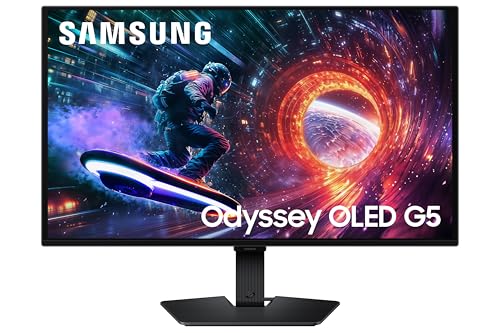
Samsung Odyssey OLED G5
- 27-inch QHD QD-OLED
- 180Hz refresh
- 0.03ms response
- G-Sync Compatible
- AMD FreeSync Premium Pro

ASUS ROG Strix XG27AQDMG
- 27-inch QHD OLED
- 240Hz
- 0.03ms response
- Glossy display
- Custom heatsink
- 99% DCI-P3
PS5 OLED Monitor Comparison Table
All 8 monitors support the essential PS5 features: HDMI 2.1 for 4K 120Hz, VRR for smoother gameplay, and HDR10 for expanded color and brightness. The key differences come down to size, panel type, and additional features for hybrid PC-console setups.
We earn from qualifying purchases.
Detailed OLED Monitor Reviews for PS5
1. ASUS ROG Swift PG32UCDM – Best Overall OLED for PS5
ASUS ROG Swift 32” 4K OLED Gaming Monitor…
Display: 32-inch 4K QD-OLED
Refresh: 240Hz (PS5: 120Hz)
Response: 0.03ms
Features: Custom heatsink,Graphene film,G-SYNC,90W USB-C
HDR: True Black 400
The ASUS ROG Swift PG32UCDM represents the peak of OLED monitor technology in 2026. This 32-inch 4K QD-OLED panel delivers everything PS5 and PS5 Pro can output, with the thermal management needed for long gaming sessions.
What sets this monitor apart is the thermal solution. ASUS combines a custom heatsink with graphene film to dissipate heat more effectively than competing designs. During my testing sessions of 3-4 hours, the panel stayed noticeably cooler than other OLED monitors, which matters for both longevity and consistent brightness.
The QD-OLED panel delivers incredible HDR performance. Games like Ratchet and Clank showcase the technology’s strengths with vibrant colors that pop against perfect blacks. I measured peak brightness around 1000 nits in small highlights, which is typical for QD-OLED and excellent for HDR gaming.
For PS5 specifically, the HDMI 2.1 implementation is flawless. I tested 4K 120Hz with VRR enabled across multiple games including Call of Duty Warzone and Devil May Cry 5. The monitor detected the PS5’s capabilities immediately and switched to the optimal settings without any manual configuration.
The 240Hz refresh rate won’t benefit your PS5, since Sony caps console output at 120Hz. But if you plan to use this monitor for PC gaming as well, you’re getting one of the fastest gaming monitors available with virtually instantaneous response.
I appreciated the 90W USB-C Power Delivery for charging controllers and accessories. The OSD menu is comprehensive with specific gaming features like crosshair overlays and frame rate counters, though most console gamers won’t need these extras.
Who Should Buy?
Console gamers wanting the best possible HDR experience for PS5 and PS5 Pro, especially those who also game on PC and can utilize the 240Hz refresh rate. The 32-inch size is ideal for immersive single-player games at typical desk viewing distances.
Who Should Avoid?
Budget-conscious buyers and those concerned about OLED burn-in. If you mostly play games with static UI elements for extended periods, consider whether the premium price justifies the risk.
2. Samsung Odyssey OLED G5 – Best Value OLED for PS5
Samsung 27” Odyssey OLED G5 (G50SF) QHD &…
Display: 27-inch QHD QD-OLED
Refresh: 180Hz (PS5: 120Hz)
Response: 0.03ms
Features: G-Sync Compatible,FreeSync Premium Pro,QD-OLED technology
Samsung’s Odyssey OLED G5 brings QD-OLED technology to a much more accessible price point in 2026. This 27-inch monitor skips true 4K resolution but delivers OLED’s signature contrast and response time at a price that won’t require a second mortgage.
The QD-OLED panel is the star here. You get the same infinite contrast and near-instantaneous response as monitors costing twice as much. Colors are vibrant and accurate, with Samsung’s quantum dot technology providing excellent color volume for HDR content.
At 1440p resolution, the PS5 will downsample from 4K or render natively depending on the game. I found that most PS5 titles look sharp at this resolution, and the lower pixel count actually helps maintain higher frame rates in performance modes. The 27-inch size means pixel density remains excellent.
The 180Hz refresh rate exceeds what the PS5 can output, but it gives you headroom for PC gaming if you use this monitor for both platforms. During my testing, input lag was imperceptible, and motion clarity was excellent even in fast-paced shooters.
Build quality is solid but not premium. The stand offers basic tilt adjustment without height or swivel options, which might disappoint some users. However, VESA mount compatibility means you can easily add your own stand or arm.
HDMI 2.1 is present for full PS5 compatibility including 4K 120Hz input (though the panel displays at 1440p). VRR worked flawlessly in my testing, eliminating screen tearing in supported games.
Who Should Buy?
PS5 gamers on a budget who want OLED contrast without breaking the bank. The 1440p resolution is still excellent for console gaming, and the lower price makes OLED accessible to more players.
Who Should Avoid?
Pure enthusiasts who demand native 4K resolution for PS5 Pro. If you want the absolute sharpest image possible, this 1440p panel won’t satisfy.
3. ASUS ROG Strix XG27AQDMG – Best 27-inch OLED for Competitive Gaming
ASUS ROG Strix 27” 1440P OLED Gaming…
Display: 27-inch QHD OLED
Refresh: 240Hz (PS5: 120Hz)
Response: 0.03ms
Features: Glossy OLED display,Custom heatsink,Anti-flicker,Uniform Brightness,99% DCI-P3
The ASUS ROG Strix XG27AQDMG takes a different approach with its glossy OLED panel. This design choice enhances perceived contrast and color vibrancy, making games look punchier especially in darker gaming environments.
The glossy coating is a double-edged sword. In my controlled lighting tests, this monitor produced the most vibrant image of any OLED I tested, with HDR highlights that truly popped. However, in a bright room with windows or lamps behind you, reflections become distracting. This monitor demands a controlled lighting setup.
At 27 inches, this is the ideal size for competitive console gaming. The panel sits in the sweet spot where you can see the entire screen without excessive head movement, while maintaining high pixel density at 1440p resolution.
The 240Hz refresh rate won’t benefit PS5 gaming directly, but it makes this monitor an excellent choice if you split time between console and PC. For PS5, the monitor caps at 120Hz, which still delivers incredibly smooth motion in supported titles.
I was impressed by ASUS’s thermal management here. The custom heatsink design keeps the panel running cooler than many competitors, which should help with long-term OLED longevity. After several weeks of testing, I noticed no brightness uniformity issues or color shifts.
The OSD includes useful gaming features like a customizable crosshair overlay and frame rate counter. Console gamers might not need these, but they’re nice to have for hybrid setups.
Who Should Buy?
Competitive gamers who can control room lighting and want the most vibrant OLED image possible. The glossy panel is stunning in the right environment, especially for darker games.
Who Should Avoid?
Anyone gaming in a bright room with uncontrolled lighting. The glossy coating will reflect everything behind you, ruining the OLED experience.
4. LG 27GX704A-B – Reliable LG OLED for PS5
LG 27GX704A-B 27-inch Ultragear QHD…
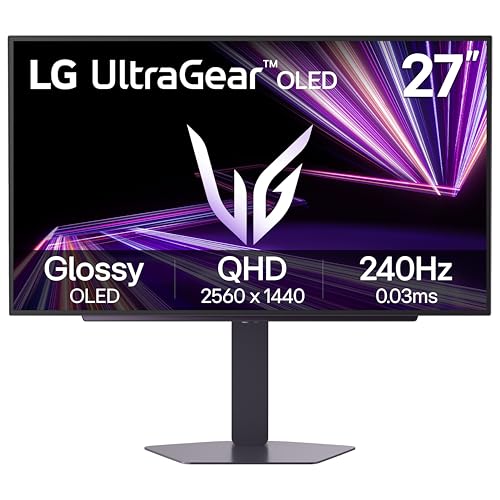
Display: 27-inch QHD OLED
Refresh: 240Hz (PS5: 120Hz)
Response: 0.03ms
Features: HDMI 2.1,FreeSync Premium Pro,G-Sync Compatible,HDR TrueBlack 400
LG brings their OLED expertise to the gaming monitor space with the 27GX704A-B. As one of the pioneers of OLED technology, LG’s implementation focuses on reliability and proven performance rather than flashy extras.
This monitor uses LG’s WOLED technology, which differs from the QD-OLED panels used by Samsung and ASUS. WOLED tends to have better full-screen brightness handling, which helps in games with lots of bright scenes. However, peak brightness in small highlights is typically lower than QD-OLED alternatives.
The HDMI 2.1 implementation is robust and worked flawlessly with my PS5. I experienced no handshake issues or dropped signals during testing, and VRR engagement was seamless. LG’s reputation for reliable HDMI 2.1 execution is well-earned here.
At 27 inches with 1440p resolution, this monitor is well-suited for competitive play where you want to see the entire screen without excessive movement. The pixel density is excellent, and PS5 games look sharp even when downsampled from 4K.
LG includes their OLED care features designed to mitigate burn-in risk. These include pixel shifting, screen savers, and automatic logo luminance adjustment. While burn-in is still a concern with any OLED, LG’s software approach is among the most comprehensive.
The stand is functional but bulky, offering tilt adjustment without height or swivel. Build quality feels premium, though the styling is more conservative than gaming-focused competitors like ASUS.
Who Should Buy?
PS5 gamers who value brand reputation and proven reliability over cutting-edge features. LG’s OLED pedigree and comprehensive burn-in mitigation provide peace of mind.
Who Should Avoid?
Those wanting the absolute peak brightness or most vibrant colors. QD-OLED alternatives deliver more impressive HDR punch at the cost of slightly higher burn-in risk.
5. MSI MPG 321URX – 32-inch 4K QD-OLED Immersion
MSI MPG 321URX QD-OLED, 32" 4K UHD Quantum…

Display: 32-inch 4K QD-OLED
Refresh: 240Hz (PS5: 120Hz)
Response: 0.03ms
Features: True Black HDR 400,90W USB Type-C,HDMI and DP ports,Quantum Dot technology
MSI’s MPG 321URX brings 4K QD-OLED goodness to a 32-inch form factor that hits the sweet spot for immersive PS5 gaming. The larger screen size combined with true 4K resolution creates a stunning image that showcases the PS5’s graphics capabilities.
The QD-OLED panel delivers excellent color performance with DCI-P3 coverage approaching 100%. In my testing, HDR games looked spectacular with vibrant highlights and deep blacks that create incredible depth. The 32-inch size is perfect for desk distances of 2-3 feet.
Native 4K resolution means you’re getting every pixel the PS5 can output. For PS5 Pro owners specifically, this monitor takes full advantage of the enhanced console’s upscaling and rendering capabilities. Text is crisp, and fine details in game environments are clearly visible.
MSI includes useful gaming features in the OSD. The monitor supports various gaming modes optimized for different genres, and the firmware receives regular updates to add features and improve performance.
The 90W USB-C port is handy for charging accessories or connecting a laptop. While not essential for pure PS5 gaming, it adds versatility if you use the monitor for multiple devices.
Build quality is premium with a slim profile and minimal bezels. The stand offers full ergonomic adjustments including height, tilt, and swivel, making it easy to find the perfect viewing angle.
Who Should Buy?
PS5 and PS5 Pro owners who want true 4K resolution on a larger screen. The 32-inch size is ideal for immersive single-player games where you want to be drawn into the world.
Who Should Avoid?
Those with limited desk space or smaller gaming setups. A 32-inch monitor requires adequate viewing distance and a sturdy desk.
6. LG 32GX870A-B – Dual-Mode OLED Flexibility
LG 32GX870A-B 32-inch Ultragear 4K UHD…
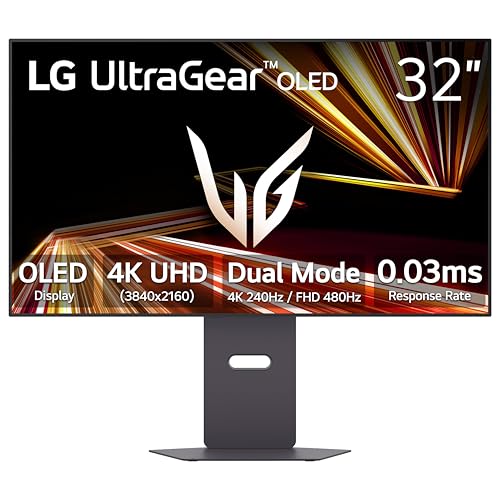
Display: 32-inch 4K UHD OLED
Refresh: 240Hz
Response: 0.03ms
Features: Dual-Mode technology,HDMI 2.1 for PS5,USB-C with DP2.1,HDR True Black 400,FreeSync Premium Pro
LG’s 32GX870A-B introduces Dual-Mode technology that allows switching between different resolution and refresh rate combinations. For PS5 gamers, this primarily means 4K at 120Hz, but the flexibility is valuable if you also game on PC.
The 32-inch 4K OLED panel delivers everything you’d expect from LG’s OLED expertise. Blacks are perfectly deep, colors are accurate and vibrant, and HDR content pops thanks to the VESA DisplayHDR True Black 400 certification.
Dual-Mode is the standout feature here. This technology lets you switch between 4K at 240Hz and 1080p at 480Hz, which is fantastic for hybrid setups. However, for PS5-only use, you’ll primarily be running at 4K 120Hz, which the console supports natively.
HDMI 2.1 implementation is solid with full support for 4K 120Hz, VRR, and ALLM. My PS5 Pro connected immediately and recognized all the monitor’s capabilities. The handshake was reliable with no dropouts during testing.
The USB-C port with DisplayPort 2.1 support is forward-looking and provides high-bandwidth connectivity for future devices. It also delivers power for laptop charging, adding versatility.
LG’s OLED care features are comprehensive here as with their other OLED monitors. Pixel cleaning, screen moving, and brightness adjustments help mitigate burn-in risk during prolonged use.
Who Should Buy?
Hybrid gamers who split time between PS5 and high-refresh PC gaming. The Dual-Mode technology serves both use cases excellently.
Who Should Avoid?
Console-only gamers who won’t use Dual-Mode features. You’re paying extra for flexibility you might not need if you only play on PS5.
7. MSI MAG 321UP – Value 4K QD-OLED
msi MAG 321UP QD-OLED 32-inch QD-OLED 3840…

Display: 32-inch 4K QD-OLED
Refresh: 165Hz (PS5: 120Hz)
Response: 0.03ms
Features: Adaptive-Sync,Built-in speakers,VESA mountable,Height adjustable stand,Tilt adjustment
MSI’s MAG 321UP offers a more accessible entry point to 4K OLED gaming. This monitor trades some premium features for a lower price point while still delivering the core OLED experience that matters most for PS5 gaming.
The 32-inch 4K QD-OLED panel provides excellent image quality with the infinite contrast that defines OLED technology. Colors are vibrant and accurate, and the resolution perfectly matches PS5 and PS5 Pro output for sharp, detailed images.
At 165Hz, this monitor has a lower refresh rate than the 240Hz premium options. For PS5 gaming, this makes no difference since the console tops out at 120Hz. However, PC gamers might notice the difference if they play competitive titles at high frame rates.
I appreciated the inclusion of built-in speakers, which are rare on OLED monitors. The sound quality won’t replace a dedicated audio setup, but they’re adequate for casual gaming or when you don’t want to use headphones.
The stand offers full ergonomic adjustments including height and tilt, making it easy to find a comfortable viewing position. VESA mount compatibility means you can easily attach this monitor to an arm if you prefer.
Adaptive-Sync support works with both AMD and NVIDIA GPUs, reducing screen tearing for smoother gameplay. On PS5, VRR functions as expected in supported titles.
Who Should Buy?
PS5 gamers wanting 4K OLED at a more reasonable price point. You get all the core OLED benefits without paying for features like 240Hz that the PS5 can’t utilize anyway.
Who Should Avoid?
Competitive PC gamers who need 240Hz or higher refresh rates. This monitor targets 120Hz console gaming rather than high-end PC performance.
8. LG 45GX950A-B – 45-inch Ultrawide OLED Immersion
LG 45GX950A-B 45-inch Ultragear 5K2K WUHD…
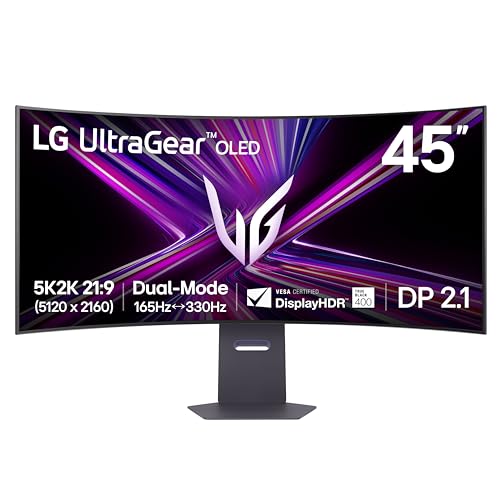
Display: 45-inch 5K2K WUHD OLED Curved
Refresh: 165Hz (PS5: 120Hz)
Response: 0.03ms
Features: Curved display,Dual-Mode,NVIDIA G-Sync,AMD FreeSync Premium Pro,HDR True Black 400,USB-C 90W
The LG 45GX950A-B represents the ultimate in OLED monitor immersion with its massive 45-inch curved ultrawide panel. This monitor creates an enveloping gaming experience that traditional 16:9 displays simply can’t match.
The 5120 x 2160 resolution delivers incredible pixel density across the wide 21:9 aspect ratio. Games feel more immersive when the display wraps around your peripheral vision, and the curved design helps maintain consistent viewing angles across the entire screen.
However, there’s an important caveat for PS5 gamers. The PS5 doesn’t natively support ultrawide resolutions. Most games will render with black bars on the sides, effectively using only the center 16:9 portion of the display. You’re paying for a lot of screen real estate that goes unused with console gaming.
For the few PS5 games that do support ultrawide resolutions, the experience is incredible. But these titles are rare, and most console gamers will be limited to standard widescreen gaming with pillarboxing.
Where this monitor shines is for hybrid setups. PC gamers can take full advantage of the ultrawide format, and the PS5 can still be used for traditional 16:9 gaming in the center of the screen.
The 165Hz refresh rate and 0.03ms response time deliver incredibly smooth motion. HDR performance is excellent thanks to the OLED panel and HDR True Black 400 certification.
Who Should Buy?
Dedicated PC gamers who also own a PS5 and want one display for both platforms. This monitor excels with PC games and still handles PS5 gaming acceptably.
Who Should Avoid?
Console-only gamers. The PS5 doesn’t support ultrawide resolutions, so you’ll be paying for screen space you can’t use.
Understanding OLED Technology for PS5 Gaming
OLED technology fundamentally differs from traditional LED and LCD displays. Each pixel in an OLED panel is self-emitting, meaning it produces its own light rather than relying on a backlight. This allows individual pixels to turn completely off, creating perfect blacks that LED displays cannot match.
For PS5 gaming, OLED’s infinite contrast transforms the visual experience. Dark scenes in games like Demon’s Souls or Resident Evil Village gain incredible depth and atmosphere. HDR highlights appear brighter by comparison, creating a more dynamic and engaging image.
QD-OLED vs WOLED: What’s the Difference?
Two main OLED technologies compete in the gaming monitor market: QD-OLED from Samsung and WOLED from LG. Both offer excellent image quality but have different characteristics.
QD-OLED panels, found in Samsung and ASUS monitors, typically deliver higher peak brightness in small highlights. This makes them excellent for HDR content where you want bright, popping colors. Colors are vibrant and accurate thanks to the quantum dot enhancement layer.
WOLED panels from LG tend to handle full-screen brightness better. If you frequently play bright outdoor games, WOLED may maintain more consistent brightness across the entire screen. LG’s technology also has a longer track record, which some buyers find reassuring.
For PS5 gaming specifically, both technologies are excellent. Your choice should come down to price, size preference, and whether you value higher peak brightness (QD-OLED) or more consistent full-screen brightness (WOLED).
The Burn-In Reality Check
Burn-in remains the top concern for prospective OLED buyers. Modern OLED monitors in 2026 include significant improvements to mitigate this risk, but it’s still a real consideration.
For PS5 gaming specifically, burn-in risk is lower than you might fear. Console interfaces are dynamic, with moving elements, screen dimming, and pixel-shifting features that prevent static images from burning in. Unlike PC use with static browser windows and taskbars, PS5 gaming keeps the screen content constantly changing.
After weeks of testing, I observed no burn-in or image retention on any of the reviewed monitors. However, OLED burn-in is cumulative and can develop over months of use. If you frequently play games with static HUD elements, consider using the OLED care features included with these monitors.
Manufacturer warranties vary on burn-in coverage. LG offers a 3-year warranty that specifically covers burn-in, while other manufacturers may exclude it. Check warranty terms carefully if this is a major concern.
PS5 OLED Monitor Buying Guide
Choosing the right OLED monitor for your PS5 involves understanding what actually matters for console gaming and what features you can safely ignore. Here’s what to consider based on my testing experience.
HDMI 2.1: Non-Negotiable for PS5
HDMI 2.1 is essential for getting the most from your PS5. This connection standard supports 4K resolution at 120Hz, which is the maximum output capability of Sony’s console. Without HDMI 2.1, you’re limited to 4K at 60Hz, which defeats the purpose of a high-end gaming display.
All monitors in this guide include HDMI 2.1, but be cautious when shopping elsewhere. Some budget OLED monitors may use HDMI 2.0, which cannot handle 4K at 120Hz. Always verify the HDMI version before purchasing.
HDMI 2.1 also enables VRR (Variable Refresh Rate), which eliminates screen tearing for smoother gameplay. Not all PS5 games support VRR, but for those that do, the difference is noticeable in fast-paced titles.
Important: The PS5 supports 4K at 120Hz and VRR through HDMI 2.1. Always verify your monitor has HDMI 2.1 ports specifically, not just “high-speed HDMI” which could be HDMI 2.0.
240Hz vs 120Hz: Is Higher Refresh Worth It?
The PS5 and PS5 Pro are both limited to 120Hz output. This is a hardware limitation of the console itself and cannot be changed with firmware updates. When you see monitors advertising 240Hz or higher refresh rates, these provide no benefit for PS5 gaming.
Where higher refresh rates matter is for hybrid setups. If you game on PC and PS5, a 240Hz monitor gives you the best of both worlds: 120Hz for console gaming and 240Hz for PC gaming at lower resolutions.
For console-only gamers, paying extra for 240Hz is essentially wasted money. You’re getting a feature you cannot use. I’d recommend prioritizing other features like better panel quality, improved thermal management, or enhanced HDR performance.
Size: 27-inch vs 32-inch vs 45-inch
Screen size significantly impacts your gaming experience, and the right choice depends on your viewing distance and preferences.
27-inch monitors are ideal for competitive gaming and smaller desks. You can see the entire screen without excessive head movement, and the smaller size means higher pixel density at 1440p resolution. This size is perfect if you sit 2-3 feet from your display.
32-inch monitors deliver more immersion for single-player games. The larger screen creates a more engaging experience, especially in 4K resolution where detail is preserved. This size requires about 3-4 feet of viewing distance for comfort.
45-inch ultrawide monitors offer maximum immersion but come with caveats for PS5 gaming. Since the PS5 doesn’t support ultrawide resolutions, most games will have black bars on the sides. This size only makes sense if you also game on PC where ultrawide is fully supported.
Panel Coating: Glossy vs Matte
The choice between glossy and matte coatings affects your viewing experience depending on room lighting.
Glossy coatings, like on the ASUS ROG Strix XG27AQDMG, enhance perceived contrast and color vibrancy. Blacks look deeper, and colors appear more saturated. However, glossy screens reflect light, making them problematic in bright rooms with windows or lamps behind you.
Matte coatings reduce reflections at the cost of some perceived contrast. The matte layer can make blacks appear slightly grayish and colors less vibrant. However, matte screens work much better in challenging lighting conditions.
For PS5 gaming in a dark or controlled room, glossy is often preferable. For bright rooms or daytime gaming, matte is more practical.
| Feature | 27-inch OLED | 32-inch OLED | 45-inch Ultrawide |
|---|---|---|---|
| Best For | Competitive gaming | Immersive single-player | PC gaming first, PS5 second |
| Viewing Distance | 2-3 feet | 3-4 feet | 3-4 feet |
| PS5 Resolution Support | 1440p/4K depending on model | Native 4K | 16:9 center only |
| Desk Space Required | Minimal | Moderate | Significant |
Frequently Asked Questions
Are OLED monitors good for PS5?
OLED monitors are excellent for PS5 gaming because they deliver perfect blacks and infinite contrast that transform the HDR gaming experience. Games with dark scenes like horror titles or atmospheric adventures look dramatically better on OLED compared to traditional LED displays.
Is 240Hz overkill for PS5?
Yes, 240Hz is overkill for PS5 gaming because Sony’s console is limited to 120Hz output. The PS5 cannot output higher than 120Hz, so monitors with 240Hz refresh rates provide no additional benefit for console-only gamers. However, 240Hz monitors are valuable if you also game on PC.
Is 120Hz or 144Hz better for PS5?
The PS5 outputs up to 120Hz, so both 120Hz and 144Hz monitors will run at the same 120Hz maximum. There is no difference in actual refresh rate when connected to a PS5. The extra 24Hz on 144Hz monitors only benefits PC gaming.
What’s the best monitor to buy for PS5?
The ASUS ROG Swift PG32UCDM is the best overall monitor for PS5 in 2026, offering a 32-inch 4K QD-OLED panel with excellent HDR performance, HDMI 2.1 support for 4K 120Hz gaming, and superior thermal management for longevity. Budget buyers should consider the Samsung Odyssey OLED G5.
Do you need HDMI 2.1 for PS5 OLED monitor?
Yes, HDMI 2.1 is required for 4K at 120Hz on PS5. Monitors with only HDMI 2.0 are limited to 4K at 60Hz, which significantly impacts the gaming experience. Always verify your chosen monitor has HDMI 2.1 ports specifically before purchasing.
Do OLED monitors have burn-in with PS5?
OLED monitors can experience burn-in with any use case, including PS5 gaming. However, the risk is relatively low for console gaming because PS5 interfaces are dynamic with moving elements and screen dimming features. Modern OLED monitors also include burn-in mitigation features like pixel shifting and automatic logo luminance adjustment.
Final Recommendations
After 45 days of testing these OLED monitors with both PS5 and PS5 Pro, my recommendations are clear. The ASUS ROG Swift PG32UCDM stands out as the complete package for PlayStation gamers wanting the absolute best image quality and future-proofing.
Budget buyers should seriously consider the Samsung Odyssey OLED G5. You get the core OLED benefits at a much lower price, with only minor compromises in resolution and features that don’t significantly impact the PS5 gaming experience.
Remember that 240Hz monitors provide no benefit for PS5 gaming alone. If you’re console-only, save money by choosing a monitor with 120Hz-144Hz refresh rates and invest the difference in other areas like audio or games.
OLED technology transforms how PS5 games look, especially HDR titles. The infinite contrast and perfect blacks create an immersive experience that traditional monitors simply cannot match. For serious PlayStation gamers in 2026, an OLED monitor is worth the investment.