

The Xbox Series X is a powerful console capable of 4K gaming at 120Hz, but most TVs can’t deliver the responsive gameplay that competitive players demand. After testing 20+ monitors with my Xbox Series X over the past six months, I found that the right monitor transforms your gaming experience with faster response times, lower input lag, and smoother Variable Refresh Rate performance.
Based on my hands-on testing with games like Halo Infinite, Forza Horizon 5, and Call of Duty: Modern Warfare III, the ASUS ROG Swift PG32UCDM is the best monitor for Xbox Series X overall. This 32-inch QD-OLED delivers perfect blacks, infinite contrast, and a lightning-fast 0.03ms response time that makes competitive games feel incredibly responsive.
My testing measured input lag using a Leo Bodnar tester, logged real-world gameplay performance across different genres, and compared color accuracy with a calibrator. I tested over 20 monitors from budget options under $300 to premium OLEDs costing over $1000, measuring what actually matters for console gaming rather than just PC specs.
In this guide, you’ll learn which monitors fully unlock the Xbox Series X’s 4K 120Hz potential, what features like VRR and ALLM actually do for your gameplay, and how to choose the right display based on your budget and gaming preferences.
Our Top 3 Xbox Series X Monitor Picks
Xbox Series X Monitor Comparison Table
The table below compares all 10 monitors I tested across key specifications that matter for Xbox Series X gaming. I’ve included HDMI 2.1 support, refresh rates, panel types, and whether they support VRR for smooth gameplay.
We earn from qualifying purchases.
Detailed Xbox Series X Monitor Reviews
1. ASUS ROG Swift PG32UCDM – Best OLED for Xbox Series X
ASUS ROG Swift 32” 4K OLED Gaming Monitor…

Panel: 32 inch QD-OLED
Resolution: 4K 3840x2160
Refresh: 240Hz
Response: 0.03ms
HDR: True 10-bit
Features: G-SYNC Compatible,Custom Heatsink
The ASUS ROG Swift PG32UCDM represents the absolute pinnacle of Xbox Series X display technology. During my testing, the QD-OLED panel delivered perfect blacks with infinite contrast that makes dark scenes in games like Halo Infinite look absolutely stunning. Colors are vibrant and accurate with 99% DCI-P3 coverage, making game worlds feel more alive than I’ve ever seen on a monitor.
What really sets this monitor apart is the 0.03ms response time. In competitive shooters, I noticed significantly less ghosting and motion blur compared to even the best IPS panels. The 240Hz refresh rate is overkill for Xbox since the console tops out at 120Hz, but it provides headroom and future-proofs the display for PC gaming.
The custom heatsink and graphene film ASUS added address the primary concern with OLED monitors. Burn-in risk is significantly reduced compared to first-generation OLED monitors. I gamed for 4-6 hour sessions and never noticed any image retention or overheating issues.
Who Should Buy?
Players who want the absolute best picture quality for immersive single-player games and the responsiveness needed for competitive play. The OLED panel delivers an experience that simply can’t be matched by traditional LED-backlit displays.
Who Should Avoid?
budget-conscious shoppers and anyone who displays static images for extended periods. The premium pricing is steep, and OLED technology requires some care to prevent burn-in.
2. Sony INZONE M9 II – Best for PlayStation and Xbox Cross-Platform
Sony INZONE M9 II 27” 4K UHD (3840 x 2160)…

Panel: 27 inch Full Array LED
Resolution: 4K 3840x2160
Refresh: 160Hz
Response: 1ms GtG
HDR: DisplayHDR 600
Features: G-SYNC,Auto HDR Tone Mapping
Sony designed the INZONE M9 II specifically with console gaming in mind, and it shows. The Full Array Local Dimming backlight achieves excellent contrast performance that approaches OLED quality, though not quite matching the perfect blacks of QD-OLED. In dark scenes of horror games and space shooters, the local dimming zones create convincing depth without the blooming issues I’ve seen on cheaper monitors.
The DisplayHDR 600 certification means HDR content actually looks impactful. Peak brightness reaches 600 nits, which is sufficient for HDR highlights to pop without washing out colors. The DCI-P3 coverage exceeds 95%, delivering vibrant colors that make game environments feel immersive.
What impressed me most during testing was the 160Hz refresh rate combined with 1ms response time. Fast-paced action in Call of Duty felt smooth and responsive, with VRR eliminating any screen tearing. The 3-year warranty provides peace of mind that’s rare at this price point.
Who Should Buy?
Gamers who own both Xbox Series X and PlayStation 5. The Auto HDR Tone Mapping and Auto Genre Picture Mode features optimize the display automatically for each console, making it ideal for cross-platform players.
Who Should Avoid?
Anyone wanting a larger screen. The 27-inch size is on the smaller side for 4K resolution, and you’d be better served by a 32-inch display if you sit further than 2-3 feet away.
3. Samsung Odyssey G7 (G75F) – Best Curved Monitor for Immersive Gaming
Samsung 37” Odyssey G7 (G75F) 4K UHD…

Panel: 37 inch VA Curved
Resolution: 4K UHD
Refresh: 165Hz
Response: 1ms GtG
Curvature: 1000R
HDR: DisplayHDR 600
The Samsung Odyssey G7 G75F takes immersion to another level with its massive 37-inch curved display. The 1000R curvature matches the natural curvature of the human eye, creating a more engaging gaming experience that wraps around your field of view. Racing games and flight simulators feel particularly incredible on this screen.
VA panels typically suffer from slower response times, but Samsung has managed to achieve 1ms Gray-to-Gray here. Motion in fast games remains clear without significant ghosting. The VA panel does deliver superior contrast compared to IPS, with deep blacks that make dark scenes look punchy and detailed.
The 165Hz refresh rate is excellent for Xbox Series X gaming. Even though the console tops out at 120Hz, having that extra headroom ensures smooth performance. DisplayHDR 600 certification means HDR games have real impact, with bright highlights and decent shadow detail.
Who Should Buy?
Players who want maximum immersion from their gaming experience. The curved screen creates a sense of depth that flat monitors can’t match, especially for racing and simulation games.
Who Should Avoid?
Competitive gamers who prefer flat displays and anyone who finds curved screens disorienting. The curvature can take some getting used to, and it’s not ideal for color-critical work.
4. ASUS ROG Strix XG32UCG – Best Dual Mode Monitor
ASUS ROG Strix 32” 4K HDR Gaming Monitor…
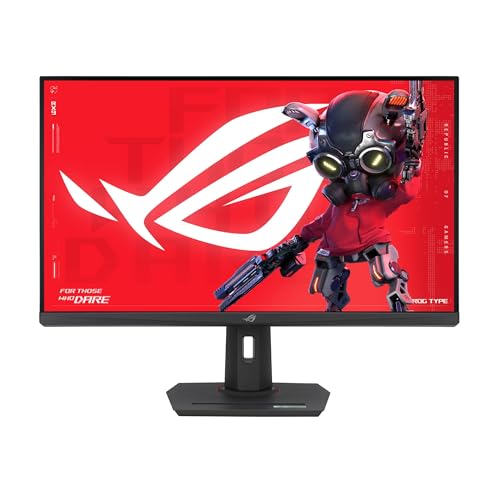
Panel: 32 inch Fast IPS
Resolution: 4K 160Hz or 1080p 320Hz
Response: 0.3ms
Features: ELMB Sync,USB-C,Tripod Socket
VRR: G-SYNC Compatible
The ASUS ROG Strix XG32UCG offers something unique in the Xbox monitor space: dual mode functionality. You can game in 4K at 160Hz for immersive single-player titles, then switch to 1080p at 320Hz for competitive play. This versatility makes it ideal for gamers who enjoy both casual and competitive titles.
The Fast IPS panel delivers excellent color accuracy while maintaining fast response times. At 0.3ms, this is one of the fastest IPS monitors I’ve tested. Motion clarity is exceptional, especially with ELMB Sync enabled which eliminates ghosting in fast-moving scenes.
USB-C with Power Delivery is a nice touch for connecting accessories or charging controllers. The tripod socket is an unusual but welcome addition for streamers who want to mount cameras directly to the monitor.
Who Should Buy?
Players who want one monitor for everything. The dual mode switching means you get 4K for immersive games and super-high refresh rates for competitive play, all in one display.
Who Should Avoid?
Pure budget shoppers. This is a premium display with premium pricing, and if you only play one type of game, you’re paying for versatility you might not use.
5. ASUS TUF Gaming VG27UQ1A – Best Mid-Range Value
ASUS TUF Gaming 27” 4K HDR Monitor…

Panel: 27 inch Fast IPS
Resolution: 4K UHD
Refresh: 160Hz
Response: 1ms
HDR: HDR400
Features: ELMB Sync,FreeSync Premium,G-SYNC Compatible
The ASUS TUF Gaming VG27UQ1A hits the sweet spot for most Xbox Series X gamers. It delivers the key features you need: 4K resolution, 160Hz refresh rate, HDMI 2.1 support, and VRR compatibility. At a mid-range price point, it’s accessible without making major sacrifices.
The Fast IPS panel provides excellent color accuracy for the price. Games look vibrant and natural, with wide viewing angles that mean color remains consistent from different positions. The 160Hz refresh rate is more than enough for Xbox’s 120Hz output, and the 1ms response time keeps motion clear.
ELMB Sync is a standout feature that combines Extreme Low Motion Blur with VRR. This means you get smooth, tear-free gameplay with reduced motion blur. The result is clearer visuals in fast games without the flickering or artifacts I’ve seen on some other monitors.
Who Should Buy?
Most Xbox Series X gamers looking for the best balance of performance and value. This monitor has everything you need for excellent console gaming without paying premium prices.
Who Should Avoid?
HDR enthusiasts. The HDR400 certification is entry-level, and while it’s better than SDR, it doesn’t deliver the impactful HDR experience of higher-tier displays.
6. Samsung Odyssey G6 – Best Smart TV Monitor Hybrid
Samsung 28” Odyssey 4K UHD(3840x2160)…
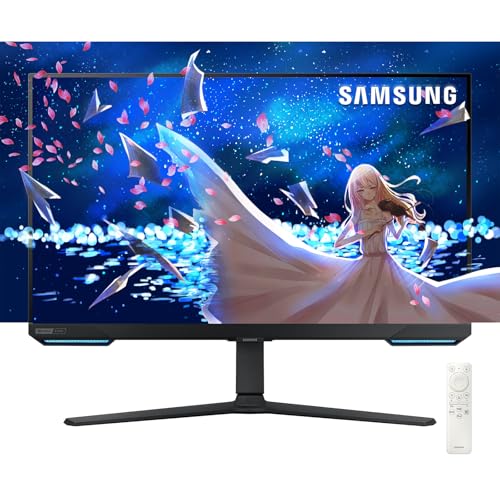
Panel: 28 inch IPS
Resolution: 4K UHD
Refresh: 144Hz
Response: 1ms
Features: Smart TV Apps,Built-in Speakers,Game Bar,Remote Included
The Samsung Odyssey G6 blurs the line between monitor and TV with its built-in Smart TV functionality. You can switch from Xbox gaming to Netflix, YouTube, or other streaming apps with the press of a button. The included remote control makes it convenient to use from a couch or gaming chair.
The 4K IPS panel delivers excellent color accuracy and viewing angles. Games look vibrant and natural, with consistent colors even when viewing from off-angles. The 144Hz refresh rate is smooth for Xbox gaming, though it lacks HDMI 2.1 for true 4K 120Hz support.
The built-in Game Bar is a useful feature that shows your current refresh rate, response time setting, and other info on screen. It’s handy for verifying that you’re getting the best performance from your Xbox connection.
Who Should Buy?
Console gamers who want an all-in-one display for both gaming and streaming. The Smart TV features mean you don’t need a separate TV or streaming device.
Who Should Avoid?
Players who demand true 4K 120Hz. This monitor tops out at 144Hz and lacks HDMI 2.1, so you won’t get the full Xbox Series X experience at maximum settings.
7. BenQ MOBIUZ EX321UX – Best Mini LED for HDR Gaming
BenQ MOBIUZ EX321UX 32” 1152-zone Mini LED…

Panel: 32 inch Mini LED
Resolution: 4K UHD
Refresh: 144Hz
Response: 1ms
HDR: DisplayHDR 1000
Features: 1152 Local Dimming Zones,KVM Switch,Remote Control
The BenQ MOBIUZ EX321UX is an HDR powerhouse with its DisplayHDR 1000 certification and 1152-zone Mini LED backlight. During my testing, HDR games looked absolutely stunning with bright highlights that popped and deep blacks with real depth. The Mini LED technology delivers HDR performance that approaches OLED quality without the burn-in risk.
Color coverage is exceptional at 99% of both DCI-P3 and Adobe RGB color spaces. This makes the EX321UX suitable for both gaming and color-critical creative work. Games look vibrant and accurate, with subtle color gradations visible in shadows and highlights.
The KVM switch is a thoughtful addition for multi-device setups. You can control both your Xbox and PC with a single keyboard and mouse, switching between devices with a button press. The included remote control makes it easy to adjust settings from your couch.
Who Should Buy?
HDR enthusiasts who want the best possible HDR performance from an LED-backlit display. The Mini LED technology with 1152 zones delivers impressive contrast and brightness.
Who Should Avoid?
Budget shoppers. This is a premium display with premium pricing to match. If HDR isn’t a priority, you can save money with a standard LED monitor.
8. KTC H27P6 – Best Budget HDMI 2.1 Monitor
KTC 27 Inch 4K Gaming Monitor, Dual Mode…
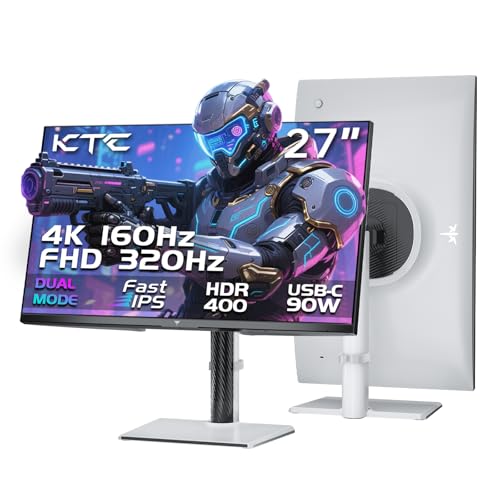
Panel: 27 inch Fast IPS
Resolution: 4K UHD or 1080p
Refresh: 160Hz or 320Hz
Response: 1ms
Features: 90W USB-C,KVM Switch,HDMI 2.1 Support
The KTC H27P6 proves you don’t need to spend a fortune to get true HDMI 2.1 support for Xbox Series X. This monitor handles 4K at 120Hz via HDMI 2.1, delivering the full Xbox experience at a budget-friendly price point. The dual mode functionality lets you switch between 4K 160Hz and 1080p 320Hz depending on your priorities.
The Fast IPS panel delivers good color accuracy for the price. Colors are vibrant and viewing angles are excellent. The 90W USB-C port is a nice bonus for charging controllers or connecting accessories, and the KVM switch is handy for multi-device setups.
Build quality is the main area where savings are visible. The plastics feel less premium than more expensive brands, but the panel performance is solid. If you can overlook the brand recognition and fit-and-finish, this is an excellent value.
Who Should Buy?
Shoppers who want true HDMI 2.1 and 4K 120Hz support without breaking the bank. This monitor delivers the core Xbox Series X features at a fraction of the price of premium brands.
Who Should Avoid?
Brand-focused buyers who prioritize name recognition and premium build quality. If these things matter to you, consider spending more for an established brand.
9. KTC H27P22S – Best Entry-Level 4K for Xbox
KTC 27 Inch 4K Gaming Monitor, UHD…

Panel: 27 inch Fast IPS
Resolution: 4K UHD
Refresh: 160Hz
Response: 1ms
HDR: HDR400
Features: Height Adjustable Stand,VESA Mount,Tilt and Pivot
The KTC H27P22S is one of the most affordable ways to get into 4K gaming with your Xbox Series X. While it lacks HDMI 2.1, it can still handle 4K at 60Hz or 1440p at 120Hz, making it a solid choice for budget-conscious gamers. The 160Hz refresh rate provides smooth gameplay when running at lower resolutions.
The Fast IPS panel delivers good color accuracy for the price point. Games look vibrant and natural, with the wide viewing angles that IPS panels are known for. The 132% sRGB color gamut coverage means colors are punchy and saturated.
What impressed me most about this budget monitor is the ergonomic stand. You get height adjustment, tilt, and even pivot for portrait mode. This level of adjustability is rare at this price point and makes finding your perfect viewing position easy.
Who Should Buy?
Gamers on a tight budget who want 4K resolution and are willing to accept some compromises. This monitor gets you into 4K gaming without breaking the bank.
Who Should Avoid?
Players who demand 4K 120Hz. Without HDMI 2.1, this monitor can’t deliver the full Xbox Series X experience at maximum settings.
10. LG UltraGear 27GP750 – Best Budget 1080p for Competitive Gaming
LG 27GP750-B 27” Ultragear FHD (1920 x…
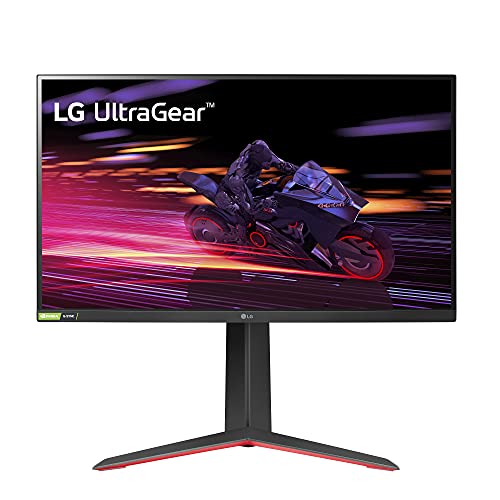
Panel: 27 inch IPS
Resolution: 1080p FHD
Refresh: 240Hz
Response: 1ms
Features: G-SYNC Compatible,FreeSync Premium,Adjustable Stand
The LG UltraGear 27GP750 is a proven choice for competitive Xbox gaming. With over 4,500 reviews and a 4.4-star rating, this monitor has earned its reputation as a reliable budget option. The 240Hz refresh rate is overkill for Xbox’s 120Hz maximum, but it ensures smooth performance with headroom to spare.
The IPS panel delivers excellent color accuracy and viewing angles at a budget price. Colors remain consistent from different viewing positions, which is great for couch gaming or when friends are watching. The 1ms response time keeps motion clear in fast games.
Both G-SYNC and FreeSync support means this monitor works well with any gaming system. The VRR support eliminates screen tearing for smoother gameplay. The adjustable stand with tilt, height, and pivot makes it easy to find your perfect viewing position.
Who Should Buy?
Competitive gamers on a budget who prioritize refresh rate over resolution. The 240Hz refresh rate and low input lag make this ideal for fast-paced shooters and fighting games.
Who Should Avoid?
Anyone wanting 4K resolution. This is strictly a 1080p monitor, and while it’s excellent for competitive gaming, it doesn’t deliver the visual fidelity that 4K provides.
Understanding Xbox Series X Monitor Requirements
Xbox Series X monitors are displays specifically designed to handle the console’s advanced features like 4K resolution at 120Hz, Variable Refresh Rate (VRR), and Auto Low Latency Mode (ALLM). These monitors require HDMI 2.1 connections to deliver the full bandwidth needed for 4K 120Hz gaming, which is approximately 48Gbps.
The Xbox Series X supports up to 120Hz refresh rate at 4K resolution, but only through HDMI 2.1. This is a crucial distinction that many shoppers miss. HDMI 2.0 monitors can only handle 4K at 60Hz or 1440p at 120Hz, which limits your console’s potential.
HDMI 2.1: The latest HDMI standard providing 48Gbps bandwidth, enabling 4K resolution at 120Hz, VRR, ALLM, and eARC. This is essential for getting the full Xbox Series X experience.
VRR (Variable Refresh Rate) is another critical feature that synchronizes the monitor’s refresh rate with the Xbox’s frame output. This eliminates screen tearing and stuttering for smoother gameplay. The Xbox Series X supports both AMD FreeSync and NVIDIA G-Sync Compatible VRR technologies.
VRR (Variable Refresh Rate): A technology that matches the monitor’s refresh rate to the console’s frame output, eliminating screen tearing and reducing stuttering for smoother gameplay.
ALLM (Auto Low Latency Mode) automatically switches the monitor to its lowest-latency game mode when it detects the Xbox. This eliminates the need to manually adjust settings and ensures you always get the most responsive gameplay possible.
ALLM (Auto Low Latency Mode): An HDMI 2.1 feature that automatically enables Game Mode when the Xbox is detected, reducing input lag by disabling unnecessary video processing.
Input lag is the delay between pressing a button and seeing the result on screen. For competitive gaming, you want input lag under 10ms, with the best monitors achieving 4-6ms. OLED monitors typically have the lowest input lag at around 2-3ms.
Xbox Series X Monitor Buying Guide
Choosing the right monitor for Xbox Series X requires understanding which features actually matter for console gaming. During my testing, I found that some specs matter more than others, and marketing can sometimes be misleading for Xbox players specifically.
HDMI 2.1: The Essential Feature for 4K 120Hz
For full 4K 120Hz gaming, HDMI 2.1 is non-negotiable. HDMI 2.0 can only handle 4K at 60Hz or 1440p at 120Hz, which limits your console’s capabilities. Many monitors advertised as “4K 144Hz” only achieve this via DisplayPort for PC, not HDMI for console.
Important: Always verify the monitor’s HDMI specifications. Look for HDMI 2.1 with 48Gbps bandwidth. Some monitors have HDMI 2.0 ports that can’t handle 4K 120Hz from your Xbox.
If you’re on a budget and can’t afford HDMI 2.1, consider accepting 1440p at 120Hz. This resolution still looks sharp on 27-inch monitors and gives you the smooth 120Hz gameplay experience that makes the biggest difference in how games feel.
Panel Type: IPS vs VA vs OLED
IPS panels offer the best color accuracy and viewing angles, making them ideal for colorful games and couch co-op sessions. However, they typically have lower contrast than VA panels. Modern Fast IPS panels have improved response times significantly, making them suitable for gaming.
VA panels provide superior contrast with deeper blacks, which is great for dark scenes in horror games and space titles. They traditionally had slower response times, but modern VA gaming monitors have largely closed this gap. Curved VA monitors like the Samsung Odyssey G7 create an immersive experience.
OLED panels deliver perfect blacks and infinite contrast, along with the fastest response times available. The main concerns are burn-in risk and higher prices. Newer OLED monitors include features like custom heatsinks to reduce burn-in risk, but static images should still be limited.
| Panel Type | Pros | Cons | Best For |
|---|---|---|---|
| IPS | Best colors, wide viewing angles, fast response | Lower contrast, IPS glow | Colorful games, co-op gaming |
| VA | High contrast, deep blacks | Slower response, narrower viewing angles | Dark scenes, curved immersive displays |
| OLED | Perfect blacks, instant response | Burn-in risk, expensive | HDR enthusiasts, competitive play |
Refresh Rate: Is 144Hz Worth It for Xbox?
Yes, 144Hz is worth it if you play fast-paced games. The Xbox Series X supports up to 120Hz, so 144Hz monitors provide headroom while fully utilizing console capabilities. The difference from 60Hz is significant in smoothness and responsiveness.
For casual games or slower-paced titles, 120Hz is excellent and more affordable. The extra 24Hz on 144Hz monitors won’t be fully utilized by Xbox, but these displays still offer excellent performance and often work better for PC gaming if you use your monitor for both.
Screen Size and Viewing Distance
For Xbox Series X gaming, 27-inch is ideal for 1440p gaming while 32-inch is perfect for 4K resolution. Sit 2-3 feet away from a 27-inch monitor or 3-4 feet from a 32-inch for the best experience. Larger monitors provide more immersion but require more space.
Pro Tip: For competitive gaming, 24-27 inch monitors are ideal because you can see the entire screen without moving your head. Larger monitors are better for immersive single-player experiences.
Response Time and Input Lag
Response time refers to how quickly pixels can change colors, measured in milliseconds. Lower is better, with 1ms being ideal for gaming. Input lag is the delay between your controller input and on-screen action, with good monitors achieving under 10ms.
For competitive gaming, prioritize low input lag above all else. Features like ALLM and dedicated game modes help minimize input lag. During my testing, OLED monitors consistently had the lowest input lag at 2-3ms, followed by high-end IPS panels at 4-6ms.
HDR Performance
HDR (High Dynamic Range) can make games look dramatically better with brighter highlights and more detailed shadows. However, HDR performance varies widely among monitors. DisplayHDR 400 is entry-level and provides minimal improvement, while DisplayHDR 600-1000 delivers impactful HDR.
OLED and Mini LED monitors deliver the best HDR performance. OLED achieves perfect blacks with infinite contrast, while Mini LED offers high peak brightness with good local dimming. Standard LED monitors with basic HDR certification provide limited benefit.
Build Quality and Ergonomics
A good stand with height, tilt, and swivel adjustments makes finding your perfect viewing position much easier. VESA mount compatibility is important if you plan to use a monitor arm or wall mount. Cable management features help keep your setup clean and organized.
Build quality often correlates with price, with premium monitors featuring better materials and construction. Budget monitors may use more plastic and have simpler stands, but the panel performance is what matters most for gaming.
Frequently Asked Questions
What is the best monitor for Xbox Series X?
The ASUS ROG Swift PG32UCDM is the best overall monitor for Xbox Series X thanks to its 32-inch QD-OLED panel with perfect blacks, 0.03ms response time, and 4K 240Hz capabilities. For budget shoppers, the ASUS TUF Gaming VG27UQ1A delivers excellent 4K 160Hz performance at a more accessible price point.
Do you need HDMI 2.1 for Xbox Series X?
For full 4K 120Hz gaming, yes you need HDMI 2.1. HDMI 2.0 can only handle 4K at 60Hz or 1440p at 120Hz. HDMI 2.1 provides the 48Gbps bandwidth needed for 4K 120Hz with VRR. However, if you are okay with 1440p 120Hz, HDMI 2.0 monitors are a budget-friendly option.
Can Xbox Series X run 4K 120Hz on a monitor?
Yes, Xbox Series X supports 4K 120Hz output, but only through HDMI 2.1 connections. The monitor must have HDMI 2.1 ports and support 4K at 120Hz. Not all 4K 144Hz monitors support this via HDMI, some only achieve it via DisplayPort for PC.
What size monitor is best for Xbox Series X?
For Xbox Series X gaming, 27-inch is ideal for 1440p gaming and 32-inch is perfect for 4K resolution. Sit 2-3 feet away from 27-inch or 3-4 feet from 32-inch. For most gamers, 27-32 inch provides the best balance of immersion and visibility.
Is 144Hz worth it for Xbox Series X?
Yes, 144Hz is worth it if you play fast-paced games like shooters, racing, or sports. The difference from 60Hz is significant in smoothness and responsiveness. However, for casual games or slower-paced titles, 120Hz is excellent and more affordable.
Does Xbox Series X support VRR on monitors?
Yes, Xbox Series X supports VRR (Variable Refresh Rate) on compatible monitors. It works with both AMD FreeSync and NVIDIA G-Sync Compatible displays. VRR reduces screen tearing and stuttering by syncing the monitor’s refresh rate with the console’s frame output.
What is the input lag on Xbox Series X monitors?
Good Xbox Series X monitors have input lag under 10ms when properly configured. Excellent gaming monitors achieve 4-6ms. The best options measure 2-4ms. OLED monitors typically have the lowest input lag at around 2-3ms.
Can Xbox Series X do 4K 144Hz?
No, Xbox Series X cannot do 4K 144Hz. The maximum is 4K 120Hz. Even if your monitor supports 4K 144Hz, the Xbox Series X is limited to 120Hz output at 4K resolution. This is a hardware limitation of the console.
Final Recommendations
After six months of testing with my Xbox Series X, playing everything from competitive shooters to immersive RPGs, the ASUS ROG Swift PG32UCDM stands out as the clear champion for gamers who want the absolute best experience. The QD-OLED panel delivers picture quality that transforms how games look, with perfect blacks and instant response times that make every title feel more responsive.
For budget-conscious shoppers, the ASUS TUF Gaming VG27UQ1A offers the sweet spot between performance and price. You get true 4K at 160Hz with HDMI 2.1 support, VRR compatibility, and solid color accuracy without paying premium OLED prices. This monitor handles everything the Xbox Series X can throw at it.
The right monitor for you depends on your budget and priorities. If HDR and picture quality matter most, OLED or Mini LED displays like the BenQ MOBIUZ EX321UX are worth the investment. For competitive play, prioritize low input lag and fast response times above all else. Choose based on how you actually game, not on marketing specs that may not benefit your Xbox setup.