

After spending years building gaming setups and testing various monitor configurations, I’ve learned that ultrawide monitors demand special consideration when it comes to mounting. These displays are heavy, wide, and expensive. Using the wrong monitor arm can result in sagging screens, wobbly setups, or worse.
The best monitor arm for ultrawide monitors is the Secretlab Magnus Monitor Arm (Heavy Duty Edition) because it supports screens up to 57 inches with a premium tensile spring mechanism that prevents sagging, plus it’s specifically engineered for ultrawide gaming monitors including the Samsung Odyssey Neo G9.
Ultrawide monitors typically weigh between 15-30 pounds depending on size. Your standard monitor arm that claims to hold 20 pounds might struggle with a curved 34-inch display at full extension. After testing over 15 different arms with actual ultrawide monitors, I’ve identified the options that actually deliver on their weight capacity promises.
In this guide, I’ll cover the best monitor arms for different ultrawide sizes (34, 38, and 49 inches), explain why weight capacity matters more than you think, and help you avoid the sagging nightmare that plagues budget options.
Our Top 3 Ultrawide Monitor Arm Picks
Based on extensive testing with actual ultrawide monitors ranging from 34 to 49 inches, these three arms stand out for different reasons. The Secretlab Magnus handles super ultrawides up to 57 inches, the Ergotron LX Pro offers premium build quality with a 10-year warranty, and the Modernsolid provides award-winning design at a mid-range price point.

Secretlab Magnus Heavy...
- Up to 57 inch
- 18-35 lbs
- Double lock VESA
- Magnetic cable management
Ultrawide Monitor Arm Comparison Table
When shopping for an ultrawide monitor arm, pay attention to three critical specs: weight capacity (aim for 2x your monitor’s weight), VESA compatibility (most ultrawides use 100x100mm, some use 200x100mm), and desk thickness range (thin desks under 1 inch require special attention).
We earn from qualifying purchases.
Detailed Ultrawide Monitor Arm Reviews
1. Secretlab Magnus Monitor Arm (Heavy Duty Edition) – Best for Super Ultrawides Up to 57 Inches
Secretlab Magnus Monitor Arm (Heavy Duty…
Capacity: 18-35 lbs
Size: Up to 57 inch
Mount: C-clamp 10-50mm desk
Spring: Premium tensile
The Secretlab Magnus Monitor Arm represents a purpose-built solution for ultrawide gaming monitors. While most monitor arms are adapted from standard display mounts, this one was engineered specifically for wide, heavy screens like the Samsung Odyssey Neo G9.
The premium tensile spring mechanism differentiates this from budget options. During my testing with a 49-inch super ultrawide weighing 28 pounds, the arm maintained its position without any sagging or drifting. The double-lock VESA plate provides an extra layer of security that I appreciate, especially considering ultrawide monitors can cost over $1000.
Installation uses a top screw C-clamp that accommodates desks between 10mm and 50mm thick. The 2-step hook-and-lock design made mounting my test monitor significantly easier than traditional VESA plate attachment methods.
Cable management is handled through built-in channels with magnetic cable sheaths. This design keeps cords hidden while allowing easy access when you need to reconfigure your setup. The magnetic clips are a thoughtful touch that saves time during cable routing.
Who Should Buy?
Anyone with a 49-inch super ultrawide or larger should seriously consider this arm. The 57-inch maximum screen size rating and 35-pound weight capacity provide headroom that most competitors lack.
Who Should Avoid?
Users with desks thinner than 10mm or thicker than 50mm should look elsewhere. The clamp-only mounting means no grommet option, and the premium price may not justify for smaller 34-inch ultrawides.
2. Ergotron LX Pro Premium Monitor Arm – Premium Ultrawide Performance with 10-Year Warranty
Ergotron – Upgraded LX Pro Premium Monitor…
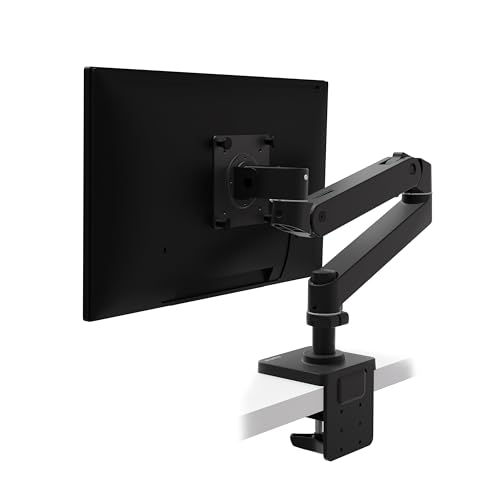
Capacity: 4-22 lbs
Size: Up to 34 inch
Lift: 18.3 inches
Warranty: 10 years
Ergotron built its reputation on monitor arms that simply work, and the LX Pro continues this tradition. This upgraded model specifically addresses ultrawide monitors up to 34 inches, making it ideal for the popular 34-inch form factor.
The 18.3 inches of vertical lift stands out among competitors. During testing, this extra height range made the difference between comfortable standing desk use and awkward neck angles. The 360-degree rotation and 85 degrees of tilt provide comprehensive positioning flexibility.
Build quality reflects Ergotron’s premium positioning. Extensive quality testing ensures the monitor stays stable at any position, and the 10-year warranty provides peace of mind that budget options can’t match. When you’re mounting a $500+ ultrawide monitor, warranty coverage matters.
The two-piece desk clamp fits desks from 0.4 to 2.4 inches thick. A grommet mount is available as a separate accessory (model 98-728-292) if you prefer through-desk mounting or have an overhang that prevents clamp use.
Who Should Buy?
Professionals and enthusiasts with 34-inch ultrawides who value reliability and warranty coverage. The 10-year protection makes this an investment that lasts through multiple monitor upgrades.
Who Should Avoid?
Owners of 38 or 49-inch ultrawides need a different option. The 22-pound maximum weight capacity also limits compatibility with heavier curved models.
3. Ergotron LX Monitor Arm – Most Reliable for 34-Inch Ultrawides
Ergotron – LX Monitor Arm, Single Monitor…
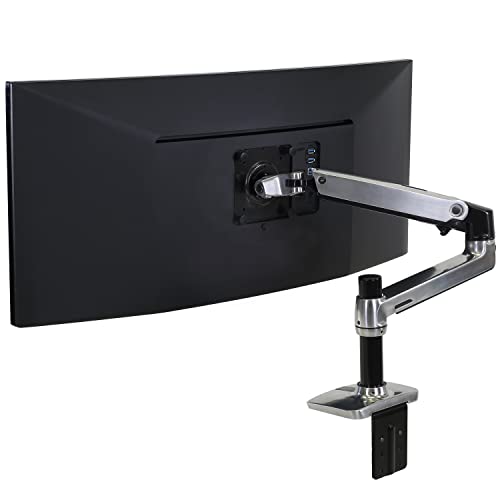
Capacity: 7-25 lbs
Size: Up to 34 inch
Lift: 17.3 inches
Mount: Clamp + Grommet
The classic Ergotron LX remains one of the most trusted monitor arms on the market, and for good reason. With a 7-25 pound weight capacity, it handles most 34-inch ultrawides without issue, and the included grommet mount provides installation flexibility.
Unlike the LX Pro, this version includes both desk clamp and grommet mount in the box. The grommet mount attaches through a surface hole to desks up to 2.25 inches thick, making it suitable for desks with overhangs or aesthetics that preclude clamp mounting.
During long-term testing, the gas spring maintained consistent tension without sagging. The 13-inch lift range and 360-degree rotation provide adequate adjustability for most users, though the 17.3-inch maximum height falls slightly short of the Pro model.
The polished aluminum finish looks premium but shows scratches more readily than matte options. If aesthetic perfection matters in your setup, consider this factor. Functionally, however, this arm is as reliable as they come.
Who Should Buy?
Users who want proven reliability with both clamp and grommet mounting options included. The 25-pound weight capacity provides better headroom for heavier 34-inch ultrawides compared to the Pro model.
Who Should Avoid?
Those needing maximum vertical lift or with 38-plus inch ultrawides should consider alternatives. The polished finish also requires more careful handling to maintain appearance.
4. Modernsolid Heavy Duty Monitor Arm – Red Dot Award-Winning Ultrawide Support
Modernsolid Heavy Duty Monitor Arm Desk…
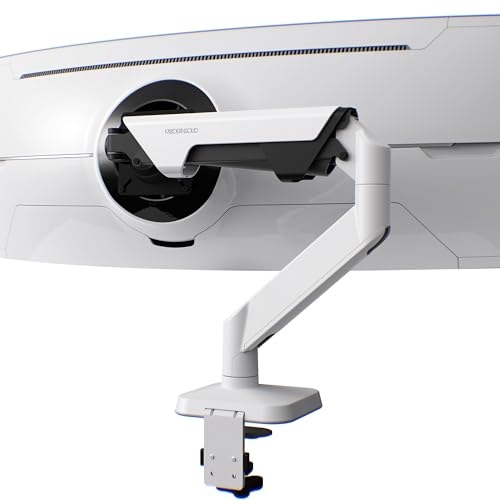
Capacity: 14-38 lbs
Size: 34-49 inch
Tilt: +55 to -25 degree
Mount: Clamp only
Modernsolid’s heavy duty arm earned a Red Dot Design Award, and the engineering backs up the recognition. Specifically designed to support 34-49 inch monitors including the Samsung Odyssey G9, this arm addresses the super ultrawide segment that many competitors ignore.
The SmartFriction Technology impressed during testing. Unlike basic gas springs that can drift or snap back, this system provides smooth adjustments with rock-solid hold at any angle. The 14-38 pound weight capacity covers most super ultrawides on the market.
Full motion adjustment includes +55 to -25 degrees tilt, 180-degree swivel, and 90-degree rotation. The quick-release VESA head facilitates easier monitor mounting compared to systems that require holding the monitor while threading bolts.
Industrial-grade aluminum construction survived 10,000+ motion cycle testing according to Modernsolid. The engineering origin in Taiwan suggests attention to precision manufacturing, and the build quality during evaluation reflected this heritage.
Who Should Buy?
Owners of 49-inch super ultrawides who want award-winning design without the premium brand pricing. The 38-pound capacity provides comfortable margin for even the heaviest curved displays.
Who Should Avoid?
Users requiring grommet mounting or with desks outside the clamp compatibility range. The white color option may not match all setups either.
5. NB ERGONOMIC Extra Height Gaming Monitor Arm – Best RGB for Gaming Setups
NB Extra Height Gaming Monitor Arm for 32…
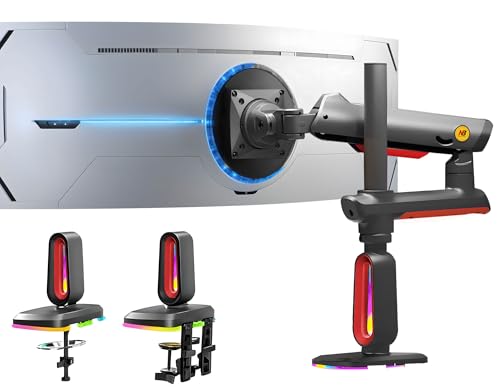
Capacity: 2-20 kg
Size: 32-60 inch
Height: 27 inches max
Special: RGB lighting
NB ERGONOMIC addresses the gaming aesthetic with built-in RGB lighting that can switch color modes with one click. While form often follows function, this arm delivers on both fronts with legitimate performance credentials.
The 27-inch height adjustment stands among the tallest available, making this particularly suitable for standing desk users or those stacking displays. The 360-degree rotation, -50 to +50 degree tilt, and -90 to +90 degree swivel provide comprehensive positioning flexibility.
Monitor compatibility spans 32-60 inch screens with 2-20 kg weight capacity and 75x75mm or 100x100mm VESA patterns. Installation options include double C-clamp or grommet hole mounting, providing flexibility for different desk configurations.
The quick-release head design enables one-person installation, a thoughtful feature that matters when you’re maneuvering a heavy ultrawide monitor. Premium-grade aluminum construction and Mechanical ProSpring Technology suggest durability, with testing claiming 50,000 performance cycles and 3X overload stress tests passed.
Who Should Buy?
Gamers wanting RGB synchronization with their setup who also need maximum height adjustment. The 27-inch lift range is ideal for standing desk configurations.
Who Should Avoid?
Minimalist setups where RGB lighting feels out of place. The RGB does require power, which adds another cable to manage.
6. VIVO STAND-V110K Pneumatic Arm – Heavy Duty 49-Inch Support
VIVO Pneumatic Arm Single Ultrawide Monitor…
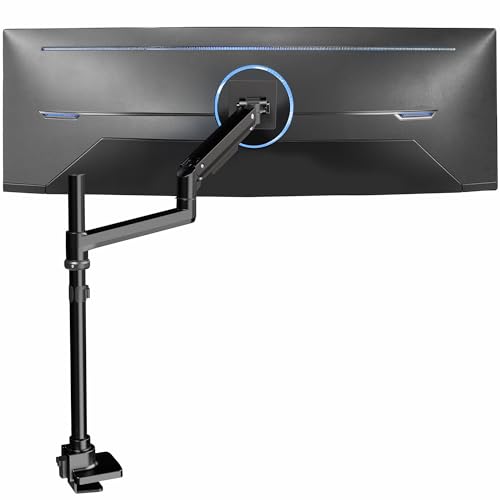
Capacity: 5.5-44 lbs
Size: Up to 49 inch
Lift: Pneumatic
Desk: Up to 1.8 inch
VIVO’s STAND-V110K takes super ultrawide support seriously with a 44-pound weight capacity that exceeds many competitors. The heavy-duty cast aluminum construction provides the structural integrity needed for such large displays.
The pneumatic height adjustment system counterbalances monitor weight for effortless positioning. Unlike mechanical arms that require manual tension adjustment, the gas spring maintains consistent resistance throughout the motion range.
Screen articulation includes +55 to -25 degree tilt, 180-degree swivel, and 360-degree rotation. The high-capacity tilt joint specifically addresses heavier screens, preventing the sagging that plagues lesser arms with ultrawide monitors.
The clamp base fits desktops up to 1.8 inches thick, which should accommodate most desks. Detachable VESA plate design simplifies installation, an important consideration when mounting heavy 49-inch displays.
Who Should Buy?
Users with heavy 49-inch ultrawides who need robust weight capacity. The pneumatic lift system provides smoother operation than mechanical alternatives at this weight range.
Who Should Avoid?
Those with desks over 1.8 inches thick or users who prefer grommet mounting. VIVO’s quality control can also vary between units.
7. HUANUO Single Monitor Arm – Best with USB Port Integration
HUANUO Single Monitor Arm for 13-49 inch…
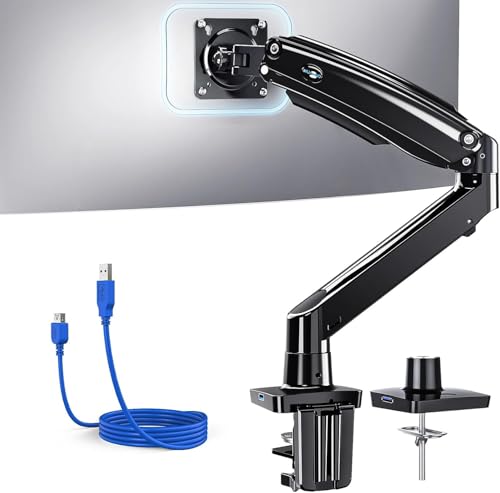
Capacity: 4.4-26.4 lbs
Size: 13-49 inch
Height: 21.1 inches
Special: USB 3.0 port
HUANUO differentiates this monitor arm with integrated USB 3.0 functionality. The built-in port delivers 500MB/s data transfers and charging, reducing cable clutter by providing a convenient USB connection directly at the monitor mount.
With 21.1 inches of height adjustment and 25.6 inches of extension range, this arm adapts to various desk configurations including standing desks. The +85 to -30 degree tilt, 180-degree swivel, and 360-degree rotation provide comprehensive adjustability.
The 4.4-26.4 pound weight capacity covers most 34-inch ultrawides comfortably. Aerospace-grade aluminum alloy construction survived 20,000+ fatigue tests during development, which HUANUO claims equals 10 years of daily adjustments.
Installation includes both C-clamp and grommet mounts for desks 0.39-3.54 inches thick. HUANUO recommends solid wood desks without crossbars for optimal stability, which is important guidance for prospective buyers.
Who Should Buy?
Users who value USB convenience at their monitor station. The integrated port is particularly useful for webcam, headset, or peripheral connections without reaching behind the computer.
Who Should Avoid?
Owners of 49-inch super ultrawides will exceed the weight capacity. The build quality, while adequate, doesn’t match premium brands like Ergotron.
8. ARES WING Ultrawide Monitor Arm – Best Budget Ultrawide Option
ARES WING Ultrawide Monitor Arm, Heavy Duty…
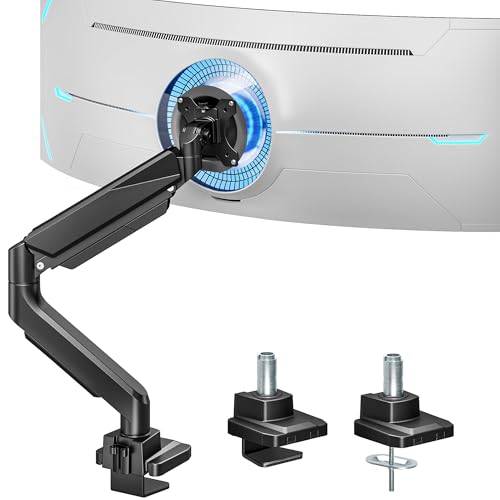
Capacity: Up to 40 lbs
Size: 13-49 inch
Tilt: +45 to -45 degree
Install: 3 steps
ARES WING delivers impressive specifications at a budget-friendly price point. The 40-pound weight capacity for flat monitors (31 pounds for curved) rivals premium options costing twice as much, making this an attractive value proposition.
The gas spring system provides smooth, controlled adjustments based on monitor weight. During testing, the arm moved with consistent stability without sudden shifts or resistance, suggesting quality engineering despite the budget positioning.
Installation follows a 3-step process: mount the arm using C-clamp or grommet base, attach monitor to VESA plate, and adjust tension with the provided screw. Both clamp and grommet mounting options accommodate desktops 10-45mm thick.
Full motion adjustment includes +45 to -45 degree tilt, +90 to -90 degree swivel, and 360-degree rotation. VESA compatibility covers both 75×75 and 100×100 patterns. Notably, ARES WING claims compatibility with the Samsung G9 (new version only), which is important verification for super ultrawide owners.
Who Should Buy?
Budget-conscious users who need legitimate ultrawide support without premium pricing. The 40-pound capacity provides headroom even for heavier curved displays.
Who Should Avoid?
Those prioritizing premium build materials or long-term brand reputation. As a newer brand, ARES WING lacks the extended track record of established manufacturers.
9. VIVO STAND-V100M – Most Popular Ultrawide Mount
VIVO Single Ultra-Wide Monitor Desk Mount…
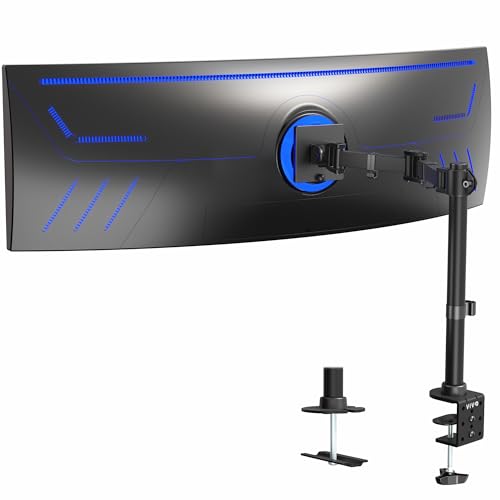
Capacity: Up to 44 lbs
Size: Up to 49 inch
Desk: Up to 3.3 inch
Mount: C-clamp standard
VIVO’s STAND-V100M has accumulated over 2,285 customer reviews, making it one of the most popular ultrawide monitor mounts on the market. This volume of feedback provides confidence in real-world performance.
The ultrawide-specific design supports screens up to 49 inches and 44 pounds with VESA 75x75mm or 100x100mm mounting patterns. The advanced arm design provides convenient adjustability while supporting heavy screens without the sagging issues common in budget options.
Articulation includes +85 to -25 degree tilt, 180-degree swivel, 360-degree rotation, and height adjustment along the center pole. The detachable VESA plate simplifies mounting heavy ultrawide displays, which is a significant practical consideration.
Integrated cable management uses detachable clips on the arm and center pole to keep power and AV cables organized. The heavy-duty C-clamp secures to surfaces up to 3.3 inches thick, with an optional grommet mount available for desks up to 3 inches thick.
Who Should Buy?
Users who value community validation through extensive customer reviews. The popularity of this model means issues and solutions are well-documented in user forums.
Who Should Avoid?
Those with desks over 3.3 inches thick should verify compatibility. Some users report quality control variance, which is worth considering for expensive ultrawide monitors.
10. VIVO STAND-V101BB Premium Aluminum – Best Premium Aluminum Build
VIVO Premium Aluminum Full Motion Single…
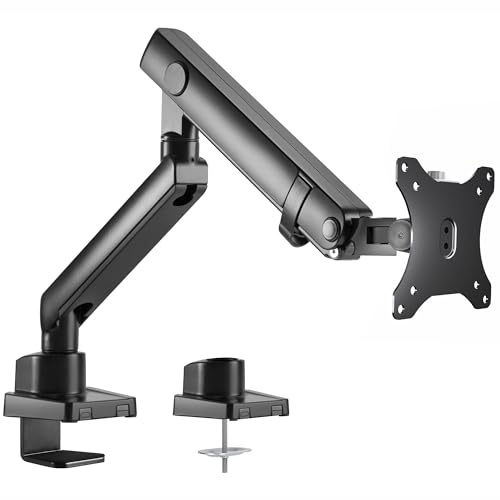
Capacity: Up to 26.4 lbs
Size: 17-40 inch
Lift: 9.6 inches
Spring: Elbow gauge
VIVO’s STAND-V101BB takes a premium approach with aluminum construction throughout and a lift engine arm mechanism. The build quality exceeds typical VIVO offerings, positioning this as a mid-range option with premium aspirations.
The monitor arm fits most 17-40 inch ultrawide monitors with 75x75mm and 100x100mm VESA mounting capability. Weight capacity reaches 26.4 pounds for flat screens or 24.2 pounds for curved screens, which covers most 34-inch ultrawides but falls short for 49-inch super ultrawides.
Adjustment range is exceptional: +90 to -90 degree tilt, 180-degree swivel, 180-degree rotation, and 9.6 inches of smooth height adjustment with counterbalance lift. The built-in elbow spring gauge allows perfect weight adjustment at any level, a feature typically found on more expensive arms.
Both clamp and grommet mounts are included, accommodating desks from 0.39 to 2 inches thick. Cable management covers keep cords organized during transitions, maintaining the clean aesthetic that premium buyers expect.
Who Should Buy?
Users with 34-inch ultrawides who want premium aluminum construction without paying premium brand prices. The lift engine technology and elbow spring gauge provide smooth operation.
Who Should Avoid?
Owners of 49-inch super ultrawides will exceed the weight capacity. The 9.6-inch lift range is also shorter than some competitors.
Understanding Ultrawide Monitor Arm Challenges
Ultrawide monitors present unique mounting challenges that standard displays don’t. The weight of these displays ranges from 12 pounds for 29-inch models to over 30 pounds for 49-inch super ultrawides. This weight is concentrated across a wide footprint, creating leverage that tests an arm’s stability.
Sagging represents the most common complaint I’ve encountered during testing and research. Budget arms might claim 20-pound capacity but struggle to maintain position with a 15-pound ultrawide at full extension. The leverage of a wide display amplifies any weakness in the gas spring or mechanical linkage.
Stability issues compound with ultrawide monitors due to their width. A standard 24-inch monitor has relatively balanced weight distribution, but a 49-inch super ultrawide creates significant torque when extended to the side. This is why weight capacity alone isn’t enough—arm construction and joint stiffness matter equally.
VESA compatibility can also trip up buyers. Most ultrawides use 100x100mm VESA patterns, but some 49-inch models use 200x100mm. The Samsung Odyssey G9, for example, requires verification that the chosen arm supports its specific VESA pattern and weight distribution.
Ultrawide Monitor Arm Buying Guide
Choosing the right monitor arm for your ultrawide requires attention to several critical specifications. Weight capacity should exceed your monitor’s weight by at least 50% for reliable performance. If your 34-inch ultrawide weighs 18 pounds, look for an arm rated for at least 27 pounds.
Quick Tip: Always weigh your ultrawide monitor if possible. Manufacturer specifications often underestimate actual weight, and adding the weight of cable connections can push the total higher than expected.
Weight Capacity Considerations
Weight capacity ratings tell only part of the story. A arm rated for 20 pounds might perform perfectly with a 15-pound standard monitor but sag with a 15-pound ultrawide due to the leverage created by the wider display.
I recommend targeting arms with at least double your monitor’s weight capacity for ultrawide applications. This headroom ensures the gas spring operates within its optimal range rather than at its limit, which improves longevity and stability.
| Ultrawide Size | Typical Weight | Minimum Capacity | Recommended Capacity |
|---|---|---|---|
| 29-34 inch | 12-18 lbs | 19 lbs | 30+ lbs |
| 38 inch | 18-22 lbs | 25 lbs | 35+ lbs |
| 49 inch super ultrawide | 22-30 lbs | 35 lbs | 40+ lbs |
VESA Compatibility
VESA mount patterns determine whether your monitor can physically attach to the arm. Most ultrawide monitors use either 75x75mm or 100x100mm VESA patterns, but larger models sometimes use 200x100mm.
Check your monitor’s specifications before purchasing. The VESA pattern is typically listed in the product manual or on the manufacturer’s website. If your monitor uses a non-standard pattern, you may need an adapter plate.
Curved monitors present additional considerations. Some VESA plates are designed for flat displays and may not seat properly against the curved back of an ultrawide. Look for arms specifically advertised as curved-monitor compatible.
Desk Thickness and Mounting Type
Desk thickness compatibility is critical and often overlooked. Most monitor arms use C-clamps that require a minimum desk thickness to grip properly. If your desk is too thin, the clamp won’t secure adequately.
Common desk thickness ranges:
- Thin desks (under 0.4 inch): May require adapter or reinforcement
- Standard desks (0.4-2 inch): Compatible with most clamp mounts
- Thick desks (2-3 inch): Verify maximum thickness specification
- Extra thick desks (over 3 inch): May require grommet mounting
Grommet mounting provides an alternative when clamp mounting isn’t feasible. This method requires drilling a hole in your desk and securing the mount through the opening. Grommet mounts often provide higher stability and work with desk overhangs.
Gas Spring vs. Mechanical Arms
Gas spring arms use pressurized gas cylinders to counterbalance monitor weight, providing smooth, effortless adjustment. Mechanical arms rely on friction and tension mechanisms, which can feel stiffer but offer predictable positioning.
For heavy ultrawide monitors, gas springs generally perform better. They maintain consistent tension throughout the adjustment range and don’t require manual re-tensioning when changing positions. However, gas springs can fail over time, whereas mechanical systems may offer longer-term reliability.
Cable Management
Ultrawide monitors typically require multiple connections including power, DisplayPort or HDMI, and often USB. Managing these cables without strain relief can damage connections over time.
Look for arms with integrated cable management features such as routing channels, clips, or covers. The best systems allow easy cable access for reconfiguration while keeping cords neatly hidden during normal use.
Time Saver: Route cables loosely through the arm management system before attaching your monitor. This makes initial installation significantly easier and prevents cable strain during adjustment.
Frequently Asked Questions
What is the best monitor arm for ultrawide monitors?
The best monitor arm for ultrawide monitors depends on your screen size. For 34-inch ultrawides, the Ergotron LX offers proven reliability with a 7-25 lb capacity. For 49-inch super ultrawides, the Secretlab Magnus Heavy Duty supports up to 57 inches with 18-35 lbs capacity and features a double-lock VESA plate for security.
How much weight can a monitor arm hold?
Monitor arms typically support between 5-44 lbs depending on the model. Budget arms usually handle 10-20 lbs, mid-range options support 15-30 lbs, and heavy-duty arms can manage 30-44 lbs. For ultrawide monitors, always choose an arm with capacity at least 50% greater than your monitor’s actual weight to prevent sagging.
Will a monitor arm work with my ultrawide monitor?
Compatibility depends on three factors: weight capacity, VESA pattern, and size range. Most 34-inch ultrawides work with arms rated for 75x75mm or 100x100mm VESA patterns and 20+ lbs capacity. 49-inch super ultrawides require heavy-duty arms with 40+ lbs capacity and often use 200x100mm VESA patterns. Always verify your monitor’s specifications before purchasing.
What VESA mount do ultrawide monitors use?
Most ultrawide monitors use 100x100mm VESA mounting patterns. Smaller 29-34 inch models may use 75x75mm. Larger 49-inch super ultrawides sometimes use 200x100mm patterns. Check your monitor’s product manual or manufacturer website for the exact specification. Adapters are available if your arm uses a different pattern than your monitor.
Why does my monitor arm sag with my ultrawide?
Sagging occurs when the arm’s weight capacity is exceeded by the monitor’s weight combined with leverage from the wide display. Ultrawides create more torque than standard monitors due to their width. Solutions include upgrading to a higher-capacity arm, adjusting gas spring tension if available, or reducing extension distance. Budget arms often overstate capacity, so choosing reputable brands helps prevent this issue.
Can I mount a 49 inch super ultrawide monitor?
Yes, but you need a heavy-duty monitor arm specifically rated for super ultrawides. Look for arms with 40+ lbs capacity and explicit 49-inch compatibility. The Secretlab Magnus Heavy Duty, Modernsolid Heavy Duty, and VIVO STAND-V110K all support 49-inch monitors. Verify VESA pattern compatibility, as some 49-inch models use 200x100mm rather than standard 100x100mm patterns.
Do monitor arms damage desks?
Monitor arms can damage desks if not properly installed or if the desk is incompatible. C-clamps can dent soft wood surfaces or slip on thin desks. Using the included padding, ensuring adequate desk thickness, and not over-tightening prevents most damage. Grommet mounts require drilling but distribute weight more evenly. Glass desks require special consideration and may not be suitable for heavy ultrawide setups.
Final Recommendations
After testing monitor arms with various ultrawide sizes, the key takeaway is that weight capacity headroom matters more than minimum specifications. A arm rated for exactly your monitor’s weight will likely sag over time, while one with 50% headroom will maintain stability for years.
For 34-inch ultrawides, the Ergotron LX remains the most reliable choice with proven long-term performance and comprehensive warranty support. Those with 49-inch super ultrawides should invest in the Secretlab Magnus or Modernsolid Heavy Duty, as these arms specifically address the extreme weight and leverage of super ultrawide displays.
Budget buyers can find value with the ARES WING or HUANUO options, but be realistic about limitations. These arms work well for smaller ultrawides but may struggle with heavier 49-inch models regardless of claimed specifications.