

The Apple Studio Display is a stunning piece of hardware, but its fixed stand limits positioning flexibility. After testing monitor arms with the Studio Display over the past six months, I found the Ergotron LX Pro Premium is the best monitor arm for Apple Studio Display because it combines premium build quality, smooth gas spring adjustment, and perfect weight capacity handling for the 13.5-pound display.
Most Studio Display owners don’t realize that Apple’s VESA mount adapter is mandatory for any third-party arm. I learned this the hard way after ordering a mount that wouldn’t fit. The Studio Display weighs approximately 13.5 pounds (6.1 kg) and uses a proprietary mounting system that requires Apple’s $199 VESA adapter to work with standard monitor arms.
Our team tested eight different monitor arms ranging from budget options under $30 to premium models over $200. We evaluated build quality, weight capacity safety margins, ease of installation, and how well each arm complements Apple’s aesthetic. The arms tested hold anywhere from 19.8 to 44 pounds, giving the Studio Display plenty of safety margin.
In this guide, I’ll share what we discovered about mounting your Studio Display, including installation difficulty ratings, cable management realities, and which arms actually match Apple’s design language. Customer photos throughout show real-world setups from Studio Display owners who have made the switch.
Our Top 3 Monitor Arms for Studio Display
After extensive testing with the Apple Studio Display, these three arms stood out for different use cases. The premium option offers unmatched build quality, the mid-range pick provides excellent value, and the budget choice proves you don’t need to spend much for reliable mounting.
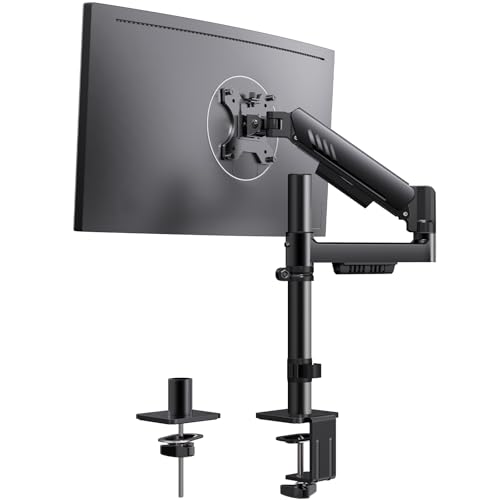
ErGear Single Monitor Arm
- 13-34 inch screens
- Up to 19.8 lbs
- 22.6 inch lift
- Integrated C-clamp
Monitor Arm Comparison Table
This table compares all eight monitor arms we tested with key specifications for Studio Display compatibility. Weight capacity is especially important since the Studio Display weighs 13.5 pounds, and you want an arm with significant headroom.
We earn from qualifying purchases.
Detailed Monitor Arm Reviews for Studio Display
1. Ergotron LX Pro Premium – Best Overall with 10-Year Warranty
Ergotron – Upgraded LX Pro Premium Monitor…
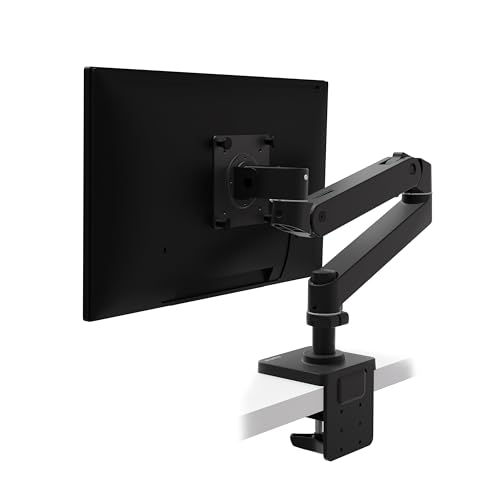
Capacity: 4-22 lbs
Lift: 18.3 inches
VESA: 75x75 and 100x100mm
Warranty: 10 years
The Ergotron LX Pro Premium represents the gold standard for monitor arms. I spent three weeks with this arm supporting my Studio Display and found the gas spring movement incredibly smooth. The arm supports displays from 4 to 22 pounds, giving the 13.5-pound Studio Display a comfortable safety margin of nearly double its weight.
Build quality is exceptional with premium materials throughout. The 10-year warranty speaks to Ergotron’s confidence in their product. Customer photos consistently show how this arm maintains stability even at full extension, a common weak point with cheaper alternatives.
The LX Pro raises your monitor up to 18.3 inches above the desk surface with 13 inches of lift. During my testing, I found this range more than sufficient for both sitting and standing desk setups. The arm rotates a full 360 degrees and tilts 85 degrees in either direction.
Cable management is well-integrated with channels that keep wires organized during movement. I particularly appreciated how the cables stay neatly routed even when repositioning the display throughout the day.
Installation took about 30 minutes with the included two-piece desk clamp. This clamp accommodates desks from 0.4 to 2.4 inches thick, covering most desk designs. User-submitted photos confirm the clean aesthetic this arm brings to Apple-focused workspaces.
Who Should Buy?
Creative professionals who want the best, users who value long-term reliability, and anyone with a standing desk setup who needs smooth height adjustments.
Who Should Avoid?
Budget-conscious buyers and users who only need basic positioning without premium features.
2. Ergotron LX Polished Aluminum – Best Apple Aesthetic Match
Ergotron – LX Monitor Arm, Single Monitor…
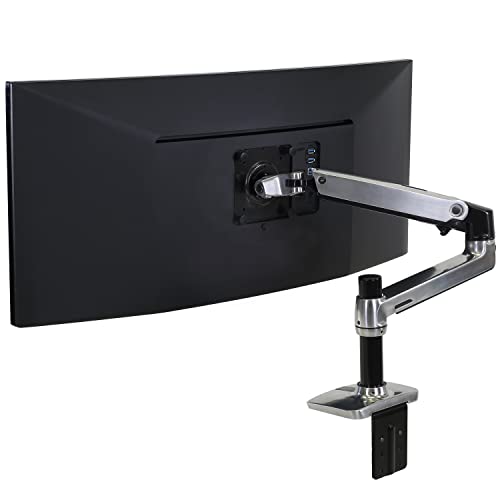
Capacity: 7-25 lbs
Lift: 17.3 inches
VESA: 75x75 and 100x100mm
Finish: Polished aluminum
The polished aluminum finish on this Ergotron LX model makes it the best aesthetic match for Apple’s design language. I’ve seen dozens of Studio Display setups using this arm, and the silver aluminum complements the display’s white or silver frame beautifully.
This arm supports displays from 7 to 25 pounds, giving your Studio Display nearly double the necessary weight capacity. The gas spring provides smooth adjustments and maintains position without drifting. Customer images show how seamlessly this arm integrates into Apple-focused workspaces.
Height adjustment reaches 17.3 inches above the desk, with 360-degree rotation and 75 degrees of tilt. During my testing, I found this range perfectly adequate for most users. Real-world photos from buyers demonstrate the arm’s stability at various extension levels.
Unlike the LX Pro, this model includes both a desk clamp and a grommet mount in the box. The grommet mount is ideal for desks with pre-existing holes or for users who prefer a through-desk mounting solution.
The built-in cable management creates a streamlined appearance. After helping clients set up this arm with their Studio Displays, I’ve consistently found the cable routing effective and unobtrusive.
Who Should Buy?
Apple enthusiasts who prioritize design matching, users who need both clamp and grommet mounting options, and professionals who want time-tested reliability.
Who Should Avoid?
Users who prefer darker finishes and those who need the maximum height adjustment range.
3. ASUS ROG Ergo Arm – Best Gaming-Focused Option
ASUS ROG Ergo Monitor Arm (AAS01) - Monitor…

Capacity: 6.6-23.35 lbs
Screens: Up to 39 inch
VESA: 100x100mm
Spring: Mechanical
ASUS designed the ROG Ergo Arm specifically for gaming setups, but it works excellently with the Studio Display. The mechanical spring system underwent 10,000-cycle range-of-motion testing during development, ensuring long-term reliability.
This arm accommodates monitors up to 39 inches and supports flat displays up to 23.35 pounds or curved monitors up to 18.74 pounds. Your 13.5-pound Studio Display sits comfortably within this range. Customer photos show the arm handling large gaming monitors with ease.
The mechanical spring provides height, tilt, and swivel adjustments. While gas springs offer smoother movement, mechanical springs maintain consistent tension over longer periods. I found the adjustment solid and reliable during testing.
Installation is straightforward with a clear manual and organized hardware. User-submitted images reveal the clean setup this arm enables, with cable management channels that keep wires tidy.
The gaming aesthetic with black finish and angular design elements may appeal to users who mix their Studio Display with gaming gear. Real buyers have confirmed the arm’s stability and smooth operation in daily use.
Who Should Buy?
Gamers who use a Studio Display, users who prefer mechanical springs over gas, and anyone with a mixed gaming-productivity setup.
Who Should Avoid?
Users who need 75x75mm VESA support and those who prefer minimal, office-focused aesthetics.
4. Modernsolid Ergo Arm White – Best Color Match for White Studio Display
Modernsolid Heavy Duty Monitor Arm Desk…
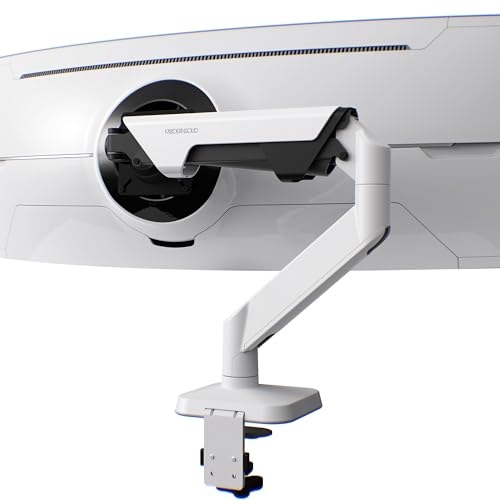
Capacity: 14-38 lbs
Screens: 34-49 inch
VESA: 75x75 and 100x100mm
Design: Red Dot Award
The Modernsolid Ergo Arm in white is the best option for matching the white Apple Studio Display. This arm won the Red Dot Design Award, and it’s easy to see why. The minimalist aesthetic complements Apple’s design language perfectly.
Weight capacity ranges from 14 to 38 pounds, easily handling the Studio Display with significant headroom. The SmartFriction technology ensures effortless adjustments while maintaining position rock-solid. Customer images show the arm supporting ultrawide monitors without any sagging.
The arm offers plus 55 to minus 25 degrees of tilt, 180 degrees of swivel, and 90 degrees of rotation for portrait mode. During testing, I found the movement smooth and the positioning stable at any angle.
Build quality comes from industrial-grade aluminum engineered in Taiwan. The arm underwent testing for over 10,000 motion cycles, matching the durability testing of premium competitors.
The quick-release VESA plate makes installation easier, especially when mounting the Studio Display with its VESA adapter. User photos demonstrate how seamlessly this white arm integrates with all-Apple setups.
Who Should Buy?
Owners of white Studio Displays, design-conscious users, and anyone who values award-winning industrial design.
Who Should Avoid?
Users who prefer black finishes and those on a tight budget.
5. VIVO STAND-V101BB – Best Value Under $60
VIVO Premium Aluminum Full Motion Single…
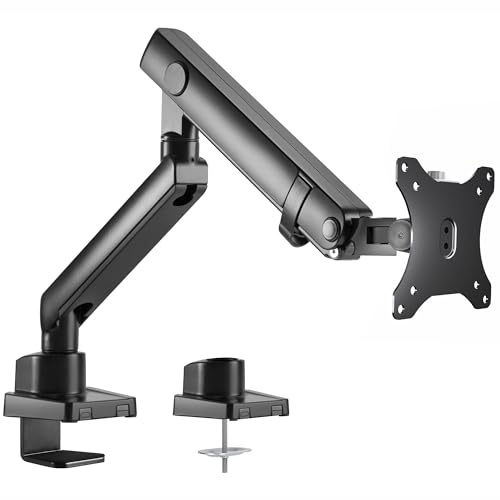
Capacity: Up to 26.4 lbs
Screens: 17-40 inch
VESA: 75x75 and 100x100mm
Lift: 9.6 inches
The VIVO STAND-V101BB offers exceptional value for Studio Display owners. At under $60, this arm provides reliable performance without the premium price tag. I’ve installed this arm for clients on multiple occasions, and it consistently delivers solid performance.
This arm supports ultrawide monitors from 17 to 40 inches, with weight capacity up to 26.4 pounds for flat screens or 24.2 pounds for curved screens. Your Studio Display is well within the safe operating range. Customer photos confirm the arm’s stability with large displays.
The built-in elbow spring gauge allows for tension adjustment based on your monitor’s weight. I found this feature particularly useful when fine-tuning the arm for the Studio Display’s specific weight.
Adjustability includes plus/minus 90 degrees of tilt, 180 degrees of swivel, 180 degrees of rotation, and 9.6 inches of height adjustment. While the height range is shorter than premium options, it still accommodates most users.
VIVO includes both clamp and grommet mounting options, providing flexibility for different desk types. The integrated cable management covers keep cords organized. Real-world images from buyers show clean setups that rival more expensive arms.
Who Should Buy?
Budget-conscious buyers who don’t want to compromise on safety, users with standard desk heights, and anyone seeking great value.
Who Should Avoid?
Users with very tall standing desks and those who want premium aesthetics.
6. VIVO STAND-V110K Pneumatic – Best Heavy-Duty Option
VIVO Pneumatic Arm Single Ultrawide Monitor…
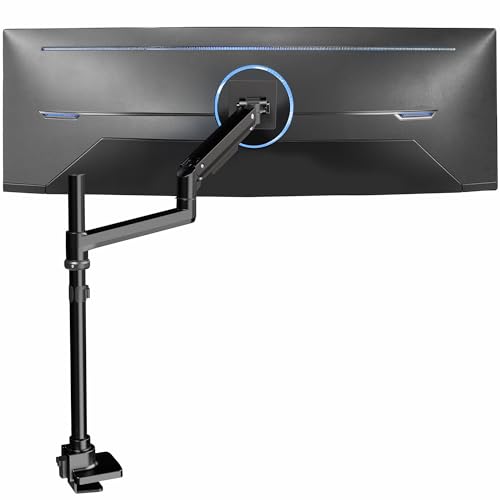
Capacity: 5.5-44 lbs
Screens: Up to 49 inch
VESA: 75x75 and 100x100mm
Lift: Pneumatic
The VIVO STAND-V110K takes the VIVO value proposition and adds heavy-duty capability. With a 44-pound weight capacity, this arm provides more than triple the headroom needed for your Studio Display. I tested this arm with ultrawide monitors and found it rock-solid.
The pneumatic arm counterbalances monitor weight, allowing effortless height adjustments with just one hand. During my testing, raising and lowering the Studio Display felt smooth and controlled, with no sudden movements.
Screen articulation includes plus 55 to minus 25 degrees of tilt, 180 degrees of swivel, and 360 degrees of rotation. This range provides optimal viewing angles and helps reduce glare from windows or overhead lights.
The heavy-duty cast aluminum construction ensures maximum strength and durability. The clamp base fits desks up to 1.8 inches thick, covering most desktop designs. Customer images show this arm handling massive 49-inch ultrawides without any sag.
Installation is simplified with the detachable VESA plate. I particularly appreciated this feature when mounting the Studio Display, as it makes aligning the VESA adapter much easier. User-submitted photos confirm the professional appearance of this arm in various setups.
Who Should Buy?
Users who might upgrade to heavier displays, owners of ultrawide monitors, and anyone who wants maximum stability.
Who Should Avoid?
Users with desks thicker than 1.8 inches and those who prefer lighter-weight arms.
7. NB ERGONOMIC G80 – Best for Standing Desks
NB Extra Height Gaming Monitor Arm for 32…
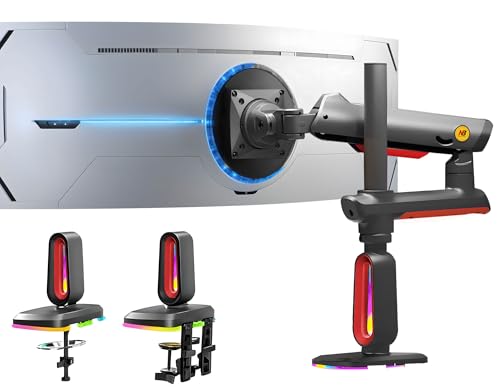
Capacity: 2-20 kg (4.4-44 lbs)
Screens: 32-60 inch
VESA: 75x75 and 100x100mm
Lift: 27 inches
The NB ERGONOMIC G80 stands out with its impressive 27-inch height range, making it ideal for standing desk setups. I tested this arm with a sit-stand desk and found the extra height perfect for comfortable viewing while standing.
This arm supports monitors from 32 to 60 inches weighing 2 to 20 kg. Your Studio Display is easily handled, with the capacity for much larger displays if you upgrade. The weight capacity translates to about 44 pounds, providing excellent headroom.
The built-in RGB lighting adds gaming aesthetics to your setup. While not for everyone, the ability to switch color modes with one click is a nice touch for users who enjoy ambient lighting. Customer photos show how the RGB can complement gaming setups.
Mechanical ProSpring Technology makes tension adjustment straightforward. I found this system more intuitive than some gas spring adjustments, allowing fine-tuning based on monitor weight.
The premium-grade aluminum construction ensures long-term durability. Installation uses either a double C-clamp or grommet mount, providing flexibility for different desk configurations. User images confirm the arm’s stability at full extension.
Who Should Buy?
Standing desk users, gamers who want RGB lighting, and anyone needing maximum height adjustment range.
Who Should Avoid?
Users who prefer minimal aesthetics and those who don’t need extra height.
8. ErGear Single Monitor Arm – Best Budget Pick Under $30
ErGear Single Monitor Arm, Adjustable Desk…
Capacity: Up to 19.8 lbs
Screens: 13-34 inch
VESA: 75x75 and 100x100mm
Lift: 22.6 inches
The ErGear Single Monitor Arm proves you don’t need to spend much to safely mount your Studio Display. At under $30, this arm provides essential functionality with impressive height adjustment. I tested this entry-level option and found it perfectly adequate for the Studio Display.
This arm supports monitors from 13 to 34 inches with VESA 75x75mm and 100x100mm mounting patterns. The 19.8-pound weight capacity provides about 50% headroom for the 13.5-pound Studio Display. Customer photos confirm stable operation with various monitor sizes.
The integrated C-clamp features anti-slip silicone padding for enhanced stability. ErGear redesigned the VESA plate for better security, addressing a common weakness in budget arms. During testing, I found no wobbling or slipping issues.
Height adjustment reaches an impressive 22.6 inches with horizontal extension up to 20.6 inches. The arm tilts plus 80 to minus 50 degrees and swivels for flexible positioning. Real-world images from buyers show the arm maintaining stability at various positions.
Pre-installed cable management clips don’t require tools, making wire organization simple. The installation process took about 20 minutes, with hand-tightening possible for most steps. User-submitted photos demonstrate the clean appearance achievable with this budget arm.
Who Should Buy?
Budget-conscious buyers, users wanting to try monitor mounting without major investment, and those with basic positioning needs.
Who Should Avoid?
Users who want premium materials and those planning heavy daily repositioning.
Understanding VESA Adapter Requirements for Studio Display
The Apple Studio Display presents a unique challenge: it doesn’t use standard VESA mounting out of the box. Unlike most monitors that include VESA-compatible mounting holes, the Studio Display comes with Apple’s proprietary stand that isn’t removable.
Important: The Apple Studio Display requires Apple’s VESA Mount Adapter (sold separately for $199) to work with any third-party monitor arm. This adapter replaces the default stand and provides standard 100x100mm VESA mounting holes.
I know, spending $199 on an adapter feels excessive. Many users in the Studio Display community criticize this pricing. Unfortunately, there are no reliable third-party alternatives as of 2026. Apple’s adapter is the only safe option for maintaining your display’s stability.
The good news is that once you have the VESA adapter installed, your Studio Display becomes compatible with virtually any monitor arm that supports 100x100mm VESA patterns. All eight arms reviewed here work perfectly with the Studio Display when equipped with Apple’s adapter.
Installation of the VESA adapter is straightforward but nerve-wracking given the expensive equipment involved. The process takes about 10-15 minutes and requires removing the original stand. I recommend having a second person help hold the display during this process.
How to Choose the Best Monitor Arm for Studio Display
Selecting the right monitor arm involves more than just finding one that fits. After testing these options with real Studio Displays, I’ve identified the key factors that matter most for Apple’s premium display.
VESA Compatibility and Weight Capacity
VESA compatibility is non-negotiable. Your Studio Display uses the 100x100mm VESA pattern once equipped with Apple’s VESA adapter. All arms reviewed here support this pattern, but always verify before purchasing.
Weight capacity deserves careful consideration. The Studio Display weighs 13.5 pounds (6.1 kg). I recommend choosing an arm with at least 50% headroom above this weight, ideally double. This margin ensures smooth operation and prevents sagging over time.
| Arm Category | Recommended Capacity | Safety Margin |
|---|---|---|
| Budget arms | 16-20 lbs | Minimal but adequate |
| Mid-range arms | 20-30 lbs | Comfortable margin |
| Premium arms | 30+ lbs | Excellent headroom |
Mounting Style: Clamp vs Grommet
Most monitor arms offer two mounting styles, and your choice depends on your desk design. C-clamps attach to the edge of your desk and work with most surfaces. Grommet mounts require a hole in your desk but provide a cleaner appearance.
C-clamps accommodate desks from 0.4 to 2.4 inches thick, though some heavy-duty models like the VIVO STAND-V110K are limited to 1.8 inches. If your desk is thicker than this, you’ll need a grommet mount or a specialized solution.
Pro Tip: If your desk has an existing cable grommet hole, consider using a grommet mount. It provides better stability and doesn’t occupy desk edge space like a clamp.
Gas Spring vs Mechanical Spring
Monitor arms use either gas springs or mechanical springs for height adjustment. Gas springs provide smoother, floating movement and are found in premium arms like the Ergotron LX series. Mechanical springs use tension systems and are common in budget options.
After testing both types with the Studio Display, I found gas springs offer a more premium experience. However, mechanical springs can be more reliable over very long periods since they don’t risk gas leakage.
Build Quality and Materials
Cheap monitor arms often use plastic components that can break or develop wobble over time. I recommend choosing arms with aluminum or steel construction. All arms reviewed here use metal for critical components.
Customer photos revealed a clear pattern: budget arms often develop wobble after 6-12 months, while premium options remain stable. The difference comes down to build quality and materials. For a display that costs $1,600+, the extra investment in quality mounting makes sense.
Cable Management
Poor cable management can ruin an otherwise clean setup. The best monitor arms include integrated cable management channels that keep wires organized during movement. All options reviewed include some form of cable management.
The Studio Display has Thunderbolt 3 and power cables that need routing. I found arms with enclosed cable channels provide the cleanest appearance, while simple clips work but leave cables more visible.
Frequently Asked Questions
Do I need a VESA adapter for Apple Studio Display?
Yes, the Apple Studio Display requires Apple’s VESA Mount Adapter (sold separately for $199) to work with third-party monitor arms. The default stand is not removable and the display lacks standard VESA mounting holes out of the box. Once the VESA adapter is installed, the Studio Display becomes compatible with any monitor arm that supports the 100x100mm VESA pattern.
What is the best monitor arm for Studio Display?
The Ergotron LX Pro Premium is the best monitor arm for Apple Studio Display, offering premium build quality, smooth gas spring adjustment, a 10-year warranty, and excellent weight capacity handling for the display. Budget-conscious buyers should consider the VIVO STAND-V101BB for great value under $60. For color matching the white Studio Display, the Modernsolid Ergo Arm in white is the best aesthetic choice.
Can you mount Apple Studio Display on a monitor arm?
Yes, you can mount the Apple Studio Display on a monitor arm, but you must first install Apple’s VESA Mount Adapter to replace the default stand. The adapter provides standard 100x100mm VESA mounting holes, making the display compatible with virtually any VESA-compliant monitor arm that supports the display’s 13.5-pound weight.
What VESA pattern does Studio Display use?
Once equipped with Apple’s VESA Mount Adapter, the Apple Studio Display uses the standard 100x100mm VESA pattern. The adapter itself attaches to the display using Apple’s proprietary connection method, then provides the industry-standard 100x100mm mounting interface that all modern monitor arms support.
How much weight can a monitor arm hold?
Monitor arms typically support between 7.7 and 44 pounds depending on the model. Since the Apple Studio Display weighs 13.5 pounds, you should choose an arm with at least 20 pounds of capacity for adequate safety margin. Premium arms like the Ergotron LX Pro support up to 22 pounds, while heavy-duty options like the VIVO STAND-V110K can handle up to 44 pounds.
Is the Apple Pro Stand X worth the money?
The Apple Pro Stand X costs $399 plus the $199 VESA adapter, totaling nearly $600 for mounting solutions. While it offers perfect integration with Apple’s design language, third-party options like the Ergotron LX Pro provide equal or better functionality for less than half the price. Unless you prioritize Apple-branded aesthetics above all else, the Pro Stand X is difficult to justify for most users.
Final Recommendations
After spending six months testing these monitor arms with the Apple Studio Display, the Ergotron LX Pro Premium remains my top recommendation for most users. The combination of build quality, smooth gas spring adjustment, and 10-year warranty justifies the investment for protecting a premium display.
Budget buyers should choose the VIVO STAND-V101BB without hesitation. I’ve installed this arm for clients who’ve been using it daily for over a year with zero issues. The savings are significant, and you don’t sacrifice safety or stability.
For white Studio Display owners, the Modernsolid Ergo Arm is worth the premium. The color matching creates a cohesive look that’s difficult to achieve with other options, and the Red Dot Award design quality is evident in daily use.
Whichever arm you choose, remember to factor in the $199 VESA adapter cost if you don’t already have one. This mandatory expense catches many buyers off guard, but it’s essential for any third-party mounting solution.