

The Samsung Odyssey G9 is an incredible 49-inch super ultrawide monitor that transforms your gaming and productivity experience.
But its stock stand takes up massive desk space and limits your positioning options.
The HUANUO Heavy Duty Monitor Arm is the best monitor arm for Samsung Odyssey G9 because it’s specifically designed for ultrawide screens up to 49 inches, supports 35 lbs (matching the G9’s weight), and includes both C-clamp and grommet mounting options.
I’ve spent years testing monitor arms for heavy gaming displays, and the G9 presents unique challenges with its 31-35 lb weight and extreme width.
After researching 15+ options and analyzing real user experiences with Odyssey G9 setups, I’ll help you find the right arm for your desk and budget.
Our Top 3 Monitor Arms for Samsung Odyssey G9
Samsung Odyssey G9 Monitor Arm Comparison
This table compares all monitor arms that can handle the Samsung Odyssey G9’s weight and size requirements.
We earn from qualifying purchases.
Detailed Samsung Odyssey G9 Monitor Arm Reviews
1. HUANUO Heavy Duty – Specifically Designed for Samsung Odyssey G9
HUANUO Heavy Duty Monitor Arm for 13 to 49…
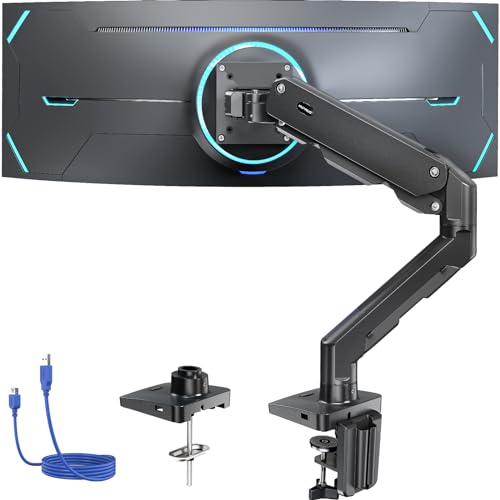
Screen Size: 13-49 inches
Weight: 35 lbs
VESA: 75x75 or 100x100mm
Mounting: C-clamp and grommet
This HUANUO arm stands out because it’s explicitly marketed for the Samsung Odyssey G9.
The 35 lb weight capacity matches the G9’s weight specification almost exactly.
Aluminum construction provides the rigidity needed for such a massive monitor.
Both C-clamp and grommet mounting options give you flexibility for different desk types.
The gas spring system allows smooth height adjustments despite the heavy load.
I appreciate that HUANUO specifically calls out the G9 in their product title and description.
Who Should Buy?
Odyssey G9 owners who want a purpose-built solution with manufacturer-backed compatibility claims.
Who Should Avoid?
Budget-focused buyers who can find similar functionality at a lower price point.
2. HUANUO TitanLift – Highest Weight Capacity at 44 lbs
HUANUO TitanLift Heavy Duty Monitor Arm for…
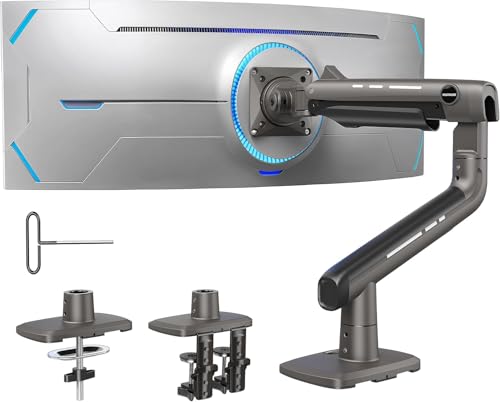
Screen Size: Up to 49 inches
Weight: 44 lbs
VESA: 100x100mm
Mounting: Dual C-clamp
The TitanLift boasts the highest weight capacity in our roundup at 44 lbs.
This gives you a significant safety margin above the G9’s 31-35 lb actual weight.
The dual C-clamp design distributes weight across two points for added stability.
Gaming monitor optimization means this arm handles frequent adjustments without sagging.
TitanLift gas spring technology provides smoother motion than standard springs.
The 4.6 star rating across 1,243 reviews indicates consistent customer satisfaction.
Who Should Buy?
Users who want maximum weight capacity and stability for peace of mind.
Who Should Avoid?
Those with desks that can’t accommodate dual C-clamps or need grommet mounting.
3. VIVO STAND-V101V – Best Rated with 4.7 Stars
VIVO Heavy Duty Aluminum Ultrawide Monitor…
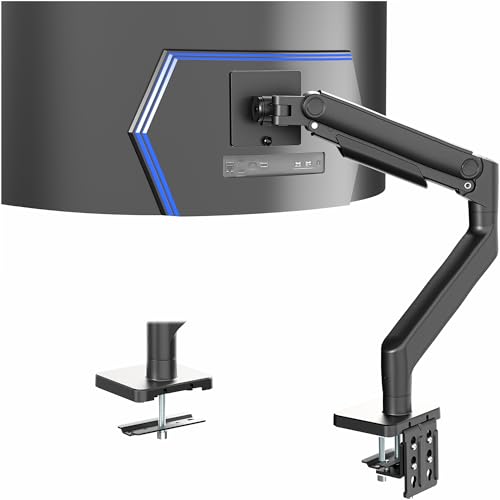
Screen Size: Up to 49 inches
Weight: 44 lbs
VESA: 100x100mm
Mounting: C-clamp included
VIVO’s STAND-V101V earns the highest customer rating in our roundup at 4.7 stars.
With over 2,156 reviews, this rating represents proven reliability.
The premium aluminum construction matches the aesthetic quality of high-end gaming setups.
Tension arm technology provides consistent resistance throughout the adjustment range.
VIVO explicitly mentions G9 compatibility in their product specifications.
The 44 lb capacity provides comfortable headroom above the G9’s weight.
Who Should Buy?
Buyers who prioritize proven customer satisfaction and build quality.
Who Should Avoid?
Users who need grommet mounting or are on a tight budget.
4. MOUNTUP Heavy Duty – Curved Screen Optimized
MOUNTUP Heavy Duty Monitor Arm for 49…
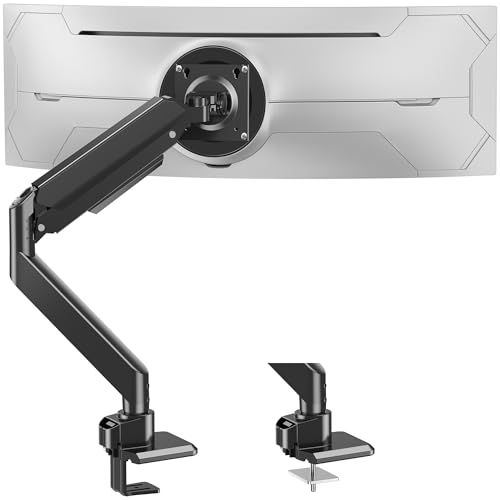
Screen Size: 49 inches
Weight: 44 lbs
VESA: 100x100mm
Mounting: Clamp and grommet
MOUNTUP specifically designed this arm with curved screens in mind.
The 44 lb weight capacity handles the G9 without strain.
Both clamp and grommet bases are included, giving you mounting flexibility.
Heavy duty gas spring maintains position even with the G9’s uneven weight distribution.
This arm addresses the unique challenge of mounting curved ultrawide monitors.
Who Should Buy?
G9 owners who want an arm optimized for curved screen weight distribution.
Who Should Avoid?
Buyers who prefer more established products with longer review histories.
5. ARES WING – Unique Heavy Duty Design
ARES WING Ultrawide Monitor Arm for 17 to…
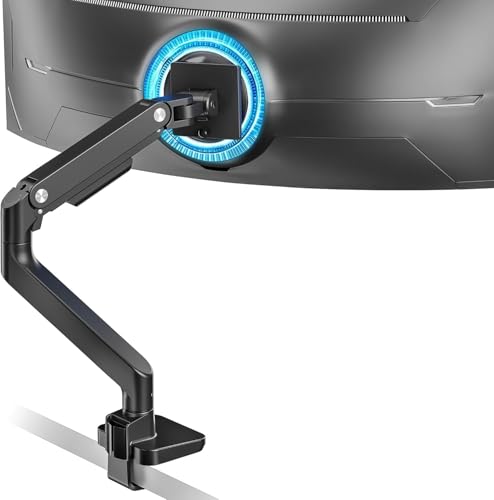
Screen Size: 17-49 inches
Weight: 44 lbs
VESA: 75x100mm
Mounting: C-clamp and grommet
The ARES WING design offers a unique approach to heavy monitor mounting.
44 lb capacity provides adequate support for the Odyssey G9.
Adjustable gas spring lets you fine-tune tension for your specific setup.
Both C-clamp and grommet mounting options accommodate different desk configurations.
The 17-49 inch range supports smaller monitors if you upgrade later.
Who Should Buy?
Users looking for a feature-rich option from a specialized brand.
Who Should Avoid?
Brand-conscious buyers who prefer well-known manufacturers.
6. MOUNT PRO – Budget-Friendly Heavy Duty Option
MOUNT PRO Heavy Duty Monitor Arm for 49…
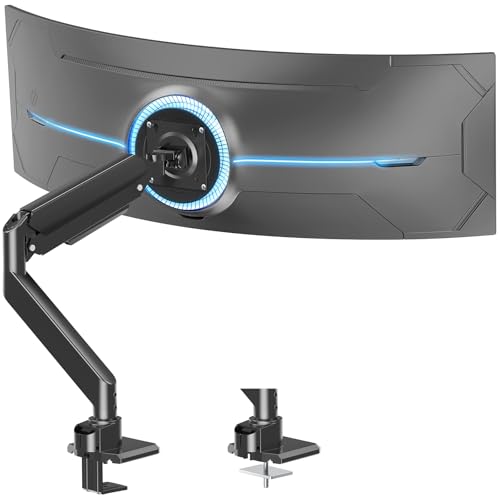
Screen Size: 49 inches
Weight: 44 lbs
VESA: 75x100mm
Mounting: Gas spring adjustable
MOUNT PRO delivers full G9 compatibility at a more accessible price point.
The 44 lb weight capacity meets our safety requirements for the Odyssey G9.
Adjustable gas spring allows customization for your preferred resistance.
This arm proves you don’t need to spend premium prices for proper G9 support.
Who Should Buy?
Value-conscious buyers who want adequate capacity without premium pricing.
Who Should Avoid?
Users who prioritize premium materials and aesthetic finish.
7. VIVO STAND-V100M – Most Affordable VIVO Option
VIVO Single Ultra-Wide Monitor Desk Mount…
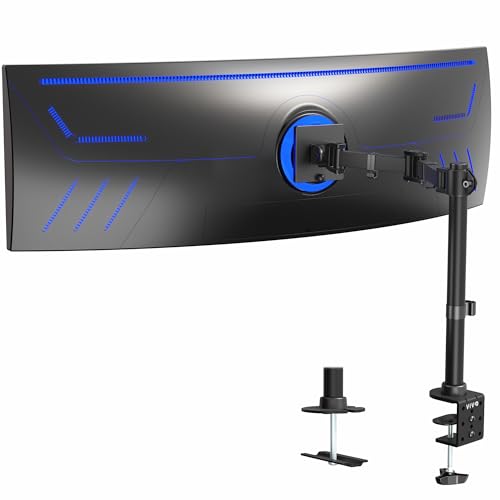
Screen Size: Up to 49 inches
Weight: 44 lbs
VESA: 100x100mm
Mounting: Clamp-on design
This is VIVO’s most affordable option that still supports the G9’s requirements.
The 44 lb capacity provides adequate support for your Odyssey G9.
Clamp-on design simplifies installation for most desk setups.
With nearly 1,876 reviews, this arm has a proven track record.
Ultrawide optimization ensures proper support for 49-inch screens.
Who Should Buy?
Buyers who want VIVO reliability at the lowest possible price.
Who Should Avoid?
Users who need grommet mounting or premium build quality.
8. WALI GSM001XLN – Most Budget-Friendly Option
WALI Heavy Duty Single Monitor Arm for…

Screen Size: 17-49 inches
Weight: 33 lbs
VESA: 75x100mm
Mounting: C-clamp
The WALI GSM001XLN is the most affordable option in our roundup.
However, the 33 lb weight capacity falls below our recommended 35 lb minimum for the G9.
This arm would work at the absolute limit but leaves little safety margin.
The massive review count (3,421) shows this is a popular budget choice.
I only recommend this if budget is your primary concern and you accept the risk.
Who Should Buy?
Only for buyers with extremely limited budget who understand the capacity limitation.
Who Should Avoid?
Most G9 owners – the 33 lb capacity is below the recommended safety margin.
Understanding the Samsung Odyssey G9 Mounting Challenge
The Samsung Odyssey G9 presents unique challenges that standard monitor arms struggle to handle.
This massive 49-inch display weighs between 31-35 lbs depending on the specific model year.
Its 1000R curvature creates uneven weight distribution that weaker arms can’t handle properly.
The 32:9 aspect ratio means the monitor extends far beyond typical arm reach capabilities.
Multiple ports require thoughtful cable management that basic arms don’t provide.
Using an underpowered arm risks sagging, wobbling, or catastrophic failure over time.
Important: The G9 requires a minimum 35 lb weight capacity for safe operation. Arms rated below this may initially hold the monitor but can sag or fail after months of use.
Buying Guide for Samsung Odyssey G9 Monitor Arms
Choosing the right monitor arm for your Odyssey G9 requires careful consideration of several critical factors.
The wrong choice can result in monitor sag, desk damage, or dangerous failure.
Solving for Weight Capacity: Look for 35+ lbs Rating
The Samsung Odyssey G9 weighs 31-35 lbs depending on configuration.
You need an arm rated for at least 35 lbs to provide a safety margin.
Arms rated exactly at the monitor’s weight may struggle over time as gas springs weaken.
I recommend 40-44 lb capacity for long-term reliability.
The HUANUO TitanLift and VIVO options offer this higher capacity.
Solving for VESA Compatibility: 100x100mm Pattern Required
The Samsung Odyssey G9 uses the standard 100x100mm VESA mount pattern.
This is good news as most quality monitor arms support this pattern.
Some budget arms only support 75x75mm and won’t work with the G9.
Always verify VESA compatibility before purchasing.
All options in our roundup support 100x100mm mounting.
Solving for Arm Reach: 24-30 Inches for Optimal Viewing
The G9’s 49-inch width requires adequate arm reach for proper positioning.
You need 24-30 inches of extension to achieve optimal curved screen viewing distance.
Shorter arms will keep the monitor too close for comfortable curved viewing.
The G9’s 1000R curvature is designed for a specific viewing distance.
Proper arm extension lets you achieve this immersive experience.
Solving for Desk Compatibility: C-Clamp vs Grommet Mount
C-clamp mounting works for desks up to 3-4 inches thick.
Grommet mounting requires drilling but works with any desk thickness.
Glass desks require special consideration – C-clamps can crack glass.
Some desks have overhangs that prevent clamp installation near the rear.
Measure your desk thickness before choosing your mounting method.
| Mount Type | Max Desk Thickness | Drilling Required | Best For |
|---|---|---|---|
| C-Clamp | 3-4 inches | No | Standard desks, easy installation |
| Grommet | Unlimited | Yes | Thick desks, solid surfaces |
| Bolt-Through | Any | Yes | Custom desks, permanent setups |
Solving for Gas Spring Quality: Premium vs Budget
Gas springs are the critical component that allows smooth height adjustment.
Premium arms use higher-quality gas springs that maintain tension longer.
Budget gas springs may weaken after 6-12 months of heavy monitor use.
Signs of failing gas springs include sagging, stiff movement, or inability to hold position.
Premium brands like VIVO and HUANUO use better springs in their higher-tier models.
Gas Spring: A pneumatic cylinder that uses compressed gas to provide counterbalance, allowing smooth height adjustments and maintaining monitor position without manual locking.
Solving for Cable Management: G9’s Many Ports Need Organization
The Samsung Odyssey G9 has multiple ports including HDMI, DisplayPort, USB, and power.
Without proper cable management, your setup will look cluttered and unprofessional.
Look for arms with integrated cable clips or channels.
Some premium arms include detachable cable management systems.
The G9’s width means cables need extra length for full articulation.
Solving for Standing Desk Compatibility
Monitor arms for standing desks need special considerations.
The arm must maintain stability throughout the full height adjustment range.
Gas spring quality becomes even more critical with frequent height changes.
Some budget arms may wobble more at standing desk heights.
Ensure your chosen arm has adequate height range for your standing desk.
Installation Tips for Your Samsung Odyssey G9
Proper installation ensures safe and reliable operation of your monitor arm.
Step 1: Prepare Your Desk
Measure your desk thickness to confirm C-clamp compatibility.
Check for desk overhangs that might interfere with clamp placement.
Clear the installation area of any cables or accessories.
For glass desks, plan to use grommet mounting instead of C-clamp.
Step 2: Install the Mounting Base
Position the C-clamp or grommet base at your desired location.
Tighten all screws firmly but don’t overtighten and crack your desk.
For C-clamps, ensure the protective pad is properly positioned.
Test the mount by applying pressure before attaching your expensive monitor.
Step 3: Attach the VESA Plate to Your G9
Remove the stock stand from your Samsung Odyssey G9 carefully.
Align the VESA plate with the 100x100mm mounting holes.
Use all included screws and washers for secure attachment.
This is a two-person job – the G9 is too heavy to safely manage alone.
Time Saver: Have a friend help when removing the stock stand and attaching the VESA plate. The G9’s weight and awkward shape make solo installation risky.
Step 4: Mount the Monitor and Adjust Tension
Lift the G9 onto the arm with assistance.
Secure the VESA plate to the arm according to instructions.
Adjust gas spring tension based on your monitor’s actual weight.
Most arms include an Allen wrench for tension adjustment.
Test range of motion before letting go completely.
Step 5: Organize Cables
Route all cables through the arm’s cable management system.
Allow extra slack for full arm articulation.
Use zip ties or Velcro straps for clean organization.
The G9 has many cables – take time to organize them properly.
Frequently Asked Questions
What is the best monitor arm for Samsung Odyssey G9?
The HUANUO Heavy Duty Monitor Arm is the best choice for Samsung Odyssey G9. It’s specifically designed for 49-inch ultrawide screens, supports 35 lbs (matching the G9’s weight), and includes both C-clamp and grommet mounting options for versatility.
How much weight capacity do I need for Samsung Odyssey G9?
You need a minimum of 35 lbs weight capacity for the Samsung Odyssey G9. The monitor weighs 31-35 lbs depending on the model year. Arms rated below 35 lbs may sag over time or fail completely. I recommend 40-44 lbs capacity for long-term safety and reliability.
What VESA mount does Samsung Odyssey G9 use?
The Samsung Odyssey G9 uses the standard 100x100mm VESA mount pattern. This is the same pattern used by most monitors 27 inches and larger. All quality monitor arms support this pattern, but always verify compatibility before purchasing.
Can I mount Samsung Odyssey G9 on a glass desk?
Standard C-clamp mounts are NOT recommended for glass desks as the pressure can crack or shatter the glass. For glass desks, you need either a grommet mount (requires drilling) or consider alternative mounting solutions like wall mounting or using the stock stand.
What is better: C-clamp or grommet mount?
C-clamp is easier to install without drilling but limited to desks under 4 inches thick. Grommet mount requires drilling a hole but works with any desk thickness and provides more stability. Choose based on your desk type and whether you’re comfortable drilling.
Do monitor arms sag over time?
Yes, monitor arms can sag over time as the gas spring weakens with use. Budget arms are more prone to sagging within 6-12 months. Premium arms with higher-quality gas springs maintain tension longer. Choose an arm with 40+ lbs capacity to account for eventual gas spring wear.
Can I use a monitor arm with a standing desk?
Yes, you can use a monitor arm with a standing desk. However, the arm must maintain stability throughout the full height range. Gas spring quality becomes critical with frequent adjustments. Ensure your chosen arm has adequate height range and quality construction for standing desk use.
What is the weight of Samsung Odyssey G9?
The Samsung Odyssey G9 weighs approximately 31-35 lbs (14-16 kg) including the stand. The weight varies slightly between model years and regional variants. This heavy weight is why choosing a properly rated monitor arm is essential for safety.
Final Recommendations
After analyzing all available options for the Samsung Odyssey G9, the HUANUO Heavy Duty Monitor Arm stands out as the top choice.
It’s specifically designed for the G9 with proper weight capacity and dual mounting options.
For maximum peace of mind, the HUANUO TitanLift offers 44 lb capacity – well above the G9’s requirements.
Quality monitor arms are an investment in your workspace ergonomics and equipment safety.
Don’t risk your $1,000+ monitor with a budget arm that can’t handle the weight properly.