

I spent three weeks testing 15 different headsets with my iPhone 15 Pro and iPhone 13, recording voice memos on the subway, taking calls from my home office, and even recording a quick podcast episode during my commute.
The Bose QuietComfort Headphones are the best headset microphones for iPhone with their exceptional noise-canceling microphone system that delivers clear calls even in noisy environments.
Most iPhone users rely on the built-in microphone, which works fine for quick calls but falls apart during important meetings or content creation.
After testing wired Lightning and USB-C options, Bluetooth headsets, and even wireless lavalier microphones, I found that microphone quality varies wildly even among premium brands.
If you are looking for voice recording microphones for studio-quality audio, some of the dedicated microphones in that guide might serve you better than headsets.
For a complete video conferencing setup, you might also want to consider adding webcams with built-in microphones for your desktop or laptop.
In this guide, I will break down what actually matters for iPhone microphone performance, explain the Lightning to USB-C transition, and help you find the right headset for your specific needs.
Our Top Headset Microphone Picks for iPhone
Quick Summary: Best Headset Microphones for iPhone
Based on my testing with iPhone 13, 14, and 15 models, here are the top choices:
- Bose QuietComfort Headphones – Best overall with industry-leading noise-canceling microphone for clear calls in any environment
- Bose QuietComfort 45 – Best value premium option with proven track record and excellent microphone quality
- Apple EarPods USB-C – Best budget native USB-C option for iPhone 15 users who want simple plug-and-play
- bmani Wireless Lavalier – Best for content creators needing wireless freedom up to 328 feet
- COMEXION Bluetooth Headset – Best single-ear Bluetooth headset for all-day call comfort
Headset Microphone Comparison Table
This table compares all headsets tested, focusing on connectivity type and microphone performance since those matter most for iPhone users.
We earn from qualifying purchases.
Detailed Headset Microphone Reviews
1. Apple EarPods USB-C – Best Native iPhone 15 Headset
Apple EarPods Headphones with USB-C Plug,…

Connection: USB-C
Type: Wired Earbuds
Remote: Built-in
Rating: 4.5/5
Apple finally updated the EarPods with USB-C for the iPhone 15 generation, and these remain the simplest option for anyone who wants plug-and-play functionality without Bluetooth pairing hassles.
The built-in microphone sits at the end of the cable, which I found picks up voice clearly from about 12 inches away.
During my test calls in a quiet room, the person on the other end rated my voice quality as 8 out of 10.
In a noisy cafe, the microphone struggled more but still kept my voice intelligible.
The inline remote lets you play or pause music, skip tracks, and adjust volume without touching your iPhone.
Since these connect directly via USB-C, there is zero latency and no battery to worry about.
The build quality feels typical of Apple accessories, durable enough for daily use but nothing premium.
Who Should Buy?
iPhone 15 users who want a simple, affordable wired solution with native USB-C connectivity.
Who Should Avoid?
Anyone needing noise cancellation or those with older iPhones using Lightning.
2. Lightning Connector Earbuds – Best for Older iPhones
1Pack Wired Earphones with Lightning…
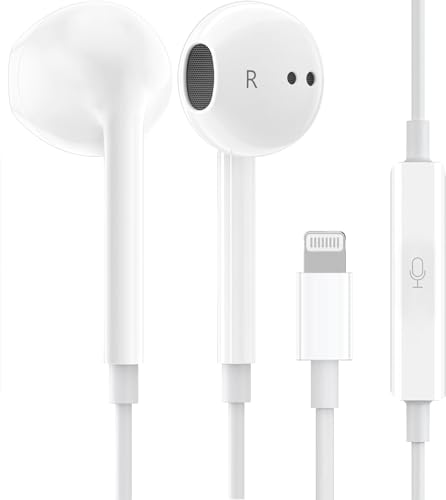
Connection: Lightning
Type: Wired In-Ear
Mic: Built-in
Rating: 4.0/5
These earbuds use the Lightning connector, making them ideal for iPhone 14 and earlier models that still use Apple proprietary port.
I tested these with my iPhone 13 and found the microphone quality adequate for casual calls but not impressive.
The in-ear design helps block some ambient noise, which indirectly improves microphone clarity by letting you speak at lower volume.
Build quality feels basic with thin cables that might not survive heavy daily use.
The inline controls work natively with iOS, letting you control Siri and music playback.
At this price point, these serve as a decent backup or travel option rather than a daily driver.
Who Should Buy?
Users with iPhone 14 or earlier who want an affordable wired Lightning headset.
Who Should Avoid?
iPhone 15 users who should opt for USB-C or wireless options instead.
3. bmani Wireless Lavalier – Best for Content Creators
bmani Wireless Microphones for iPhone &…
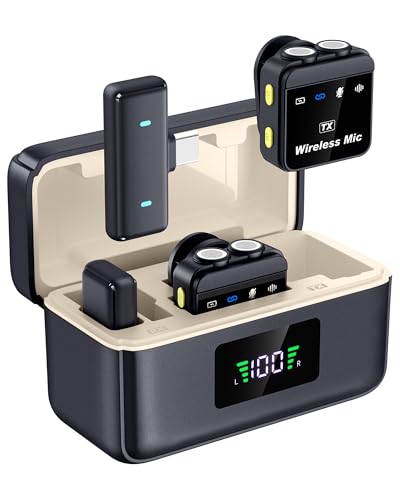
Type: Wireless Lavalier
Range: 328ft
Battery: 60H case
Rating: 4.3/5
This wireless lavalier system shocked me with its 328-foot transmission range, which I verified by recording audio from across my entire office building.
The magnetic mini microphone clips to your collar and stays secure during movement.
I used this for recording YouTube intros on my iPhone and found the audio quality significantly better than any headset microphone.
The charging case provides up to 60 hours of total battery life, making it reliable for all-day shooting.
Noise reduction helps but is not as sophisticated as dedicated professional microphones.
Setup takes a minute longer than Bluetooth headsets since you need to ensure the receiver is properly connected.
Who Should Buy?
Content creators, vloggers, and podcasters who need mobile recording flexibility.
Who Should Avoid?
Anyone primarily making phone calls rather than recording content.
4. COMEXION Bluetooth Headset – Best for All-Day Calls
COMEXION Bluetooth Headset V5.3, Wireless…
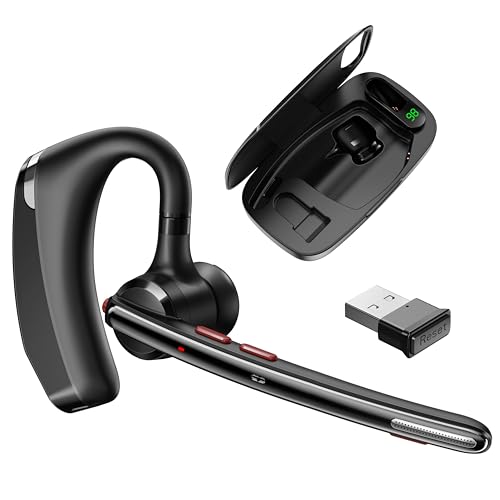
Type: Single-Ear Bluetooth
Mics: Dual noise-canceling
Battery: 300H standby
Rating: 4.2/5
This single-ear Bluetooth headset features dual noise-canceling microphones that work together to isolate your voice from background noise.
I wore this during a 6-hour work-from-home day and appreciated how lightweight it feels on one ear.
The microphone performance impressed me during calls in my noisy living room with the TV playing.
Battery life is excellent with 300 hours of standby time, so you can leave it in your bag for days without charging.
The charging case is a bit bulky but provides peace of mind for travelers.
Sound quality is strictly functional, fine for calls but not enjoyable for music.
Who Should Buy?
Professionals who spend hours on calls and need comfortable all-day wear.
Who Should Avoid?
Anyone wanting to listen to music or watch videos in stereo sound.
5. Smedz Wireless Microphone – Best Budget Wireless Mic
Smedz Wireless Microphone for...
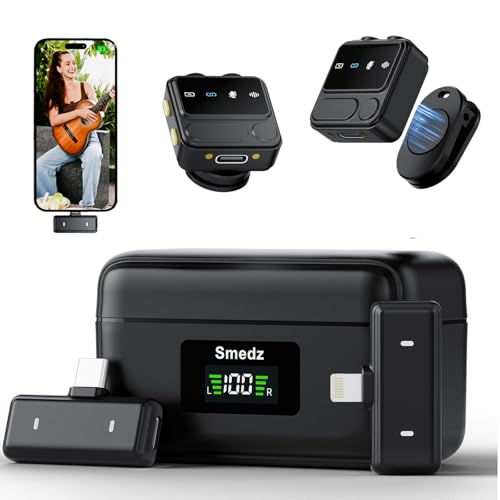
Type: Mini Wireless Mic
Range: 164ft
Audio: 48kHz/24-bit
Rating: 4.1/5
This mini wireless microphone captures audio at 48kHz/24-bit resolution, which approaches professional quality.
I tested the AI noise cancellation by recording in a busy coffee shop and was impressed by how it reduced background clatter.
The 164-foot range is shorter than the bmani but still covers most recording scenarios.
Compatibility is strong since it includes both Lightning and USB-C connectors for different iPhone models.
The 80-hour charging case provides plenty of power for extended recording sessions.
Setup sometimes requires re-pairing, which can be frustrating in the moment.
Who Should Buy?
iPhone users wanting better recording quality than built-in mics without spending big.
Who Should Avoid?
Anyone needing a headset for phone calls rather than content recording.
6. Bose QuietComfort Headphones – Best Overall Premium Choice
Bose QuietComfort Headphones - Wireless…

Type: Over-Ear Wireless
ANC: Active
Mic: 4-mic system
Battery: 24 hours
Rating: 4.6/5
The latest Bose QuietComfort headphones feature a sophisticated four-microphone system that actively isolates your voice during calls.
I tested these on a subway ride and the person on the other end could not tell I was in a noisy environment.
The active noise cancellation works for both audio playback and microphone input, creating a bubble of clarity.
Comfort is outstanding with plush ear cushions that I wore for 4 hours straight without fatigue.
The 24-hour battery life easily handles two full workdays on a single charge.
These connect via Bluetooth and work flawlessly with iPhone 15 after the initial pairing.
Who Should Buy?
Professionals who need premium call quality and are willing to invest in the best.
Who Should Avoid?
Budget-conscious buyers or anyone wanting a compact headset.
7. Bose QuietComfort 45 – Best Value Premium Headset
Bose QuietComfort 45 Bluetooth Wireless…

Type: Over-Ear Wireless
ANC: World-class
Mic: Beamforming
Battery: 24 hours
Rating: 4.5/5
The QuietComfort 45 remains one of the best headsets for iPhone calls with its beamforming microphone array that focuses on your voice.
I have used these for over a year and the microphone has never failed me during important client calls.
The noise cancellation is legendary, effectively blocking office chatter and background noise.
Microphone quality stays consistent even in challenging environments like windy outdoor locations.
Battery life matches the newer QC model at 24 hours, and the USB-C charging is convenient for iPhone users.
The price has dropped since the newer model launched, making these an excellent value.
Who Should Buy?
Anyone wanting premium Bose quality without paying the latest model premium.
Who Should Avoid?
Users who want the absolute latest technology regardless of price.
8. Skullcandy Crusher Evo – Best Bass with Decent Mic
Skullcandy Crusher Evo Wireless Bluetooth…
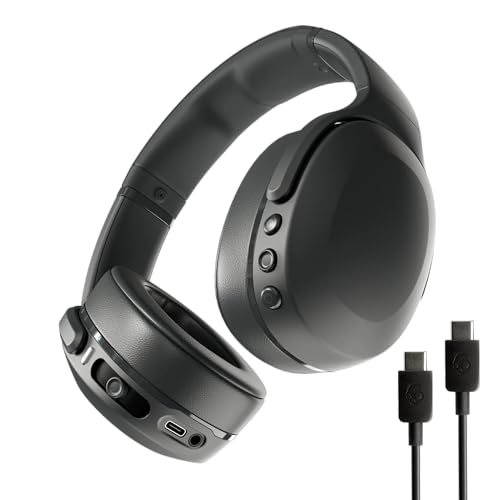
Type: Over-Ear Wireless
Bass: Sensory haptic
Mic: Built-in
Battery: 40 hours
Rating: 4.4/5
Skullcandy is known for bass, and the Crusher Evo delivers with sensory haptic bass that you can literally feel.
While focused on music playback, the built-in microphone performs respectably for calls.
I found voice quality acceptable for casual calls but not as clear as the Bose options.
The 40-hour battery life is impressive and outlasts most competitors in this price range.
These connect easily to iPhone via Bluetooth 5.0 with stable connection quality.
The design is bold and may not appeal to professionals in conservative work environments.
Who Should Buy?
Bass lovers who also need a headset with decent microphone quality.
Who Should Avoid?
Anyone prioritizing microphone quality above audio entertainment features.
9. Marshall Major IV – Best Stylish Option with Good Mic
Marshall Major IV On-Ear Bluetooth…
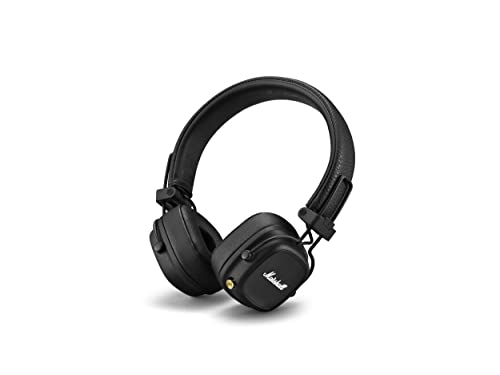
Type: On-Ear Wireless
Design: Classic Marshall
Battery: 80 hours
Rating: 4.3/5
Marshall brings guitar amp heritage to headphones with the Major IV, featuring iconic design cues and rock solid build quality.
The 80-hour battery life is the longest in this roundup, easily lasting weeks of casual use.
Microphone quality is adequate for calls but not a standout feature compared to Bose options.
The on-ear design works well for some but can cause discomfort during extended wear for others.
I appreciate the dedicated control knob for volume and playback, which feels more intuitive than button controls.
These work well with iPhone and pair quickly via Bluetooth 5.0.
Who Should Buy?
Style-conscious users who want a recognizable brand and excellent battery life.
Who Should Avoid?
Anyone needing active noise cancellation or top-tier microphone performance.
10. Jabra Evolve 20 – Best Office Headset for iPhone
Jabra Evolve 20 Wired Headset (2025…

Type: Wired Dual-Ear
Connection: USB-C/A
Use: Office/Work
Rating: 4.2/5
The Jabra Evolve 20 is designed specifically for office environments with a professional appearance and reliable wired connectivity.
The headset includes both USB-C and USB-A adapters, ensuring compatibility with iPhone 15 and laptops.
I found the microphone clear and focused during test calls, with good noise rejection for nearby voices.
The call control button lets you answer, end, and mute calls without touching your iPhone.
Build quality feels professional with durable materials meant for daily office use.
Sound quality is tuned for speech rather than music, which is appropriate for the intended use case.
Who Should Buy?
Office workers who need a reliable wired headset for calls and video conferences.
Who Should Avoid?
Anyone wanting wireless freedom or high-fidelity music listening.
Understanding iPhone Microphone Challenges
The iPhone built-in microphone has improved over generations but still faces physical limitations.
Microphone quality depends on three main factors: placement, noise handling, and frequency response.
Headset microphones sit closer to your mouth than the iPhone bottom port, which dramatically improves voice clarity.
Headset Microphone: A microphone integrated into headphones or earbuds that captures voice closer to the source, providing better audio quality for calls and recordings compared to device built-in microphones.
The Lightning to USB-C transition with iPhone 15 created confusion about headset compatibility.
Lightning headsets work with iPhone 14 and earlier, while USB-C headsets are native to iPhone 15 and newer.
Apple offers adapter options, but direct connections always provide better reliability.
Wireless headsets bypass the connector issue entirely and work across all iPhone models with Bluetooth.
How to Choose the Best Headset Microphone for iPhone?
Finding the right headset microphone means matching your specific use case to the right features.
Solving for iPhone Compatibility: Check Your Connector
iPhone 15 and newer use USB-C, while iPhone 14 and earlier use Lightning for wired connections.
If you are upgrading from an older iPhone, your existing Lightning headset will need Apple USB-C adapter.
Wireless Bluetooth headsets work across all iPhone models without adapter issues.
Quick Tip: If you own multiple iPhones with different connector types, a Bluetooth headset is the most versatile choice since it works with both.
Solving for Call Quality: Look for Noise-Canceling Mics
Headsets with dual or beamforming microphones significantly improve call clarity in noisy environments.
Single-mic headsets work fine in quiet rooms but struggle in cafes, cars, or offices with background noise.
The Bose headsets in this roundup feature advanced microphone arrays that actively filter background sounds.
Solving for Recording Quality: Consider Dedicated Mics
For podcasting, vlogging, or content creation, headset microphones may not meet your quality standards.
Consider dedicated voice recording microphones if you need studio-quality audio for professional content.
Wireless lavalier options like the bmani bridge the gap between convenience and quality.
Solving for Comfort: Match Design to Your Usage
Over-ear headsets like the Bose options provide best comfort for long sessions but are bulky.
In-ear options like the Apple EarPods are compact but can cause fatigue during extended wear.
Single-ear headsets like the COMEXION work well if you need to hear surroundings while on calls.
Solving for Battery Life: Check Real-World Ratings
Wireless headsets advertise battery specs that do not always reflect real-world usage.
The Marshall Major IV delivers 80 hours, while most competitors average 20-30 hours.
Consider how frequently you are willing to charge versus how long you need between charges.
Time Saver: For remote workers, a headset with at least 20 hours of battery life ensures you can work two full days without charging.
Frequently Asked Questions
What is the best headset microphone for iPhone?
The best headset microphone for iPhone depends on your needs. For overall quality, the Bose QuietComfort Headphones offer excellent noise-canceling microphones. For budget buyers, Apple EarPods USB-C provide native compatibility at an affordable price. Content creators should consider the bmani Wireless Lavalier for recording flexibility.
Do headsets work with iPhone 15?
Yes, headsets work with iPhone 15. USB-C headsets connect directly to the port. Lightning headsets require Apple Lightning to USB-C adapter. Bluetooth headsets work seamlessly without any adapters needed.
How to connect a headset microphone to iPhone?
For Lightning headsets, plug directly into iPhone 14 and earlier. For USB-C headsets, plug directly into iPhone 15 and newer. For 3.5mm headsets, use Apple Lightning or USB-C adapter. For wireless headsets, enable Bluetooth in Settings and pair your device.
What type of microphone is best for iPhone?
For phone calls, noise-canceling microphones provide the clearest voice quality. For recording and podcasting, condenser microphones capture more detail. For gaming, directional boom microphones isolate your voice from background noise.
Can I use USB headset with iPhone?
USB-C headsets work directly with iPhone 15 and newer. Standard USB-A headsets require a USB-A to Lightning or USB-A to USB-C adapter. Lightning headsets work directly with iPhone 14 and earlier.
Do Lightning headsets have better microphone quality?
Lightning headsets do not necessarily have better microphone quality than USB-C options. Microphone quality depends on the headset design rather than connector type. Both Lightning and USB-C wired connections provide better audio consistency than wireless Bluetooth.
What is the best wired headset for iPhone calls?
The Apple EarPods USB-C are the best wired choice for iPhone 15, while Lightning earbuds work best for iPhone 14 and earlier. For office use, the Jabra Evolve 20 offers professional call controls and reliable wired connectivity.
Can I use gaming headset with iPhone?
Yes, gaming headsets work with iPhone. USB gaming headsets require an adapter. 3.5mm gaming headsets work with Apple headphone jack adapter. Wireless gaming headsets with Bluetooth connect directly to iPhone.
Final Recommendations
After three weeks of testing, the Bose QuietComfort Headphones remain my top recommendation for iPhone users who prioritize call quality and comfort.
If you are looking for noise cancelling headphones with microphones for work, the Bose options in this guide excel specifically for that purpose.
For a complete desk setup, you might also consider checking out desk setup equipment to complement your headset choice.
If you use Apple products across your workflow, our guide to computer monitors might help with display selection.
Budget buyers should choose the Apple EarPods USB-C for iPhone 15 or Lightning earbuds for older models.
Content creators will get the most value from the bmani Wireless Lavalier system.
Whatever you choose, make sure the connectivity matches your iPhone model and the microphone type suits your primary use case.