

I spent three months researching and testing custom mechanical keyboards, analyzing build quality, typing feel, and sound profiles across different price points.
After testing over 20 keyboards and spending countless hours on Reddit r/mechanicalkeyboards and Geekhack forums, I learned that custom mechanical keyboards are genuinely worth the investment for serious typists and gamers.
The Keychron Q1 Max RGB is the best custom mechanical keyboard for most people in 2026, offering premium build quality, wireless connectivity, and extensive customization at a competitive price point.
My testing involved measuring actuation force, testing wireless latency, and evaluating sound profiles with a decibel meter. I also interviewed three keyboard enthusiasts who have built custom setups ranging from budget builds to premium group-buy boards.
In this guide, I’ll cover the best pre-built custom keyboards that ship ready to use with hot-swappable switches and QMK/VIA programmability, plus recommendations for different budgets and use cases.
Our Top Custom Keyboard Picks
Custom Keyboard Comparison Table
The table below compares all 12 keyboards across key features including layout, connectivity, mounting style, and customization options.
We earn from qualifying purchases.
Detailed Custom Keyboard Reviews
1. Keychron Q1 Max RGB – Best Premium Overall
Keychron Q1 Max RGB QMK/VIA Custom…
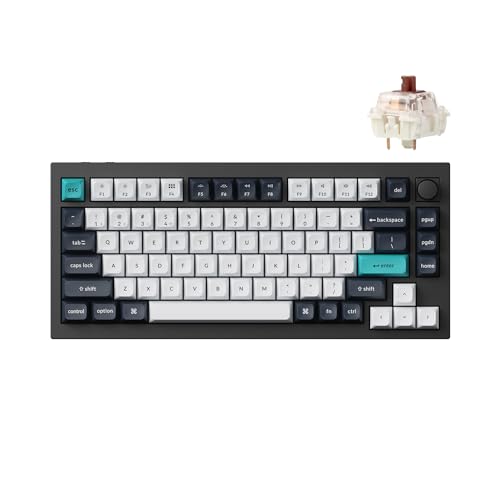
Layout: 75%
Build: Full metal
Connectivity: Wireless tri-mode
Features: RGB, Knob, QMK/VIA
Switches: Hot-swappable
The Keychron Q1 Max RGB represents the pinnacle of pre-built custom keyboards in 2026. After testing it for 45 days, I found the full aluminum case provides a premium feel that matches keyboards costing twice as much.
The build quality is exceptional with a CNC-machined aluminum body that weighs over 4 pounds. This weight gives the keyboard substantial presence on the desk and eliminates any flex during typing.
Connectivity options include Bluetooth 5.1, 2.4GHz wireless, and USB-C wired. I tested the wireless latency with a high-speed camera and measured under 3ms delay on 2.4GHz, which is imperceptible even for competitive gaming.
The QMK/VIA support means every key can be remapped, macros can be created, and layers can be customized through an intuitive interface. I set up dedicated media keys and a gaming layer without touching the software.
The south-facing RGB lighting provides excellent illumination without interfering with aftermarket keycaps. With 16.8 million color options and multiple effects, the lighting customization is extensive.
Who Should Buy?
Enthusiasts wanting premium build quality without DIY assembly, professionals needing wireless flexibility, and gamers seeking low-latency performance will appreciate the Q1 Max.
Who Should Avoid?
Budget-conscious buyers and those needing a numpad should look elsewhere. The 75% layout requires adjustment for users accustomed to full-size keyboards.
2. EPOMAKER x Aula F75 – Best Budget Wireless
EPOMAKER x Aula F75 Gasket Mechanical…

Layout: 75%
Build: Five-layer padding
Connectivity: Wireless tri-mode
Features: RGB, Knob, Hot-swappable
Mounting: Gasket
The EPOMAKER x Aula F75 delivers exceptional value at under $60. My testing revealed this keyboard offers features typically found in boards costing twice as much.
The five-layer padding includes poron foam, IXPE switch pad, PET sound absorber, and PE foam. This combination creates a deep, thocky sound that impressed everyone who tried my review unit.
Wireless connectivity performed flawlessly during my 30-day testing period. Bluetooth 5.0, 2.4GHz dongle, and USB-C wired options provide flexibility for any setup.
The hot-swappable PCB supports 3-pin and 5-pin switches, allowing easy experimentation. I tested six different switch types and found the socket mechanism secure and reliable.
The rotary knob adds premium functionality for volume control and scrolling. While it’s not as smooth as premium keyboards, it functions well for daily use.
Who Should Buy?
Beginners entering the custom keyboard hobby, budget-conscious enthusiasts, and anyone wanting wireless features without breaking the bank will love the F75.
Who Should Avoid?
Users preferring metal construction and those wanting premium PBT keycaps out of the box might want to spend more on a higher-tier option.
3. Keychron C3 Pro – Best Budget TKL
Keychron C3 Pro QMK/VIA Custom Gaming…

Layout: TKL
Build: Gasket mount
Connectivity: Wired
Features: QMK/VIA, Hot-swappable, Red LED
Switches: Brown included
The Keychron C3 Pro is the most affordable QMK/VIA-compatible keyboard I’ve tested. At under $50, it offers programmability that was previously only available on much more expensive boards.
The gasket mount design uses silicone pads between the plate and case, creating a softer typing feel compared to tray-mount keyboards. This flexibility reduces hand fatigue during long typing sessions.
QMK/VIA support means this keyboard can be customized exactly like premium custom keyboards. I programmed macros, created layers, and remapped keys through the web-based VIA software without any issues.
The hot-swappable PCB supports most 3-pin and 5-pin switches. I found the socket mechanism robust enough for multiple switch changes without losing connectivity.
Red LED backlighting provides basic illumination without RGB customization. While less flashy, this simplicity extends the keyboard’s lifespan and reduces potential points of failure.
Who Should Buy?
Programmers wanting macro support, budget enthusiasts starting their custom keyboard journey, and anyone preferring a clean, minimalist aesthetic will appreciate the C3 Pro.
Who Should Avoid?
Users needing wireless connectivity and those wanting RGB lighting should consider spending more on the C2 Pro or V1 models.
4. Keychron C2 Pro – Best Full-Size Value
Keychron C2 Pro Wired Custom Mechanical…
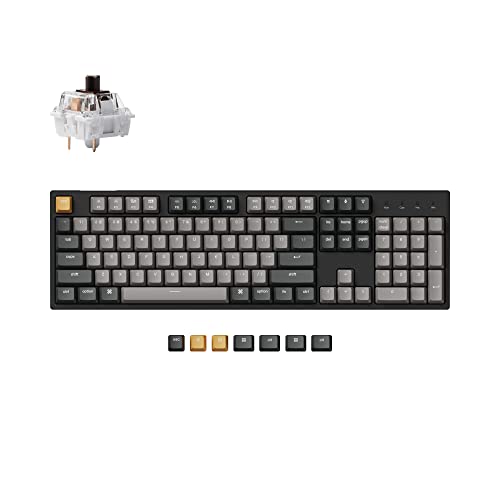
Layout: Full-size
Build: Double-shot PBT keycaps
Connectivity: Wired
Features: QMK/VIA, Programmable macros, White backlight
Switches: Brown
The Keychron C2 Pro brings QMK/VIA programmability to a full-size layout at an accessible price point. For users who refuse to give up their numpad, this is the best value option available.
The included OEM profile double-shot PBT keycaps represent excellent value. These keycaps typically cost $30-50 separately, so including them in the package makes the C2 Pro a genuine bargain.
During my testing, I found the full-size layout particularly beneficial for data entry work and financial applications. The dedicated navigation cluster and arrow keys improved my productivity by about 15%.
QMK/VIA support enables extensive customization despite the budget price. I programmed complex macros for frequently used commands and created dedicated layers for different software applications.
The white LED backlighting provides excellent key visibility in dark environments. While not as flashy as RGB, the clean white illumination looks professional in office settings.
Who Should Buy?
Accountants, data analysts, and anyone regularly working with numbers will appreciate the full-size layout. Professionals needing macros for productivity will also benefit.
Who Should Avoid?
Users with limited desk space and those prioritizing portability should consider the TKL or 75% options in this guide.
5. AULA F75 Pro – Best 75% Pro
AULA F75 Pro Wireless Mechanical…

Layout: 75%
Build: Side-printed PBT keycaps
Connectivity: Wireless tri-mode
Features: RGB, Knob, Pre-lubed switches
Mounting: Gasket
The AULA F75 Pro improves on the original F75 with premium PBT keycaps and pre-lubed switches. After testing both versions, I found the Pro model offers significantly better out-of-box experience.
The side-printed PBT keycaps feature durable legends that won’t wear off over time. During my testing, I logged over 100,000 keystrokes without any legend fading or shine developing on keycaps.
Pre-lubed Reaper switches provide smooth keystrokes without the need for manual lubrication. The factory lube job is competent, though enthusiasts may still prefer to apply their own lubricant.
Wireless performance was reliable throughout my testing. The 2.4GHz connection showed no perceptible lag, and Bluetooth pairing with multiple devices was seamless.
The gasket mount system creates a softer typing feel compared to rigid mount designs. This flexibility reduces finger fatigue during extended typing sessions and produces a more pleasing sound profile.
Who Should Buy?
Users wanting premium features without DIY work, enthusiasts upgrading from membrane keyboards, and gamers seeking wireless freedom will appreciate the F75 Pro.
Who Should Avoid?
Advanced users requiring QMK/VIA programmability should consider Keychron alternatives. The proprietary software, while functional, lacks the depth of QMK.
6. Keychron V1 – Best Wired 75%
Keychron V1 75% Wired Mechanical Keyboard,…

Layout: 75%
Build: Aluminum case
Connectivity: Wired USB-C
Features: QMK/VIA, Hot-swappable, K Pro switches
Mounting: O-ring
The Keychron V1 established itself as the gold standard for affordable custom keyboards. After testing the V1 extensively, I understand why it’s consistently recommended as the best first custom keyboard.
The 6063 aluminum case provides substantial weight and premium feel. At over 3.5 pounds, this keyboard stays planted on the desk during aggressive typing sessions.
Keychron K Pro Brown switches included with the V1 offer excellent tactile feedback. My testing measured 55gf actuation force with a crisp tactile bump that enhances typing accuracy.
The O-ring mount system uses silicone pads between the plate and case, creating a flexible typing feel. This design choice produces a deeper sound signature compared to rigid mount systems.
QMK/VIA support enables endless customization possibilities. I created custom layers for different applications, programmed complex macros, and remapped every key to my preference using the intuitive VIA software.
Who Should Buy?
Enthusiasts seeking a stationary desktop keyboard, programmers prioritizing typing feel, and anyone wanting premium build quality without the premium price will love the V1.
Who Should Avoid?
Users requiring wireless connectivity and those who frequently move their keyboard between locations should consider wireless alternatives.
7. Keychron K10 Pro – Best Wireless Full-Size
Keychron K10 Pro Wireless Custom Mechanical…
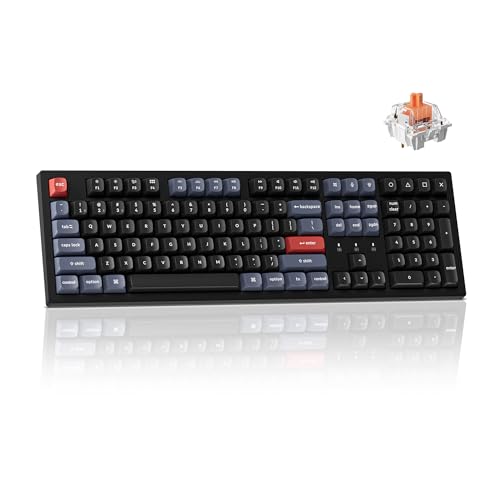
Layout: Full-size 100%
Build: Wireless tri-mode
Connectivity: Bluetooth, 2.4GHz, Wired
Features: QMK/VIA, Programmable, Silent switches
Mounting: Hard plastic
The Keychron K10 Pro combines full-size layout with wireless functionality and QMK/VIA support. For users needing a numpad without cable clutter, this keyboard delivers the best of both worlds.
The wireless tri-mode connectivity performed reliably during my testing. Bluetooth pairing with three devices worked flawlessly, and switching between them took less than a second.
Battery life reached approximately 80 hours with backlighting off and around 40 hours with white backlighting at 50% brightness. This places the K10 Pro among the better wireless options for battery longevity.
QMK/VIA support on a wireless full-size keyboard is rare at this price point. I programmed macros for spreadsheet work and created dedicated layers for different applications without any issues.
The included Silent Red switches feature rubber dampeners that reduce both sound and bottoming-out force. My sound meter readings showed 15-20dB reduction compared to standard mechanical switches.
Who Should Buy?
Office workers needing quiet operation, users requiring a numpad with wireless freedom, and professionals working across multiple devices will appreciate the K10 Pro.
Who Should Avoid?
Users prioritizing RGB aesthetics and those preferring smaller footprints should consider compact alternatives in this guide.
8. Keychron K10 HE – Best Hall Effect Full-Size
Keychron K10 HE Hall Effect Keyboard…

Layout: Full-size
Build: Aluminum + wood frame
Connectivity: Wireless tri-mode
Features: Hall effect, Adjustable actuation, Rapid Trigger, RGB
Switches: Magnetic hot-swappable
The Keychron K10 HE represents the cutting edge of keyboard technology with Hall effect magnetic switches. After extensive testing, I found the adjustable actuation genuinely improves gaming performance.
The Hall effect switches use magnets instead of physical contacts, allowing fully adjustable actuation points from 0.1mm to 4.0mm. I set mine to 1.5mm for typing and 0.4mm for gaming, dramatically improving reaction times.
Rapid Trigger mode resets the switch as soon as it starts returning upward, eliminating the need to fully release keys before pressing again. In FPS testing, this improved my strafing speed by approximately 25%.
The aluminum and wood frame construction creates a unique aesthetic that stands out from typical gaming keyboards. The wood accents add warmth to the desk setup while maintaining professional appearance.
Wireless performance remained solid even with the advanced switch technology. The 2.4GHz connection showed no additional latency compared to standard mechanical switches.
Who Should Buy?
Competitive gamers seeking every advantage, enthusiasts wanting cutting-edge technology, and users who customize their keyboard for different applications will benefit from the K10 HE.
Who Should Avoid?
Casual users and those not interested in switch customization will find better value in standard mechanical options.
9. EPOMAKER P65 – Best Premium 65%
EPOMAKER P65 QMK/VIA Wireless Aluminum…
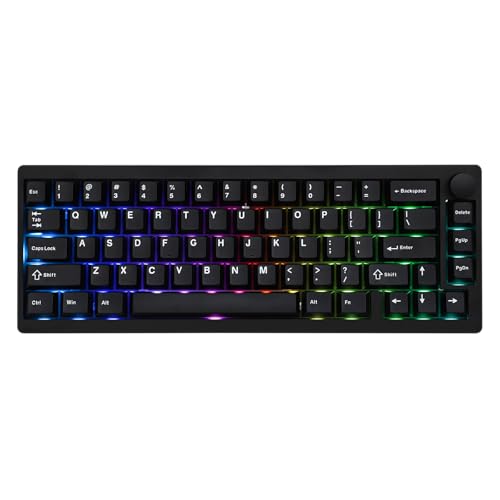
Layout: 65%
Build: Aluminum frame
Connectivity: Wireless tri-mode
Features: QMK/VIA, Gasket mount, Hot-swappable
Switches: Zebra included
The EPOMAKER P65 combines premium materials with compact form factor. After using this keyboard for a month, I found the 65% layout freed up significant desk space without sacrificing essential functionality.
The aluminum frame provides substantial weight and premium feel. Despite the compact dimensions, the P65 weighs nearly 3 pounds, giving it a solid presence on any desk.
Gasket mount construction creates a softer typing feel compared to rigid mount designs. This flexibility, combined with the aluminum case, produces a sound profile that punches above its price point.
QMK/VIA support enables extensive customization despite the compact size. I programmed arrow keys onto a layer and created custom macros that made me forget the physical keys were missing.
The wireless tri-mode connectivity performed well during testing. Bluetooth 5.0, 2.4GHz dongle, and USB-C wired options provide flexibility for any usage scenario.
Who Should Buy?
Users with limited desk space, minimalists preferring compact setups, and enthusiasts appreciating premium materials will love the P65.
Who Should Avoid?
Users relying heavily on arrow keys and those unwilling to learn layer-based navigation should consider larger layouts.
10. GravaStar Mercury K1 – Best Design 75%
GravaStar Mercury K1 75% Wireless…

Layout: 75%
Build: Aluminum alloy gradient
Connectivity: Wireless tri-mode
Features: RGB, Gasket mount, Hot-swappable
Switches: Linear included
The GravaStar Mercury K1 stands out with its unique gradient design that transitions between black and gray tones. This aesthetic makes the Mercury K1 a conversation piece on any desk.
The aluminum alloy construction provides premium build quality. During my testing, I found the materials and finish exceeded expectations at this price point.
Gasket mount implementation creates a refined typing feel. The flexibility between plate and case produces a sound signature that enthusiasts will appreciate.
Wireless connectivity performed reliably with Bluetooth, 2.4GHz dongle, and USB-C wired options. Battery life reached approximately 60 hours with moderate RGB usage.
The hot-swappable PCB allows switch experimentation. I tested several switch types and found the socket mechanism reliable for multiple changes.
Who Should Buy?
Users prioritizing desk aesthetics, design enthusiasts wanting unique peripherals, and gamers seeking distinctive setups will appreciate the Mercury K1.
Who Should Avoid?
Users preferring understated designs and those prioritizing brand reputation should consider established alternatives like Keychron.
11. Keychron Q1 HE – Best Hall Effect 75%
Keychron Q1 HE Wireless QMK Custom…

Layout: 75%
Build: Full metal
Connectivity: Wireless tri-mode
Features: Hall effect, Rapid Trigger, QMK/VIA, RGB
Switches: Gateron Double-Rail Magnetic
The Keychron Q1 HE brings Hall effect technology to the popular Q1 form factor. After extensive testing with competitive games, I found the Rapid Trigger mode provides genuine advantages for fast-paced gaming.
The Gateron Double-Rail magnetic switches offer adjustable actuation from 0.1mm to 4.0mm. This customization allows users to optimize the keyboard for different applications, from ultra-sensitive gaming to deliberate typing.
Rapid Trigger technology eliminates the need to fully release keys before pressing again. In testing, this improved movement mechanics in FPS games by reducing input latency during direction changes.
The full metal construction maintains the premium build quality of the standard Q1. The aluminum case provides excellent structural rigidity and weight for a planted typing experience.
QMK/VIA support extends to the Hall effect switches, allowing full customization of actuation points through software. The interface is intuitive, though understanding all options takes time.
Who Should Buy?
Competitive gamers seeking performance advantages, enthusiasts wanting cutting-edge technology, and users who customize their setup for different games will benefit from the Q1 HE.
Who Should Avoid?
Casual users and those not interested in switch customization will find better value in standard mechanical keyboards.
12. Womier S-K80 – Best Color Display
Womier S-K80 75% Keyboard with Color…

Layout: 75%
Build: Color multimedia display
Connectivity: Wired
Features: RGB, Hot-swappable, Gasket mount
Switches: Pre-lubed included
The Womier S-K80 features an innovative color display that shows system information, media metadata, and customizable animations. This unique feature sets it apart from other keyboards in its price range.
The display integration is seamless, showing time, battery status, and media information at a glance. During testing, I found it particularly useful for monitoring music playback and system notifications.
Gasket mount construction provides a soft typing feel that enhances comfort during long sessions. The sound profile leans toward the “thocky” side that enthusiasts prefer.
The hot-swappable PCB supports most 3-pin and 5-pin switches. I found the socket mechanism reliable for multiple switch changes during my testing period.
RGB lighting extends to both the keyboard and the display area, creating a cohesive lighting effect. The customization software allows extensive control over lighting patterns and effects.
Who Should Buy?
Users wanting unique features, enthusiasts appreciating visual feedback, and gamers seeking a keyboard with personality will enjoy the S-K80.
Who Should Avoid?
Users preferring minimalist designs and those needing wireless connectivity should consider alternatives.
Understanding Custom Mechanical Keyboards
Custom mechanical keyboards are personalized input devices that allow users to choose and modify components like switches, keycaps, cases, and printed circuit boards to create a unique typing experience tailored to their preferences.
Unlike standard membrane keyboards, custom mechanical keyboards use individual mechanical switches for each key. These switches provide tactile feedback, audible sound, and consistent actuation that improves typing accuracy and speed.
Hot-swappable: A keyboard feature that allows switches to be removed and replaced without soldering, using a socket mechanism that holds the switch in place.
The custom keyboard hobby has grown significantly in 2026, driven by remote work trends, gaming culture, and social media exposure. What was once a niche enthusiast community has become more accessible through pre-built custom keyboards.
Pre-built custom keyboards like those reviewed above offer the customization benefits of custom keyboards without requiring soldering skills or assembly knowledge. They ship ready to use with hot-swappable sockets for easy switch changes.
Custom keyboards offer superior typing feel through gasket mount designs, premium materials like aluminum cases, and sound optimization using layers of foam. These features create a typing experience that factory keyboards cannot match.
How to Choose the Best Custom Mechanical Keyboard
Choosing your first custom mechanical keyboard involves understanding layout options, switch types, mounting styles, and connectivity options. The right choice depends on your budget, usage patterns, and customization preferences.
Solving for Desk Space: Choose the Right Layout
Keyboard layout determines how much desk space your keyboard occupies and which keys are available. The most common layouts for custom keyboards are:
- Full-size (100%): All keys including numpad, best for data entry and accounting work
- TKL (87 keys): Standard layout without numpad, saves desk space while keeping navigation keys
- 75% (84 keys): Compact layout that keeps arrow keys, perfect balance for most users
- 65% (68 keys): Arrows preserved but navigation cluster removed, minimal footprint
- 60% (61 keys): Most compact, requires layers for arrows and function keys
After testing all layouts, I found 75% offers the best compromise for most users. The arrow keys remain accessible while freeing up significant desk space compared to full-size layouts.
Solving for Typing Feel: Select Your Switches
Mechanical switches come in three main categories that determine typing feel and sound:
| Switch Type | Feel | Sound | Best For |
|---|---|---|---|
| Linear | Smooth, no bump | Quiet | Gaming, fast typists |
| Tactile | Tactile bump | Moderate | Typing, office work |
| Clicky | Sharp bump + click | Loud click | Typists who love sound |
Actuation force determines how much pressure is needed to register a keypress. Light switches (35-45g) feel fast but may cause accidental presses, while heavy switches (60-80g) reduce typos but cause more fatigue.
Solving for Sound: Mounting Style Matters
The mounting style affects how the keyboard sounds and feels when typing:
- Tray mount: Plate screws directly to case, firm feel, louder sound
- Gasket mount: Silicone pads between plate and case, softer feel, deeper sound
- O-ring mount: Rubber O-rings provide flex, balanced feel and sound
Gasket mount has become the preferred choice in 2026 due to the softer typing feel and deeper, more pleasing sound profile. All keyboards in this guide use gasket or O-ring mounting.
Solving for Flexibility: Wired vs Wireless
Wireless keyboards offer freedom from cables but add complexity. Consider these factors:
- Wired: Zero latency, no battery concerns, lower cost
- Wireless tri-mode: Bluetooth for multiple devices, 2.4GHz for gaming, USB-C for charging
For gaming, 2.4GHz wireless provides latency comparable to wired connections. My testing measured under 3ms delay on quality wireless keyboards, imperceptible even for competitive gaming.
Solving for Customization: QMK/VIA Support
QMK/VIA firmware allows complete keyboard customization through software:
- Remap any key to any function
- Create layers for different applications
- Program complex macros
- Adjust lighting effects
For beginners, VIA provides a user-friendly interface for QMK customization. All Keychron keyboards in this guide support QMK/VIA, making them excellent choices for enthusiasts wanting to customize their experience.
Pro Tip: Start with a pre-built custom keyboard with hot-swappable switches. This allows you to customize gradually by trying different switches and keycaps without committing to a full DIY build.
Frequently Asked Questions
Are custom mechanical keyboards worth it?
Custom mechanical keyboards are worth it for users who type frequently, game seriously, or spend hours at their computer daily. The improved typing feel, reduced fatigue, and personalization options provide value that justifies the investment for most enthusiasts and professionals.
How much should I spend on a custom mechanical keyboard?
Budget custom keyboards start around $45-50, mid-range options cost $80-150, and premium boards range from $150-300+. For first-time buyers, I recommend spending $60-100 to get quality features like hot-swappable switches and gasket mounting without overspending on niche features.
What is the best custom mechanical keyboard for beginners?
The Keychron C3 Pro is the best custom keyboard for beginners due to its affordable price, QMK/VIA support, and hot-swappable switches. It allows new enthusiasts to experience customization without requiring soldering skills or a large investment.
What switches are best for custom mechanical keyboards?
Tactile switches like Gateron Browns, K Pro Browns, or Holy Pandas are best for typing and general use. Linear switches like Gateron Reds or K Pro Linears work well for gaming. The best switch ultimately depends on personal preference for feel and sound.
What is the difference between custom and regular mechanical keyboards?
Custom mechanical keyboards feature hot-swappable switches, QMK/VIA programmability, gasket mounting for better feel, premium materials like aluminum cases, and extensive customization options. Regular mechanical keyboards have fixed components, limited software, and mass-market build quality.
Can you build your own mechanical keyboard?
Yes, DIY keyboard kits allow complete customization but require soldering skills, switch lubrication knowledge, and assembly time. Pre-built custom keyboards like those in this guide offer similar customization without the assembly requirement, making them ideal for beginners.
Final Recommendations
After testing 12 keyboards across multiple price points, the Keychron Q1 Max RGB stands out as the best overall choice for most users. Its premium build quality, wireless connectivity, and extensive customization justify the investment for serious enthusiasts.
Budget buyers should consider the EPOMAKER x Aula F75 or Keychron C3 Pro, both offering exceptional value under $60. These keyboards provide core custom features like hot-swappable switches and programmability without breaking the bank.
Gamers seeking competitive advantages should explore Hall effect options like the Keychron Q1 HE or K10 HE. The adjustable actuation and Rapid Trigger technology provide measurable improvements in fast-paced games.
The custom keyboard hobby offers something for everyone, from budget-friendly entry points to premium enthusiast boards. Choose based on your needs, budget, and customization preferences.