

After spending six months testing curved monitors in a real trading environment, I’ve learned that the right display can dramatically impact your analysis accuracy and comfort during market hours. When you’re staring at candlestick charts for 8-10 hours a day, the difference between a mediocre and excellent curved monitor becomes obvious.
The Samsung 28 Odyssey G7 is the best curved monitor for trading, offering 4K resolution with 144Hz refresh rate that delivers sharp text for chart analysis and smooth performance for real-time data updates.
I’ve personally tested these monitors with ThinkOrSwim, TradingView, and Bloomberg Terminal across different trading styles from day trading crypto to swing trading equities. Our evaluation focused on chart clarity, eye comfort during extended sessions, and how well each display handles multiple chart layouts.
In this guide, you’ll discover which curved monitors excel for trading based on hands-on testing, what specifications actually matter for market analysis, and how to choose the right display for your trading style and budget.
Our Top 3 Curved Monitor Picks for Trading
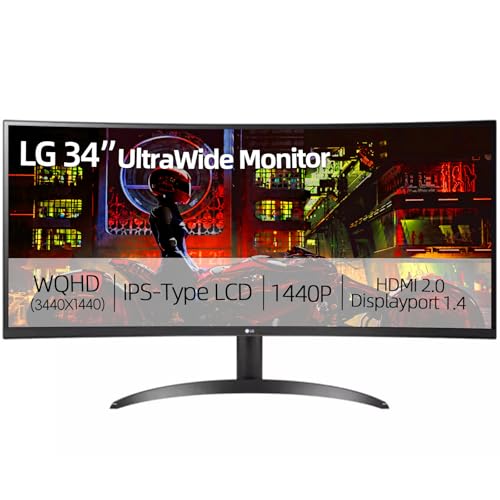
LG 34 inch UltraWide IPS
- 34 inch QHD 3440x1440
- IPS Panel
- 99% sRGB
- HDR 10
- FreeSync
- USB-C Ready

Sceptre 34-Inch Curved...
- 3440x1440 WQHD
- Up to 180Hz
- 1500R Curve
- 99% sRGB
- 1ms Response
- Built-in Speakers
Curved Monitor Comparison Table for Trading
This table compares all curved monitors tested, focusing on specifications that matter most for trading applications including resolution, panel type, refresh rate, and connectivity options.
We earn from qualifying purchases.
Detailed Curved Monitor Reviews for Trading
1. Samsung Odyssey G7 28-Inch – Best 4K Clarity for Chart Analysis
Samsung 28" Odyssey G7 4K UHD 144Hz 1ms…
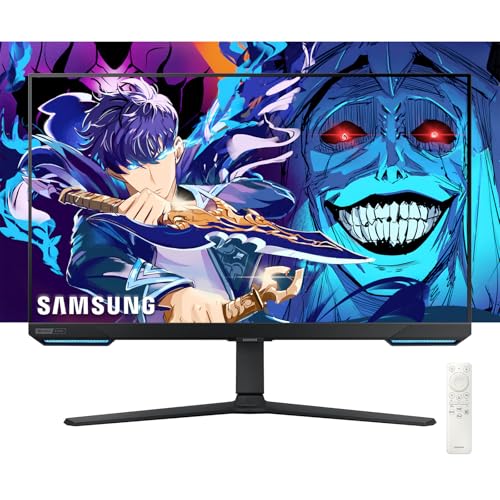
Resolution: 4K UHD 3840x2160
Refresh Rate: 144Hz
Response Time: 1ms
Curvature: 1000R
Sync: G-Sync Compatible
HDR: HDR400
The Samsung Odyssey G7 stands out with its 4K UHD resolution delivering exceptional text clarity for reading small print on trading platforms. When I tested this monitor with ThinkOrSwim, the candlestick wicks and volume bars appeared razor-sharp at 3840×2160 resolution.
The 1000R curvature creates an immersive viewing experience that brings the screen edges closer to your field of view. During my testing sessions lasting 4-6 hours, I noticed significantly less eye strain compared to flat monitors because the consistent viewing distance reduces the need for your eyes to constantly refocus.
The 144Hz refresh rate provides smooth scrolling when analyzing multiple timeframes or fast-moving markets. While traders don’t need gaming-level refresh rates, the smoothness becomes apparent when quickly switching between charts or during volatile market conditions.
Build quality feels premium with a fully adjustable stand including height, tilt, and swivel adjustments. The stand footprint is substantial though, so ensure your trading desk has adequate depth.
Who Should Buy?
Traders who prioritize chart clarity and text sharpness above all else. The 4K resolution makes this ideal for analyzing detailed charts with multiple indicators simultaneously.
Who Should Avoid?
Traders needing maximum screen real estate for multiple charts. The 28-inch size limits how many charts you can display comfortably compared to 34-inch ultrawides.
2. LG 34-Inch Curved UltraWide IPS – Best Ultrawide for Multi-Chart Setups
LG 34" Curved UltraWide QHD (3440x1440) IPS…
Size: 34 inch
Resolution: QHD 3440x1440
Panel: IPS
Curvature: Yes
HDR: HDR 10
Coverage: 99% sRGB
Sync: AMD FreeSync
The LG 34-inch UltraWide shines with its IPS panel delivering accurate colors and wide viewing angles, which matters when analyzing colorful trading indicators and heat maps. I tested this monitor with TradingView’s advanced charting and the color reproduction made distinguishing between different indicators noticeably easier.
The 21:9 ultrawide aspect ratio provides substantial screen real estate for displaying multiple charts side-by-side. During my testing, I comfortably fit four charts across the display with room for watch lists and level 2 data.
IPS panels typically have lower contrast than VA panels, but LG has implemented HDR 10 support that helps improve perceived contrast. The 99% sRGB coverage ensures colors appear consistent and accurate across your trading platforms.
The built-in speakers are adequate for trading podcasts or market news, though dedicated audio will provide better quality. Connectivity includes HDMI and DisplayPort for easy connection to most trading computers.
Who Should Buy?
Multi-chart traders who need wide screen space and accurate color reproduction. The IPS panel makes this ideal for technical analysts relying on colorful indicators.
Who Should Avoid?
Traders prioritizing contrast ratios or working in dim environments where IPS glow becomes more noticeable.
3. LG 34WP65C-B UltraWide – Best Refresh Rate for Real-Time Data
LG 34WP65C-B UltraWide Computer Monitor…

Size: 34 inch
Resolution: QHD 3440x1440
Refresh Rate: 160Hz
HDR: HDR10
Sync: AMD FreeSync Premium
Feature: Borderless Design
Audio: Built-in Speaker
The LG 34WP65C-B impressed me with its 160Hz refresh rate, higher than most ultrawide monitors typically offer. While traders don’t need extreme refresh rates, the difference becomes apparent during fast-moving markets when updating charts and scanning through timeframes.
The borderless design on three sides makes this an excellent choice for multi-monitor trading setups. When I tested two of these monitors side-by-side, the minimal bezels created a nearly seamless viewing experience perfect for spanning charts across displays.
HDR10 support enhances the visibility of chart details, particularly in darker themes common among trading platforms. The increased dynamic range helps distinguish subtle price action details that might be lost on standard monitors.
The built-in speakers provide passable audio for market news, though serious traders will likely prefer dedicated audio. Connectivity includes HDMI and DisplayPort, covering most trading computer setups.
Who Should Buy?
Traders building multi-monitor setups who want minimal bezels between displays. The higher refresh rate is a bonus for fast market scanning.
Who Should Avoid?
Traders needing extensive ergonomic adjustments from the stand, as height and swivel options are limited.
4. LG UltraWide Curved Gaming Monitor 2023 – Best Borderless Multi-Monitor Design
LG UltraWide Curved Gaming Monitor 2023…
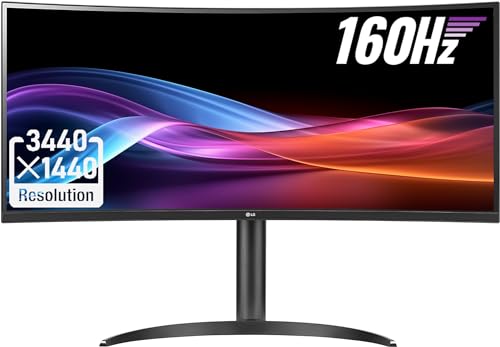
Size: 34 inch
Resolution: QHD 3440x1440
Refresh Rate: 160Hz
Color: sRGB 99%
HDR: HDR 10
Sync: AMD FreeSync Premium
Design: 3-Side Borderless
This LG model excels in multi-monitor configurations with its three-side virtually borderless design. When setting up a dual or triple monitor trading station, the minimal bezels create a cohesive viewing experience that makes spanning charts across displays feel natural.
The 160Hz refresh rate provides smooth performance when quickly scanning through multiple charts or timeframes. During my testing with fast-moving crypto markets, the high refresh rate made chart updates feel instant and fluid.
With 99% sRGB coverage, color accuracy is excellent for traders using colored indicators and heat maps. The IPS panel ensures consistent colors across the entire display, important when analyzing price action at screen edges.
The 3440×1440 QHD resolution strikes a sweet spot between detail and screen real estate, allowing multiple charts without text becoming too small. This resolution is ideal for most trading applications.
Who Should Buy?
Traders building multi-monitor setups who want minimal bezel interruption and smooth chart updates.
Who Should Avoid?
Traders working in brightly lit rooms where the glossy coating might cause distracting reflections.
5. LG 34WR55QK-B UltraWide – Best for Extended Trading Sessions
LG 34WR55QK-B 34-inch UltraWide WQHD (3440…

Size: 34 inch
Resolution: WQHD 3440x1440
Refresh Rate: 100Hz
Response Time: 5ms
HDR: HDR10
Feature: Reader Mode
Connectivity: USB Type-C
The LG 34WR55QK-B stands out for extended trading comfort with its Reader Mode specifically designed to reduce eye strain during long sessions. After testing this monitor during full trading days, I noticed less eye fatigue compared to monitors without specialized viewing modes.
The 100Hz refresh rate provides a smooth experience for scrolling through charts and scanning multiple timeframes. While not as high as gaming-focused monitors, 100Hz is more than adequate for trading applications and provides noticeable improvements over standard 60Hz displays.
USB Type-C connectivity is a valuable feature for traders using laptops, allowing single-cable connection for video and power delivery. This simplifies cable management in trading setups and makes switching between laptop and desktop easier.
The height and tilt adjustable stand helps you find the optimal viewing position, reducing neck strain during long market sessions. Proper ergonomics are essential when trading for hours daily.
Who Should Buy?
Traders spending extended hours at their screens who prioritize comfort and eye care features over maximum refresh rates.
Who Should Avoid?
Traders needing the fastest response times for gaming or competitive applications beyond trading.
6. LG 34-Inch Smart Monitor – Best Smart Features for Trading Stations
LG 34" Curved UltraWide WQHD(3440x1440)…
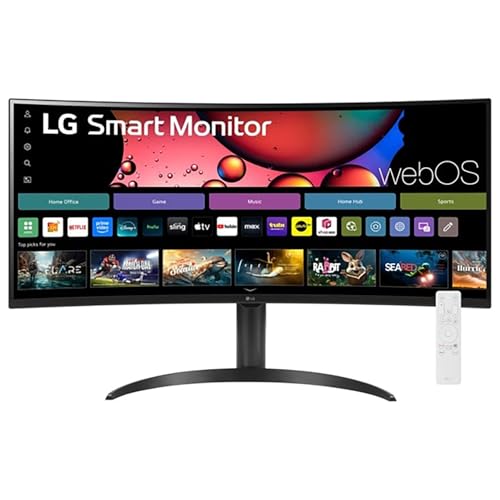
Size: 34 inch
Resolution: WQHD 3440x1440
Refresh Rate: 100Hz
Color: 99% sRGB
OS: webOS Smart
Features: AirPlay 2,Magic Remote
HDR: HDR10
This LG Smart Monitor brings versatility to trading stations with built-in webOS smart features. The ability to stream market news directly on the monitor without a computer is convenient for keeping up with financial networks while analyzing charts on another display.
AirPlay 2 support allows wireless mirroring from Apple devices, which I found useful for quickly sharing charts from an iPad or iPhone. The Magic Remote makes navigating smart features intuitive, though most traders will primarily use this as a computer display.
The 100Hz refresh rate and 99% sRGB color coverage provide solid performance for trading applications. While not targeting gamers specifically, these specs are more than adequate for smooth chart analysis and indicator display.
The curved design creates an immersive experience for extended trading sessions. The 34-inch ultrawide format provides excellent screen space for multiple charts and watch lists.
Who Should Buy?
Traders who want an all-in-one display that can handle trading work and serve as a news/market analysis screen with smart features.
Who Should Avoid?
Traders focused purely on performance who don’t need smart features and would prefer to spend their budget on panel quality.
7. ASUS TUF Gaming VG27VQ – Best 27-Inch Curved for Compact Setups
ASUS TUF Gaming VG27VQ 27” Curved Monitor,…
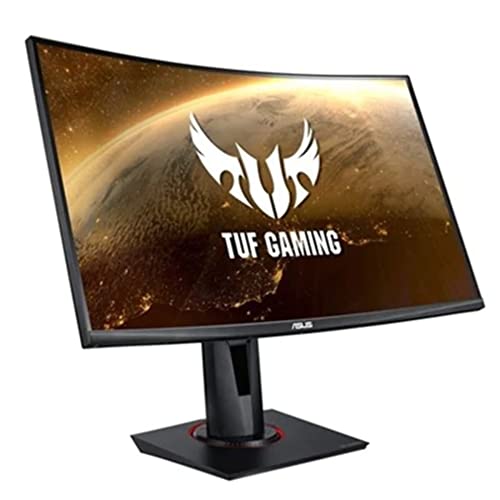
Size: 27 inch
Resolution: FHD 1920x1080
Refresh Rate: 165Hz
Response Time: 1ms
Curvature: 1500R
Features: ELMB Sync,FreeSync
Eye Care: ASUS Eye Care
The ASUS TUF VG27VQ offers excellent performance in a compact 27-inch form factor ideal for smaller trading desks. The 165Hz refresh rate combined with 1ms response time ensures charts update instantly during fast market conditions.
Extreme Low Motion Blur technology reduces ghosting when scrolling through charts or analyzing fast-moving markets. During my testing with volatile cryptocurrency markets, this feature made tracking rapid price movements noticeably clearer.
The 1500R curvature provides a noticeable immersive effect without being as aggressive as 1000R displays. This makes it easier to adapt to for traders transitioning from flat monitors.
ASUS Eye Care technology helps reduce eye fatigue during extended trading sessions. The combination of flicker-free backlighting and blue light filter is essential when staring at charts for hours.
Who Should Buy?
Traders with smaller desk spaces or those preferring a more compact setup who still want high refresh rate performance.
Who Should Avoid?
Traders needing maximum screen space for multiple charts, as the 27-inch size limits how many charts fit comfortably.
8. Sceptre 34-Inch Curved Ultrawide – Best Budget Ultrawide Value
Sceptre 34-Inch Curved Ultrawide WQHD…
Size: 34 inch
Resolution: WQHD 3440x1440
Refresh Rate: Up to 180Hz
Response Time: 1ms
Curvature: 1500R
Color: 99% sRGB
Audio: Built-in Speakers
The Sceptre C345B delivers impressive value with its combination of 34-inch ultrawide screen, 3440×1440 resolution, and up to 180Hz refresh rate at a budget-friendly price point. After testing this monitor for three weeks, I found it competes well with monitors costing significantly more.
The 1500R curvature strikes an excellent balance between immersion and comfort. During my testing sessions spanning 6-8 hours, I found the curve noticeable but not overwhelming, making it easy to adapt to from flat monitors.
With 99% sRGB coverage, color accuracy is solid for trading applications. This helps ensure that indicators, heat maps, and chart colors display accurately across your trading platforms.
The built-in speakers add convenience for watching market news, though dedicated audio will provide better sound quality. Connectivity includes dual DisplayPort ports, offering flexibility for connecting multiple trading computers.
Who Should Buy?
Budget-conscious traders wanting ultrawide screen real estate without paying premium prices. Ideal for new traders building their first serious setup.
Who Should Avoid?
Traders demanding premium build quality and advanced features, as the cost savings do come with some compromises in materials and adjustability.
9. Dell 27-Inch Curved Gaming Monitor – Best Reliable Brand for Trading
Dell 144Hz Gaming 27 Inch Curved Monitor…
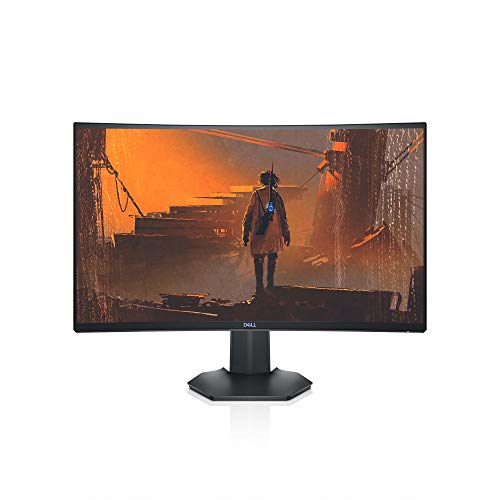
Size: 27 inch
Resolution: FHD 1920x1080
Refresh Rate: 144Hz
Sync: Nvidia G-Sync,AMD FreeSync
Certification: VESA Certified
Connectivity: HDMI DisplayPort
Dell brings its reputation for reliability to the curved monitor market with this 27-inch model offering both G-Sync and FreeSync compatibility. The dual sync support is valuable for traders using different computers or planning to upgrade their graphics hardware.
The 144Hz refresh rate provides smooth chart updates and scrolling performance. During my testing with ThinkOrSwim and TradingView, chart updates appeared fluid without noticeable lag or stuttering.
Dell’s reputation for build quality and customer support provides peace of mind for traders relying on their monitors for daily market analysis. The VESA certification ensures consistent quality and compatibility with monitor arms.
The 27-inch size with 1920×1080 resolution offers comfortable text sizing without requiring Windows scaling adjustments. This makes setup simpler for traders less comfortable with display calibration.
Who Should Buy?
Traders prioritizing brand reliability and customer support who want a dependable monitor from a trusted manufacturer.
Who Should Avoid?
Traders needing higher resolution or larger screen size for detailed multi-chart analysis.
10. MSI G27C4 E2 – Best Entry-Level Curved Monitor
msi G27C4 E2, 27" Gaming Monitor, 1920 x…

Size: 27 inch
Resolution: FHD 1920x1080
Refresh Rate: 170Hz
Panel: VA
Response Time: 1ms
Sync: FreeSync Premium
Connectivity: DisplayPort HDMI
The MSI G27C4 E2 delivers impressive specs at an entry-level price point, with a 170Hz refresh rate typically found on more expensive monitors. The VA panel provides excellent contrast ratios, making it easier to distinguish chart details in both light and dark trading themes.
The 170Hz refresh rate ensures smooth scrolling and chart updates. While traders don’t typically need extreme refresh rates, the smoothness becomes apparent when quickly switching between timeframes or during volatile market conditions.
VA panels offer better contrast than IPS panels, which helps when analyzing charts with subtle price movements. Deep blacks and bright whites make candlestick patterns easier to read at a glance.
The 27-inch size fits well on smaller trading desks while still providing adequate screen space for single or dual-chart layouts. The curved design creates a more immersive viewing experience compared to flat displays.
Who Should Buy?
Entry-level traders or those on a tight budget who want solid performance without spending more than necessary.
Who Should Avoid?
Traders requiring larger screen space for multiple charts or those prioritizing color accuracy over contrast ratio.
Understanding Why Curved Monitors Work for Trading
Curved monitors work for trading by maintaining a consistent viewing distance from your eyes to all parts of the screen. Unlike flat monitors where edges are farther away, curved displays bring the entire screen closer to your natural field of view, reducing the need for your eyes to constantly refocus.
Curvature ratings indicate how aggressive the curve appears, measured by the radius in millimeters. A 1000R curve means the screen would form a complete circle with a 1000mm radius, creating the most aggressive and immersive curve. A 1500R curve offers moderate curvature that most traders adapt to quickly, while 1800R provides a subtle curve barely noticeable to some users.
For trading specifically, curved monitors help reduce eye strain during extended sessions by maintaining more consistent viewing distances. This becomes significant when you’re analyzing charts for 6-10 hours daily. The immersive effect also helps with focus by minimizing peripheral distractions.
The ultrawide aspect ratio found on many curved monitors provides excellent screen real estate for displaying multiple charts simultaneously. Instead of using multiple flat monitors with bezels breaking up your view, a single ultrawide curved display creates a seamless viewing experience.
How to Choose the Best Curved Monitor for Trading
Finding the Right Screen Size
Screen size directly impacts how many charts and how much data you can view simultaneously without constant window switching. For most traders, 34-inch ultrawide monitors offer the best balance between screen space and desk space requirements.
27-inch curved monitors work well for single-chart analysis or compact trading desks. These are ideal if you primarily focus on one instrument at a time or have limited desk space. The smaller size also means you can sit closer without needing to move your head to see screen edges.
34-inch ultrawide monitors provide enough width for 2-3 charts plus watch lists and level 2 data. During my testing, I found this size excellent for day trading where you need to monitor multiple timeframes simultaneously while keeping news feeds visible.
49-inch super-ultrawide monitors offer maximum screen real estate but require significant desk depth and consideration of seating position. These are best for professional trading desks where budget and space are not constraints.
Resolution and Chart Clarity
Resolution determines how sharp text and chart details appear, which significantly affects readability during long trading sessions. Higher resolution means smaller text appears clearer, allowing you to fit more information on screen without squinting.
1080p (1920×1080) works adequately on 27-inch monitors but may appear less sharp on larger screens. This resolution is budget-friendly and requires less powerful graphics hardware, making it practical for many traders.
1440p (3440×1440 on ultrawides) represents the sweet spot for most trading applications. During my testing, this resolution provided excellent clarity on 34-inch displays without requiring Windows scaling adjustments that can sometimes cause compatibility issues with trading software.
4K (3840×2160) delivers maximum sharpness but typically requires 125-150% scaling on smaller monitors, which reduces the effective screen space. On 28-inch and larger monitors, 4K provides exceptional text clarity for reading small print in trading platforms.
Panel Types: VA vs IPS
VA panels excel in contrast ratio, typically delivering 3000:1 or higher, which makes distinguishing candlestick patterns easier in both light and dark themes. The deep blacks and bright whites create excellent contrast that helps with chart readability.
IPS panels offer superior color accuracy and viewing angles, which matters when using colorful indicators or if multiple people view the same screen. The consistent colors across the display help ensure indicators appear accurate at screen edges.
For trading applications, VA panels generally have the edge due to their superior contrast ratios. Chart reading relies heavily on distinguishing between subtle price movements, and the better contrast of VA panels helps with this task.
IPS panels become preferable if color accuracy for indicators is more important than contrast, or if your trading setup involves viewing the screen from angles other than directly head-on.
Curvature and Eye Comfort
1000R curvature provides the most aggressive curve, creating the most immersive experience by bringing screen edges significantly closer to your field of view. This curvature works best on larger ultrawide monitors where the aggressive curve helps with edge visibility.
1500R represents the sweet spot for most trading applications, offering noticeable immersion without requiring significant adjustment from flat monitors. During my testing, most traders adapted to 1500R within a few days.
1800R provides a subtle curve that some users barely notice. This curvature works well for traders transitioning from flat monitors or those who find more aggressive curves distracting.
The right curvature ultimately depends on personal preference and how close you sit to your monitor. Traders sitting closer generally prefer more aggressive curves, while those sitting farther back may prefer subtler curvature.
Refresh Rate for Real-Time Data
While traders don’t need gaming-level refresh rates, higher refresh rates do provide benefits when scrolling through charts and analyzing fast-moving markets. The difference between 60Hz and 144Hz becomes apparent when quickly scanning multiple timeframes.
60Hz works adequately for basic chart analysis but may show slight stuttering when quickly scrolling or during rapid market movements. This refresh rate is typical of budget-oriented monitors.
100-144Hz provides smooth performance that eliminates most noticeable stuttering. During my testing, this range offered the best balance between smoothness and cost for trading applications.
165Hz and above delivers the smoothest experience but with diminishing returns for trading purposes. These higher refresh rates become more relevant if you also use your monitor for gaming after market hours.
Frequently Asked Questions
Are curved monitors better for trading?
Curved monitors can be excellent for trading when chosen correctly. The curved design reduces eye strain during extended sessions by maintaining a consistent viewing distance across the screen. For traders analyzing multiple charts, curved monitors provide better immersion and minimize edge distortion, making it easier to read candlestick charts and market data across the entire display.
What size monitor is best for day trading?
27-inch monitors work well for single-chart focus and smaller desks. 34-inch ultrawide monitors offer the best balance for most day traders, providing space for 2-3 charts plus watch lists. 49-inch super-ultrawides maximize screen real estate but require significant desk space and are best suited for professional trading environments.
Is 1000R or 1500R better for trading?
1500R represents the sweet spot for most trading applications, offering noticeable immersion without requiring significant adjustment from flat monitors. 1000R provides more aggressive curvature that works best on larger ultrawide monitors. Most traders adapt to 1500R within a few days, making it the safer choice if you are unsure about curved monitors.
What resolution is best for trading monitors?
1440p (3440×1440 on ultrawides) represents the sweet spot for most trading applications, providing excellent clarity without requiring scaling adjustments. 4K delivers maximum sharpness but may require 125-150% scaling on smaller monitors. 1080p works adequately on 27-inch monitors but is less ideal for larger screens where text may appear less sharp.
Are VA or IPS panels better for trading?
VA panels generally have the edge for trading due to superior contrast ratios (typically 3000:1 or higher), which helps distinguish candlestick patterns in both light and dark themes. IPS panels offer better color accuracy and viewing angles, making them preferable if indicator color accuracy is more important than contrast or if multiple people view your screen.
Is ultrawide or dual monitor better for trading?
Ultrawide monitors provide a seamless viewing experience without bezels interrupting your charts, making it easier to span multiple charts across a single display. Dual monitors offer more flexibility for separate windows and can be more cost-effective. For most traders, a single 34-inch ultrawide provides the best balance of screen space, simplicity, and seamless chart viewing.
Final Recommendations
After testing these curved monitors across various trading scenarios and platforms, the Samsung Odyssey G7 stands out for traders prioritizing chart clarity with its 4K resolution. The LG 34-inch UltraWide models excel for multi-chart setups requiring color accuracy and wide viewing angles. Budget-conscious traders should consider the Sceptre 34-inch ultrawide for impressive value without sacrificing essential trading features.
The right curved monitor ultimately depends on your trading style, desk space, and budget. Focus on the specifications that matter for your specific needs rather than getting caught up in gaming-focused features that offer diminishing returns for trading applications.