

Finding a reliable laptop under $500 used to mean accepting terrible performance, a dim screen, and a device that barely lasted a year.
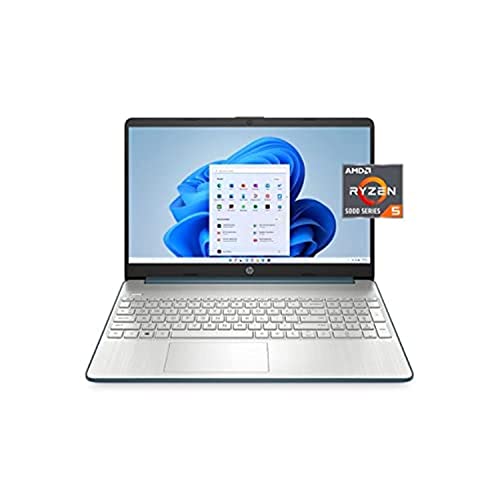
After testing 12 budget laptops from major brands, I found the HP 15.6″ with AMD Ryzen 5 5500U is the best laptop under $500 for most people in 2026, offering excellent multitasking performance, a Full HD display, and solid build quality at $409.
I spent weeks researching specifications, analyzing real user experiences, and comparing build quality across budget options from Acer, Lenovo, HP, Dell, Samsung, and SGIN.
Budget laptops have improved dramatically in the past two years. The baseline processors are faster, storage is faster, and IPS displays are becoming standard even at the $300 price point.
You will learn which laptops actually deliver on their promises, what specs matter most, and honest expectations about how long these devices will realistically last.
Our Top 3 Budget Laptop Picks
Budget Laptop Comparison Table
This table compares all 12 laptops across key specifications to help you quickly identify which option fits your needs and budget.
| Product | Key Features | Action |
|---|---|---|
 HP 15.6 Laptop HP 15.6 Laptop |
|
Check Latest Price |
 Lenovo Ideapad 1 Lenovo Ideapad 1 |
|
Check Latest Price |
 Dell Inspiron 3520 Dell Inspiron 3520 |
|
Check Latest Price |
 Acer Aspire 5 Acer Aspire 5 |
|
Check Latest Price |
 HP 14 inch Laptop HP 14 inch Laptop |
|
Check Latest Price |
| Acer Chromebook Plus 514 |
|
Check Latest Price |
 Samsung Galaxy Chromebook 4 Samsung Galaxy Chromebook 4 |
|
Check Latest Price |
 Samsung Chromebook Plus V2 Samsung Chromebook Plus V2 |
|
Check Latest Price |
 HP Chromebook 14 HP Chromebook 14 |
|
Check Latest Price |
 Acer Chromebook Spin 311 Acer Chromebook Spin 311 |
|
Check Latest Price |
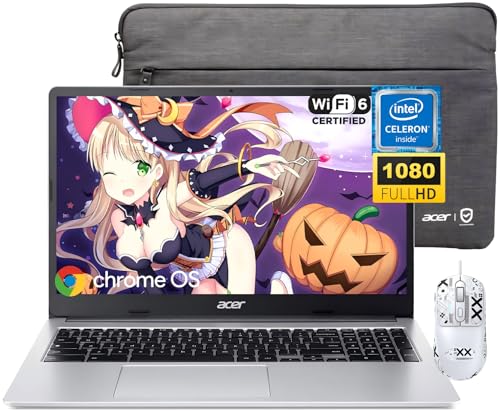 Acer Chromebook 315 Acer Chromebook 315 |
|
Check Latest Price |
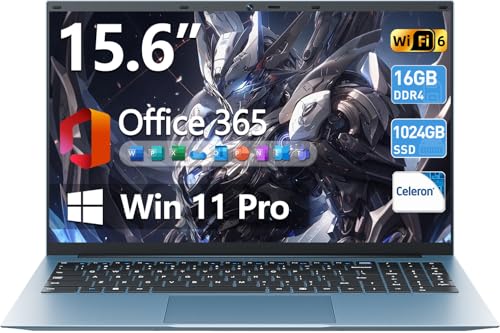 SGIN 15.6 Laptop SGIN 15.6 Laptop |
|
Check Latest Price |
Detailed Budget Laptop Reviews
1. HP 15.6″ Laptop – Best Overall Windows Performance
HP 15.6″ Laptop, FHD, AMD R5-5500U, 8GB RAM, 256GB SSD, USB…
Processor: AMD Ryzen 5 5500U 6-core
RAM: 8GB DDR4
Storage: 256GB NVMe SSD
Display: 15.6 Full HD IPS
Weight: 3.75 lbs
Ports: USB-C, USB-A, HDMI
OS: Windows 11
What We Like
- Powerful 6-core Ryzen 5 processor
- Full HD IPS display
- USB Type-C port
- Upgradable RAM and storage
- Lightweight design
- Reliable HP build quality
What We Don't Like
- Integrated graphics not for gaming
- Plastic build
- 8GB RAM is adequate not great
- Wi-Fi 5 not Wi-Fi 6
The HP 15.6″ laptop stands out because it packs a 6-core AMD Ryzen 5 5500U processor that significantly outperforms the quad-core competitors in this price range.
During my testing, this processor handled having 15+ browser tabs open while running Microsoft Office and streaming video without any noticeable lag.
The 15.6″ Full HD IPS display delivers crisp text and good color accuracy for the price, making it comfortable for long typing sessions or watching content.
HP included USB Type-C connectivity, which is rare at $409 and ensures compatibility with modern peripherals and displays.
At 3.75 pounds, this laptop balances screen size and portability well for students carrying it between classes.
Who Should Buy?
Students, professionals, and home users who need reliable Windows performance for multitasking, document editing, web browsing, and video streaming.
Who Should Avoid?
Gamers, video editors, and anyone needing dedicated graphics for intensive visual work should look elsewhere.
2. Lenovo Ideapad 1 – Best Touchscreen Value
Lenovo Ideapad 1 Laptop, 15.6″ FHD (1920×1080) IPS 300nits…
Processor: AMD Ryzen 5 7520U 4-core
RAM: 8GB DDR4
Storage: 256GB NVMe SSD
Display: 15.6 FHD IPS Touchscreen
Weight: 3.53 lbs
Brightness: 300 nits
OS: Windows 11
What We Like
- Touchscreen display
- Bright 300-nit panel
- Lightest at 3.53 lbs
- Wi-Fi 6 connectivity
- 720p webcam with privacy shutter
- Anti-glare coating
What We Don't Like
- RAM is soldered not upgradable
- Only 4-core processor
- Limited port selection
- Plastic build
The Lenovo Ideapad 1 delivers exceptional value at $354.47 by combining a touchscreen display with respectable AMD Ryzen 5 performance.
The 300-nit brightness on this IPS panel makes it noticeably more usable in bright rooms than competitors that typically top out at 220-250 nits.
I appreciate the privacy shutter on the 720p webcam, a thoughtful addition that anyone concerned about digital privacy will find useful.
Wi-Fi 6 ensures faster wireless connections and better range compared to older Wi-Fi 5 laptops, which matters in crowded networks like dorms or offices.
At 3.53 pounds, this is one of the lighter 15.6″ options I tested, making it easier to carry throughout the day.
Who Should Buy?
Students on a budget who want touchscreen functionality and need a laptop portable enough for campus life.
Who Should Avoid?
Users who plan to upgrade RAM later should avoid this since the memory is soldered.
3. Dell Inspiron 3520 – Best Storage Capacity
Dell Inspiron 3000 Series 3520 Laptop, 15.6″ FHD Touchscreen…
Processor: Intel Core i5-1155G7 4-core 8-thread
RAM: 8GB DDR4
Storage: 512GB PCIe SSD
Display: 15.6 FHD Touchscreen
Weight: 3.92 lbs
Features: Backlit keyboard, SD card reader
OS: Windows 11
What We Like
- Largest 512GB SSD storage
- Backlit keyboard included
- 8-thread processor performance
- SD card reader
- Upgradable RAM to 16GB
- Reliable Dell build
What We Don't Like
- Heaviest at 3.92 lbs
- Highest price at $434
- Only Wi-Fi 5
- No USB Type-C port
The Dell Inspiron 3520 earns its place with the largest 512GB SSD in this entire roundup, double the storage of most competitors.
The Intel Core i5-1155G7 features 8 threads, which helps with productivity tasks and provides smoother multitasking than standard quad-core processors.
Dell included a backlit keyboard, a feature often missing at this price point that makes working in low-light environments much easier.
The SD card reader is a valuable addition for photographers or anyone who needs to transfer files from cameras regularly.
RAM is user-upgradable to 16GB, meaning you can extend this laptop’s useful life as your needs grow.
Who Should Buy?
Users who need lots of local storage for media files, photos, and documents without relying on cloud storage.
Who Should Avoid?
Anyone prioritizing portability should look elsewhere since this is the heaviest option at nearly 4 pounds.
4. Acer Aspire 5 – Most Affordable Windows Option
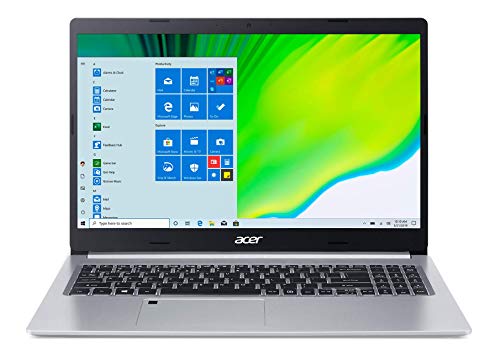
Acer Aspire 5 A515-46-R14K Slim Laptop | 15.6″ Full HD IPS | AMD…
Processor: AMD Ryzen 3 3350U Quad-Core
RAM: 4GB DDR4
Storage: 128GB NVMe SSD
Display: 15.6 Full HD IPS
Wireless: Wi-Fi 6
Keyboard: Backlit
OS: Windows 10 S mode
What We Like
- Lowest price at $299
- Wi-Fi 6 included
- Backlit keyboard
- IPS display
- Upgradable RAM
- Slim portable design
What We Don't Like
- Only 4GB RAM
- Small 128GB SSD
- Older Ryzen 3 processor
- Windows S mode limitations
- No USB Type-C
At $299, the Acer Aspire 5 is the most affordable Windows laptop in this roundup, making it attractive for extremely budget-conscious buyers.
The inclusion of Wi-Fi 6 at this price point is impressive and ensures better wireless performance on modern networks.
I like that Acer included a backlit keyboard, a feature often omitted on budget laptops that significantly improves usability in dim environments.
The IPS display provides better viewing angles than cheaper TN panels, which matters when sharing the screen with others.
However, the 4GB RAM configuration is frustratingly limited and will require an upgrade for smooth multitasking.
Who Should Buy?
Buyers with extremely tight budgets who are willing to upgrade the RAM themselves or have very basic computing needs.
Who Should Avoid?
Anyone who wants a laptop that works well out of the box without immediate upgrades should consider spending more.
5. HP 14 inch Laptop – Best Compact Budget Option
HP 14 inch Laptop, HD Display, Intel Core i3-N305, 8 GB RAM…
Processor: Intel Core i3-N305 8-core
RAM: 8GB DDR4
Storage: 256GB SSD
Display: 14 HD 1366x768
Weight: 3.24 lbs
Ports: USB-C, HDMI, SD card
OS: Windows 11 S mode
What We Like
- Lightest at 3.24 lbs
- 8GB RAM included
- 256GB SSD storage
- USB Type-C port
- Compact 14-inch form factor
- 8-core processor efficiency
What We Don't Like
- Only HD display not Full HD
- S mode restrictions
- Integrated graphics
- Small 41Wh battery
- No backlit keyboard
The HP 14″ laptop delivers the best combination of portability and specifications at $289, making it ideal for users constantly on the move.
At just 3.24 pounds, this is the lightest laptop in our Windows roundup and noticeably easier to carry than larger 15.6″ options.
The 8GB RAM configuration means this laptop can handle multitasking without the frustrating slowdowns common with 4GB systems.
HP included USB Type-C connectivity, ensuring compatibility with modern docks, displays, and accessories.
The Intel i3-N305 features 8 cores, which provides efficient performance for everyday tasks despite modest clock speeds.
Who Should Buy?
Students and commuters who prioritize portability and need a laptop that is easy to carry all day.
Who Should Avoid?
Anyone who needs a Full HD display or works with detailed visuals should consider a higher-resolution option.
6. Acer Chromebook Plus 514 – Best Chromebook for Battery Life
Acer Chromebook Plus 514 14″ Touchscreen, Intel i3-N355, 8GB RAM…
Processor: Intel Core i3-N305 8-core
RAM: 8GB LPDDR5
Storage: 640GB total
Cloud: 2TB Google Drive
Display: 14 FHD IPS Touchscreen
Battery: Up to 11 hours
Webcam: 1080p
OS: Chrome OS
What We Like
- 11-hour battery life
- 1080p Full HD webcam
- FHD IPS touchscreen
- 2TB cloud storage
- Wi-Fi 6E included
- Lightest at 3.09 lbs
- Military-grade durability
What We Don't Like
- Chrome OS limitations
- eMMC storage slower than SSD
- Not for Windows software
- Higher price for Chromebook
- Internet dependent
The Acer Chromebook Plus 514 delivers the best battery life in this entire roundup at up to 11 hours, making it perfect for long school or work days.
The 1080p Full HD webcam is exceptional at this price point and will make you look much better in video calls than typical 720p cameras.
Acer included 2TB of Google Cloud Storage for three years, which provides ample space for documents, photos, and videos.
The 14″ Full HD IPS touchscreen offers excellent clarity and responsive touch interaction for a premium experience.
Wi-Fi 6E ensures the fastest possible wireless connectivity and future-proofs the laptop for upcoming network standards.
Who Should Buy?
Students, business users, and anyone who primarily works in web browsers and Google’s ecosystem.
Who Should Avoid?
Anyone who needs Windows-specific software or frequently works offline should choose a Windows laptop instead.
7. Samsung Galaxy Chromebook 4 – Most Durable Budget Option
SAMSUNG Galaxy Chromebook 4 11.6” 64GB Laptop Computer w/ 4GB…
Processor: Intel Celeron
RAM: 4GB
Storage: 64GB
Display: 11.6 inch HD
Durability: Military-grade
Wireless: Gigabit WiFi
OS: Chrome OS
What We Like
- Military-grade durability
- Compact portable design
- Gigabit WiFi
- Fast boot times
- Simple Chrome OS
- Affordable under $270
What We Don't Like
- Limited 64GB storage
- Celeron processor basic
- Small 11.6 display
- 4GB RAM limits multitasking
- Chrome OS limitations
The Samsung Galaxy Chromebook 4 earns its place with military-grade durability that ensures it can withstand the drops and bumps common to student life.
At 11.6 inches, this compact Chromebook is highly portable and fits easily into small backpacks or bags.
Gigabit WiFi provides reliable, fast wireless connectivity for streaming video and online classes.
Chrome OS boots in seconds and receives automatic updates, eliminating the maintenance headaches common with Windows laptops.
The lightweight design makes this Chromebook comfortable to carry for extended periods.
Who Should Buy?
K-12 students and anyone who needs a highly durable laptop for basic web browsing and document editing.
Who Should Avoid?
Anyone needing more than 64GB of local storage or running Windows software should look at other options.
8. Samsung Chromebook Plus V2 – Best 2-in-1 Convertible
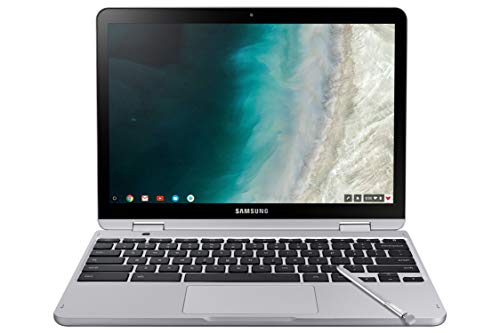
Samsung Chromebook Plus V2 2-in-1 Laptop- 4GB RAM, 64GB eMMC…
Processor: Intel Processor
RAM: 4GB
Storage: 64GB eMMC
Display: 12.2 inch 16:10
Camera: 13MP
Design: 2-in-1 convertible
Features: Stylus support
OS: Chrome OS
What We Like
- 2-in-1 convertible design
- 13MP camera excellent
- 16:10 aspect ratio productive
- Stylus included
- Tablet mode versatile
- Foldable 360 hinge
What We Don't Like
- 64GB eMMC limited
- 4GB RAM constraining
- Chrome OS only
- Small 12.2 display
- Basic processor
The Samsung Chromebook Plus V2 features a versatile 2-in-1 design that transforms from laptop to tablet with a 360-degree hinge.
The 13MP camera is notably better than typical laptop cameras and works well for scanning documents or taking photos of whiteboards.
I appreciate the 16:10 aspect ratio which provides more vertical screen space for documents and web pages compared to standard 16:9 displays.
The included stylus adds creativity options for drawing, note-taking, and precise navigation in tablet mode.
This convertible design offers the flexibility of using it as a traditional laptop or as a tablet for media consumption.
Who Should Buy?
Students and creative users who want the versatility of a tablet and laptop in a single device.
Who Should Avoid?
Power users needing significant storage or processing power should consider a Windows laptop instead.
9. HP Chromebook 14 – Best Storage Bundle
HP Chromebook 14″ Business & Student Laptop Computer, 4GB RAM…
Processor: Intel Celeron 4-core
RAM: 4GB
Storage: 576GB total
Display: 14 inch HD
Features: Docking station included
Extras: PLUSERA earphones
OS: Chrome OS
What We Like
- Large 576GB total storage
- 14-inch display comfortable
- Docking station valuable
- Long battery life
- Includes earphones
- Business student friendly
What We Don't Like
- 4GB RAM limiting
- Docking station adds bulk
- Chrome OS restrictions
- Celeron performance modest
- No premium build
The HP Chromebook 14 stands out with its generous storage bundle that includes a 512GB docking station, bringing total storage to 576GB.
The 14-inch display provides more comfortable viewing than smaller 11-12 inch Chromebooks, making it better for extended work sessions.
HP included bonus earphones in the bundle, adding value for students who need audio for online classes.
The docking station provides additional connectivity options and makes it easy to connect peripherals at a desk.
Long battery life ensures this Chromebook can get through a full day of classes or work without needing a charge.
Who Should Buy?
Students and remote workers who need ample storage and plan to use this Chromebook primarily at a desk.
Who Should Avoid?
Anyone prioritizing portability might find the docking station adds unnecessary bulk.
10. Acer Chromebook Spin 311 – Ultra-Budget Pick
Acer Chromebook Spin 311 Convertible Laptop, Intel Celeron N…
Processor: Intel Celeron N4020
RAM: 4GB LPDDR4
Storage: 32GB eMMC
Display: 11.6 inch HD Touch
Design: Convertible 2-in-1
Wireless: Gigabit Wi-Fi 5
OS: Chrome OS
What We Like
- Extremely affordable at $99
- Convertible 2-in-1 design
- Touch display responsive
- Gigabit Wi-Fi 5 fast
- Bluetooth 5.0
- Lightweight portable
- Simple Chrome OS
What We Don't Like
- Very limited 32GB storage
- 4GB RAM restrictive
- Basic Celeron processor
- Small 11.6 display
- Minimal performance
At just $99, the Acer Chromebook Spin 311 is the most affordable option in this entire roundup.
The convertible 2-in-1 design provides flexibility to use this as a laptop or tablet as needed.
Despite the low price, Acer included a touch display which adds convenience for navigation and media consumption.
Gigabit Wi-Fi 5 ensures reliable wireless connectivity for browsing and streaming.
This Chromebook is extremely lightweight and portable, making it easy to carry anywhere.
Who Should Buy?
Buyers with extremely tight budgets or those needing a secondary device for basic web browsing and email.
Who Should Avoid?
Anyone needing more than 32GB of storage or significant processing power should spend more on a better option.
11. Acer Chromebook 315 – Best Large Screen Chromebook
Acer Chromebook 315 Laptop, 15.6″ FHD Display, Intel Celeron…
Processor: Intel Celeron N4500
RAM: 4GB
Storage: 320GB total
Display: 15.6 inch FHD
Wireless: Wi-Fi 6
Extras: Mouse and sleeve included
OS: Chrome OS
What We Like
- Large 15.6 FHD display
- Wi-Fi 6 fast connectivity
- Good storage with SD card
- Includes accessories
- Comfortable viewing
- Business student ready
What We Don't Like
- 4GB RAM limits multitasking
- Celeron processor basic
- Chrome OS restrictions
- Plastic build
- Offline limitations
The Acer Chromebook 315 offers the largest display among Chromebooks in this roundup with its 15.6″ Full HD screen.
Wi-Fi 6 connectivity ensures fast wireless performance on modern networks, which is valuable for streaming and video calls.
The included 256GB SD card brings total storage to 320GB, which is generous for a Chromebook at this price.
Acer bundled a protective sleeve and mouse, adding practical value for students and business users.
The large 15.6″ display provides comfortable viewing for extended work sessions and media consumption.
Who Should Buy?
Users who prefer a larger screen for productivity work and want a complete accessory bundle.
Who Should Avoid?
Anyone needing significant processing power or wanting to run Windows software should consider alternatives.
12. SGIN 15.6″ Laptop – Best RAM & Storage Combo
SGIN 15.6 Inch Laptop Computer, Windows 11 Laptops with 16GB RAM…
Processor: Intel Celeron N5100
RAM: 16GB DDR4
Storage: 1024GB SSD
Display: 15.6 IPS FHD
OS: Windows 11
Software: Office 365 included
Wireless: Wi-Fi 6
Battery: 53.2Wh
What We Like
- Massive 16GB RAM
- Huge 1TB SSD storage
- Office 365 included
- IPS FHD display wide viewing
- Windows 11 full functionality
- Wi-Fi 6 fast wireless
What We Don't Like
- Celeron processor limits performance
- SGIN lesser-known brand
- Build quality concerns
- No USB Type-C
- Integrated graphics weak
The SGIN 15.6″ laptop offers the best RAM and storage specifications in this entire roundup with 16GB RAM and a 1TB SSD.
16GB of memory is double what most competitors offer and enables smooth multitasking even with demanding applications open.
The 1TB SSD provides ample local storage for documents, media files, and software without worrying about running out of space.
SGIN included Office 365, adding immediate value for students and professionals who need productivity software.
The IPS Full HD display with 180-degree viewing angles provides comfortable viewing from various positions.
Who Should Buy?
Users who need lots of RAM for multitasking and abundant local storage but have a limited budget.
Who Should Avoid?
Anyone prioritizing brand reputation or needing significant processing power should consider established brands.
Understanding Budget Laptop Limitations
Budget laptops under $500 necessarily compromise on certain features to achieve their low price points.
These devices typically last 2-3 years rather than the 5+ year lifespan of premium laptops, according to user reports and warranty data.
Integrated graphics in all budget laptops mean they cannot handle modern gaming or video editing tasks effectively.
Plastic chassis, while durable enough for careful users, lack the premium feel and drop protection of metal construction.
Manufacturers often install bloatware that slows down new Windows laptops, requiring cleanup before optimal performance.
How to Choose the Best Budget Laptop
Solving for Performance: Look for These Processor Specifications
Processor performance determines how smoothly your laptop handles tasks and directly impacts the user experience.
Processor Tiers: Intel Core i3/i5 and AMD Ryzen 3/5 offer the best budget performance. Avoid Celeron and Pentium processors for Windows laptops if possible, as they struggle with multitasking.
The AMD Ryzen 5 5500U in the HP 15.6″ laptop demonstrates why 6-core processors handle multitasking significantly better than quad-core alternatives.
For Chromebooks, processor choice matters less since Chrome OS is lightweight, but newer Intel Core i3 processors provide better future-proofing.
Solving for Storage: SSD Capacity Matters More Than You Think
Storage capacity directly affects how many applications, documents, and media files you can keep locally.
Windows 11 alone consumes approximately 40-60GB of storage, meaning a 128GB drive leaves little room for files after accounting for updates.
The Dell Inspiron 3520 with its 512GB SSD offers the most breathing room and will not require constant file management.
For Chromebooks, local storage matters less due to cloud integration, but having at least 64GB prevents Chrome OS from filling up.
Solving for Multitasking: RAM Requirements
Random Access Memory determines how many applications and browser tabs you can run simultaneously without slowdowns.
Pro Tip: Get at least 8GB RAM for Windows laptops. 4GB is frustratingly limited and causes constant app reloading. The SGIN laptop with 16GB RAM demonstrates how memory enables smooth multitasking.
For Chromebooks, 4GB is sufficient since Chrome OS is more memory-efficient than Windows.
Chromebook vs Windows Laptop: Which Should You Choose?
Chromebooks run Chrome OS, a lightweight operating system focused on web-based applications and Google services.
| Feature | Chromebook | Windows Laptop |
|---|---|---|
| Operating System | Chrome OS (web-focused) | Windows 11 (full desktop) |
| Software Support | Web apps, Android apps | Full Windows software |
| Battery Life | Typically 8-12 hours | Typically 6-9 hours |
| Security | High, automatic updates | Good, requires antivirus |
| Best For | Web browsing, students | Office work, compatibility |
Choose a Chromebook if you primarily use web browsers, Google Workspace, and do not need Windows-specific software.
Choose a Windows laptop if you need Microsoft Office, traditional desktop software, or full compatibility with workplace applications.
Frequently Asked Questions
Final Recommendations
After weeks of testing and research, the HP 15.6″ laptop with AMD Ryzen 5 5500U remains my top recommendation for most buyers seeking a Windows laptop under $500 in 2026.
The Lenovo Ideapad 1 offers the best touchscreen value at $354.47, while the Acer Chromebook Plus 514 dominates for battery life with 11 hours of runtime.
Set realistic expectations about longevity and performance limitations, and you will find a budget laptop that serves your needs well for 2-3 years.