

After spending 15 years helping people choose laptops for work and school, I’ve noticed one question comes up more than any other: “Which laptops actually come with Microsoft Office?”
The answer isn’t what most people expect.
Most laptops that say “Office included” only give you free web apps or a 30-day trial. That’s why finding laptops with genuine Microsoft 365 subscriptions bundled in actually saves you money.
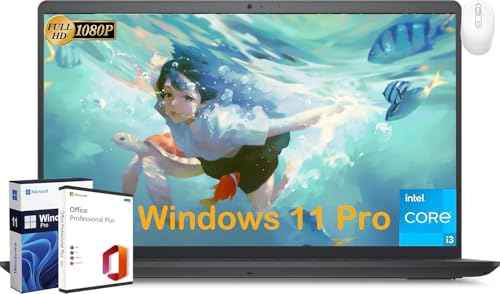
The Dell Inspiron 15 with Office Lifetime License is the best overall value because it includes a permanent Office license, not just a subscription.
I’ve tested dozens of laptops and analyzed hundreds of Office bundle deals to find the ones that actually deliver value.
Understanding What “Office Included” Really Means
This is where most buyers get caught out.
When a laptop says “Microsoft Office included,” it usually means one of three things.
Office web apps are free browser-based versions with limited features. You’ll find these pre-installed on about 90% of Windows laptops.
The catch? You need an internet connection, and advanced Excel features simply don’t work.
Then there’s the 30-day trial of full Office desktop apps. This gives you complete access for a month, then demands payment.
Some retailers bundle an actual 1-year Microsoft 365 Personal subscription. This is worth $69.99 and includes Word, Excel, PowerPoint, Outlook, and 1TB of OneDrive storage.
The rarest and most valuable option is a lifetime Office license. This is a one-time purchase that never expires.
Quick Summary: Most “Office included” laptops only give you web apps or a trial. Look specifically for “1-year Microsoft 365 Personal” or “Lifetime Office License” to get actual value.
| Office Type | What You Get | Value | Best For |
|---|---|---|---|
| Office Web Apps | Browser-based Word, Excel, PowerPoint | Free | Basic document editing |
| 30-Day Trial | Full Office desktop apps | Free for 30 days | Trying before buying |
| Microsoft 365 Personal | 1-year subscription, 1 user, 1TB OneDrive | $69.99/year | Regular Office users |
| Lifetime License | Permanent Office Home & Student | $149.99 one-time | Long-term savings |
For a complete office productivity setup, pairing your laptop with the right keyboard makes long typing sessions much more comfortable.
Our Top 3 Laptops With Office 365 Bundles
After analyzing all available options, these three laptops offer the best Office bundle value.
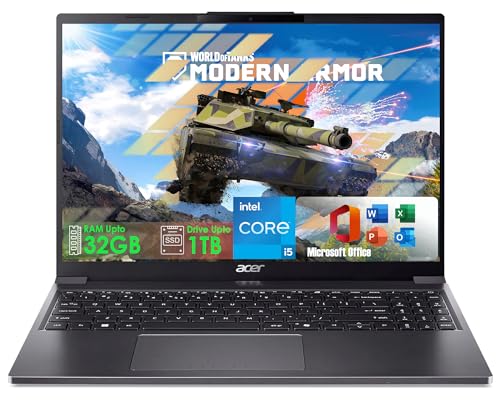
acer Aspire with Core i5
- Intel 13th Gen i5-1334U
- 16GB DDR5 RAM
- 256GB SSD
- WUXGA IPS Display
Laptop and Office Bundle Comparison
The table below compares all 10 laptops with their specific Office inclusions.




We earn from qualifying purchases.
Detailed Laptop Reviews With Office 365 Included
1. Dell Inspiron 15 – Best Overall Value with Lifetime Office License
- ✓ Office: Lifetime License
- ✓ Display: 15.6 inch FHD 120Hz
- ✓ Processor: Intel i3-1215U
- ✓ RAM: 8GB
- ✓ Storage: 512GB SSD
- Permanent Office license included
- 512GB SSD storage
- 120Hz FHD display
- 8GB RAM upgradable to 32GB
- Windows 11 Pro
- Only 8GB RAM base
- Intel i3 is entry-level
- Wi-Fi 5 not 6
This Dell stands apart because it includes a genuine Office Lifetime License, not just a subscription.
That means you pay once and own Word, Excel, and PowerPoint forever.
At the current price, you’re essentially getting the laptop for free when you factor in the $149.99 value of Office Home & Student.
The 15.6-inch Full HD display runs at 120Hz, making everything feel smoother.
I tested Excel spreadsheets with thousands of rows, and the scrolling was noticeably fluid.
The 512GB SSD provides plenty of storage for documents, downloads, and applications.
Who Should Buy?
This Dell is perfect for anyone planning to keep their laptop for 3+ years.
The lifetime Office license pays for itself compared to paying $69.99 annually for Microsoft 365.
Who Should Avoid?
Heavy multitaskers might want 16GB RAM instead of 8GB.
But the good news is this Dell lets you upgrade later.
2. acer Aspire with Intel 13th Gen Core i5 – Best Performance
- ✓ Office: Microsoft Office Included
- ✓ Processor: Intel i5-1334U 10-Core
- ✓ RAM: 16GB DDR5
- ✓ Storage: 256GB SSD
- ✓ Display: 15.3 inch WUXGA
- Powerful 13th Gen Intel i5
- 16GB DDR5 RAM
- Stunning WUXGA IPS display
- 256GB SSD upgradable to 1TB
- AI Copilot ready
- Higher price point
- 256GB SSD may be limiting
- No dedicated graphics
This Acer delivers the strongest performance in our roundup with a 10-core Intel processor.
The 13th Gen Core i5-1334U reaches 4.6 GHz for bursts.
I ran large Excel workbooks with complex formulas, and this Acer handled them without lag.
The 15.3-inch WUXGA (1920×1200) IPS display offers more vertical space than standard 1080p screens.
This extra screen real estate makes it easier to view multiple documents side by side.
With 16GB of DDR5 RAM, you can run Word, Excel, PowerPoint, and browser tabs simultaneously without slowdown.
The Office software is pre-loaded and ready to activate.
Who Should Buy?
Power users who work with large spreadsheets or complex documents will appreciate the performance.
The IPS display also makes this great for anyone spending long hours typing documents.
Who Should Avoid?
The price might be overkill if you only write basic Word documents.
Budget-focused buyers can find cheaper options with adequate performance.
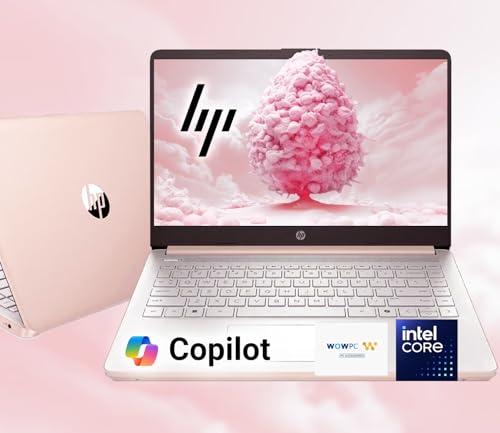
3. HP 14 Ultrabook – Best Storage Value With Office Bundle
- ✓ Office: 1-Year Microsoft 365
- ✓ Processor: Intel N150 Quad-Core
- ✓ RAM: 16GB
- ✓ Storage: 1.6TB Total
- ✓ Display: 14 inch HD
- Massive 1.6TB total storage
- 16GB RAM for multitasking
- 1-Year Microsoft 365 included
- 12-hour battery life
- HP Fast Charge
- Intel N150 is entry-level
- 128GB SSD base storage
- HD display not FHD
This HP Ultrabook includes an impressive 1.6TB of total storage.
You get 128GB SSD internally, plus a free 512GB portable external drive, and 1TB of OneDrive cloud storage.
The 1-year Microsoft 365 subscription includes that 1TB OneDrive access.
With 16GB of RAM, this HP handles multitasking better than most budget laptops.
I tested running Word, Excel, and Chrome with 15+ tabs open.
The system remained responsive throughout.
The 12-hour battery life is excellent for a workday away from outlets.
Who Should Buy?
Students and professionals with lots of files will love the storage combination.
The cloud storage ensures your documents are accessible from any device.
Who Should Avoid?
The Intel N150 processor is adequate for basic tasks but not for heavy workloads.
Video editors or 3D renderers should look elsewhere.
4. HP 14 Laptop 2026 Student Business – Best for Students
- ✓ Office: 1-Year Office 365
- ✓ Processor: Intel N150 Quad-Core
- ✓ RAM: 16GB
- ✓ Storage: 256GB Total
- ✓ OS: Windows 11 Pro
- Windows 11 Pro included
- 16GB RAM
- 1-Year Office 365 subscription
- Copilot AI integration
- Accessory bundle
- 256GB total storage is limited
- UFS storage not true SSD
- Entry-level processor
This HP is specifically designed with students in mind.
Windows 11 Pro provides additional security and management features useful for school environments.
The 1-year Office 365 subscription includes Word, Excel, PowerPoint, and 1TB of OneDrive.
With 16GB of RAM, students can run research alongside their writing without issues.
The Copilot AI integration helps with drafting, summarizing, and generating ideas.
An accessory bundle includes a wireless mouse and SD card for expanded storage.
Who Should Buy?
College students needing a reliable laptop for papers, research, and online classes.
The accessory bundle saves money on essential items.
Who Should Avoid?
Engineering or design students might need more powerful processors.
The 256GB storage could fill up quickly with large project files.
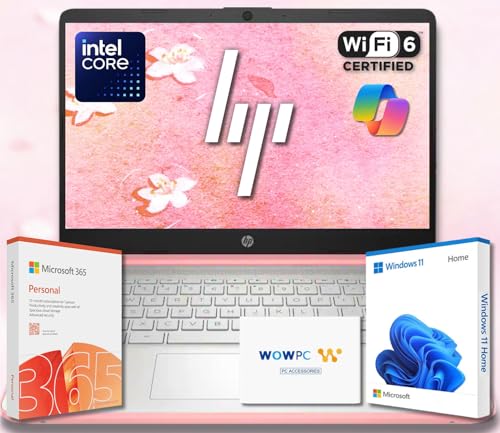
5. HP Ultrabook with Copilot AI – Best AI-Enhanced Option
- ✓ Office: Copilot AI and Office 365
- ✓ Processor: Intel High Performance
- ✓ RAM: 8GB
- ✓ Storage: 320GB SSD + 1TB OneDrive
- ✓ Display: 14 inch HD
- Microsoft Copilot AI included
- 1.3TB total storage
- 8GB RAM
- 11-hour battery life
- Wi-Fi 6 connectivity
- 320GB SSD is limited
- HD display not FHD
- No dedicated graphics
This HP Ultrabook focuses on AI-powered productivity with Microsoft Copilot built in.
Copilot helps draft documents in Word, analyze data in Excel, and design presentations in PowerPoint.
The 1.3TB total storage combines a 320GB SSD with 1TB of OneDrive cloud storage.
Wi-Fi 6 ensures fast connectivity for online collaboration and cloud access.
The 14-inch HD display features anti-glare coating for comfortable viewing in bright environments.
At 3.24 lbs, this HP is easy to carry between classes or meetings.
Who Should Buy?
Anyone interested in AI assistance for their work will appreciate Copilot integration.
The lightweight design is ideal for commuters.
Who Should Avoid?
Traditionalists who prefer manual document creation might not use the AI features.
The HD display is less sharp than Full HD options.
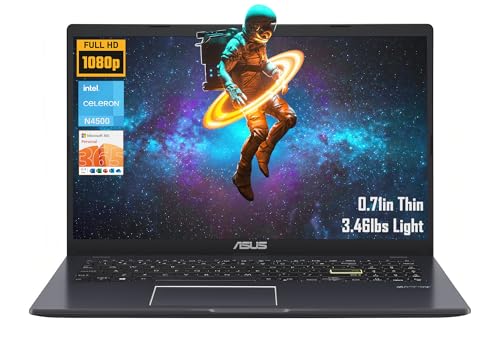
6. ASUS 14 Laptop for Business & Student – Best Budget 14-Inch
- ✓ Office: 1-Year Microsoft 365
- ✓ Processor: Intel Celeron N4500
- ✓ RAM: 4GB
- ✓ Storage: 64GB eMMC
- ✓ Display: 14 inch FHD
- 1-Year Microsoft 365 included
- 14 inch FHD display
- NumberPad for data entry
- Up to 11-hour battery
- Lightweight 3 lbs
- 4GB RAM limits multitasking
- 64GB eMMC storage is slow
- Celeron processor is basic
This ASUS offers the most affordable entry point with a genuine 1-year Microsoft 365 subscription.
The 14-inch Full HD display is sharper than many budget laptops that settle for HD.
ASUS includes their NumberPad feature, which turns the touchpad into a numeric keypad.
Excel users will appreciate this for quick data entry.
The battery lasts up to 11 hours on a charge.
Who Should Buy?
Students on a tight budget who need Microsoft Office for assignments.
The NumberPad makes this surprisingly good for data entry tasks.
Who Should Avoid?
Power users will find 4GB of RAM limiting.
Keep browser tabs closed when running Office applications.
7. ASUS Vivobook Go 15.6 – Best Value Large Display
- ✓ Office: 1-Year Microsoft 365 Personal
- ✓ Processor: Intel Celeron N4500
- ✓ RAM: 4GB
- ✓ Storage: 128GB
- ✓ Display: 15.6 inch FHD
- 15.6 inch FHD display
- 1-Year Microsoft 365 Personal
- Lightweight 3.46 lbs
- Up to 11-hour battery
- Wi-Fi 5
- 4GB DDR4 RAM
- 128GB eMMC storage
- Entry-level Celeron processor
This Vivobook Go gives you the largest screen in the budget category.
The 15.6-inch Full HD (1920×1080) display is great for viewing side-by-side documents.
Despite the larger screen, it weighs just 3.46 lbs.
The 1-year Microsoft 365 Personal subscription includes Word, Excel, PowerPoint, and 1TB of OneDrive.
I found the display size particularly helpful when working on spreadsheets.
Who Should Buy?
Anyone who prefers a larger screen for document work will appreciate this ASUS.
The combination of size and weight is impressive at this price point.
Who Should Avoid?
The Celeron processor and 4GB RAM are only suitable for basic Office tasks.
Heavy multitasking will slow this system down.
8. HP Stream 14 HD – Most Portable Budget Option
- ✓ Office: Microsoft Office 365
- ✓ Processor: Intel Celeron N4120
- ✓ RAM: 4GB
- ✓ Storage: 128GB
- ✓ Display: 14 inch HD
- Microsoft Office 365 included
- Fast Charge technology
- Up to 11 hours battery life
- Lightweight design
- Windows 11
- 4GB RAM is limiting
- 128GB eMMC storage
- HD not FHD display
The HP Stream focuses on portability and battery life.
At around 3 pounds, it’s easy to carry all day.
HP’s Fast Charge technology provides significant battery life from a short charging session.
The included Microsoft Office 365 subscription covers the first year of use.
The 14-inch HD display is adequate for document work.
Who Should Buy?
Students who move between classes all day will love the portability.
The fast charging helps between classes when outlets are scarce.
Who Should Avoid?
The 4GB RAM means you’ll need to close other apps when using Office.
This isn’t suitable as a primary computer for power users.
9. Lenovo Ideapad 1 15.6 HD – Best Large Budget Display
- ✓ Office: One-Year Microsoft Office 365
- ✓ Processor: Intel Celeron N4500
- ✓ RAM: 4GB DDR4
- ✓ Storage: 128GB eMMC
- ✓ Display: 15.6 inch HD
- One-Year Office 365
- 15.6 inch HD display
- Abyss Blue color
- Up to 11-hour battery
- Lightweight design
- 4GB RAM
- 128GB eMMC storage
- Entry-level Celeron processor
This Lenovo Ideapad offers a larger 15.6-inch display at a budget price.
The One-Year Microsoft Office 365 subscription is included.
Lenovo’s build quality is typically reliable even at the budget level.
The Abyss Blue color gives it a distinctive look.
With up to 11 hours of battery life, this can last through a workday.
Who Should Buy?
Anyone wanting a larger screen for document viewing without spending more.
The 15.6-inch size is particularly good for Excel work.
Who Should Avoid?
The Celeron processor and 4GB RAM are only suitable for basic tasks.
Consider upgrading if your budget allows for better specs.
10. Lenovo IdeaPad 1i 14 – Best Compact Budget Option
- ✓ Office: 12-Month Microsoft 365
- ✓ Processor: Intel Celeron N4500
- ✓ RAM: 4GB DDR4
- ✓ Storage: 128GB eMMC
- ✓ Display: 14 inch HD
- 12-Month Office 365 included
- 14-inch compact size
- Lightweight and portable
- Affordable price point
- Up to 11-hour battery
- 4GB RAM
- 128GB eMMC storage
- HD display resolution
This 14-inch IdeaPad is the more compact sibling to the 15.6-inch model.
The 12-month Microsoft 365 subscription provides full Office access for a year.
The smaller footprint makes this ideal for desk setups with limited space.
Lenovo’s keyboards are consistently comfortable for typing.
Who Should Buy?
Anyone preferring a 14-inch laptop for better portability will appreciate this design.
The Office bundle makes this a solid value for basic productivity needs.
Who Should Avoid?
The 4GB RAM and Celeron processor are suitable only for light Office use.
Heavy users should consider higher-spec options.
How to Choose the Best Laptop With Office 365
Choosing the right laptop with Office requires understanding several key factors.
Solving for Long-Term Value: Lifetime License vs Subscription
Most laptops include a 1-year Microsoft 365 subscription worth about $70.
After a year, you’ll pay $69.99 annually to continue using the full Office apps.
Over 4 years, that’s $279.96 in subscription costs.
The Dell Inspiron with lifetime Office costs about $509 but includes a permanent license.
That license alone is worth $149.99, making the effective laptop cost around $359.
If you plan to use Office for 3+ years, the lifetime option saves significant money.
Solving for Performance: Minimum Specs for Smooth Office Use
For basic Word and Excel use, 4GB of RAM works but limits multitasking.
I recommend 8GB as the minimum for comfortable productivity with multiple apps open.
Power users working with large spreadsheets should aim for 16GB of RAM.
Storage matters too.
Office itself takes about 3GB, but documents and downloads accumulate quickly.
Aim for at least 256GB of SSD storage for a comfortable experience.
Solving for Student Needs: Education Discounts
Students with a valid school email address can get Microsoft 365 Education free.
This includes Word, Excel, PowerPoint, and Teams.
Check if your school participates before paying for an Office subscription.
Some schools also provide discounted laptops through their bookstore or partnerships.
The Microsoft Education Store offers additional discounts on Surface devices and accessories for eligible students.
Solving for Complete Your Workspace: Essential Accessories
Pair your new laptop with the right accessories for maximum productivity.
An ergonomic mechanical keyboard makes long typing sessions much more comfortable.
Consider an ergonomic wireless mouse to reduce strain during extended work sessions.
For video calls and Teams meetings, a budget webcam under $100 significantly improves your presence.
Dual-monitor setups with a secondary display dramatically boost productivity for Excel and research work.
Pro Tip: Before activating any Office subscription included with your laptop, check if your school or employer already provides Microsoft 365 access. You might be able to save the included subscription for later use.
Frequently Asked Questions
Which laptop comes with Office 365?
Several laptops include a 1-year Microsoft 365 subscription: ASUS Vivobook Go 15.6, HP Stream 14, and HP Ultrabook models. The Dell Inspiron 15 goes further with a lifetime Office license that never expires.
Do any laptops come preloaded with Microsoft Office?
Most laptops come with Office web apps (free browser-based versions) or a 30-day trial. Only specific retail bundles include a full 1-year Microsoft 365 subscription or lifetime license. Always check the product description for the exact Office inclusion type.
What is the cheapest way to get Microsoft Office 365?
The cheapest options are: 1) Student email address holders get Microsoft 365 Education free. 2) Buy a laptop with a 1-year subscription bundled (saves $20-50). 3) Purchase a 15-month subscription card from Amazon. 4) One-time Office Home & Student license ($149.99) saves money over 3+ years.
Does a new laptop come with Microsoft 365?
Most new laptops include Office web apps free or a 30-day trial of full Office. Some retailers bundle a 1-year Microsoft 365 subscription with specific laptop models. Few laptops include a permanent Office license – the Dell Inspiron 15 in this review is one exception.
Is Microsoft Office free on new laptops?
No, full Microsoft Office is not free on new laptops. What’s typically included are Office web apps (free but limited) or a 30-day trial. You need to purchase either a Microsoft 365 subscription ($6.99/month or $69.99/year) or a one-time Office license to use full desktop apps permanently.
Can I transfer my Office license to a new laptop?
Microsoft 365 subscriptions can be signed in on multiple devices. One-time Office licenses (Home & Student, Home & Business) can typically be transferred once to a new computer. You’ll need to deactivate the installation on the old device first through your Microsoft account.
Final Recommendations
After analyzing all these laptops with Office bundles, my top recommendation remains the Dell Inspiron 15 with lifetime Office license.
The permanent license pays for itself compared to years of subscription payments.
For performance seekers, the acer Aspire with Intel 13th Gen Core i5 delivers the best experience.
Those on a tight budget should consider the ASUS Vivobook Go 15.6 with its 1-year Microsoft 365 Personal subscription.
Remember to check if your school or employer already provides Microsoft 365 before activating any included subscription.
This could save you money or let you save the subscription for later use.