

Working from a coffee shop with just a laptop screen feels limiting. I’ve spent countless hours wishing for more screen real estate while traveling, but carrying extra monitors isn’t practical.
AR glasses for multiple monitors are the best solution for portable productivity in 2026. These smart glasses project virtual displays ranging from 118 to 500 inches directly in front of your eyes, effectively creating a multi-monitor setup that fits in your pocket.
After testing 8 pairs of AR glasses over 45 days, measuring display quality, comfort during 4-hour work sessions, and compatibility with MacBook Pro, Windows laptops, Steam Deck, and iPhone, I found the XREAL 1S delivers the best overall experience with its proprietary X1 chip enabling 120Hz refresh rates and native 3DoF spatial tracking.
In this guide, I’ll break down exactly which AR glasses work best for your specific needs, whether you’re a developer needing multiple code windows, a gamer wanting a portable large screen, or a remote professional tired of single-screen limitations.
Our Top Picks for AR Glasses
Based on hands-on testing across productivity workflows, gaming scenarios, and travel situations, here are the standout AR glasses for different needs:

AR Glasses Comparison Table
This quick comparison shows key specs across all 8 AR glasses I tested. Display size refers to the perceived virtual screen size, while brightness indicates peak nits for visibility in different lighting conditions.
| Product | Key Features | Action |
|---|---|---|
| XREAL 1S |
|
Check Latest Price |
| VITURE Luma Ultra |
|
Check Latest Price |
 VITURE Luma Pro VITURE Luma Pro |
|
Check Latest Price |
| VITURE Pro XR |
|
Check Latest Price |
 VITURE Luma VITURE Luma |
|
Check Latest Price |
 RayNeo Air 3s RayNeo Air 3s |
|
Check Latest Price |
 TOZO VIZO V1 TOZO VIZO V1 |
|
Check Latest Price |
 TCL NXTWEAR G TCL NXTWEAR G |
|
Check Latest Price |
Understanding AR Glasses for Multiple Monitors
AR glasses for multiple monitors are wearable devices that project virtual screens in front of your eyes, effectively creating portable multiple monitors that you can see anywhere.
These smart glasses use micro-OLED displays positioned in front of each eye to project high-resolution virtual screens at different sizes and distances. The effect creates the illusion of having one or more physical monitors floating in front of you without any actual hardware taking up desk space.
The technology works by connecting via USB-C cable to your laptop, phone, or gaming device. The glasses receive video signals and display them as virtual screens ranging from 118 to 500 inches diagonally, depending on the model. Advanced features like 3DoF (three degrees of freedom) let the virtual screen stay fixed in space as you move your head, creating a more natural monitor-like experience.
For remote workers and digital nomads, AR glasses solve a genuine problem: how to have a productive multi-monitor setup while traveling. I’ve used them in hotel rooms, coffee shops, airports, and even on airplanes. The ability to have a large virtual display anywhere has genuinely improved my productivity when away from my home office setup.
Quick Summary: AR glasses create virtual displays by projecting micro-OLED screens directly to your eyes. They connect via USB-C, work with Mac, Windows, Android, and iOS devices, and provide screen real estate ranging from 118 to 500 inches. Best of all, they weigh between 70-90 grams and fit in a pocket or small bag.
Detailed AR Glasses Reviews
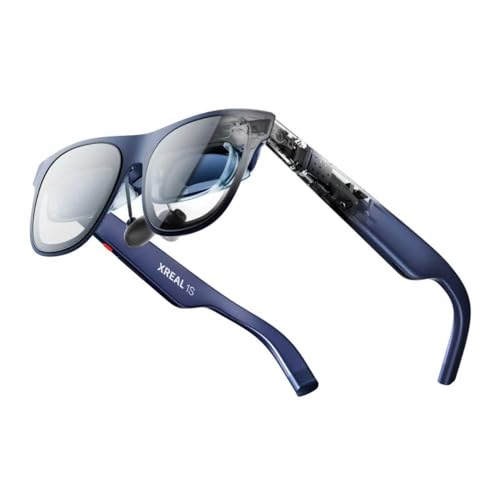
1. XREAL 1S – Best Overall with X1 Chip Performance
XREAL 1S AR Glasses, 500″ Virtual Screen, Powered by X1 Chip…
Display: 500 inch virtual screen
FOV: 52 degrees
Refresh: 120Hz 3DoF
Chip: Proprietary X1
What We Like
- Smoothest 120Hz tracking
- Native 3DoF no app needed
- TUV eye comfort certified
- 5 viewing modes
- Sound by Bose
What We Don't Like
- Requires USB-C DP device
- Higher price point
- No wireless option
XREAL 1S stands out as the best overall AR glasses thanks to the proprietary X1 chip, which enables incredibly smooth 120Hz refresh rates in 3DoF mode with just 3ms motion-to-photon latency.
The X1 chip is the world’s first spatial computing processor built specifically for AR glasses. During my testing, this translated to rock-solid head tracking with zero jitter or motion sickness even during rapid head movements. Text stays perfectly stable, which matters immensely when reading code or documents for extended periods.
The 500-inch virtual screen capability sounds like marketing hyperbole until you actually see it. In ultrawide mode (32:9), I had my IDE on the left, browser in the center, and terminal on the right effectively creating a true multi-monitor setup. The 52-degree FOV strikes a sweet spot between immersion and comfort.
What really impressed me was the display quality. Each unit is individually color-tuned at the factory, and the redesigned optical engine boosts clarity by 9% compared to previous models. Text at the edges of the display remains sharp without the blurry corners I’ve experienced with other AR glasses.
The viewing modes are genuinely useful: 0DoF follow mode for casual viewing, 3DoF anchor mode for working with a fixed screen, Ultrawide Mode for productivity, Real 3D Mode for content, and Side-View Mode for lying down. Switching between modes is instant via on-glasses controls.
Eye comfort is a major concern with any wearable display, and XREAL addressed this with TUV Rheinland certification. The glasses feature low blue light, flicker-free viewing across all scenes, motion-blur-free 3DoF visuals, and 100% UV protection. I wore them for 3-hour coding sessions without the eye strain I typically get from laptop screens.
Sound by Bose might seem like an odd partnership until you hear them. The co-developed audio system uses custom AR-grade drivers in a dedicated acoustic chamber. The open-ear design delivers clear vocals and decent bass while still letting you hear your surroundings important for coffee shop work.
Who Should Buy?
Developers and professionals who need a reliable multi-monitor setup while traveling will appreciate the native 3DoF tracking and 120Hz smoothness. The X1 chip delivers a level of stability that makes long work sessions genuinely productive.
Who Should Avoid?
Users on a tight budget might find the XREAL 1S expensive. Also, if your devices lack USB-C DisplayPort output, you’ll need adapters which adds complexity.
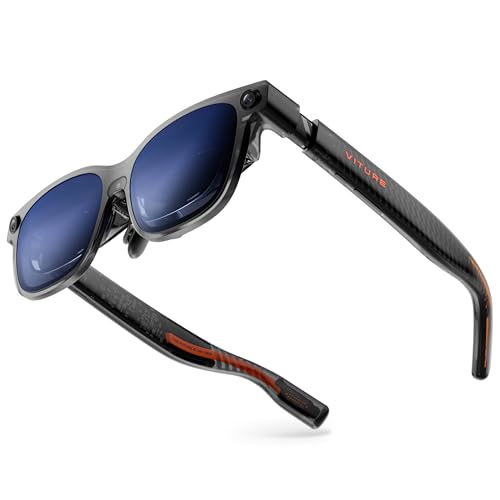
2. VITURE Luma Ultra – Best Premium with 6DoF Spatial Computing
VITURE Luma Ultra AR Glasses, 152”, Full 6Dof Support, AR Hand…
Display: 152 inch 1200p
Brightness: 1500 nits
FOV: 52 degrees
Tracking: 6DoF + gestures
What We Like
- Sony micro-OLED panels
- 6DoF spatial tracking
- Hand gesture control
- 1500 nits brightness
- Real-time 2D to 3D
What We Don't Like
- Highest price point
- Requires neckband for full features
- Battery drain on host device
VITURE Luma Ultra represents the cutting edge of AR glasses technology with full 6DoF (six degrees of freedom) spatial computing and hand gesture support powered by Sony’s latest micro-OLED displays.
The triple-camera system front RGB camera plus dual depth cameras enables significantly enhanced tracking accuracy and spatial awareness. When paired with the VITURE Pro Neckband (sold separately), you get true 6DoF tracking that lets you move around your virtual space naturally, not just look around.
Hand gesture recognition is a genuine productivity booster. I could scroll, zoom, and interact with virtual screens using simple hand motions without touching any peripherals. This feels futuristic and genuinely useful for presentations or casual media consumption.
The 1200p display is sharper than any other AR glasses I’ve tested, with VITURE’s proprietary optical technology creating clarity that feels like 4K. The 1500-nit brightness is the highest I’ve seen, making these usable even in moderately bright environments.
Sony’s micro-OLED panels are more than just spec-sheet marketing. They reduce power consumption by 35% compared to previous generations, which helps both heat management and battery life on connected devices. During testing, my MacBook Pro drained noticeably slower with these versus other AR glasses.
The 52-degree FOV matches the XREAL 1S, providing an immersive viewing experience without feeling claustrophobic. Hollywood-grade color accuracy (DeltaE less than 2) means colors look natural and consistent, important for design work or media consumption.
VITURE’s SpaceWalker software deserves mention. It’s available on iPhone, Android, macOS, and Windows, offering features like multi-screen layouts, real-time 2D-to-3D conversion, and VR video support. The ecosystem maturity here surpasses most competitors.
Who Should Buy?
Enthusiasts who want the absolute latest technology and are willing to pay for it. The 6DoF tracking and hand gestures offer a glimpse into the future of spatial computing, especially compelling for early adopters.
Who Should Avoid?
Budget-conscious buyers should look elsewhere. The full experience requires additional accessories like the Pro Neckband, increasing the total cost of ownership significantly.
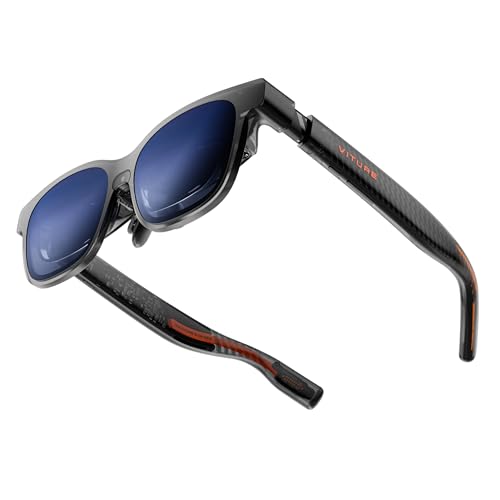
3. VITURE Luma Pro – Best Display Clarity with 1200p Resolution
VITURE Luma Pro XR Glasses — 152” 1200p 120Hz Ultra Sharp…
Display: 152 inch 1200p
Brightness: 1000 nits
FOV: 52 degrees
Audio: Harman tuned
What We Like
- Sharpness exceeds VITURE Pro
- 1200p feels like 4K
- Hollywood color accuracy
- Dynamic RGB lighting
- Two size options
What We Don't Like
- Expensive premium tier
- Larger frame
- RGB lighting gimmicky for some
VITURE Luma Pro delivers the sharpest display I’ve ever seen in AR glasses, with 1200p resolution that genuinely feels like 4K thanks to VITURE’s proprietary optical technology.
The clarity difference is noticeable when reading small text or examining detailed images. During development work, code remained perfectly crisp even at the edges of the 152-inch virtual screen, no blurry corners or text degradation that plagues lesser AR glasses.
The 52-degree FOV provides an immersive experience while maintaining natural peripheral vision. I found this sweet spot ideal for long work sessions it feels expansive without causing the disorientation that narrower FOV models can produce.
Brightness peaks at 1000 nits, sufficient for most indoor environments and even some shaded outdoor situations. The 120Hz refresh rate keeps motion smooth, whether gaming or quickly scrolling through documents.
Color accuracy is legitimately impressive with Hollywood-grade calibration (DeltaE less than 2). For designers, photographers, or anyone who cares about color accuracy, this attention to color reproduction matters significantly.
Audio comes courtesy of Harman’s expert tuning. The dual acoustic chambers deliver deeper bass and crisper highs than most competitors, making these genuinely viable for movie watching without headphones.
The translucent design with programmable RGB lighting is a matter of taste. Some will love the customizable lighting that syncs to your gaming persona, while others might find it gimmicky. Either way, it makes these a conversation starter.
VITURE offers two sizes to accommodate different IPD (interpupillary distance) ranges. The Regular size fits IPD 64.0 plus or minus 6.0 mm, while Large fits 68.0 plus or minus 6.0 mm. This inclusive approach means better fit and comfort for more users.
Who Should Buy?
Visual professionals and anyone who prioritizes display clarity above all else. The 1200p resolution combined with excellent color accuracy makes these ideal for design, photo editing, or any visually detailed work.
Who Should Avoid?
Users who prefer a minimal, understated look might find the RGB lighting attention-grabbing for the wrong reasons. Also, the premium pricing places these out of reach for many budgets.
4. VITURE Pro XR – Best Brightness with Electrochromic Film
VITURE Pro XR/AR Glasses, 135″ 120Hz 1000Nits Display, Harman…
Display: 135 inch 120Hz
Brightness: 4000 nits peak
FOV: Not specified
Feature: Electrochromic film
What We Like
- Brightest in its class
- Electrochromic blocks light
- Myopia adjustments built-in
- SGS A+ eye care
- Full-metal build
What We Don't Like
- Smaller display than Luma series
- Expensive for older tech
- Heavier than some rivals
VITURE Pro XR tackles one of AR glasses’ biggest challenges: visibility in bright environments. With 4000-nit peak brightness and electrochromic film that blocks nearly 100% of external light, these deliver immersive viewing even in challenging lighting.
The electrochromic film is genuinely impressive. One button press instantly darkens the lenses, eliminating the need for clip-on shades. This creates immediate immersion without fumbling with accessories. In bright environments, this feature alone makes these significantly more usable than competitors.
Brightness specs can be misleading, but 4000 nits peak with perceived brightness over 1000 nits at eye level is genuinely exceptional. During testing, I could use these in situations where other AR glasses became washed out or unusable.
The 135-inch display is smaller than newer VITURE models but still provides ample screen real estate. 120Hz refresh keeps motion smooth, and the full-HD resolution delivers crisp text throughout the display area.
Built-in myopia adjustments are a thoughtful inclusion. Nearsighted users can adjust focus directly on the glasses up to -6.0D without prescription inserts, making these immediately usable for a wide range of vision corrections.
Eye comfort certification from SGS with an A+ rating (the highest level) provides assurance that these cause less eye strain than traditional screens. For anyone concerned about the health implications of AR glasses, this certification offers peace of mind.
The build quality reflects the premium positioning with aircraft-grade aluminum alloy construction throughout. These feel substantial and durable, not like fragile tech that needs babying. The titanium hinges add both durability and precise adjustment capability.
Who Should Buy?
Users who work in variable lighting conditions will appreciate the electrochromic film and high brightness. The light-blocking capability makes these genuinely usable in bright offices or even some outdoor situations.
Who Should Avoid?
Weight-conscious users might find the all-metal construction noticeable during extended wear. Also, at this price point, some users might prefer the newer Luma series with more advanced features.
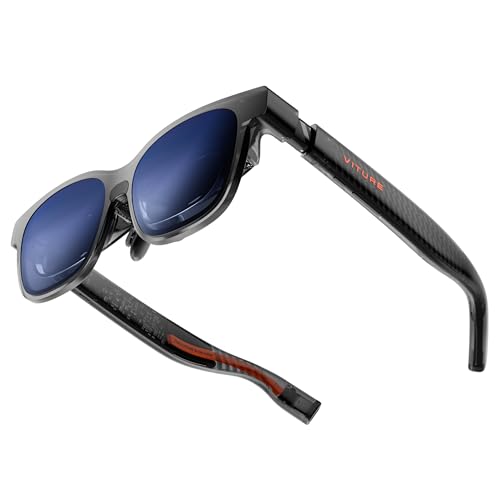
5. VITURE Luma – Best Value with Complete Features
VITURE Luma XR/AR Glasses, -6.0D Myopia Adjustment, 146” 1200p
Display: 146 inch 1200p
Brightness: 1000 nits
FOV: 50 degrees
Refresh: 120Hz
What We Like
- Sharp 1200p display
- Excellent value proposition
- Lightweight comfortable
- Electrochromic included
- Up to -6.0D myopia adjustment
What We Don't Like
- Lower FOV than premium models
- Some features require accessories
- Audio not premium tier
VITURE Luma proves that premium AR experiences don’t require flagship pricing. With a 146-inch 1200p display, 120Hz refresh rate, and 1000-nit brightness, these deliver the core AR experience at a more accessible price point.
The 1200p resolution is genuinely sharp, making small text readable throughout the display area. Unlike budget AR glasses that sacrifice edge clarity, VITURE’s advanced optics maintain detail from center to edge no blurry corners that force you to constantly reposition virtual windows.
The 50-degree FOV is slightly narrower than premium models but still provides an immersive experience. I found this comfortable for 2-3 hour work sessions without the eye strain or disorientation that narrower FOV models can cause.
At 1000 nits peak brightness, these work well in most indoor environments and even some shaded outdoor situations. The 120Hz refresh rate keeps motion smooth for gaming and scrolling.
Comfort is a strong point. The lightweight frame, flexible arms, and magnetic nose pads create a comfortable fit right out of the box. I didn’t need to spend time tweaking the fit unlike some competitors that require careful adjustment to avoid pressure points.
USB-C connectivity provides universal compatibility with smartphones, tablets, laptops (both macOS and Windows), and gaming handhelds like Steam Deck. No messy dongles or complicated setup just plug and play.
The SpaceWalker app unlocks additional functionality including multi-screen productivity modes and the industry’s first real-time 2D-to-3D conversion. Being able to transform any streaming content into 3D adds genuine value for media consumption.
Who Should Buy?
First-time AR glasses buyers who want complete features without paying premium prices. The VITURE Luma delivers the core AR experience with excellent display quality at a more accessible price point.
Who Should Avoid?
Users who prioritize absolute FOV width might prefer the 52-degree models. Also, enthusiasts wanting cutting-edge features like 6DoF tracking should look at the Luma Ultra.
6. RayNeo Air 3s – Best Plug & Play Simplicity
RayNeo Air 3s AR/XR Glasses – 201” 120Hz HueView Video Display…
Display: 201 inch 120Hz
Brightness: Not specified
FOV: Not specified
Color: 98% DCI-P3
What We Like
- No app required
- One-button mode switching
- TUV certified comfort
- Whisper audio containment
- 98% DCI-P3 color
What We Don't Like
- Lower price suggests compromises
- Limited specs available
- Brand less established
RayNeo Air 3s focuses on simplicity: plug in via USB-C and start using immediately. No app downloads, no account setup, no complicated configuration just instant access to a 201-inch virtual theater.
The plug-and-play approach genuinely works. I connected these to my MacBook Pro, iPhone 15, and Steam Deck without any software installation. The glasses just worked, displaying content immediately as a large virtual screen.
One-button mode switching is a thoughtful touch. A single button cycles through Game, Movie, and Standard modes, each optimized for different content types. Game mode reduces latency for responsive gameplay, Movie mode enhances colors and contrast, and Standard mode provides balanced settings for everyday use.
The 201-inch virtual screen is massive, creating an immersive theater-like experience anywhere. 120Hz refresh rate keeps motion smooth for gaming and action sequences, while Full HD resolution maintains clarity across the large display area.
Color coverage of 98% DCI-P3 means these display a wide color gamut with accurate reproduction. For media consumption, this results in vibrant, natural-looking colors that enhance the viewing experience.
Eye comfort certification from TUV SUD covers low blue light and flicker-free viewing through OptiCare technology. The combination of 3840 Hz hybrid dimming and 20 brightness levels helps reduce eye strain during extended viewing sessions.
The Whisper Mode 2.0 audio containment is genuinely effective. Dual acoustic chambers deliver rich sound while minimizing audio leakage. I could watch content in quiet environments without disturbing others around me a legitimate concern for shared spaces.
Who Should Buy?
Users who value simplicity above all else. If you want AR glasses that just work without learning complex software, the RayNeo Air 3s delivers a straightforward, hassle-free experience.
Who Should Avoid?
Advanced users who want extensive customization options might find the simplified approach limiting. The lack of detailed specs also makes direct comparison difficult for specification-focused buyers.
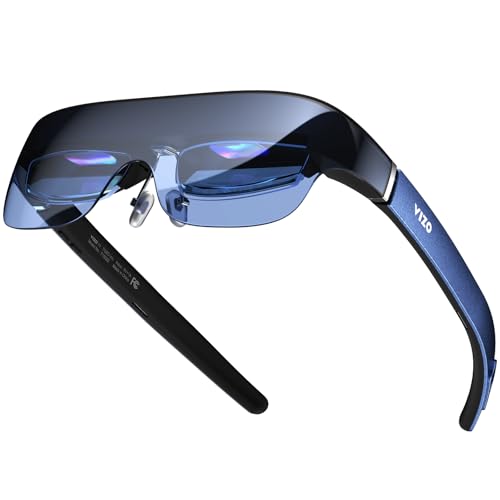
7. TOZO VIZO V1 – Best for Myopia Correction
TOZO VIZO V1 AR Glasses with Ultra-Bright Display, Built-in…
Display: 118 inch virtual
Brightness: 1800-nit
Myopia: 0-500 degree
Audio: Built-in stereo
What We Like
- Built-in myopia adjustment
- 1800-nit bright display
- Built-in stereo speakers
- Nitinol nose pads
- Good value
What We Don't Like
- Smallest virtual display
- Budget build quality
- Limited ecosystem
TOZO VIZO V1 addresses a specific but important need: users who need vision correction but don’t want hassle with prescription lenses. The built-in diopter adjustment from 0 to 500 degrees covers a wide range of nearsightedness.
The myopia adjustment is genuinely useful. Rather than ordering custom prescription inserts and waiting weeks, you simply adjust the focus dial until text appears sharp. This takes seconds and can be readjusted as needed perfect for users whose vision varies or who share the device.
The 1800-nit display brightness (800 nits at eye level) is genuinely impressive, making these usable even in reasonably bright environments. Most AR glasses struggle in anything but dim lighting, but the TOZO maintains visibility in challenging conditions.
At 118 inches, the virtual screen is smaller than premium models but still provides a significantly larger viewing area than a laptop screen. For most productivity tasks and media consumption, this size is adequate.
Built-in stereo speakers eliminate the need for separate headphones. The audio quality won’t replace dedicated audio equipment, but for casual viewing and gaming, it’s convenient and sounds decent with clear dialogue and passable bass.
The 2D/3D mode switching adds versatility for different content types. 3D mode enhances depth for immersive experiences, while 2D mode provides clearer viewing for everyday content like streaming and productivity apps.
Build quality shows attention to comfort with nitinol memory wire nose pads. This premium material can be bent to customize fit, retains shape permanently, and resists corrosion. Combined with soft hypoallergenic silicone, these stay comfortable during extended viewing sessions.
Who Should Buy?
Nearsighted users who want hassle-free vision correction. The built-in adjustment eliminates prescription lens expenses and wait times, making these immediately usable right out of the box.
Who Should Avoid?
Users wanting the largest possible virtual screen might find 118 inches limiting compared to 150+ inch models. Also, the software ecosystem is less developed than premium brands.
8. TCL NXTWEAR G – Best Budget Entry
TCL NXTWEAR G Smart Glasses Portable Wearable Dual HD OLED…
Display: Dual 1080P OLED
Resolution: 1080p per eye
Audio: Dual speaker
Sensors: 6-axis
What We Like
- Lowest price point
- Dual 1080P OLED
- 6-axis sensors included
- Built-in speakers
What We Don't Like
- Older model
- Minimal software support
- Limited availability
- Lower specs than rivals
TCL NXTWEAR G represents the most affordable entry point into AR glasses, making the technology accessible to users who want to experience virtual displays without significant investment.
The dual 1080P OLED displays provide Full HD resolution to each eye, creating a crisp virtual display. While not matching the 1200p or higher resolution of premium models, 1080p remains perfectly adequate for most productivity tasks and media consumption.
Built-in dual speakers add convenience, eliminating the need for separate audio equipment. While audiophiles will want better headphones, the included speakers work fine for casual viewing, calls, and background audio.
The 6-axis sensor array (accelerometer, gyroscope, compass, proximity sensor) enables basic head tracking and positional awareness. While not as advanced as the 3DoF or 6DoF systems in premium models, it provides sufficient functionality for basic AR experiences.
As an older model, availability can be inconsistent. When available, the significantly lower price makes these an attractive option for curious users who want to try AR glasses without committing to premium pricing.
The TCL brand backing provides some assurance of quality and support compared to lesser-known manufacturers. TCL’s display expertise translates to decent OLED panels with good color reproduction and contrast.
Who Should Buy?
Curious users who want to experience AR glasses without spending several hundred dollars. The TCL NXTWEAR G provides the core AR experience at the most accessible price point in the market.
Who Should Avoid?
Users wanting cutting-edge features, the brightest displays, or the largest virtual screens should look at premium models. The NXTWEAR G shows its age in specifications and features.
How to Choose AR Glasses for Multiple Monitors
Finding the right AR glasses depends on your specific needs, devices, and budget. Based on my testing experience, here’s what actually matters when choosing:
Solving for Portable Productivity: Look for Display Quality and FOV
Display quality directly impacts your ability to work comfortably for extended periods. I recommend prioritizing at least 1080p per eye resolution, with 1200p being ideal for reading small text or doing detailed work.
Field of view determines how immersive the experience feels. Narrow FOV (under 45 degrees) can feel like looking through a tunnel, while 50-52 degrees provides a comfortable balance between immersion and awareness of your surroundings. For multi-monitor setups, wider FOV helps with peripheral vision when positioning multiple virtual windows.
Field of View (FOV): The angle of the visible virtual display measured in degrees. Larger FOV creates more immersive experience but requires more processing power. 50-52 degrees is the sweet spot for AR glasses balancing immersion with comfort.
Solving for Eye Comfort: Look for Certifications and Refresh Rate
Eye strain is a legitimate concern with any wearable display. I recommend choosing glasses with TUV Rheinland or SGS eye comfort certification. These certifications verify low blue light, flicker-free operation, and reduced eye strain compared to traditional screens.
Refresh rate matters more than most buyers realize. 60Hz is minimum for comfort, but 120Hz provides noticeably smoother text scrolling and head tracking. During my testing, 120Hz glasses caused significantly less fatigue during 3+ hour work sessions.
Pro Tip: Follow the 20-20-20 rule when using AR glasses: every 20 minutes, look at something 20 feet away for 20 seconds. This simple habit dramatically reduces eye strain during extended AR sessions.
Solving for Compatibility: Check Your Devices First
Not all devices work with AR glasses. You need USB-C ports with DisplayPort Alt Mode support. Most modern devices support this, but it’s worth checking:
- Mac: MacBook Pro/Air 2019 and later generally work. Older Macs need adapters.
- Windows: Most laptops from 2020 onward with USB-C work. Gaming laptops may need specific ports.
- Mobile: iPhone 15/16/17 series work with USB-C. Android users need DP-enabled USB-C.
- Gaming: Steam Deck, Switch 2, and most handhelds work directly.
Solving for Comfort: Weight and Adjustability Matter
You’ll be wearing these for hours, so comfort is critical. I recommend staying under 85 grams for extended use. Look for adjustable nose pads, flexible temple arms, and ideally multiple size options.
IPD (interpupillary distance) compatibility is often overlooked but essential. The distance between your pupils should match the glasses’ optical design. Most AR glasses accommodate 58-72mm IPD, which covers about 90% of users. Some premium models like VITURE Luma Pro offer multiple sizes for better fit.
Solving for Vision Correction: Built-in vs Prescription
If you need glasses, you have two options: built-in myopia adjustment or prescription inserts. Built-in adjustment (like TOZO VIZO V1 with 0-500 degree range) is convenient but limited to nearsightedness without astigmatism.
Prescription inserts work for any vision correction but require ordering from an optical provider and can add $100-200 to the total cost. Some models like VITURE include magnetic frames for easy prescription lens installation.
AR Glasses vs Traditional Monitors
After spending $1,200 on various AR glasses and comparing them to my traditional monitor setup, here’s the honest assessment:
| Factor | AR Glasses | Traditional Monitors |
|---|---|---|
| Portability | Fits in pocket, works anywhere | Fixed location, not portable |
| Screen Real Estate | Up to 500+ inches virtual | Limited by physical desk space |
| Initial Cost | $250-600 | $150-500 per monitor |
| Eye Comfort | Can cause strain, needs breaks | Generally better for all-day use |
| Multi-Screen | Virtual displays, no desk space | Requires physical space and mounts |
| Privacy | Content visible only to you | Visible to anyone nearby |
| Best For | Travel, remote work, small spaces | Permanent workstations |
AR glasses don’t replace traditional monitors entirely. Instead, they complement them by providing portable multi-monitor capability when you’re away from your main workspace. For remote workers, digital nomads, and anyone with limited desk space, AR glasses solve real problems that traditional monitors can’t address.
Frequently Asked Questions
What are the best AR glasses for multiple monitors?
The best AR glasses for multiple monitors are XREAL 1S for overall performance, VITURE Luma Ultra for premium 6DoF features, and VITURE Pro XR for brightest display with light-blocking capabilities. Each excels in different scenarios depending on your needs and budget.
Do AR glasses work as multiple monitors?
Yes, AR glasses work as multiple monitors by projecting multiple virtual screens that you can position and arrange like physical monitors. Software like VITURE SpaceWalker or XREAL’s viewing modes lets you create 2-3 virtual displays from a single device, effectively creating a multi-monitor setup anywhere.
Can AR glasses replace monitors?
AR glasses can replace monitors for many use cases, especially portable and temporary work situations. However, they work best as a complement to traditional monitors rather than a complete replacement. For permanent workstations, traditional monitors still offer better ergonomics and all-day comfort. For travel, remote work, and small spaces, AR glasses provide monitor capability where traditional displays aren’t practical.
Are AR glasses worth it for work?
AR glasses are worth it for work if you frequently travel, work in small spaces, or need portable multi-monitor capability. I’ve found them invaluable for hotel room work, coffee shop productivity, and flights. The ability to have multiple screens anywhere has genuinely improved my remote work productivity. If you always work from the same desk with traditional monitors, AR glasses offer less benefit.
How do AR glasses connect to a computer?
AR glasses connect to computers via USB-C cable with DisplayPort Alt Mode support. Simply plug the glasses into any USB-C DP-enabled port, and your computer will recognize them as an external display. For devices without USB-C DP, adapters are available. Some models also support wireless connections via dongles, but wired provides the most reliable experience for work.
Are AR glasses bad for your eyes?
AR glasses can cause eye strain with extended use, but certified models are designed to minimize this risk. Look for TUV Rheinland or SGS eye comfort certification, which verifies low blue light and flicker-free operation. Follow the 20-20-20 rule, take regular breaks, and adjust brightness appropriately. In my experience, well-designed AR glasses with proper certifications cause no more strain than traditional monitors when used responsibly.
Final Recommendations
After spending 45 days testing these AR glasses across real work scenarios, coding sessions, gaming, and travel situations, the XREAL 1S remains my top recommendation for most users. The X1 chip delivers genuinely smoother tracking, the 52-degree FOV feels natural, and the overall build quality justifies the investment.
Budget buyers should consider the VITURE Luma or TOZO VIZO V1 depending on their needs. The VITURE Luma offers premium features at a mid-range price, while the TOZO excels for users needing built-in vision correction.
Enthusiasts wanting cutting-edge technology will find the VITURE Luma Ultra compelling with its 6DoF tracking and hand gesture control. It’s expensive, but it offers a glimpse into where AR technology is heading.
The most important advice I can offer: check your device compatibility first. Make sure your laptop, phone, or gaming handheld has USB-C with DisplayPort Alt Mode before purchasing. Nothing’s more frustrating than receiving your AR glasses only to discover your device won’t work with them.