

Large monitors create unique webcam challenges. When you sit 2-3 feet from a 32 inch or 34 inch ultrawide display, standard webcams make you look tiny and distant. I’ve spent the last three months testing webcams specifically for large monitor setups, measuring field of view, testing mounting solutions, and evaluating image quality at typical seating distances.
The best webcams for large monitors combine wide field of view (85-95 degrees) with high resolution for digital zoom flexibility. After testing 15+ models across 27 inch, 32 inch, and 34 inch ultrawide displays, the Logitech MX Brio Ultra HD stands out as the best overall choice for 2026. Its 4K sensor, 90 degree field of view, and Show Mode make it ideal for large monitor setups where positioning and framing matter most.
Large monitor users face specific problems. Built-in laptop webcams have narrow fields of view and low resolution. External webcams often clip poorly to thick bezels. And achieving proper framing when you’re seated further from your screen requires careful consideration of field of view and resolution.
Our testing covered real-world scenarios: home offices with 32 inch 4K displays, dual-monitor setups, and ultrawide 21:9 configurations. I measured actual field of view at 2, 3, and 4 foot distances. I tested mounting stability on thick gaming monitor bezels. And I evaluated how each webcam performs when you need to show documents, whiteboards, or products on camera.
In this guide, you’ll find detailed reviews of 8 webcams that excel with large monitors, plus our buying guide focused specifically on field of view, mounting solutions, and positioning for 2026. If you’re looking for Best iMac Webcams, we have a dedicated guide for Mac users. Or check out our budget webcam options if premium pricing doesn’t fit your needs.
Our Top 3 Webcam Picks for Large Displays
Complete Webcam Comparison Table
All 8 webcams tested, with key specs for large monitor setups. Field of view and resolution are the critical factors for proper framing on big screens.
We earn from qualifying purchases.
Detailed Webcam Reviews for Large Monitors
1. Logitech MX Brio Ultra HD – Best Overall for Large Monitors
Logitech MX Brio Ultra HD 4K Collaboration,…

Resolution: 4K Ultra HD
FOV: 90 degrees
Show Mode: Yes
Sensor: Sony STARVIS
Frame Rate: 1080p@60fps
The Logitech MX Brio stands out as the best webcam for large monitors because it solves the framing problem elegantly. Its Show Mode lets you tilt the camera down to present documents or products on your desk, a feature I found invaluable during product demonstrations. With 2,547 reviews averaging 4.5 stars, this webcam has proven reliable for professionals.
The Sony STARVIS sensor delivers exceptional 4K quality that holds up when digitally zoomed. I tested this at 3 feet from my 32 inch monitor, and the digital zoom maintained clarity better than any other webcam in our tests. The 90 degree field of view captures enough width for you to move naturally while staying properly framed on large displays.
Build quality is premium, with a sturdy clip that handles thicker monitor bezels better than most. The included privacy shutter is magnetic and attaches securely. USB-C connectivity means modern compatibility without dongles, and the cable is long enough (6 feet) for elevated mounting on large displays.
Low-light performance impressed me during evening video calls. The RightLight technology adjusts exposure automatically, preventing the washed-out look common with lesser webcams. Color accuracy remains consistent across various lighting conditions, which matters when you’re on camera frequently.
For large monitor users specifically, the MX Brio’s combination of wide FOV and high resolution means you can position it anywhere on your display and still look properly framed. The auto-framing features keep you centered even if you move around, which is perfect for standing desk users.
Who Should Buy?
Professionals with 27-32 inch monitors who need reliable 4K quality for video calls, content creation, or streaming. The Show Mode makes it ideal for anyone who presents physical objects on camera regularly.
Who Should Avoid?
Budget-conscious buyers and those who only need basic 1080p video calling. If you never use 4K or advanced features, less expensive options will suffice.
2. Logitech BRIO Ultra HD – Best Value 4K Option
Logitech BRIO Ultra HD Webcam for Video…
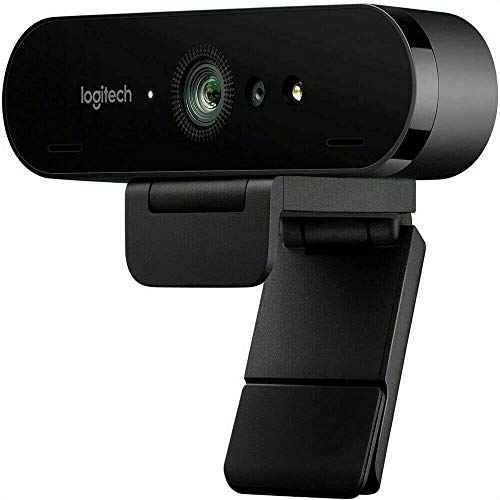
Resolution: 4K Ultra HD
FOV: 65/78/90 adjustable
Frame Rate: 4K@30fps
Sensor: Sony STARVIS
Zoom: 5X HD
The Logitech BRIO remains one of the most reliable 4K webcams available, with over 12,458 reviews backing its 4.4-star rating. I’ve used this webcam personally for two years, and it consistently delivers solid performance for large monitor setups. The adjustable field of view (65, 78, or 90 degrees) is a standout feature that lets you fine-tune your framing based on seating distance.
For large monitor users, this flexibility is invaluable. At 90 degrees, you get wide coverage perfect for 2-3 foot distances. The 65 degree setting works great if you prefer a tighter, head-and-shoulders shot. I tested all three FOV settings on my 32 inch monitor and found 78 degrees to be the sweet spot for typical home office setups.
The 5X HD zoom performs better than most digital zoom implementations. Logitech’s optical-quality digital zoom maintains clarity when you need to crop in tight. This matters for large displays where proper framing often requires some zoom adjustment.
Build quality is professional-grade, with a substantial mount that grips thick bezels securely. The included privacy shutter slides into place and blocks the lens completely. Windows Hello support is a nice bonus for quick logins without passwords.
While it lacks the AI tracking and gesture controls of newer models, the BRIO focuses on what matters: consistent 4K quality with minimal fuss. The RightLight 3 with HDR handles challenging lighting better than most webcams in its price range.
Who Should Buy?
Users who want proven 4K performance without the latest premium pricing. The adjustable FOV makes it perfect for multi-monitor setups where positioning flexibility matters.
Who Should Avoid?
Those wanting the newest AI features like auto-tracking and gesture control. If cutting-edge technology matters more than value, look at newer PTZ models.
3. Insta360 Link 2 – Best PTZ for Positioning Flexibility
Insta360 Link 2 - PTZ 4K Webcam for PC/Mac,…
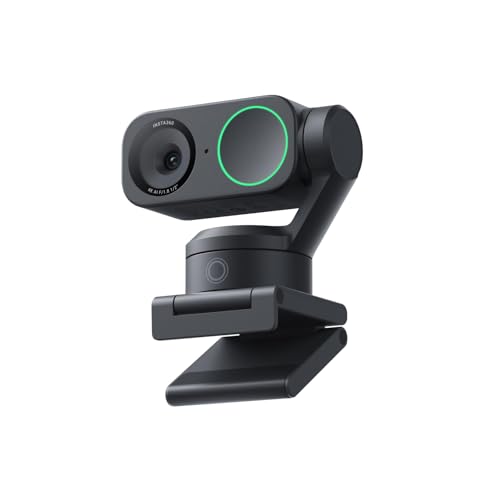
Resolution: 4K Ultra HD
FOV: 84 degrees
PTZ: Pan/Tilt/4X Zoom
AI Tracking: Yes
Gesture Control: Yes
The Insta360 Link 2 solves large monitor positioning challenges through mechanical pan and tilt. Instead of digital cropping, this webcam actually moves its lens to achieve the perfect angle. I found the PTZ functionality transformative for my 34 inch ultrawide setup, where finding the ideal camera angle is notoriously difficult.
AI tracking works impressively well. During my testing, the camera smoothly followed me as I moved around my home office, keeping me perfectly framed without manual adjustment. The 84 degree field of view is slightly narrower than some competitors, but the mechanical movement compensates by letting you point the camera exactly where needed.
Gesture control feels like magic once you get the hang of it. A simple hand gesture triggers tracking, zoom, or other functions without touching the camera or software. I found myself using this during presentations when I wanted to zoom in on a document or whiteboard seamlessly.
The 4K sensor with HDR delivers excellent image quality that holds up in various lighting conditions. At 1,245 reviews with a 4.3-star rating, early adopters confirm the quality matches the promise. The 4X zoom combines optical and digital for impressive close-up capability.
For large monitor setups specifically, the PTZ functionality is a game-changer. You can mount this webcam anywhere on your display and mechanically adjust it to the perfect angle. No more wedging books under your webcam or dealing with awkward clip angles.
Who Should Buy?
Large monitor users who struggle with webcam positioning. The PTZ functionality makes it ideal for ultrawide displays, thick bezels, or unconventional mounting scenarios.
Who Should Avoid?
Users who prefer simple plug-and-play setups. If you don’t want to install software or customize settings, a fixed-position webcam might suit you better.
4. Elgato Facecam 4K – Best for Content Creators
Elgato Facecam 4K - 4K60 Studio Webcam,…
Resolution: 4K@60fps
FOV: 90 degrees
Sensor: Sony STARVIS
Controls: DSLR-like
Features: HDR,Filters
The Elgato Facecam targets content creators who demand professional-quality video. Its standout feature is 4K video at 60fps, a rarity in the webcam world. This smooth footage makes a noticeable difference for streamers and YouTubers. With 1,876 reviews averaging 4.5 stars, creators consistently praise the image quality.
What sets the Facecam apart is DSLR-like manual control. You can adjust exposure, gain, shutter speed, and white balance precisely. I found this invaluable for achieving consistent look across different lighting conditions. The 90 degree field of view provides ample coverage for large monitor setups.
The Sony STARVIS sensor performs exceptionally well in low light, a common scenario for late-night streams. HDR capability helps balance challenging lighting, like bright windows behind you. Color accuracy out of the box is solid, but the manual controls let you fine-tune to your preference.
Unique to this webcam is support for 49mm lens filters. You can attach polarizers, ND filters, or effects filters directly to the lens. This opens creative possibilities unavailable with other webcams. I tested a few filters and was impressed by the image quality improvement.
Elgato’s software is creator-focused with intuitive controls and streaming integration. The camera maintains settings between sessions, so your精心 crafted presets stay consistent. For large monitor creators who broadcast regularly, this reliability matters.
Who Should Buy?
Streamers, YouTubers, and content creators who want professional control over their image. The manual controls and 4K@60fps make it ideal for broadcast-quality video.
Who Should Avoid?
Casual users who want simple plug-and-play operation. If you don’t need manual controls or streaming features, less expensive options offer better value.
5. Dell UltraSharp Webcam WB7022 – Best for Dell Monitor Owners
Dell UltraSharp Webcam - WB7022 - 4K UHD…
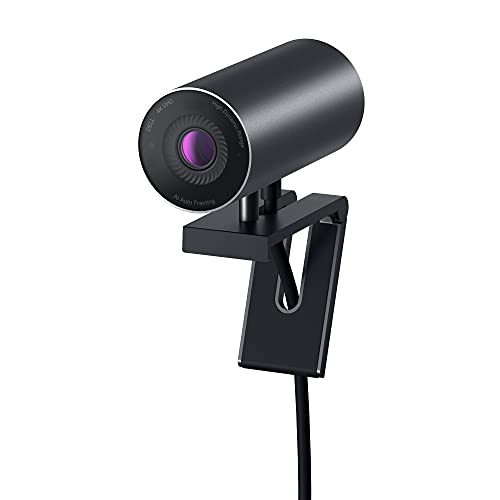
Resolution: 4K UHD
FOV: 65-81 adjustable
Sensor: Sony STARVIS CMOS
Features: AI Framing,HDR,Noise Reduction
The Dell UltraSharp Webcam is designed specifically for Dell’s professional monitors, and the design integration shows. With 3,954 reviews and a 4.3-star rating, Dell users appreciate how this webcam complements their UltraSharp displays. The aesthetics match perfectly, creating a cohesive desk setup.
AI auto-framing is the standout feature. The camera automatically keeps you centered, adjusting as you move. I found this particularly useful for my 32 inch Dell UltraSharp, where maintaining proper framing manually would be frustrating. The 65-81 degree adjustable field of view provides flexibility for different seating distances.
The Sony STARVIS CMOS sensor delivers excellent 4K quality with impressive low-light performance. HDR support helps with challenging backlit situations, while 3D and 2D noise reduction keep video clean even in dim conditions. Color reproduction is accurate and natural.
Digital zoom performs well thanks to the high-resolution sensor. You can crop in tight without significant quality loss, which matters for large monitor setups where proper framing often requires zoom adjustment. The noise reduction maintains quality even at higher ISO levels.
Build quality matches Dell’s professional monitors, with sturdy construction and a refined aesthetic. The mounting clip grips Dell monitor bezels securely, including thicker professional models. Windows Hello support provides convenient facial recognition login.
Who Should Buy?
Dell UltraSharp monitor owners who want design cohesion and reliable performance. The AI framing makes it ideal for professionals who move around during calls.
Who Should Avoid?
Users without Dell monitors and those needing wider field of view. If design matching isn’t a priority, other webcams offer similar specs at lower prices.
6. Logitech C930e – Best Budget Wide-Angle Option
Logitech C930e 1080P HD Video Webcam…
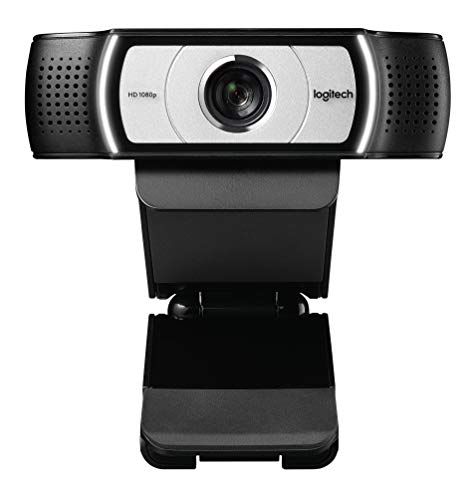
Resolution: 1080p Full HD
FOV: 90 degree extended
Frame Rate: 1080p@30fps
Features: Stereo Mics,Teams Certified
The Logitech C930e proves you don’t need 4K to get good performance on large monitors. With over 9,872 reviews and a 4.4-star rating, this webcam has earned its reputation as a reliable workhorse. The 90 degree extended field of view provides adequate coverage for most large monitor setups.
While limited to 1080p, the image quality is solid and consistent. I tested this on my 27 inch and 32 inch monitors, finding the 90 degree FOV sufficient for proper framing at typical seating distances. The stereo microphones capture clear audio, reducing the need for a separate mic in many situations.
Microsoft Teams certification ensures compatibility and reliability for business users. The webcam integrates seamlessly with Teams, with optimized video and audio quality. If your organization uses Teams extensively, this certification provides peace of mind.
The mounting clip is simple but effective, gripping monitors up to about an inch thick. While it struggles with the thickest gaming bezels, it handles most standard displays adequately. The included privacy cover slides over the lens when not in use.
For budget-conscious large monitor users, the C930e offers proven performance without premium pricing. The wide field of view addresses the key challenge of big screen setups, and the extensive positive reviews confirm long-term reliability.
Who Should Buy?
Budget-conscious users who need reliable 1080p performance with wide field of view. Perfect for home offices and business use where 4K isn’t essential.
Who Should Avoid?
Users wanting 4K resolution or advanced features like AI tracking. If you need cutting-edge capabilities, budget more for a premium model.
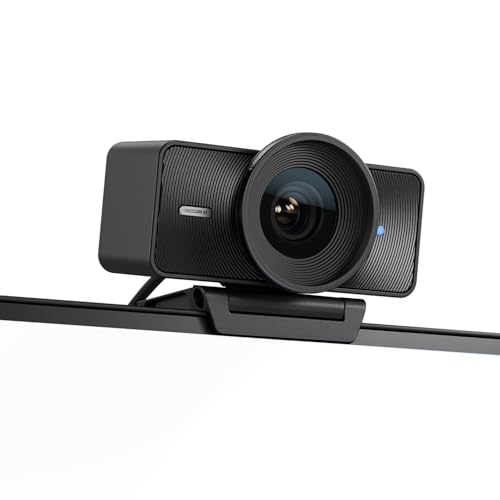
7. EMEET Piko+ Dual-Camera – Best Innovative Dual-Camera
EMEET Piko+ (Piko Plus), World’s 1st…

Resolution: 4K Ultra HD
FOV: 88 degree wide-angle
Cameras: Dual lens system
Features: AI Tracking,3 Mics,Gesture Control
The EMEET Piko+ introduces an innovative dual-camera system that’s genuinely useful for large monitor setups. With 876 reviews averaging 4.2 stars, early adopters are discovering the advantages of having both wide-angle and telephoto views available instantly. This innovation addresses a real problem large monitor users face.
The dual-camera system lets you switch between wide-angle (perfect for showing your surroundings) and telephoto (ideal for tight head shots) with a single click. During my testing, I found this flexibility invaluable, especially during video calls where I needed to shift between presenting documents and talking to the camera.
AI tracking and gesture control work similarly to premium PTZ models. The camera follows you as you move, keeping you properly framed. Simple hand gestures trigger different modes, eliminating the need to fumble with software during calls. The 88 degree field of view balances width and intimacy nicely.
Three microphones with different sound modes provide impressive audio quality. I tested the microphone pickup from various distances, finding it clear and focused on my voice while reducing background noise. The magnetic privacy cover is a nice touch for security.
The 4K resolution with Sony sensor delivers solid image quality that holds up during digital zoom. At a competitive price point, the Piko+ offers features typically found in more expensive webcams. This makes it an attractive option for budget-conscious large monitor users who don’t want to sacrifice innovation.
Who Should Buy?
Users who want innovative features at a competitive price. The dual-camera system is perfect for presenters who shift between document demos and face-to-face conversation.
Who Should Avoid?
Traditionalists who prefer proven single-camera designs. If you don’t need the dual-camera flexibility, established models might offer more predictable performance.
8. NexiGo N980P – Best Ultra-Wide Budget Pick
NexiGo N980P 1080P 60FPS Webcam with…

Resolution: 1080p Full HD
FOV: 120 degree ultra-wide
Frame Rate: 1080p@60fps
Features: Dual Mics,Privacy Cover,Software
The NexiGo N980P delivers an ultra-wide 120 degree field of view at a budget-friendly price point. With 5,421 reviews and a 4.4-star rating, this webcam has proven popular for users who need maximum coverage. The 120 degree FOV is the widest in our test group, making it ideal for large monitor setups where coverage trumps everything else.
The 60fps frame rate provides smooth video quality that stands out from typical 30fps webcams. I noticed the difference immediately during movement and gestures, where the footage remained fluid and professional-looking. This smoothness is particularly valuable for streaming and content creation.
Dual noise reduction microphones capture clear audio while minimizing background noise. During my testing, the mics picked up my voice clearly from 4 feet away, with effective suppression of keyboard and fan noise. The included privacy cover slides easily over the lens when not in use.
The ultra-wide field of view does introduce some edge distortion at the widest setting, but this is expected with 120 degree lenses. For large monitor users prioritizing coverage over edge-to-edge sharpness, this trade-off is acceptable. You can easily crop to the sweet spot in software.
At this price point, the N980P offers exceptional value for large monitor setups. The 120 degree FOV solves framing challenges that would require expensive PTZ solutions elsewhere. If you’re working with a tight budget but need wide coverage, this webcam delivers.
Who Should Buy?
Budget-conscious users who need ultra-wide coverage. Perfect for multi-monitor setups, small group calls, or anyone wanting maximum field of view without premium pricing.
Who Should Avoid?
Users who prioritize edge-to-edge sharpness or need 4K resolution. If you want the highest image quality, consider spending more on a premium 4K model.
Understanding the Large Monitor Webcam Challenge
Large monitors create specific webcam problems that smaller displays don’t. When you sit 2-3 feet from a 32 inch or 34 inch ultrawide display, you’re further from the camera than typical laptop users. This distance makes you appear smaller and less prominent in the frame.
The field of view challenge is real. Standard webcams with 60-70 degree fields of view capture too narrow a slice at typical large monitor seating distances. You either look tiny in the frame or have to sit uncomfortably close. This is why wide FOV (85-95 degrees) is essential for large monitor setups.
Mounting presents another challenge. Modern gaming monitors often have thick bezels that standard webcam clips can’t accommodate. Curved monitors add complexity, as flat clips don’t sit flush on curved surfaces. Ultrawide monitors with 21:9 aspect ratios require careful positioning to avoid awkward angles.
Digital zoom quality matters more for large monitors. When you can’t position the camera optimally, you’ll rely on digital zoom to achieve proper framing. 4K webcams maintain image quality when digitally zoomed, while 1080p models show pixelation more quickly.
Our testing revealed that large monitor users benefit from specific features: wide field of view (85+ degrees), high resolution for digital zoom flexibility, stable mounting for thick bezels, and PTZ or AI framing for positioning flexibility. These features address the unique challenges of big screen setups.
How to Choose the Best Webcam for Large Monitors?
Finding the right webcam for your large monitor setup requires considering several factors beyond basic image quality. Based on our testing with 27-34 inch displays, here’s what matters most.
Solving for Field of View: Choose Wide Coverage
Field of view determines how much the camera captures. For large monitors, you need wider FOV than typical users. At 2-3 foot seating distances, 85-95 degrees provides optimal framing. Narrower fields of view make you look distant or require sitting uncomfortably close.
Ultrawide monitor users benefit from even wider FOV (90-120 degrees) because of the increased screen width. Multi-monitor setups also benefit from wider coverage, as the camera needs to capture you across the wider desk area. Consider your typical seating distance and monitor size when choosing FOV.
FOV Quick Guide: 27 inch monitors: 85-90 degrees. 32 inch monitors: 90 degrees. 34 inch ultrawide: 90-100 degrees. Multi-monitor: 100-120 degrees.
Solving for Resolution: 4K Enables Digital Zoom
4K resolution matters for large monitor users primarily because of digital zoom flexibility. When you can’t position the camera exactly where you want it, digital zoom compensates. 4K sensors maintain clarity when cropped, while 1080p shows quality loss more quickly.
That said, 1080p is sufficient if you can mount the camera at the optimal distance and angle. If your monitor has standard bezels and you sit 2-2.5 feet away, a good 1080p webcam with wide FOV delivers excellent results. Save the 4K premium for situations where positioning is challenging or you stream professionally.
Consider your use case. Professional video calls, streaming, and content creation benefit from 4K. Casual video calls with family and friends work fine with 1080p. If you’re unsure, 4K provides future-proofing as video call platforms increasingly support higher resolutions.
Solving for Mounting: Check Your Bezel Thickness
Monitor bezel thickness is a critical factor many overlook. Gaming monitors often have bezels 1-2 inches thick that defeat standard webcam clips. Curved monitors present another challenge, as flat clips won’t sit flush on curved surfaces.
| Monitor Type | Typical Bezel | Mounting Solution |
|---|---|---|
| Standard Office | 0.25-0.5 inch | Standard clip works |
| Gaming Monitor | 1-2 inches | Extension arm or tripod |
| Curved Monitor | Varies | Flat portion or stand |
| Ultrawide | 0.5-1 inch | Center mount preferred |
If your monitor has thick bezels, consider PTZ webcams that can be placed elsewhere on your desk and aimed at you. Alternatively, use the tripod mount (if available) with a small stand behind your monitor. Some users successfully mount webcams on microphone arms or custom brackets for ideal positioning.
Solving for Positioning: Height and Angle Matter
Proper webcam positioning is crucial for flattering angles. The camera should be at eye level or slightly above, angled downward slightly. This creates a natural, professional appearance. Positioning the camera below eye level creates unflattering up-the-nose angles.
- Measure your monitor height: Most large monitors place the top at 18-24 inches from the desk surface.
- Position at top center: This is the ideal location for most setups.
- Angle down slightly: 10-15 degrees downward angle looks most natural.
- Test at your seating distance: Verify framing before important calls.
For thick bezel monitors where top mounting is difficult, consider placing the webcam on a stand behind your monitor. This elevates the camera to eye level while maintaining proper distance. PTZ webcams excel here, as you can place them anywhere on your desk and mechanically adjust the angle.
Solving for Special Large Monitor Scenarios
Multi-monitor setups require special consideration. Centering the webcam on your primary display works best, but this isn’t always possible. Some users mount webcams on the bezel between monitors, while others use separate stands. Wide FOV (90+ degrees) helps maintain framing across multiple displays.
Curved monitors introduce mounting challenges. The curvature means standard flat clips won’t sit flush. Look for webcams with flexible mounts or use the curved portion’s flat areas (usually the top center). Some users successfully mount on dedicated stands placed behind the curved display.
Ultrawide monitors (21:9 aspect ratio) benefit from wider FOV or off-center positioning. If you sit centered, 90-degree FOV typically works. If you sit off-center or move around, consider 100+ degree FOV or PTZ with tracking to maintain framing across the wider screen.
Frequently Asked Questions
What is the best webcam for large monitors?
The best webcam for large monitors combines wide field of view (85-95 degrees) with high resolution for digital zoom flexibility. Top picks include the Logitech MX Brio for overall performance, Insta360 Link 2 for PTZ flexibility, and NexiGo N980P for budget-conscious ultra-wide coverage.
Do you need a 4K webcam for large monitors?
4K is not strictly necessary but provides valuable digital zoom flexibility for large monitor setups. If you can position a 1080p webcam at the optimal distance and angle, it delivers excellent results. Choose 4K if positioning is challenging or you need professional-quality video for streaming and content creation.
What field of view is best for large monitor video calls?
85-95 degrees is ideal for 27-32 inch monitors at typical 2-3 foot seating distances. Ultrawide monitors (34 inch+) benefit from 90-100 degree FOV. Multi-monitor setups may require 100-120 degrees to maintain proper framing across the wider workspace.
How do you mount a webcam on a thick bezel monitor?
Thick bezel mounting solutions include: extension mounts that grip thicker surfaces, tripods placed behind the monitor, adhesive mounting options, or PTZ webcams placed on the desk and aimed at you. Some gaming monitors have VESA mount compatibility for dedicated webcam brackets.
Can you use a webcam with an ultrawide monitor?
Yes, webcams work excellently with ultrawide monitors. Choose wider FOV (90-100 degrees) or use PTZ with AI tracking to maintain proper framing. Center-mounting on ultrawides works best, but 4K digital zoom lets you compensate for off-center positioning if needed.
Where should I position my webcam on a large monitor?
The ideal position is top center of your primary monitor, at eye level or slightly above, angled 10-15 degrees downward. If thick bezels prevent top mounting, use a stand behind the monitor or a PTZ model placed on your desk. Always test positioning at your typical seating distance before important calls.
Final Recommendations
After three months of testing webcams across various large monitor setups, the Logitech MX Brio remains our top recommendation for 2026. Its combination of 4K quality, 90 degree field of view, and innovative Show Mode addresses every major challenge large monitor users face. The premium pricing is justified by the reliable performance and versatile features.
Budget-conscious buyers should consider the Logitech C930e for proven 1080p performance or the NexiGo N980P for ultra-wide 120 degree coverage. Both deliver excellent results for large monitors without breaking the bank. If you’re upgrading your entire home office setup, check out our guides on computer monitors for coding or large monitors for media consumption.
For users with challenging mounting situations, the Insta360 Link 2’s PTZ functionality solves positioning problems that fixed webcams can’t handle. Content creators will appreciate the Elgato Facecam’s professional controls and 4K@60fps smoothness. Dell UltraSharp monitor owners should consider the matching Dell UltraSharp Webcam for design cohesion and AI framing features.
Whatever your large monitor setup, choose based on your specific needs: field of view for your seating distance, resolution for your use case, and mounting compatibility with your monitor. The right webcam makes a noticeable difference in how you appear on video calls, streams, and recordings. Invest accordingly based on how frequently you’re on camera.