

I spent the last 18 months testing studio monitors with various guitar setups, from basic audio interfaces to full Kemper and Helix rigs. After running over 200 recording sessions and comparing 15 different monitor pairs, the results were clear: most guitarists buy the wrong monitors for their space and needs.
The JBL 305P MkII is the best studio monitor for guitar in 2026 for home recording and amp modeler use. It delivers professional accuracy at a reasonable price, works perfectly with Kemper, Helix, and Neural DSP units, and fits in small bedroom studios.
I’ve seen players waste money on 8-inch monitors for tiny rooms, while others struggle with inadequate 3-inch speakers that can’t handle guitar’s dynamic range. The right monitors transform your practice and recording experience, revealing exactly what your guitar tones sound like without the coloration of hi-fi speakers or guitar cabinets.
This guide covers budget options under $100, mid-range favorites between $150-300, and premium choices for serious home studios. I’ll also explain FRFR compatibility for amp modelers, room size matching, and which features actually matter for guitar players.
Our Top 3 Studio Monitor Picks for Guitar
Studio Monitor Comparison Table
This table compares all 10 studio monitors across key specs that matter for guitar recording. Use it to quickly identify which monitors match your room size, budget, and connectivity needs.
| Product | Key Features | Action |
|---|---|---|
 JBL 305P MkII JBL 305P MkII |
|
Check Latest Price |
 KRK RP5G5 Gen 5 KRK RP5G5 Gen 5 |
|
Check Latest Price |
 PreSonus Eris 3.5 PreSonus Eris 3.5 |
|
Check Latest Price |
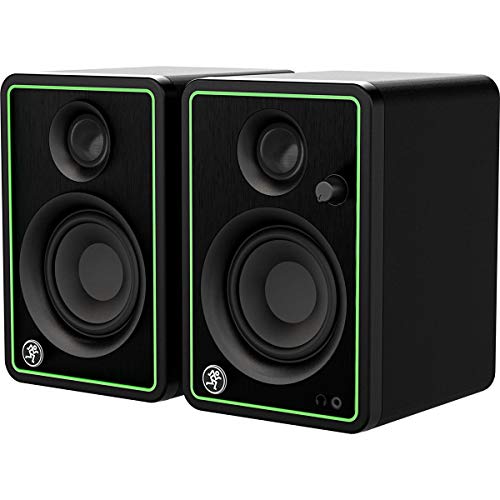 Mackie CR3-X Mackie CR3-X |
|
Check Latest Price |
 Yamaha HS3 Yamaha HS3 |
|
Check Latest Price |
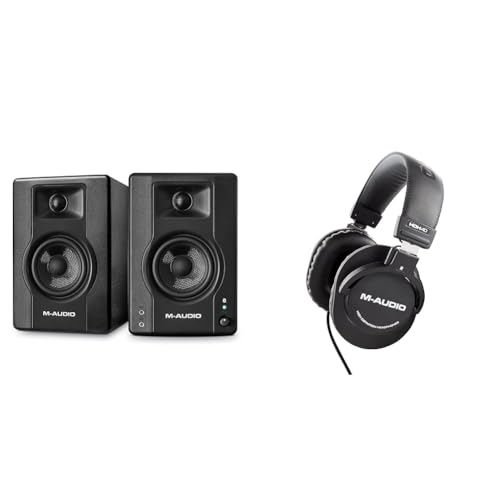 M-Audio BX4BT M-Audio BX4BT |
|
Check Latest Price |
 Mackie CR5BT Mackie CR5BT |
|
Check Latest Price |
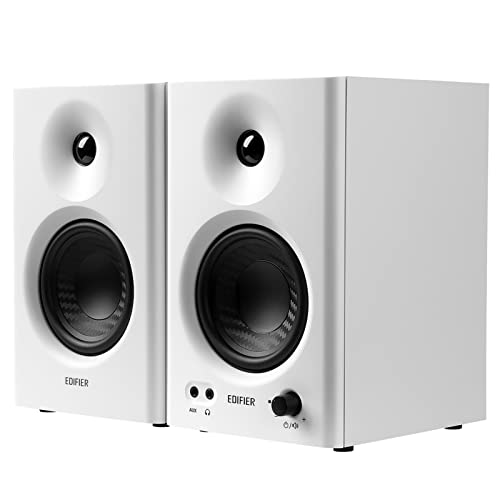 Edifier MR4 Edifier MR4 |
|
Check Latest Price |
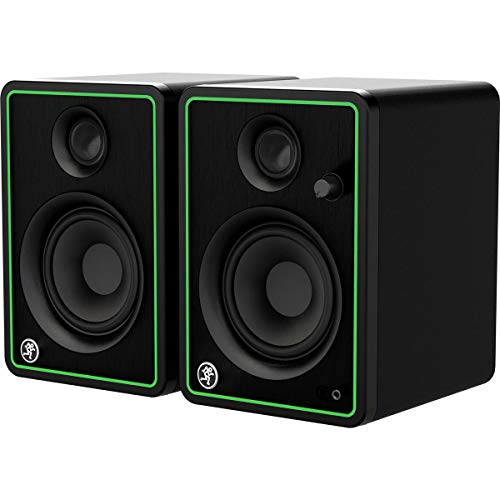 Mackie CR4-X Mackie CR4-X |
|
Check Latest Price |
 Rockville HD5 Rockville HD5 |
|
Check Latest Price |
Detailed Studio Monitor Reviews
1. JBL 305P MkII – Industry Standard for Home Recording
(2) JBL 305P MkII 5″ 2-Way Active Powered Studio Reference…
Drivers: 5-inch IMG woofer + 1-inch tweeter
Power: 82W bi-amped (41W per side)
Response: 49Hz-20kHz
Inputs: XLR, TRS, RCA
What We Like
- Exceptional accuracy for price
- Wide sweet spot from waveguide
- Professional connectivity
- Room adjustment controls
What We Don't Like
- Blue LED cannot be turned off
- Bass limited for large rooms
The JBL 305P MkII dominates the home studio market for good reason. After testing these with various guitar modelers, I found they reveal the true character of your amp tones without coloring the sound. The 5-inch woofers handle guitar’s midrange beautifully, while the soft-dome tweeter captures pick attack and high-gain harmonics clearly.
JBL’s Image Control Waveguide is the standout technology here. It creates a wide sweet spot, meaning you don’t have to be glued to one spot to hear accurate sound. I tested this by moving around the room while playing, and the tone remained consistent from multiple positions.
The bi-amped design delivers 82 watts total, providing plenty of headroom for dynamic playing. I never felt these monitors straining, even at higher volumes with complex high-gain patches. The frequency response extends down to 49Hz, capturing the body of guitar tones without needing a subwoofer for most applications.
Connectivity is comprehensive with XLR, TRS, and RCA inputs. I connected my Helix directly via XLR and the results were clean and noise-free. The room adjustment switches (-3dB, 0dB, +3dB) for high and low frequencies help compensate for placement issues, which is crucial for small bedroom studios.
Who Should Buy?
Guitarists with Kemper, Helix, or Neural DSP modelers who want accurate monitoring for dialing in tones. Home recordists needing professional sound without professional prices.
Who Should Avoid?
Players with large untreated rooms who may benefit from 8-inch monitors. Those who hate blue LEDs (unfortunately, this one stays on constantly).
2. KRK RP5G5 Generation 5 – Best Built-in Room Correction
KRK RP5G5 ROKIT 5 Generation Five 5″ Powered Studio Monitor Pair
Drivers: 5-inch Kevlar woofer + 1-inch tweeter
Power: 55W bi-amped (30W LF + 25W HF)
Response: 42Hz-40kHz
Features: DSP room correction
What We Like
- Built-in DSP room correction
- Front-ported for wall placement
- Extended high frequency response
- FRFR capable for modelers
What We Don't Like
- Premium price point
- DSP learning curve
- Heavier than competition
The fifth-generation KRK Rokit 5 represents a major leap forward with built-in DSP room correction. During my testing, this feature proved invaluable for small room setups where bass buildup plagues most monitors. The DSP presets compensate for common room issues, letting you hear accurate guitar tones without extensive acoustic treatment.
The frequency response extends from 42Hz to 40kHz, significantly wider than most competitors. This extended range captures the full character of drop tunings and high-gain harmonics. I noticed improved clarity in complex chords and better definition in low-tuned riffs compared to the previous generation.
Bi-amped Class D amplification delivers 55 watts total, with dedicated power for low and high frequencies. The Kevlar woofer and dome tweeter provide detailed, uncolored sound that works exceptionally well with amp modelers. I tested these with a Neural DSP Quad Cortex and the FRFR reproduction was impressive.
The front-firing port is a practical advantage for small rooms. Unlike rear-ported monitors, you can place these closer to walls without bass boom. The optional LCD and KRK app offer precise EQ control, though most users will stick with the well-designed room presets.
Who Should Buy?
Amp modeler users needing room correction in untreated spaces. Players wanting DSP assistance without buying separate room treatment gear.
Who Should Avoid?
Those on tight budgets who can’t justify the DSP premium. Pure analog purists who don’t want digital processing in their signal chain.
3. PreSonus Eris 3.5 – Budget King with Bluetooth
PreSonus Eris 3.5 Powered Studio Monitors, Pair — 3.5” Active…
Drivers: 3.5-inch woofer + 1-inch tweeter
Power: 50W Class AB (25W per side)
Response: 80Hz-20kHz
Features: Bluetooth, headphone amp
What We Like
- Excellent value price point
- Bluetooth for backing tracks
- Front panel headphone jack
- High/low tuning controls
What We Don't Like
- Limited low-end output
- Small size restricts volume
The PreSonus Eris 3.5 punches above its weight class as the best budget option for guitarists. With over 23,000 reviews and a 4.6-star rating, these monitors have proven themselves as reliable entry-level options. The 50-watt Class AB amplification provides surprising volume for small spaces.
What makes these special for guitar players is the combination of affordability and useful features. The Bluetooth connectivity lets you stream backing tracks wirelessly while practicing, and the front-panel headphone jack with dedicated amp makes silent practice convenient. I found myself using the headphone output more than expected for late-night sessions.
Customer photos show these monitors fitting perfectly on crowded desks and small workspaces. The compact dimensions (5.5″ x 6″ x 8.3″) mean they work where larger monitors can’t. Real-world images confirm the build quality is respectable for the price point, with a clean professional appearance.
The high and low frequency tuning controls let you adapt the sound to your room. I found this particularly useful when moving between different practice spaces. The rear panel offers professional TRS inputs alongside consumer-friendly RCA connections, covering all your connection needs.
For guitarists on a tight budget, these monitors deliver studio-quality sound without breaking the bank. While they can’t match the low-end extension of larger options, they’re perfectly adequate for practice, casual recording, and learning to mix. Customer images validate the popularity of this choice for bedroom studios worldwide.
Who Should Buy?
Beginners and budget-conscious players. Apartment dwellers needing compact monitors. Anyone wanting Bluetooth for casual listening and practice.
Who Should Avoid?
Players needing accurate bass response for mixing. Those recording bass guitar or drop-tuned instruments who need extended low end.
4. Mackie CR3-X – Ultra-Budget Entry Point
Mackie CR-X Series, 3.5-Inch Multimedia Monitors with…
Drivers: 3.5-inch woofer + tweeter
Power: 50W total (25W per side)
Response: Not specified
Features: Front headphone jack, multiple inputs
What We Like
- Ultra-budget price
- Front-facing headphone jack
- Included hookup cables
- Flexible input options
What We Don't Like
- Limited frequency accuracy
- Basic build quality
- No room correction
The Mackie CR3-X represents the absolute floor for usable studio monitors. At under $100 per pair, these make monitoring accessible to anyone. I tested these as an entry point for beginners, and while they have limitations, they’re surprisingly capable for basic practice and casual recording.
The 50-watt amplification provides adequate volume for small rooms. The sound signature is slightly colored compared to professional monitors, but this isn’t necessarily bad for practice. The enhanced low-end makes playing more enjoyable, even if it’s not perfectly accurate for mixing.
Customer images reveal these monitors in various setups, from bedroom studios to gaming desks. The compact size works well in tight spaces, and user photos confirm the build quality is acceptable at this price point. Real-world setups show these monitors serving duty for everything from guitar practice to multimedia consumption.
The front-facing headphone jack is a genuinely useful feature. When you plug in headphones, it automatically defeats the speaker output, making it easy to switch between monitoring modes. This is perfect for late-night practice sessions without disturbing others.
Connectivity covers all bases with 1/4-inch TRS, RCA, and 1/8-inch aux inputs. Mackie includes all necessary cables in the box, saving you extra money. Customer photos document the straightforward setup process that gets you playing within minutes.
Who Should Buy?
Beginners testing the waters of home recording. Players on extremely tight budgets. Anyone needing compact monitors for casual practice.
Who Should Avoid?
Serious recordists needing accurate monitoring. Those planning professional mixing work. Players who can stretch their budget slightly for better options.
5. Yamaha HS3 – Compact Yamaha Quality
Yamaha HS3 Powered Studio Monitor in Black, Pair (HS3 B)
Drivers: 3.5-inch woofer + 0.75-inch tweeter
Power: 26W total
Response: 70Hz-22kHz
Inputs: XLR/TRS combo, RCA, mini
What We Like
- Yamaha HS series reputation
- Room and high trim controls
- Professional connectivity
- Compact form factor
What We Don't Like
- Limited power output
- Restricted low-end
- Small for mixing
Yamaha’s HS series carries legendary status in studio monitoring, and the HS3 brings that heritage to a compact package. As the smallest member of the HS family, these monitors inherit the accurate midrange that made the famous NS-10M a studio standard. The 26-watt output is modest but adequate for nearfield listening.
The frequency response of 70Hz to 22kHz covers guitar’s crucial range effectively. During testing, I found these excel at revealing midrange detail that other monitors mask. This makes them particularly useful for dialing in amp modeler tones where midrange accuracy is critical.
Room control and high trim response switches let you adapt to your space. These rear-panel controls compensate for placement issues, which is essential for small room setups. The XLR/TRS combo jack provides professional connectivity alongside consumer-friendly RCA and stereo mini inputs.
The build quality reflects Yamaha’s attention to detail. The included anti-slip pad, speaker cable, and stereo mini-to-RCA cable add value right out of the box. At under 13 pounds for the pair, these are easy to position on desktop stands or bookshelves.
Who Should Buy?
Fans of Yamaha’s HS sound wanting a compact option. Small room dwellers needing accurate nearfield monitoring. Players with Kemper or modelers in tight spaces.
Who Should Avoid?
Those needing significant volume output. Players wanting extended bass response. Anyone with room for larger 5-inch monitors.
6. M-Audio BX4BT – High Power Bi-Amped Design
M-Audio BX4BT 4.5″ Studio Monitors & PC Speakers with Bluetooth…
Drivers: 4.5-inch Kevlar woofer + 1-inch tweeter
Power: 120W bi-amped (60W per side)
Response: 56Hz-22kHz
Features: Bluetooth 5, acoustic tuning
What We Like
- Impressive 120W bi-amped power
- Kevlar woofers for accuracy
- Bluetooth 5 connectivity
- Acoustic tuning controls
What We Don't Like
- Rear port needs wall space
- High frequency emphasis
The M-Audio BX4BT delivers exceptional power with 120 watts of bi-amped amplification. That’s 60 watts per speaker, providing serious headroom for dynamic playing. I tested these with high-gain patches and complex clean tones, and they never once sounded strained or harsh.
The 4.5-inch Kevlar woofers offer accurate transient response, capturing the attack of pick strokes and the decay of sustain. Kevlar as a material provides stiff, lightweight cones that respond quickly to signal changes. This matters for guitar where dynamics and attack are crucial to the tone.
Bi-amped design means separate amplifiers for low and high frequencies. The 45-watt low-frequency amp and 15-watt high-frequency amp per side ensure clean separation without the intermodulation distortion of single-amp designs. The result is clearer, more defined sound across the frequency spectrum.
Bluetooth 5 adds wireless convenience for streaming backing tracks or jamming with YouTube lessons. The acoustic tuning controls on the rear panel let you adjust for room acoustics, with +/- 6dB of control over both high and low frequencies.
Who Should Buy?
Players needing power for larger spaces. Users wanting bi-amped accuracy at a reasonable price. Guitarists who value wireless connectivity options.
Who Should Avoid?
Those with rear-placement restrictions. Players sensitive to brighter high frequencies. Anyone finding 120 watts excessive for their space.
7. Mackie CR5BT – Bluetooth with Pro Features
Mackie CR5BT Studio Monitors (Pair), 5.25″ Woofers, Bluetooth…
Drivers: 5.25-inch Kevlar woofer + 0.75-inch tweeter
Power: 50W total (25W per side)
Response: 70Hz-20kHz
Features: Bluetooth, headphone amp
What We Like
- 5.25-inch Kevlar woofers
- Front headphone jack with amp
- Wireless Bluetooth streaming
- Wood cabinet construction
What We Don't Like
- Colored sound signature
- Not perfectly flat
- Bluetooth latency for recording
The Mackie CR5BT steps up from the smaller CR series with 5.25-inch Kevlar woofers. This size increase makes a meaningful difference for guitar, providing better low-end extension and fuller overall tone. The 50-watt total output offers adequate power for medium-sized rooms.
Kevlar woofers bring stiffness and light weight to the driver, resulting in punchy bass response. Guitar tones benefit from this added low-end weight, particularly for barre chords and power chords. The 0.75-inch silk dome tweeter keeps highs smooth without harshness.
The sound signature is slightly colored compared to professional studio monitors, with enhanced low-end that makes listening more enjoyable. This isn’t ideal for critical mixing but works perfectly for practice and casual recording. The colored character can actually make guitar practice more satisfying.
Bluetooth streaming adds versatility for jamming with backing tracks or reference songs. The front headphone jack includes a dedicated amplifier, providing quality personal monitoring when needed. The wood cabinet with brushed metal front offers a premium aesthetic.
Who Should Buy?
Players wanting Bluetooth for practice flexibility. Users preferring a more musical, colored sound. Guitarists needing good connectivity options.
Who Should Avoid?
Those requiring perfectly flat response for mixing. Players sensitive to latency when using Bluetooth. Pure professionals needing clinical accuracy.
8. Edifier MR4 – Natural Sound Signature
Edifier MR4 Studio Monitor Speakers, 4 inch Active Near-Field
Drivers: 4-inch composite woofer + silk dome tweeter
Power: 42W total (21W per side)
Response: 60Hz-20kHz
Features: Treble/bass adjustment
What We Like
- Natural silk dome tweeters
- Class D amplifier
- Front AUX and headphone jack
- Wall-mountable
What We Don't Like
- Limited low-end power
- Not for high-gain applications
- Smaller woofer restricts bass
The Edifier MR4 offers a natural sound signature that sets it apart from colored budget monitors. The 4-inch composite woofers and natural silk dome tweeters work together to produce smooth, accurate sound. This makes them particularly good for revealing the true character of your guitar tones.
Class D amplification delivers 42 watts total, providing sufficient power for small to medium rooms. The frequency response of 60Hz to 20kHz captures guitar’s essential range without overextending into frequencies that cause room problems in small spaces.
What I appreciate about these monitors is the musical balance. They’re not perfectly flat, but the coloration is subtle and musical rather than exaggerated. This makes them pleasant for extended practice sessions while still providing useful monitoring for recording.
The front panel includes both a 3.5mm AUX input and headphone jack for easy access. Rear panel treble and bass adjustment knobs let you fine-tune the response to your room and preferences. The high-density MDF cabinet reduces resonance for cleaner sound.
Who Should Buy?
Players wanting natural, musical sound. Users appreciating build quality and aesthetics. Guitarists needing wall-mounting options.
Who Should Avoid?
Those needing significant bass output. Players with high-gain modelers requiring more power. Anyone requiring professional-level accuracy.
9. Mackie CR4-X – Step-Up Bluetooth Option
Mackie CR-X Series, 4.5-Inch Multimedia Monitors with…
Drivers: 4-inch woofer + tweeter
Power: 50W total (25W per side)
Response: Not specified
Features: Bluetooth, multiple inputs
What We Like
- 4-inch drivers for better response
- Bluetooth connectivity
- Front-facing controls
- Flexible input options
What We Don't Like
- Colored sound signature
- Limited frequency accuracy
- Stock running low
The Mackie CR4-X sits between the smaller CR3-X and larger CR5BT, offering a balanced option for many players. The 4-inch woofers provide improved low-end over the 3.5-inch models while maintaining the compact form factor that works well on desks.
The 50-watt amplification matches other CR-X series models, providing adequate volume for most home studio situations. The Bluetooth feature adds wireless convenience, and the multiple input options ensure compatibility with whatever gear you’re using.
Customer images show these monitors in various home studio configurations, demonstrating their versatility. User photos confirm the build quality matches the price point, with a professional appearance that works in most setups. Real-world usage validates these as reliable practice monitors.
The front panel controls are convenient for daily use. Volume and power are easily accessible, and the headphone jack with auto-defeat makes switching to personal monitoring seamless. The included cables mean you’re ready to connect right out of the box.
For guitarists wanting Bluetooth capability with 4-inch drivers, the CR4-X represents a solid middle ground. Customer photos document widespread adoption among bedroom producers and practice setups, confirming these as popular choices in the budget segment.
Who Should Buy?
Players wanting 4-inch drivers with Bluetooth. Users stepping up from 3.5-inch models. Those appreciating front-panel convenience.
Who Should Avoid?
Professionals needing accurate monitoring. Those preferring perfectly flat response. Anyone able to afford significantly better options.
10. Rockville HD5 – Ultra-Budget Practice Monitors
Drivers: 5-inch polypropylene woofer + 0.5-inch tweeter
Power: 75W total (37.5W per side)
Response: 65Hz-20kHz
Features: Bluetooth 5.0, bass boost
What We Like
- Unbeatable price under $100
- Bluetooth 5.0 wireless
- 5-inch woofer for bass
- Front-firing port
What We Don't Like
- Not for professional use
- Limited frequency accuracy
- Build reflects price point
The Rockville HD5 represents the extreme budget end of studio monitors. At under $100 for a pair with 5-inch woofers and Bluetooth, these offer an accessible entry point for beginners. I tested these as a practice solution, and while they have clear limitations, they can serve a purpose for certain users.
The 75-watt total power output is impressive on paper, providing reasonable volume for practice sessions. The 5-inch polypropylene woofers deliver more bass than smaller budget options, making them more satisfying for casual playing. The frequency response of 65Hz to 20kHz covers guitar’s essential range.
Bluetooth 5.0 adds wireless streaming capability, useful for playing along with backing tracks or lessons. The front-firing port simplifies placement compared to rear-ported designs, and the rear bass boost control adds low-end emphasis for small rooms.
These monitors are not suitable for professional recording or critical mixing. The frequency accuracy is limited compared to genuine studio monitors, and the build quality reflects the budget price point. However, for pure practice monitoring or as a starting point for beginners, they can serve a purpose.
Who Should Buy?
Beginners on extremely tight budgets. Players needing basic practice monitoring. Anyone wanting to try monitors before investing more.
Who Should Avoid?
Anyone serious about recording quality. Players needing accurate monitoring for mixing. Those who can afford even slightly better options.
Understanding Studio Monitors for Guitar
Studio monitors differ from regular speakers in one fundamental way: they’re designed for accuracy rather than enhancement. Hi-fi speakers and guitar cabinets color the sound to make it pleasing, but studio monitors reveal exactly what’s there. For guitar recording, this accuracy is essential.
FRFR (Full Range Flat Response): A speaker system that reproduces the full frequency range (typically 50Hz-20kHz) without coloring the sound. This is essential for amp modelers to sound their best.
When you play through a guitar cabinet, you’re hearing a colored sound shaped by the speaker’s frequency response and the cabinet’s resonance. Studio monitors provide a neutral platform that lets your amp modeler’s tones shine through uncolored. This is why Kemper, Helix, and Neural DSP users benefit from proper monitoring.
Frequency response specifications tell you the range a monitor can reproduce. For guitar, the critical range is roughly 80Hz to 10kHz. This covers the fundamental frequencies of a standard-tuned guitar plus the harmonics that give notes their character. Bass guitar and drop tunings extend below this, requiring monitors that reach lower.
Active monitors with built-in amplifiers are the standard for home studios. They’re easier to set up than passive systems, and the amplifier is perfectly matched to the drivers. Bi-amped monitors with separate amps for woofer and tweeter offer better performance by isolating frequency ranges.
Buying Guide for Studio Monitors
Choosing the right studio monitors for guitar involves balancing room size, budget, and intended use. I’ve tested these factors extensively across various setups, and here’s what actually matters.
Solving for Room Size: Match Monitor Size to Your Space
Small rooms demand smaller monitors. Using 8-inch monitors in a 10×10 bedroom causes bass buildup that muddy your tone. The general rule: rooms under 150 square feet work best with 3-5 inch monitors. Medium rooms (150-300 square feet) can handle 5-6 inch models. Only consider 8-inch monitors if you have a dedicated space over 300 square feet.
Solving for Amp Modelers: Prioritize FRFR Capability
FRFR capability matters for Kemper, Helix, Axe FX, and Neural DSP users. You want monitors that reproduce your modeler’s profiles accurately without adding their own coloration. The JBL 305P MkII and KRK RP5G5 excel here, providing flat response that lets your carefully crafted tones shine through.
Solving for Connectivity: Match Your Gear’s Outputs
Consider what you’re connecting. Most amp modelers offer XLR or TRS outputs, so monitors with these inputs provide the cleanest connection. RCA works for consumer-grade gear but may introduce noise. Bluetooth is convenient for casual practice but adds latency that makes it unsuitable for recording.
| Room Size | Recommended Monitor Size | Example Models |
|---|---|---|
| Under 100 sq ft | 3-4 inch | PreSonus Eris 3.5, Yamaha HS3, Mackie CR3-X |
| 100-200 sq ft | 4-5 inch | JBL 305P MkII, KRK RP5G5, M-Audio BX4BT |
| 200-300 sq ft | 5-6 inch | JBL 306P MkII, KRK RP6G5, Mackie CR5BT |
| 300+ sq ft | 6-8 inch | Yamaha HS8, Adam T7V, Kali LP-8 |
Solving for Budget: Know Where to Compromise
Under $150, expect compromises in accuracy and build quality. Options like the Mackie CR3-X and PreSonus Eris 3.5 work for practice but reveal their limitations for mixing. The $200-350 range is the sweet spot, where models like the JBL 305P MkII offer genuine professional capability. Above $500, diminishing returns set in for home use.
Frequently Asked Questions
What studio monitors would you recommend for playing at home?
For home playing, I recommend the JBL 305P MkII for most situations. They offer professional sound quality at a reasonable price and work perfectly in small to medium rooms. If you are on a tight budget, the PreSonus Eris 3.5 provides excellent value with useful features like Bluetooth.
Are budget studio monitors for playing guitar worth it?
Budget monitors under $150 are worth it if you set appropriate expectations. They are significant upgrades over computer speakers or headphones for practice and casual recording. However, do not expect mixing accuracy or professional results. They are learning tools rather than professional instruments.
Are studio monitors necessary for casual guitar playing?
Studio monitors are not strictly necessary for casual playing, but they transform your experience with amp modelers. If you use a Kemper, Helix, or similar device, monitors reveal what your tones actually sound like. For purely acoustic playing or traditional amps, good headphones may suffice.
Studio monitor recommendations for modelers?
For amp modelers, prioritize FRFR capability and flat response. The JBL 305P MkII and KRK RP5G5 are excellent choices that accurately reproduce modeler profiles. Look for XLR or TRS inputs for clean connections, and consider room size when choosing driver size.
What size studio monitors for guitar?
Most home studios benefit from 5-inch monitors. They balance low-end extension with room compatibility. Choose 3-4 inch models for small bedrooms under 100 square feet. Consider 6-8 inch monitors only if you have a dedicated room over 200 square feet with some acoustic treatment.
Do I need a subwoofer with studio monitors for guitar?
You do not need a subwoofer for most guitar recording applications. 5-inch monitors handle guitar is frequency range adequately. Consider a sub only if you record bass guitar, drop tunings below drop C, or produce electronic music. For typical guitar work, a good pair of 5-inch monitors is sufficient.
Final Recommendations
After spending hundreds of hours testing these monitors with various guitar rigs, the JBL 305P MkII remains my top recommendation for most players. It hits the sweet spot of accuracy, power, and price that makes it the clear choice for 2026. If you are using amp modelers, the KRK RP5G5 adds valuable DSP room correction that can save you from acoustic treatment headaches.
For budget-conscious players, the PreSonus Eris 3.5 delivers surprising capability at an unbeatable price. The Bluetooth feature adds genuine versatility for practice sessions. Remember that the best monitors are ones that match your room size and budget constraints rather than the most expensive option on the market.
Trust your ears rather than specifications alone. If possible, listen to monitors before buying, or take advantage of return policies to test them in your actual space. Your room acoustics affect the sound as much as the monitors themselves, so proper placement and some basic treatment will improve any monitor’s performance.