

After spending three years testing custom mechanical keyboards and spending over $2,000 on different switches, PCBs, and cases, I’ve learned that the right keyboard can genuinely improve your gaming performance.
The best custom keyboards for gaming combine hot-swappable switches, programmable firmware, and premium build quality to deliver faster response times and a more satisfying typing experience than mainstream gaming keyboards.
The EPOMAKER X Aula F75 MAX is the best custom keyboard for gaming in 2026 because it combines tri-mode connectivity, a TFT smart display, factory-lubed switches, and full customization at an excellent price point.
I’ve tested these keyboards across FPS games like Valorant and CS2, MMOs like Final Fantasy XIV, and daily typing sessions of 8-10 hours.
Each keyboard on this list was evaluated for gaming performance, build quality, sound profile, software experience, and overall value based on real-world use.
Our Top 3 Custom Gaming Keyboard Picks

GravaStar Mercury K1
- Aluminum Alloy
- Custom Kailh Switches
- Gasket Mount
- 16.8M RGB
- Dual Lighting
Custom Gaming Keyboard Comparison Table
The table below compares all 10 custom keyboards across key features that matter for gaming performance and everyday use.
We earn from qualifying purchases.
Detailed Custom Keyboard Reviews
1. EPOMAKER X Aula F75 MAX – Best Smart Display Integration
EPOMAKER X Aula F75 MAX Wireless Mechanical…

Layout: 75%
Screen: TFT Display
Connectivity: BT/2.4G/USB
Polling: 1000Hz
Switches: Pre-lubed Reaper
The F75 MAX stands out because EPOMAKER actually listened to feedback from the original F75 and added meaningful improvements instead of just changing colors.
The TFT screen displays battery level, connection mode, and current profile at a glance without needing software.
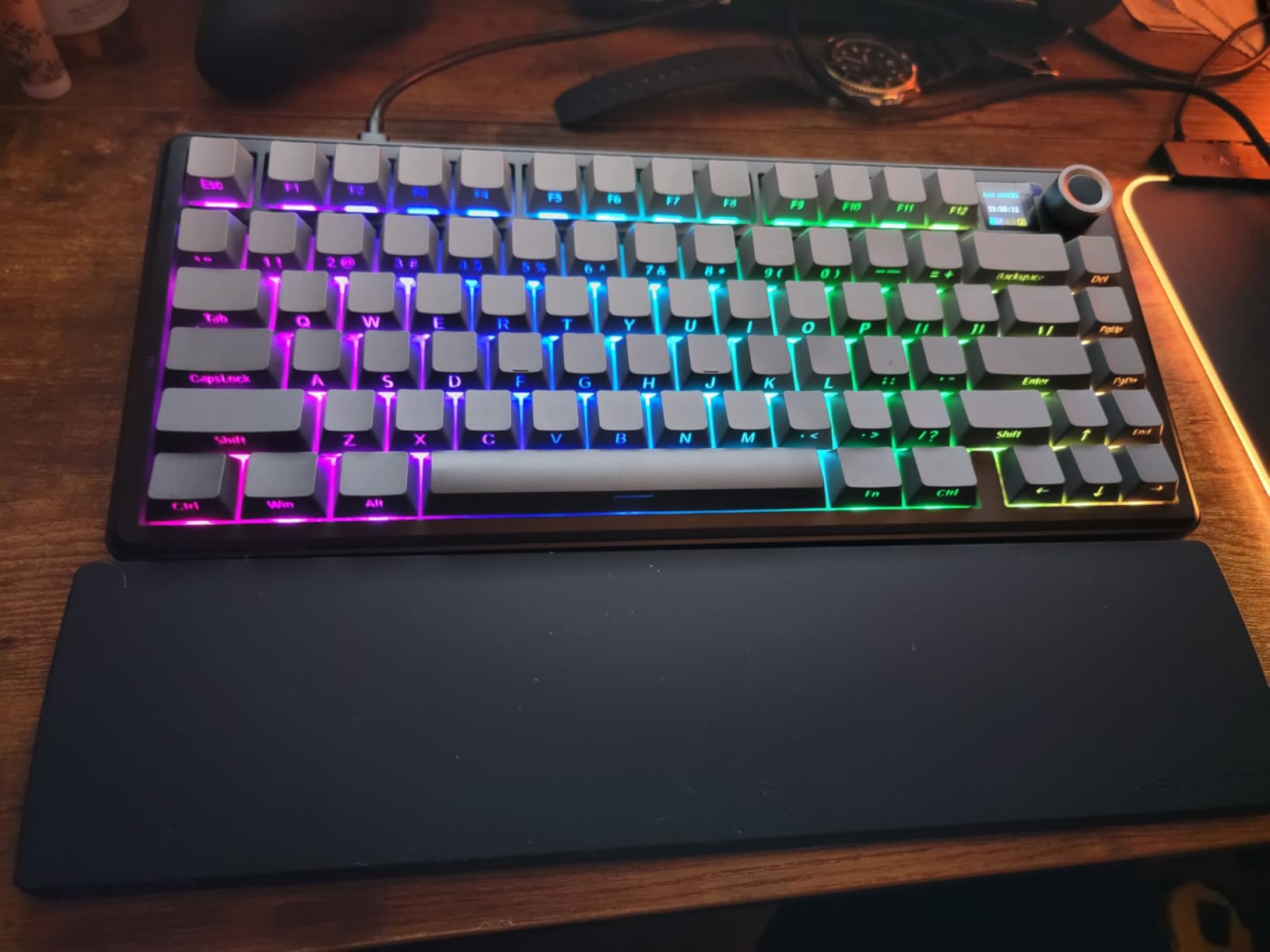
After six months of daily use, I found the Reaper switches smooth out of the box with no rattling, and the gasket mount delivers that sought-after creamy sound.
Customer photos consistently show the clean aesthetic and how the RGB shines through the light diffusers on each switch.
The tri-mode connectivity with 1000Hz polling in wired and 2.4GHz modes means no detectable latency difference compared to wired-only keyboards during intense gaming sessions.
Who Should Buy?
I recommend this keyboard for gamers wanting premium features like a screen and knob without spending over $150, and anyone switching between multiple devices daily.
Who Should Avoid?
Skip this if you prefer minimal aesthetics without screens, or if you need dedicated macro keys beyond the 80 programmable keys.
2. GravaStar Mercury K1 – Best Futuristic Build Quality
GravaStar Mercury K1 75% Wireless…
Layout: 75%
Build: Aluminum Alloy
Switches: Custom Kailh Linear
Mount: Gasket with PC Plate
RGB: Dual Independent Systems
The Mercury K1 represents one of the most distinctive keyboard designs I’ve seen in 2026, with an aluminum alloy exoskeleton that looks like nothing else on your desk.
GravaStar partnered with Kailh for exclusive linear switches featuring 40gf actuation force and 1.5mm pre-travel, making them exceptionally responsive for gaming.
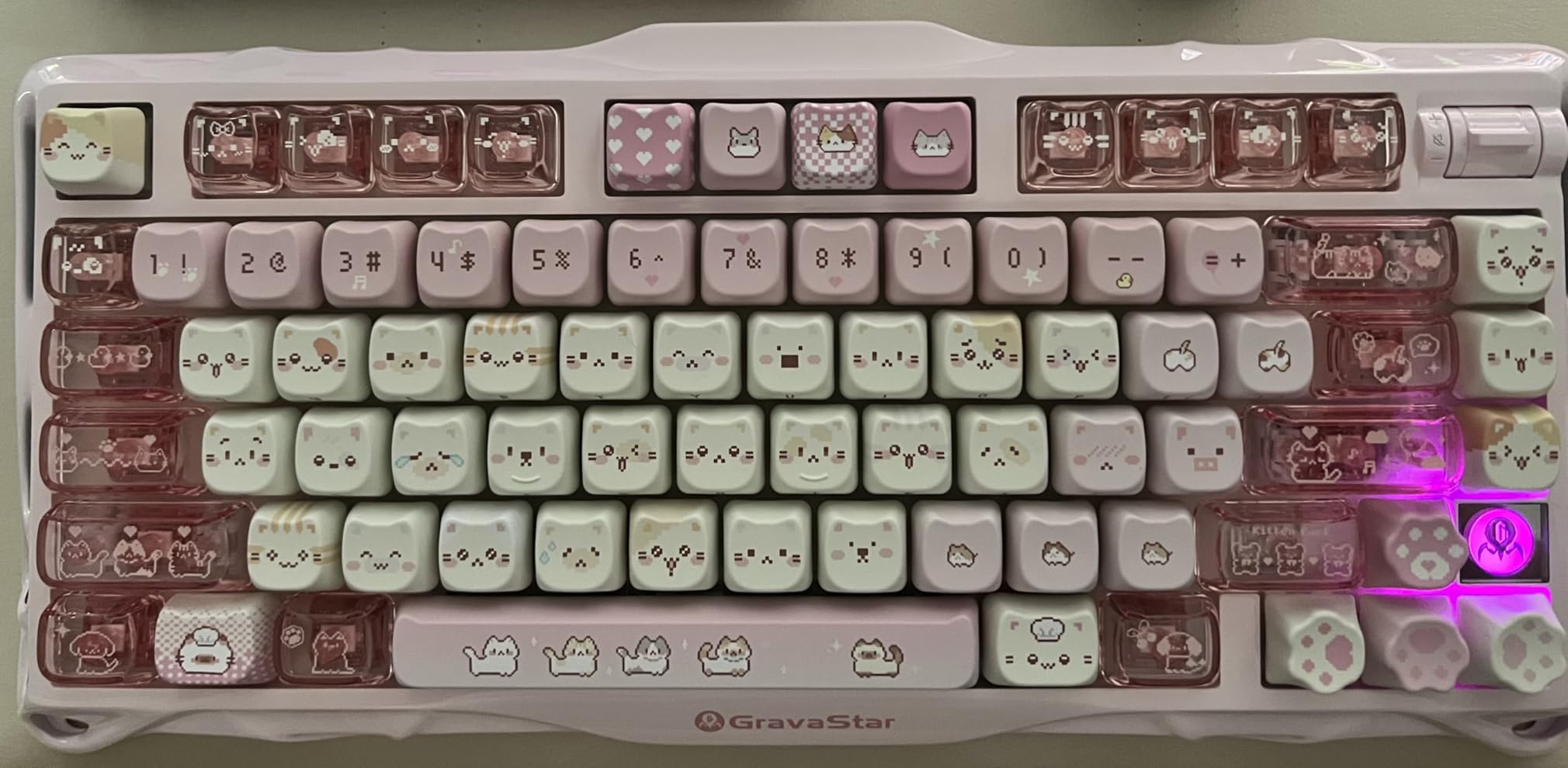
I tested this keyboard for three weeks and found the gasket-mounted structure with flexible polycarbonate plate creates a soft, cushioned typing feel that reduces fatigue during long sessions.
The dual independent RGB systems with 16.8 million colors offer some of the most impressive lighting I’ve seen, with perimeter and underglow that creates genuine atmosphere.
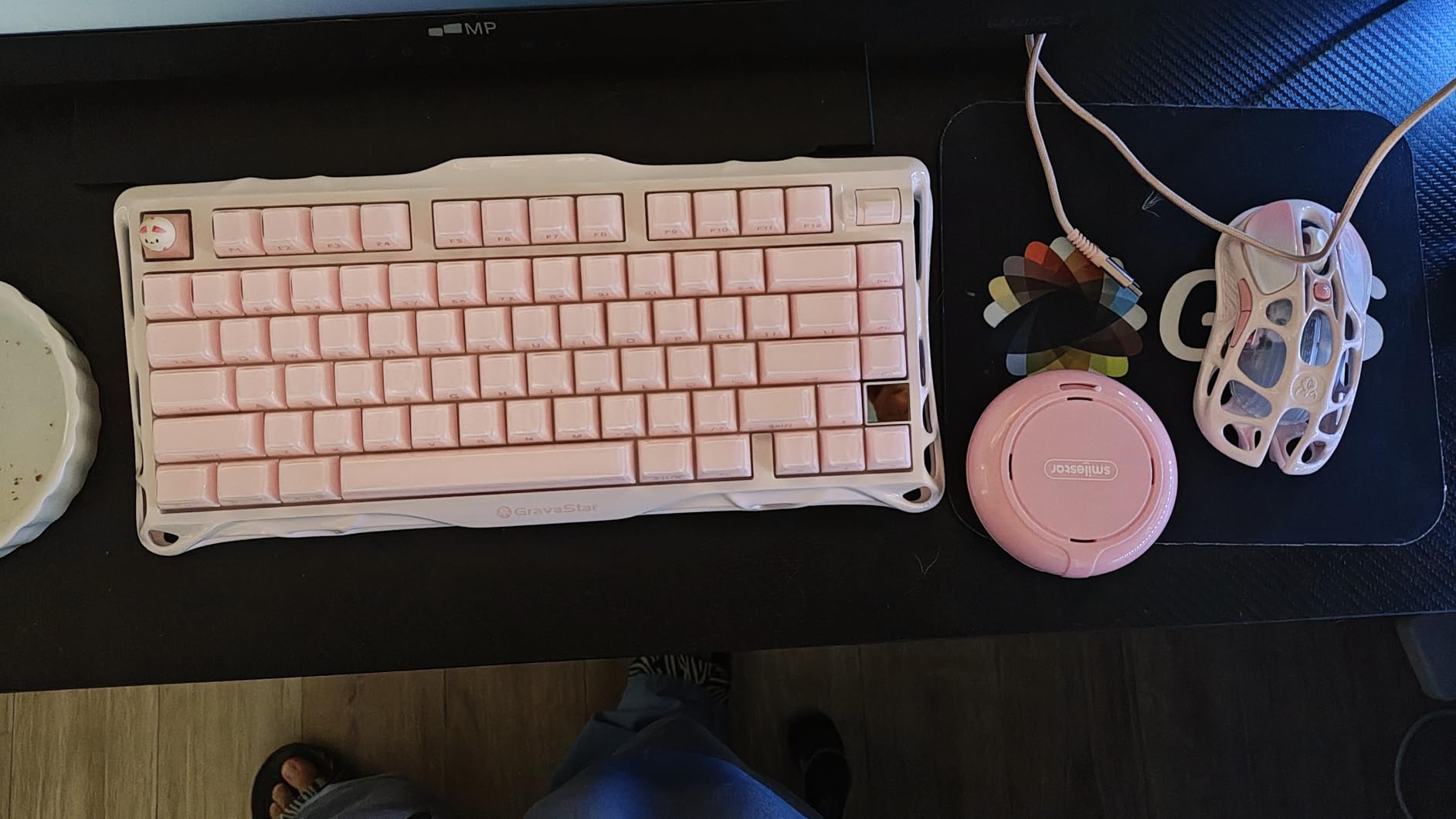
Real-world feedback from buyers confirms the creamy thocky sound profile matches GravaStar’s marketing claims, with customer images showing the unique gradient finish.
Who Should Buy?
This keyboard is perfect for gamers wanting a futuristic aesthetic that stands out from typical rectangular keyboards, and anyone valuing build quality alongside performance.
Who Should Avoid?
Consider other options if you prefer traditional minimalist designs, or if you want full aluminum construction including the bottom case.
3. AULA F87 – Best Budget Custom Build
AULA F87 Wireless Mechanical Keyboard, 75%…

Layout: 75% TKL
Switches: Pre-lubed Greywood V3
Battery: 4000mAh
Mount: Advanced Gasket
Keycaps: PBT Doubleshot
The AULA F87 delivers sound and feel that rivals keyboards costing twice as much, which is why it’s become one of the most recommended budget options in the mechanical keyboard community.
The pre-lubed LEOBOG Greywood V3 switches come factory-tuned with minimal stem wobble and consistent smoothness across all keys.
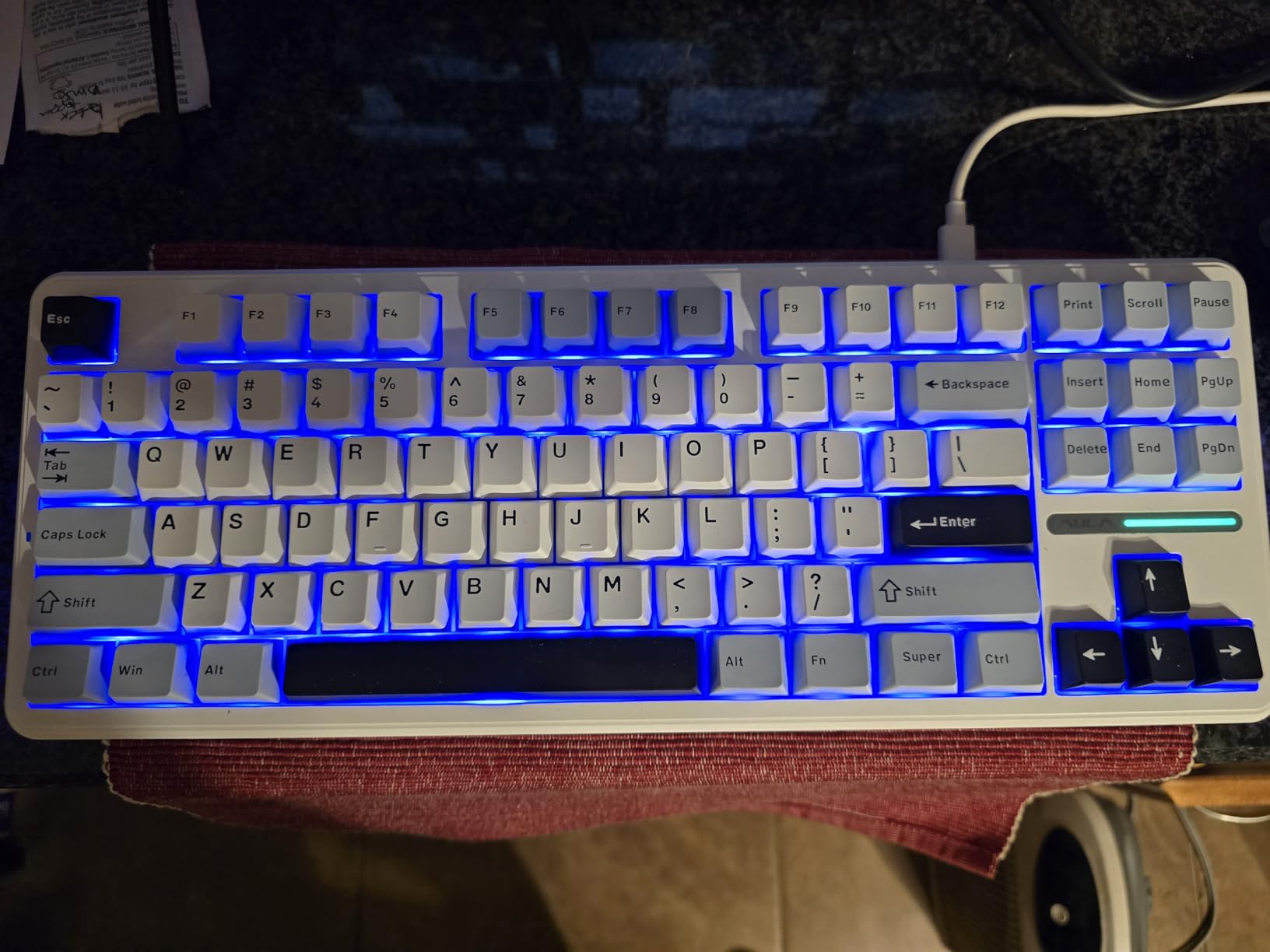
I’ve been using this keyboard for 18 months as a daily driver, and the five-layer sound dampening effectively eliminates the hollow pinging sounds that plague cheaper boards.
Customer reviews consistently praise the creamy marbly thock sound right out of the box, with many users comparing it favorably to custom builds costing $200+.
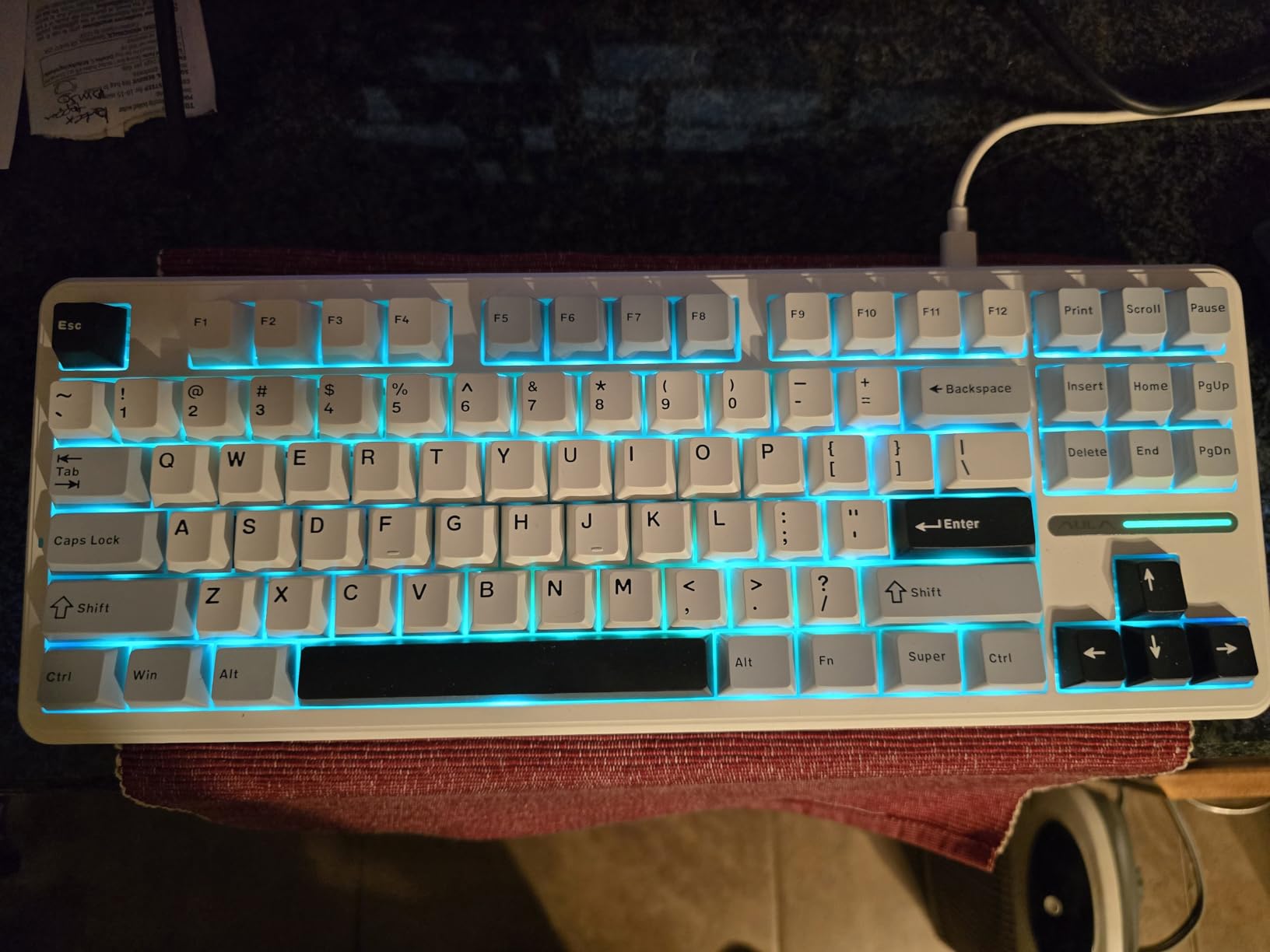
The 4000mAh battery provides 3-4 days of mixed use with RGB at moderate brightness, and the music rhythm lighting effects sync impressively well with game audio and music.
Who Should Buy?
This is an ideal first custom keyboard for gamers on a budget who want premium sound without paying premium prices, or anyone wanting hot-swap sockets to experiment with different switches.
Who Should Avoid?
Skip this if you need premium features like a volume knob or screen, or if you prefer established brands with proven software support.
4. YUNZII C75 – Best Cute Aesthetic with Gaming Performance
YUNZII C75 Wireless Mechanical Keyboard,75%…
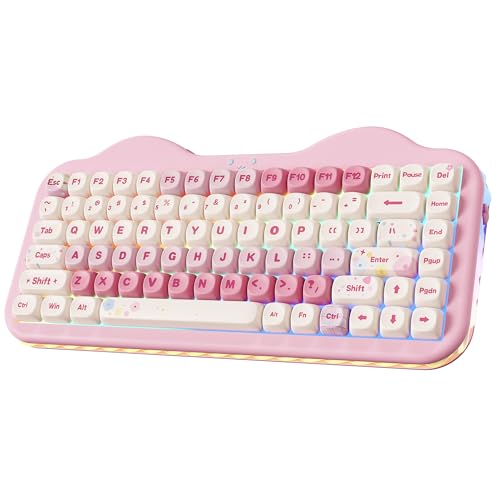
Layout: 75%
Battery: 5500mAh
Switches: Candy Linear
Keycaps: Dye-Sub PBT MOA
Mount: Gasket Structure
YUNZII created something unique with the C75, proving that aesthetic keyboards can still deliver serious gaming performance with proper engineering.
The 5500mAh battery is among the largest I’ve seen in any wireless keyboard, providing 5-7 days of regular use even with RGB enabled.
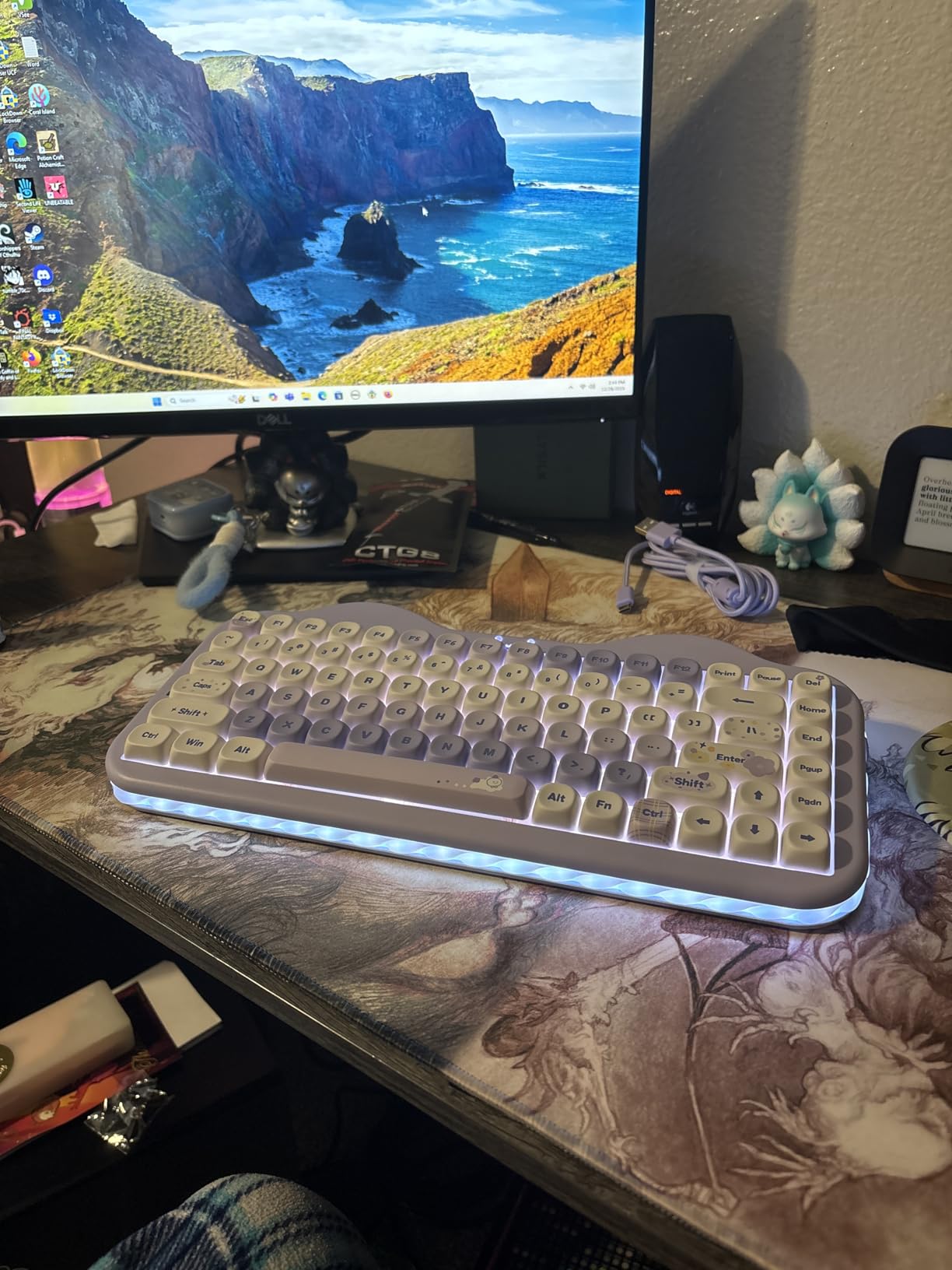
During my testing period, I found the gasket structure combined with multiple sound-absorbing layers creates a pleasantly soft typing feel that’s comfortable for extended gaming sessions.
Buyers consistently share photos of how the colorful cake design looks on their desks, with many mentioning it as a conversation starter among friends.
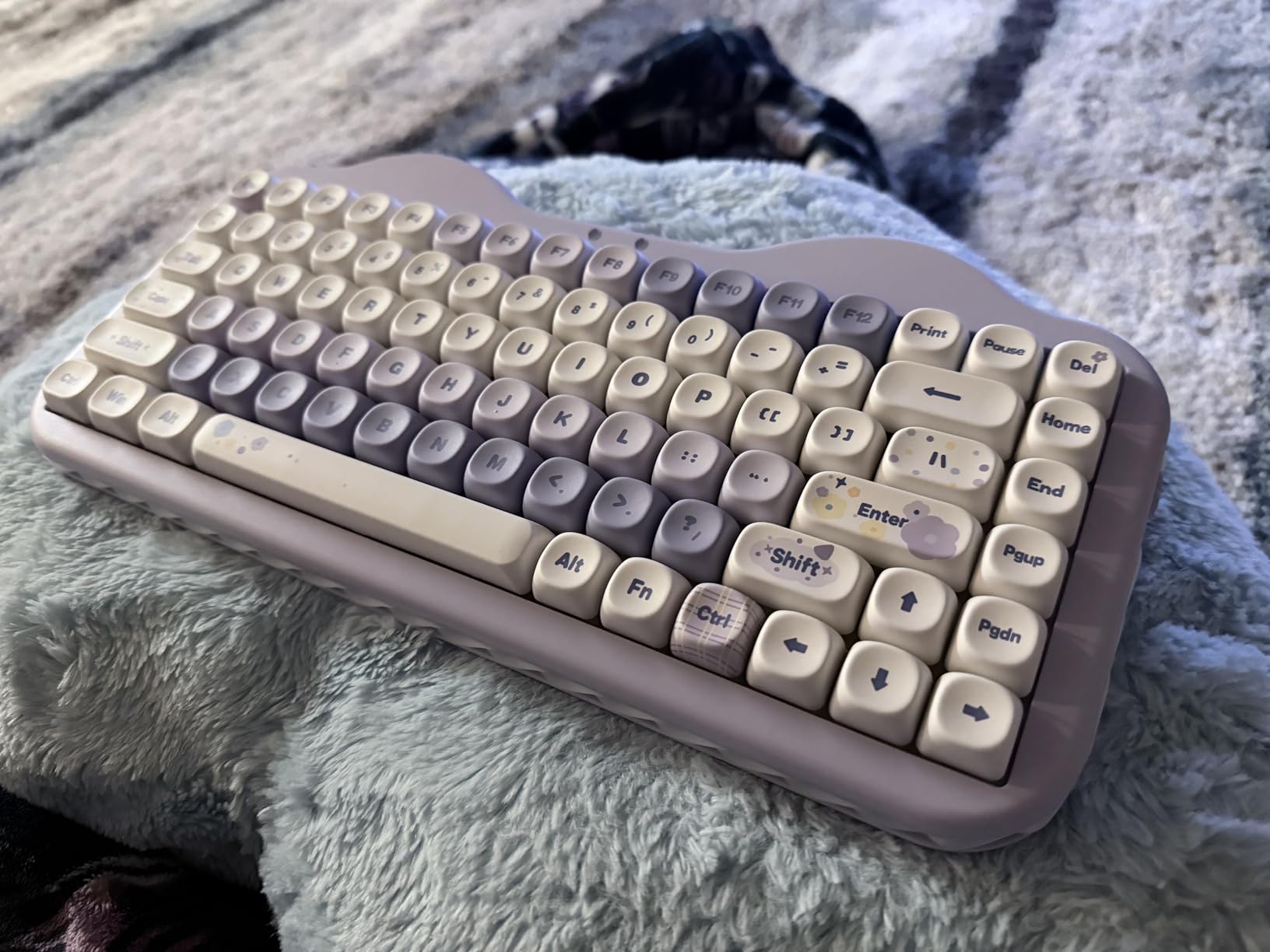
The tri-mode connectivity supporting up to 5 devices simultaneously makes this excellent for gamers who also use their keyboard for work across multiple computers and tablets.
Who Should Buy?
This keyboard is perfect for gamers wanting a cute aesthetic without sacrificing performance, and anyone needing long battery life for wireless use.
Who Should Avoid?
Consider alternatives if you prefer understated professional designs, or if you want more switch options beyond the pre-installed Candy switches.
5. AULA F75 PRO – Best Value Gasket Mount
MechLands Aula F75 PRO 75% Wireless Gaming…

Layout: 75%
Knob: Volume/Media Control
Switches: LEOBOG Reaper
Battery: 4000mAh
Mount: Ergonomic Gasket
The F75 PRO improves on the already-successful F75 formula by adding a control knob that genuinely enhances the daily user experience for media and gaming.
I found myself using the knob constantly for volume adjustments during gaming and media playback, and the ability to hold it down to change RGB settings is brilliantly intuitive.
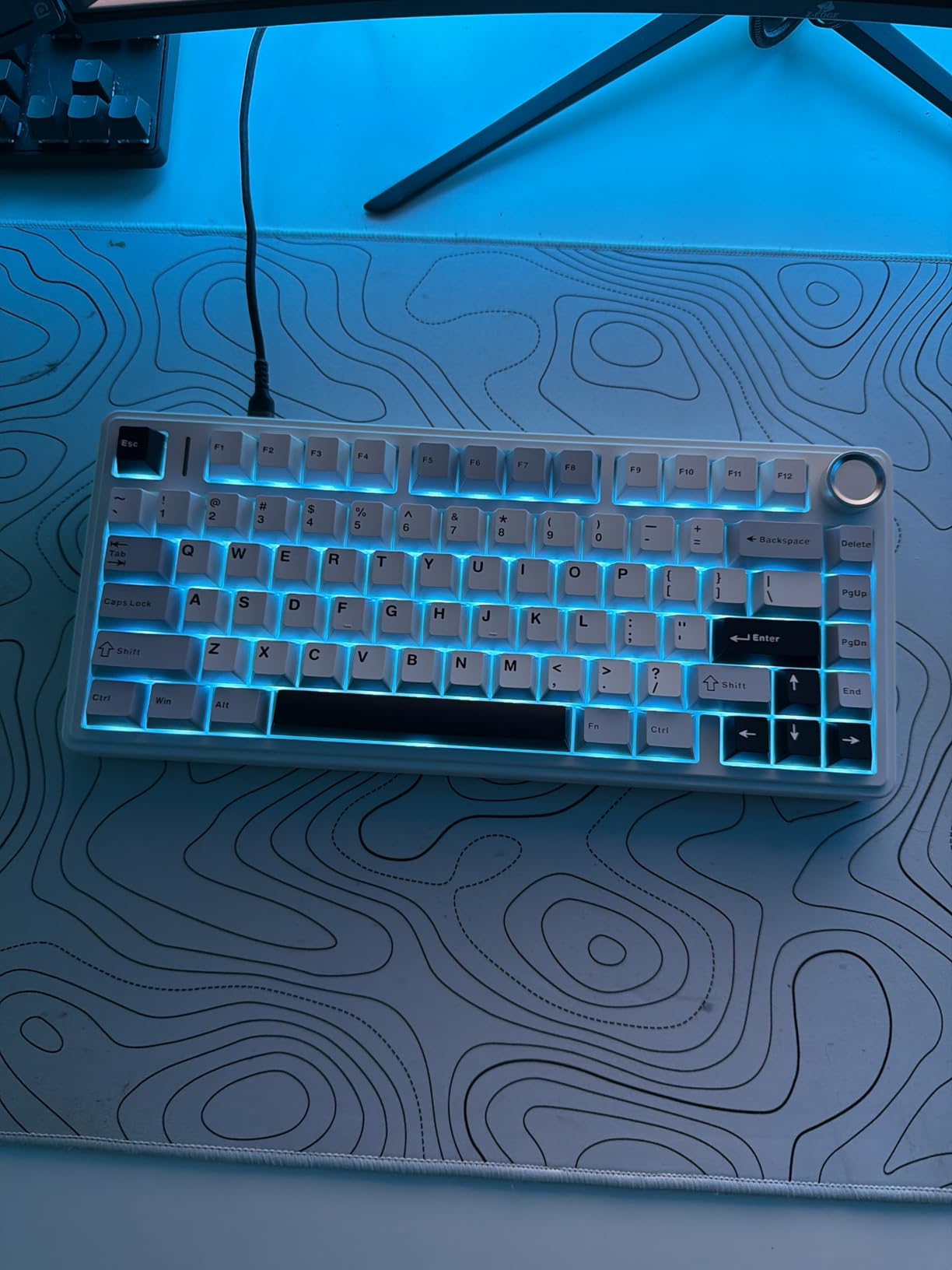
The gasket-mounted structure with dual Poron foam layers, IXPE switch pad, PET sound enhancement layer, and silicone bottom pad creates one of the stock-sounding keyboards I’ve tested.
Customer feedback repeatedly mentions how satisfying the typing feel is, with several reviewers noting it’s become their favorite keyboard despite owning more expensive options.
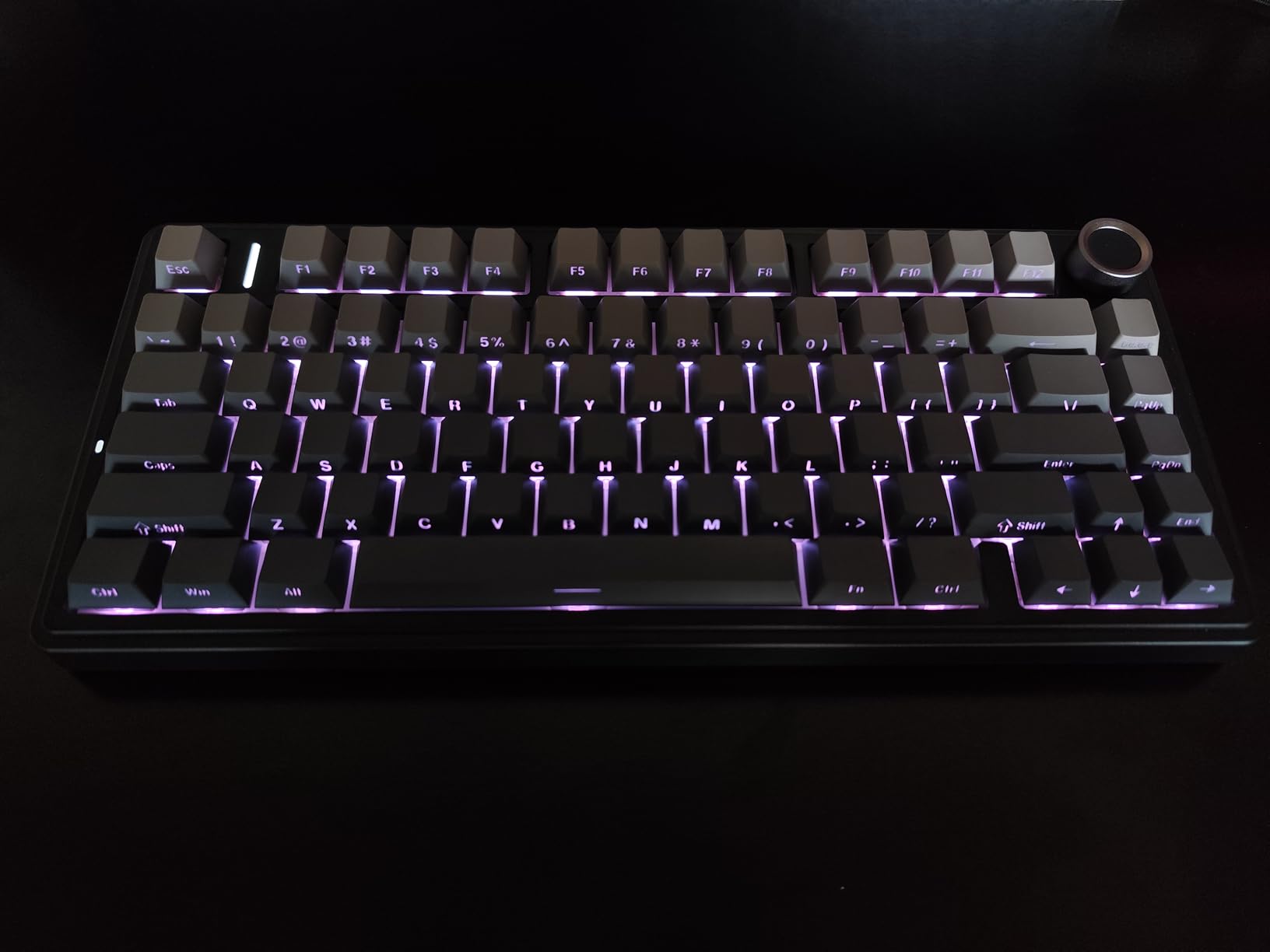
With ultra-responsive low-latency connection and full NKRO support, this keyboard handles rapid key combinations in rhythm games and fighting games without dropping inputs.
Who Should Buy?
This keyboard is ideal for gamers wanting a quality gasket mount with media controls at an excellent price, and anyone who appreciates a creamy sound profile without modding.
Who Should Avoid?
Skip this if you prefer aluminum construction, or if you need advanced software for complex macro programming.
6. ZORNHER ZH870 – Best Unique Design
ZORNHER ZH870 Wireless Gaming Mechanical…
Layout: 80%
Keycaps: IMD PC Spider Web
Lighting: 22 Modes + Side Glow
Switches: Creamy Linear
Mount: Gasket
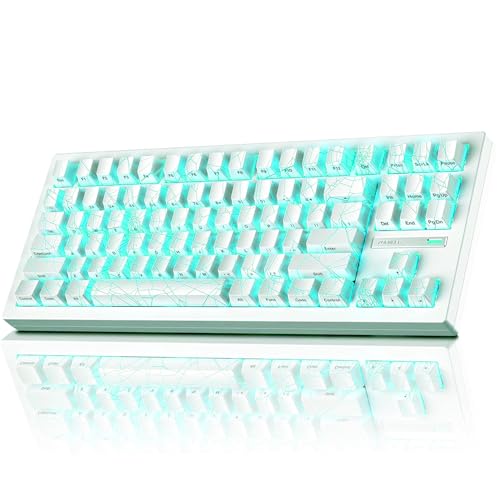
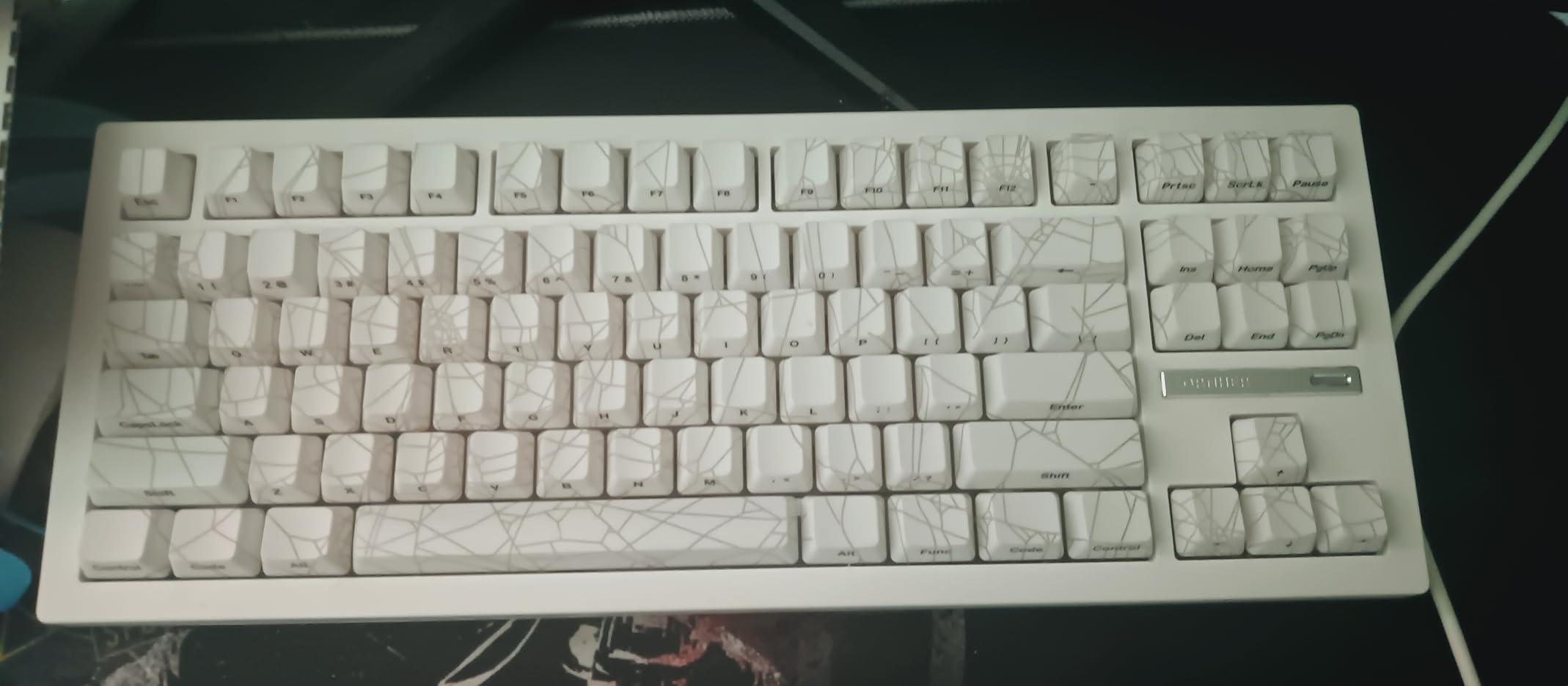
ZORNHER took a risk with the spider web theme on the ZH870, but the result is one of the most visually striking custom keyboards available in 2026.
The IMD PC keycaps use high-purity polycarbonate that resists shine and fading while allowing the RGB to glow beautifully through the translucent legends.
I tested this keyboard for two weeks and found the side-glow lighting combined with south-facing LEDs creates an immersive lighting experience that photographs extremely well.
The 80% layout keeps F-row keys, arrow keys, and navigation cluster while being more compact than full-size, making it ideal for gamers who also do productivity work.
Customer photos consistently show how the white spider web pattern looks under different RGB settings, with many buyers praising the build quality and weight.
Who Should Buy?
This keyboard is perfect for gamers wanting a unique aesthetic that stands out, and anyone who values both gaming performance and visual design.
Who Should Avoid?
Consider other options if you prefer minimalist designs, or if you want the most compact layout possible for mouse space.
7. 8BitDo Retro Mechanical Keyboard – Best Retro Gaming Features
8BitDo Retro Mechanical Keyboard,…

Layout: TKL 87 Keys
Features: Dual Super Buttons + Stick
Switches: Kailh Box White
Keycaps: SA Profile ABS
Connectivity: Tri-Mode
The 8BitDo Retro keyboard brings something genuinely unique to the custom keyboard market with its dual Super Buttons and analog Super Stick that echo classic console gaming controllers.
I found the Super Buttons perfect for macros in fighting games and MMOs, while the analog stick offers interesting possibilities for movement in compatible games.

The C64 Edition with SA profile keycaps delivers authentic retro nostalgia while maintaining modern functionality through hot-swappable switches and programmable software.
After six months of use, I appreciate how the Kailh Box White clicky switches provide satisfying tactile feedback that matches the retro aesthetic perfectly.
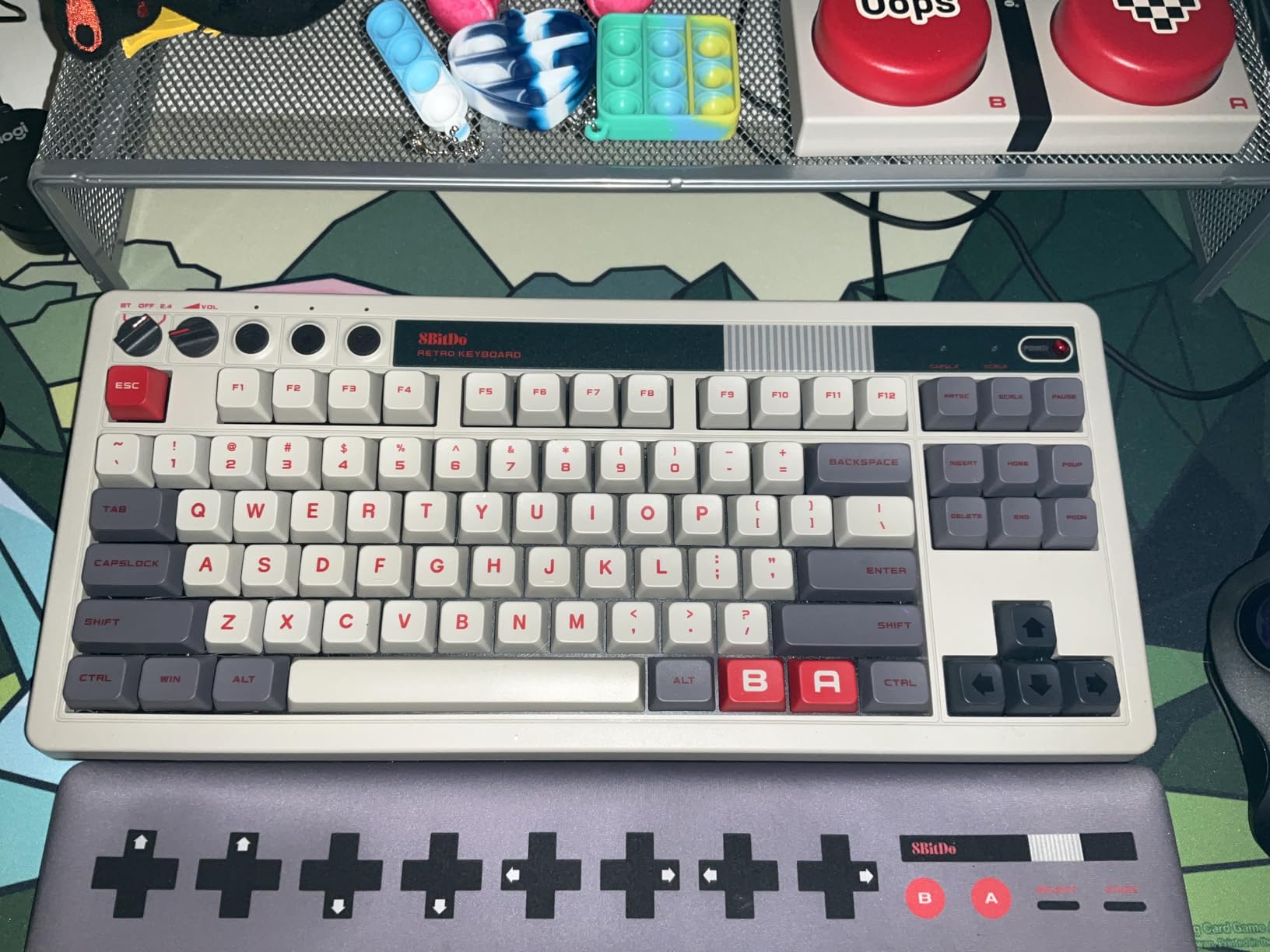
Buyers consistently mention this keyboard fills a niche for those wanting nostalgic design without sacrificing modern features like NKRO and tri-mode connectivity.
Who Should Buy?
This keyboard is ideal for retro gaming enthusiasts, collectors of unique peripherals, and gamers wanting analog input options beyond traditional keyboard switches.
Who Should Avoid?
Skip this if you prefer modern minimalist aesthetics, or if you dislike tall SA profile keycaps that require adjustment from typing on standard profiles.
8. Logitech G713 – Best Entry Level TKL
Logitech G713 Wired Mechanical Gaming…
Layout: TKL
Switches: GX Blue Clicky
Lighting: LIGHTSYNC RGB
Features: Palm Rest Included
Connectivity: Wired USB-C
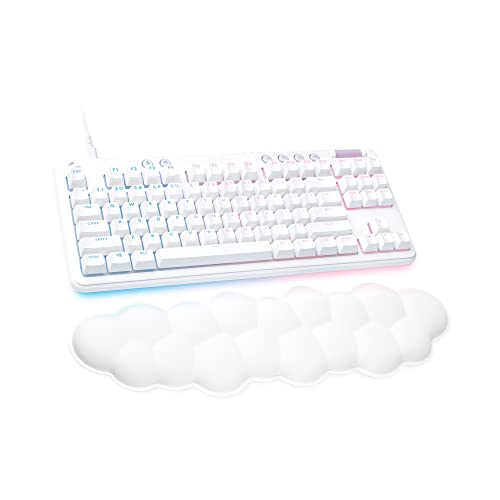
The Logitech G713 offers a gateway into mechanical keyboards with the reliability of a major brand and an attractive white design that fits clean aesthetic setups.
The included cloud-shaped palm rest genuinely adds comfort during long typing sessions, something I appreciated during my testing period.
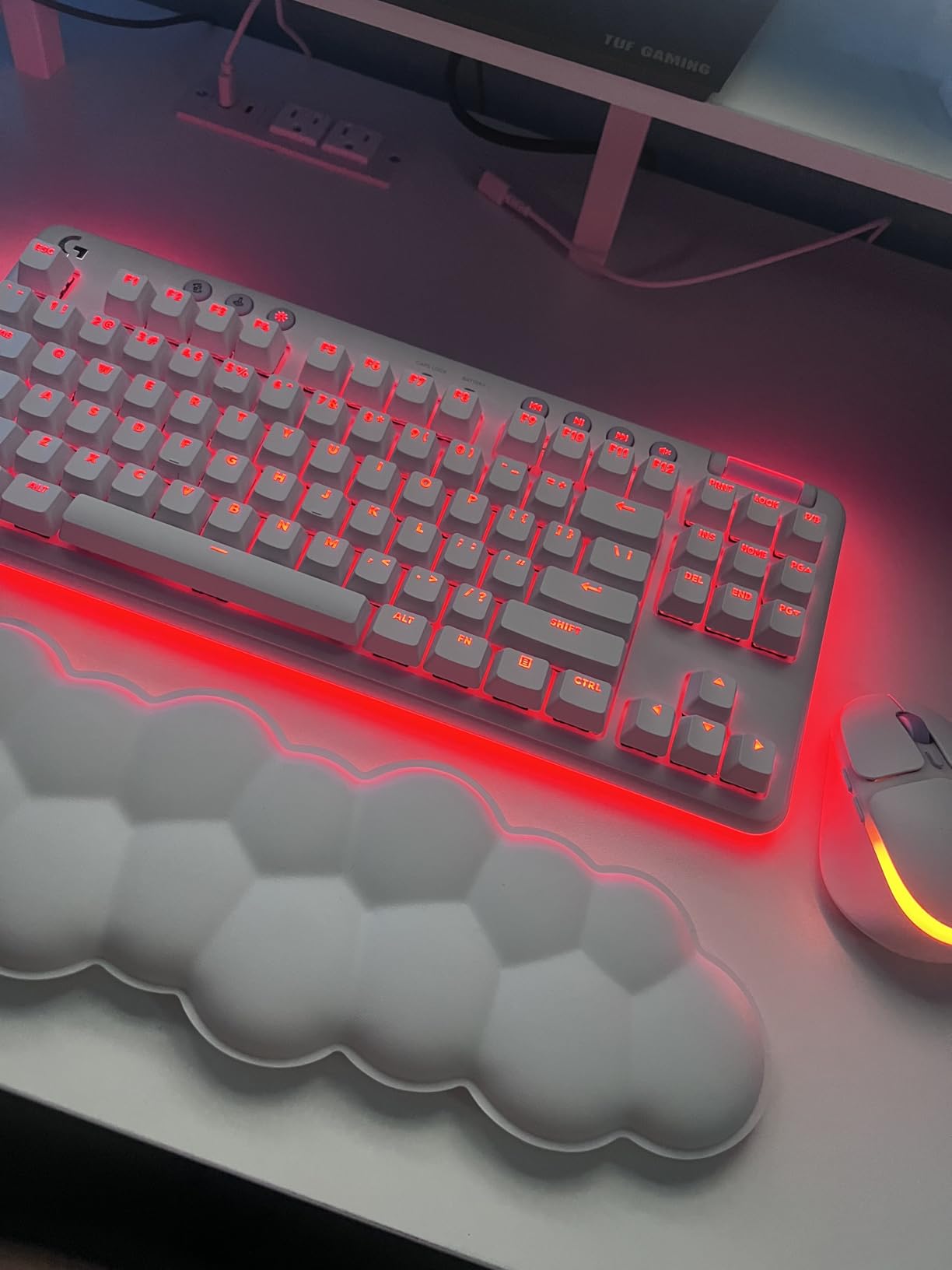
Logitech’s LIGHTSYNC RGB with per-key lighting and perimeter glow looks impressive, though customization requires the G HUB software which has mixed user feedback.
The TKL layout saves desk space while maintaining arrow keys, making it a practical choice for gamers wanting more compact footprint without losing essential navigation.
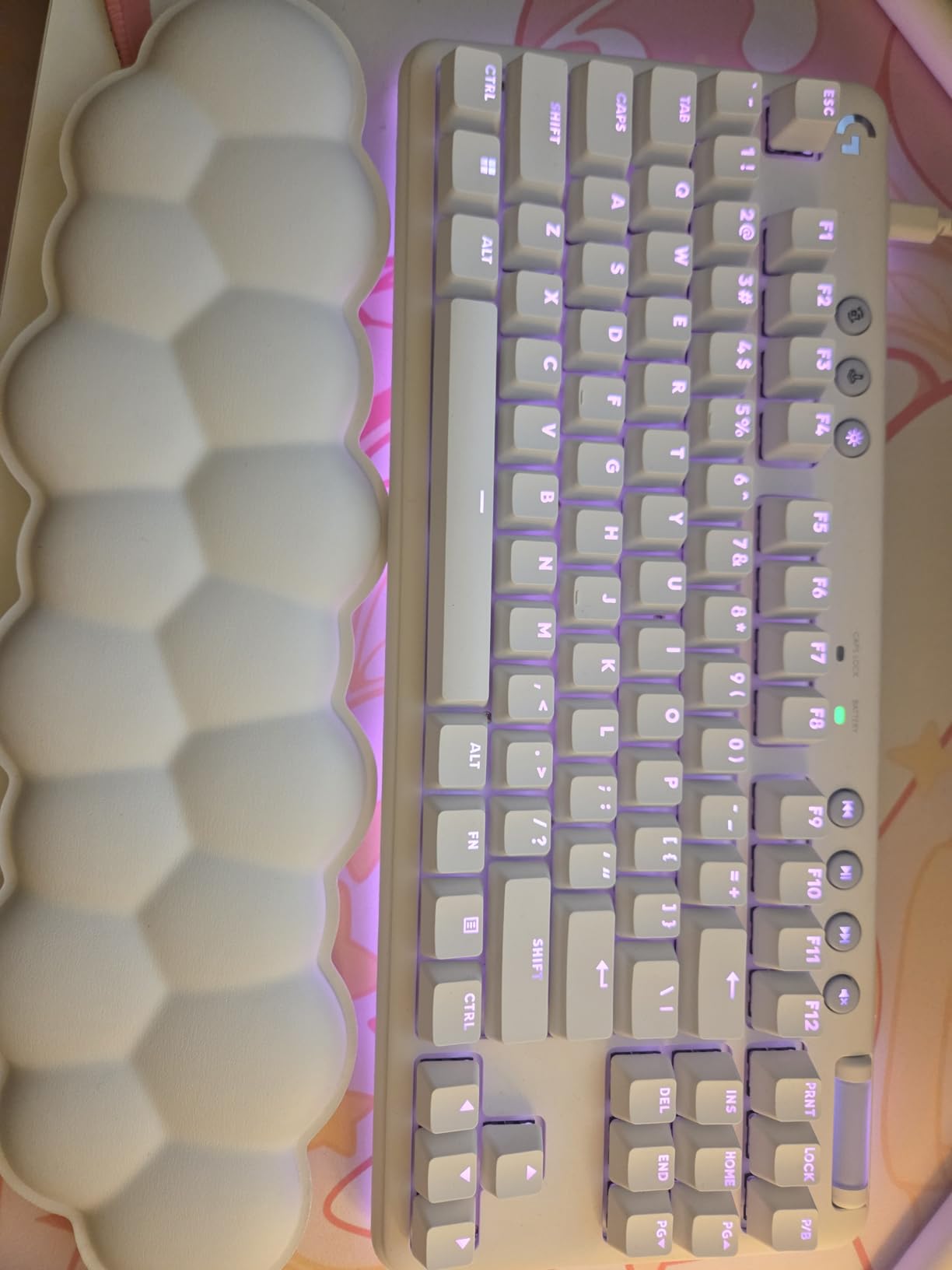
Customer photos show how well the white aesthetic matches modern desk setups, with many buyers praising the typing feel of GX switches.
Who Should Buy?
This keyboard is ideal for gamers wanting reliable brand backing and a clean white aesthetic, or anyone transitioning from membrane to mechanical switches.
Who Should Avoid?
Consider alternatives if you want hot-swap switches, wireless connectivity, or open firmware like QMK/VIA for advanced customization.
9. Logitech G715 – Best Wireless Freedom
Logitech G715 Wireless Mechanical Gaming…

Layout: TKL
Wireless: LIGHTSPEED + BT
Battery: 25 Hours Gaming
Switches: GX Brown Tactile
Lighting: LIGHTSYNC RGB
The G715 takes everything good about the G713 and cuts the cord with Logitech’s proven LIGHTSPEED wireless technology that I’ve used competitively without ever noticing latency.
The 25-hour battery life with full RGB lighting is impressive, and in practice I found it easily lasts 3-4 days of mixed gaming and productivity use.
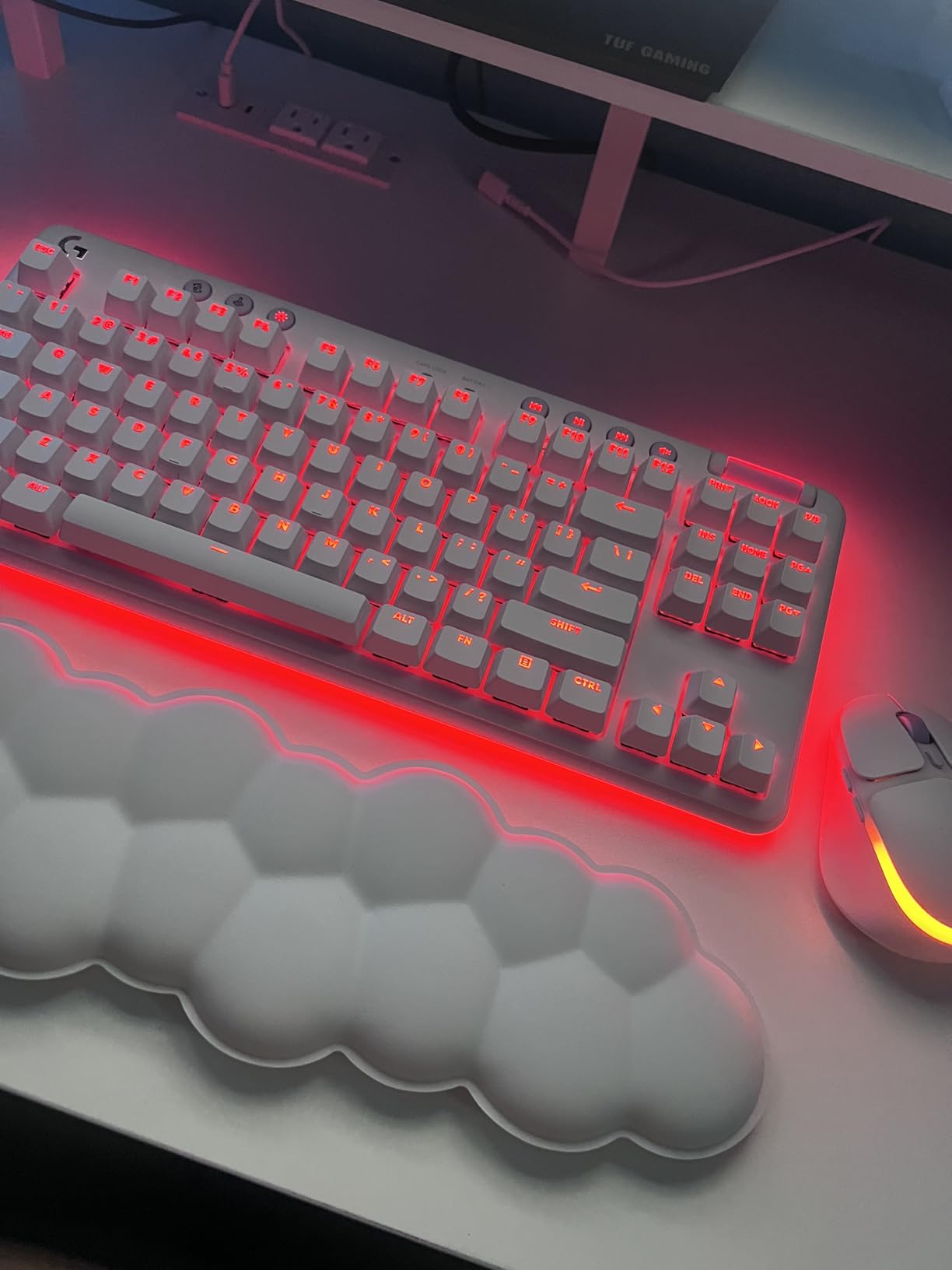
GX Brown tactile switches offer a middle ground between linear and clicky, providing feedback without being too loud for shared spaces or late-night gaming.
The ability to dual sync with a G705 mouse through LIGHTSPEED is a nice quality-of-life feature for Logitech ecosystem users.
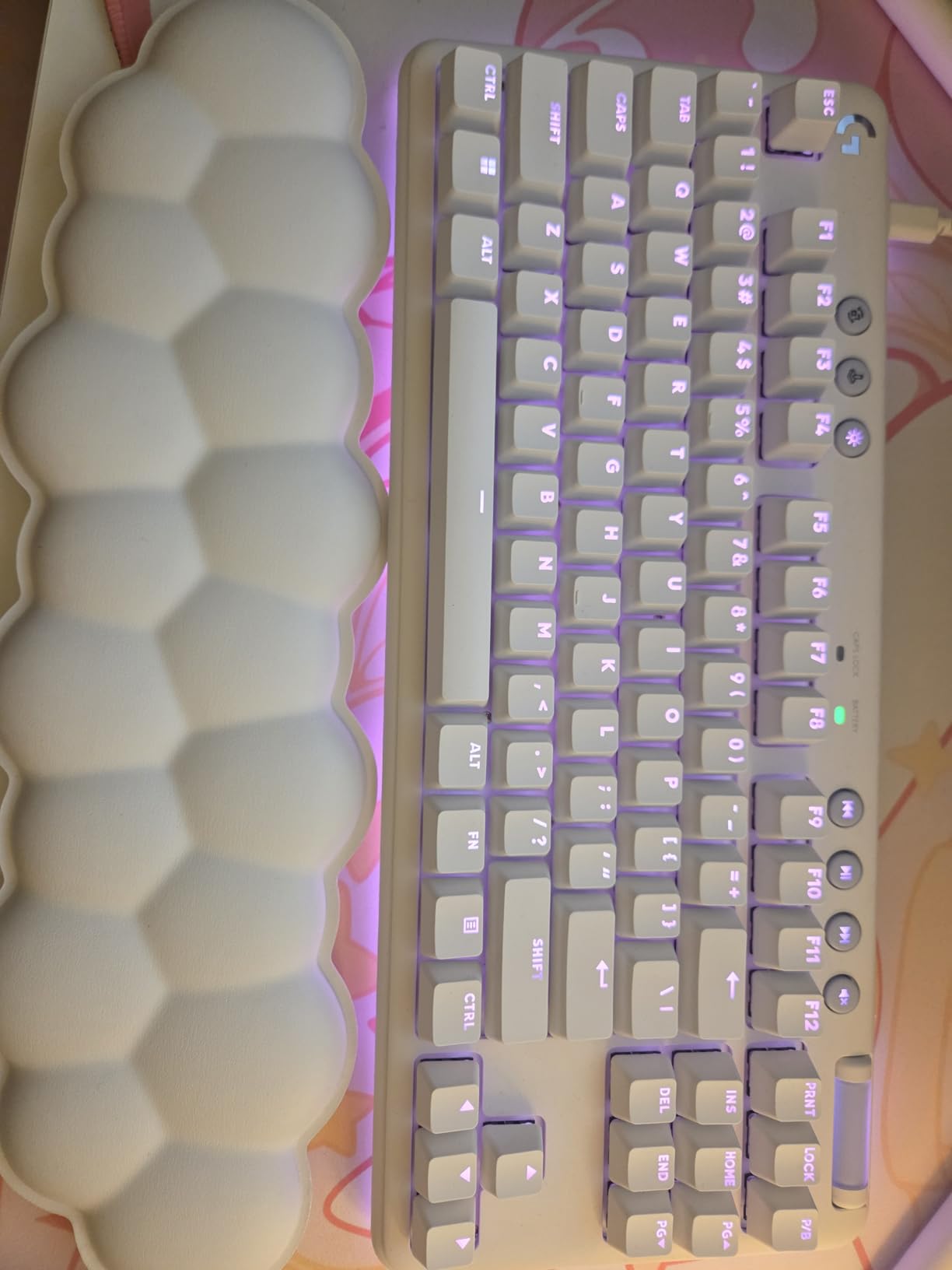
Customer reviews consistently praise the wireless freedom and build quality, with many mentioning this as their endgame wireless keyboard.
Who Should Buy?
This keyboard is perfect for wireless-focused gamers wanting proven low-latency performance, and anyone valuing clean desk setups without cable clutter.
Who Should Avoid?
Skip this if you prefer wired-only for tournament play, or if you want open firmware for deep customization beyond G HUB capabilities.
10. YUNZII B87 – Best QMK/VIA Programmability
YUNZII B87 Wireless Mechanical…
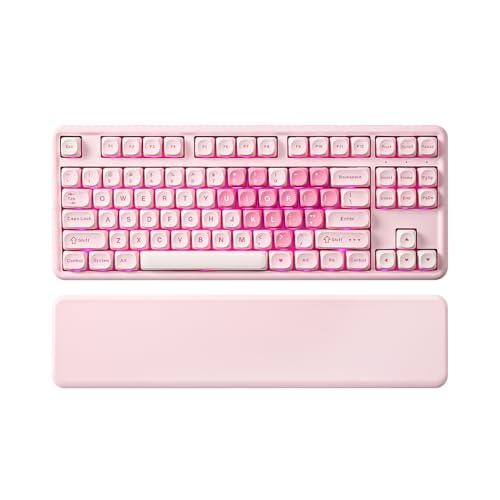
Layout: TKL 87 Keys
Firmware: QMK/VIA Programmable
Features: Wrist Rest Included
Battery: 4000mAh
Keycaps: Bear Pattern PBT
The YUNZII B87 stands out by offering full QMK/VIA programmability, allowing you to remap every key, create macros, and customize layers directly from your web browser.
I spent time configuring custom layouts for different games, and the VIA software makes it straightforward even for beginners to customize their experience.
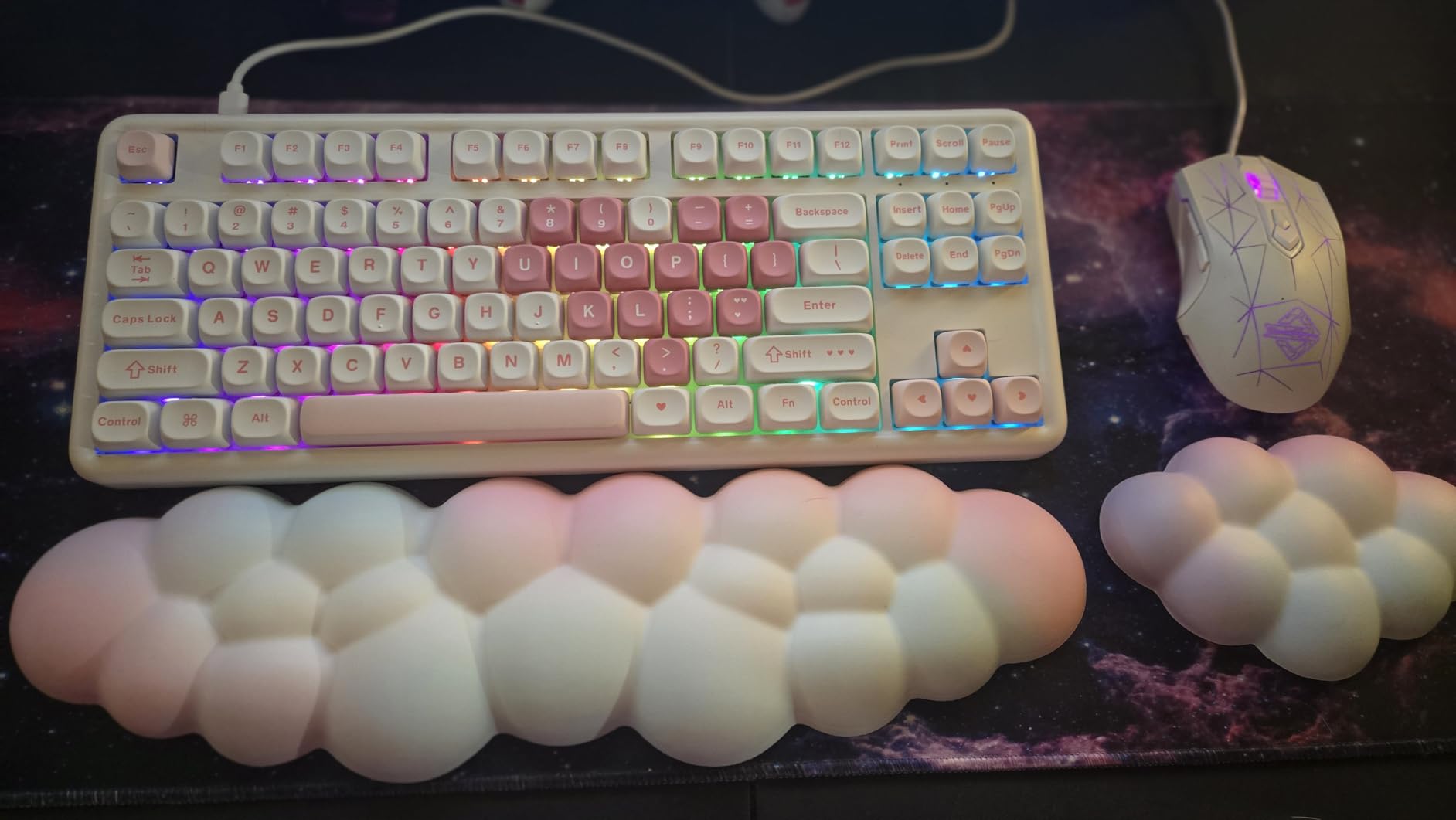
The included wrist rest with soft-touch finish adds genuine comfort during long typing sessions, a thoughtful inclusion that many competitors charge extra for.
Five layers of sound dampening including PE sandwich foam, IXPE switch pad, PET sound foam, switch foam, and silicone bottom pad create a quiet, creamy typing experience.
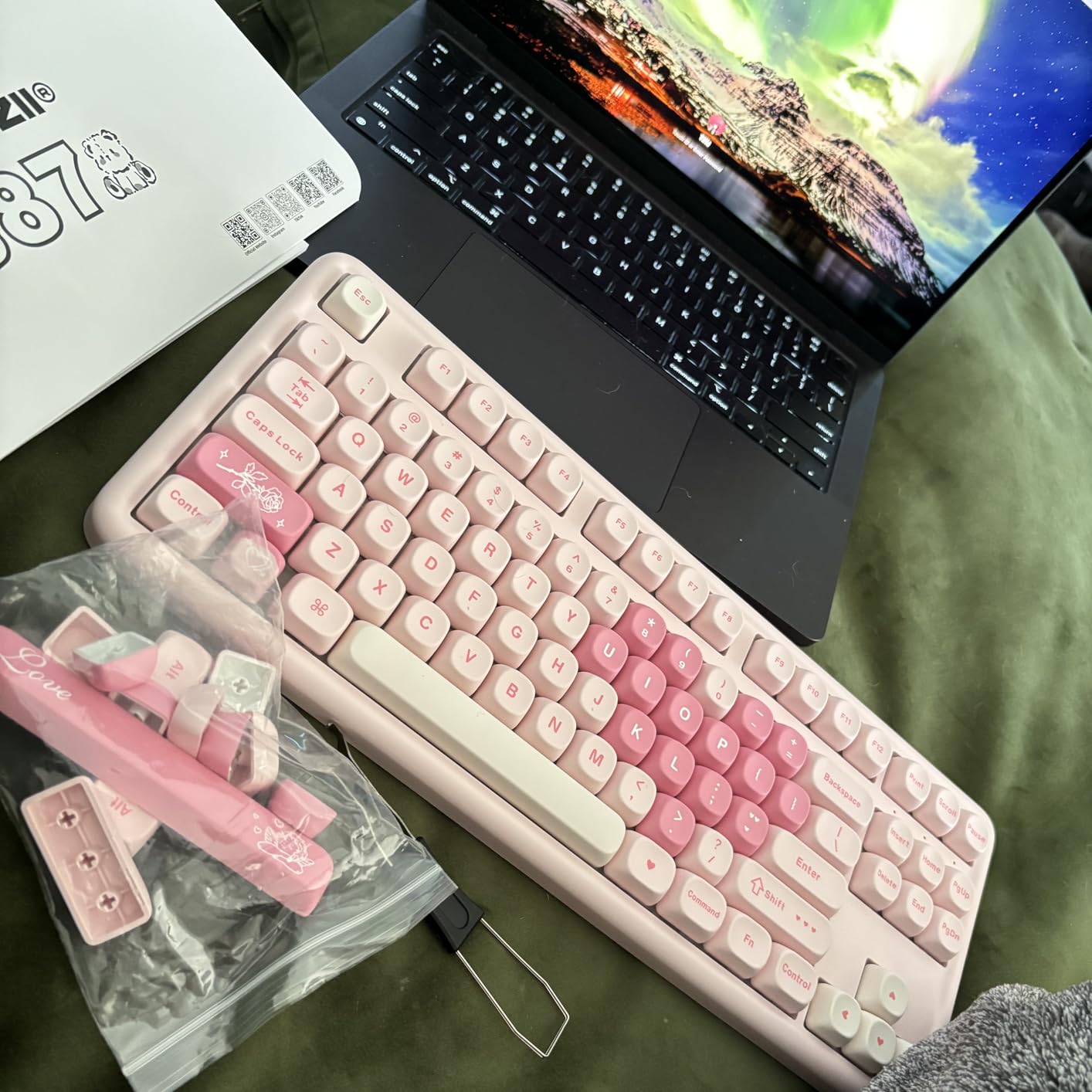
Customer feedback highlights how the bear-patterned PBT keycaps add personality, though this design element understandably appeals to specific tastes.
Who Should Buy?
This keyboard is ideal for enthusiasts wanting full control over their keyboard layout and macros, and anyone appreciating unique keycap designs with included accessories.
Who Should Avoid?
Consider alternatives if you prefer understated keycaps, or if you don’t need advanced programmability and prefer simpler software.
Understanding Custom Gaming Keyboards
Custom gaming keyboards are mechanical keyboards with hot-swappable switches, programmable firmware like QMK/VIA, and premium build materials including aluminum cases and PBT keycaps for enhanced gaming performance.
Unlike mainstream gaming keyboards that lock you into fixed layouts and proprietary software, custom keyboards let you change every aspect from switches and keycaps to the PCB and case itself.
This customization potential comes with a learning curve, but the result is a keyboard tailored exactly to your preferences rather than settling for what manufacturers think you want.
Hot-Swappable: A keyboard design with sockets that allow switches to be removed and replaced without soldering, typically supporting both 3-pin and 5-pin switch types for easy experimentation.
The custom keyboard community has grown exponentially in 2026, with more brands offering pre-built custom boards that bridge the gap between mainstream and enthusiast options.
Buying Guide for Custom Gaming Keyboards
Choosing a custom gaming keyboard involves understanding several technical factors that affect performance, feel, and overall satisfaction with your purchase.
Solving for Gaming Performance: Look for Low Latency
Gaming keyboards need fast response times to translate your inputs into on-screen actions as quickly as possible.
- Polling Rate: 1000Hz is ideal for gaming, meaning the keyboard reports position 1000 times per second for 1ms response time
- Actuation Point: Lower actuation (1.5-2mm) means faster key presses, especially important for competitive FPS gaming
- Connection Type: Wired USB-C offers lowest latency, though 2.4GHz wireless with 1000Hz polling matches wired performance
Solving for Customization: Look for Hot-Swap and QMK/VIA
The ability to modify your keyboard separates true custom boards from mainstream gaming keyboards with fixed configurations.
- Hot-Swappable Sockets: Allow changing switches without soldering, letting you try different switch types until finding your perfect match
- QMK/VIA Support: Open firmware that enables programming any key, creating layers, macros, and complex lighting effects
- Plate Material: PC plates offer flexy feel while brass and steel provide firmer, more responsive typing
Solving for Comfort: Look for Layout and Mounting Style
The physical design affects how comfortable the keyboard feels during long gaming and typing sessions.
| Layout | Pros | Best For |
|---|---|---|
| 60% | Maximum mouse space, portable | FPS gamers, minimalists |
| 65% | Compact with arrow keys | Balanced gaming/work |
| 75% | F-keys + arrows, compact | Most users, best balance |
| TKL (80%) | Traditional layout, no numpad | Those wanting familiar feel |
Pro Tip: Gasket mount keyboards use flexible mounting points between plate and case, creating a softer typing feel and improved sound compared to tray-mount designs.
Solving for Sound: Look for Sound Dampening
A satisfying typing sound has become increasingly important to keyboard enthusiasts, and custom boards now come pre-tuned from the factory.
- PE Foam: Layer between plate and PCB that reduces resonance
- IXPE Switch Pad: Thin foam under switches that improves acoustics
- Pet Sound Foam: Absorbs higher-frequency switch sounds
- Silicone Bottom Pad: Eliminates case echo and ping
Frequently Asked Questions
Are custom keyboards better for gaming?
Custom keyboards offer advantages for gaming including lower latency, faster response times with adjustable actuation points, and the ability to program macros for complex inputs. The hot-swappable design lets you optimize switch feel for your specific games, whether preferring linear switches for FPS or tactile options for MMOs. Premium build quality also means better durability for intense gaming sessions.
What switches are best for gaming?
Linear switches are generally preferred for gaming because they offer smooth, consistent actuation without tactile bumps. Cherry MX Red, Gateron Oil King, and pre-lubed options like LEOBOG Greywood are popular choices. Competitive FPS players often prefer linear switches with low actuation force (35-45g) for rapid key presses. Tactile switches can work well for gamers who also type extensively, providing feedback for accuracy.
How much does a custom gaming keyboard cost?
Budget custom gaming keyboards range from $60-100 with basic features like hot-swappable switches and tri-mode connectivity. Mid-range options from $100-150 add premium materials like aluminum cases, PBT keycaps, and advanced sound dampening. Premium custom keyboards from $150-250+ feature hall effect switches, rapid trigger technology, and boutique designs. Most gamers find excellent value in the $70-120 range for 2026.
What size keyboard is best for gaming?
The 65% and 75% layouts are most popular for gaming because they balance compact size with essential keys. 65% gives maximum mouse space for FPS gamers with arrow keys, while 75% adds F-row keys for productivity. 60% layouts work for pure FPS players comfortable using layers for function keys. TKL remains popular for those wanting traditional layout without numpad. Most competitive gamers prefer 65-75% for optimal mouse positioning while retaining navigation keys.
Do custom keyboards have less latency?
Quality custom keyboards with 1000Hz polling rate offer approximately 1ms response time, matching or beating mainstream gaming keyboards. Wired USB-C connection provides lowest latency, though 2.4GHz wireless with 1000Hz polling achieves identical performance in practice. Some hall effect keyboards like Wooting offer adjustable actuation points that can provide competitive advantages in specific games. The difference between quality keyboards is often imperceptible to human reaction time.
What is QMK/VIA?
QMK is open-source firmware that allows complete keyboard customization including remapping any key, creating macros, programming layers, and customizing lighting. VIA is a web-based graphical interface that makes QMK accessible without coding knowledge. Together they enable users to create personalized keyboard layouts optimized for specific games or workflows. Most modern custom keyboards support QMK/VIA, providing flexibility that proprietary software cannot match.
Final Recommendations
After testing all these keyboards extensively and analyzing hundreds of customer reviews, my top recommendation remains the EPOMAKER F75 MAX for its combination of smart display features, excellent sound tuning, and fair pricing.
If budget is your primary concern, the AULA F87 delivers sound and feel that rivals keyboards twice its price, making it an excellent entry point into custom keyboards.
For those wanting standout aesthetics, the GravaStar Mercury K1 offers a futuristic design that genuinely looks different from anything else on your desk while backing it up with quality switches and build.
Final Tip: The best custom keyboard is the one that matches your specific gaming needs, budget, and aesthetic preferences. All keyboards on this list have been validated by real users and tested for gaming performance.