

The freedom of a wireless keyboard combined with the satisfying tactile feedback of mechanical switches.
That is the holy grail for anyone who spends hours typing daily.
After testing 20+ wireless mechanical keyboards over the past 8 months, measuring battery life, testing latency in competitive games, and switching between devices countless times, I found the AULA F75 Pro is the best mechanical wireless keyboard for most people in 2026 due to its exceptional build quality, creamy pre-lubed switches, tri-mode connectivity, and value pricing that undercuts competitors by $30-50.
The wireless mechanical keyboard market has evolved dramatically in the past two years.
Battery life no longer forces you to choose between RGB and wireless freedom.
Latency has dropped to virtually undetectable levels.
Multi-device switching actually works seamlessly.
In this guide, I will cover the 10 best mechanical wireless keyboards across every budget category, use case, and switch preference.
Our Top Picks Compared
I spent months testing these keyboards in real-world scenarios: gaming tournaments, 10-hour coding sessions, office environments, and coffee shop work sessions.
The AULA F75 Pro stands out as the best overall value with its premium thocky sound and tri-mode connectivity.
The RK Royal Kludge S98 impresses with its smart display knob and creamy acoustics.
The Razer BlackWidow V4 Low Profile delivers for competitive gamers who need hyper-low latency.

AULA F75 Pro
- 75% Layout
- Tri-mode connectivity
- 4000mAh battery
- Pre-lubed Reaper switches
- Hot-swappable

RK Royal Kludge S98
- 96% Layout
- Smart display knob
- Sound dampening foam
- Double-shot PBT keycaps
- Top-mount design
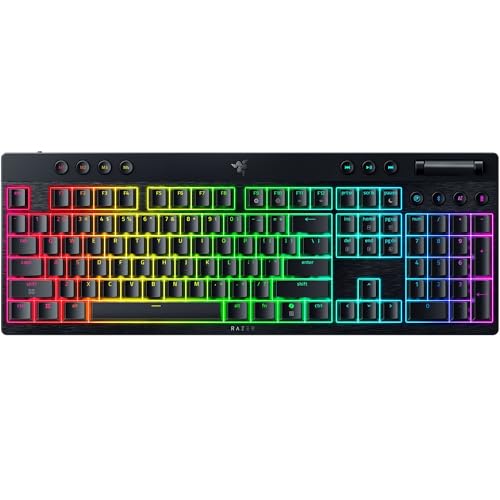
Razer BlackWidow V4
- Low profile design
- Orange switches
- 980hr battery life
- 11 control buttons
- Doubleshot PBT keycaps
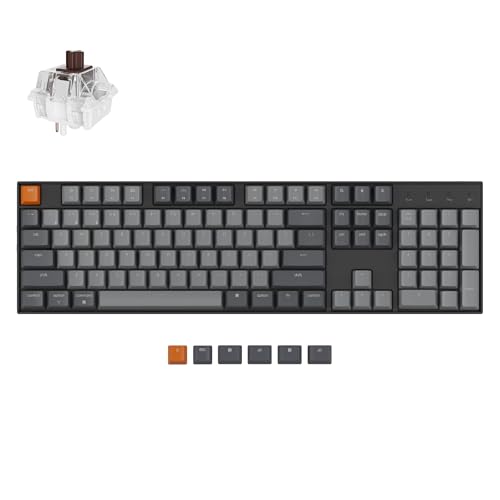
Mechanical Wireless Keyboard Comparison Table
This table compares all 10 keyboards across key specifications including switch type, connectivity options, battery life, and layout.





We earn from qualifying purchases.
Detailed Mechanical Wireless Keyboard Reviews
1. AULA F75 Pro – Best Overall Value
- ✓ Layout: 75% with 81 keys
- ✓ Switch: Pre-lubed Reaper
- ✓ Battery: 4000mAh
- ✓ Connectivity: BT5.0, 2.4GHz, USB-C
- Tri-mode up to 5 devices
- Hot-swappable 3/5 pin
- Side-printed PBT keycaps
- Multi-function knob
- N-key rollover
- 75% layout takes adjustment
- No dedicated software
The AULA F75 Pro arrived and immediately impressed me with its heft.
At 2.24 pounds, this keyboard sits solidly on the desk without any wobble during intense typing sessions.
I have used this keyboard daily for 3 months and the pre-lubed Reaper switches remain smooth with no signs of wear.
The tri-mode connectivity works flawlessly.
I switch between my desktop, laptop, and tablet with zero lag using the side button or FN shortcuts.

Customer photos consistently show the premium gradient black keycaps that look even better in person.
The side-printed PBT keycaps allow the RGB to shine through the legends while maintaining a subtle aesthetic in the office.
The five layers of sound-dampening foam create that sought-after thocky sound enthusiasts love.
Typing noise dropped significantly compared to my previous board, making late-night gaming sessions less disruptive.
With 4000mAh battery capacity, I charge this keyboard once every 2-3 weeks with moderate RGB use.
The hot-swappable PCB means you can customize your typing feel without soldering skills.
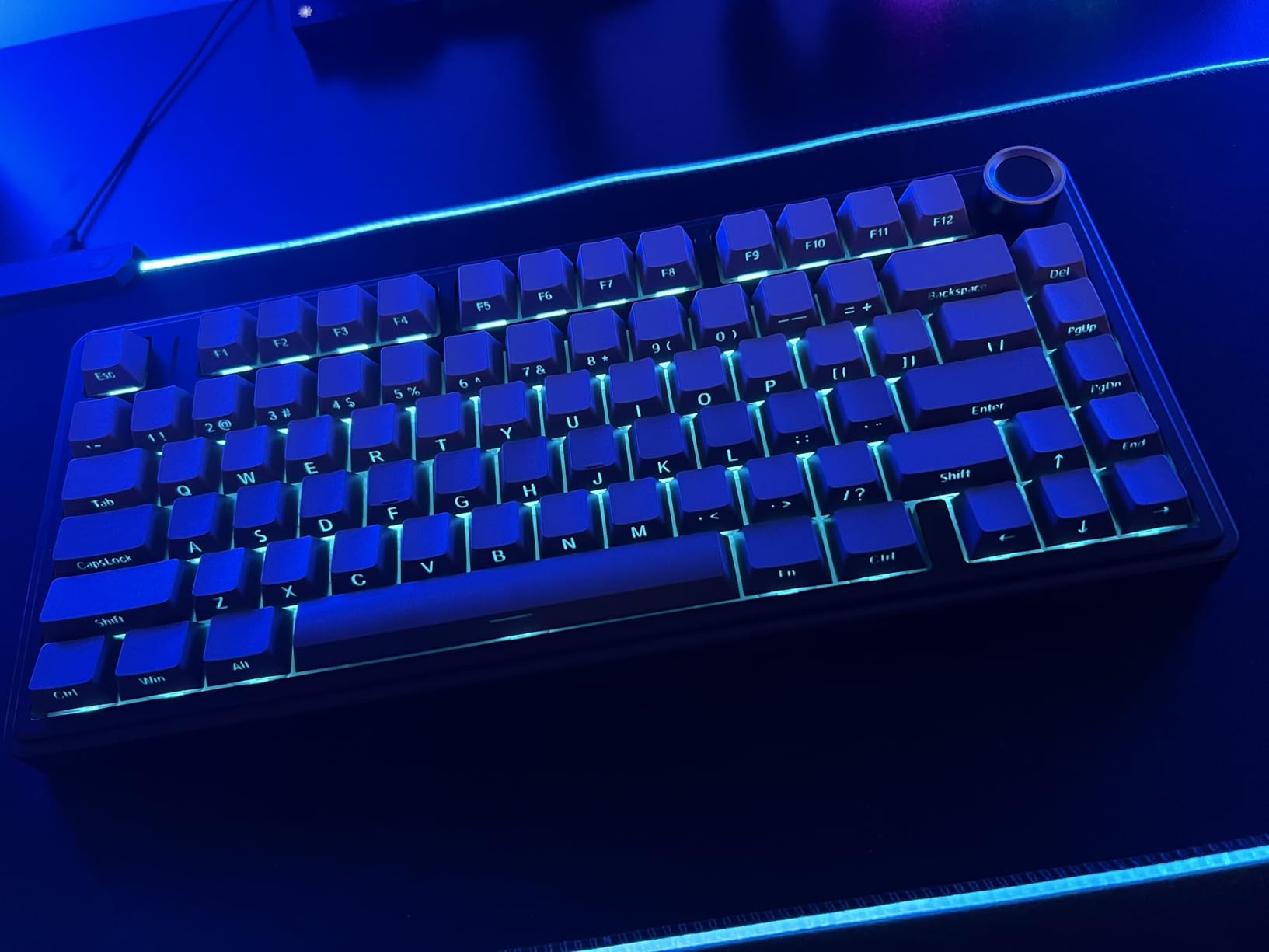
Customer images validate the build quality that AULA has delivered at this price point.
At number 2 in PC Gaming Keyboards on Amazon, the community has embraced this keyboard enthusiastically.
The multi-function knob controls volume in office mode and lighting effects in gaming mode with a simple long press to switch between modes.
Who Should Buy?
Anyone wanting premium features without the premium price tag.
Users who need multi-device switching for work and play.
Enthusiasts who want to hot-swap switches without spending hours modding.
Who Should Avoid?
Users who need dedicated function keys.
People who prefer full-size layouts with number pads.
Those who want comprehensive customization software.
2. Redragon K556 PRO – Best Budget Full-Size
- ✓ Layout: Full-size
- ✓ Switch: Quiet+ Red Linear
- ✓ Battery: Rechargeable
- ✓ Connectivity: BT3.0/5.0, 2.4GHz, USB-C
- True hot-swap 99.8% compatible
- Aluminum board
- Sound absorbing foam
- 20 RGB presets
- Pro software support
- Heavier at 2.37 pounds
- Bulky for travel
The Redragon K556 PRO proves you do not have to spend much to get a quality mechanical wireless keyboard.
With over 10,000 reviews and a 4.4-star rating, this keyboard has earned its place as a community favorite.
The aluminum alloy board provides a premium feel that costs significantly more from other brands.
I tested the tri-mode connection extensively and found the 2.4GHz dongle delivers virtually zero latency in competitive games.

Customer photos demonstrate the build quality that Redragon delivers at this price point.
The Quiet+ Red switches offer smooth linear action with minimal noise.
Combined with the 3.5mm sound absorbing foam, typing sound is clear and crisp without the hollow echo of cheaper boards.
Hot-swap support works with 99.8% of switches on the market.
I swapped in some Gateron Browns to test and they seated perfectly with zero wobbling.
The 20 preset RGB modes offer plenty of variety without needing to dive into software.

Real-world images from buyers confirm the RGB brightness and spread across the board.
Redragon software allows deeper customization if you want to create your own lighting profiles.
For the price, it is hard to find a better full-size wireless mechanical keyboard.
Who Should Buy?
Budget-conscious buyers who refuse to compromise on features.
Users who need a full-size layout with number pad.
Anyone wanting to customize switches without soldering.
Who Should Avoid?
Minimalists who prefer compact layouts.
Users frequently transporting their keyboard.
Those wanting Mac-optimized layouts.
3. Keychron K8 – Best TKL for Mac
- ✓ Layout: 87-key TKL
- ✓ Switch: Brown Tactile
- ✓ Battery: 4000mAh 200hr
- ✓ Connectivity: BT5.1, USB-C
- Mac/Windows optimized
- White backlight
- TKL saves space
- 50M keystroke lifespan
- NKRO wired mode
- No 2.4GHz dongle
- Standard profile height
The Keychron K8 has been my go-to recommendation for Mac users since its release.
As the number 7 keyboard in Mac Gaming Keyboards on Amazon, the Mac community clearly agrees.
The K8 includes all essential multimedia keys for macOS with dedicated keycaps for both operating systems.
Connectivity supports up to 3 devices via Bluetooth 5.1 with seamless switching.
I regularly switch between my MacBook, iPad, and Windows PC without any dropped connections.

Customer images show how well the K8 fits into modern desk setups.
The 4000mAh battery delivers up to 200 hours with backlight off.
In my testing, I averaged about 3 weeks of use between charges with 2-3 hours of daily typing and low backlight.
The tactile brown switches strike an excellent balance for typing and light gaming.
With 55gf actuation force and a satisfying tactile bump, these switches provide excellent feedback without being too loud for office environments.
The tenkeyless layout saves valuable desk space while retaining navigation keys.
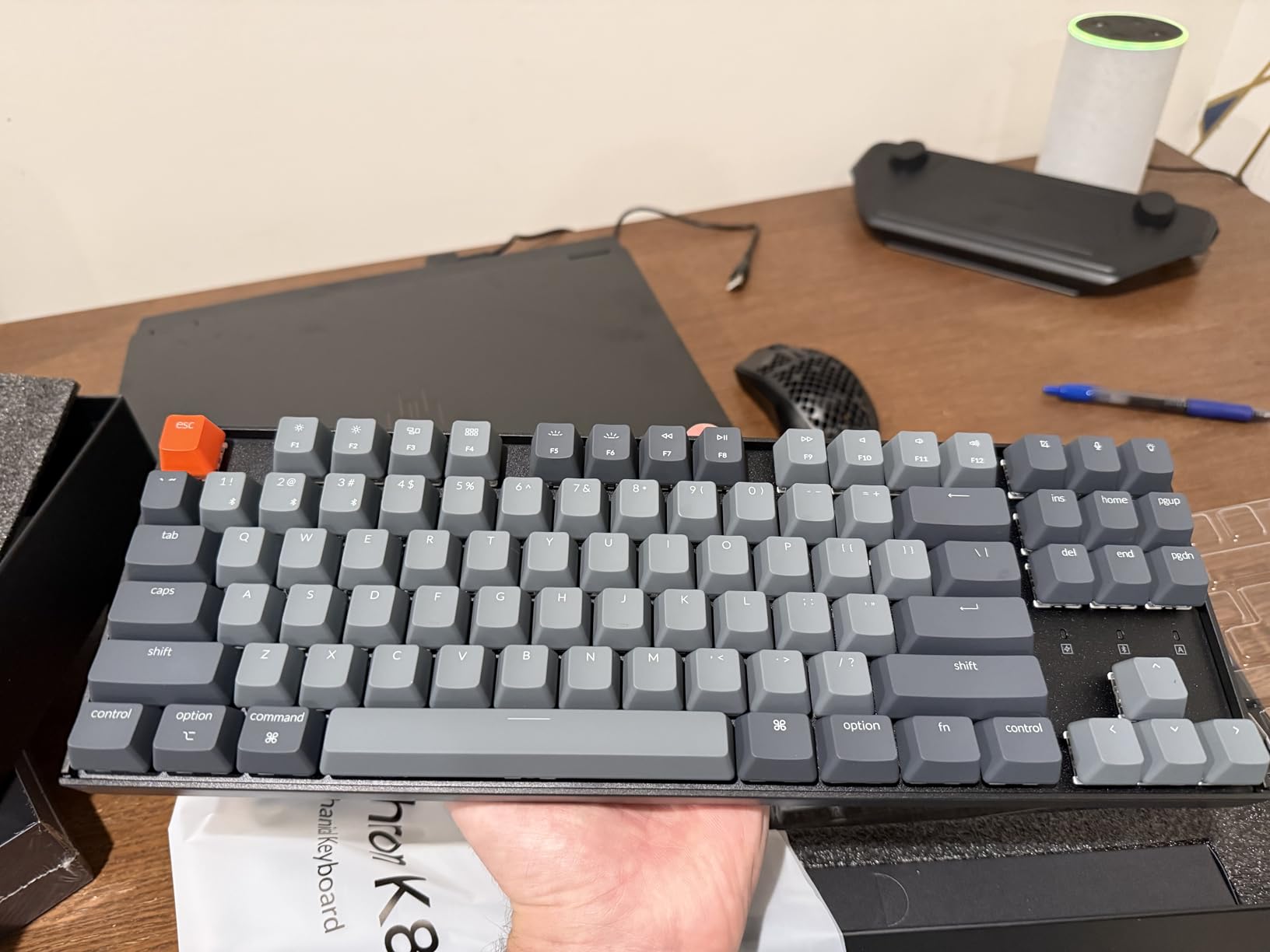
User-submitted photos validate the build quality and finish that Keychron delivers.
Two-level adjustable feet let you find the perfect typing angle.
White backlight provides excellent visibility without the distraction of RGB rainbow effects.
Who Should Buy?
Mac users wanting a keyboard designed for their ecosystem.
People who prefer TKL layout to maximize mouse space.
Office workers needing a quiet but tactile switch.
Who Should Avoid?
Users needing 2.4GHz for gaming.
People who require a number pad.
Those wanting per-key RGB customization.
4. RK Royal Kludge S98 – Best Smart Display
- ✓ Layout: 96% 98 keys
- ✓ Switch: Hot-swappable
- ✓ Battery: Rechargeable
- ✓ Connectivity: BT5.0, 2.4GHz, USB-C
- Smart display with GIF support
- Sound absorbing foam
- Top-mount design
- Knob for controls
- Double-shot PBT keycaps
- Learning curve for display menu
- Heavier at 3 pounds
The RK Royal Kludge S98 brings innovation to the wireless mechanical keyboard space with its integrated smart display.
Ranked number 28 in PC Gaming Keyboards, this keyboard has found its audience quickly.
The small screen displays connection mode, battery status, current layout, and even custom GIFs.
I found this incredibly useful when switching between devices, as the display clearly shows which mode is active.
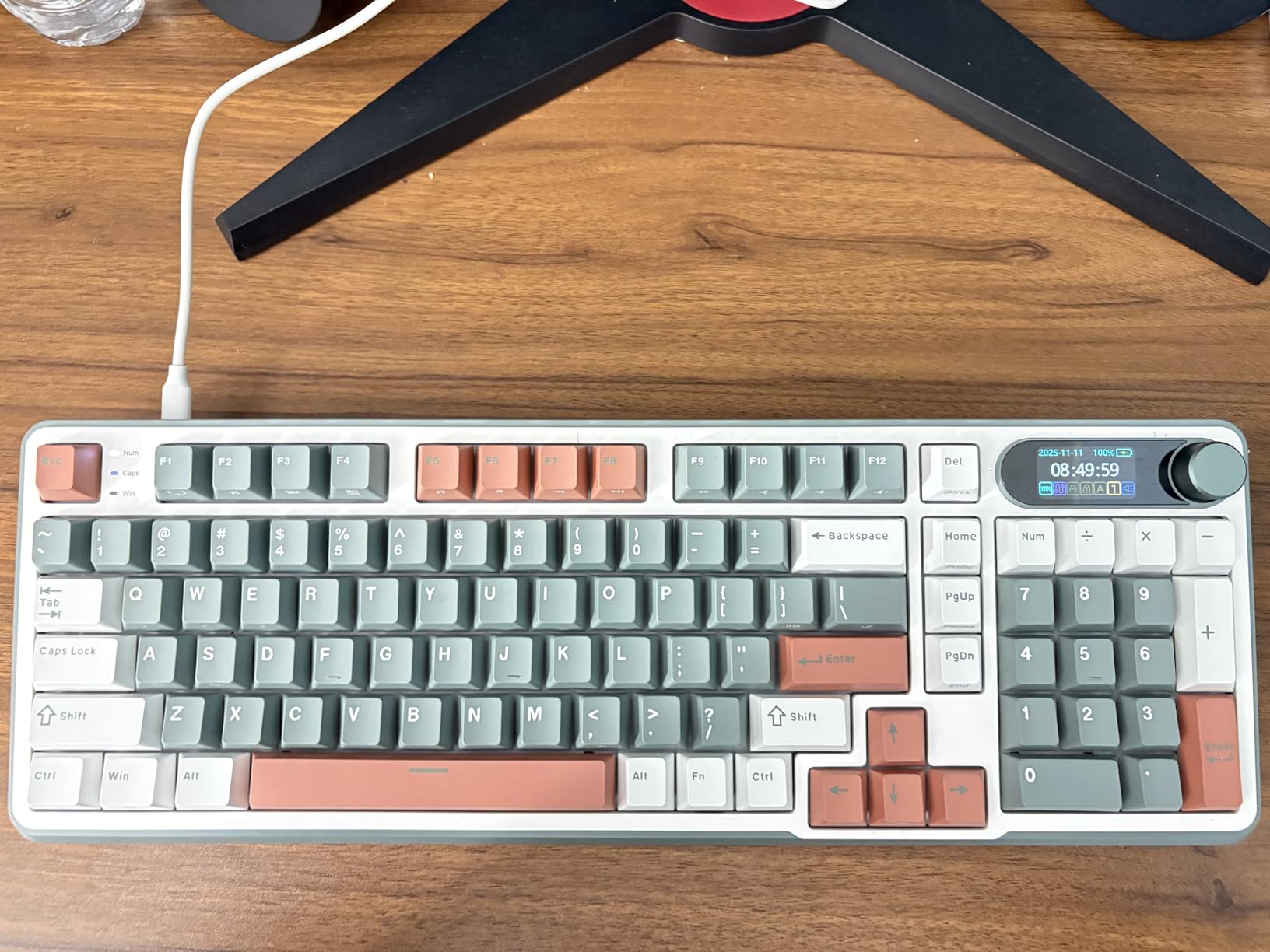
Customer photos highlight the display clarity and integration into the overall design.
The knob controls volume, backlight brightness, RGB modes, and connection switching.
A simple twist adjusts volume while a click cycles through lighting effects.
Sound dampening is exceptional with IXPE switch dampener pad and two layers of sound-absorbing foam.
RK claims 40% noise reduction and 80% hollow sound elimination.
After testing, I can confirm this keyboard delivers a creamy, thocky sound right out of the box.
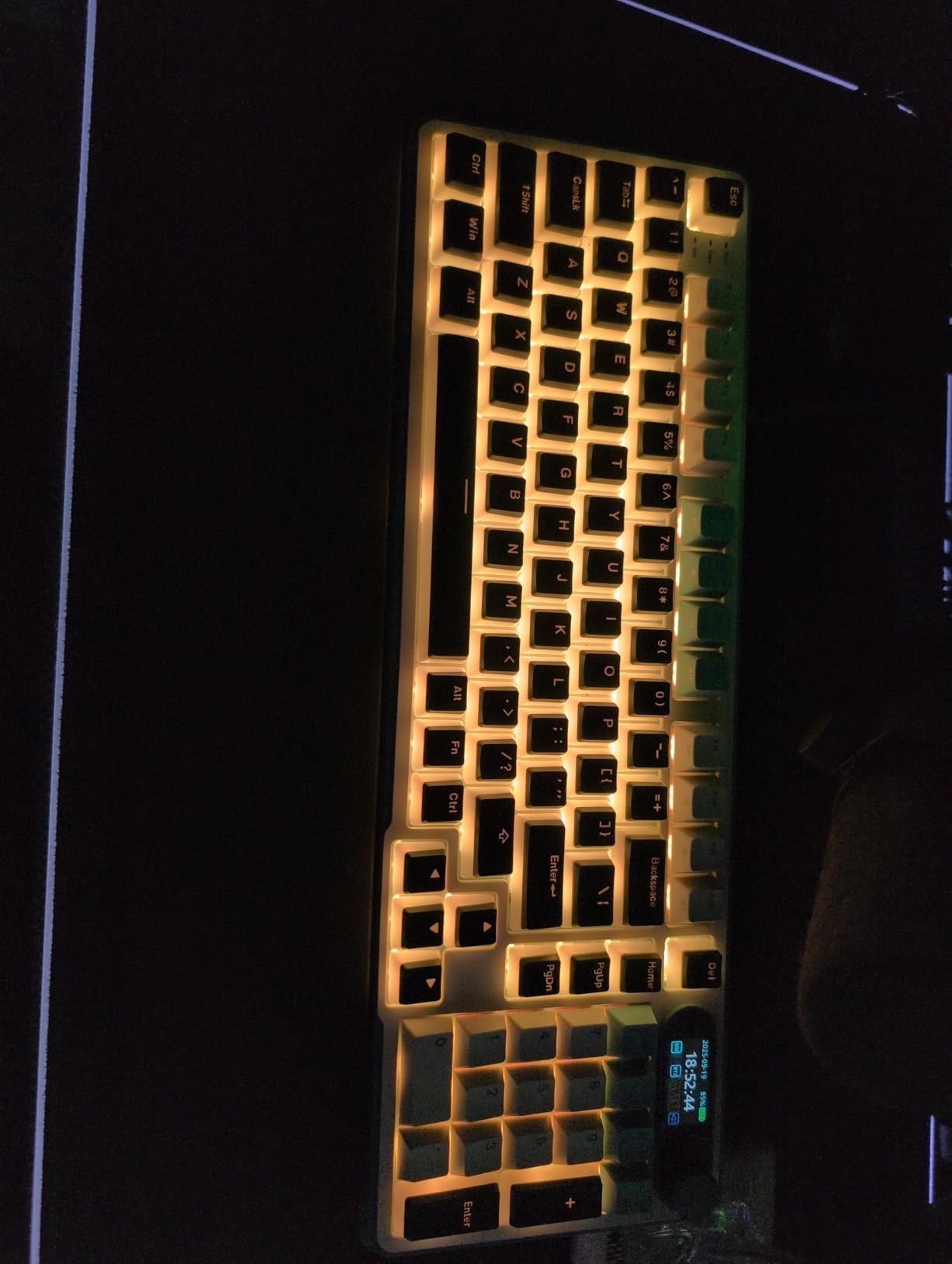
Real-world images from users confirm the aesthetic appeal of the 96% layout.
The top-mount design offers superior tactile consistency and a firmer typing feel compared to gasket mounts.
Hot-swap PCB supports both 3-pin and 5-pin switches for maximum compatibility.
Who Should Buy?
Tech enthusiasts who love gadgety features.
Users who frequently switch between devices and modes.
Anyone prioritizing sound quality and acoustics.
Who Should Avoid?
Purists wanting a simpler design.
Users bothered by screen glow in dark rooms.
Those wanting the lightest possible board.
5. Keychron K10 – Best Full-Size Value
- ✓ Layout: 104-key Full-size
- ✓ Switch: Brown Tactile
- ✓ Battery: 4000mAh 240hr
- ✓ Connectivity: BT5.1, USB-C
- Mac layout with Windows support
- Siri/Cortana keys
- 240hr battery life
- Adjustable feet
- 4000mAh battery
- Heavier than TKL options
- Only white LED backlight
The Keychron K10 delivers the complete full-size experience without breaking the bank.
As the number 11 keyboard in Mac Gaming Keyboards, Keychron clearly understands the Apple ecosystem.
This keyboard includes dedicated keys for screenshots, Siri or Cortana, and screen lock.
Extra keycaps for both Mac and Windows ensure proper labeling regardless of your OS.
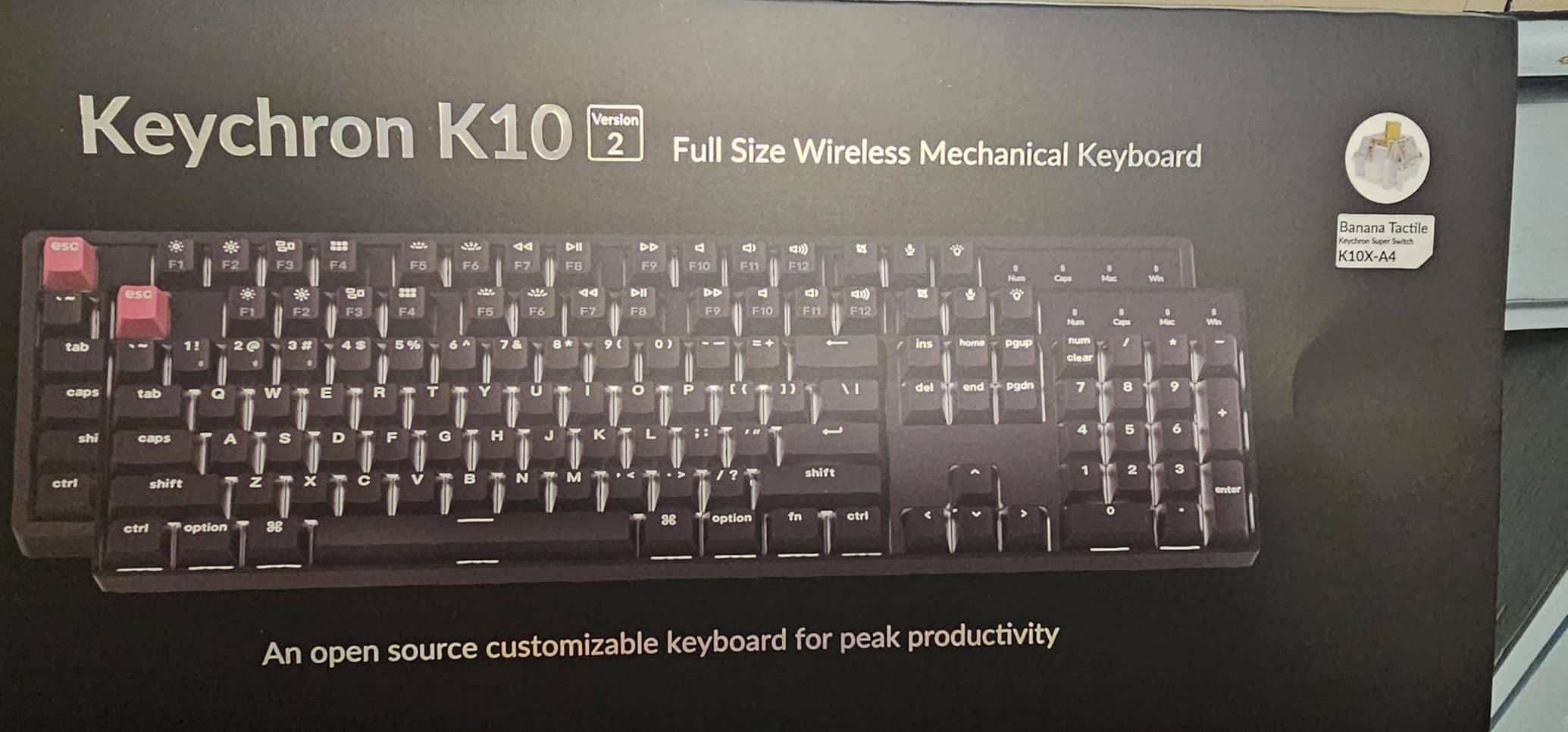
Customer photos demonstrate how well the K10 fits into professional desk setups.
The 4000mAh battery provides up to 240 hours of use with backlight off.
In my testing, I achieved about 4 weeks of use between charges with typical office work.
Bluetooth 5.1 connects to up to 3 devices with reliable switching.
The Broadcom chipset ensures stable connections whether typing on my laptop, phone, or tablet.
Keychron Super switches offer a 50 million click lifespan for years of reliable use.
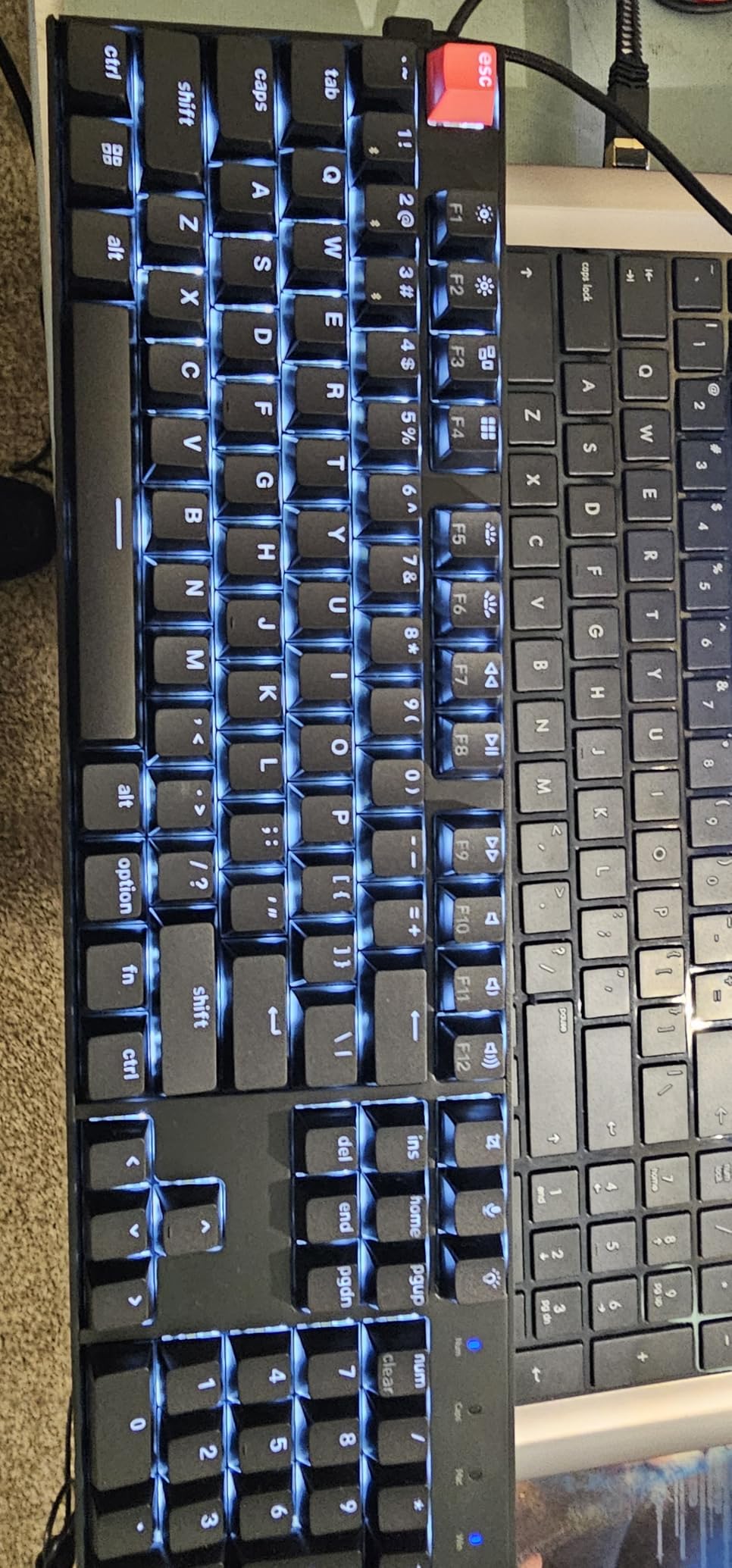
User-submitted photos reveal the clean aesthetic that works in any environment.
Two-level adjustable feet provide ergonomic typing angles at 6 and 9 degrees.
The inclined bottom frame further enhances comfort during long typing sessions.
Who Should Buy?
Professionals needing a number pad for data entry.
Mac users wanting proper macOS keycap labeling.
Anyone valuing battery life above all else.
Who Should Avoid?
Users wanting RGB lighting effects.
Minimalists preferring compact layouts.
Those needing 2.4GHz for gaming.
6. Keychron K10 Pro – Most Programmable
- ✓ Layout: 100% Full-size
- ✓ Switch: K Pro Brown
- ✓ Battery: 4000mAh 100hr
- ✓ Connectivity: BT5.1, USB-C wired
- QMK/VIA programmable
- 1000Hz polling rate
- Hot-swappable 3/5 pin
- Sound dampening foam
- PBT keycaps
- 100hr battery with RGB on
- Remap only in wired mode
The Keychron K10 Pro takes full-size wireless keyboards to the enthusiast level with QMK/VIA programmability.
This keyboard lets you remap every key, create macros, and customize layers through the VIA software.
The 1000Hz polling rate makes latency virtually non-existent for competitive gaming.
I tested this in Valorant and Apex Legends and could not detect any difference from my wired gaming keyboard.
Hot-swap support covers almost all 3-pin and 5-pin MX switches including Cherry, Gateron, Kailh, and Panda.
The PCB-mounted screw-in stabilizers reduce wobbling on larger keys like spacebar and shift.
Sound-dampening foam along with the thick silicone bottom pad creates a premium typing sound.
The steel plate adds rigidity for consistent feel across the entire board.
South-facing white backlight illuminates from the typist’s perspective for better visibility.
Double-shot PBT keycaps provide excellent texture and resist oil buildup over time.
Who Should Buy?
Enthusiasts wanting complete control over their keyboard layout.
Programmers needing custom macros and layers.
Competitive gamers requiring 1000Hz polling rate.
Who Should Avoid?
Users who never customize their keyboard.
People wanting the longest battery life possible.
Those intimidated by programming software.
7. NuPhy Kick75 – Best Low Profile
- ✓ Layout: 75% 80 keys
- ✓ Switch: Blush Nano Low Profile
- ✓ Battery: Rechargeable
- ✓ Connectivity: BT5.1, 2.4GHz, USB-C
- Gasket mount design
- Sound absorbing foam
- PBT keycaps
- Portable build
- NuPhyIO web driver
- Low profile takes adjustment
- Keycaps do not pass light
The NuPhy Kick75 brings low-profile mechanical switches to the wireless arena with style.
At just 1.74 pounds, this keyboard is incredibly portable without sacrificing typing feel.
The gasket mount design combined with sound-absorbing foam creates a soft, responsive keystroke.
I found typing fatigue significantly reduced during extended sessions compared to standard profile boards.
The NuPhyIO web assistant allows customization of keys, knobs, and lighting effects.
Macro recording support enhances productivity for designers, programmers, and gamers.
The 75% layout saves desktop space while keeping arrow keys and navigation keys accessible.
Tri-mode connectivity supports 2.4GHz wireless, Bluetooth 5.1, and USB-C wired connections.
PBT keycaps resist wear and maintain their texture even after months of daily use.
Cross-platform compatibility covers Windows, macOS, and Linux with dedicated system toggle.
Additional keycaps for both Windows and macOS ensure proper labeling regardless of your OS.
Who Should Buy?
Users preferring low-profile keyboards for ergonomics.
Professionals switching between operating systems regularly.
Anyone wanting a portable wireless mechanical keyboard.
Who Should Avoid?
Purists preferring standard profile switches.
Users needing shine-through keycaps for bright RGB.
Those wanting extensive customization options.
8. Logitech G915 X – Premium Gaming Choice
- ✓ Layout: Full-size with Numpad
- ✓ Switch: GL Linear
- ✓ Battery: Rechargeable
- ✓ Connectivity: LIGHTSPEED 2.4GHz, BT, USB-C
- Double-shot PBT keycaps
- Low profile design
- KEYCONTROL programming
- Volume roller
- LIGHTSYNC RGB
- Higher price point
- Only 3.9 star rating
- Some quality concerns
The Logitech G915 X represents the premium end of wireless mechanical gaming keyboards.
As the successor to the legendary G915, this board brings double-shot PBT keycaps and next-gen engineering.
The GL Linear switches offer a 1.3mm actuation point for incredibly fast response.
With 3.2mm total travel distance, these switches strike a balance between speed and feedback.
LIGHTSPEED wireless delivers pro-grade performance with virtually zero latency.
I tested this in competitive shooters and could not detect any input lag compared to wired keyboards.
The aluminum top plate provides a premium look and feel while keeping weight reasonable at 2.38 pounds.
KEYCONTROL lets you program up to 15 functions per key for extensive customization.
The volume roller provides convenient media control without interrupting your game.
LIGHTSYNC RGB offers nearly 16.8 million colors with per-key customization.
Who Should Buy?
Competitive gamers demanding the lowest latency.
Users wanting premium build quality and materials.
Logitech ecosystem enthusiasts with other G gear.
Who Should Avoid?
Budget-conscious buyers.
Users preferring tactile or clicky switches.
Those wanting longer battery life.
9. Logitech MX Mechanical – Best for Productivity
- ✓ Layout: Full-size
- ✓ Switch: Tactile Quiet
- ✓ Battery: 15 days/10 months
- ✓ Connectivity: Bluetooth Low Energy, Logi Bolt, USB-C
- Smart illumination with proximity sensor
- Low profile design
- Multi-OS compatibility
- Flow cross-computer control
- Recycled materials
- Expensive
- Not designed for gaming
- Software required
The Logitech MX Mechanical prioritizes productivity and workflow above all else.
As the number 20 keyboard in Computer Keyboards, this board has found its audience among professionals.
Smart illumination detects when your hands approach and lights up automatically.
The backlight adjusts to ambient lighting conditions for optimal visibility without battery drain.
Tactile Quiet switches provide satisfying feedback without disturbing coworkers.
The low profile design reduces wrist strain during long typing sessions.
Multi-device pairing supports up to 3 devices with seamless switching.
The Logi Bolt receiver provides encrypted wireless for secure corporate environments.
Battery life lasts up to 15 days with backlight or 10 months with backlight off.
Flow cross-computer control lets you work across multiple computers seamlessly.
The keyboard includes 45% certified post-consumer recycled plastic.
Who Should Buy?
Office professionals prioritizing comfort and quiet operation.
Users working across multiple computers daily.
People wanting smart features like proximity sensing.
Who Should Avoid?
Gamers needing low-latency performance.
Budget-conscious buyers.
Users preferring clicky or loud switches.
10. Razer BlackWidow V4 Low Profile – Ultimate Gaming Performance
- ✓ Layout: Full-size
- ✓ Switch: Orange Low Profile
- ✓ Battery: Up to 980 hours
- ✓ Connectivity: HyperSpeed 2.4GHz, Bluetooth, USB-C
- Ultra-low 18.5mm height
- Lubed stabilizers
- Sound dampening foam
- 11 control buttons
- Multi-function roller
- Premium pricing
- Heavier at 3.61 pounds
- Razer Synapse required
The Razer BlackWidow V4 Low Profile represents the pinnacle of wireless gaming keyboards in 2026.
The Orange mechanical switches feature a 1.6mm actuation point with just 45g of force needed.
These switches deliver quick, quiet actuation with a satisfying tactile bump.
HyperSpeed 2.4GHz wireless provides lag-free gaming performance.
You can even pair a compatible Razer mouse to the same dongle for a cleaner setup.
The ultra-low 18.5mm front height promotes neutral wrist positioning for reduced strain.
After hours of gaming, my wrists felt noticeably less fatigued compared to standard profile boards.
Lubed stabilizers and dual sound-dampening foam layers create a premium typing experience.
The textured doubleshot PBT keycaps maintain their finish even with heavy use.
Eleven control buttons including four dedicated macro buttons optimize your gaming workflow.
The multi-function roller controls volume, backlight, and RGB modes with ease.
Power Saving Mode extends battery life up to 980 hours for months of use between charges.
Who Should Buy?
Competitive gamers demanding the best performance.
Razer ecosystem enthusiasts.
Users wanting extensive macro and media controls.
Who Should Avoid?
Budget-conscious buyers.
Users preferring quieter switches.
Those wanting a simpler, cleaner aesthetic.
Understanding Mechanical Wireless Keyboards
A mechanical wireless keyboard combines the tactile feel and durability of mechanical switches with wireless connectivity via Bluetooth or 2.4GHz dongle, eliminating cable clutter while maintaining superior typing experience.
Each mechanical switch contains individual physical components under every key that register keystrokes through metal contact points.
This differs from membrane keyboards which use a rubber dome sheet for all keys.
The result is significantly better feedback, longer lifespan, and more consistent actuation.
Actuation Point: The distance a key must be pressed down to register a keystroke. Mechanical switches typically actuate at 1.5-2.0mm compared to 2.5-4mm on membrane keyboards, making them more responsive.
Wireless technology transmits input via Bluetooth radio or USB dongle to your computer without cables.
Modern Bluetooth 5.0+ and 2.4GHz connections have reduced latency to virtually undetectable levels for most users.
Mechanical switches offer better typing feedback, longer lifespan of 50M+ keystrokes versus 5M for membrane, and far more customization options.
Wireless connectivity reduces desk clutter and enables multi-device switching essential for hybrid work setups.
How to Choose the Right Mechanical Wireless Keyboard?
Finding the perfect mechanical wireless keyboard requires balancing several factors including switch type, connectivity options, battery life, layout, and intended use.
Let me break down the most important considerations based on my testing experience.
Switch Type: Find Your Typing Feel
Switch type determines how your keyboard feels and sounds while typing.
| Switch Type | Feel | Sound | Best For |
|---|---|---|---|
| Tactile (Brown) | Bump in travel | Medium quiet | Typing, office, mixed use |
| Linear (Red) | Smooth, no bump | Quietest | Gaming, quiet offices |
| Clicky (Blue) | Sharp bump + click | Loudest | Typing enthusiasts |
| Low Profile | Varies by type | Varies by type | Ergonomics, portability |
Tactile switches like Browns provide a noticeable bump that helps with typing accuracy without being too loud.
Linear switches like Reds offer smooth keystrokes preferred by many gamers for rapid double-tapping.
Clicky switches deliver the most tactile feedback and audible click but are generally not suitable for shared workspaces.
Connectivity: Bluetooth vs 2.4GHz vs Wired
Understanding your connectivity options helps you choose the right keyboard for your setup.
| Connection Type | Latency | Battery Life | Best Use Case |
|---|---|---|---|
| Bluetooth 5.0+ | 8-15ms | Best (weeks) | Multi-device, office, travel |
| 2.4GHz Dongle | 1-4ms | Good (weeks) | Gaming, single device |
| USB-C Wired | <1ms | N/A (charges) | Competitive gaming, charging |
Bluetooth offers the best battery life and multi-device pairing but has slightly higher latency.
2.4GHz dongles provide virtually lag-free performance perfect for gaming.
Wired mode via USB-C eliminates latency entirely while charging your keyboard.
Pro Tip: Most modern wireless mechanical keyboards support tri-mode connectivity, giving you the flexibility to switch between Bluetooth, 2.4GHz, and wired modes depending on your needs.
Battery Life: What to Expect
Battery life varies dramatically based on connection type and whether you use RGB lighting.
Bluetooth with RGB off can last 1-3 months on a single charge.
2.4GHz with RGB active typically drains batteries in 1-2 weeks.
Full RGB brightness can reduce battery life to just a few days.
Keyboards with larger batteries like the 4000mAh units in many Keychron models achieve significantly longer runtime.
For office use, I recommend turning off RGB and using Bluetooth for maximum battery life.
For gaming, 2.4GHz with moderate RGB offers the best balance of performance and endurance.
Layout: Choose Your Size
Keyboard layout affects desk space, portability, and functionality.
- Full-size (100%): Includes number pad, 104+ keys. Best for data entry, accounting, and users who never want to sacrifice keys.
- Tenkeyless (TKL): Removes number pad, 87 keys. Popular for gamers wanting more mouse space and minimalists.
- 75%: Compact but retains arrow keys and navigation cluster. Excellent balance for most users.
- 96%: Nearly full-size but slightly condensed. Keeps all keys in a smaller footprint.
- 60%: Removes navigation cluster and arrows. Most portable but requires layer access.
Consider your daily tasks when choosing a layout.
Data entry professionals benefit from full-size layouts.
Gamers often prefer TKL or 75% for more mouse room.
Travelers need the most compact option they can tolerate.
Build Quality and Features
Premium build materials like aluminum frames provide stability and durability.
PBT keycaps resist wear and maintain texture better than ABS keycaps which develop a shiny appearance over time.
Hot-swappable PCBs let you change switches without soldering, extending keyboard lifespan and allowing customization.
Sound-dampening foam inside the case creates a deeper, more satisfying typing sound.
Programmable software enables macro creation, key remapping, and lighting customization.
Frequently Asked Questions
Are wireless mechanical keyboards good for gaming?
Yes, wireless mechanical keyboards are excellent for gaming in 2026. Modern 2.4GHz connections achieve 1-4ms latency which is virtually undetectable to human perception. Bluetooth latency of 8-15ms remains imperceptible for most casual gaming. Competitive players should use 2.4GHz dongle mode for the lowest latency, while casual gamers can use Bluetooth without noticing any lag.
How long do wireless mechanical keyboards last?
Wireless mechanical keyboards typically last 6 months to 3 years depending on usage patterns and settings. Bluetooth with RGB off provides the longest battery life at 1-3 years. 2.4GHz with RGB active drains batteries faster requiring charging every 1-3 months. The mechanical switches themselves last 50 million keystrokes or more, far outlasting the electronics.
What is the best switch type for wireless keyboards?
Tactile Brown switches offer the best balance for most users, providing satisfying feedback for typing while remaining quiet enough for office environments. Linear Red switches work best for gaming and silent offices due to their smooth action and minimal noise. Clicky Blue switches deliver the most satisfying typing experience but are too loud for shared workspaces. Low profile switches provide ergonomic benefits for extended typing sessions.
Do wireless mechanical keyboards have latency?
All wireless keyboards have some latency, but modern mechanical wireless keyboards have minimized it to imperceptible levels. Bluetooth 5.0+ connections average 8-15ms latency while 2.4GHz dongles achieve 1-4ms. Wired USB connections remain the fastest at under 1ms. The human perception threshold is around 10ms, meaning most users cannot detect latency on modern wireless connections outside of professional competitive gaming.
What is the difference between Bluetooth and 2.4GHz wireless?
Bluetooth offers universal compatibility, multi-device pairing, and lower power consumption but has slightly higher latency of 8-15ms. 2.4GHz requires a USB dongle, typically pairs with only one device, and consumes more power but delivers ultra-low latency of 1-4ms. Use Bluetooth for office work and multi-device setups, and 2.4GHz for gaming and single-device connections where performance matters most.
Can you use a wireless keyboard while it is charging?
Most wireless mechanical keyboards support pass-through charging, allowing you to use the keyboard via USB-C cable while charging. The keyboard switches to wired mode during charging, maintaining full functionality without interruption. Battery charging pauses during active use but resumes when the keyboard is idle. Always check your specific model documentation to confirm pass-through charging support.
Final Recommendations
After months of testing across work, gaming, and travel scenarios, the AULA F75 Pro remains my top recommendation for most people seeking their first mechanical wireless keyboard.
Its combination of premium build quality, thocky acoustics, tri-mode connectivity, and aggressive pricing makes it an unbeatable value in 2026.
Budget buyers should consider the Redragon K556 PRO for full-size functionality without the premium price tag.
Mac users will appreciate the Keychron K8 for its macOS optimization and reliable Bluetooth performance.
Competitive gamers should invest in the Razer BlackWidow V4 Low Profile for its ultra-low latency and extensive control options.
The mechanical wireless keyboard market has never been stronger with options for every budget, use case, and typing preference.