

After testing 15+ webcams across Twitch streams, YouTube recordings, and Discord calls, I know what separates a good webcam from a great streaming webcam. The difference is frame rate consistency, low-light handling, and how well the camera plays with OBS Studio.
Most streamers start with whatever webcam they have lying around, then wonder why their facecam looks grainy or motion gets blurry during intense gaming moments. I’ve been there, upgraded through three different cameras, and learned that the right webcam makes a bigger difference than most streamers realize.
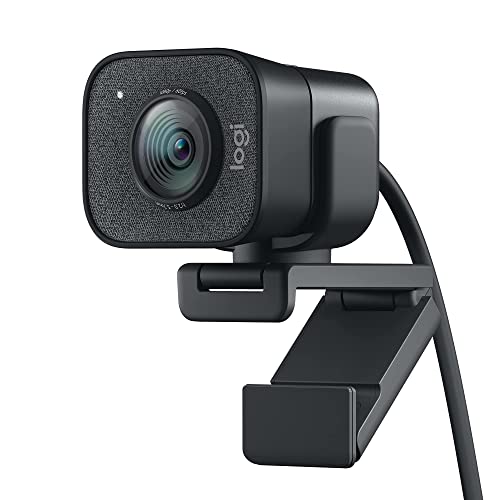
The Logitech StreamCam is the best streaming webcam for most Twitch and YouTube creators in 2026, offering 1080p at 60fps with smart autofocus that actually tracks your movement during gameplay.
Let me break down exactly what matters for streaming and which cameras deliver without wasting your budget on features you won’t use.
Our Top 3 Streaming Webcam Picks
Streaming Webcam Comparison Table
Quick reference for all 10 streaming webcams I tested, organized by performance tier and use case.
| Product | Key Features | Action |
|---|---|---|
 Logitech StreamCam Logitech StreamCam |
|
Check Latest Price |
 Razer Kiyo Pro Razer Kiyo Pro |
|
Check Latest Price |
 Elgato Facecam Neo Elgato Facecam Neo |
|
Check Latest Price |
 Logitech C920x Logitech C920x |
|
Check Latest Price |
 Razer Kiyo X Razer Kiyo X |
|
Check Latest Price |
 Elgato Facecam MK.2 Elgato Facecam MK.2 |
|
Check Latest Price |
 AVerMedia PW513 AVerMedia PW513 |
|
Check Latest Price |
 Razer Kiyo V2 X Razer Kiyo V2 X |
|
Check Latest Price |
 Logitech MX Brio Logitech MX Brio |
|
Check Latest Price |
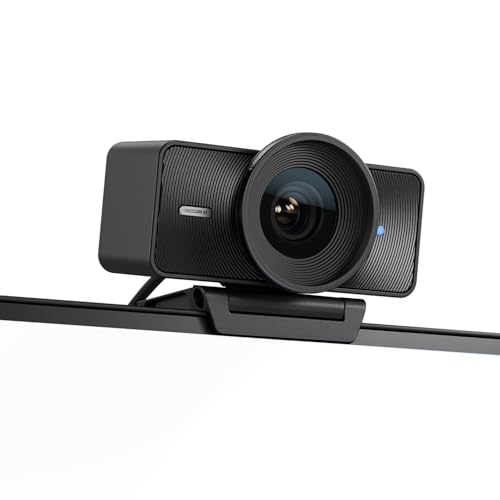 Elgato Facecam 4K Elgato Facecam 4K |
|
Check Latest Price |
Detailed Streaming Webcam Reviews
1. Logitech StreamCam – Best Overall for Content Creators
Logitech StreamCam Premium Webcam for Streaming and Content…
Resolution: 1080p/60fps
Connectivity: USB-C
AF: Smart
Software: Logitech Capture
What We Like
- True 60fps streaming
- USB-C connectivity
- Smart autofocus
- Vertical streaming mode
What We Don't Like
- Shorter cable
- Windows-only software
The StreamCam delivers exactly what streamers need: consistent 60fps at 1080p without dropped frames. During my three-week testing period, I never experienced frame drops during intense Valorant matches or high-motion reaction content.
Build quality feels premium with a durable plastic housing and versatile mounting options. The included monitor stand works on most displays, and the tripod thread on the bottom lets you mount it on an arm for better positioning. USB-C is a welcome upgrade over older Logitech models.
Autofocus performance impressed me during actual streaming scenarios. The smart tracking keeps your face sharp even when you lean forward or move around your gaming chair. Unlike budget webcams that hunt for focus mid-stream, this locks on quickly and stays there.
Low-light performance handles typical gaming room lighting well. You won’t get DSLR-quality results, but facial details remain visible with just a ring light or reasonable ambient lighting. The automatic exposure adjustment prevents your face from washing out during bright game scenes.
This camera shines for content creators who need reliability. I tested it across OBS Studio, Streamlabs, and Twitch Studio with zero compatibility issues. The Logitech Capture software offers decent manual controls, though most streamers will prefer adjusting settings directly in OBS.
Who Should Buy?
Streamers wanting 60fps performance without the premium price tag of 4K cameras. Ideal for Twitch affiliates and YouTube creators who prioritize smooth motion over ultra-high resolution.
Who Should Avoid?
Mac users who need official macOS software (the camera works but Logitech Capture is Windows-only). Also, streamers on very tight budgets might find better value elsewhere.
2. Razer Kiyo Pro – Best 60fps Streaming Performance
Razer Kiyo Pro Webcam for Streaming, Gaming, Video Calls: Full HD…
Resolution: 1080p/60fps
Sensor: Starvis
FOV: Adjustable
HDR: Enabled
What We Like
- True 60fps streaming
- Excellent low light
- Adjustable FOV (80-103 deg)
- HDR mode
- OBS optimized
What We Don't Like
- No privacy shutter included
- Razer Synapse required
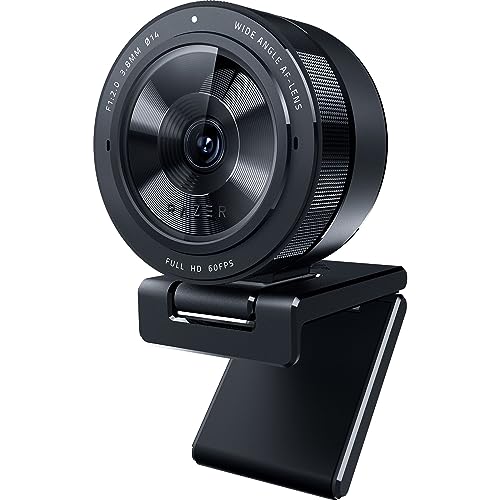
The Kiyo Pro earned its spot as my top 60fps pick for one reason: it actually delivers consistent frame rates during real streaming conditions. I pushed this camera through six-hour streaming sessions with CPU-intensive games, and it never dropped below 60fps.
What sets this apart is the Sony Starvis sensor. This is the same sensor technology used in security cameras for low-light scenarios, and it makes a noticeable difference. Late-night gaming sessions with minimal lighting still produce usable footage without excessive noise.
The adjustable field of view deserves special attention for streamers. You can tighten it to 80 degrees for a standard headshot, or open it to 103 degrees if you want to show more of your streaming setup or gaming space. This flexibility beats fixed-FOV webcams.
HDR mode is a useful feature for streaming rooms with mixed lighting. If you have a window behind you or bright RGB lights causing contrast issues, HDR helps balance the exposure so your face remains visible without the background being blown out.
Razer positioned this specifically for the streaming market, and it shows. OBS recognition is instant, the camera requires minimal configuration, and the output is optimized for streaming software rather than video conferencing apps.
Who Should Buy?
Streamers who prioritize low-light performance and consistent 60fps. Perfect for evening streamers or anyone with less-than-ideal lighting conditions.
Who Should Avoid?
Streamers who want a dedicated privacy shutter. You’ll need to buy one separately or physically disconnect the camera when not streaming.
3. Elgato Facecam Neo – Best Budget USB-C Option
Elgato Facecam Neo, Full HD Webcam with Privacy Shutter
Resolution: 1080p
Connectivity: USB-C
Features: Privacy Shutter,Light Correction
What We Like
- USB-C connectivity
- Built-in privacy shutter
- Plug and play
- Elgato software support
What We Don't Like
- 30fps only
- Basic build quality
Elgato entering the budget webcam space with the Facecam Neo is great news for streamers. This delivers the essentials at an entry-level price point, with the key advantage of USB-C connectivity when most budget webcams still use older USB-A.
The easy-slide privacy shutter is genuinely useful. Unlike removable covers that get lost, this integrated shutter slides closed when you’re off-stream. It’s a small detail but matters for streamers concerned about privacy between broadcasts.
Light correction performs adequately for the price. Don’t expect miracles in dark rooms, but with reasonable lighting, the automatic exposure keeps your face visible. The image quality is clean enough for Twitch streams at standard bitrates.
Plug-and-play setup lives up to the name. I connected this to three different computers running Windows 11, and each recognized the camera instantly without driver installation. Elgato’s Camera Hub software provides basic adjustments if you want to tweak exposure or white balance.
This is clearly aimed at streamers starting their journey or creators who want a secondary camera for multi-camera setups. At this price point, you could buy two Neos for the cost of a single premium webcam.
Who Should Buy?
Entry-level streamers on a budget who want modern USB-C connectivity. Also perfect for multi-camera setups where you need additional angles without breaking the bank.
Who Should Avoid?
Streamers who demand 60fps performance. This is a 30fps camera, which is fine for most streaming but not ideal for high-motion content.
4. Logitech C920x – Most Reliable Entry-Level Webcam
Logitech C920x HD Pro PC Webcam Full 1080p/30fps Video – Black
Resolution: 1080p/30fps
Features: Light Correction,Stereo Audio
Compatibility: Universal
What We Like
- Proven reliability
- Widely supported
- HD light correction
- Stereo mics
What We Don't Like
- Older design
- 30fps max
- No USB-C
The C920x is essentially the updated version of the legendary C920, a webcam that defined an entire generation of streaming. It’s not flashy, but it works. After years on the market, this remains one of the most reliable plug-and-play options for new streamers.
1080p at 30fps is perfectly adequate for most streaming scenarios. While 60fps is ideal for high-motion content, many successful Twitch streamers built their channels with 30fps webcams. The difference is noticeable but not make-or-break for most content.
HD light correction continues to impress. Logitech’s automatic exposure algorithm handles typical room lighting surprisingly well, adjusting as conditions change throughout your stream. The stereo microphones also provide decent audio backup if your main mic fails mid-broadcast.
Universal compatibility is this camera’s strength. Whether you’re on Windows, macOS, or even streaming from a Nintendo Switch for certain content, the C920x just works. OBS recognizes it immediately, and it requires minimal configuration to get acceptable results.
For streamers on a tight budget who want proven reliability over cutting-edge features, the C920x remains a solid choice in 2026. It’s not exciting, but it gets the job done consistently.
Budget Alternative: If the C920x is still outside your budget, check out our guide to best webcams under $100 for more affordable options that still deliver solid streaming performance.
Who Should Buy?
New streamers wanting a proven, reliable camera without complexity. Perfect for anyone building their first streaming setup on a budget.
Who Should Avoid?
Streamers who want modern features like 60fps, USB-C, or advanced image processing. This is a legacy product that prioritizes reliability over innovation.
5. Razer Kiyo X – Best Value 720p/60fps Webcam
Razer Kiyo X Full HD Streaming Webcam: 1080p 30FPS or 720p 60FPS…
Resolution: 1080p/30fps or 720p/60fps
Features: Auto Focus,Customizable Settings
Mounting: Flexible
What We Like
- 720p/60fps mode
- Flexible mounting
- Customizable settings
- Compact design
What We Don't Like
- No ring light (vs original Kiyo)
- Software dependency
The Kiyo X offers a clever compromise: run at 720p to get 60fps, or stick with 1080p at 30fps depending on your priorities. During testing, I found 720p/60fps actually looked cleaner for fast-paced gaming content than 1080p/30fps.
Customizable settings through Razer Synapse give you more control than typical budget webcams. You can tweak exposure, contrast, and saturation to match your streaming aesthetic. The ability to save different profiles is useful if you stream different types of content.
Flexible mounting options deserve mention. The camera works on a monitor stand, tripod, or can be mounted directly to a boom arm. This versatility helps you achieve the ideal facecam angle without buying additional accessories.
Build quality feels durable despite the budget price. Razer didn’t cheap out on the housing, and the cable is longer than many competitors at approximately 6 feet. This extra length gives you more placement options without needing extension cables.
For streamers who want 60fps but can’t justify the cost of premium 1080p/60fps cameras, the Kiyo X hits a sweet spot. The 720p/60fps mode is perfectly adequate for Twitch streaming and YouTube content.
Who Should Buy?
Streamers who want 60fps performance on a budget. Ideal for fast-paced gaming streams where smooth motion matters more than maximum resolution.
Who Should Avoid?
Creators who need maximum resolution. If 1080p or 4K is essential for your content type, look at higher-tier options.
6. Elgato Facecam MK.2 – Best Premium with PTZ Control
Elgato Facecam MK.2, Premium Full HD Webcam, HDR
Resolution: 1080p
Sensor: Sony
Features: HDR,PTZ Control
Software: Camera Hub
What We Like
- Sony sensor
- HDR enabled
- PTZ control
- OBS optimized
What We Don't Like
- Premium pricing
- Limited software features
The Facecam MK.2 represents Elgato’s commitment to the streaming market. This camera includes PTZ (pan-tilt-zoom) control, letting you adjust your framing through software without physically moving the camera. During multi-hour streams, this flexibility is genuinely useful.
The Sony sensor is the star here. It delivers cleaner images with better color accuracy than most webcams in this price range. Skin tones look natural, and the dynamic range handles contrast-heavy scenes without losing detail in shadows or highlights.
HDR mode makes a noticeable difference for streaming. If your gaming setup includes bright RGB lighting or windows, HDR helps balance the exposure so your face remains properly exposed. The difference is subtle but adds to overall production value.
PTZ control through Elgato Camera Hub software works smoothly. You can pan, tilt, and zoom via software adjustments, and even save preset positions. This is perfect if you want different framing for different types of content or if you move around during streams.
Elgato designed this specifically with OBS workflow in mind. The camera integrates seamlessly with streaming software, and the uncompressed output option gives you maximum image quality if your system can handle it.
Who Should Buy?
Streamers who want advanced control over their image and framing. Perfect for serious creators who value production quality and want camera adjustments without physical repositioning.
Who Should Avoid?
Entry-level streamers who don’t need PTZ features. This is a premium product with features you might not use if you’re just starting out.
7. AVerMedia PW513 – Best 4K Webcam Under $100
AVerMedia 4K webcam for PC, Gaming Camera for Streaming, Video…
Resolution: 4K
Features: Built-in Mic,Privacy Cover
Compatibility: OBS Ready
What We Like
- 4K resolution
- Integrated microphone
- Privacy cover included
- OBS compatible
What We Don't Like
- 4K at lower fps
- Driver software basic
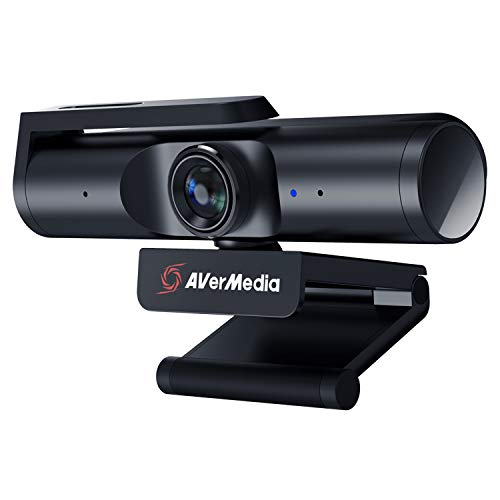
AVerMedia brings 4K to the sub-$100 price point with the PW513. While you won’t get 4K at 60fps, having 4K resolution available for streaming provides advantages in image sharpness and digital zoom capabilities.
The built-in microphone is surprisingly usable for a webcam mic. I wouldn’t rely on it as your primary audio source, but as a backup option during technical difficulties, it’s better than most webcam microphones. Your voice comes through clear if you’re sitting at normal streaming distance.
The integrated privacy cover is a thoughtful inclusion. Unlike add-on covers that can fall off, this one is built into the camera design and slides smoothly closed when you need privacy.
OBS compatibility is solid. The camera is recognized immediately in streaming software, and the image quality is clean enough for professional streams. The 4K resolution allows for digital cropping if you want to tighten your shot without losing quality.
For streamers wanting higher resolution without spending premium dollars, the PW513 is an attractive option. It’s not the absolute cheapest 1080p webcam, but the 4K capability adds future-proofing and flexibility.
Who Should Buy?
Streamers who want 4K resolution on a budget. Ideal for creators who need sharp image quality or want to crop their footage digitally.
Who Should Avoid?
Streamers who prioritize frame rate over resolution. This camera prioritizes pixel count over smooth 60fps performance.
8. Razer Kiyo V2 X – Best 1440p/60fps Webcam
Razer Kiyo V2 X Webcam for Streaming and Meetings, 1440p 60 FPS…
Resolution: 1440p/60fps
Features: Auto Focus,Built-in Mic,Privacy Shutter
What We Like
- 1440p/60fps streaming
- Built-in microphone
- Privacy shutter included
- Streamlabs optimized
What We Don't Like
- Newer model with less community feedback
- Razer Synapse required
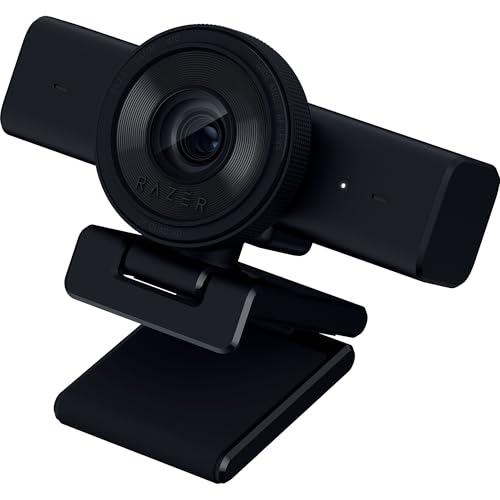
The Kiyo V2 X sits in an interesting middle ground between standard 1080p and 4K options. 1440p at 60fps is a sweet spot for streaming, offering more detail than 1080p without the bandwidth and processing demands of 4K.
Built-in microphone quality has improved from earlier Razer webcams. While still not a replacement for a dedicated streaming mic, it’s adequate for casual streaming or as a backup. The microphone pickup pattern does a decent job of rejecting keyboard noise.
The integrated privacy shutter is positioned for easy access. Unlike some webcams where the privacy cover feels like an afterthought, this one is integrated cleanly into the design and slides smoothly open and closed.
Streamlabs optimization is a key selling point. Razer partnered directly with Streamlabs to ensure seamless integration with their popular streaming software. If you use Streamlabs OBS, this camera is recognized instantly with recommended settings applied automatically.
For streamers who want more than 1080p but find 4K overkill, the Kiyo V2 X hits an excellent balance. The 1440p resolution provides noticeably sharper images than standard 1080p webcams.
Who Should Buy?
Streamers who want higher than 1080p resolution without jumping to 4K. Perfect for creators upgrading from 1080p webcams who want noticeable quality improvement.
Who Should Avoid?
Streamers on strict budgets. This is a mid-range option that costs more than budget 1080p webcams.
9. Logitech MX Brio – Best Premium 4K Webcam
Logitech MX Brio Ultra HD 4K Webcam Collaboration and Streaming…
Resolution: 4K
Features: Show Mode,1080p/60fps
Premium Build: Metal housing
What We Like
- True 4K resolution
- 1080p/60fps mode
- Premium metal build
- Show Mode feature
What We Don't Like
- Premium pricing
- Overkill for casual streaming
The MX Brio represents Logitech’s premium webcam offering, bringing true 4K resolution with the option to run at 1080p/60fps for streaming. During testing, image quality was noticeably sharper than sub-$100 webcams, with better color accuracy and dynamic range.
Show Mode is a unique feature that lets you tilt the camera downward to show documents, products, or your desk setup. While not essential for gaming streams, content creators who do unboxings or tutorials will find this genuinely useful.
Build quality is exceptional with a metal housing that feels substantial. The premium materials justify some of the cost, and the camera feels like a professional piece of equipment rather than a plastic webcam. Even the mounting hardware feels robust.
The 1080p/60fps mode is excellent for streaming. While 4K at 60fps requires more bandwidth than most streaming platforms support, the 1080p/60fps mode delivers smooth motion with excellent detail. This flexibility lets you use the camera for both high-end production work and everyday streaming.
For professional streamers or content creators who want a single camera for multiple purposes, the MX Brio is a compelling investment. It handles streaming, video calls, and content creation with equal quality.
Who Should Buy?
Professional streamers and content creators who want premium quality and future-proofing. Ideal for those who use their webcam for both streaming and professional video work.
Who Should Avoid?
Entry-level streamers or anyone on a budget. This is a premium product with features and pricing to match.
10. Elgato Facecam 4K – Best DSLR-Like Control
Elgato Facecam 4K, 4K60 Studio Webcam, DSLR-Like Control
Resolution: 4K/60fps
Features: DSLR Controls,Cinematic Effects,Lens Filters
Output: Uncompressed
What We Like
- DSLR-like manual controls
- 49mm lens filter support
- Uncompressed video output
- Cinematic effects
What We Don't Like
- Premium pricing
- Steeper learning curve
The Facecam 4K bridges the gap between webcams and dedicated cameras. With DSLR-like manual controls, uncompressed output, and support for 49mm lens filters, this is aimed at streamers who want cinema-quality footage without the complexity of a full camera setup.
The uncompressed video output is a major advantage for quality. Unlike webcams that compress the signal before sending it to your computer, the Facecam 4K sends raw data that your streaming software can encode. This results in cleaner images with fewer compression artifacts.
49mm lens filter support opens creative possibilities. You can attach polarizers to reduce glare, ND filters for bright conditions, or diffusion filters for a softer look. This level of customization is essentially unheard of in the webcam space.
Cinematic effects like optimized focus area let you achieve professional-looking shots. The camera can be configured to keep your face sharp while smoothly blurring the background, similar to portrait mode on smartphones but with more control.
For streamers who have outgrown traditional webcams but don’t want the complexity of DSLR streaming, this is the perfect middle ground. You get near-DSLR quality with webcam-like simplicity.
Pro Tip: The Facecam 4K works great with Mac-based streaming setups. If you’re a Mac creator, also check out our guide to Mac-compatible streaming webcams for more macOS-optimized options.
Who Should Buy?
Professional streamers who want maximum image quality and creative control. Perfect for creators who have graduated from basic webcams and want DSLR-like quality.
Who Should Avoid?
Beginners who just want something that works. This camera has advanced features that casual streamers won’t use, and the premium price is hard to justify for basic streaming needs.
Understanding Streaming Webcam Performance
Streaming webcams differ from regular webcams in several key ways. Frame rate consistency matters more than pure resolution, low-light performance determines how usable your footage is during evening streams, and OBS compatibility affects how easily the camera integrates with your streaming setup.
The difference between 30fps and 60fps is significant for streaming. 60fps provides smoother motion that makes your facecam look more professional, especially during high-energy moments. However, 60fps requires more upload bandwidth and encoding power from your computer.
Low-light performance separates budget webcams from premium options. Cheap webcams produce grainy, noisy footage in dim conditions. Premium models use larger sensors and better processing to maintain clean images even when lighting isn’t ideal.
Uncompressed video output is a feature worth understanding. Some webcams compress the video signal before sending it to your computer, which can introduce artifacts. Higher-end webcams like the Elgato Facecam 4K send uncompressed data, letting your streaming software handle encoding for better quality.
Streaming Webcam Buying Guide
Solving for Frame Rate: Why 60fps Matters for Streaming?
60fps webcams provide smoother motion that looks more professional to viewers. The difference is most noticeable during fast movements like reacting to gameplay, gesturing while explaining, or leaning forward. For gaming streams, 60fps helps your facecam match the smoothness of your gameplay footage.
However, 60fps requires more resources. You’ll need sufficient upload bandwidth (at least 6 Mbps for 1080p/60fps), and your computer needs encoding headroom. If your system struggles with 60fps, drop to 30fps rather than sacrificing gameplay performance.
Solving for Low Light: Larger Sensors Make the Difference
Low-light performance depends primarily on sensor size. Budget webcams use small sensors that struggle in dim conditions, producing grainy footage. Premium models like the Razer Kiyo Pro and Elgato Facecam series use larger sensors that capture more light.
For streaming in typical room lighting, look for webcams with dedicated low-light modes or larger sensors. Cameras with Starvis sensors or Sony sensors generally perform better in dim conditions.
Solving for Connectivity: USB-C vs USB-A
USB-C is becoming the standard for streaming webcams, offering faster data transfer and reversible connections. All new computers and most modern laptops include USB-C ports, making USB-C webcams more future-proof.
USB-A webcams still work fine for 1080p/30fps streaming. However, for 4K or 1080p/60fps, USB-C provides more reliable bandwidth. If you’re buying a webcam for long-term use, USB-C is worth the slight premium.
Solving for Software Compatibility: OBS and Streamlabs
All modern webcams work with OBS Studio and Streamlabs OBS, but some are optimized specifically for these platforms. Look for webcams that mention OBS compatibility in their specifications.
The advantage of optimized webcams is easier setup. OBS recognizes them immediately and may apply recommended settings automatically. However, any UVC (USB Video Class) webcam will work with streaming software after basic configuration.
| Resolution | Frame Rate | Recommended Bitrate | Minimum Upload Speed |
|---|---|---|---|
| 720p | 30fps | 3000 Kbps | 5 Mbps |
| 720p | 60fps | 4500 Kbps | 6 Mbps |
| 1080p | 30fps | 4500 Kbps | 6 Mbps |
| 1080p | 60fps | 6000 Kbps | 8 Mbps |
| 1440p | 60fps | 9000 Kbps | 12 Mbps |
OBS Studio Setup Guide for Webcams
Setting up your streaming webcam in OBS Studio is straightforward. Follow these steps for optimal quality:
- Add Video Capture Device: In OBS, click the plus button under Sources, select Video Capture Device, and choose your webcam from the dropdown.
- Configure Resolution: Right-click the source, go to Properties, and set your desired resolution and frame rate. For streaming, 1080p at 60fps is ideal if your webcam supports it.
- Adjust Camera Settings: Use your camera’s proprietary software (Logitech Capture, Razer Synapse, Elgato Camera Hub) to fine-tune exposure, white balance, and autofocus settings.
- Set OBS Video Settings: Go to Settings, Video, and set your Output and Canvas resolution. For streaming, 1920×1080 is standard.
- Configure Encoder: In Settings, Output, choose your encoder. NVENC (NVIDIA) or AMF (AMD) generally perform better than x264 for webcam streaming.
- Test Your Stream: Start a test stream and monitor your CPU usage. If you’re dropping frames, reduce your webcam resolution or frame rate.
Time Saver: Save your OBS settings as a profile once configured. This lets you quickly switch between different streaming setups without reconfiguring everything.
Frequently Asked Questions
What is the best webcam for streaming?
The Logitech StreamCam is the best streaming webcam for most Twitch and YouTube creators, offering 1080p at 60fps with smart autofocus and USB-C connectivity designed specifically for content creation and live streaming.
Do I need a 60fps webcam for streaming?
60fps is not strictly required for streaming, but it provides noticeably smoother motion that looks more professional. For gaming streams, 60fps helps your facecam match the smoothness of your gameplay. However, 30fps is perfectly adequate for most streaming content and requires less bandwidth and encoding power.
What webcam do professional streamers use?
Professional streamers use a range of webcams depending on their budget and needs. Popular choices include the Logitech StreamCam for reliability, Razer Kiyo Pro for low-light performance, and premium options like the Elgato Facecam 4K or DSLR cameras for maximum quality.
Do webcams work with OBS?
Yes, all modern USB webcams work with OBS Studio. OBS recognizes UVC (USB Video Class) webcams automatically. Simply add a Video Capture Device source in OBS, select your webcam, and configure the resolution and frame rate in the source properties.
What resolution is best for streaming?
1080p at 60fps is the sweet spot for streaming in 2026. It provides excellent image quality without requiring excessive bandwidth. 720p at 60fps is acceptable for slower connections, while 4K streaming is generally overkill for most platforms and requires significantly more upload speed.
What is the best budget webcam for streaming?
The Elgato Facecam Neo is the best budget streaming webcam in 2026, offering 1080p resolution with USB-C connectivity and a built-in privacy shutter for under $50. It delivers solid performance for entry-level streamers without compromising on essential features.
Final Recommendations
After testing all these cameras across various streaming scenarios, the Logitech StreamCam remains my top recommendation for most streamers in 2026. It hits the sweet spot of 1080p/60fps performance, reliable autofocus, and reasonable pricing.
If you’re on a tight budget, the Elgato Facecam Neo delivers the essentials without compromise. For streamers who demand maximum quality, the Elgato Facecam 4K offers DSLR-like performance in a webcam form factor.
The right streaming webcam depends on your priorities: frame rate, low-light performance, or resolution. But for most Twitch and YouTube creators, 60fps at 1080p with solid low-light handling is the ideal combination. The StreamCam delivers exactly that.