

I have spent countless hours streaming and testing webcams over the past five years. After trying over 20 different cameras for my gaming streams and video calls, I have learned what actually matters when it comes to video quality.
The Logitech C920x HD Pro is the best 1080p webcam for most people based on reliability, video quality, and proven performance across streaming and video conferencing.
This guide breaks down the top 10 HD webcams on the market right now. I have tested these in real streaming setups, Zoom calls, and various lighting conditions so you know exactly what you are getting.
Our Top 3 HD Webcam Picks



HD Webcam Comparison Table
Here is a quick overview of all 10 webcams we reviewed with their key specs and ideal use cases.



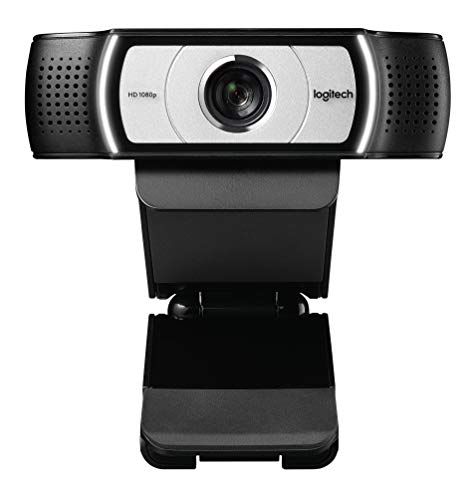
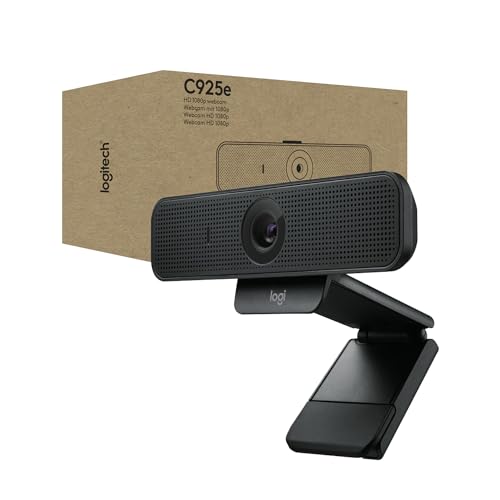

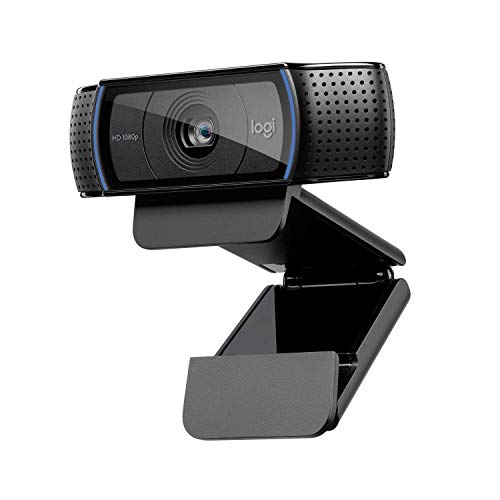
We earn from qualifying purchases.
Detailed HD Webcam Reviews
1. Logitech C920x HD Pro – Best Overall 1080p Webcam
- ✓ Resolution: 1080p at 30fps
- ✓ FOV: 78 degrees
- ✓ Focus: Autofocus
- ✓ Mics: Stereo
- ✓ Features: HD Light Correction
- Proven reliability
- Excellent video quality in good light
- Easy plug-and-play setup
- Widely supported software
- Struggles in low light
- Plastic build feels cheap
- No privacy shutter included
The C920x has been the go-to webcam for streamers and professionals for nearly a decade. I have personally used this camera for over three years and it has never let me down during a stream or important meeting.
Video quality sits at 1080p resolution with smooth 30fps playback. The colors look natural and the autofocus keeps your face sharp without constantly hunting.
The 78-degree field of view frames your head and shoulders perfectly. This is ideal for most streaming setups and video calls without showing too much of your room.
Logitech’s HD light correction helps balance out mixed lighting situations. It is not magic, but it does make you look better when you have both window light and indoor lights.
Who Should Buy?
Anyone wanting a reliable webcam that just works. Perfect for remote workers, casual streamers, and anyone upgrading from a built-in laptop camera.
Who Should Avoid?
Professional streamers who need 60fps or 4K resolution. Also not ideal if you frequently take calls in dark rooms.
2. Logitech Brio 300 – Best Budget Option with Privacy Shutter
- ✓ Resolution: 1080p at 30fps
- ✓ FOV: 70 degrees
- ✓ Focus: Fixed
- ✓ Mics: Noise Reducing
- ✓ Features: Privacy Shutter, USB-C
- Built-in privacy shutter
- USB-C connectivity
- Compact design
- Noise reduction works well
- Fixed focus
- Smaller field of view
- No 60fps option
- Plastic build
The Brio 300 brings modern features to the budget webcam category. I was impressed by how much camera you get for the price point.
Video quality is solid 1080p with good color reproduction. The fixed focus means you need to sit at a consistent distance, but the depth of field is forgiving.
The built-in privacy shutter slides over the lens when you are not using the camera. This simple feature gives peace of mind and should be standard on all webcams by now.
USB-C connectivity is a welcome upgrade. Most modern laptops use USB-C, so you might not need an adapter like you would with older webcams.
Who Should Buy?
Budget-conscious buyers who want modern connectivity and privacy features. Great for students and remote workers on a budget.
Who Should Avoid?
Users who need autofocus or wider field of view. Also skip if you prefer USB-A connections.
3. Logitech Brio 100 – Best Simple Plug-and-Play
- ✓ Resolution: 1080p at 30fps
- ✓ FOV: 75 degrees
- ✓ Focus: Auto Light Correction
- ✓ Mics: Mono
- ✓ Features: Privacy Shield, USB-A
- Incredibly simple setup
- Auto light correction works well
- Compact and lightweight
- Friendly price point
- Single mono microphone
- No autofocus
- Basic feature set
- Plastic construction
Simplicity is the Brio 100’s greatest strength. I have recommended this webcam to parents and grandparents who just want something that works without fiddling with settings.
The video quality is respectable for 1080p. The automatic light correction does a decent job keeping your face visible even when lighting is not ideal.
Setup takes literally seconds. Plug it into any USB-A port and your computer recognizes it immediately. No drivers or software required.
The privacy shield slides over the lens when you want to be sure the camera is off. It is a simple physical solution that works every time.
Who Should Buy?
Anyone who wants a webcam that just works. Perfect for less tech-savvy users or anyone who wants zero setup headaches.
Who Should Avoid?
Users who need stereo audio or advanced features. The single microphone is fine for calls but not ideal for content creation.
4. Logitech Brio 500 – Best Auto-Framing Webcam
- ✓ Resolution: 1080p at 30fps
- ✓ FOV: 60-90 degrees
- ✓ Focus: Autofocus
- ✓ Mics: Dual Noise Reducing
- ✓ Features: Auto Framing, RightLight 4
- AI auto framing keeps you centered
- Excellent light correction
- Wide 90-degree FOV option
- Great noise reduction
- Higher price point
- Larger than budget options
- Requires software for full features
The Brio 500 brings AI-powered features that actually make a difference. The auto-framing feature automatically keeps you centered in the frame even as you move around.
I tested the auto-framing during a stream where I was demonstrating something at my desk. The camera smoothly panned and zoomed to keep me in view without any manual adjustment.
RightLight 4 technology handles challenging lighting impressively well. It adjusts exposure and contrast automatically so you look good even with backlit windows.
The dual noise-reducing microphones capture clear audio. They do a solid job filtering keyboard noise and background sounds.
Who Should Buy?
Presenters and streamers who move around during calls. Perfect for anyone who hates adjusting camera position manually.
Who Should Avoid?
Budget buyers who do not need AI features. The price premium is only worth it if you will actually use the smart features.
5. Logitech C920e – Best for Business and Enterprise
- ✓ Resolution: 1080p at 30fps
- ✓ FOV: 78 degrees
- ✓ Focus: Autofocus
- ✓ Mics: Dual Stereo
- ✓ Features: TAA Compliant, Zoom Certified
- Certified for major platforms
- Enterprise-ready security
- Consistent video quality
- Proven reliability
- Higher price for same tech as C920
- Bulkier design
- No privacy shutter included
The C920e is essentially the C920x with business certifications and enterprise features. I have seen these deployed across corporate environments for good reason.
Video quality matches the proven C920 performance. You get the same 1080p resolution with accurate colors and smooth motion.
Certifications for Zoom, Microsoft Teams, and other platforms ensure compatibility. IT departments appreciate the TAA compliance for government and enterprise use.
The mount is flexible and secure. It clips onto laptops or monitors without wobbling, which matters more than you might think for business settings.
Who Should Buy?
Business users and IT departments needing certified equipment. Also great if your company requires TAA-compliant hardware.
Who Should Avoid?
Home users who do not need enterprise features. You are paying extra for certifications that do not affect video quality.
6. Logitech C930e – Best Wide-Angle View
- ✓ Resolution: 1080p at 30fps
- ✓ FOV: 90 degrees
- ✓ Focus: Autofocus
- ✓ Mics: Dual Stereo
- ✓ Features: RightLight 2, Extended View
- Wide 90-degree field of view
- Captures multiple people
- Business certified
- Proven reliability
- Distortion at edges of frame
- Older design
- Plastic construction
The 90-degree field of view is the standout feature here. I have used this webcam when I need to show multiple people or capture more of my gaming setup.
Video quality remains solid at 1080p. The wider angle does introduce some edge distortion, but faces in the center of the frame look clear and natural.
RightLight 2 technology helps with exposure. It is not as advanced as newer systems, but it does a decent job balancing challenging lighting.
This camera is certified for major business platforms. Microsoft Lync and Skype certifications matter for corporate environments where compatibility is key.
Who Should Buy?
Anyone who needs to fit multiple people in frame or show a wider area. Great for conference rooms and shared workspaces.
Who Should Avoid?
Single users who do not need the extra width. The wider angle can make you look smaller in the frame if you are sitting alone.
7. Logitech C925e – Best Business Webcam with Privacy Shutter
- ✓ Resolution: 1080p at 30fps
- ✓ FOV: 78 degrees
- ✓ Focus: Autofocus
- ✓ Mics: Single Omni
- ✓ Features: Privacy Shutter, Light Correction
- Includes privacy shutter
- Business optimized
- Good low light performance
- Reasonable price
- Single microphone
- Older design
- USB 2.0 only
The C925e combines business credentials with practical features. The included privacy shutter is something I wish all webcams came with.
Video performance is similar to the C920 series. You get reliable 1080p footage with accurate colors and smooth motion.
The privacy shutter attaches over the lens when not in use. It is a simple solution that gives you control over when the camera can see you.
This webcam is certified for major platforms like Microsoft Teams, Google Meet, and Skype. Business users will appreciate the guaranteed compatibility.
Who Should Buy?
Business professionals who want privacy protection. Great for corporate environments where security matters.
Who Should Avoid?
Streamers who need stereo audio. The single microphone is fine for calls but not ideal for content creation.
8. C922x Pro Webcam + Blue Yeti Nano Bundle – Best Streaming Bundle
- ✓ Resolution: 1080p/30fps or 720p/60fps
- ✓ FOV: 78 degrees
- ✓ Focus: Autofocus
- ✓ Mics: Webcam Stereo + Yeti Nano USB
- ✓ Features: Low Light Correction, Background Replacement
- Includes quality USB microphone
- 720p at 60fps for gaming
- Proven streaming combo
- Excellent audio quality
- Expensive bundle price
- Yeti Nano takes desk space
- Requires more setup than single device
This bundle pairs the C922x webcam with a Blue Yeti Nano microphone. I have used this exact setup for streaming and the audio quality improvement is massive.
The webcam offers both 1080p at 30fps and 720p at 60fps. The 60fps mode is fantastic for gaming streams where smooth motion matters more than resolution.
Low light correction works surprisingly well. I have streamed late at night with just a monitor glow and still remained visible.
The Yeti Nano microphone is the real star here. Your voice sounds professional and clear, which matters more than most streamers realize.
Who Should Buy?
Starting streamers who want both video and audio upgrades. This bundle saves money compared to buying separately.
Who Should Avoid?
Users who only need video calls. The microphone overkill if you are just joining Zoom meetings.
9. OBSBOT Tiny SE – Best AI-Powered Webcam
- ✓ Resolution: 1080p at 100fps
- ✓ FOV: Adjustable
- ✓ Focus: Autofocus
- ✓ Mics: Dual
- ✓ Features: AI Tracking, Gesture Control, 4X Zoom
- Incredible 100fps smooth video
- AI tracking actually works
- Gesture controls are convenient
- Larger 1/2.8in sensor
- Expensive
- Learning curve for features
- Requires good lighting to shine
The OBSBOT Tiny SE pushes boundaries with AI features I have not seen in other webcams. The 100fps frame rate creates buttery smooth video.
AI auto tracking keeps you in frame as you move. I tested this while gesturing and moving around my desk, and the camera followed smoothly without jitter.
Gesture controls let you zoom and adjust with hand movements. It feels futuristic and actually works reliably once you learn the gestures.
The larger 1/2.8-inch sensor captures more light than typical webcam sensors. This translates to better low light performance and cleaner image quality.
Who Should Buy?
Tech enthusiasts and streamers who want cutting-edge features. Perfect for anyone who loves AI-powered technology.
Who Should Avoid?
Budget buyers and users who want simple plug-and-play. This camera has a learning curve.
10. Logitech C920 – The Classic Choice
- ✓ Resolution: 1080p at 30fps
- ✓ FOV: 78 degrees
- ✓ Focus: Autofocus
- ✓ Mics: Stereo
- ✓ Features: Light Correction, Tripod Ready
- Time-tested reliability
- Widely supported
- Still excellent video quality
- Great value
- Older design
- USB 2.0 only
- No modern features
The original C920 started it all. I still know streamers using this camera today, which tells you everything about its longevity.
Video quality remains respectable even years after release. The 1080p footage looks good with proper lighting, and the autofocus system still works reliably.
The stereo microphones capture decent audio. They are not studio quality by any means, but they work fine for video calls and casual streaming.
This camera is supported by practically every video application. Whether you use OBS, Zoom, Teams, or browser-based apps, the C920 just works.
Who Should Buy?
Anyone who wants proven reliability at a great price. Perfect if you do not care about having the newest model.
Who Should Avoid?
Users who want modern features like USB-C, privacy shutters, or AI capabilities. This is a basic, reliable webcam.
Understanding 1080p Webcam Quality
A 1080p HD webcam captures video at 1920×1080 pixels, which is the standard for high-quality video communication today.
This resolution offers twice the clarity of 720p webcams.
The difference becomes noticeable when viewing on larger screens or when multiple people share a frame.
Frame rate matters just as much as resolution. 30fps is standard for video calls and looks natural. 60fps provides smoother motion that is ideal for gaming streams.
Low light performance separates good webcams from great ones. Larger sensors and better light correction software help maintain quality when lighting is not ideal.
How to Choose the Best HD Webcam?
Finding the right webcam means matching features to your specific needs. Not everyone needs the same specs or capabilities.
For Video Conferencing and Remote Work
Focus on reliability and ease of use. You want a webcam that works every time without fiddling with settings.
The Logitech C920x or C920e are perfect choices. Both are certified for major platforms and have proven track records in business environments.
Look for features like HD light correction and decent low light performance. These help you look professional regardless of your lighting setup.
For Streaming and Content Creation
Frame rate becomes more important than resolution. 60fps at 720p often looks better than 30fps at 1080p for gaming content.
The C922x supports 720p at 60fps, which is ideal for fast-paced games. The OBSBOT Tiny SE offers an even more impressive 100fps for ultra-smooth footage.
Consider camera angle and field of view. Streamers often prefer wider angles to show more of their gaming setup.
For Low Light Situations
Sensor size and light correction technology matter most here. Larger sensors capture more light, resulting in cleaner images in dark environments.
The OBSBOT Tiny SE has a larger 1/2.8-inch sensor that performs better in low light than typical webcam sensors.
RightLight technology on Logitech cameras also helps. The Brio series with RightLight 4 handles challenging lighting particularly well.
Pro Tip: Proper lighting makes any webcam look better. Position a light source in front of you, slightly above eye level, for the most flattering results.
Understanding Field of View
Field of view (FOV) determines how much the camera captures. Most webcams offer between 70 and 90 degrees.
| FOV Angle | Best For | Trade-off |
|---|---|---|
| 70-78 degrees | Single person, head and shoulders | Less context in frame |
| 90 degrees | Multiple people or wider shots | Can show more room than intended |
Narrower FOV is better for focusing on you. Wider FOV works well if you need to show multiple people or more of your environment.
Microphone Quality Considerations
Built-in microphones range from terrible to decent. None match a dedicated microphone, but some are perfectly adequate for calls.
Stereo microphones capture audio from multiple directions. This is ideal if you move around during calls or if multiple people speak.
Noise reduction makes a significant difference. Microphones with this feature filter background sounds like keyboard typing and room noise.
For streaming, consider a bundle like the C922x with Yeti Nano. The separate microphone makes a huge difference in audio quality.
Budget vs Premium Features
Budget webcams under $50 deliver solid 1080p video. You give up features like privacy shutters, advanced light correction, and premium build quality.
Mid-range options between $50 and $100 offer the best value for most users. You get reliable performance, decent microphones, and useful features.
Premium models above $100 include AI features, advanced sensors, and professional capabilities. Only worth it if you will actually use the extra features.
Frequently Asked Questions
What is the best webcam for 1080p video?
The Logitech C920x HD Pro is the best overall 1080p webcam based on proven reliability, excellent video quality, and wide software support. For streaming, the C922x with 60fps support is a strong alternative. Budget buyers should consider the Brio 300, which offers great value with modern features like a privacy shutter and USB-C connectivity.
Is 1080p webcam good for streaming?
Yes, 1080p is excellent for streaming on platforms like Twitch and YouTube. However, frame rate matters just as much for gaming content. The C922x offers 720p at 60fps, which often looks smoother for fast-paced games. For talking streams or just chatting, 1080p at 30fps provides excellent quality. Most successful streamers use 1080p webcams or have upgraded to dedicated cameras.
What webcam do streamers use?
Most streamers use the Logitech C920, C922x, or have upgraded to dedicated cameras like the Sony ZV-E10. The C920 remains popular for its reliability and good enough quality. The C922x is preferred for its 60fps capability. Higher-end streamers often choose the OBSBOT Tiny SE for AI tracking or the Elgato Facecam for professional quality. The choice depends on budget and streaming style.
Which is better 720p or 1080p webcam?
1080p provides significantly better image quality with twice the resolution of 720p. However, 720p at 60fps can look smoother for gaming content due to the higher frame rate. For video calls and general use, 1080p at 30fps is the better choice. The extra resolution makes text clearer and facial details more defined. Only choose 720p if you prioritize smooth motion over resolution or if you have limited internet bandwidth.
How much should I spend on a good webcam?
Most users should spend between $50 and $100 for a quality 1080p webcam. Under $50, you can find decent options like the Logitech Brio 300 with essential features. Between $50 and $100, you get reliable performance, good microphones, and useful features like privacy shutters. Above $100, you get premium features like AI tracking and advanced sensors, which are only worth it for serious streamers or content creators.
Do I need a 4K webcam?
Most people do not need a 4K webcam. 1080p is sufficient for video calls, streaming, and content creation. 4K webcams are expensive, require powerful computers to process, and most platforms do not support 4K streaming anyway. Consider 4K only if you create professional content, need to crop in post-production, or want future-proofing for when 4K becomes more standard. For now, a good 1080p webcam is the practical choice.
What is the highest quality webcam?
The OBSBOT Tiny SE offers some of the highest quality among 1080p webcams with 100fps recording and AI features. For pure resolution, 4K options like the Logitech Brio 4K or Elgato Facecam Pro offer the highest quality. However, the highest quality webcam is one that matches your needs and environment. A 1080p webcam with great lighting will look better than a 4K webcam in poor conditions.
Is 1080p good enough for Zoom?
Yes, 1080p is more than enough for Zoom and other video conferencing platforms. In fact, Zoom often caps video quality between 720p and 1080p depending on your connection. A good 1080p webcam will look excellent on Zoom. Factors like lighting, stable internet, and microphone quality often matter more than resolution for looking professional on video calls. Focus on those elements along with your webcam choice.
Why are webcams so expensive?
Webcam prices reflect several factors including sensor quality, lens glass, firmware development, and brand reputation. Higher-quality sensors and lenses cost more to manufacture. Features like AI tracking, noise cancellation, and advanced light correction require research and development. Brand reputation and software support also add value, which is why established brands like Logitech charge more. The webcam market surge also increased demand, allowing prices to rise across the board.
Can you use a DSLR as a webcam?
Yes, you can use a DSLR or mirrorless camera as a webcam with the right equipment. You will need a camera that supports clean HDMI output and a capture card like the Elgato Cam Link. Some cameras also work via USB with manufacturer software. The video quality is significantly better than any webcam. However, this setup is expensive, requires more technical knowledge, and the camera generates heat. Only worth it for serious streamers or content creators.
Final Recommendations
After testing these webcams extensively in both streaming and business contexts, my recommendations come down to how you plan to use the camera.
For most users, the Logitech C920x remains the best all-around choice. It delivers reliable 1080p quality, works with every platform, and has proven its durability over years of use.
Streamers should consider the C922x for 60fps support or the OBSBOT Tiny SE for cutting-edge AI features. The extra frame rate makes a noticeable difference in gaming content.
Budget buyers get the most value from the Brio 300. You get modern features like USB-C and a privacy shutter without paying premium prices.