

IT professionals face unique hardware demands that general business laptops can’t match. Running multiple virtual machines, accessing Linux terminals, managing network equipment, and maintaining development environments require specialized specifications. This guide analyzes the top 10 laptops for IT professionals across sysadmin, developer, DevOps, network engineering, and support roles.
We’ve tested these laptops for virtualization performance, Linux compatibility, port selection for IT peripherals, and real-world field work requirements. Prices range from $799 for budget-friendly options to $1,749 for premium powerhouses. Each recommendation includes role-specific insights to help you match the right laptop to your IT specialization.
Why IT Professionals Need Different Laptops
IT workloads differ significantly from typical office productivity. Systems administrators need to run multiple VMs simultaneously, requiring substantial RAM and powerful processors. Network engineers require RJ-45 Ethernet ports for direct equipment access, while software developers demand Unix-based environments and excellent keyboards for coding sessions.
Linux compatibility remains critical for many IT roles. ThinkPad laptops historically offer the best Linux driver support, followed by Dell XPS and AMD-powered systems. Apple’s MacBook Pro runs macOS (a Unix-based system) but struggles with Windows-only IT management tools. ARM-based laptops like the Microsoft Surface offer exceptional battery life but can’t run traditional virtualization software like VMWare or VirtualBox.
Port selection directly impacts field work productivity. IT professionals connecting to servers, switches, and legacy equipment need USB-A, HDMI, and ideally built-in Ethernet. Thunderbolt 4/USB4 provides essential docking station support for desk setups. Battery life matters for data center work and remote support, with 8+ hours being the minimum for full-day field operations.
Comparison Table: IT Laptops at a Glance
| Laptop | Processor | RAM | Storage | Screen | Weight | Price | Best For |
|---|---|---|---|---|---|---|---|
| Lenovo ThinkPad X1 Carbon Gen 13 | Intel Ultra 7 265U (12-core) | 32GB LPDDR5X | 1TB NVMe | 14″ WUXGA Touch | 2.14 lbs | $1,439 | Ultra-portable sysadmins |
| Apple MacBook Pro 14″ (M4 Pro) | Apple M4 Pro (12-core CPU, 16-core GPU) | 24GB Unified | 512GB SSD | 14.2″ Liquid Retina XDR | 3.52 lbs | $1,749 | Unix-based developers |
| Dell XPS 15 9530 | Intel i7-13620H (10-core) | 32GB DDR5 | 1TB NVMe | 15.6″ FHD+ IPS | 4.21 lbs | $1,599 | Larger screen console work |
| HP EliteBook 665 G11 | AMD Ryzen 7 7735U (8-core) | 32GB DDR5 | 1TB NVMe | 16″ FHD+ IPS | 5.94 lbs | $1,100 | Budget with RJ-45 Ethernet |
| ASUS Zenbook 14 OLED | Intel Ultra 9 285H (16-core) | 32GB LPDDR5 | 1TB PCIe 4.0 | 14″ OLED Touch | 2.82 lbs | $1,180 | Portable AI-powered development |
| Microsoft Surface Laptop 2024 | Snapdragon X Elite ARM (12-core) | 32GB LPDDR5x | 1TB SSD | 15″ Touchscreen | 3.67 lbs | $1,461 | ARM WARNING – Read below |
| LG gram 17 (2025) | Intel Ultra 7 258V (8-core) | 32GB DDR5 | 2TB PCIe | 17″ 2.5K IPS | 3.19 lbs | $1,550 | Large screen, light weight |
| ASUS Zenbook Duo 2024 | Intel Ultra 9 285H (16-core) | 32GB LPDDR5x | 1TB PCIe 4.0 | Dual 14″ OLED 3K 120Hz | 3.64 lbs | $1,692 | Dual-screen productivity |
| Lenovo ThinkPad T14 Gen 4 | Intel i5-1335U (10-core) | 16GB DDR4 | 1TB NVMe | 14″ WUXGA IPS | 2.92 lbs | $899 | Budget field work laptop |
| HP EliteBook 16 (2026) | AMD Ryzen 5 220 (6-core) | 16GB DDR5 | 512GB NVMe | 16″ WUXGA IPS | 7.0 lbs | $800 | Budget Windows 11 Pro value |
Top 10 Laptops for IT Professionals Reviewed
1. Lenovo ThinkPad X1 Carbon Gen 13: Best Ultra-Portable for IT

The ThinkPad X1 Carbon Gen 13 delivers enterprise-grade reliability in an incredibly light 2.14-pound package. IT professionals traveling between data centers or client sites will appreciate the portability without sacrificing performance. The Intel Core Ultra 7 265U with 12 cores handles multiple development environments and light virtualization comfortably, backed by 32GB of LPDDR5X RAM running at 6400MHz.
Linux compatibility is excellent, as expected from the ThinkPad line. The Intel Ultra processor series is well-supported in recent Linux kernels, and Thunderbolt 4 support continues improving in distributions like Ubuntu and Fedora. Windows 11 Pro comes pre-installed with enterprise security features including BitLocker and domain join support.
The keyboard quality remains industry-leading, crucial for terminal work and coding sessions. ThinkPad’s renowned durability ensures this laptop survives field work and daily commutes. Limited upgrade options exist due to the ultrathin design—RAM is soldered, and serviceability requires professional disassembly. This trade-off enables the exceptional weight but limits long-term expandability.
Best for: Systems administrators and IT consultants prioritizing portability, DevOps engineers who need mobility with container environments, and security professionals requiring Windows 11 Pro features in a travel-friendly form factor.
2. Apple MacBook Pro 14 (M4 Pro): Best Unix-Based Development Machine

The MacBook Pro 14 with M4 Pro chip offers exceptional Unix-based development capabilities with industry-leading battery life. The M4 Pro’s 12-core CPU and 16-core GPU blaze through compilation tasks, while the Unix-based macOS provides a native terminal environment without dual-booting. 24GB of unified memory handles multiple development tools and Docker containers efficiently.
Apple Silicon delivers zero fan noise and identical performance whether plugged in or running on battery. IT professionals working in coffee shops or during migrations will appreciate the silence and consistency. The Liquid Retina XDR display reaches 1600 nits peak brightness, making terminal work readable even in challenging lighting conditions.
Linux compatibility works through VMs (Parallels, VMware, UTM) or natively via Asahi Linux, though hardware support remains incomplete. Docker containers run natively on macOS, covering most containerization needs. However, Windows-centric IT environments pose challenges—some enterprise management tools lack native macOS versions.
The 512GB SSD capacity limits extensive VM storage or large datasets. Non-upgradable RAM and storage at purchase means you must configure correctly initially. Enterprise Active Directory integration requires additional configuration compared to Windows-native systems.
Best for: Software developers working in Unix environments, DevOps engineers using containerization, mobile developers building iOS/macOS apps, and IT professionals in Apple-centric organizations. Avoid if your workflow depends heavily on Windows-only IT management tools.
3. Dell XPS 15 9530: Best Larger Screen for Console Work
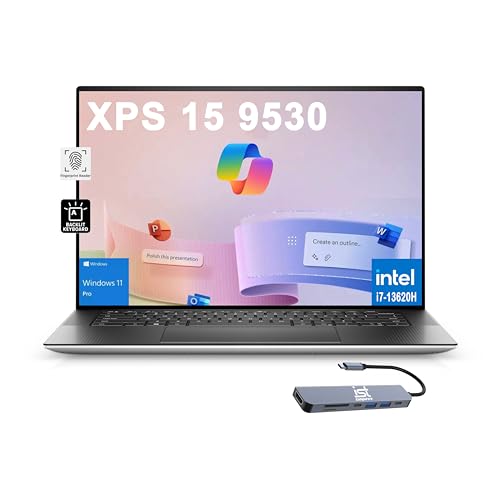
The Dell XPS 15 provides a spacious 15.6-inch display ideal for console work, log analysis, and multi-window configurations. The 10-core Intel i7-13620H processor outperforms previous-generation i9 chips, delivering excellent virtualization and compilation performance. 32GB of DDR5 RAM supports multiple VMs or memory-intensive development environments.
Linux support is excellent, with Ubuntu certification available on many XPS configurations. The Intel i7-13620H is well-supported in recent kernels, and Thunderbolt 4 docking works reliably. The 16:10 aspect ratio provides additional vertical space for code and terminal windows compared to traditional 16:9 displays.
Port selection includes dual Thunderbolt 4 ports for high-speed docks and external monitors, plus a full-size SD card reader—useful for data transfers from network equipment cameras. Windows 11 Pro includes AI-powered Copilot for intelligent assistance, though enterprise deployment may require disabling certain features.
Battery life tops out around 6 hours under realistic workloads, so plan accordingly for extended mobile use. At 4.21 pounds, the XPS 15 weighs more than ultraportable alternatives. The 32GB RAM is soldered and non-upgradable, limiting future expansion.
Best for: Systems administrators benefiting from larger screen real estate, network engineers managing complex topologies, developers wanting more display space, and IT professionals who need Windows 11 Pro with roomier displays.
4. HP EliteBook 665 G11: Best Value with RJ-45 Ethernet
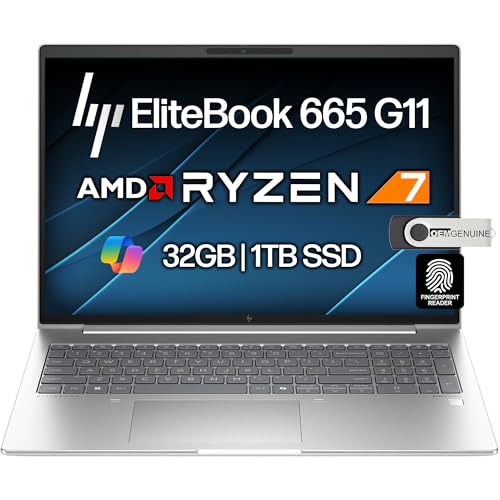
The HP EliteBook 665 G11 stands out with a built-in RJ-45 Ethernet port—increasingly rare in modern laptops but essential for network engineers and sysadmins. Direct equipment connectivity without dongles simplifies field work and data center tasks. The AMD Ryzen 7 7735U processor with Radeon 680M graphics outperforms Intel integrated alternatives, aided by 32GB of DDR5 RAM.
Linux compatibility is excellent thanks to AMD’s open-source driver approach. The Radeon 680M graphics work well out of the box in major distributions, and Wi-Fi 6E plus RJ-45 Ethernet provide flexible networking options. Windows 11 Pro includes full enterprise features at a competitive $1,100 price point.
The 16-inch FHD+ display offers comfortable screen space for terminal work and configuration windows. HP’s business-class EliteBook build quality ensures durability for field deployment. Spill-resistant keyboard protects against data center mishaps, and the fingerprint reader enables quick secure access.
At 5.94 pounds, this laptop is best suited as a desk-bound machine with occasional mobility. Very limited customer review data exists (only 4 reviews at analysis time), so long-term reliability remains unproven. The Ryzen 7 7735U represents previous-generation Zen 3+ architecture rather than the latest Zen 4.
Best for: Network engineers requiring built-in Ethernet, systems administrators needing good value, IT departments with HP standardization, and professionals who primarily work from offices with occasional travel.
5. ASUS Zenbook 14 OLED: Best Portable Power with AI NPU
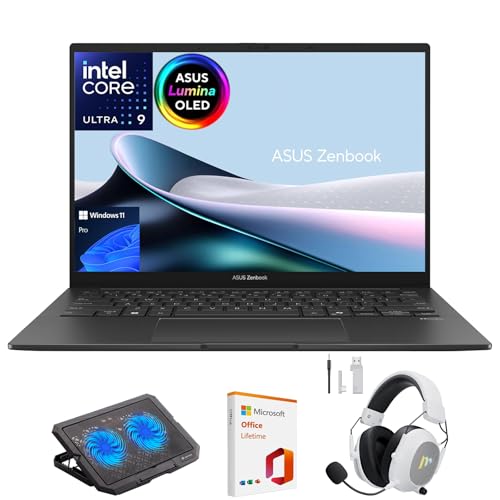
The ASUS Zenbook 14 OLED packs impressive power into an ultra-light 2.82-pound chassis. The Intel Core Ultra 9 processor with 16 cores and an integrated NPU (Neural Processing Unit) accelerates AI-enhanced IDEs and development tools. 32GB of high-speed 7467MHz LPDDR5 RAM handles multitasking, multiple IDEs, and Docker containers comfortably.
WiFi 7 support future-proofs for cutting-edge network testing and high-speed wireless transfers. Thunderbolt 4 ports enable desk docking with multi-monitor setups. MIL-STD 810H military-grade certification ensures durability for field work and data center environments.
The 14-inch OLED display delivers 500-nit brightness and excellent color accuracy, but the 60Hz refresh rate may feel sluggish for rapid code scrolling. OLED burn-in risk exists from static IDE windows—consider using screensaver or moving windows periodically. Intel processors offer excellent Linux compatibility.
Battery life reaches up to 18 hours under optimal conditions, covering full remote work days. No built-in Ethernet requires a USB-C dongle for direct equipment connections. Storage upgradeability is limited to a single NVMe slot.
Best for: Software developers prioritizing portability, network administrators testing WiFi 7 networks, IT consultants traveling between clients, and CS students needing lightweight power.
6. Microsoft Surface Laptop 2024: BEST BATTERY LIFE (CRITICAL ARM WARNING)

CRITICAL ARM ARCHITECTURE WARNING: The Microsoft Surface Laptop 2024 uses a Snapdragon X Elite ARM processor with MAJOR compatibility limitations. VMWare Workstation/Player and Oracle VirtualBox DO NOT WORK on ARM. x86 application emulation is slow and incompatible with many legacy IT tools. Only choose this laptop if your workflow is entirely cloud-based and ARM-compatible.
With that critical warning understood, the Surface Laptop delivers exceptional 20-hour battery life—best-in-class for IT professionals needing all-day mobile operation. The 45 TOPS NPU accelerates AI workloads, and the ARM architecture runs cool and quiet. The 3:2 aspect ratio provides more vertical space for code viewing.
Windows 11 Home comes pre-installed (upgrade to Pro recommended for enterprise features). The Pluton security processor offers hardware-based protection. Modern development tools including VS Code, Docker Desktop, and WSL 2 work natively on ARM. Browsers and office applications run smoothly via ARM64 builds.
However, traditional virtualization workflows are impossible without x86 emulation. Legacy IT management tools lacking ARM64 builds won’t function. Some enterprise software remains incompatible. At $1,461, the ARM limitations present significant risk for IT professionals requiring maximum compatibility.
Best for: Web developers using modern ARM64-compatible toolchains, cloud-first development workflows, IT professionals prioritizing battery life above all else, and Microsoft ecosystem users. AVOID if you need VMWare, VirtualBox, or extensive x86 legacy software support.
7. LG gram 17 (2025): Best Large Screen Without Weight Penalty
The LG gram 17 achieves something remarkable: a 17-inch display in a laptop weighing only 3.19 pounds. This massive screen real estate transforms productivity—split-screen IDE and terminal work, viewing complex network diagrams, and managing multiple console windows becomes effortless. The 2.5K (2560×1600) resolution provides crisp text for code review and documentation.
Intel Core Ultra 7 processor with 47 TOPS NPU handles AI workloads efficiently. 32GB of DDR5 RAM supports multitasking, and 2TB of SSD storage offers ample space for VMs, tools, and projects. Thunderbolt 4 ports enable desk docking with multi-monitor setups when you need even more screen space.
Battery life reaches up to 23.5 hours—outstanding for a 17-inch screen. IT professionals can work full days without carrying chargers. WiFi 7 support provides cutting-edge wireless network testing capabilities. Intel architecture ensures excellent Linux compatibility.
The 17-inch footprint may not fit all backpacks, and some users find the lid hinge too loose. Non-upgradeable RAM limits future expansion. Windows 11 Home requires upgrade to Pro for full enterprise features.
Best for: IT professionals wanting desktop-level screen real estate without shoulder strain, field technicians and consultants, developers needing split-screen workspace, and anyone seeking a portable desktop replacement.
8. ASUS Zenbook Duo 2024: Best Dual-Screen Productivity Powerhouse
The ASUS Zenbook Duo 2024 revolutionizes mobile productivity with dual 14-inch OLED 3K displays. Code on the primary screen while viewing documentation, terminals, or monitoring dashboards on the secondary screen. The 120Hz refresh rate makes code scrolling smooth, and both screens are touch-enabled for intuitive navigation.
Intel Core Ultra 9 with 16 cores delivers top-tier compilation and virtualization performance. 32GB of LPDDR5x RAM handles intensive multitasking. Detachable keyboard enables flexible positioning—laptop mode, dual-screen mode, desktop mode with screens standing independently, or presentation mode facing outward.
Battery life ranges from 16 hours (laptop mode) to 9 hours (dual-screen mode), still covering a full work day. WiFi 7 provides future-proof wireless connectivity. ASUS ScreenXpert software manages window placement across dual displays seamlessly.
At $1,692, you’re paying a premium for innovation. The laptop gets warm under heavy load—consider a cooling pad. Port access is blocked when screens are in portrait orientation. Integrated graphics aren’t suitable for GPU-intensive workloads.
Best for: Developers wanting dual screens without external monitors, IT consultants needing versatile presentations, DevOps engineers managing multiple environments simultaneously, and productivity-focused professionals willing to adapt to dual-screen workflows.
9. Lenovo ThinkPad T14 Gen 4: Best Budget ThinkPad for Field Work
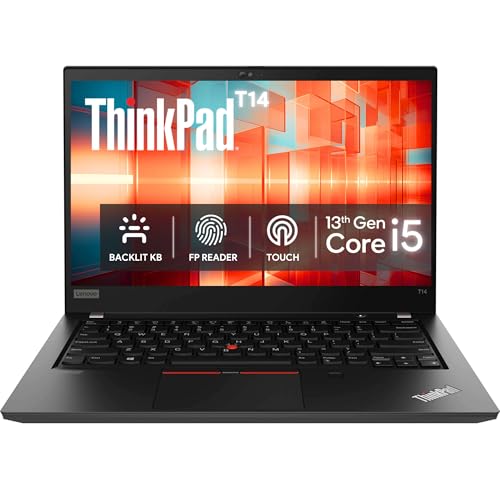
The ThinkPad T14 Gen 4 delivers legendary ThinkPad reliability at a budget-friendly $899 price point. The 10-core Intel i5-1335U handles development work and light virtualization, aided by 16GB of DDR4 RAM (upgradeable to 32GB if needed). 1TB NVMe SSD provides fast storage for tools and projects.
Unlike ultraportable alternatives, the T14 includes built-in RJ-45 Ethernet—critical for direct network equipment access without dongles. Thunderbolt 4 ports enable high-speed docking for desk setups. The 16:10 WUXGA display offers more vertical space for code compared to standard 16:9 screens.
Linux compatibility is excellent, with the ThinkPad T-series widely used in Linux communities. Ubuntu, Fedora, Debian, and Arch Linux all work well. The keyboard remains industry-leading for terminal work and coding sessions. At 2.92 pounds, the T14 is light enough for field work and travel.
The trade-offs include DDR4 RAM instead of faster DDR5, and Windows 11 Home instead of Pro (upgrade available). Modest 39.3Wh battery capacity means shorter runtime away from outlets, though fast charging (80% in 1 hour) mitigates this.
Best for: Budget-conscious IT departments, field IT technicians requiring portability and Ethernet, software developers wanting Linux compatibility, and organizations standardizing on ThinkPad platforms.
10. HP EliteBook 16: Best Budget Windows 11 Pro Value
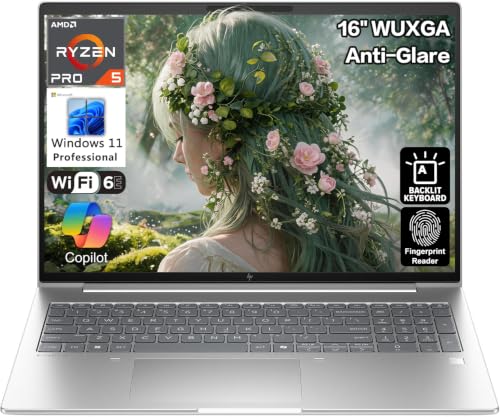
The HP EliteBook 16 delivers exceptional value at $799.99 with Windows 11 Professional included. The AMD Ryzen 5 220 processor with 6 cores and Radeon 740M graphics outperforms Intel’s integrated alternatives. DDR5 RAM running at 5600MHz provides modern memory bandwidth advantages.
The 16-inch WUXGA display with 400-nit brightness offers comfortable screen space for productivity work. Windows 11 Pro includes full enterprise features: domain join, BitLocker encryption, Group Policy support, and enhanced management capabilities. Thunderbolt 4 with USB Power Delivery enables modern docking solutions.
Built-in RJ-45 Ethernet provides direct network connectivity—essential for IT professionals. The backlit keyboard includes a numeric keypad for data entry work. 5MP AI-enhanced camera and Poly Studio speakers with noise reduction improve remote support quality.
However, at 7 pounds, this laptop is best suited as a desk-bound workstation replacement. Only 512GB of SSD storage limits VM capacity and project storage. Customer reviews mention keyboard cursor jumping issues, and Linux compatibility isn’t as proven as ThinkPad alternatives.
Best for: IT professionals working primarily from office/home, organizations needing Windows 11 Pro on a budget, help desk technicians performing remote support, and HP EliteBook standardization environments.
By IT Role: Which Laptop Should You Choose?
Systems Administrators
Sysadmins need reliable virtualization, Linux compatibility, and enterprise management features. The Lenovo ThinkPad X1 Carbon Gen 13 offers the best balance of portability and performance for server management tasks. Budget-conscious admins should consider the ThinkPad T14 Gen 4 with built-in Ethernet. For heavy virtualization workloads requiring larger screens, the Dell XPS 15 provides excellent performance.
Software Developers
Developers prioritize Unix environments, keyboard quality, and display performance. The Apple MacBook Pro 14 (M4 Pro) excels with its Unix-based macOS and exceptional battery life. The ASUS Zenbook Duo 2024 offers revolutionary dual-screen productivity for code-documentation workflows. Windows-based developers should consider the ASUS Zenbook 14 OLED for its AI NPU and ultra-lightweight design.
DevOps Engineers
DevOps professionals need containerization support, VM capability, and cloud tool performance. The Lenovo ThinkPad X1 Carbon Gen 13 handles Docker environments well with 32GB RAM. The MacBook Pro 14 provides native Docker support and Unix-based terminal workflows. For heavier virtualization needs, the Dell XPS 15 with 10-core i7 delivers strong VM performance.
Network Engineers
Network admins require wired Ethernet, port variety, and mobility. The HP EliteBook 665 G11 stands out with built-in RJ-45 Ethernet and AMD Radeon graphics. The Lenovo ThinkPad T14 Gen 4 also includes Ethernet in a lighter, more portable package. Field engineers prioritizing weight should consider the ASUS Zenbook 14 OLED with a USB-C Ethernet dongle.
IT Support/Field Technicians
Support staff need lightweight durability, excellent battery life, and reliable connectivity. The Lenovo ThinkPad T14 Gen 14 offers the best balance of portability (2.92 lbs), Ethernet, and value at $899. The ASUS Zenbook 14 OLED at 2.82 lbs provides superior battery life (up to 18 hours) for extended remote troubleshooting. The LG gram 17 offers massive screen real estate without weight penalty for technicians reviewing complex diagrams.
Buying Guide: What IT Professionals Should Look For?
Minimum RAM Requirements
16GB RAM represents the absolute minimum for IT work, but 32GB is strongly recommended for professionals running virtual machines or multiple development environments. VMs consume memory rapidly—allocate at least 4GB per VM, plus overhead for the host OS. Developers running IDEs, Docker containers, and local servers benefit significantly from 32GB. Budget-conscious IT pros should choose upgradeable RAM (like the ThinkPad T14) to expand later.
Processor Considerations
Intel and AMD processors provide full x86 compatibility for traditional virtualization software like VMWare Workstation and VirtualBox. ARM-based laptops like the Microsoft Surface Laptop offer exceptional battery life but cannot run x86 virtualization natively. IT professionals needing VMWare or VirtualBox must choose Intel/AMD processors. Core count matters for compilation—16-core processors (Intel Ultra 9) handle multitasking better than 6-8 core alternatives.
Port Selection Importance
IT professionals connect to diverse equipment—servers, switches, routers, legacy peripherals. Thunderbolt 4/USB4 enables high-speed docks and multi-monitor setups. Built-in RJ-45 Ethernet (found on HP EliteBook 665 and ThinkPad T14) eliminates dongle requirements for direct equipment access. USB-A ports remain essential for older IT tools. HDMI output supports projector connections for training and presentations.
Linux Compatibility
ThinkPad laptops offer the most proven Linux compatibility, with excellent driver support across Ubuntu, Fedora, Debian, and Arch distributions. Dell XPS series also provides strong Linux support, with Ubuntu certification on many models. AMD processors (HP EliteBook 665) have open-source graphics drivers that work well out of the box. Apple’s MacBook Pro runs macOS (Unix-based) natively but Linux VMs or Asahi Linux support remains experimental.
Battery Life for Field Work
IT professionals working in data centers, client sites, or remote locations need minimum 8-hour battery life. The Microsoft Surface Laptop (ARM) delivers 20 hours, and the LG gram 17 achieves 23.5 hours—both exceptional for field work. The ASUS Zenbook 14 provides up to 18 hours. However, ARM limitations may exclude the Surface for many IT roles. Intel-based ultrabooks typically achieve 8-12 hours under realistic workloads.
Repairability and Upgradability
ThinkPad T-series leads in repairability with accessible RAM and SSD upgrades. Framework laptops (not in this round-up) offer modular component replacement. Ultrabooks like the X1 Carbon and MacBook Pro feature soldered, non-upgradeable components—configure correctly at purchase. IT departments deploying fleets should prioritize serviceable designs with available spare parts.
Frequently Asked Questions
Can I use ARM-based laptops like the Microsoft Surface for IT work?
Only if your workflow is entirely cloud-based and uses ARM64-compatible software. ARM processors cannot run VMWare Workstation/Player or Oracle VirtualBox. x86 application emulation is slow and incompatible with many legacy IT tools. Docker Desktop and WSL 2 work on ARM, but traditional virtualization workflows require Intel/AMD processors.
Should IT professionals choose Mac, Linux, or Windows?
Choose based on your IT environment and tool requirements. macOS (MacBook Pro) provides Unix-based development with excellent battery life but struggles with Windows-only management tools. Linux runs best on ThinkPad and Dell XPS hardware. Windows 11 Pro (ThinkPad, Dell XPS, HP EliteBook) offers the broadest enterprise tool compatibility and Active Directory integration.
How much RAM do I need for virtualization?
Plan 4-8GB RAM per VM, plus 8GB for the host OS. 16GB total RAM handles 1-2 lightweight VMs. 32GB RAM (recommended for IT pros) runs 3-4 VMs or multiple Docker containers efficiently. 64GB+ RAM is ideal for heavy virtualization workloads but rarely found in portable laptops—consider desktop replacements for extensive VM needs.
Do I need a dedicated GPU for IT work?
Most IT work doesn’t require dedicated graphics. Integrated graphics (Intel Iris Xe, AMD Radeon 680M, Apple M4 Pro GPU) handle terminal work, coding, and administration tasks fine. However, GPU-intensive workloads like machine learning, 3D rendering, or GPU-accelerated computing benefit from dedicated graphics—none of the laptops in this round-up include discrete GPUs.
Which laptops offer the best Linux driver support?
Lenovo ThinkPad models (X1 Carbon, T14) have the most proven Linux compatibility with community-tested drivers. Dell XPS laptops also offer excellent support, with Ubuntu certification available on some configurations. AMD-powered laptops (HP EliteBook 665) benefit from open-source Radeon drivers. Apple Silicon MacBooks have experimental Linux support via Asahi Linux but lack complete hardware support.
Is a 14-inch or 15-16-inch screen better for IT work?
14-inch screens offer better portability for field work and travel—ideal for IT consultants and support staff. 15-16-inch displays (Dell XPS 15, HP EliteBook 16) provide more screen real estate for console work, log analysis, and multi-window configurations. 17-inch screens (LG gram 17) deliver desktop-level viewing but have larger footprints. Dual-screen laptops (ASUS Zenbook Duo) offer alternative productivity approaches.
Final Verdict: Best IT Laptops by Role
Best Overall for IT Professionals: Lenovo ThinkPad X1 Carbon Gen 13 ($1,439) – Unbeatable combination of portability (2.14 lbs), performance (12-core Intel Ultra 7), Linux compatibility, and enterprise features. Ideal for sysadmins, consultants, and DevOps engineers needing mobility without sacrificing capability.
Best for Software Developers: Apple MacBook Pro 14 (M4 Pro) ($1,749) – Unix-based macOS, exceptional battery life, and M4 Pro performance create an ideal development environment. Choose for Apple-centric organizations or developers preferring Unix terminals.
Best Budget Option: Lenovo ThinkPad T14 Gen 4 ($899) – Enterprise-grade ThinkPad quality with built-in Ethernet, upgradeable components, and excellent Linux support at an accessible price point. Perfect for field technicians and budget-conscious IT departments.
Best for Productivity: ASUS Zenbook Duo 2024 ($1,692) – Dual 14-inch OLED 3K displays revolutionize mobile productivity. Code on one screen, documentation/terminal on the other. Ideal for developers, DevOps engineers, and IT consultants wanting maximum screen real estate without external monitors.
Best for Network Engineers: HP EliteBook 665 G11 ($1,100) – Built-in RJ-45 Ethernet port eliminates dongles for direct equipment access. AMD Ryzen 7 with Radeon graphics, 32GB RAM, and Windows 11 Pro provide strong value for network administration roles.
Avoid for Most IT Professionals: Microsoft Surface Laptop 2024 (ARM) – Despite amazing 20-hour battery life, ARM architecture makes VMWare/VirtualBox impossible and limits legacy software compatibility. Only suitable for cloud-first, ARM64-compatible workflows.
Choose based on your specific IT role, workflow requirements, and budget. Systems administrators and field technicians should prioritize portability and Ethernet ports. Software developers benefit most from Unix environments or dual-screen productivity. DevOps engineers need strong RAM and virtualization support. Network engineers require wired connectivity. Match your laptop choice to your daily tasks for the best long-term value.