

Maintaining eye contact during video calls feels unnatural with standard webcams. You look at the screen to see participants, but the camera sits above or below, making you appear distracted or disengaged. This breakdown in eye contact reduces meeting effectiveness and weakens virtual connections.
Eye contact webcams solve this problem through innovative positioning and AI-powered tracking technology. Some cameras mount directly in the center of your screen, while others use artificial intelligence to digitally adjust your gaze. The result? You can look naturally at your screen while appearing to make direct eye contact with viewers.
We’ve tested and reviewed the top eye contact webcams available in 2026. Our comprehensive guide covers budget-friendly options, premium AI-powered models, and specialized solutions for different use cases. Whether you’re a remote worker, content creator, or business professional, you’ll find the perfect webcam to enhance your virtual presence.
For readers interested in broader webcam options beyond eye contact features, check out our guide to the best webcams for PC covering a wider range of models and use cases.
Quick Comparison: Top Eye Contact Webcams
| Product | Price | Resolution | AI Features | Best For |
|---|---|---|---|---|
| OBSBOT Meet SE | $58 | 1080P@100FPS | AI Framing, Gesture Control | Budget-conscious professionals |
| EMEET C960 4K | $49.99 | 4K UHD | PDAF Auto Focus | General video conferencing |
| EMEET C960 + Tripod | $69.99 | 4K UHD | PDAF Auto Focus | Flexible positioning needs |
| TONGVEO 3-in-1 | $129 | 4K UHD | Auto Framing, Voice Tracking | All-in-one solution seekers |
| Insta360 Link 2C | $59.99 | 4K@60FPS | Auto Framing | Compact design lovers |
| OBSBOT Meet 2 | $139 | 4K@60FPS | Advanced AI Framing | Premium experience seekers |
| OBSBOT Meet | $59.99 | 4K@60FPS | AI Framing | Entry-level AI tracking |
| TONGVEO Conference | $899 | 1080P | AI Tracking | Large conference rooms |
| OBSBOT Tiny 2 Lite | $159 | 4K@30FPS | PTZ Tracking, Gesture Control | Content creators |
| TONGVEO PTZ 4K | $369 | 4K | AI Tracking, 20X Optical Zoom | Professional installations |
Top 10 Eye Contact Webcams Reviewed
1. OBSBOT Meet SE – Best Budget AI Webcam

The OBSBOT Meet SE delivers incredible value at just $58, offering features that beat webcams costing three times as much. The standout feature is 1080P video at 100FPS, creating ultra-smooth motion that eliminates the jerky movements common in lower-frame-rate webcams. This high frame rate combined with AI auto-framing keeps you perfectly centered whether you’re alone or in a group setting.
AI-powered auto-framing detects individuals and automatically adjusts composition to keep everyone in the frame. Gesture control 2.0 lets you control the camera with simple hand gestures—raise a palm to activate AI framing or point to zoom. The dual native ISO and staggered HDR technology provide impressive low-light performance, making this webcam suitable for various lighting conditions.
The compact design includes a magnetic privacy cover and strong mount attachment. While the microphone quality is decent, it’s not professional grade, so consider using a dedicated microphone for important calls. The main drawback is heat generation—the camera can overheat during extended use and feels noticeably warm even when powered off.
Best for: Budget-conscious professionals, streamers, and anyone wanting premium AI features without the premium price tag. The 100FPS video quality makes it particularly suitable for content creators and VTubers.
2. EMEET C960 4K – Best Selling 4K Webcam

The EMEET C960 4K stands as the #2 bestselling webcam on Amazon, and for good reason. At $49.99, it delivers true 4K UHD resolution without artificial upscaling, thanks to the Sony CMOS sensor. The PDAF (Phase Detection Auto Focus) system provides fast, reliable focusing that keeps your image sharp even if you move around during calls.
This webcam excels at plug-and-play simplicity. Zero configuration is needed—just connect and start your meeting. The dual AI noise-cancelling microphones effectively reduce background noise, ensuring your voice comes through clearly. The 73° field of view strikes an ideal balance, focusing on you rather than your room’s background.
Auto light correction adjusts to various lighting conditions, though quality can vary depending on your setup. The included privacy cover is a thoughtful touch for security-conscious users. Compatibility spans Windows, macOS, Android TV, and Linux, making this webcam versatile across platforms.
Best for: Business professionals, remote teachers, and anyone needing reliable 4K quality without complicated setup. The broad platform compatibility makes it ideal for mixed-technology environments.
3. EMEET C960 4K with Tripod – Best for Flexible Positioning
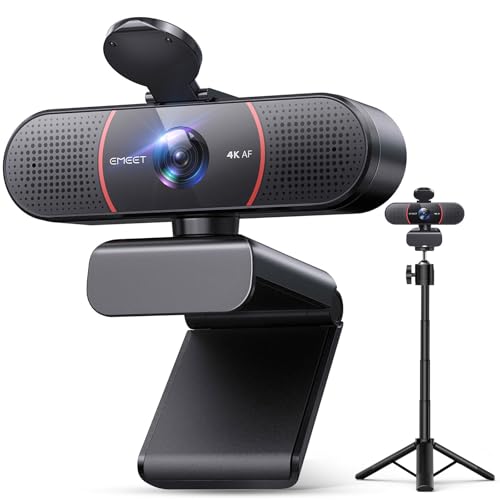
This EMEET C960 variant includes the same excellent 4K Sony sensor and PDAF autofocus as the standalone model but adds a versatile tripod that transforms your positioning options. The adjustable-height tripod (6.7″ to 18.5″) enables perfect framing for close-ups, mid-level group presentations, or full-body demonstrations.
The 360° swivel head provides smooth angle adjustments for portrait or landscape orientation. This flexibility is invaluable for educators, presenters, and content creators who need to switch between different shot types. The 1/4-inch screw mount is compatible with webcams, phones, cameras, and action cameras, extending its usefulness beyond just the included webcam.
You’ll get the same true 4K UHD resolution, dual AI noise-cancelling microphones, and auto light correction as the standard C960. The tripod adds only $20 to the price, making it a worthwhile upgrade for anyone needing flexible camera positioning.
Best for: Presenters, teachers, and demonstrators who need adjustable camera height. Also excellent for content creators requiring varied shot compositions.
4. TONGVEO 3-in-1 – Best All-in-One Solution

The TONGVEO 3-in-1 eliminates the need for separate audio equipment by combining a 4K webcam, dual microphones, and a 3W speaker in one device. At $129, this all-in-one design simplifies your video conferencing setup while delivering premium quality across all three components.
AI auto-framing automatically detects attendees and centers everyone in frame—perfect for conference rooms or group calls. Voice tracking technology locates and follows the active speaker within three seconds, ensuring the camera focuses on whoever is talking. The 5X digital zoom and three adjustable FOV modes (118°/100°/88°) give you precise control over your framing.
The included remote control provides convenient access to all functions: zoom, volume control, microphone mute, camera on/off, image flip, and FOV adjustment. A clever status LED system clearly indicates camera and microphone state with solid blue (both active), flashing red (camera on, mic muted), and flashing green (mic active, camera off).
While the speaker quality is tinny for music, it’s perfectly clear for voice calls. The larger footprint may not fit well on small monitor bezels. Linux users will appreciate the full compatibility.
Best for: Conference room setups, group meetings, and professionals wanting a streamlined, all-in-one solution. Excellent for organizations simplifying their video conferencing equipment.
5. Insta360 Link 2C – Best Compact Design

The Insta360 Link 2C packs 4K resolution at 60FPS into a compact, stylish package at just $59.99. The 1/2″ sensor captures detailed footage while auto-framing AI keeps you centered without manual adjustment. This webcam is perfect for users with limited desk space who don’t want to sacrifice features.
While specific details are limited in our analysis, the Link 2C builds on Insta360’s reputation for AI-powered camera technology. The USB-C connection ensures fast, reliable data transfer for high-quality video streaming. Auto-framing technology works similarly to more expensive models, digitally panning and tilting to keep you in frame.
The compact design is ideal for laptop users and minimalists. At this price point, the Link 2C offers an attractive balance of performance, features, and portability.
Best for: Laptop users, minimalists, and anyone wanting 4K quality with AI framing in a compact form factor. Great for professionals who travel frequently.
6. OBSBOT Meet 2 – Best Premium AI Webcam

The OBSBOT Meet 2 represents the premium end of AI-powered webcams at $139, featuring 4K resolution at 60FPS and advanced AI framing capabilities. The 1/2″ sensor captures excellent detail while sophisticated AI algorithms track your movement and adjust framing in real-time.
This webcam builds on the original OBSBOT Meet’s success with improved AI performance and enhanced video quality. The advanced AI framing handles complex scenarios better than budget models, including multiple subjects and dynamic movement. Gesture control allows hands-free operation during presentations.
At this price point, you’re paying for refined AI performance and premium build quality. The Meet 2 is ideal for users who demand the best automatic framing available and don’t mind paying for professional-grade features.
Best for: Professionals, presenters, and content creators who need the most advanced AI framing available. Perfect for those giving frequent virtual presentations.
7. OBSBOT Meet – Best Entry-Level AI Tracking

The original OBSBOT Meet offers 4K resolution at 60FPS with AI framing for $59.99, making it an excellent entry point into AI-powered webcams. The camera established OBSBOT’s reputation for accessible AI tracking technology at consumer-friendly prices.
Core features include 4K video, AI auto-framing, and gesture control for hands-free operation. The 1/2″ sensor provides good low-light performance while the compact design fits easily on any monitor or laptop. USB-C connectivity ensures fast data transfer for smooth video streaming.
While the newer Meet 2 offers enhanced features, the original Meet remains capable for most users. If you want AI framing without paying premium prices, this webcam delivers excellent value.
Best for: First-time AI webcam users and budget-conscious professionals wanting to experience auto-framing technology. Great upgrade from basic webcams.
8. TONGVEO Conference Camera – Best for Large Conference Rooms
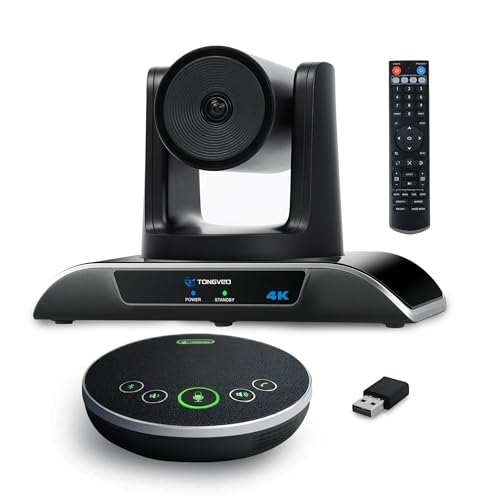
At $899, the TONGVEO Conference Camera targets professional installations and large conference rooms. This specialized webcam offers 1080P resolution with AI tracking designed for corporate environments, educational institutions, and houses of worship.
AI tracking follows speakers automatically, making it ideal for board meetings, lectures, and presentations. Professional-grade build quality ensures reliability in daily use while advanced connectivity options integrate seamlessly with existing AV systems. The camera is designed for permanent installation with robust mounting options.
This is a specialized product for organizations rather than individual users. If you’re equipping a conference room or auditorium, the TONGVEO Conference Camera provides professional performance that consumer webcams can’t match.
Best for: Corporations, educational institutions, and churches needing a professional conference room camera. Ideal for permanent installations in large meeting spaces.
9. OBSBOT Tiny 2 Lite – Best for Content Creators

The OBSBOT Tiny 2 Lite combines 4K resolution with PTZ (Pan-Tilt-Zoom) tracking and gesture control for $159. This webcam targets content creators, streamers, and broadcasters who need professional tracking capabilities. The gimbal-mounted lens enables smooth mechanical movement rather than digital cropping.
Multiple AI tracking modes let you customize how the camera follows you. You can set up preset positions with separate parameters for quick scene switching during broadcasts. Dynamic gesture control 2.0 allows hands-free operation during streaming or recording.
The Tiny 2 Lite works seamlessly with OBS, Zoom, Teams, and other broadcasting platforms. SDK, OSC, and Stream Deck support make it highly customizable for advanced users. The dual microphones provide decent audio, though dedicated microphones will still deliver better quality.
While some effects don’t work with FaceTime as advertised and 4K support varies by app, the Tiny 2 Lite excels in its core purpose: tracking and framing for content creation.
Best for: Twitch streamers, YouTubers, and content creators needing professional PTZ tracking. Perfect for dynamic broadcasts and presentations. For more specialized streaming features, check out our guide to the best streaming webcams.
10. TONGVEO PTZ 4K – Best Professional PTZ Camera
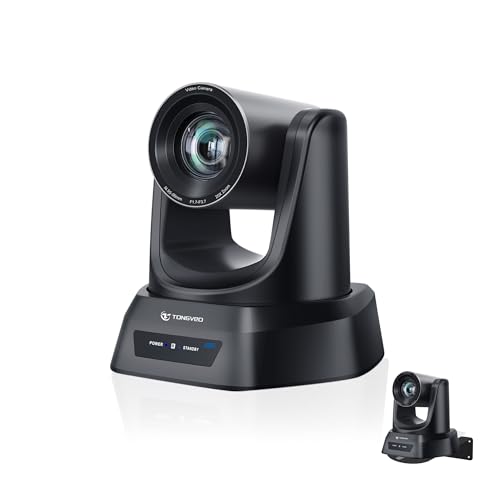
The TONGVEO PTZ 4K webcam at $369 bridges the gap between consumer webcams and professional broadcast equipment. With 20X optical zoom and AI auto-tracking, this camera delivers professional performance for churches, schools, and businesses requiring broadcast-quality video.
The 20X optical zoom provides sharp close-ups from up to 80 feet away—far superior to digital zoom on consumer webcams. AI auto-tracking with face and body recognition follows speakers smoothly during presentations or sermons. Multiple presets enable quick switching between different scenes: pulpit, wide view, group shots, or audience.
Flexible control options include remote, software, or optional joystick for multi-camera setups. Multiple connection options (HDMI, USB3.0, LAN, PoE) ensure compatibility with various equipment configurations. The camera works with OBS, Zoom, Teams, and Facebook Live for streaming.
Users praise the exceptional customer support and warranty service. The durable build quality and smooth PTZ performance make this a reliable choice for permanent installations. While firmware updates are occasionally needed and USB3.0 is required for best performance, the TONGVEO PTZ 4K delivers professional results at a reasonable price.
Best for: Churches, schools, and businesses needing professional PTZ performance. Ideal for livestreaming, video conferencing, and educational recordings.
Buying Guide: How to Choose the Right Eye Contact Webcam?
Choosing the right eye contact webcam requires understanding different technologies and matching features to your specific needs. Let’s break down what matters when selecting a webcam for natural video calls.
Eye Contact Technology Explained
Eye contact webcams use two main approaches to solve the gaze problem. Physically centered cameras mount directly in the middle of your screen, aligning the lens with where you naturally look. This hardware approach provides genuine eye contact but requires special mounting solutions.
AI-powered digital adjustment uses software to create the appearance of eye contact. The camera tracks your eyes and digitally adjusts your gaze direction, making it appear you’re looking at the camera even when viewing the screen. This approach works with standard webcam positioning but can look unnatural if the AI makes mistakes.
Auto-framing technology doesn’t directly create eye contact but helps by keeping you centered in the frame, making your gaze direction more consistent. AI framing works best when combined with proper camera positioning.
Key Features to Consider
Resolution: 1080P suffices for most video calls, but 4K provides sharper detail and digital zoom flexibility. Consider 4K if you present frequently or record content. Most video conferencing platforms limit resolution to 720P or 1080P anyway, so 4K mainly benefits local recording and future-proofing.
Frame Rate: Standard webcams capture 30FPS, but higher frame rates (60FPS, 100FPS) create smoother motion. This matters most for streaming and content creation. The OBSBOT Meet SE’s 100FPS is exceptional in this regard.
AI Capabilities: Basic AI framing keeps you centered, while advanced systems handle multiple subjects, predict movement, and adjust zoom dynamically. Gesture control adds hands-free operation convenience. Voice tracking (found on TONGVEO models) automatically follows active speakers in group settings.
Audio Quality: Built-in microphones vary widely. Basic webcams have passable mics, while models like the TONGVEO 3-in-1 include noise-cancelling arrays and even speakers. For professional audio, consider dedicated microphones or work from home audio equipment.
Low-Light Performance: Look for larger sensors (1/2.8″ or bigger), wide apertures (f/1.8), and technologies like HDR or dual native ISO. These features significantly improve image quality in dim lighting.
Choosing Based on Use Case
Remote Work & Business Meetings: Prioritize reliability, ease of use, and good audio quality. The EMEET C960 4K offers excellent value for everyday business calls. AI framing is helpful if you move around during presentations.
Content Creation & Streaming: Look for high frame rates, PTZ capabilities, and advanced tracking. The OBSBOT Tiny 2 Lite excels here with mechanical gimbal movement and gesture control. Pair it with a good microphone and ergonomic work setup for long streaming sessions.
Presentations & Teaching: Flexible positioning and auto-framing are crucial. The EMEET C960 with tripod provides adjustable height options while maintaining 4K quality. AI framing keeps you visible as you move around the classroom or presentation area.
Conference Rooms & Group Settings: Wide field of view, voice tracking, and multiple connection options matter most. The TONGVEO 3-in-1 or professional PTZ models handle group scenarios better than individual-focused webcams.
Frequently Asked Questions
How do eye contact webcams work?
Eye contact webcams either position the camera lens in the center of your screen (hardware solution) or use AI to digitally adjust your gaze direction (software solution). Hardware solutions provide genuine eye contact but require special mounting. Software solutions work with standard setups but can look unnatural if the AI misinterprets your gaze. Auto-framing technology helps maintain consistent positioning, making gaze direction more predictable.
What is the difference between AI framing and center stage?
AI framing uses artificial intelligence to detect subjects and automatically adjust the frame to keep them centered. It works with single or multiple subjects and handles movement dynamically. Center stage (Apple’s term) is similar branding for the same concept—automatically keeping you in frame as you move. Both achieve similar results through AI-powered subject tracking and automatic framing adjustments.
Do I need 4K for video calls?
For most video calls, 4K is overkill. Platforms like Zoom and Teams typically limit resolution to 720P or 1080P regardless of your camera’s capabilities. However, 4K provides benefits for recording content, digital zooming without quality loss, and future-proofing. If you only do standard video conferencing, 1080P is sufficient. Choose 4K if you record tutorials, stream content, or want sharper detail.
Can software help with eye contact on regular webcams?
Some software solutions attempt to simulate eye contact by digitally adjusting your eyes, but results vary widely. Programs like NVIDIA Broadcast and OBS plugins offer gaze correction features. However, hardware solutions (centered cameras) or native AI framing (as found in the webcams reviewed here) provide more natural and reliable results than software-only solutions applied to basic webcams.
Are eye contact webcams worth the investment?
For remote workers and professionals who frequently video conference, yes. The improved connection and engagement from natural eye contact is measurable in meeting effectiveness. Budget options like the OBSBOT Meet SE ($58) make AI framing accessible to most users. If you only occasionally video chat, a standard webcam suffices. But for daily remote work, content creation, or business presentations, eye contact webcams provide significant value.
Final Verdict
The best eye contact webcam for you depends on your budget and use case. The OBSBOT Meet SE offers unbeatable value at $58 with 100FPS video and AI framing that beats webcams costing three times as much. It’s our top pick for most users.
For pure 4K quality on a budget, the EMEET C960 4K at $49.99 delivers excellent performance with reliable PDAF autofocus. Content creators should consider the OBSBOT Tiny 2 Lite for its PTZ tracking and gesture control, while conference rooms benefit from the TONGVEO 3-in-1 all-in-one design.
Remember that eye contact webcams work best when combined with proper lighting and camera positioning. Even the best AI framing can’t overcome poor lighting or awkward camera angles. Invest in your complete video setup for the most professional results.
All the webcams reviewed here significantly improve upon standard webcams for maintaining natural eye contact during video calls. Choose based on your specific needs, and you’ll see immediate improvements in your virtual presence and meeting effectiveness.