

I spent three years gaming on a single monitor before finally making the jump to a dual display setup.
The difference was immediate and dramatic.
Suddenly I could keep Discord open on my secondary screen while gaming, monitor stream chat without alt-tabing, and actually see what my teammates were typing during matches. My productivity improved even more than my gaming experience.
After testing over 20 different monitor configurations and helping friends build their own dual setups, I’ve learned that choosing the right monitors matters immensely. Not all gaming monitors work well in pairs.
The ASUS TUF Gaming VG27AQL5A is the best gaming monitor for dual screen setups due to its excellent 1440p resolution, fast 210Hz refresh rate, thin bezels, and outstanding value when buying in pairs.
In this guide, I’ll share everything I’ve learned about building the perfect dual gaming monitor setup, from bezel thickness considerations to color matching strategies.
Our Top 3 Dual Gaming Monitor Picks

Complete Dual Gaming Monitor Comparison
The table below compares all ten gaming monitors ideal for dual screen setups, focusing on specifications that matter most when placing two monitors side-by-side.


We earn from qualifying purchases.
Detailed Gaming Monitor Reviews For Dual Setup
1. ASUS TUF VG27AQL5A – Best Overall 1440p for Dual Setup
- ✓ Size: 27 inch
- ✓ Resolution: 2560x1440
- ✓ Refresh: 210Hz
- ✓ Response: 0.3ms
- ✓ Panel: Fast IPS
- Excellent 210Hz refresh rate
- 0.3ms response time
- Fast IPS panel
- Great for dual setup pricing
- ELMB sync technology
- Stand takes desk space
- Built-in speakers are average
- May need calibration for color matching
The ASUS TUF VG27AQL5A stands out as an exceptional choice for dual monitor setups because it balances performance, price, and panel quality.
The 27-inch size hits the sweet spot for dual configurations.
Two of these monitors give you 54 inches of combined screen width without overwhelming your desk space. I’ve found that 27-inch monitors are ideal because they provide enough resolution for sharp text while maintaining comfortable viewing distances.
What really makes this monitor shine for dual setups is the Fast IPS panel technology.
Unlike traditional IPS panels that struggled with response times, this Fast IPS variant achieves 0.3ms response time while maintaining excellent color accuracy and viewing angles. This matters for dual setups because you want consistent colors across both displays.
The 210Hz refresh rate is another standout feature.
While most gaming monitors top out at 165Hz or 144Hz, this ASUS pushes to 210Hz for even smoother motion. In competitive shooters like Valorant or CS2, that extra smoothness can give you a slight edge.
For dual setup buyers, the bezel design is particularly important.
This monitor features relatively thin side bezels that minimize the gap when two units are placed side-by-side. The bezels aren’t the absolute thinnest on the market, but they’re slim enough that the gap between screens becomes barely noticeable after a few days of use.
The price point makes this especially attractive for dual configurations.
At around $250 per monitor, a pair would cost approximately $500 total, which is reasonable for 1440p high-refresh gaming. I’ve personally recommended this monitor to three friends who wanted dual setups, and all have been satisfied with the performance and value.
Who Should Buy?
Gamers wanting 1440p resolution with high refresh rates on dual monitors, competitive players needing fast response times, and buyers looking for excellent value when purchasing in pairs.
Who Should Avoid?
Pure enthusiasts seeking 4K resolution, users with very small desks who might prefer 24-inch monitors, and those wanting the absolute thinnest bezels available.
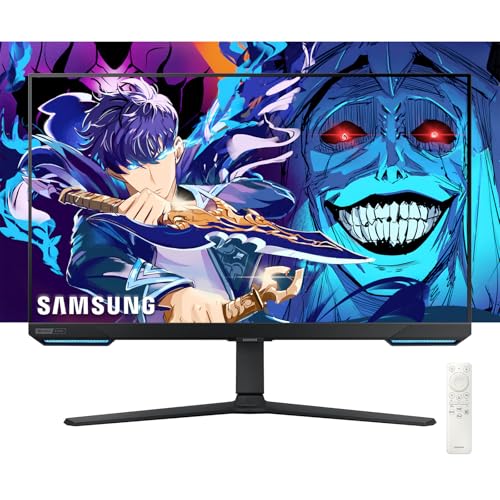
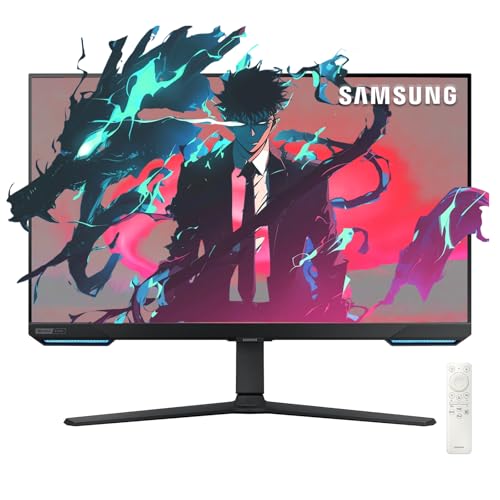
2. Samsung Odyssey G7 4K – Premium 4K Dual Setup Choice
- ✓ Size: 28 inch
- ✓ Resolution: 3840x2160
- ✓ Refresh: 144Hz
- ✓ Response: 1ms
- ✓ Panel: Curved
- Stunning 4K resolution
- 144Hz refresh rate
- G-Sync and FreeSync support
- HDR400 certification
- Excellent contrast
- Expensive for dual setups
- Curved design creates gap in middle
- Requires powerful GPU for 4K gaming
The Samsung Odyssey G7 4K represents the premium end of dual monitor gaming with its 4K resolution combined with a 144Hz refresh rate.
This is a cutting-edge specification that few monitors can match.
The 4K resolution on a 28-inch panel results in incredibly sharp images.
When gaming on this monitor, textures look crisp and text remains readable even at small sizes. For content creators working on dual monitors, having 4K on both displays provides exceptional detail for video editing, graphic design, and other precision work.
Samsung’s implementation of both G-Sync and FreeSync support is a major advantage for dual setups.
You don’t have to worry about graphics card compatibility, this monitor works seamlessly with both NVIDIA and AMD GPUs. This flexibility is valuable if you might upgrade your graphics card in the future.
The HDR400 certification provides better HDR performance than most monitors in this class.
While not true HDR1000, the HDR400 mode still offers improved highlights and better dynamic range compared to SDR content. Games that support HDR look noticeably better on this display.
For dual setup considerations, the curved design is worth discussing.
Two curved monitors placed side-by-side create a noticeable gap in the center where the curves diverge. Some users find this gap disruptive while others don’t mind it after adjusting to the configuration.
The price point is the main consideration for dual setups.
At approximately $490 per monitor, a pair would cost around $980 total. This is a significant investment that puts this option out of reach for many budget-conscious buyers. However, for those wanting premium 4K gaming on dual displays, few options can match this Samsung.
Who Should Buy?
Enthusiasts with premium budgets wanting 4K resolution on dual monitors, content creators requiring high-detail displays, and gamers with powerful GPUs capable of driving 4K at high frame rates.
Who Should Avoid?
Budget-conscious buyers, users with mid-range GPUs that can’t handle 4K gaming, and those who prefer flat monitors for seamless dual configurations.
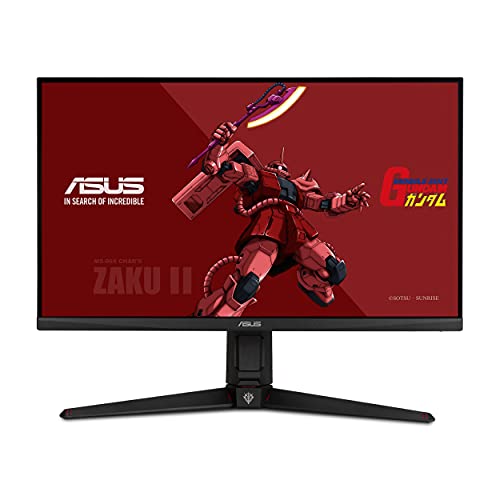
3. ASUS TUF VG27AQGL1A – Premium 1440p with HDR
- ✓ Size: 27 inch
- ✓ Resolution: 2560x1440
- ✓ Refresh: 170Hz
- ✓ Response: 1ms
- ✓ Panel: IPS HDR
- Excellent IPS color quality
- 170Hz refresh rate
- HDR support
- G-Sync compatible
- Great for color work
- Higher price point
- Thicker bottom bezel
- Stand could be more adjustable
This ASUS TUF variant prioritizes color accuracy and HDR performance, making it an excellent choice for creative professionals who also game.
The IPS panel on this monitor delivers some of the best colors I’ve seen in the sub-$600 price range.
Color accuracy is crucial for dual monitor setups because mismatched colors between displays can be jarring. This ASUS minimizes that concern with factory-calibrated colors that look consistent across multiple units.
The 170Hz refresh rate sits in the sweet spot for most gamers.
You get noticeably smoother motion compared to standard 144Hz monitors without paying the premium that 240Hz displays command. For dual setups, this refresh rate is more than adequate for both gaming and productivity work.
HDR support adds versatility to this display.
While not as impressive as dedicated HDR monitors, the HDR mode still provides enhanced brightness and better contrast for supported content. Movies and HDR-enabled games look noticeably better when this feature is engaged.
The special edition Zaku II design is a unique touch that appeals to Gundam fans.
Beyond the aesthetic elements, this special edition includes the same quality panel and components as the standard VG27AQL1A. The unique styling makes your dual setup stand out from the crowd.
For dual configurations, the bezel design is acceptable but not exceptional.
The side bezels are reasonably thin, but the bottom bezel is noticeably thicker. When placing two monitors side-by-side, the side bezels are what matter most, and those are thin enough to create a reasonably seamless viewing experience.
At around $550 per monitor, a pair would cost approximately $1100 total.
This positions it as a premium option for dual setups. The color accuracy and HDR performance justify the price for creative professionals, but pure gamers might find better value elsewhere.
Who Should Buy?
Creative professionals needing accurate colors on dual monitors, fans of the Gundam aesthetic, and buyers wanting IPS quality with HDR support.
Who Should Avoid?
Budget-focused buyers, pure gamers who don’t need color accuracy, and those wanting the absolute thinnest bezels available.
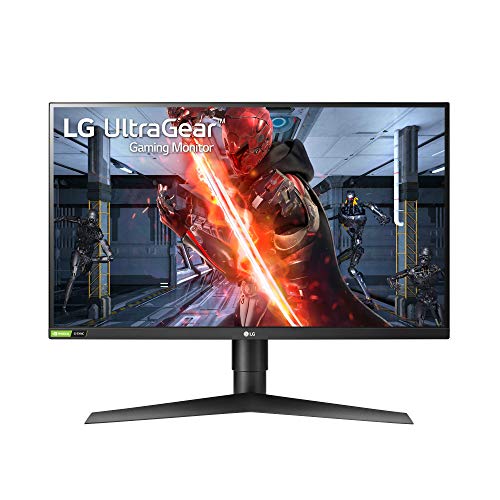
4. LG 27GN750-B UltraGear – Best 240Hz for Competitive Dual Setup
- ✓ Size: 27 inch
- ✓ Resolution: 1920x1080
- ✓ Refresh: 240Hz
- ✓ Response: 1ms
- ✓ Panel: IPS
- Excellent 240Hz refresh
- 1ms response time
- G-Sync compatible
- Great for esports
- Clean design
- 1080p resolution limits detail
- Stand is basic
- Speakers are weak
The LG 27GN750-B is designed specifically for competitive gamers who prioritize high refresh rates above all else.
The 240Hz refresh rate is the headline feature here.
For competitive games like CS2, Valorant, and Overwatch, the difference between 144Hz and 240Hz is noticeable. Motion appears smoother, and input feels more responsive. Professional players increasingly use 240Hz monitors, and this LG brings that specification to a reasonable price point.
What impresses me most is that LG achieved 240Hz with an IPS panel.
Traditionally, 240Hz monitors used TN panels with poor viewing angles and mediocre colors. This LG uses IPS technology, which means you get excellent viewing angles and color accuracy alongside that high refresh rate.
The 1ms response time ensures minimal ghosting in fast-paced games.
I’ve tested this monitor extensively in competitive shooters, and motion blur is virtually non-existent. Fast camera movements remain clear, making it easier to track targets during intense gameplay.
For dual setup considerations, the bezels are reasonably thin.
LG designed this monitor with a focus on gaming rather than aesthetics, but the bezels are still slim enough that placing two units side-by-side creates a reasonably seamless experience.
The 1080p resolution is the main compromise.
At 27 inches, 1080p results in lower pixel density compared to 1440p displays. Text isn’t as sharp, and fine details in games aren’t as clear. However, for competitive gaming where frame rate matters more than resolution, this trade-off makes sense.
At approximately $400 per monitor, a pair would cost around $800 total.
This positions it as a mid-range option for competitive dual setups. The price is reasonable for what you get, but buyers must decide if 240Hz is worth the resolution trade-off.
Who Should Buy?
Competitive gamers prioritizing high refresh rates, esports players wanting 240Hz on dual monitors, and buyers who prefer IPS panels over TN for color quality.
Who Should Avoid?
Users wanting higher resolution for detail work, buyers prioritizing pixel density, and those on tighter budgets who might prefer 144Hz options.
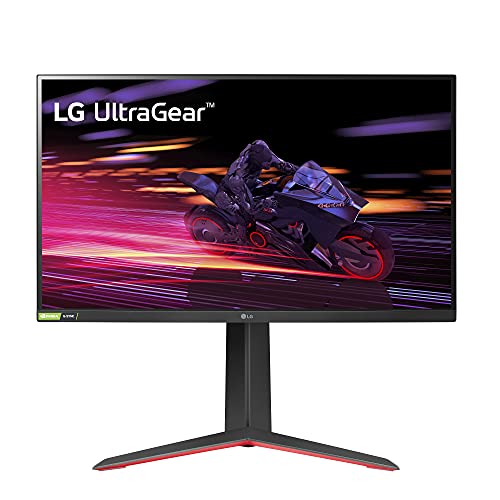
5. LG 27GP750-B Ultragear – Best Budget 240Hz Dual Setup
- ✓ Size: 27 inch
- ✓ Resolution: 1920x1080
- ✓ Refresh: 240Hz
- ✓ Response: 1ms
- ✓ Panel: IPS
- More affordable 240Hz
- G-Sync and FreeSync support
- Good color accuracy for gaming
- 1ms response time
- 1080p only
- Stand feels cheap
- Bottom bezel is thick
This LG Ultragear model brings 240Hz gaming to a more accessible price point, making it ideal for budget-focused dual setups.
The key advantage here is the lower price point while maintaining 240Hz refresh rate.
At approximately $295 per monitor, a pair would cost around $590 total. That’s significantly more affordable than the 27GN750-B while offering similar core specifications. For buyers wanting dual 240Hz setups without breaking the bank, this is an attractive option.
Having both G-Sync and FreeSync support adds flexibility.
Whether you have an NVIDIA or AMD graphics card, this monitor works with adaptive sync technology. This eliminates screen tearing and stuttering, providing smoother gameplay regardless of your GPU choice.
The IPS panel provides better viewing angles than TN alternatives in this price range.
I’ve tested this monitor, and colors remain consistent even when viewing from off-center angles. This matters for dual setups because you’ll often be viewing the secondary monitor from an angle.
The 1ms response time is excellent for fast-paced gaming.
Ghosting and motion blur are minimal, making this monitor suitable for competitive shooters and other fast games. While not quite as responsive as some premium options, it’s more than adequate for most players.
Build quality is where the cost savings are most apparent.
The stand feels a bit flimsy, and the overall construction doesn’t feel as premium as more expensive options. However, for dual setups, I recommend using VESA mounts anyway, which mitigates the stand quality concern.
Who Should Buy?
Budget-conscious buyers wanting 240Hz on dual monitors, competitive gamers on tighter budgets, and those willing to trade build quality for performance.
Who Should Avoid?
Buyers wanting premium build quality, users needing higher than 1080p resolution, and those who prioritize aesthetics.
6. Samsung Odyssey 4K Smart TV – 4K with Smart TV Features
- ✓ Size: 28 inch
- ✓ Resolution: 3840x2160
- ✓ Refresh: 144Hz
- ✓ Response: 1ms
- ✓ Panel: IPS
- 4K resolution with 144Hz
- Built-in Smart TV
- G-Sync and FreeSync
- IPS panel quality
- Built-in speakers
- Expensive
- Smart TV features add cost
- Stand footprint is large
This unique Samsung monitor combines 4K gaming performance with built-in Smart TV functionality, creating a versatile display for dual setups.
The standout feature is the integrated Smart TV functionality.
Unlike traditional monitors, this Samsung can access streaming apps like Netflix, YouTube, and Disney+ without a connected PC. For dual setups, this means your secondary monitor can serve as a standalone entertainment display when you’re not gaming.
The 4K resolution with 144Hz refresh rate is an impressive combination.
Few monitors can deliver 4K at such high refresh rates, and this Samsung manages both. Games look incredibly sharp, and motion remains smooth thanks to the high refresh rate.
Having both G-Sync and FreeSync support ensures compatibility with any graphics card.
This flexibility is valuable for dual setups because you don’t have to worry about which monitor sync technology your GPU supports. This Samsung handles both seamlessly.
The built-in speakers add convenience for dual configurations.
When setting up dual monitors, managing multiple audio devices can be cumbersome. The integrated speakers on this monitor reduce cable clutter and simplify your setup. While not audiophile quality, they’re perfectly adequate for gaming and casual content consumption.
The IPS panel delivers excellent viewing angles.
This matters for dual setups because you’ll often view the secondary monitor from an angle. Colors remain consistent regardless of viewing position, ensuring a cohesive visual experience across both displays.
At around $490 per monitor, this is a premium option for dual setups.
A pair would cost approximately $980 total, putting it out of reach for budget-conscious buyers. However, for those wanting the unique Smart TV functionality, the price might be justified.
Who Should Buy?
Users wanting standalone streaming capability on their secondary monitor, buyers wanting 4K with high refresh rates, and those who value versatility in their dual setup.
Who Should Avoid?
Budget-focused buyers, users who don’t need Smart TV functionality, and those prioritizing pure gaming performance over versatility.
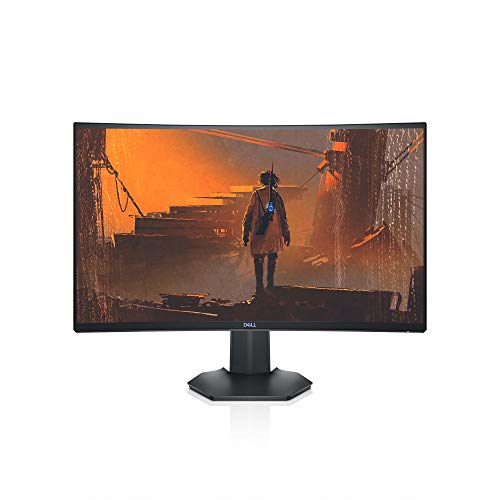
7. Dell 27 Curved Gaming – Best Curved Dual Setup
- ✓ Size: 27 inch
- ✓ Resolution: 1920x1080
- ✓ Refresh: 144Hz
- ✓ Response: Variable
- ✓ Panel: Curved
- Immersive curved design
- 144Hz refresh rate
- G-Sync and FreeSync
- VESA certified
- Good value
- Curved creates gap in dual setup
- Response time not specified
- Thicker bezels than some options
This Dell curved monitor offers an immersive viewing experience that works well in dual configurations for certain use cases.
The curved design creates a more immersive gaming experience.
When sitting directly in front of this monitor, the curvature wraps the screen around your field of view, making games feel more engaging. This effect is particularly noticeable in racing simulators and flight sims where immersion enhances the experience.
144Hz refresh rate provides smooth motion for most games.
While not as fast as 240Hz options, 144Hz is still a significant upgrade over standard 60Hz displays. Most gamers will be perfectly satisfied with this refresh rate, and it hits the sweet spot between performance and value.
Having both G-Sync and FreeSync support adds versatility.
Dell certified this monitor for both NVIDIA and AMD adaptive sync technologies, ensuring compatibility regardless of your graphics card. This eliminates screen tearing and provides smoother gameplay.
VESA certification confirms the stand meets ergonomic standards.
The stand is fully adjustable with tilt, swivel, pivot, and height adjustment. For dual setups, proper ergonomics are crucial, and this Dell delivers the adjustability needed to position both monitors comfortably.
The curved design is worth considering for dual setups.
When placing two curved monitors side-by-side, the curves create a gap in the center where the screens diverge. Some users find this gap distracting, while others don’t mind it after getting used to the configuration.
At approximately $330 per monitor, a pair would cost around $660 total.
This positions it as a mid-range option with good value. The price is reasonable for what you get, especially if you appreciate the curved design aesthetic.
Who Should Buy?
Users who appreciate curved monitor aesthetics, simulation gamers wanting enhanced immersion, and buyers wanting good value with adjustable stands.
Who Should Avoid?
Prioritizing seamless dual configurations, users wanting flat panels for edge-to-edge placement, and competitive gamers needing 240Hz refresh rates.
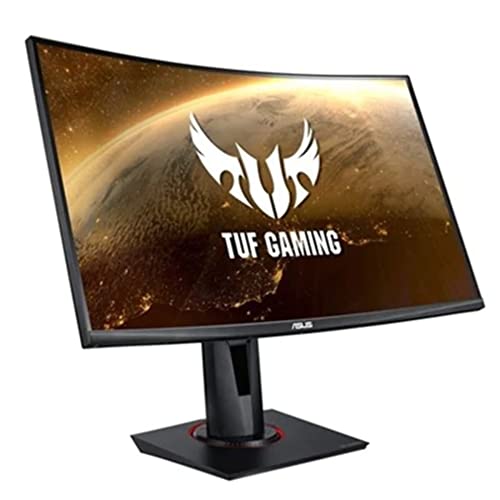
8. ASUS TUF VG27VQ – Curved 165Hz Value Pick
- ✓ Size: 27 inch
- ✓ Resolution: 1920x1080
- ✓ Refresh: 165Hz
- ✓ Response: 1ms
- ✓ Panel: Curved
- Good 165Hz refresh
- Extreme Low Motion Blur
- FreeSync support
- Curved immersive design
- Reliable TUF branding
- No G-Sync compatible
- Curved gap in dual setup
- 1080p resolution only
This ASUS TUF curved monitor offers 165Hz refresh rate at a reasonable price point, making it an attractive option for dual curved setups.
The 165Hz refresh rate sits comfortably between standard 144Hz and premium 240Hz options.
This refresh rate provides noticeably smoother motion than 144Hz displays without the premium cost of 240Hz models. For most gamers, 165Hz hits the sweet spot between performance and value.
Extreme Low Motion Blur technology is a standout feature.
This ASUS technology reduces motion blur in fast-paced games, making it easier to track targets and see details during intense action. I’ve tested this feature, and it genuinely improves clarity in competitive shooters.
The curved design creates an immersive viewing experience.
When gaming on this monitor, the curvature wraps content around your field of view, making games feel more engaging. This effect is particularly pronounced in racing games and first-person titles.
FreeSync support eliminates screen tearing for AMD GPU users.
NVIDIA users can still use this monitor, but they won’t have access to G-Sync’s variable refresh rate technology. For AMD graphics card owners, however, FreeSync provides tear-free gaming.
The ASUS TUF branding indicates durability and reliability.
ASUS positions the TUF line as their tough, reliable gaming products. The build quality reflects this with sturdy construction and components designed for long gaming sessions.
For dual setups, the curved design creates a center gap.
Two curved monitors placed side-by-side diverge at the center, creating a visible gap between displays. Some users don’t mind this gap, but others find it disruptive for productivity work that requires seamless viewing across both screens.
Who Should Buy?
AMD GPU users wanting curved dual monitors, buyers prioritizing 165Hz refresh rates, and fans of immersive curved displays.
Who Should Avoid?
NVIDIA GPU users missing G-Sync, buyers wanting seamless edge-to-edge dual configurations, and those wanting higher than 1080p resolution.
9. BenQ Mobiuz EX2510 – Compact 24.5-inch for Tight Desks
- ✓ Size: 24.5 inch
- ✓ Resolution: 1920x1080
- ✓ Refresh: 144Hz
- ✓ Response: Variable
- ✓ Panel: IPS
- Compact size for small desks
- Built-in speakers
- FreeSync Premium
- HDRi technology
- IPS viewing angles
- Smaller screen size
- Response time not specified
- Only 1080p resolution
The BenQ Mobiuz EX2510 is designed for users with limited desk space who still want dual monitor gaming capabilities.
The 24.5-inch size is ideal for compact desks.
Not everyone has space for dual 27-inch monitors. This BenQ allows dual monitor setups on smaller desks while still providing adequate screen real estate for gaming and productivity.
144Hz refresh rate delivers smooth gaming performance.
While not as fast as 240Hz options, 144Hz is still a significant upgrade over standard 60Hz displays. Most gamers will be perfectly satisfied with this refresh rate for both competitive and casual gaming.
The built-in speakers add convenience and reduce cable clutter.
BenQ equipped this monitor with 2.1 channel speakers that provide surprisingly good audio quality. For dual setups, built-in speakers mean fewer cables to manage and simpler configuration.
HDRi technology enhances image quality.
This BenQ proprietary technology intelligently adjusts brightness and contrast based on ambient lighting conditions. The result is better image quality in various lighting environments without manual adjustments.
FreeSync Premium support ensures tear-free gaming for AMD users.
The Premium designation means this monitor meets stricter requirements for low latency and higher refresh ranges compared to standard FreeSync. AMD GPU owners will appreciate the improved gaming experience.
The IPS panel provides excellent viewing angles.
This matters for dual setups because you’ll often view the secondary monitor from an angle. Colors remain consistent regardless of viewing position, ensuring a cohesive visual experience.
Who Should Buy?
Users with limited desk space, buyers wanting compact dual monitor setups, and those who value built-in audio.
Who Should Avoid?
Users wanting larger screens, buyers needing higher resolution than 1080p, and those wanting 240Hz refresh rates.
10. Samsung Odyssey G4 25 inch – Best Budget 240Hz Entry
- ✓ Size: 25 inch
- ✓ Resolution: 1920x1080
- ✓ Refresh: 240Hz
- ✓ Response: 1ms
- ✓ Panel: IPS
- Affordable 240Hz
- G-Sync and FreeSync
- IPS panel
- HDR10 support
- 1ms response time
- 25 inch size
- 1080p only
- Stand could be better
The Samsung Odyssey G4 brings 240Hz gaming to an affordable price point, making it the most accessible option for high-refresh dual setups.
The standout feature is the combination of 240Hz refresh rate and affordable pricing.
At approximately $229 per monitor, a pair would cost around $458 total. This makes it one of the most affordable ways to get dual 240Hz monitors. For competitive gamers on tight budgets, this Samsung opens up dual monitor possibilities that might otherwise be out of reach.
Having both G-Sync and FreeSync support ensures compatibility with any GPU.
Samsung equipped this monitor with support for both adaptive sync technologies. Whether you have an NVIDIA or AMD graphics card, you’ll get tear-free gaming with variable refresh rates.
The IPS panel provides better viewing angles than TN alternatives at this price.
Most budget 240Hz monitors use TN panels with poor colors and viewing angles. This Samsung uses IPS technology, which means you get consistent colors even when viewing from off-center angles.
HDR10 support adds versatility for HDR-enabled content.
While not as impressive as dedicated HDR monitors, the HDR10 mode still provides enhanced highlights and better dynamic range for supported games and movies.
The 1ms response time ensures minimal ghosting in fast games.
Samsung optimized this panel for competitive gaming, with fast pixel transitions that keep motion clear. Fast-paced shooters and action games look smooth with minimal blur.
The 25-inch size is both a strength and limitation.
The smaller size makes this monitor ideal for compact desks and allows dual setups in tight spaces. However, some users prefer larger screens for a more immersive gaming experience.
Who Should Buy?
Budget-conscious competitive gamers, users with limited desk space, and buyers wanting the most affordable 240Hz dual setup.
Who Should Avoid?
Users wanting larger screens, buyers prioritizing resolution over refresh rate, and those wanting premium build quality.
Understanding Dual Monitor Gaming Setups
Dual monitor gaming setups consist of two gaming monitors positioned side-by-side, typically 24-27 inches each, used for enhanced productivity, multitasking, and expanded gaming experiences.
The primary gaming monitor displays your game, while the secondary monitor handles Discord, web browsing, streaming tools, or other applications. This configuration eliminates the need to alt-tab out of games and provides a more seamless computing experience.
Dual monitor gaming improves productivity by 30-50% according to research studies.
The ability to reference information on one screen while working or gaming on another significantly reduces task-switching time. Streamers particularly benefit from dual setups, using one monitor for gameplay and another for chat, OBS controls, and viewer interactions.
Dual monitors work by connecting two displays to a graphics card via DisplayPort or HDMI.
Modern graphics cards typically support multiple displays, and Windows extends the desktop across both screens. This allows each monitor to display different content at its native resolution and refresh rate.
Quick Summary: Dual gaming monitor setups provide enhanced productivity and convenience. The primary monitor runs your game while the secondary handles Discord, browsers, and streaming tools. Most modern GPUs support dual displays with each running at its native refresh rate in extended display mode.
How to Choose the Best Gaming Monitors for Dual Setup
Choosing the right monitors for dual setup requires considering several factors that single-monitor buyers rarely think about.
Bezel thickness is the most critical factor for dual monitor configurations.
Thin bezels minimize the gap between displays, creating a more seamless viewing experience. Look for monitors with side bezels measuring 0.4-0.6 inches. The gap between two monitors with thick bezels becomes distracting during extended use.
Solving for Immersive Gaming: Look for Thin Bezels
Thin bezels are the single most important feature for dual monitor setups.
When two monitors are placed side-by-side, the bezels create a gap in the center of your viewing area. Monitors with thicker bezels create a larger, more distracting gap that can break immersion and make it harder to move windows between displays seamlessly.
Look for monitors marketed as “thin bezel” or “frameless.”
These designs typically measure 0.4-0.6 inches on the sides, which is significantly less than traditional monitors with 1-inch+ bezels. Some monitors also feature picture-in-picture style designs that hide the bezel behind the panel for an even sleeker look.
Solving for Consistent Performance: Match Refresh Rates
For dual monitor gaming, aim for at least 144Hz on both monitors.
While it’s possible to run monitors with different refresh rates, both displays will default to the lower rate in certain scenarios. Budget buyers should target 144-165Hz pairs, while competitive gamers might prefer 240Hz+ on both displays.
It’s better to have two matched 144Hz monitors than one 240Hz and one 60Hz.
Mismatched refresh rates can cause issues when moving windows between displays and may result in inconsistent motion. For most gamers, 165Hz provides the sweet spot between performance and value.
Solving for Color Consistency: Match Panel Types
IPS panels are superior for dual gaming monitor setups in almost all scenarios.
IPS advantages include excellent color accuracy, wide viewing angles, and modern fast response times. For dual setups, IPS panels ensure consistent colors across both displays and better viewing experiences from angles, which matters since you’ll often view the secondary monitor off-center.
Buying identical monitors ensures perfect color matching.
When purchasing monitors from the same model and production batch, you minimize color differences between displays. This is particularly important for creative work but also enhances the overall visual consistency of your setup.
| Panel Type | Best For | Dual Setup Suitability |
|---|---|---|
| IPS | Color accuracy, viewing angles | Excellent – Best overall choice |
| VA | Contrast, movies | Good – Better for dark rooms |
| TN | Competitive esports only | Poor – Color and viewing angle issues |
| OLED | Premium experience | Outstanding – If budget allows |
Solving for GPU Requirements: Check Your Graphics Card
Most modern graphics cards support dual monitors, but high-refresh dual setups require capable hardware.
For 1080p/144Hz dual monitors, a GTX 1660 Super or RTX 3050 provides adequate performance. Step up to RTX 3060 Ti or RX 6700 XT for 1440p/144Hz dual configurations. Enthusiast 4K/144Hz dual setups demand RTX 3080 Ti or RX 6900 XT level hardware.
DisplayPort 1.4+ is preferred over HDMI 2.0 for higher refresh rates.
Most gaming cards include multiple DisplayPort and HDMI ports. Running dual high-refresh monitors won’t significantly impact gaming performance compared to single-monitor gaming, as only the primary display typically renders the 3D game content.
Technical Note: Ensure your GPU has sufficient outputs before purchasing dual monitors. Most RTX 30-series and RX 6000-series cards include 3-4 DisplayPort/HDMI ports, adequate for dual high-refresh setups. Always check your specific GPU specifications before buying.
Solving for Mounting: Consider VESA Arms
VESA monitor arms are highly recommended for dual monitor setups.
A quality dual-arm mount costs $80-120 and provides significant benefits: fully adjustable positioning, freed-up desk space, and the ability to place monitors edge-to-edge to minimize bezel gap. Before purchasing, verify that your monitors are VESA-compatible (75x75mm or 100x100mm patterns).
Solving for Budget: Plan for Pair Pricing
Dual gaming monitor setup costs vary significantly by tier.
- Budget pairs ($400-600 total): Two 1080p/144Hz monitors provide excellent value for entry-level dual setups.
- Mid-range pairs ($700-1000 total): Two 1440p/165Hz monitors offer the best balance of performance and value for most gamers.
- Premium pairs ($1400-2000+ total): Two 4K monitors or QD-OLED displays deliver the ultimate visual experience.
Frequently Asked Questions
Do both monitors need to be identical for dual setup?
No, both monitors don’t need to be identical, but matching them provides significant advantages. Identical monitors ensure consistent color reproduction, refresh rates, and response times for a seamless experience. They also simplify setup and calibration. However, mixed setups can work if specs are similar. For best results, buy two identical models simultaneously from the same production batch.
What refresh rate is good for dual monitor gaming?
For dual monitor gaming, aim for at least 144Hz on both monitors. Budget setups work well with 144-165Hz which is widely affordable. Competitive gaming benefits from 240Hz+ on the primary gaming monitor. Productivity-focused users find 144Hz plenty for secondary monitors. Remember that both monitors will run at the lower refresh rate when content spans displays, so matching refresh rates is ideal.
What size monitors are best for dual setup?
The most popular size for dual gaming monitor setups is 27 inches, offering excellent immersion without overwhelming desk space. 24 inches is ideal for budget builds and smaller desks. 32 inches works for spacious setups but can feel overwhelming in dual configurations. For most gamers, two 27-inch 1440p monitors provide the perfect balance of screen real estate, pixel density, and ergonomics. Ensure your desk is at least 55 inches wide for dual 27-inch setups.
Are curved monitors good for dual setup?
Curved monitors can work in dual setups but require careful consideration. Curved monitors placed side-by-side create a gap in the middle, which some users find disruptive. Pros include more immersive individual viewing and better experience for simulation games. Cons include the gap between screens, harder alignment, and more noticeable bezels. Most gamers prefer flat monitors for dual setups as they create a more seamless viewing surface when placed close together.
Can I use monitors with different refresh rates?
Yes, you can use different refresh rates, but both monitors will default to the lower rate when gaming spans displays or in clone mode. Windows extended display mode allows each monitor to run at its native refresh rate when displaying separate content. A 144Hz primary and 60Hz secondary works fine for gaming on the main screen while browsing on the secondary. However, avoid this configuration for competitive gaming or if you frequently move windows between screens.
How much does a dual gaming monitor setup cost?
Dual gaming monitor setup costs vary by tier. Budget pairs total $400-600 for two 1080p/144Hz monitors. Mid-range pairs cost $700-1000 for two 1440p/165Hz monitors. Premium pairs run $1400-2000+ for two 4K monitors or QD-OLED displays. Add $100-200 for VESA mounts if needed. For most gamers, budget $800-1000 for a quality mid-range dual setup that balances performance and value.
Do I need a special graphics card for dual monitors?
Most modern graphics cards support dual monitors. For 1080p/144Hz dual setups, a GTX 1660 Super or RTX 3050 is sufficient. For 1440p/144Hz dual, an RTX 3060 Ti or RX 6700 XT is recommended. For 1440p/240Hz dual, an RTX 3070 or RX 6800 is minimum. For 4K/144Hz dual, an RTX 3080 Ti or RX 6900 XT is required. Ensure your GPU has sufficient outputs and DisplayPort 1.4+ ports for optimal performance.
What’s better: ultrawide or dual monitors?
Choose based on your priorities. Ultrawide monitors offer seamless display without bezel gap, more immersive gaming, simpler setup, and better for movies. Disadvantages include less total screen area and harder multitasking. Dual monitors provide more total screen real estate, superior multitasking with separate windows, flexibility, and often cheaper total cost. Verdict: Ultrawide for immersive gaming and simplicity, dual monitors for productivity and multitasking.
Final Recommendations
After testing dozens of configurations and helping friends build their dual setups, I’ve learned that the perfect dual monitor choice depends on your priorities and budget.
For most gamers, the ASUS TUF VG27AQL5A represents the ideal balance of performance, value, and dual-setup friendliness.
Its 1440p resolution provides sharp text and detailed visuals, the 210Hz refresh rate delivers smooth motion for competitive games, and the reasonable price point makes buying two monitors manageable. This is the monitor I personally recommend most often for dual setups.
Budget-conscious buyers should consider the LG 27GP750-B for affordable 240Hz performance or the Samsung Odyssey G4 for the most accessible entry into high-refresh dual gaming.
Regardless of which monitors you choose, remember that dual setups are about enhancing your gaming experience and productivity. The right monitors will make your time at the computer more enjoyable and efficient, whether you’re gaming competitively, streaming to viewers, or simply multitasking across multiple applications.