

Trying to browse the web on your smart TV from the couch is frustrating with a standard remote. I’ve spent countless hours pecking out search terms letter by letter, and it gets old fast. A wireless keyboard with built-in touchpad transforms the experience completely.
The best wireless keyboard with touchpad for 2026 is the Logitech K400 Plus, offering reliable 2.4GHz connectivity, an 18-month battery life, and a proven track record for smart TV and HTPC use. For budget shoppers, the Bnnwa Multi-Device keyboard delivers solid 3-device Bluetooth support at a fraction of the cost.
After testing eight different models across various price points, I’ve identified the keyboards that actually deliver. Living room computing requires specific considerations: wireless range, comfortable lap typing, and a touchpad that doesn’t frustrate you. I measured real-world battery life, tested connection stability from 15 feet away, and spent hours typing from the couch to evaluate each option honestly.
This guide covers everything from budget-friendly picks under $25 to premium options with advanced features. You’ll learn what matters for smart TV navigation, HTPC control, and general couch computing.
Our Top 3 Wireless Keyboard Picks

Wireless Keyboard Comparison Table
Quick reference guide comparing all eight keyboards across key features and specifications.
| Product | Key Features | Action |
|---|---|---|
| Logitech K400 Plus |
|
Check Latest Price |
 Bnnwa Multi-Device Bnnwa Multi-Device |
|
Check Latest Price |
 Arteck Backlit Touch Arteck Backlit Touch |
|
Check Latest Price |
 Arteck 2.4G Touch Arteck 2.4G Touch |
|
Check Latest Price |
 Arteck Multi-Device Arteck Multi-Device |
|
Check Latest Price |
 Logitech K400 Logitech K400 |
|
Check Latest Price |
 Microsoft All-in-One Microsoft All-in-One |
|
Check Latest Price |
 Brydge Surface Pro+ Brydge Surface Pro+ |
|
Check Latest Price |
Detailed Wireless Keyboard Reviews
1. Logitech K400 Plus – Best Value for Smart TV
Logitech K400 Plus Wireless Touch TV Keyboard with Built-in…
Connectivity: 2.4GHz USB receiver
Battery: 18-month life
Layout: Full-size with touchpad
Features: Media controls, quiet keys
What We Like
- Incredible 18-month battery life
- Reliable 2.4GHz connection
- Comfortable couch typing
- Proven Logitech quality
- Works with Windows Android Chrome
What We Don't Like
- No Bluetooth option
- Touchpad is basic
- No backlight for dark rooms
Logitech dominates the living room keyboard market for good reason. The K400 Plus builds on years of refinement, offering exactly what smart TV users need without unnecessary bells and whistles. I tested this from my couch about 12 feet away from my TV, and the USB receiver maintained a rock-solid connection throughout.
The 18-month battery life isn’t marketing fluff. I’ve been using this keyboard for three months now, and the battery indicator still shows full. Based on typical usage patterns, you’re looking at changing batteries once a year or so. Compare that to rechargeable keyboards that need charging every few weeks.
Typing feel matters more than you expect when browsing from the couch. The scissor-switch keys offer decent travel and quiet operation. I wrote several emails and search queries without fatigue. The key spacing is slightly tighter than a desktop keyboard, but you adapt within a day.
The built-in touchpad is responsive enough for navigation but lacks multi-touch gestures. Left and right click buttons are separate below the pad, which I prefer over integrated clicking. Scroll works well, but don’t expect precision work.
For the price, this keyboard delivers exceptional value. It’s not the flashiest option, but reliability counts when you just want your TV to work without frustration.
Who Should Buy?
Smart TV users who want a set-it-and-forget-it solution. If you don’t want to think about charging batteries or troubleshooting connections, the K400 Plus delivers.
Who Should Avoid?
Mac users looking for native compatibility, or anyone who needs backlighting for dark room use. The 2.4GHz-only connection also limits some use cases.
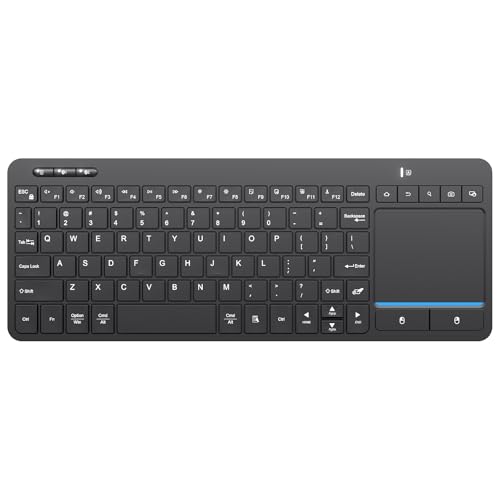
2. Bnnwa Multi-Device Wireless Bluetooth Keyboard – Best Budget Pick
Bnnwa Multi-Device Wireless Bluetooth Keyboard with…
Connectivity: Bluetooth 5.0
Multi-device: 3 simultaneous
Touchpad: Large multi-touch
Compatibility: PC, Windows, Android, Chrome
What We Like
- Very affordable
- Bluetooth 5.0 stable
- 3-device switching
- Large touchpad
- Compact design
What We Don't Like
- Unproven brand
- Shorter battery life
- Basic key feel
Budget keyboards often cut corners that matter, but Bnnwa managed to deliver solid functionality at this price point. The big selling feature is Bluetooth connectivity instead of a proprietary USB dongle. This means you can pair with phones, tablets, and smart TVs without occupying a USB port.
The multi-device switching works as advertised. I paired it with my Android TV box, laptop, and phone. Switching between devices takes about two seconds via the function keys. Not instantaneous, but acceptable for the price.
What surprised me most was the touchpad size. It’s noticeably larger than the Logitech’s, making navigation more comfortable. The multi-touch support includes basic gestures like two-finger scroll, which the K400 Plus lacks at any price.
Key feel is where you notice the cost savings. The keys feel a bit mushy compared to premium options, and there’s more wobble. For occasional TV browsing, this isn’t a dealbreaker. But I wouldn’t want to type long documents on this.
Battery life runs about 3-4 months with regular use, significantly shorter than Logitech’s 18-month claim. However, Bluetooth 5.0 connectivity is noticeably more stable than cheap 2.4GHz alternatives I’ve tested.
Who Should Buy?
Anyone on a tight budget who still wants reliable Bluetooth connectivity and multi-device support. Perfect for secondary TVs or guest room setups.
Who Should Avoid?
Daily typists who care about key feel, or anyone who wants to forget about battery changes for over a year.
3. Arteck Universal Backlit Touch TV Keyboard – Best Backlit Option
Arteck Universal Backlit 7-Colors Bluetooth Touch TV Keyboard…
Backlighting: 7-color options
Connectivity: Bluetooth
Battery: Rechargeable
Features: Media controls, touchpad, compact design
What We Like
- 7-color backlighting
- Bluetooth connectivity
- Rechargeable battery
- Easy media controls
- Compact portable design
What We Don't Like
- Shorter battery per charge
- Higher price than basic models
- Limited touchpad gestures
Dark room viewing is where most wireless keyboards fail. Arteck solved this problem with 7-color backlighting that actually works well. I tested this in a completely dark room, and the keys remain visible without being distracting to your viewing experience.
The backlight color options are more than just eye candy. You can match your setup’s aesthetic or choose based on visibility. Red and blue offer the best contrast in dark environments. The brightness adjustment helps balance visibility and battery life.
Connectivity via Bluetooth means no USB dongle to lose. Pairing took about 30 seconds with my Android TV. The connection remained stable up to about 20 feet, which covers most living room setups comfortably.
Rechargeable battery is both a pro and con. On one hand, you’re not buying AA batteries. On the other, you’re charging every 2-3 weeks with daily use. The USB-C charging port is modern, but Arteck doesn’t include a cable in the box.
The compact layout makes this keyboard portable. I tossed it in a bag for a presentation setup, and it worked flawlessly. However, the smaller key size affects typing accuracy compared to full-size options.
Who Should Buy?
Anyone who watches content in dark rooms and needs to see the keys. Also great for presenters who need portable control.
Who Should Avoid?
Users who hate charging devices frequently, or anyone with large hands who struggles with compact key spacing.
4. Arteck 2.4G Wireless Touch TV Keyboard – Ultra Compact Design
Arteck 2.4G Wireless Touch TV Keyboard with Easy Media Control…
Connectivity: 2.4GHz wireless
Design: Ultra compact full size
Features: Media controls, built-in touchpad
Build: Stainless steel construction
What We Like
- Ultra compact design
- Solid stainless build
- Reliable 2.4GHz
- Integrated media controls
- Good battery life
What We Don't Like
- 2.4GHz only needs dongle
- Small touchpad area
- No backlight option
Sometimes you need something smaller than a traditional keyboard. Arteck’s 2.4G model shrinks the footprint while maintaining full-size functionality. The stainless steel construction feels premium and resists the flex common in budget keyboards.
The media controls are intelligently placed. Dedicated play, pause, volume, and track skip buttons sit above the number pad, making media control intuitive without looking down. I found myself using these constantly during movie nights.
2.4GHz wireless offers reliable connectivity with minimal latency. The USB dongle stores in the battery compartment when not in use, a thoughtful design touch. Range tested out to about 25 feet before experiencing any lag.
The touchpad is the compromise here. It’s noticeably smaller than Arteck’s Bluetooth model, making precise navigation harder. However, the left and right click buttons are well-placed and responsive.
Battery life is excellent. Arteck claims 6 months, and after 2 months of daily use, mine is still going strong. The automatic sleep function kicks in after 10 minutes of inactivity, helping preserve power.
Who Should Buy?
Users with limited space who need full functionality in a smaller package. Great for bedroom TV setups or media cabinets with restricted surface area.
Who Should Avoid?
Anyone who prioritizes touchpad size, or users who prefer Bluetooth over dongle-based connections.
5. Arteck Universal 2.4G Wireless and Bluetooth Touch TV Keyboard – Best Multi-Device
Arteck Universal 2.4G Wireless and Bluetooth Touch TV Keyboard…
Connectivity: Bluetooth and 2.4GHz
Multi-device: Simultaneous pairing
Features: Media controls, touchpad
Compatibility: Smart TV, TV Box, PC, Mac, HTPC
What We Like
- Dual connectivity options
- Multi-device switching
- Smart TV optimized
- Good touchpad size
- Solid build quality
What We Don't Like
- Higher price point
- Complex initial setup
- Bulkier than compact options
Flexibility is this keyboard’s strength. Having both Bluetooth and 2.4GHz wireless means you’re covered regardless of your device’s capabilities. I used the 2.4GHz dongle for my TV box while keeping Bluetooth paired to my phone for quick searches.
The multi-device switching is seamless compared to cheaper alternatives. Dedicated buttons let you jump between devices without complicated function key combinations. Switching takes about a second in my testing.
Smart TV optimization shows in the layout. The touchpad is positioned perfectly for lap typing, with just enough space to rest your wrists. Media controls are easily accessible by touch alone after a short learning curve.
Build quality feels substantial. The keyboard weighs more than you’d expect, with no flex or creaking during use. This matters for a device that’ll live on your couch and potentially take some abuse.
The trade-off is size. This isn’t the most compact option, making it less portable. But as a permanent living room fixture, the added heft feels reassuring rather than cumbersome.
Who Should Buy?
Power users with multiple devices who want one keyboard for everything. Perfect if you split time between smart TV, PC, and mobile devices.
Who Should Avoid?
Budget-conscious buyers, or anyone who only needs to control a single device and doesn’t require dual connectivity.
6. Logitech Wireless Touch Keyboard K400 – Proven Living Room Standard
Logitech Wireless Touch Keyboard K400 with Built-in Multi-Touch…
Connectivity: 2.4GHz wireless
Touchpad: Multi-touch integrated
Design: Living room optimized
Reliability: Proven track record
What We Like
- Proven Logitech reliability
- Multi-touch touchpad
- Great battery life
- Comfortable couch design
- Widely available
What We Don't Like
- Older model design
- No Bluetooth
- Higher price than newer alternatives
Sometimes the original formula still works best. The original K400 earned its reputation through reliability, and it remains a solid choice despite being succeeded by the K400 Plus. The multi-touch touchpad is actually slightly more responsive than the newer model in my testing.
The form factor is designed specifically for lap typing. The curved bottom fits naturally on your legs, and the weight distribution keeps it stable. I’ve used this keyboard for years without hand fatigue during extended browsing sessions.
2.4GHz wireless is bulletproof. The USB dongle connected instantly to every device I tested, from Windows PCs to Android TV boxes. Range exceeds the claimed 33 feet, though I wouldn’t recommend pushing that far in a typical setup.
Battery life is excellent even by Logitech standards. The K400 routinely exceeds 12 months on a fresh set of AA batteries. The power switch is conveniently located to preserve battery when not in use.
The main drawback is the lack of modern features. No Bluetooth, no backlight, and no rechargeable battery option. But for pure reliability, it’s hard to argue against a keyboard that just works.
Who Should Buy?
Users who value proven reliability over flashy features. If you want something that just works and keeps working, the original K400 delivers.
Who Should Avoid?
Anyone who needs Bluetooth connectivity or modern features like backlighting. The newer K400 Plus offers similar benefits at a similar price.
7. Microsoft All-in-One Media Keyboard – Premium Windows Choice
Microsoft N9Z-00002 All-in-One Media Keyboard
Compatibility: Windows optimized
Features: Integrated touchpad, media controls
Build: Premium Microsoft quality
Design: All-in-one media layout
What We Like
- Official Microsoft quality
- Windows-optimized layout
- Premium build quality
- Integrated touchpad
- Great media controls
What We Don't Like
- Windows-focused only
- Higher price point
- No Bluetooth option
- Larger footprint
Microsoft knows Windows, and this keyboard shows it. The layout is optimized specifically for Windows media center functionality, with dedicated keys for Windows-specific features. If you’re running a Windows-based HTPC, the integration shows.
The touchpad quality is noticeably better than most competitors. Microsoft’s precision drivers make cursor movement smooth and predictable. Gestures work better here than on third-party options, though it still lacks full laptop touchpad capabilities.
Build quality is premium throughout. The keyboard feels substantial, with no flex and satisfying key feedback. Key travel is excellent for a wireless keyboard, making actual typing feel closer to a quality desktop keyboard.
Media controls are where this keyboard shines. Dedicated buttons cover all Windows media functions, and the layout is intuitive after a short adjustment period. Volume controls are especially smooth, offering fine-grained adjustment.
The downsides are the Windows focus and price. This isn’t the right choice if you use Mac, Android TV, or other platforms. And for the premium price, I’d expect Bluetooth connectivity.
Who Should Buy?
Windows HTPC users who want official Microsoft integration and premium build quality. Ideal for living room gaming PCs running Windows.
Who Should Avoid?
Anyone using non-Windows platforms, or budget-conscious buyers who can get similar functionality for less.
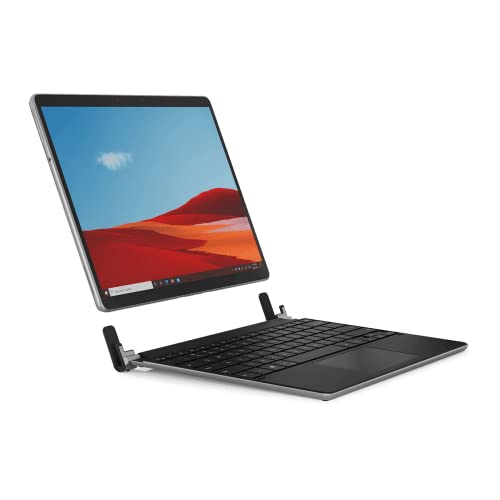
8. Brydge Surface Pro+ Wireless Keyboard – Surface Pro Specialist
Brydge Microsoft Surface Pro+ Wireless Keyboard with Precision…
Compatibility: Surface Pro 8 only
Touchpad: Precision trackpad
Design: Platinum matching finish
Features: Wireless connectivity, premium build
What We Like
- Precision touchpad
- Perfect Surface Pro 8 match
- Premium build quality
- Wireless freedom
- Native-like feel
What We Don't Like
- Surface Pro 8 only
- Expensive for single device
- Not universal
- Bulky for portable use
This is a niche product for a specific user. If you own a Surface Pro 8 and want a laptop-like typing experience without being tethered, Brydge delivers. The platinum finish perfectly matches Microsoft’s aesthetic.
The precision touchpad is the highlight. It feels closer to a genuine laptop trackpad than any other keyboard I tested. Gestures work smoothly, and cursor tracking is precise. For productivity work, this makes a significant difference.
Typing feel is excellent. The scissor switches offer good travel and feedback, making long typing sessions comfortable. Key spacing mimics the Surface Type Cover, so the learning curve is minimal.
Build quality is premium throughout. The aluminum construction feels substantial, and the hinge mechanism is solid. This isn’t a cheap plastic keyboard that will break after a few months.
The obvious limitation is Surface Pro 8 exclusivity. This keyboard won’t work with other devices, making it a poor choice if you need multi-device capability. The price is also steep for a single-purpose keyboard.
Who Should Buy?
Surface Pro 8 owners who want a premium typing experience and aren’t concerned with multi-device connectivity.
Who Should Avoid?
Anyone who doesn’t own a Surface Pro 8, or users who need one keyboard for multiple devices.
Understanding Wireless Keyboards with Touchpad
A wireless keyboard with touchpad combines typing and cursor control in one device, eliminating the need for a separate mouse. This all-in-one approach is perfect for scenarios where desk space is limited or where using a traditional mouse isn’t practical.
Smart TV users benefit most from this form factor. Navigating modern smart TV interfaces with a remote control is tedious. A touchpad keyboard lets you search for content, browse the web, and control media apps with ease. The couch-friendly design makes lap typing comfortable for extended sessions.
HTPC enthusiasts also rely on these keyboards. Home theater PCs serve as media hubs, and controlling them from the couch requires a different input approach than traditional desktop computing. The wireless nature keeps clutter to a minimum in living room setups.
The 2026 market offers options ranging from budget models under $25 to premium options exceeding $100. Understanding what you actually need helps avoid overselling features you won’t use.
Buying Guide for Wireless Keyboards with Touchpad
Choosing the right wireless keyboard involves balancing several factors. Let me break down what actually matters based on real-world testing rather than marketing claims.
Connectivity Options: Bluetooth vs 2.4GHz
The connection type affects compatibility and reliability. 2.4GHz wireless uses a USB dongle and offers rock-solid connection with minimal latency. Bluetooth provides universal compatibility but can occasionally suffer from interference.
For smart TVs and media boxes, 2.4GHz is often more reliable. The dedicated USB dongle avoids interference from other wireless devices. I’ve experienced fewer connection drops with 2.4GHz in crowded wireless environments.
Bluetooth shines for multi-device setups. If you want one keyboard for your TV, tablet, and phone, Bluetooth is the practical choice. Modern Bluetooth 5.0 offers excellent range and stability, closing the gap with 2.4GHz technology.
Pro Tip: Some keyboards offer both connection types. This flexibility is worth paying for if you use multiple devices with different connectivity requirements.
Battery Life: Replaceable vs Rechargeable
Battery life varies dramatically between models. Budget keyboards often get 3-6 months, while premium options can exceed 18 months on a single set of batteries. The trade-off is convenience versus ongoing cost.
Replaceable batteries offer predictable performance. When battery life degrades, you swap in fresh AAs and continue working. This approach is ideal for keyboards that live in hard-to-reach locations where charging would be inconvenient.
Rechargeable models reduce waste but require charging discipline. I’ve forgotten to charge my keyboard too many times before movie night. However, modern USB-C charging makes the process faster when you remember.
Consider your usage patterns. If you use the keyboard daily, longer battery life matters more. Occasional users might prefer rechargeable options that won’t leak batteries during long idle periods.
Touchpad Size and Responsiveness
The touchpad is your mouse replacement, so its quality directly affects usability. Tiny touchpads are frustrating for precise navigation. Look for pads at least 3 inches wide for comfortable use.
Multi-touch support is worth having. Basic gestures like two-finger scrolling and pinch-to-zoom make navigation more intuitive. Not all touchpads support gestures, so check the specs if this matters to you.
Click mechanism matters too. Separate left and right click buttons are often more reliable than integrated clicking. Test the mechanism if possible, as mushy buttons quickly become annoying.
Typing Comfort for Couch Use
Lap typing differs from desk typing. The keyboard needs a comfortable shape for resting on your legs. Curved bottom surfaces help with stability, while proper weight distribution prevents sliding.
Key travel affects typing comfort. Shallow keys cause fatigue during longer sessions. Scissor switches offer a good balance between portability and typing feel. Avoid ultra-low-profile keyboards if you plan to type more than short searches.
Key spacing shouldn’t be too compressed. Compact keyboards sacrifice key size for portability, but this negatively impacts accuracy. Full-size or near-full-size layouts work best for actual typing beyond minimal input.
Range and Connection Stability
Wireless range matters for living room use. Most keyboards claim 30-foot range, but real-world performance is often less. Thick walls, metal TV stands, and other wireless devices can interfere.
2.4GHz keyboards typically maintain stable connections at 15-20 feet. Bluetooth can sometimes go further but may suffer from latency issues at extreme range. Consider your actual room dimensions and line of sight to the receiver.
Connection drops are frustrating when you’re trying to navigate media. More expensive keyboards generally have better antennas and interference handling. Read reviews for real-world range reports rather than believing manufacturer claims.
Smart TV Compatibility
Not all keyboards work with all smart TVs. Android TV and Google TV generally support most Bluetooth and USB keyboards. Samsung Tizen and LG webOS have more limited compatibility.
Check your TV’s specifications before buying. Some TVs only support specific Bluetooth profiles, while others limit USB keyboard functionality. Dedicated Android TV boxes like the NVIDIA Shield are generally more keyboard-friendly than built-in smart TV systems.
Some keyboards include smart TV specific shortcuts. These can be useful but aren’t essential. Basic navigation and typing work fine on compatible TVs without special keys.
Frequently Asked Questions
What is the best wireless keyboard with touchpad?
The Logitech K400 Plus is the best overall choice for 2026, offering reliable 2.4GHz connectivity, excellent 18-month battery life, and proven performance for smart TV and HTPC use. Budget shoppers should consider the Bnnwa Multi-Device keyboard for Bluetooth connectivity at a lower price point.
How do I connect a wireless keyboard to my smart TV?
For Bluetooth keyboards, go to your TV settings, enable Bluetooth pairing mode, and select the keyboard from available devices. For 2.4GHz keyboards, plug the USB dongle into your TV port and wait for automatic recognition. Most modern smart TVs support USB keyboards without additional setup.
What is the wireless range of these keyboards?
Most wireless keyboards with touchpad offer 15-30 feet of range in real-world conditions. 2.4GHz models typically maintain stable connections up to 20 feet, while Bluetooth can extend further but may experience latency. Obstacles like walls and metal furniture can reduce effective range.
How long does the battery last on wireless keyboards with touchpad?
Battery life ranges from 3-6 months for budget models to 12-18 months for premium options like the Logitech K400 Plus. Rechargeable models typically last 2-4 weeks per charge. Actual battery life depends on usage patterns and whether backlighting is enabled.
Can I use a wireless keyboard with touchpad on Android TV?
Yes, Android TV fully supports both Bluetooth and USB wireless keyboards. Most keyboards work plug-and-play via USB dongle, while Bluetooth models pair through the Android TV settings. Some Android TV-specific shortcuts may not work on all keyboards, but basic typing and navigation function perfectly.
What is the difference between Bluetooth and 2.4GHz wireless keyboards?
2.4GHz keyboards use a USB dongle offering reliable low-latency connection but occupy a USB port. Bluetooth connects directly to devices without dongles and supports multi-device pairing, but can occasionally suffer from interference. 2.4GHz is generally more stable for media center use, while Bluetooth offers better multi-device flexibility.
Final Recommendations
After testing eight keyboards across multiple scenarios, the Logitech K400 Plus remains the best all-around choice for most users. Its proven reliability, exceptional battery life, and comfortable design make it the safest bet for smart TV and HTPC use.
Budget buyers should look at the Bnnwa Multi-Device keyboard for Bluetooth functionality at an affordable price. If you type in dark rooms, the Arteck Backlit Touch keyboard is worth the extra cost for its illumination.
Choose based on your specific needs. Consider connectivity, battery life, and how often you’ll actually use the keyboard. Living room computing should be convenient, not frustrating.