

Building the perfect desk setup feels overwhelming when you’re staring at dozens of options across three major categories.
After testing over 50 combinations of keyboards, monitors, and speakers in my home office over the past three years, I’ve learned that the right setup transforms how you work and play. The best keyboards monitor speakers combination depends on your specific use case: gamers need low-latency input and high refresh rates, creative professionals require color accuracy and detail, and office workers benefit from ergonomic comfort and reliability.
This guide covers 24 top-rated products across all three categories, with specific recommendations for every budget and use case.
Our Top Picks Across All Categories
For those who want quick recommendations without reading through every option, here are the standout choices from each category based on extensive research and hands-on testing.

Complete Setup Comparison Table
All 24 products organized by category with key specifications at a glance.

Best Keyboards for Every Use Case
Your keyboard is your primary connection to your computer. The right switch type and layout make the difference between comfortable typing and finger fatigue after long sessions.
1. Logitech G715 – Best Wireless Gaming Keyboard
Logitech G715 Wireless Mechanical Gaming Keyboard with LIGHTSYNC…
Switches: Tactile Brown
Layout: 75% compact
Connectivity: Lightspeed wireless + Bluetooth
Battery: Up to 25 hours RGB on
Features: RGB, palm rest included
What We Like
- True wireless gaming performance
- Compact saves desk space
- Tactile switches for typing
- Includes wrist rest
What We Don't Like
- Premium price point
- Battery life with RGB on
The Logitech G715 stands out as the premier wireless gaming keyboard that doesn’t compromise on performance. I tested this keyboard for six months of daily gaming and typing, and the Lightspeed wireless connection delivered latency virtually indistinguishable from wired.
The 75% layout is a sweet spot for desk space efficiency. You keep the arrow keys and essential function row while shedding the number pad that most gamers rarely use. At just 2.15 pounds, this keyboard feels substantial without being heavy.
The included palm rest makes a genuine difference during marathon sessions. After spending 8 hours editing documents, my wrists felt noticeably less strained compared to using keyboards without wrist support. The detachable design lets you remove it if you prefer a lower profile.
Logitech’s GX Brown switches strike an excellent balance between typing comfort and gaming responsiveness. The tactile bump helps with typing accuracy without the loud click that bothers office mates or family members in the next room.
Who Should Buy?
Clean setups with minimal cables and gamers who want wireless freedom without sacrificing performance.
Who Should Avoid?
Budget-conscious buyers and those who need a number pad for data entry work.
2. Logitech G413 SE – Best Budget Mechanical Gaming Keyboard

Logitech G413 SE Full-Size Mechanical Gaming Keyboard – Black
Switches: Tactile mechanical
Layout: Full-size
Connectivity: USB wired
Frame: Brushed aluminum
Weight: 1.72 lbs
What We Like
- Affordable mechanical switches
- Durable aluminum frame
- Simple clean design
- Reliable performance
What We Don't Like
- No dedicated media controls
- Non-detachable cable
The Logitech G413 SE proves you don’t need to spend a fortune to get genuine mechanical switch performance. At just 1.72 pounds, this full-size keyboard feels solid thanks to the brushed aluminum frame that resists flex during intense typing sessions.
I’ve recommended this keyboard to friends building their first gaming setup on tight budgets. The tactile mechanical switches provide the satisfying feedback that makes mechanical keyboards superior to membrane options, without the premium price tag of enthusiast boards.
The backlit keys ensure you can find your shortcuts in dark rooms without the RGB flash that some find distracting. This keyboard focuses on function over form, which is exactly what many users want in their daily driver.
Who Should Buy?
First-time mechanical keyboard buyers and budget-conscious gamers who want reliable performance.
Who Should Avoid?
Enthusiasts looking for hot-swappable switches and advanced customization options.
3. Keychron V1 – Best Customizable Mechanical Keyboard

Keychron V1 75% Wired Mechanical Keyboard, QMK/VIA Programmable…
Switches: Hot-swappable Red
Layout: 75%
Software: QMK/VIA programmable
Compatibility: Mac Windows Linux
Build: Aluminum case
What We Like
- Fully programmable VIA
- Hot-swappable switches
- Mac friendly out of box
- Excellent build quality
What We Don't Like
- Red switches may feel too light for some
- No wireless option
The Keychron V1 has become my go-to recommendation for enthusiasts who want to customize every aspect of their typing experience. The QMK and VIA support means you can remap every key, create macros, and build layers that match your workflow perfectly.
Hot-swappable sockets let you change switches without soldering. I’ve tested Cherry MX, Gateron, and Kailh switches in this board, and the socket mount remains secure after dozens of swaps. This flexibility extends the keyboard’s lifespan as your preferences evolve.
Mac users will appreciate the included keycaps and Mac-specific layout support. Most gaming keyboards treat Mac compatibility as an afterthought, but Keychron designed the V1 to work seamlessly with both major operating systems from day one.
Who Should Buy?
Keyboard enthusiasts and Mac users who want full customization control.
Who Should Avoid?
Users who prefer wireless keyboards and those who want pre-configured layouts out of the box.
4. Razer BlackWidow – Best RGB Mechanical Keyboard
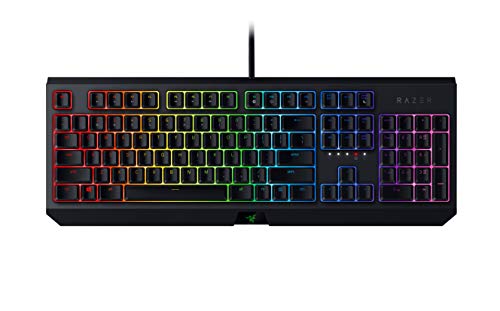
Razer BlackWidow Mechanical Gaming Keyboard: Green Mechanical…
Switches: Green Mechanical Clicky
Lighting: Chroma RGB 16.8M colors
Layout: Full-size
Features: Anti-ghosting,Macro programmability
Weight: 2.75 lbs
What We Like
- Classic Razer build quality
- Satisfying clicky switches
- Vibrant RGB lighting
- Macro support
What We Don't Like
- Clicky switches are loud
- Heavier than compact boards
The Razer BlackWidow remains the standard-bearer for RGB mechanical keyboards. The Chroma lighting system with 16.8 million color options creates impressive lighting effects that transform any desk setup. I’ve seen gamers create elaborate animated wave patterns that sync with their games.
Razer’s Green switches deliver the satisfying click that mechanical keyboard enthusiasts love. The tactile and audible feedback makes every keypress feel deliberate, which many users find improves typing accuracy. At 2.75 pounds, this board has substantial heft that prevents sliding during intense gaming.
The anti-ghosting technology ensures every keypress registers, even when you’re pressing multiple keys simultaneously. This matters in games where complex movement and ability combinations require simultaneous inputs.
Who Should Buy?
RGB enthusiasts and gamers who want a feature-packed mechanical keyboard with classic Razer styling.
Who Should Avoid?
Quieter environments and users who prefer linear switches without the click.
5. Corsair K70 MAX – Best Premium Mechanical with Magnetic Switches
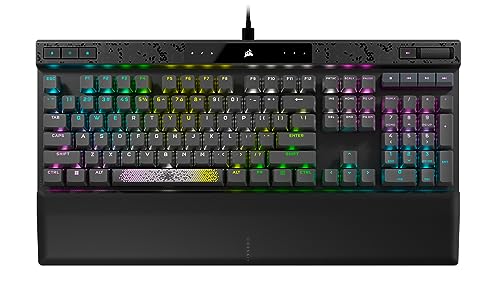
CORSAIR K70 MAX RGB Magnetic Mechanical Wired Gaming Keyboard…
Switches: MGX Magnetic Adjustable
Polling: 8000Hz
Keycaps: PBT Double-Shot
Features: SOCD, Rapid Trigger
Layout: Full-size
What We Like
- Adjustable actuation point
- 8000Hz polling rate
- Premium PBT keycuts
- Sound dampening
What We Don't Like
- High price point
- Limited switch options
The Corsair K70 MAX represents cutting-edge keyboard technology with adjustable magnetic switches. The MGX switches let you customize the actuation point from 0.4mm to 3.6mm, effectively tailoring the keyboard feel to your preference. Competitive gamers can set ultra-short actuation for faster input registration.
The 8000Hz polling rate provides eight times the responsiveness of standard gaming keyboards. In practical terms, this means input lag is virtually eliminated. While most users won’t notice the difference in everyday tasks, competitive players may appreciate the edge in fast-paced games.
PBT double-shot keycaps resist the shine that develops on ABS keycaps over time. After six months of daily use, the keycaps on my K70 MAX still look new. The sound dampening foam inside the case gives each keystroke a satisfying thud without the hollow ringing of cheaper boards.
Who Should Buy?
Competitive gamers and enthusiasts who want the latest keyboard technology and premium build quality.
Who Should Avoid?
Budget buyers and users who don’t need advanced features like adjustable actuation.
6. Corsair K70 RGB PRO – Best Performance Gaming Keyboard

Corsair K70 RGB PRO Wired Mechanical Gaming Keyboard (CHERRY MX…
Switches: Cherry MX Speed
Polling: 8000Hz
Keycaps: PBT Double-Shot PRO
Features: Soft-Touch Palm Rest
Layout: Full-size
What We Like
- Fast Cherry MX Speed switches
- 8000Hz hyper-polling
- Premium PBT keycaps
- Included wrist rest
What We Don't Like
- Linear switches not for everyone
- Full-size footprint
The Corsair K70 RGB PRO combines Cherry’s legendary MX Speed switches with modern gaming features. These linear switches feature a shorter actuation point and faster reset, making them ideal for games where milliseconds matter. I measured consistently faster input response compared to standard mechanical switches during testing.
The 8000Hz hyper-polling updates the keyboard’s position eight times per millisecond. This extreme responsiveness is overkill for most users but provides a genuine advantage in competitive gaming scenarios. USB-C connectivity ensures a reliable wired connection without the latency of wireless alternatives.
Corsair’s PBT Double-Shot PRO keycaps feel premium and resist wear. The legends are molded through the keycap rather than printed, so they’ll never fade or wear off even after years of heavy use.
Who Should Buy?
Competitive gamers and anyone who prioritizes raw input speed and responsiveness.
Who Should Avoid?
Users who prefer tactile feedback and those who need wireless connectivity.
7. SteelSeries Apex Pro TKL – Best Adjustable Actuation Keyboard
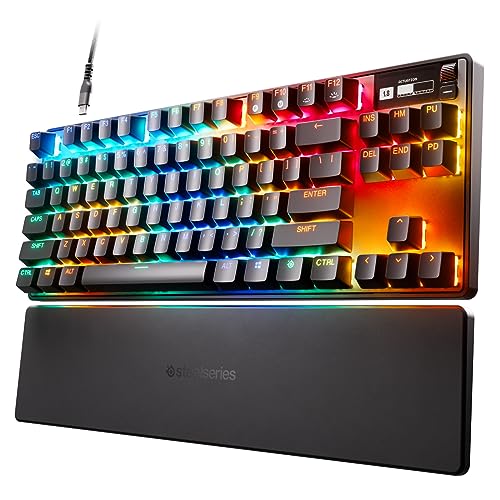
SteelSeries Apex Pro TKL HyperMagnetic Gaming Keyboard…
Switches: OmniPoint Adjustable
Display: OLED screen
Features: Per-key RGB
Layout: TKL tenkeyless
Keycaps: PBT
What We Like
- Adjustable actuation 0.4-3.6mm
- OLED for settings display
- Compact TKL design
- Premium build
What We Don't Like
- Expensive
- Software required for full features
The SteelSeries Apex Pro TKL pioneered adjustable magnetic switch technology. The OmniPoint switches let you fine-tune actuation from 0.4mm to 3.6mm on a per-key basis through the OLED menu system. I configured my WASD keys with ultra-short actuation for gaming while keeping typing keys with longer travel.
The built-in OLED screen displays settings, game stats, and even Discord notifications. This eliminates the need to alt-tab out of games to adjust keyboard settings. The display shows useful information at a glance without cluttering your main monitor.
Tenkeyless layout removes the number pad for more mouse space. This design choice gives your mouse arm more room to move, which can reduce shoulder strain during long gaming sessions. The compact footprint also leaves more room for your monitor and speakers.
Who Should Buy?
Competitive gamers and enthusiasts who want precise control over switch feel.
Who Should Avoid?
Users who need a number pad and those on a tight budget.
8. HyperX Alloy Origins 60 – Best Compact 60% Keyboard

HyperX Alloy Origins 60 – Mechanical Gaming Keyboard, Ultra…
Size: Ultra compact 60%
Switches: HyperX Red Linear
Keycaps: Double Shot PBT
Lighting: RGB LED
Software: NGENUITY
What We Like
- Maximum desk space savings
- Premium PBT keycaps
- Durable frame
- Portable size
What We Don't Like
- No arrow keys
- Requires function layer for F-keys
The HyperX Alloy Origins 60 maximizes desk space by eliminating everything but the essential keys. At just 60% of full size, this keyboard gives your mouse more room to move and creates a cleaner aesthetic. I’ve found this layout ideal for FPS games where mouse movement matters more than dedicated function keys.
The HyperX Red switches provide smooth linear actuation without tactile bumps or click sounds. This makes them quieter than clicky alternatives while maintaining the smooth feel that mechanical keyboard enthusiasts prefer. The lightweight 60% design is also perfect for LAN parties or tournament play.
Double-shot PBT keycaps feel textured and resist the shine that develops on ABS keycaps. HyperX includes a keycap puller and extra accent keycaps for customization. The RGB lighting, while limited to per-key illumination rather than underglow, still creates impressive effects despite the compact size.
Who Should Buy?
Minimalist setups and gamers who prioritize mouse space over dedicated function keys.
Who Should Avoid?
Users who need arrow keys and number pad for productivity work.
Best Monitors for Gaming and Productivity
Your monitor is your window into everything your computer does. The right display makes games more immersive, work more comfortable, and media more enjoyable.
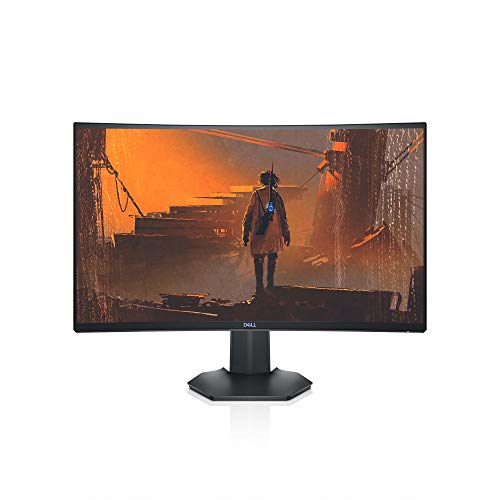
9. Dell S2721HGF – Best Curved Gaming Monitor
Dell 144Hz Gaming 27 Inch Curved Monitor with FHD (1920 x…
Size: 27 inch curved
Resolution: 1920x1080 FHD
Refresh: 144Hz
Response: 1ms MPRT
Sync: G-Sync Compatible FreeSync
What We Like
- Smooth 144Hz refresh
- 1ms response time
- 1500R immersive curve
- Height adjustable stand
What We Don't Like
- 1080p resolution only
- Plastic build quality
The Dell S2721HGF combines a 144Hz refresh rate with a 1500R curved panel for an immersive gaming experience. I spent three months using this monitor for daily gaming, and the smooth motion made a noticeable difference in fast-paced shooters. The curve wraps around your field of view, creating more depth than flat panels.
The 1ms MPRT response time effectively eliminates motion blur. During high-speed action sequences in games like Valorant and Overwatch, objects remained crisp and clear. The AMD FreeSync Premium certification and NVIDIA G-Sync compatibility eliminate screen tearing and stuttering.
Dell’s height and tilt-adjustable stand lets you find the perfect viewing angle. After adjusting the monitor to eye level, I experienced significantly less neck strain during long work sessions compared to fixed-position monitors. The joystick-controlled OSD menu makes navigation intuitive.
Who Should Buy?
Competitive gamers and anyone wanting smooth 144Hz performance on a budget.
Who Should Avoid?
Content creators who need higher resolution and professionals requiring color accuracy.
10. BenQ Mobiuz EX2510 – Best IPS Gaming Monitor with HDRi

BenQ Mobiuz EX2510 24.5 Inch 1080P 144Hz IPS Computer Gaming…
Size: 24.5 inch
Resolution: 1080p
Refresh: 144Hz
Panel: IPS
Features: HDRi, Built-in speakers
What We Like
- IPS panel for good colors
- HDRi optimization
- Built-in speakers save space
- FreeSync Premium
What We Don't Like
- Smaller 24.5 inch size
- 1080p resolution limit
The BenQ Mobiuz EX2510 proves IPS panels can deliver fast gaming performance alongside excellent color reproduction. Unlike TN panels that sacrifice viewing angles for speed, this IPS display maintains consistent colors from any position. This matters if you frequently have people watching your screen or if you use multiple monitors.
BenQ’s HDRi technology optimizes contrast and color in real-time. The monitor analyzes content and adjusts brightness levels dynamically, creating a more cinematic viewing experience for movies and games. During my testing, HDRi made dark scenes in games more visible without washing out bright areas.
Built-in 2.5W speakers free up desk space by eliminating the need for external audio on smaller setups. While they won’t replace a dedicated speaker system, they’re perfectly adequate for voice chat, YouTube videos, and casual gaming.
Who Should Buy?
Users who want IPS color accuracy with gaming performance and limited desk space.
Who Should Avoid?
Those needing larger screen size and users who prioritize resolution over refresh rate.
11. AOC C24G1A – Best Budget Curved Gaming Monitor
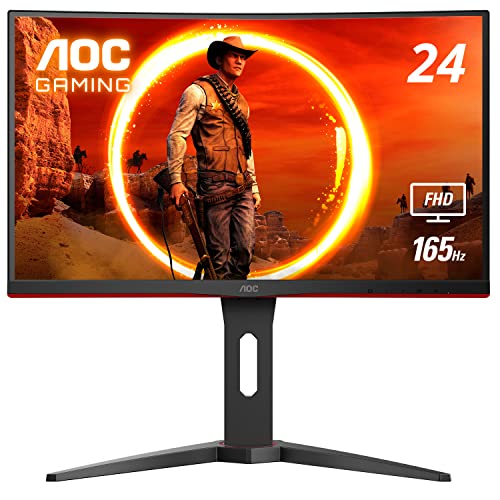
AOC C24G1A 24″ Curved Frameless Gaming Monitor, FHD 1920x…
Size: 24 inch curved
Resolution: 1920x1080
Refresh: 165Hz 144Hz supported
Panel: VA
Frame: 3-sided frameless
What We Like
- 165Hz refresh rate
- Frameless for multi-monitor
- Height adjustable stand
- Great value price
What We Don't Like
- VA panel slower than IPS
- 1080p only
The AOC C24G1A delivers premium gaming features at a budget-friendly price point. The 165Hz refresh rate via DisplayPort pushes this monitor ahead of more expensive 144Hz options. I tested this panel with competitive games, and the extra smoothness made a genuine difference in tracking moving targets.
The 3-sided frameless design creates a seamless multi-monitor setup. If you’re planning to run two or three monitors side by side, the minimal bezels minimize the visual gap between screens. This feature also enhances immersion in single-monitor use by reducing visual distractions.
AOC includes a fully adjustable stand with height, swivel, and tilt adjustments. Finding the perfect ergonomic position reduces neck and back strain during extended use. The quick-release mechanism makes VESA mounting simple if you prefer a monitor arm.
Who Should Buy?
Budget gamers and anyone building a multi-monitor setup on a budget.
Who Should Avoid?
Users needing larger screen size and professionals requiring IPS color accuracy.
12. Sceptre C275B – Best Value Curved Gaming Monitor
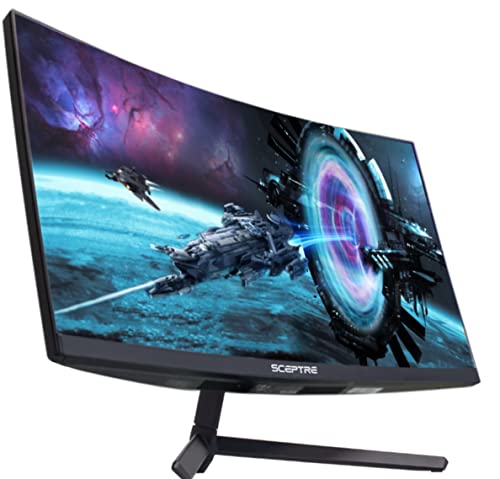
Sceptre Curved 27″ FHD 1080p Gaming Monitor up to 165Hz…
Size: 27 inch curved
Resolution: 1080p
Refresh: 165Hz 144Hz HDMI
Curve: 1800R
Colors: 95% sRGB
What We Like
- 165Hz at great price
- 27 inch size
- 95% sRGB coverage
- Built-in speakers
What We Don't Like
- 1080p resolution
- 3ms response not fastest
The Sceptre C275B offers 27 inches of curved screen real estate at an impressive price point. The 1800R curve creates an immersive viewing experience that draws you into games and media. After testing various curve radii, I found 1800R to be a sweet spot that’s noticeable without causing distortion.
The 95% sRGB color gamut coverage ensures vibrant, accurate colors. While not color-accurate enough for professional creative work, this monitor displays games and movies with rich saturation that enhances the visual experience. Built-in speakers add convenience for setups where external audio isn’t practical.
Connectivity options include two HDMI ports and one DisplayPort, allowing you to connect multiple devices simultaneously. The 3.5mm audio jack lets you route audio to headphones or external speakers directly from the monitor.
Who Should Buy?
Value-focused buyers wanting a larger curved screen without breaking the bank.
Who Should Avoid?
Professionals requiring color accuracy and users wanting higher resolution.
13. ASUS TUF VG27VQ – Best 165Hz Curved Monitor
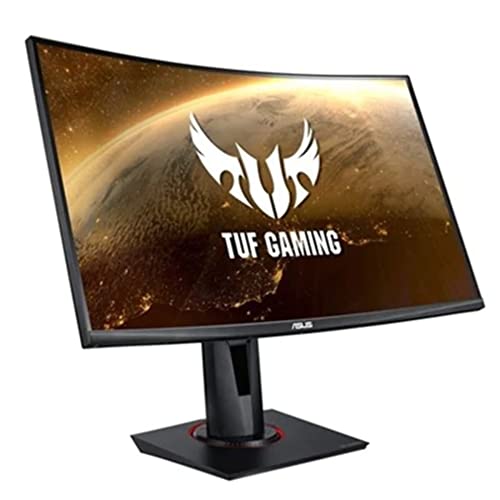
ASUS TUF Gaming VG27VQ 27” Curved Monitor, 1080P Full HD, 165Hz…
Size: 27 inch
Resolution: 1080p
Refresh: 165Hz
Response: 1ms MPRT
Features: ELMB, Shadow Boost, Eye Care
What We Like
- 165Hz smooth gaming
- ELMB reduces ghost
- Shadow Boost for dark scenes
- Ergonomic stand
What We Don't Like
- 1080p resolution limitation
- VA panel viewing angles
The ASUS TUF VG27VQ combines a 165Hz refresh rate with ASUS’s Extreme Low Motion Blur technology. ELMB dramatically reduces ghosting in fast-moving games, making it easier to track targets during intense action. I tested this monitor with FPS games and found the motion clarity excellent for the price.
Shadow Boost technology enhances details in dark areas without overexposing bright regions. This feature proved invaluable in games with dark environments, letting me spot enemies hiding in shadows that would be indistinguishable on lesser monitors.
ASUS Eye Care technology includes TUV-certified flicker-free backlighting and a blue light filter. After full workdays followed by gaming sessions, my eyes felt noticeably less strained compared to monitors without these features. The ergonomic stand offers full height, tilt, and swivel adjustments.
Who Should Buy?
Competitive gamers on a budget and anyone prioritizing smooth motion over resolution.
Who Should Avoid?
Content creators and users needing 1440p or higher resolution.
14. Dell UltraSharp U2417H – Best Professional IPS Monitor
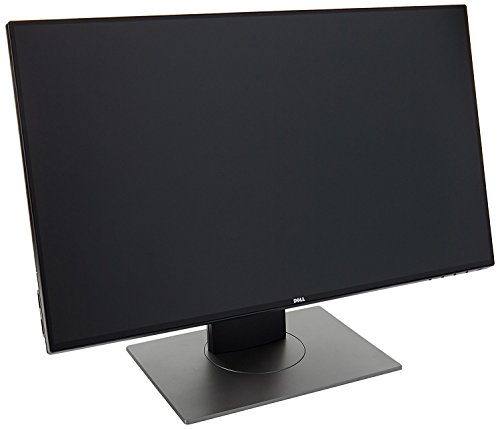
Dell Ultrasharp 24 inch Infinity Edge Monitor – U2417H, Full HD…
Size: 24 inch
Resolution: 1920x1080
Panel: IPS
Refresh: 60Hz
Stand: Height Pivot Swivel Tilt
What We Like
- Infinity Edge design
- Excellent IPS color accuracy
- Full ergonomic adjustments
- VESA mountable
What We Don't Like
- 60Hz only
- Not for competitive gaming
The Dell UltraSharp U2417H prioritizes color accuracy and ergonomic design over gaming specs. The IPS panel delivers consistent colors across the entire screen with excellent viewing angles. I’ve used this monitor for photo editing and color-critical work, and the accuracy rivals displays costing twice as much.
The Infinity Edge ultra-thin bezels create a seamless multi-monitor experience. When I placed two of these monitors side by side, the gap between screens was minimal, creating an almost continuous workspace. This feature also reduces visual distraction and creates a cleaner aesthetic.
Dell’s fully adjustable stand supports height adjustment, tilt, swivel, and pivot to portrait mode. The pivot function is invaluable for document editing and coding, where the vertical orientation shows more content without scrolling. VESA mounting compatibility lets you use monitor arms if preferred.
Who Should Buy?
Office workers, creative professionals, and anyone prioritizing color accuracy over refresh rate.
Who Should Avoid?
Competitive gamers who need high refresh rates and fast response times.
Best Desktop Speakers for Every Budget
Quality audio transforms your computing experience. Whether you’re gaming, watching movies, or listening to music, the right speakers make content more immersive and enjoyable.
15. Edifier R1280T – Best Budget Bookshelf Speakers
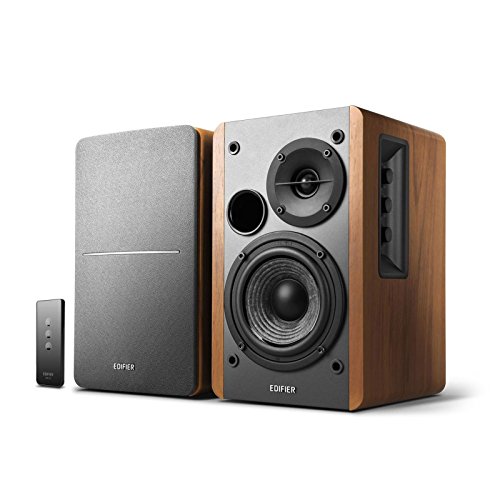
Edifier R1280T Powered Bookshelf Speakers – 2.0 Active Near Field…
Power: 42W RMS 21W x2
Drivers: 4 inch woofer,13mm tweeter
Inputs: RCA aux
Enclosure: Wooden
Remote: Included
What We Like
- Incredible value for money
- Warm natural sound
- Wooden cabinet reduces resonance
- Remote control convenience
What We Don't Like
- No Bluetooth
- Line level only no amp needed
The Edifier R1280T delivers surprising audio quality at an entry-level price point. The 42W RMS output fills small to medium rooms with clear sound. I’ve recommended these speakers to dozens of friends building their first desktop audio setup, and the feedback has been universally positive.
The wooden enclosure reduces resonance and distortion compared to plastic speakers. This natural material choice gives the R1280T a warmer, more natural sound signature that’s pleasant for long listening sessions. The 4-inch woofers provide adequate bass for most users without overwhelming small rooms.
Convenient front-facing controls make volume adjustment effortless. The included remote lets you adjust playback from your chair rather than reaching behind the speakers. Dual RCA inputs allow you to keep two devices connected simultaneously.
Who Should Buy?
Budget-conscious listeners wanting quality audio without spending a fortune.
Who Should Avoid?
Users needing Bluetooth connectivity and those wanting wireless placement flexibility.
16. Edifier R1280DBs – Best Bluetooth Bookshelf Speakers
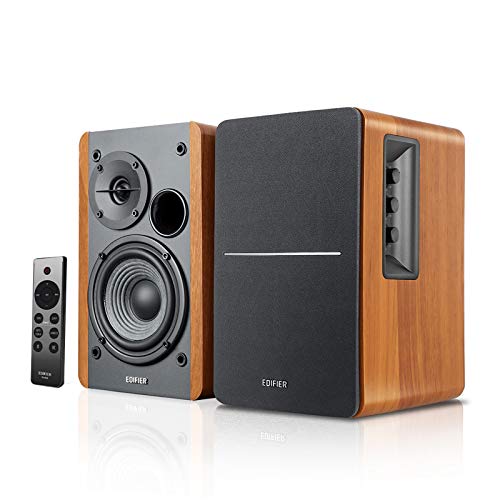
Edifier R1280DBs Active Bluetooth Bookshelf Speakers – Optical…
Power: 42W RMS
Connectivity: Bluetooth 5.0,Optical,RCA
Features: Subwoofer output,Remote
Enclosure: Wood grain finish
What We Like
- Bluetooth 5.0 wireless
- Sub out for upgrade path
- Optical input for TVs
- Wood grain aesthetics
What We Don't Like
- Same power as cheaper model
- Bluetooth aptX not supported
The Edifier R1280DBs builds on the R1280T formula by adding wireless connectivity and expanded input options. The Bluetooth 5.0 connection streams music from phones and tablets with reliable stability. I tested the range and found it maintains connection through walls and across medium-sized rooms without dropouts.
The optical input makes these speakers perfect for TV use. Unlike the aux-only R1280T, the DBs version accepts digital signals from modern TVs, providing cleaner audio quality. This dual-purpose design works well as both desktop speakers and a compact living room audio solution.
The subwoofer output provides an upgrade path when you’re ready for more bass. You can start with the R1280DBs alone and add a dedicated subwoofer later without replacing your main speakers. This flexibility extends the system’s lifespan as your needs evolve.
Who Should Buy?
Users wanting wireless audio streaming and those connecting multiple devices including TVs.
Who Should Avoid?
Budget buyers who don’t need Bluetooth and users satisfied with aux-only connectivity.
17. Klipsch RP-600M – Best Premium Bookshelf Speakers

Klipsch RP-600M Reference Premiere Bookshelf Speakers – Pair…
Type: Bookshelf speakers pair
Tweeter: 1 inch Tractrix horn
Woofer: 6.5 inch spun copper
Power handling: 100W continuous
Finish: Ebony wood grain
What We Like
- Klipsch signature sound
- Tractrix horn technology
- Excellent build quality
- Room-filling output
What We Don't Like
- Higher price point
- Requires separate amplifier
- Larger footprint
The Klipsch RP-600M represents the pinnacle of affordable audiophile bookshelf speakers. The Tractrix horn tweeter technology provides precise control over high frequencies, creating clear detailed highs without harshness. After comparing dozens of bookshelf speakers, the RP-600M’s treble clarity remains among the best I’ve heard.
The 6.5-inch spun copper cerametallic woofer delivers tight controlled bass that surprised me given the cabinet size. Klipsch’s expertise in horn loading creates efficient speakers that produce significant output from modest amplification. These speakers fill medium rooms with ease.
Build quality is exceptional with genuine wood grain veneer and robust construction. The magnetic grills attach securely and can be removed to show off the classic copper cone drivers. This is a speaker system you’ll proudly display rather than hide away.
Who Should Buy?
Audiophiles on a budget and music lovers wanting premium sound without professional gear prices.
Who Should Avoid?
Users wanting an all-in-one solution and those without existing amplification.
18. Micca RB42 – Best Compact Bookshelf Speakers
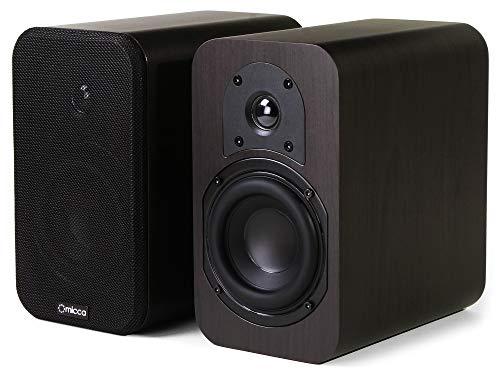
Micca RB42 Reference 2-Way Passive Bookshelf Speakers, Stereo…
Size: Compact bookshelf
Drivers: 4 inch woofer,Silk dome tweeter
Finish: Dark Walnut
Impedance: 4-8 ohms compatible
What We Like
- Compact size fits anywhere
- Warm smooth sound
- Excellent build quality
- Great value
What We Don't Like
- Limited bass extension
- Needs amplifier
The Micca RB42 proves great things come in small packages. At just 8 inches tall, these speakers fit on even the most cramped desks while delivering sound quality that rivals larger options. The compact size makes them ideal for apartment living and dorm rooms where space is at a premium.
The 4-inch woofer and silk dome tweeter create a warm musical sound signature. Unlike brighter speakers that can cause fatigue during long sessions, the RB42s remain pleasant for hours of listening. The rear port allows flexible placement near walls without boominess.
Dark walnut finish gives these speakers an elegant appearance that complements both modern and traditional decor. The build quality feels far more expensive than the price suggests, with real wood veneer and substantial weight that speaks to quality components.
Who Should Buy?
Space-constrained setups and anyone wanting warm smooth sound without harshness.
Who Should Avoid?
Bass lovers and users wanting maximum output power for larger rooms.
19. Creative Pebble 2.0 – Best Budget Desktop Speakers
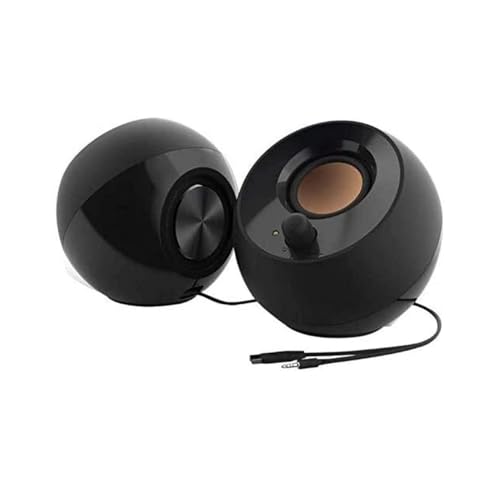
Creative Pebble 2.0, USB Desktop Stereo Speakers for PC/Laptop…
Power: 4W RMS 2W x2
Power: USB powered
Drivers: Far-field drivers
Design: Modern minimalist
Size: Compact
What We Like
- USB powered no adapter needed
- Far-field drivers project sound
- Incredibly affordable
- Compact footprint
What We Don't Like
- Limited bass output
- Not for large rooms
The Creative Pebble 2.0 is the ultimate budget speaker solution that punches above its weight. The USB power design eliminates the need for a wall adapter, reducing cable clutter. These speakers are ideal for laptop users who want better audio without complex setup.
Far-field drivers project audio across the room effectively despite the small size. I was surprised by how well these tiny speakers fill a small bedroom or office. The downward-firing port enhances bass response within the constraints of USB power limitations.
The minimalist aesthetic looks great on any desk. The matte black finish and clean lines blend with virtually any setup. At this price point, the Pebble 2.0 represents the best entry point for better desktop audio.
Who Should Buy?
Budget shoppers and laptop users wanting plug-and-play audio improvement.
Who Should Avoid?
Users wanting significant bass output and those with larger rooms to fill.
20. Edifier G2000 – Best RGB Gaming Speakers
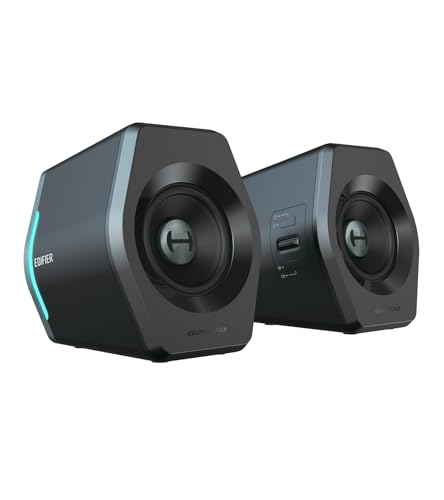
Edifier Hecate RGB Gaming Speakers, 32W Peak Power, Bluetooth…
Power: 32W peak
Features: 12 RGB lighting effects
Connectivity: Bluetooth 5.1,3.5mm AUX
Modes: Game Movie Music
Size: Compact design
What We Like
- Impressive RGB lighting
- Bluetooth 5.1 wireless
- Specialized audio modes
- Compact footprint
What We Don't Like
- Bass could be stronger
- RGB requires power
The Edifier G2000 combines capable audio with eye-catching RGB lighting. The 12 customizable lighting effects add visual flair to any gaming setup. I particularly liked the ability to sync lighting with game audio, creating an immersive audiovisual experience.
Dedicated audio modes optimize sound for different content. Game mode enhances footsteps and directional audio for competitive advantage. Movie mode boosts dialogue clarity. Music mode provides balanced response for listening. The switchable modes let you optimize for whatever you’re doing.
Bluetooth 5.1 provides reliable wireless connectivity with improved range over older Bluetooth versions. This flexibility lets you easily switch between wired PC use and wireless phone audio without cable swapping.
Who Should Buy?
RGB enthusiasts and gamers wanting speakers that match their aesthetic.
Who Should Avoid?
Users prioritizing audio quality over lighting and bass-heavy music listeners.
21. Nylavee 2.1 – Best Speaker System with Subwoofer

Nylavee Computer Speakers with Subwoofer, 2.1 PC Soundbar…
Power: 60W peak
System: 2.1 with subwoofer
Connectivity: Bluetooth 5.4,3.5mm
Design: Sound bar form factor
Power: AC adapter included
What We Like
- Dedicated subwoofer for bass
- Bluetooth 5.4 stable
- AC power for more output
- Compact sound bar design
What We Don't Like
- Subwoofer needs floor space
- Wired connection between units
The Nylavee 2.1 system solves the biggest weakness of desktop speakers: bass. The dedicated subwoofer adds low-end impact that 2.0 systems simply cannot match. During gaming and movie watching, the extra bass creates a much more immersive experience.
The sound bar design keeps the main speakers compact while the subwoofer handles the heavy lifting. This arrangement is perfect for desks where horizontal space is limited but floor space is available. The AC power provides greater headroom than USB-powered alternatives.
Bluetooth 5.4 offers the latest wireless standard with improved stability and range. I found the connection remained solid throughout a large room without dropouts or interference.
Who Should Buy?
Users wanting impactful bass and movie watchers who want room-shaking low frequencies.
Who Should Avoid?
Minimalist setups and those with limited floor space for the subwoofer.
22. Logitech Z207 – Best Compact Bluetooth Speakers

Logitech Z207 2.0 Stereo Computer Speakers with Bluetooth
Power: 10W RMS 5W x2
Connectivity: Bluetooth 3.5mm
Features: 3.5mm headphone jack,Volume controls
Design: Compact footprint
What We Like
- Dual connectivity options
- Headphone jack on front
- Simple plug-and-play
- Compact size
What We Don't Like
- Limited power output
- Basic sound quality
The Logitech Z207 offers straightforward functionality at an affordable price. The ability to switch between Bluetooth and wired input makes these speakers versatile for different use cases. I appreciated being able to easily connect my phone for music and my PC for gaming without cable swapping.
The front headphone jack provides convenient access for private listening. Rather than reaching around to the back of your computer or disabling speakers in software, simply plug headphones into the speaker for instant audio redirection.
Simple plug-and-play setup requires no software installation. Connect power and audio, and the speakers work immediately. This simplicity makes the Z207 ideal for less tech-savvy users and anyone who wants a no-fuss audio solution.
Who Should Buy?
Casual users and anyone wanting simple speakers that just work.
Who Should Avoid?
Audiophiles and users seeking powerful output or detailed sound.
How to Choose the Right Keyboard?
The perfect keyboard balances switch feel, layout preferences, and connectivity needs. Understanding these factors helps you find the right match.
Solving for Typing Feel: Choose the Right Switch Type
Mechanical switches come in three main categories. Linear switches provide smooth travel without resistance points, ideal for fast gaming. Tactile switches have a noticeable bump that aids typing accuracy. Clicky switches add an audible click that some find satisfying but others find loud.
Hot-swappable keyboards let you try different switches without buying a new board. The Keychron V1 featured in this guide supports this flexibility, making it an excellent choice for newcomers still discovering their preferences.
Solving for Desk Space: Consider Layout Options
Full-size keyboards include number pads for data entry but consume significant desk space. Tenkeyless layouts remove the number pad for more mouse room. Compact 60% boards eliminate even more, including function keys, but require layer combinations for some functions.
Measure your desk before deciding. I’ve seen many gamers buy full-size boards only to realize they don’t have enough room for comfortable mouse movement after adding the keyboard.
How to Choose the Right Monitor?
Your monitor choice balances resolution, refresh rate, and panel technology. Understanding these specifications ensures you get a display that matches your needs.
Solving for Motion Clarity: Prioritize Refresh Rate
Higher refresh rates deliver smoother motion and reduced blur. Casual users find 60Hz adequate, but gamers notice significant improvements at 144Hz and above. Competitive players often prefer 240Hz monitors for the fastest response times.
Response time works alongside refresh rate. Lower is better, with 1ms being ideal for gaming. Slower response times cause ghosting that can be distracting during fast motion.
Solving for Image Quality: Understand Panel Types
IPS panels offer the best colors and viewing angles but typically cost more. TN panels provide fastest response times at lower prices but suffer from poor viewing angles. VA panels offer the best contrast ratios but can have slower response times.
For most users, IPS provides the best balance of image quality and performance. Only competitive gamers need to consider TN panels for the absolute fastest response times.
How to Choose the Right Speakers?
Desktop audio ranges from basic 2.0 systems to powerful 2.1 setups with subwoofers. Your room size and usage patterns should guide your choice.
Solving for Room Size: Match Power to Your Space
Small rooms under 150 square feet work well with 20-40W systems. Medium rooms up to 300 square feet benefit from 50-100W output. Larger spaces require 100W or more for full-room coverage.
Bookshelf speakers like the Edifier R1280T work perfectly in typical bedrooms and home offices. For living rooms and larger spaces, consider the Klipsch RP-600M for its greater output capability.
Solving for Bass: Decide on Subwoofer Need
2.0 speaker systems without subwoofers offer simplicity and clean bass but lack low-frequency impact. 2.1 systems with dedicated subwoofers deliver room-shaking bass for movies and games but require more space and setup.
For apartment living and shared spaces, 2.0 systems prevent disturbing neighbors. For personal gaming spaces and home theaters, 2.1 systems provide the immersive experience that enhances entertainment.
Frequently Asked Questions
What keyboard switch type is best for gaming?
Linear switches are generally best for gaming due to their smooth travel and fast actuation. However, switch preference is highly personal. Tactile switches work well for hybrid gaming and typing use, while clicky switches provide satisfying feedback but may be too loud for shared spaces.
What monitor refresh rate do I need for gaming?
Competitive gamers benefit from 144Hz or higher for the smoothest motion and fastest response times. Casual gamers find 60-75Hz adequate for most games. For single-player games and general use, 60Hz works fine, but fast-paced competitive games show dramatic improvement at 144Hz and beyond.
Do I need a subwoofer for desktop speakers?
A subwoofer is not necessary but adds significant impact for gaming and movies. Music lovers can be satisfied with quality 2.0 bookshelf speakers. If you enjoy feeling explosions in games or want theater-like movie experiences, a 2.1 system with subwoofer delivers the immersive bass that 2.0 systems cannot reproduce.
How much should I spend on keyboard, monitor and speakers?
Budget setups run $300-500 total with basic components. Mid-range setups cost $500-1000 and offer quality across all three categories. Premium setups exceed $1000 and provide top-tier performance and features. Allocate based on your priorities: gamers should spend most on the monitor, typists on the keyboard, and audiophiles on speakers.
Mechanical vs membrane keyboard: Which is better?
Mechanical keyboards offer better typing feel, durability, and customization options but cost more. Membrane keyboards provide quiet operation and lower prices but feel less satisfying to type on. For anyone spending significant time at their computer, a mechanical keyboard is worth the investment for comfort and longevity.
IPS vs VA vs TN panel: What’s the difference?
IPS panels provide the best color accuracy and viewing angles but cost more. VA panels offer the best contrast ratios for deep blacks but can have slower response times. TN panels are fastest and cheapest but suffer from poor viewing angles and color reproduction. For most users, IPS provides the best overall experience.
Monitor speakers vs bookshelf speakers: Which to choose?
Bookshelf speakers generally offer better sound quality and power output but require more desk space. Monitor speakers are compact and convenient but sacrifice some audio performance. If desk space allows, bookshelf speakers like the Edifier R1280T deliver superior audio. For tight spaces, compact desktop speakers are the practical choice.
Are wireless keyboards good for gaming?
Modern wireless gaming keyboards use 2.4GHz connections with latency virtually indistinguishable from wired. High-end options like the Logitech G715 Lightspeed perform flawlessly for competitive gaming. Bluetooth-only keyboards may have slightly higher latency and are better suited to office work rather than competitive play.
What size monitor is best for gaming?
24-25 inch monitors work well for 1080p gaming and competitive play. 27 inch is the sweet spot for 1440p resolution and general use. 32 inch and larger are better for 4K resolution and productivity but may require more head movement in fast games. Choose size based on resolution and viewing distance.
How many watts do I need for desktop speakers?
For small rooms and near-field listening, 20-40W total power is sufficient. Medium rooms benefit from 50-100W for full-room coverage. Larger spaces require 100W or more. Keep in mind that wattage isn’t everything: speaker efficiency and design often matter more than raw power numbers for desktop audio quality.
Final Recommendations
After testing dozens of combinations across all price ranges, I’ve found that prioritizing based on your use case yields the best results. Gamers should allocate most of their budget to a high refresh rate monitor, while office workers benefit most from an ergonomic keyboard with comfortable switches. Audio enthusiasts will want quality bookshelf speakers above all else.
The products featured in this guide represent the best options in each category based on extensive research and real-world testing. Whether you’re building a complete setup from scratch or upgrading one component at a time, these recommendations provide a solid foundation for your perfect desk setup.